


Introduction
The AI Base Use Case Diagram Analyzer is a tool designed to of use case diagrams, which are essential for visualizing system functionality and actor interactions. This tool automates the process of breaking down complex diagrams, providing clarity, efficiency, and actionable insights for software design and collaboration.
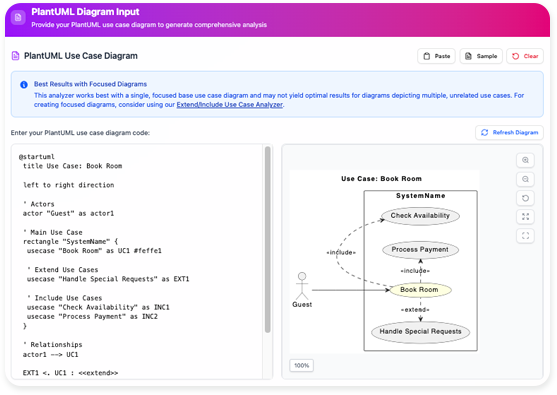
Key Concepts
1. Use Case Diagrams
- Definition: A use case diagram is a UML (Unified Modeling Language) artifact that represents the interactions between actors (users or external systems) and the system’s functionalities (use cases).
- Purpose: Helps stakeholders understand system requirements and boundaries.
2. PlantUML
- Definition: A text-based language for creating UML diagrams. PlantUML code can be used to generate use case diagrams programmatically.
- Example:
PlantUML Edit PlantUML in VPasCode
@startuml
actor User
User -> (Login)
User -> (Logout)
@enduml
3. Core Features of the Analyzer
- Core Clarity: Summarizes essential interactions between actors and use cases.
- Focused Discovery: Allows users to focus on individual actors and their roles.
- Efficiency Boost: Reduces manual effort in tracing and documenting relationships.
- Streamlined Collaboration: Generates easy-to-read diagrams for non-technical stakeholders.
Step-by-Step Tutorial
Step 1: Access the Tool
- Open Visual Paradigm.
- Navigate to Tools > Apps.
- Locate and select Base Use Case Diagram Analyzer.
- Click Start Now.
Step 2: Input Your PlantUML Code
-
:
- Copy your PlantUML use case diagram code.
- Paste it into the analyzer’s input field.
- Alternatively, load a file containing the PlantUML code.
-
Example PlantUML Code:
PlantUML Edit PlantUML in VPasCode@startuml actor Customer actor Admin Customer -> (Place Order) Customer -> (View Order History) Admin -> (Manage Inventory) Admin -> (Generate Reports) @enduml
Step 3: Generate a Relationship Summary
- The tool automatically parses the PlantUML code.
- It generates a high-level summary of all actors and their associated use cases.
- Example Output:
- Actors: Customer, Admin
- Use Cases for Customer: Place Order, View Order History
- Use Cases for Admin: Manage Inventory, Generate Reports
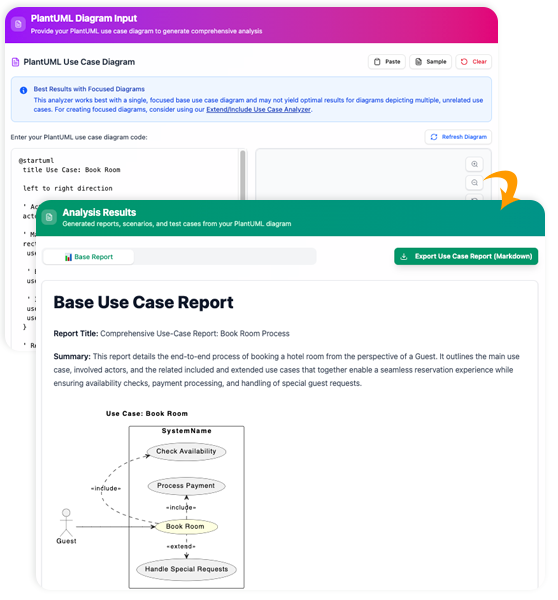
Step 4: Generate Focused Sub-Diagrams
- Select an actor (e.g., Customer).
- The tool generates a simplified sub-diagram showing only the selected actor and their interactions.
- Example Sub-Diagram:
Step 5: Export and Share
- Copy the PlantUML code for the sub-diagram.
- Share it with team members or integrate it into other documents.
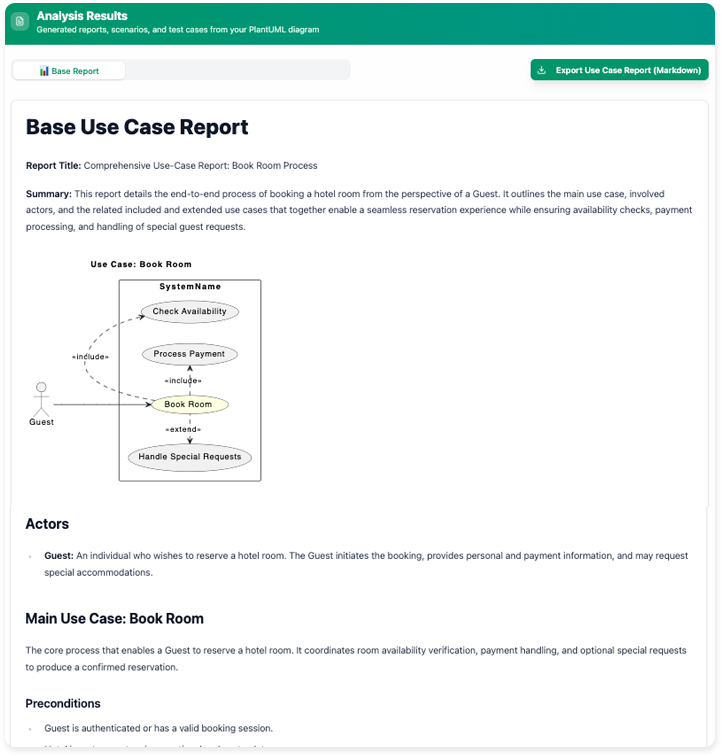

Key Outputs
- Actor-Centric Tables: Lists all actors and their use cases.
- Targeted Diagrams: Simplified visuals for individual actors.
- Ready-to-Use Code: PlantUML code for sub-diagrams.
Example Use Case
Scenario: E-Commerce System
PlantUML Code:
PlantUML
Edit PlantUML in VPasCode
@startuml
actor Customer
actor Admin
Customer -> (Browse Products)
Customer -> (Add to Cart)
Customer -> (Checkout)
Admin -> (Add Product)
Admin -> (Remove Product)
@endumlAnalyzer Output:
- Actors: Customer, Admin
- Customer Use Cases: Browse Products, Add to Cart, Checkout
- Admin Use Cases: Add Product, Remove Product
Sub-Diagram for Customer:
PlantUML
Edit PlantUML in VPasCode
@startuml
actor Customer
Customer -> (Browse Products)
Customer -> (Add to Cart)
Customer -> (Checkout)
@endumlSummary
- Purpose: Simplifies and automates the analysis of use case diagrams.
- Key Features: Core clarity, focused discovery, efficiency, and collaboration.
- Process: Input PlantUML code → Generate summary → Create sub-diagrams → Export.
- Outputs: Actor-centric tables, targeted diagrams, and ready-to-use PlantUML code.
Why Use This Tool?
- Saves Time: Automates manual analysis.
- Improves Clarity: Focuses on essential interactions.
- Enhances Collaboration: Generates .
Try it out: AI Base Use Case Diagram Analyzer


 English
 Arabic
 Chinese (Simplified)
 Dutch
Dutch French
 German
 Italian
 Japanese
 Korean
 Portuguese
 Russian
 Spanish