


Introduction
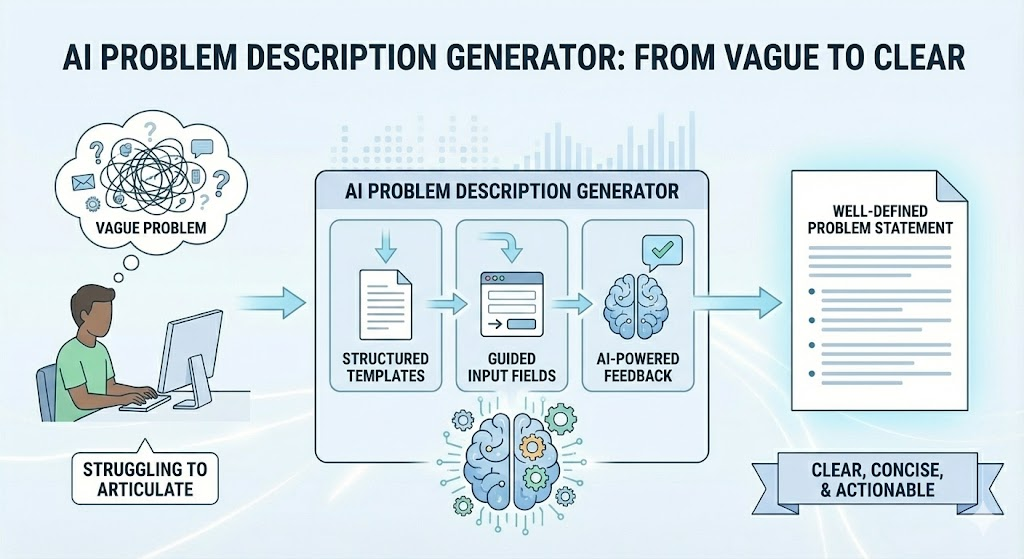
A well-defined problem description is the cornerstone of any successful project or solution. However, articulating problems clearly and concisely can be challenging. The AI Problem Description Generator is designed to simplify this process by providing structured templates, guided input fields, and AI-powered feedback to refine your problem statements.
Why Use the AI Problem Description Generator?
- Vagueness: Problem statements often lack specificity, leading to misalignment.
- Symptom vs. Root Cause: Focusing on symptoms rather than the core issue can result in ineffective solutions.
- Missing Context: Critical details about stakeholders, impact, and constraints are often overlooked.
How the Tool Helps
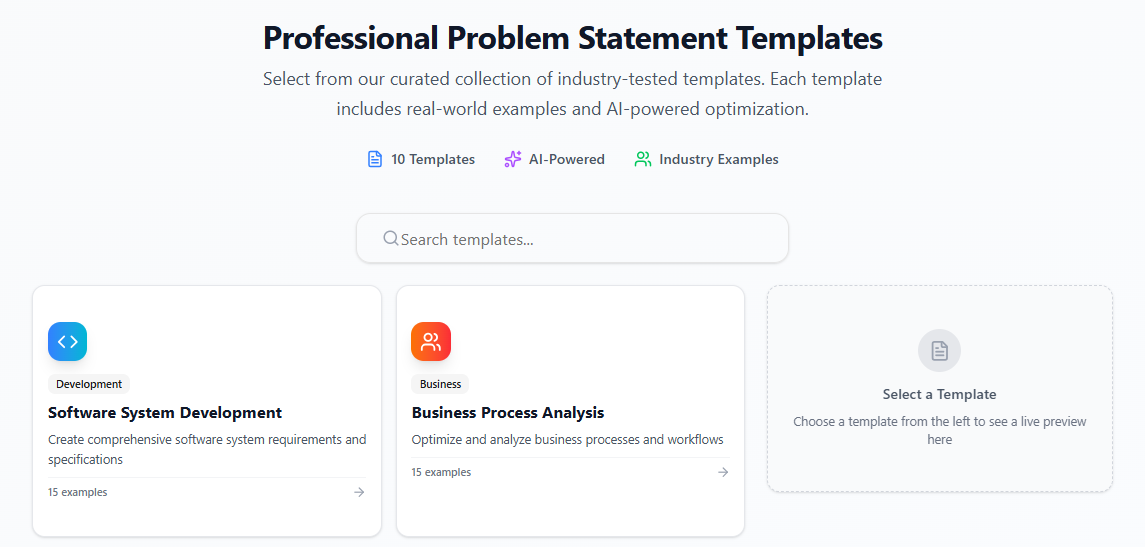
- : Choose from proven templates (e.g., “5 W’s and H,” “Situation-Complication-Resolution”) to structure your problem statement.
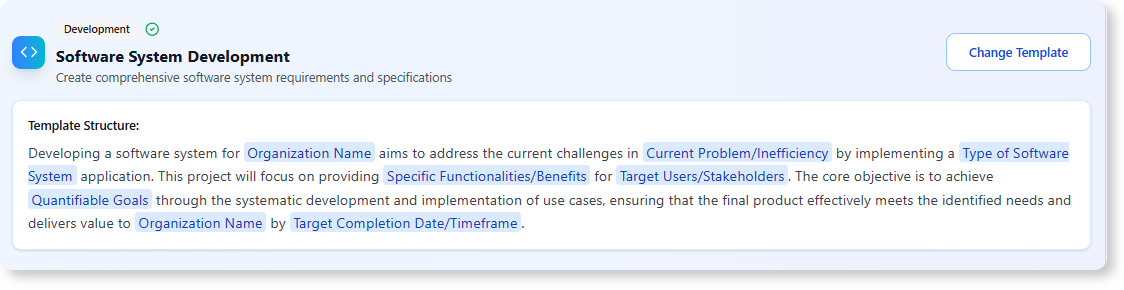
- Variable-Based Input: Fill in guided fields to ensure all essential details are included.
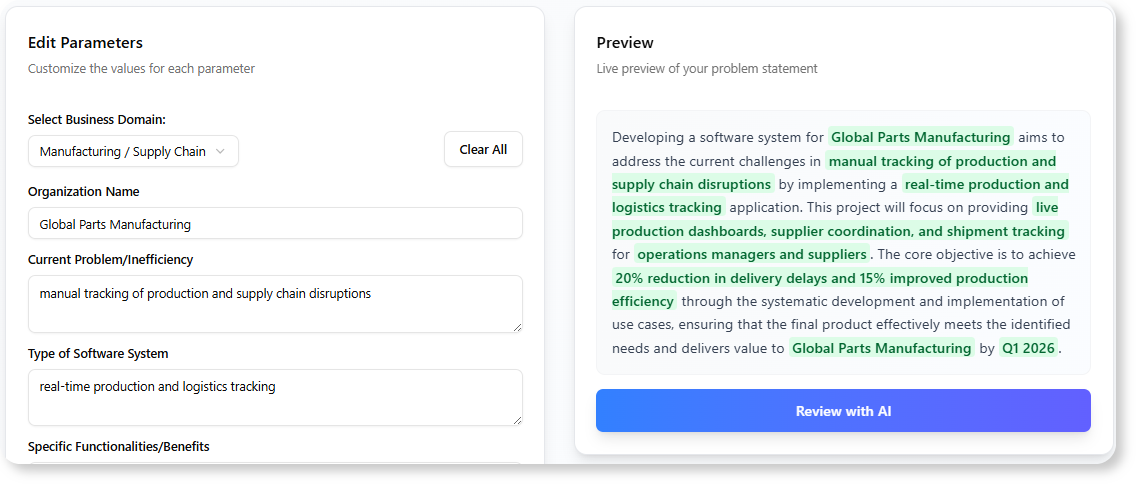
- AI-Powered Review: Receive feedback on clarity, completeness, and impact, with suggestions for improvement.
- Project Managers: Align teams on project goals and challenges.
- Business Analysts: Define business problems and requirements clearly.
- Students: Articulate research questions or project objectives.
- Anyone: Who needs to communicate problems effectively.
Step-by-Step Guide to Using the Tool
Step 1: Access the Tool
- For Visual Paradigm Online Users: Navigate to https://ai-toolbox.visual-paradigm.com/app/problem-description-generator/.
- For Visual Paradigm Desktop Users: Open the desktop application, go to Tools > App, and select Problem Description Generator.
Step 2: Select a Template
- Choose from a variety of templates tailored to different problem types. Examples include:
- 5 W’s and H: Who, What, When, Where, Why, and How.
- Situation-Complication-Resolution: Describe the current situation, the complication, and the desired resolution.
Step 3: Fill in Variables
- Input specific details about the problem into the guided fields. For example:
- Problem: What is the issue?
- Impact: Who is affected, and how?
- Context: What are the constraints or background details?
Step 4: Generate Description
- The tool will automatically assemble your inputs into a coherent problem description.
Step 5: Receive AI Review
- The AI will analyze your description for:
- Clarity: Is the problem statement easy to understand?
- Completeness: Are all essential details included?
- Impact: Does the statement effectively communicate the problem’s significance?
- You’ll receive suggestions to refine your wording and strengthen your statement.
Step 6: Refine and Finalize
- Use the AI’s feedback to make adjustments.
- Finalize your problem description and use it to .
Example Workflow
- Template: “5 W’s and H”
- Inputs:
- Who: Marketing team
- What: Low engagement on social media posts
- When: Last quarter
- Where: Instagram and Facebook platforms
- Why: Lack of targeted content strategy
- How: Develop a data-driven content plan
- Generated Description: “The marketing team is facing low engagement on social media posts on Instagram and Facebook platforms over the last quarter. This issue stems from a lack of a targeted content strategy. To address this, we will develop a data-driven content plan to improve engagement metrics.”
- AI Feedback:
- Suggests adding specific engagement metrics (e.g., likes, shares, comments).
- Recommends clarifying the timeline for implementing the content plan.
Tips for Crafting Effective Problem Descriptions
- Be Specific: Avoid vague language. Use data or examples to illustrate the problem.
- : Dig deeper to identify the underlying issue.
- Include Stakeholders: Clearly state who is affected and their roles.
- : Define what success looks like.
Conclusion
The AI Problem Description Generator is a powerful tool for anyone who needs to articulate problems clearly and effectively. By leveraging structured templates and AI-driven feedback, you can ensure your problem statements are precise, impactful, and aligned with your goals.

 English
 Arabic
 Chinese (Simplified)
 Dutch
Dutch French
 German
 Italian
 Japanese
 Korean
 Portuguese
 Russian
 Spanish