


Introduction
of system design, helping teams visualize interactions between users (actors) and the system. However, translating these diagrams into detailed scenarios and comprehensive test cases is often a manual, error-prone, and time-consuming process. Missing edge cases or alternative flows can lead to incomplete test coverage and defects in the final product.
This guide explores how AI-powered tools, like the Base Use Case Diagram Analyzer, can automate this process, ensuring thorough testing and robust software development.

Key Concepts
1. Use Case Diagrams
- Definition: A UML (Unified Modeling Language) diagram that represents the interactions between actors (users or external systems) and the system.
- Components:
- Actors: Entities interacting with the system.
- Use Cases: Functions or services the system provides.
- Relationships: Associations, includes, extends, and generalizations.
2. Scenarios
- Definition: A sequence of steps describing how an actor interacts with the system to achieve a goal.
- Types:
- Main Flow: The primary path to success.
- Alternative Flows: Variations or exceptions to the main flow.
- Exception Flows: Error handling or unexpected events.
3. Test Cases
- Definition: A set of conditions or steps to verify if a system meets its requirements.
- Components:
- Preconditions: Conditions that must be true before execution.
- Steps: Actions to perform.
- Expected Results: The outcome if the system functions correctly.
Why Automate Scenario and Test Case Generation?
- Reduces Manual Effort: Saves time and minimizes human error.
- Ensures Complete Coverage: Identifies edge cases and alternative flows that might be missed manually.
- Improves Consistency: Standardizes test case format and structure.
- Accelerates Testing: Allows QA teams to focus on execution and exploratory testing.
Guidelines for Using AI Tools
1. Input Your Use Case Diagram
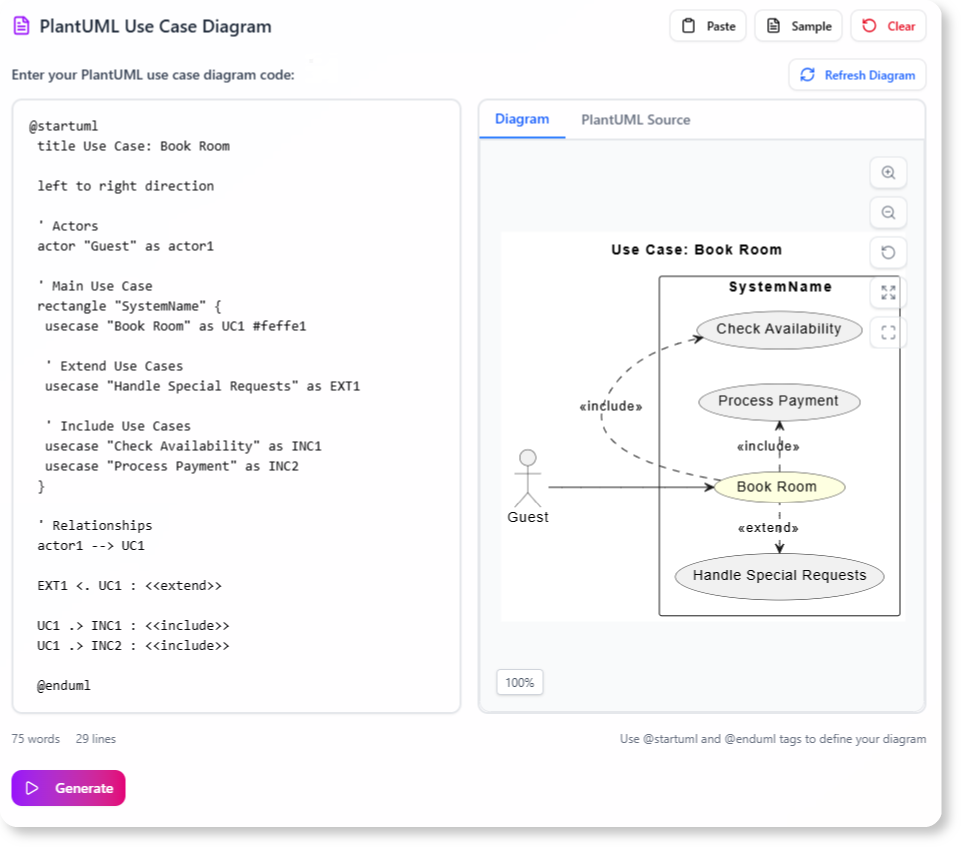
- Format: Use PlantUML code to define your use case diagram.
- Example:
PlantUML Edit PlantUML in VPasCode
@startuml
left to right direction
actor User
User --> (Login)
User --> (Logout)
@enduml
2. Analyze the Diagram
- The AI tool will parse the diagram to identify:
- Actors and their interactions.
- Main, alternative, and exception flows.
- Potential edge cases.
3. Review Generated Scenarios
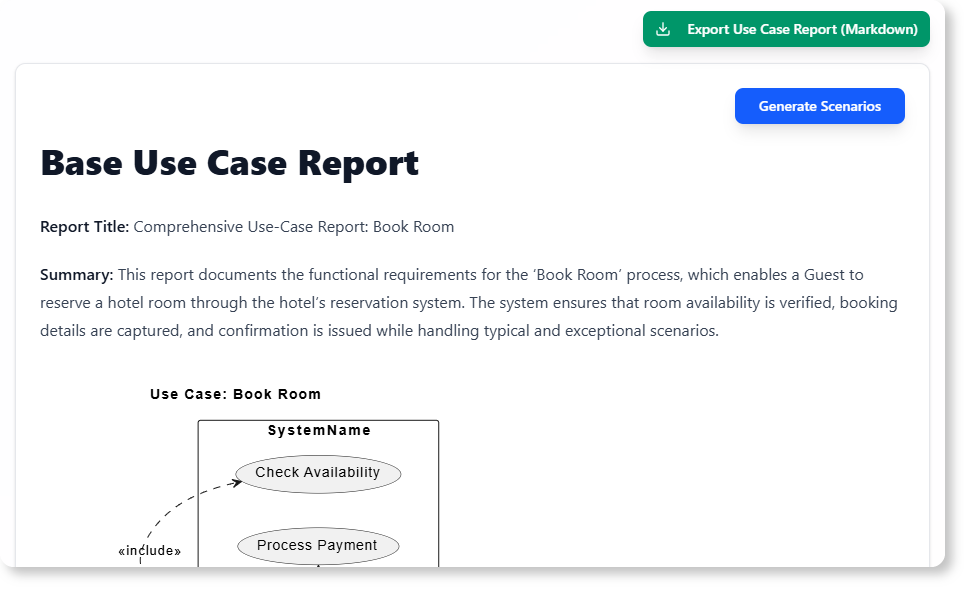
- Main Flow: The standard path for each use case.
- Alternative Flows: Variations based on user choices or system states.
- Exception Flows: Error handling and recovery steps.
4. Generate Test Cases
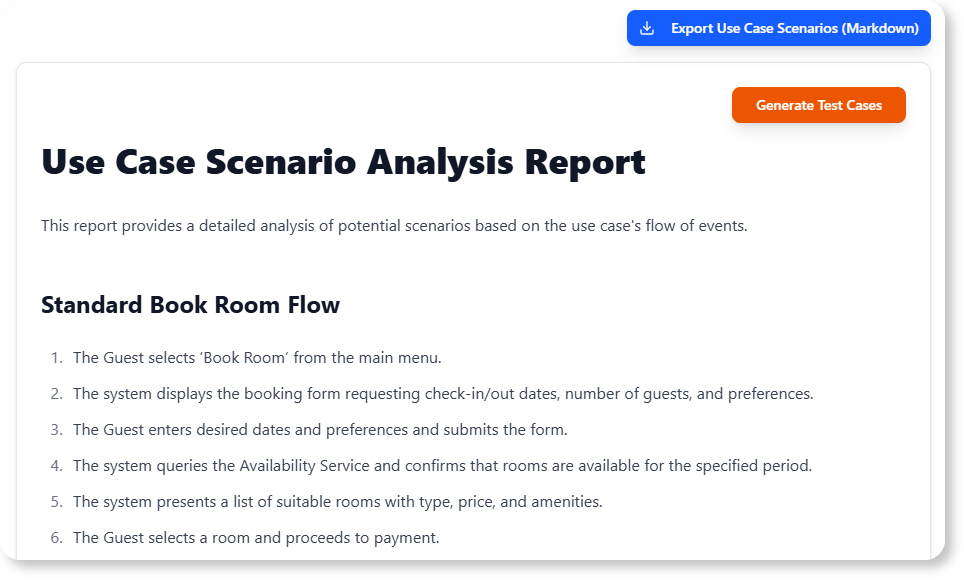
- For each scenario, the tool will create test cases with:
- Preconditions: System state before execution.
- Steps: Actions to perform.
- Expected Results: The anticipated outcome.
5. Validate and Export
- Review the generated scenarios and test cases for accuracy.
- Export them to your testing tools (e.g., JIRA, TestRail).
Tips and Tricks
1. Optimize Your Use Case Diagram
- Keep it Simple: Avoid overcomplicating relationships.
- Use Clear Naming: Ensure actors and use cases are descriptively named.
- Include All Flows: Document main, alternative, and exception flows.
2. Leverage AI for Edge Cases
- , such as:
- Invalid inputs.
- Concurrent user actions.
- System failures.
3. Customize Test Cases
- Adjust generated test cases to fit your project’s specific needs.
- Add project-specific preconditions or steps.
4. Integrate with Your Workflow
- .
- Use the generated scenarios as a baseline for exploratory testing.
Example: Generating Scenarios and Test Cases
Use Case Diagram (PlantUML)
@startuml
left to right direction
actor Customer
Customer --> (Place Order)
Customer --> (Cancel Order)
@endumlGenerated Scenarios
-
Main Flow: Place Order
- Customer selects items.
- Customer proceeds to checkout.
- Order is confirmed.
-
Alternative Flow: Cancel Order
- Customer requests cancellation.
- System verifies order status.
- Order is canceled if eligible.
-
Exception Flow: Invalid Payment
- Customer enters invalid payment details.
- System prompts for correction.
- Order is not placed until payment is valid.
Generated Test Cases
| Test Case ID | Scenario | Preconditions | Steps | Expected Result |
|---|---|---|---|---|
| TC-001 | Place Order | Customer is logged in | 1. Add items to cart. 2. Checkout. | Order is confirmed. |
| TC-002 | Cancel Order | Order is placed | 1. Request cancellation. | Order is canceled. |
| TC-003 | Invalid Payment | Customer is logged in | 1. Enter invalid payment. | System prompts for correction. |
Conclusion
AI-powered tools like the Base Use Case Diagram Analyzer revolutionize the process of generating scenarios and test cases from use case diagrams. By automating this critical step, teams can ensure comprehensive test coverage, reduce manual effort, and deliver higher-quality software.
Next Steps
- Try the Base Use Case Diagram Analyzer.
- .
- Explore advanced features for customization and reporting.
Would you like a ?

 English
 Arabic
 Chinese (Simplified)
 Dutch
Dutch French
 German
 Italian
 Japanese
 Korean
 Portuguese
 Russian
 Spanish