


Introduction: The Importance of C4 Model in Modern Software Architecture
The C4 Model (Context, Containers, Components, and Code) is a widely adopted approach for visualizing and documenting software architecture. It provides a structured way to describe systems at different levels of abstraction, making it easier for teams to communicate, collaborate, and maintain alignment between design and implementation.
However, creating and maintaining C4 diagrams manually can be time-consuming and error-prone. Visual Paradigm’s AI C4 Studio addresses these challenges by automating diagram generation, ensuring consistency, and integrating seamlessly with development workflows.
How Visual Paradigm’s AI C4 Studio Supports Comprehensive C4 Documentation
Visual Paradigm’s AI C4 Studio is designed to eliminate friction in architectural documentation by leveraging AI-driven automation, PlantUML integration, and a conversational workflow. Here’s how it supports the creation and maintenance of C4 diagrams:
1. Automation of All Six Diagram Types
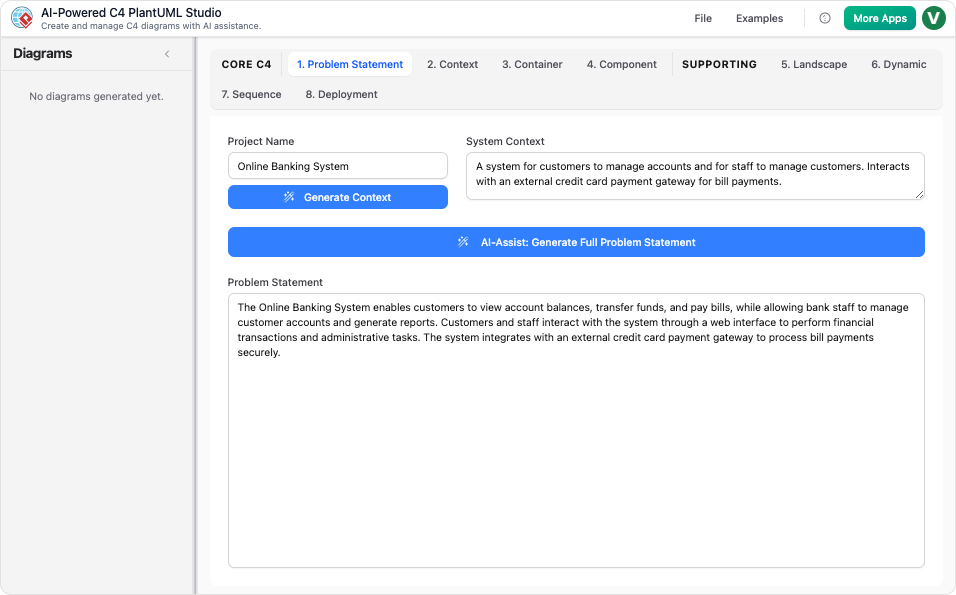
The AI C4 Studio automates the generation of core C4 diagrams (Context, Container, Component) and supporting diagrams (Deployment, Dynamic, Landscape, Sequence) from .
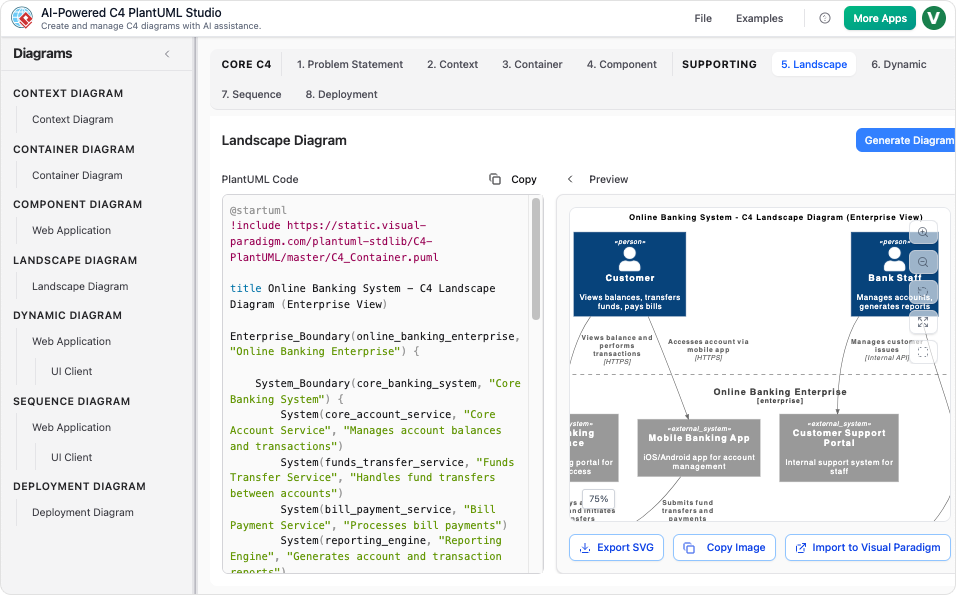
Core Diagrams
- Context (Level 1): The AI Chatbot generates a high-level view of the system, identifying actors, external systems, and interactions.
- Containers (Level 2): The AI renders major building blocks (applications, databases, microservices) with technology tags and labeled interactions.
- Components (Level 3): The chatbot outlines the internal structure of a container, highlighting components, responsibilities, and dependencies.
Supporting Diagrams
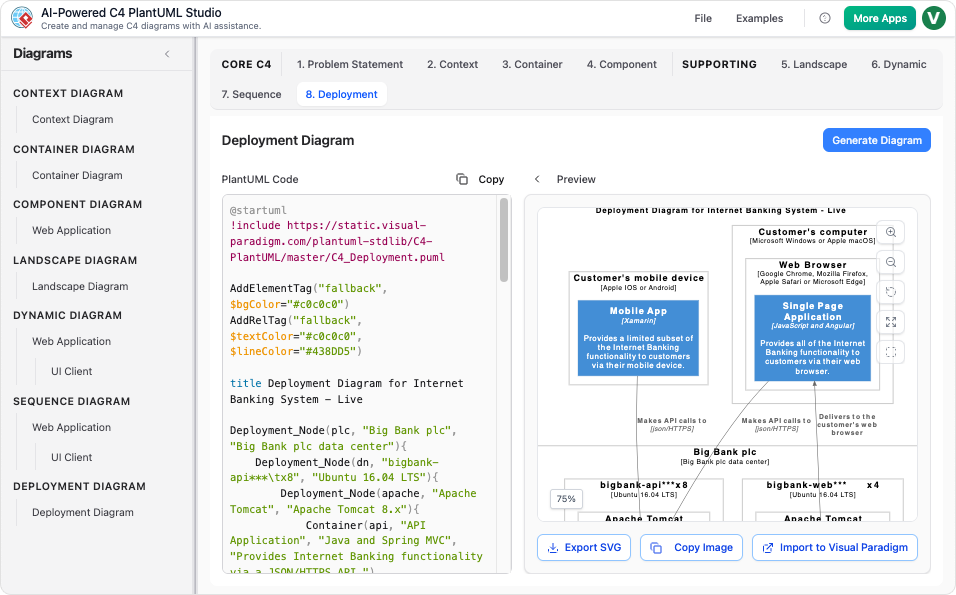
- Deployment Diagram: Maps containers onto infrastructure nodes (servers, cloud platforms, VMs) based on environment descriptions.
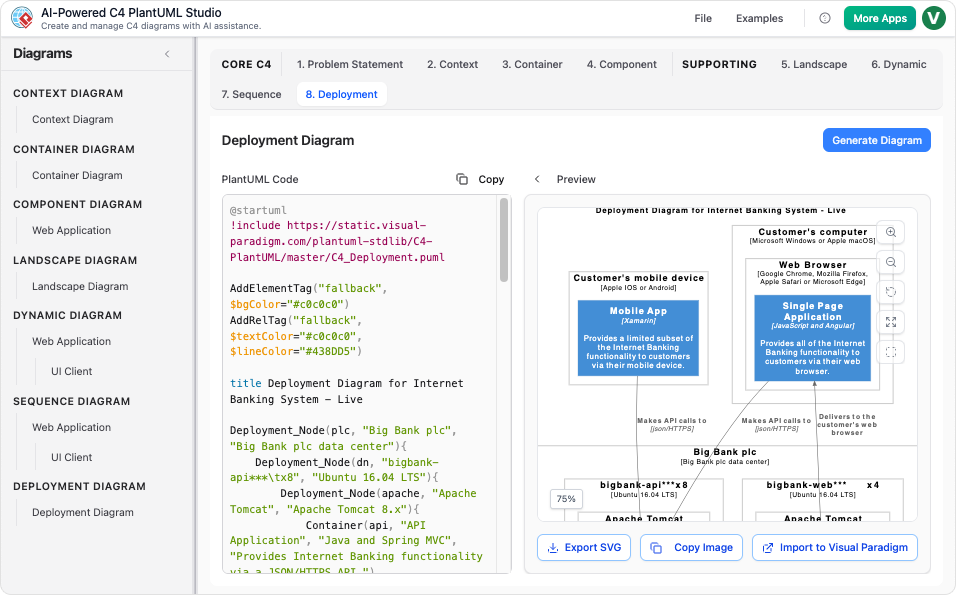
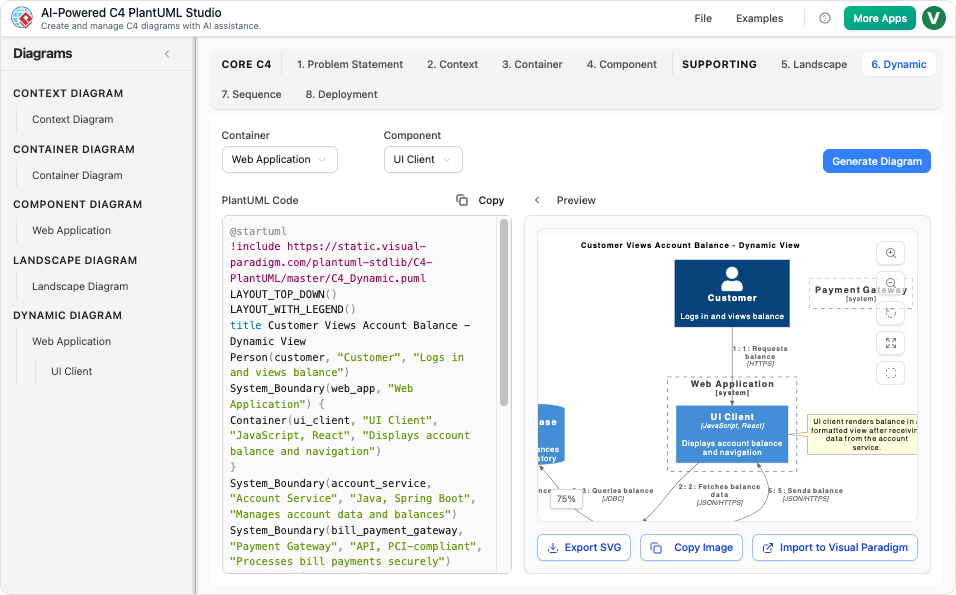
- Dynamic/Sequence Diagrams: Illustrates collaborations or sequences between containers or components for specific use cases.
2. PlantUML Integration for Consistency and Portability
The AI C4 Studio uses PlantUML for rendering diagrams, ensuring consistency and portability:
- Effortless PlantUML Output: Converts natural language into valid PlantUML code, eliminating syntax errors.
- Version Control Ready: Diagrams can be exported as JSON or PlantUML code, making them easy to version control and integrate into CI/CD pipelines.
- Real-Time Refinement: Users can edit the generated PlantUML code in a side-by-side editor, with the diagram updating in real time.
3. Conversational and Iterative Workflow
The AI Diagramming Chatbot enables continuous refinement of diagrams through natural language:
- Frictionless Iteration: Users can ask the chatbot to add, restructure, or adjust elements, and the diagram updates instantly.
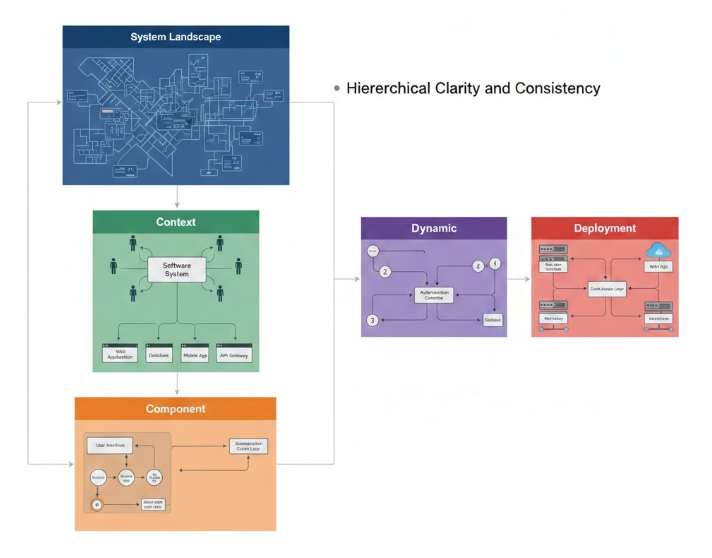
- Enforced Hierarchy: The tool ensures consistency by guiding users to select the correct parent container or component before generating nested diagrams.
How to Take Advantage of Visual Paradigm’s AI C4 Studio
1. Jumpstart Documentation
Use the AI Diagram Generator or Chatbot to instantly create Level 1 (System Context) and Level 2 (Container) diagrams for new projects. This eliminates “” and provides a consistent starting point.
2. Ensure Consistency Across All Six Views
Instead of manually linking diagrams, use the AI C4 Studio to generate the full C4 model suite (Context, Container, Component, Landscape, Dynamic, Deployment) from a single description. This ensures all diagrams adhere to C4 notation and are accurately linked.
3. Facilitate Design Iteration
During design sessions, use the conversational interface to explore architectural alternatives. For example:
- Describe how to split a service or change deployment topology.
- See updated diagrams in seconds, enabling dynamic technical discussions.
4. Maintain Living Documentation
Export the generated PlantUML code and check it into your source code repository (e.g., in a README.md file). When the code or structure changes, update the PlantUML code with simple edits or use the chatbot for quick updates, keeping the architectural blueprint synchronized with the evolving codebase.
5. Focus on Design, Not Drawing
Let the AI handle visualization, layout, and notation compliance, freeing up time to focus on and design validation.
Best Practices for Maximizing Efficiency and Collaboration
- Collaborate in Real Time: Use the AI C4 Studio in team meetings to visualize and refine architecture collaboratively.
- Integrate with CI/CD: Export PlantUML code and include it in your CI/CD pipeline to ensure diagrams are always up to date.
- Leverage Version Control: Store PlantUML files in your repository to track changes and maintain a history of architectural decisions.
Conclusion: The Future of AI-Assisted Architectural Design
Visual Paradigm’s AI C4 Studio transforms the way teams document and maintain software architecture. By automating diagram generation, ensuring consistency, and enabling , it allows architects and developers to focus on what matters most: designing robust, scalable, and maintainable systems.
As AI continues to evolve, tools like the AI C4 Studio will play an increasingly vital role in accelerating design, improving documentation quality, and simplifying team collaboration—making architectural documentation a seamless part of the development process.
- C4-PlantUML Studio | AI-Powered C4 Diagram Generator (matches “AI-Powered C4 PlantUML Studio (C4-PlantUML Studio)” and “AI-Powered C4 Diagram Generator”)
- AI-Powered C4 Diagram Generator | Create Architecture Diagrams from Text (related AI tool entry point)
- C4 Component Diagram: A Definitive Guide to Your Code’s Internal Structure with AI (linked in multiple guide pages, e.g., from C4 System Context Guide)
- C4 Container Diagram: A Definitive Guide to Visualizing Your Software’s Building Blocks with AI (linked in multiple guide pages, e.g., from C4 System Context Guide)
- C4 Deployment Diagram (direct AI tool page for generating C4 Deployment Diagrams)
- C4 System Context Diagram: A Definitive Guide to Seeing the Big Picture with AI
- Generate the Complete C4 Model Instantly with Visual Paradigm’s AI Diagram Generator (featured in product updates, e.g., Visual Paradigm Desktop Updates)
- Streamline C4 Diagrams with Our New AI-Powered Markdown Editor (no exact matching page found; may be an older or internal feature reference)
- The Ultimate AI C4 Diagram Tool & Modeling Software
- New: Full C4 Model Support Added to Visual Paradigm Desktop (announced in AI Diagram Generator Release)
- C4 Diagram Tool & Modeling Software (core landing page for C4 tools)
Related posts:
 Comprehensive Guide to the C4 Model for Software Architecture Documentation
 Integrating C4 and UML Diagrams: A Synergistic Approach to Software Architecture with Visual Paradigm
 Comprehensive Review: Generic AI Chatbots vs. Visual Paradigm’s C4 Tools
 A Comprehensive Case Study on Building C4 Diagrams with Visual Paradigm’s Multi-Method Approach

 English
 Arabic
 Chinese (Simplified)
 Dutch
Dutch French
 German
 Italian
 Japanese
 Korean
 Portuguese
 Russian
 Spanish