


Introduction: The Challenges of Traditional Use Case Elaboration
Elaborating use cases into activity diagrams has long been a cornerstone of software development, ensuring clarity, completeness, and alignment between stakeholders. However, the traditional process—outlining use case diagrams, crafting detailed descriptions, and manually constructing activity diagrams—is labor-intensive, error-prone, and often becomes a bottleneck in complex systems.
For example, consider an e-commerce platform with multiple actors (customers, admins, suppliers) and intricate workflows (browsing products, managing inventory, processing payments). The manual approach requires:
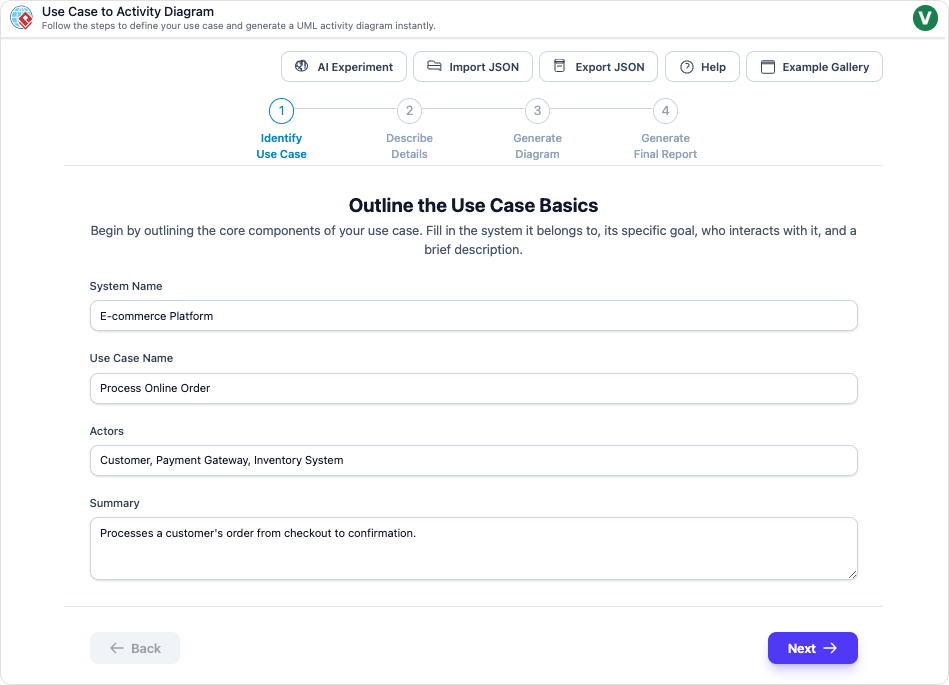
- Defining use case diagrams to capture high-level interactions.
- Writing detailed use case descriptions, including preconditions, basic flows, alternative flows, exceptions, and postconditions.
- Designing activity diagrams to visualize normal, alternative, and exception paths.
While this structured method is effective for identifying issues, communicating functionality, and guiding testing, it is time-consuming, prone to inconsistencies, and challenging for collaboration, especially in large-scale projects.
How Visual Paradigm AI Transforms the Process
Visual Paradigm’s AI-powered tools, updated as of late 2025, automate and enhance every stage of use case elaboration. By leveraging natural language processing (NLP) and generative AI, these tools convert plain-text requirements or initial sketches into polished UML artifacts, streamlining the entire workflow.
1. Generating Use Case Descriptions from Text Prompts
The AI Use Case Description Generator allows users to input a brief problem statement (e.g., “A customer browses products in an online shopping system, views lists, searches by keywords, and adds items to the cart”). The AI then:
- Automatically populates a structured template with preconditions (e.g., “Customer has access to the system”).
- Outlines basic flows (e.g., “1. Customer selects ‘Browse Products,’ 2. System displays product list”).
- Identifies alternative flows (e.g., “No products available: Display error and prompt retry”).
- Infers potential exceptions (e.g., “Network failure during search”).
Example: For the “Browse Products” use case, pasting a simple description generates a ready-to-refine document, eliminating manual outlining and ensuring completeness.
2. Creating and Refining Use Case Diagrams
The AI Use Case Diagram Generator and Refinement Tool transform text or basic sketches into full-fledged diagrams. Key features include:
- Automatic actor and use case identification (e.g., “Customer” and “Browse Products”).
- Relationship suggestions (e.g.,
<<include>>for “Search Products” or<<extend>>for “Add to Cart”). - , such as adding missing alternatives or modularizing complex workflows.
Example: In an e-commerce system, the AI could auto-generate a diagram linking “Browse Products” to related use cases like “Manage Inventory” for admins.
3. Transforming Use Cases into Activity Diagrams
The Use Case to Activity Diagram tool converts use case descriptions into UML activity diagrams, mapping:
- Normal paths as sequential activities (e.g., “Display product list → View details → Add to cart”).
- Alternatives via decision nodes (e.g., “Search returns results?”).
- Exceptions with error-handling loops (e.g., “Display error message → Retry search”).
The further enhances this by:
- Flagging gaps (e.g., “Unhandled exception: Outdated product info”).
- Generating test cases and reports.
Example: Inputting the “Browse Products” description produces a Mermaid-syntax diagram in seconds, visualizing all flows.
4. Interactive Refinement with AI Chatbot
Visual Paradigm’s AI Chatbot acts as a collaborative assistant, enabling iterative refinement (e.g., “Add an exception for payment integration”). It supports:
- Real-time adjustments.
- Exporting diagrams and reports in multiple formats.
Key Advantages of Visual Paradigm AI
1. Time Efficiency and Automation
- Traditional process: Hours per use case for manual diagramming.
- AI-powered process: Minutes to generate drafts, freeing teams for validation.
Impact: Accelerates development for scalable features like multi-payment handling in e-commerce.
2. Improved Accuracy and Consistency
- Minimizes human errors (e.g., omitted flows, misaligned exceptions).
- Ensures adherence to UML standards and cross-referencing (e.g., postconditions matching diagram endpoints).
Impact: Enhances issue identification and testing guidance.
3. Enhanced Collaboration and Accessibility
- Democratizes UML modeling for non-experts (e.g., stakeholders without diagramming skills).
- Enables .
Impact: Aligns distributed teams (e.g., customer vs. admin roles) on visuals like activity diagrams.
4. Scalability for Complex Systems
- Handles complexity by generating modular diagrams (e.g., ).
- Supports quick iterations for evolving needs (e.g., new payment methods).
Impact: Ideal for high-stakes systems balancing security, multiple actors, and growth.
5. Cost and Resource Savings
- Reduces manual effort, lowering development costs.
- Built-in reporting aids .
Impact: Speeds up agile cycles and reduces .
Visual Comparison: Traditional vs. AI-Powered Workflow
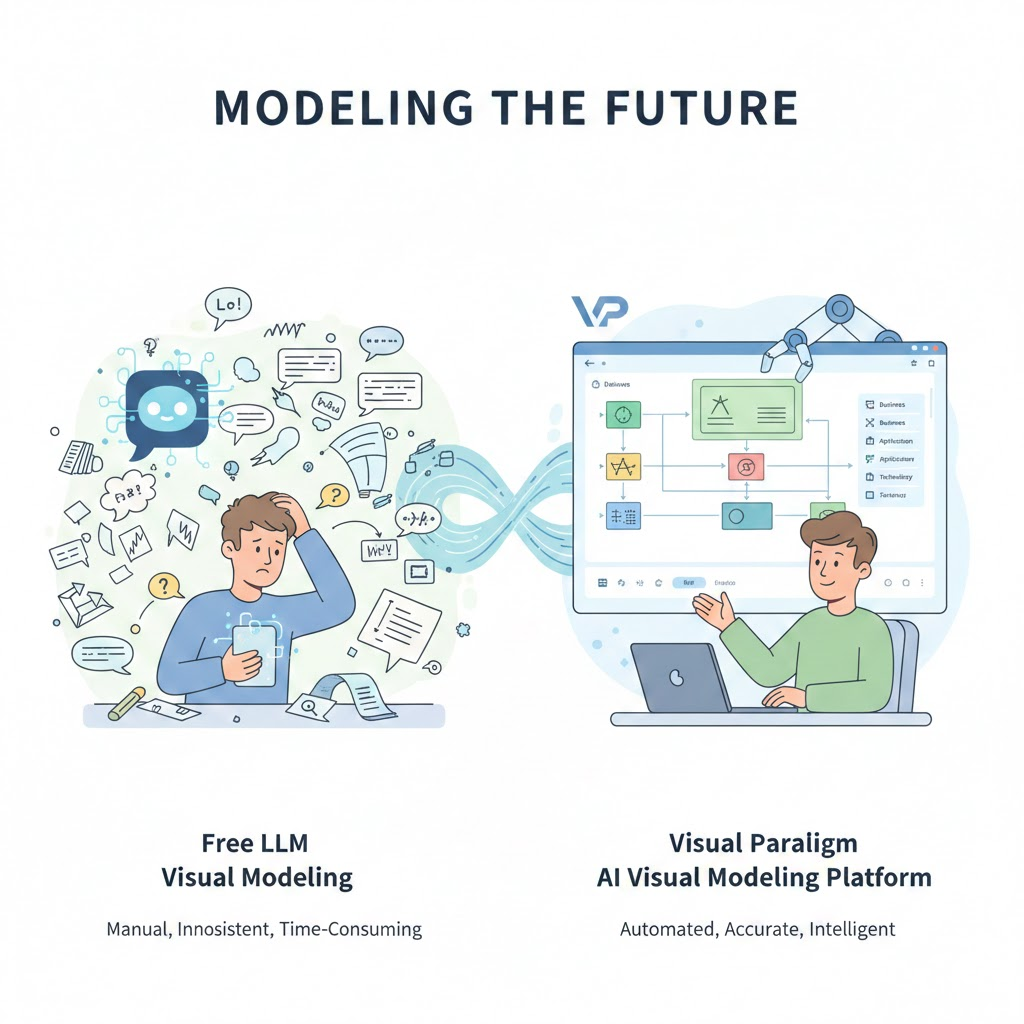
Infographic: The AI-Powered Workflow
Conclusion: AI as a Force Multiplier in UML Analysis
Visual Paradigm AI doesn’t just shortcut the traditional pipeline—it elevates it by infusing intelligence into every step. For the “Browse Products” use case, it transforms a static description into a effortlessly.
Result: Teams can iterate faster, communicate clearer, and deliver value sooner, proving AI’s role as a game-changer in UML analysis.
Here are some citations for Visual Paradigm’s AI-powered tools, each with embedded real URLs:
-
AI-Powered Software & Intelligent Apps Suite
- Visual Paradigm offers a suite of AI-powered tools designed to enhance productivity and creativity across workflow automation, content generation, data analysis, and software development. These tools include .
- Visual Paradigm AI: Advanced Software & Intelligent Apps
-
AI-Powered Visual Modeling & Diagram Generation
- Professionals use Visual Paradigm’s AI chatbot to , streamlining workflows and reducing manual effort.
- AI Chatbot | Diagramming & Modeling with Visual Paradigm
-
AI Textual Analysis Tool
- This tool , accelerating the software design process by deriving domain models from textual requirements.
- AI Textual Analysis – Visual Paradigm
-
AI Diagram Generator for ArchiMate
- Visual Paradigm’s AI Diagram Generator from simple inputs, significantly speeding up enterprise architecture modeling.
- Comprehensive Tutorial: Generating ArchiMate Diagrams and Viewpoints Using Visual Paradigm’s AI Diagram Generator
-
AI Use Case Description Generator
- This tool , providing a strong foundation for software projects by transforming narrative descriptions into structured analysis.
- AI Use Case Description Generator – Visual Paradigm
-
Online Productivity Suite with AI Tools
- Visual Paradigm Online provides , all in one place.
- Visual Paradigm – Online Productivity Suite

 English
 Arabic
 Chinese (Simplified)
 Dutch
Dutch French
 German
 Italian
 Japanese
 Korean
 Portuguese
 Russian
 Spanish