You already know modeling Use Case Diagrams takes time — especially when capturing all actors, system boundaries, and multiple interaction variations. Between blank-page syndrome, evolving requirements, and stakeholder reviews, project times easily inflate. Here’s how AI accelerates this process in a real-world Enhancing Online Grocery Ordering System scenario.
In this case, a regional online supermarket needed to model its entire ordering process — from browsing and modifying carts to delivery scheduling — to identify pain points and improve user experience. But defining clear use cases required many iterations across business and technical teams. Using Visual Paradigm Desktop’s AI Diagram Generation feature, they turned what could take hours of manual modeling into minutes of automated ideation.
The result: faster documentation, consistent nomenclature, and accurate representation of system interactions — all while keeping analysts focused on refining insight rather than redrawing shapes. Let’s walk through how this process unfolded and what practical takeaways you can apply to your next modeling project.
The Real-World Bottleneck in Enhancing Online Grocery Ordering System
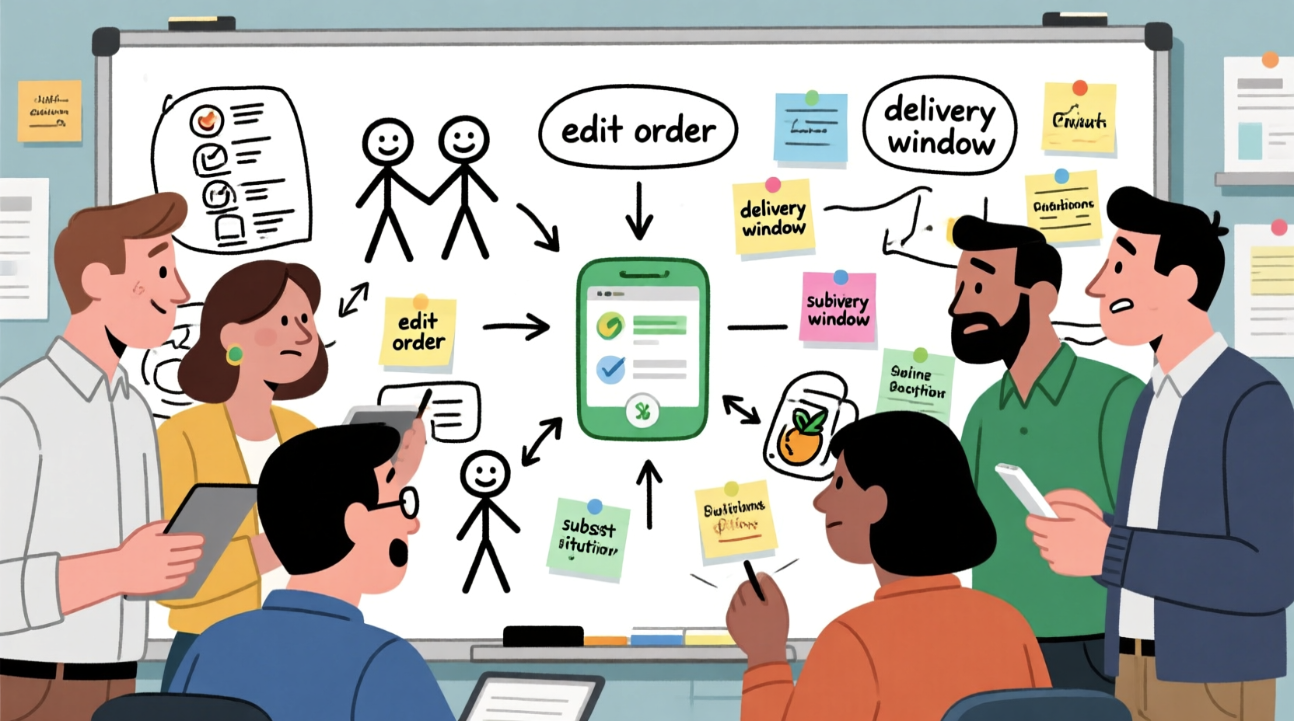
The client, a mid-sized regional supermarket offering home delivery, sought to enhance their online ordering workflow after repeated complaints about confusing modification options and unclear delivery slot rules. They wanted to model the full process through a Use Case Diagram to pinpoint where interaction logic failed and how system boundaries could better reflect real customer needs.
The business analysts initially began manually sketching interactions between customers, delivery drivers, and inventory managers. However, several issues slowed progress:
- Repetitive rework whenever requirements changed, especially around substitution rules.
- Inconsistent actor labeling across drafts (e.g., “Customer,” “Buyer,” and “Registered User”).
- Difficulties aligning use cases to existing backend systems and scheduling constraints.
- Time lost transferring whiteboard sketches into formal documentation tools.
Manual diagramming meant constant iteration and misalignment between business and development teams. Each review meeting led to another round of edits, often consuming full afternoons. The bottleneck wasn’t understanding the process but documenting it efficiently. That’s where Visual Paradigm’s AI Diagram Generation proved transformative — enabling rapid, consistent diagram drafts that the team could refine collaboratively.
AI as Your Modeling Accelerator for Use Case Diagram
- Eliminate blank-page syndrome with an instant, structured draft of actors and system boundaries.
- Generate multiple variations quickly to explore alternative interaction flows.
- Integrate seamlessly with existing models — including system scope and requirements documentation.
- Reduce errors caused by manual notation or forgotten use cases.
For experienced modelers, AI generation shines when deadlines are tight or models must evolve through stakeholder feedback. Instead of starting from scratch, teams can focus on evaluating generated suggestions — refining and aligning them to business logic. Once the initial draft appears, Visual Paradigm’s professional editing features come into play: layout adjustment, actor renaming, relationship validation, and traceability linking with other diagrams. AI handles the tedious groundwork; experts handle the insight.
One-Click Generation Workflow in Visual Paradigm Desktop
- Launch Visual Paradigm Desktop Professional or Enterprise Edition (version 17.0 or newer recommended).
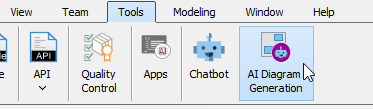
- Go to menu Tools → AI Diagram Generation.
- In the AI Diagram Generation window, choose Use Case Diagram in the Diagram Type dropdown.
- In the Topic field, write a clear description in plain English.
Recommended prompt example for this case (copy-paste friendly):
“Model an online grocery ordering system that allows customers to browse products, modify items in their carts, select preferred delivery slots, and manage substitutions. Include use cases for order confirmation, payment, and interactions with delivery staff and inventory management.”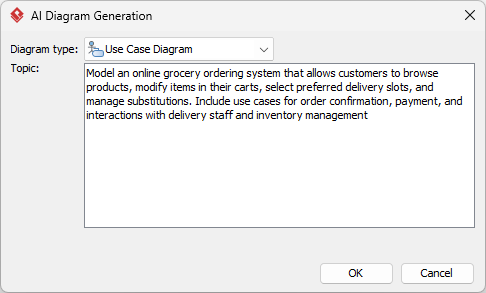
- Click OK.
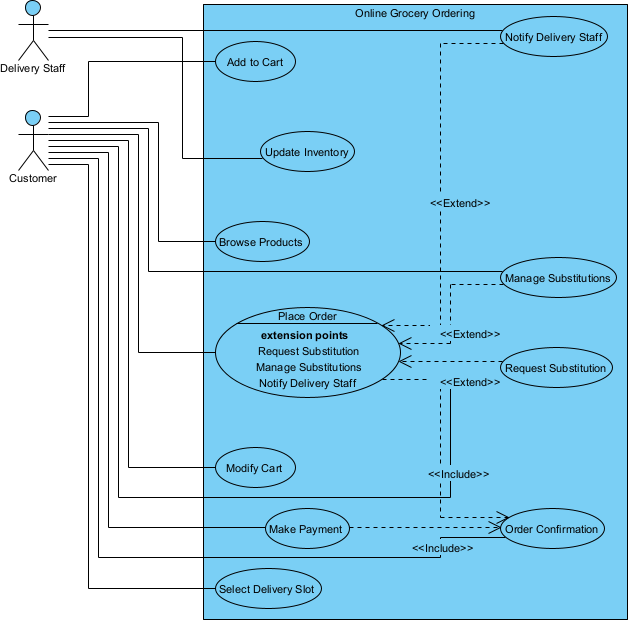
Within seconds, Visual Paradigm produces an editable Use Case Diagram with appropriate actors, boundary boxes, and relationships, ready for refinement or expansion across teams.
Fine-Tuning & Scaling the Model
Assume you already know core modeling — now the focus is on acceleration and quality. AI lets you start ahead; refinement ensures the model remains credible and insightful for your stakeholders.
Typical Cleanup Moves
Experienced analysts often enhance generated diagrams through small, impactful adjustments: refining actor names to match corporate terminology, applying custom stereotypes for system components (e.g., distinguishing delivery vs. inventory modules), and using Visual Paradigm’s Layout feature to clean visual alignment. Adding notes or constraints around substitution rules or delivery limitations also helps keep the diagram self-contained and readable in documentation.
Turning Diagram into Living Asset
Once refined, the Use Case Diagram can evolve into a living artifact that supports multiple downstream workflows:
- Traceability: Link each use case to corresponding requirements in the Requirements Diagram or text specification. When a rule or feature changes, dependencies update dynamically, improving impact analysis.
- Code Generation: For systems under development, connect use cases to classes or sequence diagrams. Visual Paradigm’s integrated tools can generate skeleton code structures or documentation stubs that mirror defined interactions.
- Simulation: Use behavior simulation or scenario walkthroughs to validate flows. Stakeholders can step through customer interactions, ensuring no missing or conflicting sequences before implementation begins.
- Cross-team Collaboration: Export diagrams into project repositories or Teamwork Server environments. Engineers, product managers, and QA testers access a unified model, reducing ambiguity across project roles.
Through these integrations, a single AI-generated diagram quickly matures into an enterprise-level asset that drives both analysis and execution. The original deliverable — initially just a sanity check on process clarity — becomes an evolving, traceable reference for continuous improvement. Visual Paradigm’s tight ecosystem ensures no duplication, while AI keeps new ideas flowing efficiently.
Outcome Comparison: Manual vs AI+Refine
- Time saved: Diagram creation time dropped from 4–5 hours of drafting and alignment to under 30 minutes total, including refinement.
- Quality gains: Consistent actor naming and complete coverage of customer, delivery, and inventory use cases improved communication accuracy.
- Scalability: Teams could immediately reuse the diagram to model new processes, such as click-and-collect or loyalty programs, leveraging the AI’s prompt-based generation.
Quantitatively, the supermarket’s documentation cycle shortened by 75%, review feedback loops halved, and stakeholders could visualize new workflows almost in real-time — turning modeling from a bottleneck into a planning advantage.
Next Modeling Project? Try This Approach
Visual Paradigm Desktop’s AI Diagram Generation isn’t just a novelty — it’s a serious accelerator for analysts and architects who need structure fast. Whether documenting new system interactions or modernizing legacy workflows, start with an AI draft and spend your energy refining logic, not drawing boxes. Elevate your workflow — download Visual Paradigm Desktop today and experience AI-powered modeling firsthand.

 English
 Arabic
 Chinese (Simplified)
 Dutch
Dutch French
 German
 Italian
 Japanese
 Korean
 Portuguese
 Russian
 Spanish