


Transform Basic Scenarios into Robust System Designs with AI

1. Introduction to Use Case Diagrams
Use case diagrams are a fundamental part of Unified Modeling Language (UML). They visually represent interactions between actors (users or systems) and systems, illustrating how users achieve goals. A well-crafted use case diagram ensures clarity, completeness, and robustness in system requirements.

2. The Challenge of Manual Use Case Creation
Manually drafting use cases is time-consuming and prone to oversights:
- Focus on “Happy Paths”: Developers often prioritize the main success scenario, .
- Incomplete Requirements: Missing exception handling or alternative user choices can lead to gaps in system design.
- Downstream Issues: Undiscovered scenarios may cause delays or rework during development.
3. Introducing the AI Use Case Diagram Refinement Tool
The Use Case Diagram Refinement Tool leverages AI to automate and enhance the creation of use case diagrams. It helps generate comprehensive, accurate, and clear use case specifications.
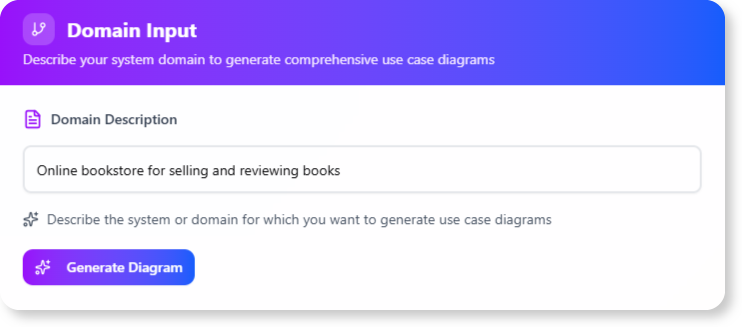
How It Works
- Input: Provide a basic use case description.
- AI Analysis: The tool suggests improvements, including alternative flows and exception scenarios.
- Output: A refined, detailed use case description ready for diagram creation.
4. Key Features and Benefits
| Feature | Benefit |
|---|---|
| AI-Powered Refinement | Automatically identifies missing steps, alternative flows, and exceptions. |
| Complete Scenario Coverage | Ensures all possible user interactions and edge cases are documented. |
| Improved Clarity | Generates well-structured descriptions for both technical and non-technical stakeholders. |
| Accelerated Analysis | Reduces the time from concept to polished use case specification. |
| Diagram Generation | Uses AI-generated descriptions to create accurate UML diagrams. |
5. Step-by-Step Guide: How to Use the Tool
Accessing the Tool
- Visual Paradigm Online Users: Visit https://ai-toolbox.visual-paradigm.com/app/use-case-diagram-refinement/.
- Visual Paradigm Desktop Users: Open the desktop app, go to Tools > App, and select Use Case Diagram Refinement.
Workflow
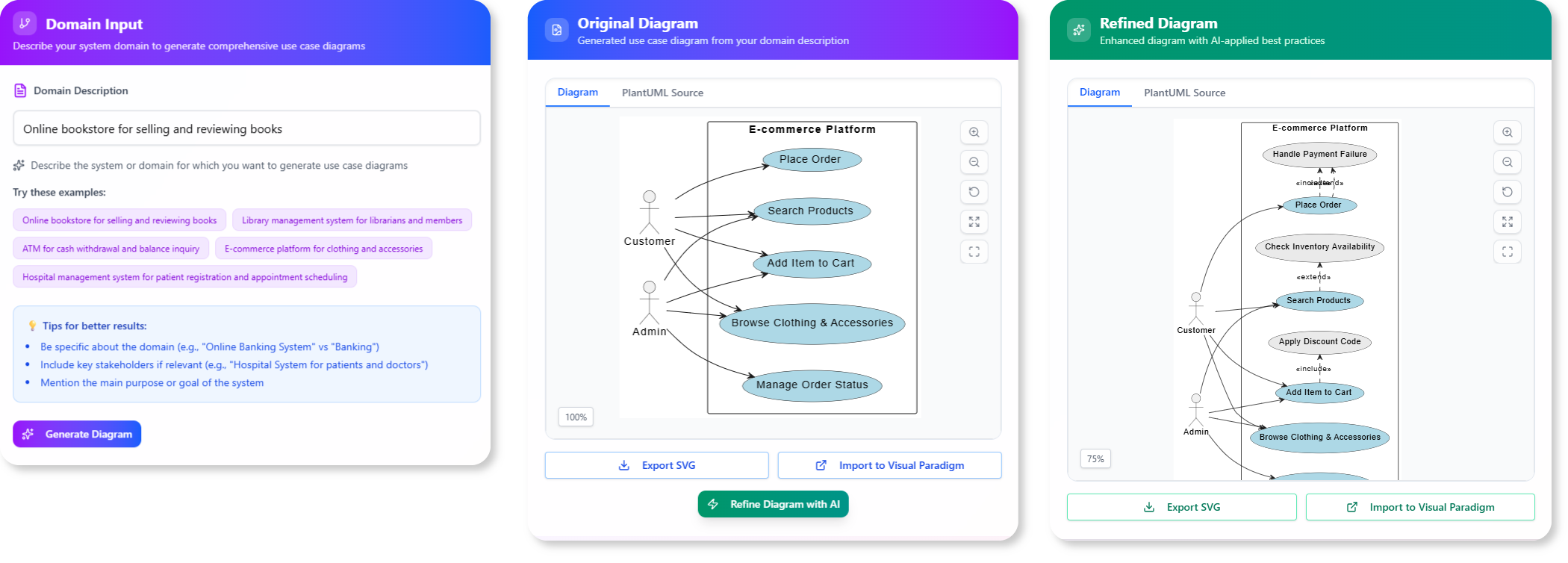
-
:
- Provide a title and a brief description of the main success scenario.
- Example: “User logs into the system using email and password.”
-
Let AI Refine It:
- Click “Refine”.
- The AI analyzes your input and generates an enriched description, including:
- Additional steps
- Alternative flows (e.g., “User forgets password”)
- Exception handling (e.g., “Invalid credentials”)
-
Use the Blueprint to Draw:
- Use the AI-generated specification to create a complete UML Use Case Diagram in the editor.
6. Tips and Tricks for Optimal Results
- : Begin with a clear, concise main scenario.
- : Ensure all suggested flows and exceptions are relevant.
- : Refine further by adding or removing details as needed.
- : Share the AI-generated description with stakeholders for feedback.
7. Examples: From Basic to Refined Use Cases
Example 1: Basic Use Case
Title: User Login Description: User enters email and password to log in.
AI-Refined Use Case
Title: User Login Main Flow:
- User navigates to the login page.
- User enters email and password.
- System validates credentials.
- User is redirected to the dashboard.
Alternative Flows:
- Forgot Password: User clicks “Forgot Password” and resets via email.
- Social Login: User logs in using Google/Facebook.
Exception Flows:
- Invalid Credentials: System displays an error message.
- Account Locked: User is prompted to contact support.
8. Best Practices for System Design
- : Ensure every possible interaction is covered.
- Keep Descriptions Clear: Use simple language for non-technical stakeholders.
- : Confirm that all requirements are met.
- : Revise use cases as the system evolves.
9. Conclusion: Why Use AI for Use Case Refinement?
The AI Use Case Diagram Refinement Tool eliminates manual effort, ensures completeness, and accelerates system design. By leveraging AI, you can:
- Save time on drafting and reviewing use cases.
- Improve accuracy with automated scenario coverage.
- Enhance collaboration with clear, structured descriptions.
Ready to refine your use case diagrams? Try the tool today and experience the future of system design!
Further Reading:

 English
 Arabic
 Chinese (Simplified)
 Dutch
Dutch French
 German
 Italian
 Japanese
 Korean
 Portuguese
 Russian
 Spanish