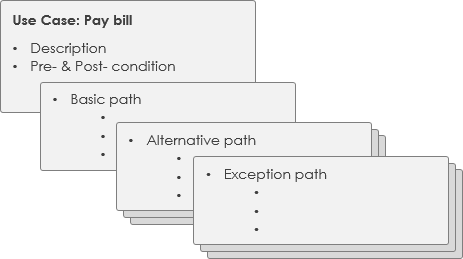
- First, a brief description is written of only the steps required for the normal flow of the use case (i.e., what functionality the use case provides).
- As analysis progresses, these steps are elaborated with more detail.
- Finally, alternative and exception flows are added to the use case.
- Each project can adopt a standard use case template to create use case specifications.
Use Case vs. Use Case Specification
A use case describes a task performed by an actor that delivers business value. A use case can be visualized as a use case diagram and/or a structured textual specification format:
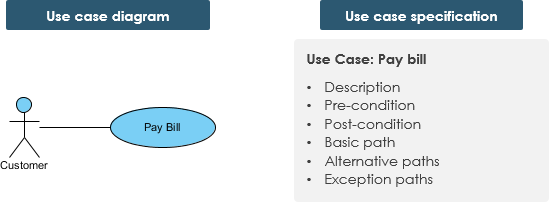
- Interaction — System use cases describe how an actor interacts with the system to achieve a defined business goal.
- Manual — A sequence of actions performed by the actor.
- Automated — A sequence of steps executed by a program or script.
Characteristics of a Use Case
A use case has:
- Only one goal
- One starting point
- One ending point
- Multiple paths from start to finish
- That is, it specifies behavior for various possible conditions
- Each condition may require specific actions
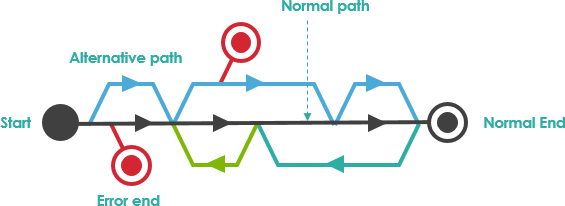
For example — Customer Pays a Bill:
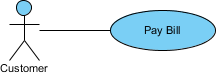
There are multiple paths to achieve the goal:
- By phone
- By mail
- In person
- By check
- By cash, etc.
Paths that do not lead to the goal:
- Credit card declined
Agile Use Case Approach
The use case model and its individual use cases evolve incrementally over time. Not all use cases in the model need to be specified at the same level of detail.
Just-in-Time and Just-Enough
Use cases can be written at different levels of detail and scope, each serving a purpose:
- Summary: A general description and high-level overview of a system function or business process.
- User Goal Level: Task-related descriptions of the user’s goals and how they interact with the system; descriptions of specific business processes. User-goal use cases are typically considered to be at the level of the user’s primary work tasks.
Example: Withdrawing cash from an ATM is a useful task and would be a core-level use case, but entering your PIN would not be at this level because it supports the primary task.
- Subfunction: Descriptions of lower-level activities that complete parts of a core use case.
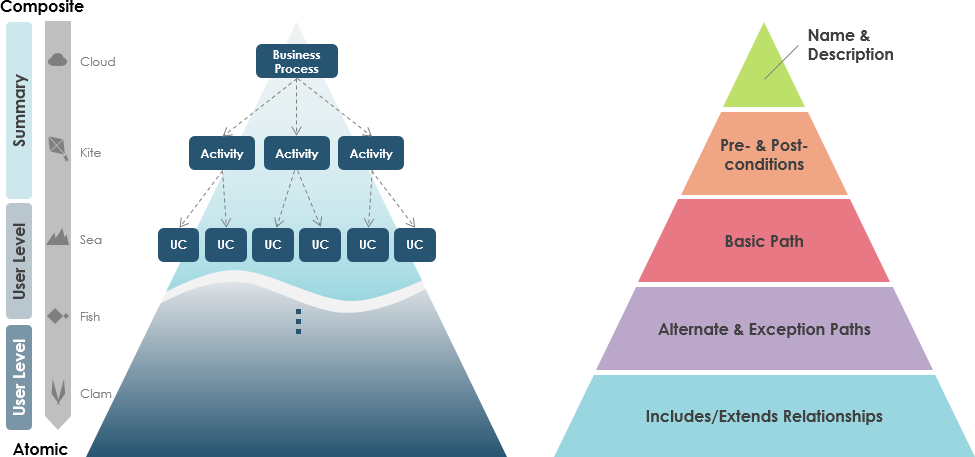
Note: Some use cases may be fully specified to Level II. You stop when you have just enough detail, obtained in a timely and just-enough manner.
Detailed Use Case Specification
A detailed use case is a textual representation that describes a sequence of events along with other relevant use case information in a certain format. People typically adopt a standard use case template to document detailed use case information.
Use Case Template – ATM Cash Withdrawal Example
As mentioned earlier, use cases have various notation styles (e.g., diagrammatic, UML, textual format). Regardless of the notation used, it should be easy to understand. You can use a template such as the one by Alistair Cockburn, or choose the template that best fits your team.
| Use Case Specification | ||
|---|---|---|
| Use Case Name: | Withdraw Cash | |
| Actors: | Customer (primary), Bank System (secondary) | |
| Brief Description: | Allows any bank customer to withdraw cash from their bank account. | |
| Priority: | Must have | |
| Status: | Medium detail | |
| Preconditions: | Bank customer has a card to insert into the ATM ATM is online and functioning normally |
|
| Postconditions: |
|
|
| Basic Flow: |
|
|
| Alternative Flows: | 2a. Invalid card 2b. Card inserted upside down 5a. Stolen card 5b. Invalid PIN 10a. Insufficient cash in the machine 10b. Incorrect cash denomination in the machine 11a. Withdrawal exceeds withdrawal limit 12a. Insufficient funds in customer’s bank account 14a. Bank card stuck in machine 15a. Customer does not take bank card 16a. Cash stuck in machine 17a. Customer fails to take cash
|
|
| Business Rules: | B1: PIN format B2: Number of PIN retries B3: Service options B4: Amount options B5: Withdrawal limits B6: Card must be taken before cash is dispensed |
|
| Non-Functional Requirements: | NF1: Time to complete transaction NF2: Security of PIN entry NF3: Time allowed to collect card and cash NF4: Language support NF5: Support for blind and partially sighted users |
|

 English
 Arabic
 Chinese (Simplified)
 Dutch
Dutch French
 German
 Italian
 Japanese
 Korean
 Portuguese
 Russian
 Spanish