


In the fast-paced world of system architecture and business analysis, the bridge between a raw problem statement and a structured visual model is often paved with hours of manual labor. Interpreting stakeholder interviews, meeting minutes, or fragmented documentation usually requires tedious reading, highlighting, and manual transcription. But what if you could bridge that gap in seconds? With the AI Textual Analysis Generation feature in the professional Visual Paradigm Desktop, you can transform unstructured text into precise, actionable models instantly.
This tutorial explores how you can leverage this innovative AI-powered design tool to boost your productivity. We will walk through a real-world scenario—modeling a complex healthcare system integration—to demonstrate how easy it is to convert a text description into a fully functional Class Diagram using Visual Paradigm’s advanced requirements engineering capabilities.
Quick Summary: Key Takeaways
- Instant Structure: Turn unstructured text (interviews, emails, problem descriptions) into structured analysis artifacts in seconds.
- Smart Extraction: Automatically identify candidate classes, actors, and requirements without manual parsing.
- Seamless Modeling: Convert textual analysis results directly into visual models like Class Diagrams or Use Cases.
- Productivity Boost: Save hours of manual note-taking and reduce human error in the requirements elicitation phase.
- Professional Output: Generate high-quality traceability matrices and requirement lists suitable for formal documentation.
Step 1: Inputting Your Problem Statement
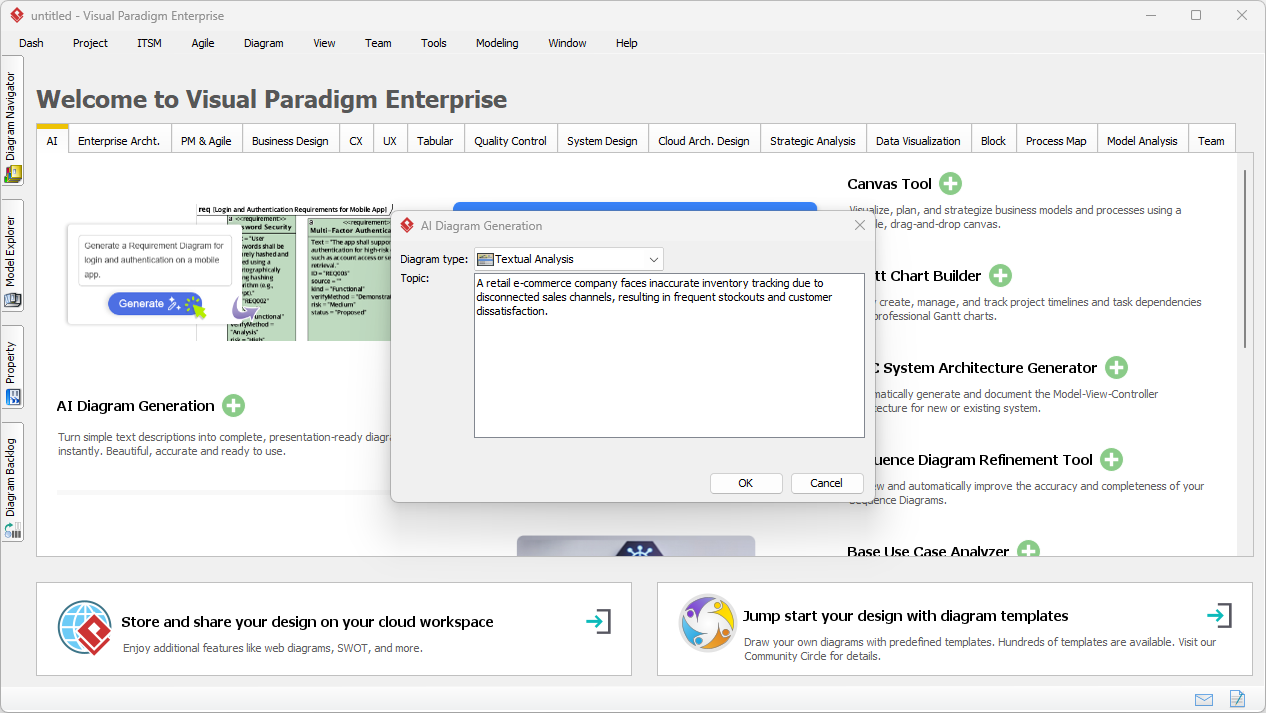
The journey begins with a common challenge: you have a problem description, but no visual model. In the past, you would open a blank canvas and start dragging boxes. Now, you simply start a conversation with the AI. By accessing the AI Diagram Generation tool within Visual Paradigm, you can select “Textual Analysis” as your desired output.
In the example below, we are inputting a raw description of a business problem. While you can paste pages of interview transcripts or user stories, even a concise paragraph is enough for the AI to start identifying the core architectural elements. This one-off generation capability means you don’t need to manually tag sentences; the tool prepares to do the heavy lifting for you.
Step 2: AI-Powered Analysis and Element Extraction
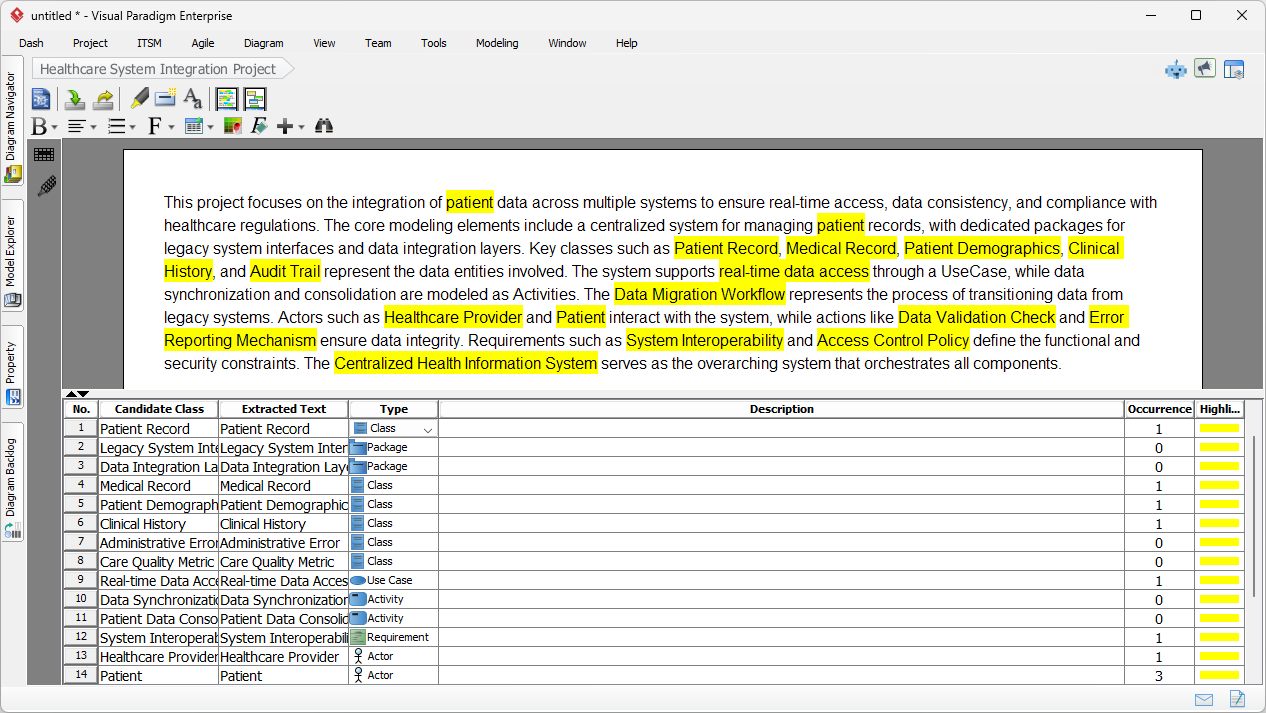
Once you click “OK,” the magic happens. Visual Paradigm’s intelligent engine parses your input, performing natural language processing to understand the context, entities, and relationships hidden within the text. It doesn’t just summarize the text; it categorizes it.
As shown in the result below, the tool has generated a comprehensive textual analysis of a healthcare integration project. Notice how it has intelligently highlighted key terms in yellow. More importantly, look at the bottom panel: the AI has automatically populated a list of Candidate Items. It has identified specific entities like “Patient Record,” “Medical Record,” and “Healthcare Provider,” and classified them correctly as Classes, Actors, or Packages. This automated classification drastically reduces the risk of overlooking critical domain concepts.
Step 3: Converting Text to Visual Models
This is where productivity truly accelerates. Traditionally, moving from a requirements document to a diagram involved manually creating a shape for every noun you identified. With Visual Paradigm’s seamless project integration, this transition is instant.
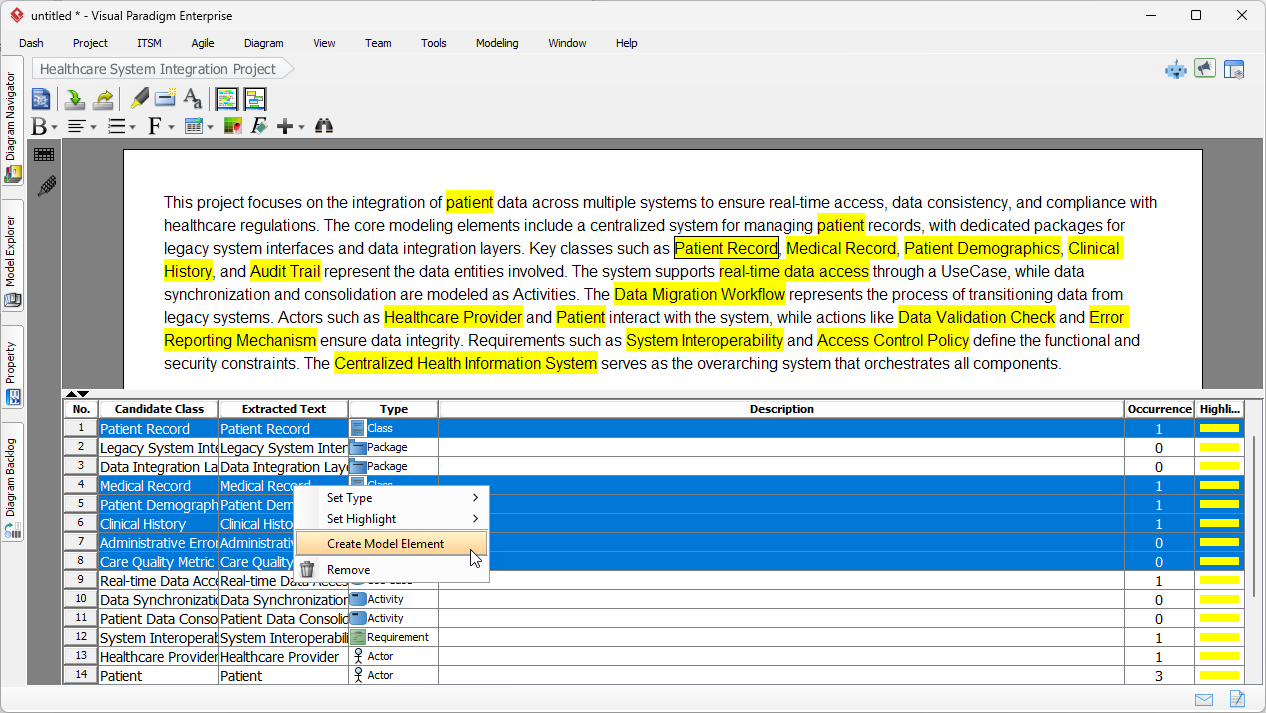
If you are satisfied with the candidate classes the AI has identified, you can simply select the rows in the analysis grid. By right-clicking your selection, you access the “Create Model Element” option. This workflow empowers you to move from an abstract list of terms to concrete model elements without ever leaving the analysis interface. It is an ideal workflow for Agile teams and systems analysts who need to iterate quickly during refinement sessions.
Step 4: Structuring the Diagram
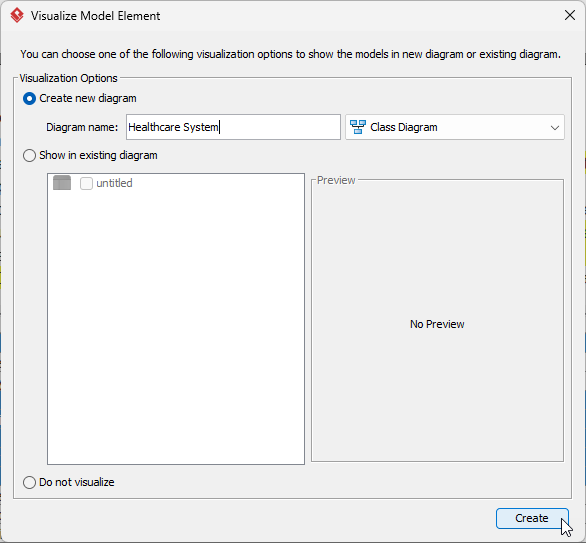
Flexibility is a core strength of Visual Paradigm. After selecting your elements, the tool asks how you want to visualize them. You aren’t forced into a rigid structure; you can choose to create a new diagram or add these elements to an existing view.
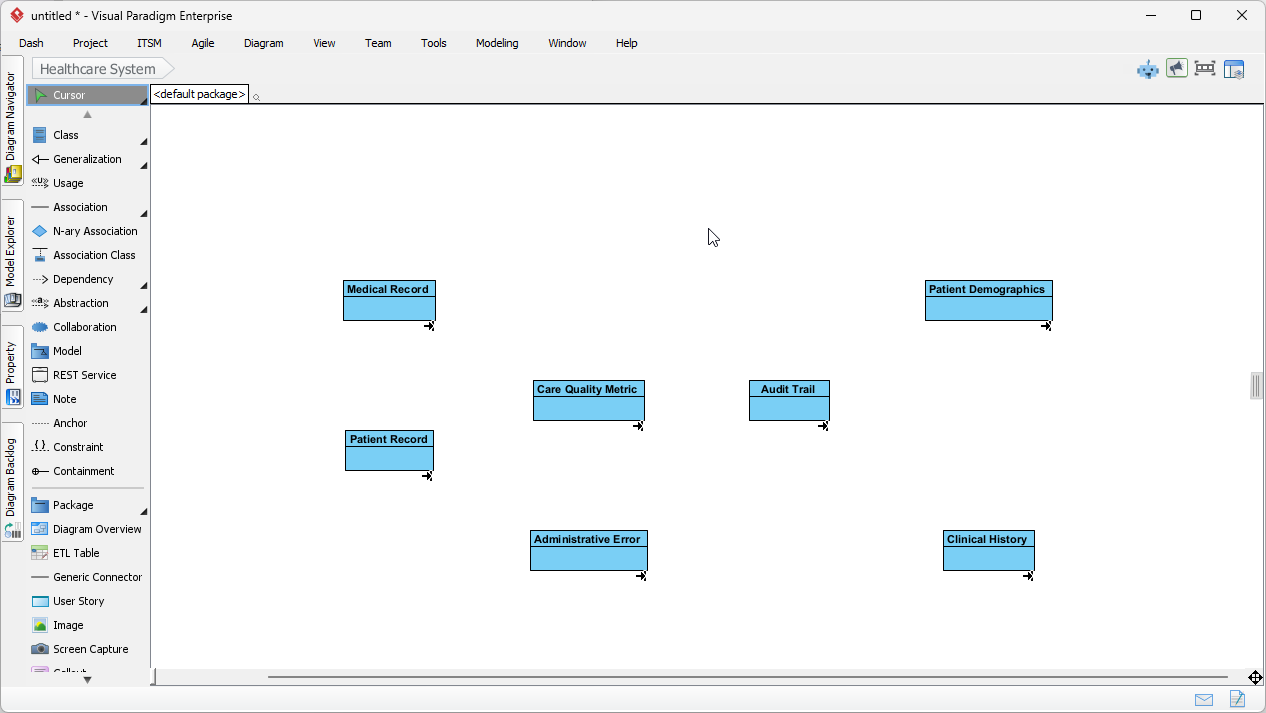
In our tutorial, we are creating a fresh Class Diagram named “Healthcare System.” This step ensures that your generated artifacts are organized correctly within your project structure from the moment of creation. It is a small step that supports better model management and traceability down the road.
Step 5: The Final Result – A Foundation for Development
In a matter of moments, we have gone from a paragraph of text to a visual Class Diagram. The image below shows the result: a clean, organized canvas populated with the domain classes identified by the AI, such as “Patient Record,” “Audit Trail,” and “Clinical History.”
This generated diagram serves as a robust foundation. Instead of spending your first hour drawing boxes, you can now focus your energy on the high-value tasks: defining attributes, mapping operations, and establishing the relationships between these classes. The AI Textual Analysis has effectively automated the “blank page” phase of design, allowing architects and developers to dive straight into the logic and structure of the system.
Why This Transforms Requirements Engineering
The implications of this workflow extend far beyond saving a few clicks. By automating the extraction of requirements and domain classes, Visual Paradigm democratizes high-level analysis. Junior analysts can produce professional-grade starting points, while seasoned architects can process vast amounts of stakeholder feedback without getting bogged down in administrative tasks.
Whether you are a Product Owner synthesizing user feedback or a Technical Writer documenting complex specifications, the ability to visualize text instantly ensures that everyone on the team shares a consistent mental model of the system. This reduces ambiguity, highlights gaps early, and ensures that your documentation is not just a static record, but a living part of your design process.
Start Modeling Smarter Today
Embrace the future of visual modeling. Stop manually transcribing notes and start generating value instantly. Experience how Visual Paradigm’s AI can serve as your tireless assistant, turning your words into the blueprints of your next great software solution.
Ready to boost your productivity? Download Visual Paradigm today and try AI Textual Analysis for yourself.
Related Links
Visual Paradigm provides a robust textual analysis toolset that automates the transition from written descriptions to structured visual models. These tools analyze text documents to identify entities, relationships, and candidate patterns, which are then used to generate UML, BPMN, and ERD diagrams. By extracting and organizing software requirements directly from natural language problem descriptions, teams can significantly improve traceability and documentation clarity. Advanced techniques within the platform also support sentiment analysis and keyword extraction, ensuring that unstructured data is converted into actionable system designs.
-
AI Textual Analysis – Transform Text into Visual Models Automatically: An overview of the AI feature that automatically generates UML, BPMN, and ERD diagrams from documents for faster modeling.
-
From Problem Description to Class Diagram: AI-Powered Textual Analysis: A specialized guide on converting natural language problem descriptions into accurate class diagrams.
-
Textual Analysis in Visual Paradigm: From Text to Diagram: The official user guide for transforming written descriptions into structured diagrams.
-
AI Textual Analysis Tool by Visual Paradigm: A dedicated tool interface for turning natural language input into structured software design components.
-
Visual Paradigm Textual Analysis Tool Features: A comprehensive list of capabilities that enable users to derive meaningful insights from large volumes of text.
-
Documenting Requirements Using Textual Analysis: Explains how to extract and organize system requirements from existing documentation to improve project clarity.
-
What is Textual Analysis? – Visual Paradigm Circle: A resource hub covering the purpose, applications, and benefits of textual analysis in project workflows.
-
AI-Powered Textual Analysis Tutorial for Software Design: A hands-on tutorial demonstrating the extraction of software design elements from natural language requirements.
-
Case Study: AI-Powered Textual Analysis for UML Class Diagram Generation: A real-world look at how AI-driven analysis enables the efficient generation of diagrams from unstructured requirements.
-
Textual Analysis in Use Case Modeling: Highlights how textual analysis extracts key system elements to support effective use case development.

 English
 Arabic
 Chinese (Simplified)
 Dutch
Dutch French
 German
 Italian
 Japanese
 Korean
 Portuguese
 Russian
 Spanish