


In the rapidly evolving landscape of artificial intelligence, general-purpose Large Language Models (LLMs) like ChatGPT and Claude have demonstrated remarkable versatility. Similarly, “diagram-as-text” tools such as PlantUML and Mermaid have simplified basic charting. However, for professional software architects and system designers, these tools often fall short when tasked with complex modeling. The Visual Paradigm AI Platform distinguishes itself by offering a specialized, ecosystem-integrated approach that transcends simple image generation.
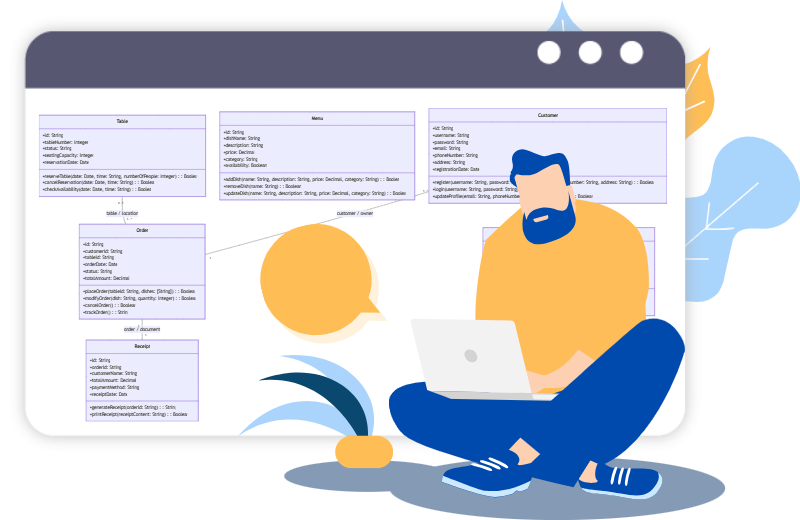
This guide explores the distinct advantages of Visual Paradigm AI, categorized by accuracy, editability, refinement capabilities, and ecosystem integration.

1. Superior Semantic Accuracy and Reduced Error Rates
While general LLMs act as creative generalists, capable of writing poems or summarizing emails, Visual Paradigm AI operates as a “seasoned architect.” It is engineered with strict adherence to formal modeling standards, includingUML2.5+, SysML, and ArchiMate.
Precision in Modeling
One of the critical drawbacks of using general-purpose LLMs for diagramming is the hallucination of technical details. These models frequently produce incorrect arrow styles, invalid multiplicities, or non-standard notation.
- General LLMs: Often exhibit an error rate of 15–40% or higher when processing complex prompts.
- Visual Paradigm AI: Maintains a significantly lower error rate, typically under 10%, and achieves correctness on the first attempt approximately 90% of the time.
Strict Standards Enforcement
Unlike text generators that may “invent” syntax to satisfy a prompt, Visual Paradigm AIenforces correct semantics. It ensures that relationships such as inheritance, composition, and aggregation are applied logically and in accordance with industry standards.
2. Native Visual Editability vs. Static Text
The workflow difference between a dedicated AI modeling tool and a text-based generator is profound, particularly regarding how the final output is handled.
The Limitation of “Diagram-as-Text”
General LLMs typically output text-based syntax (such as Mermaid or PlantUML code). To visualize this, the user must copy and paste the code into an external renderer. The result is a static, non-editable image. If a box needs moving or a line needs re-routing, the user must edit the code, not the visual element.
Direct Manipulation with Visual Paradigm
Visual Paradigm AI generates native, editable diagrams immediately. This allows users to utilize standard drag-and-drop tools to:
- Move shapes and resize elements freely.
- Manually edit properties via a GUI.
- Refine the visual layout without touching raw code.
3. Conversational Refinement vs. Full Regeneration
Iterative design is central to software architecture. Visual Paradigm AIsupports this through a true co-pilot experience that maintains persistent context, a feature often lacking in general LLMs.
Preserving Layout and Context
When a user asks a general LLM to modify a diagram (e.g., “Add a Customer class”), the model usually regenerates the entire code block. This often results in a completely new visual layout, causing the user to lose their previous formatting and mental map of the structure.
Live, Incremental Updates
Visual Paradigm’s AI Chatbot performs updates live and incrementally. Commands such as “Make this relationship 1..*” or “Add a PaymentGateway class” affect only the specific elements requested. Crucially, this method preserves the existing layout and structure, allowing for a smooth and continuous design process.
4. Living Models vs. Isolated Snippets
A fundamental distinction lies in the nature of the output: isolated artifacts versus interconnected architectural models.
The Model Repository
Diagrams generated by Visual Paradigm AI are not standalone images; they are views of a living model repository. A single class model created via AI can be used to drive multiple views. For instance, an existing class model can be utilized to derive a sequence diagram or an Entity-Relationship Diagram(ERD), ensuring consistency across the project.
In contrast, general LLMs produce isolated outputs that do not share an underlying database. This makes maintaining consistency across different diagram types in a single project manually intensive and error-prone.
5. Architectural Critique and Intelligence
Visual Paradigm AIgoes beyond drawing shapes; it acts as an analytical partner in the design process.
Design Suggestions and Analysis
The platform is capable of analyzing generated diagrams to provide a comprehensive analysis report. This report can:
- Identify specific design patterns.
- Spot missing inverse relationships.
- Suggest improvements for scalability and maintainability.
From Unstructured Text to Structured Models
Through a specialized textual analysis tool, users can input unstructured problem descriptions—such as a paragraph of requirements. The AI then guides the user through a systematic 10-step process to extract classes, attributes, and operations, ensuring that no critical requirements are overlooked during the modeling phase.
6. Professional Ecosystem Integration
Finally, Visual Paradigm AI is designed for the professional software development lifecycle (SDLC), offering capabilities that standalone LLMs cannot match.
Round-Trip Engineering
The transition from design to implementation is seamless. Users can move from an AI-assisted chat session directly to professional tools for code generation (supporting languages like Java, C#, and C++), version control, and database engineering.
Team Collaboration
While general LLMs usually provide a solitary experience, Visual Paradigm Cloud enables entire teams to collaborate. Multiple stakeholders can design, review, and comment on AI-generated models simultaneously within a shared workspace, fostering better communication and faster delivery.
Summary Comparison
| Feature | General LLMs / Text-to-Diagram | Visual Paradigm AI |
|---|---|---|
| Error Rate | High (15–40%+), prone to hallucination | Low (<10%), strict standards compliance |
| Editability | Static images from code; non-interactive | Native, drag-and-drop editable models |
| Refinement | Regenerates full code; shifts layout | Incremental updates; preserves layout |
| Data Model | Isolated snippets | Living repository; reusable elements |
| Ecosystem | Copy-paste to external tools | Integrated code gen, version control, and teamwork |
-
AI -Powered BI Analytics by Visual Paradigm – ArchiMetric: Start using AI-powered BI analytics in under a minute—no installation or signup required for most features.
-
Discover the Power of Visual Paradigm ’s AI -Powered… – Visualize AI: Visual Paradigm’s AI-powered Image Translator leads the market with advanced capabilities beyond standard tools.
-
AI Chatbot for Diagramming: How It Works with Visual Paradigm: The AI chatbot converts natural language into diagrams, eliminating the need to learn modeling syntax or standards.
-
AI Brainstorming Features – Visual Paradigm: Visual Paradigm’s AI-powered brainstorming tools deliver intelligent idea generation and collaborative workflows to enhance creativity and productivity.
-
AI Chatbot Feature – Intelligent Assistance for Visual Paradigm Users: AI-powered chatbot that delivers instant guidance, automates tasks, and boosts productivity in Visual Paradigm.
-
Visual Paradigm Chat – AI-Powered Interactive Design Assistant: An interactive AI interface for generating diagrams, writing code, and solving design challenges in real time.
-
AI Textual Analysis – Transform Text into Visual Models Automatically: AI analyzes text documents to automatically generate UML, BPMN, and ERD diagrams for faster modeling and documentation.
-

 English
 Arabic
 Chinese (Simplified)
 Dutch
Dutch French
 German
 Italian
 Japanese
 Korean
 Portuguese
 Russian
 Spanish