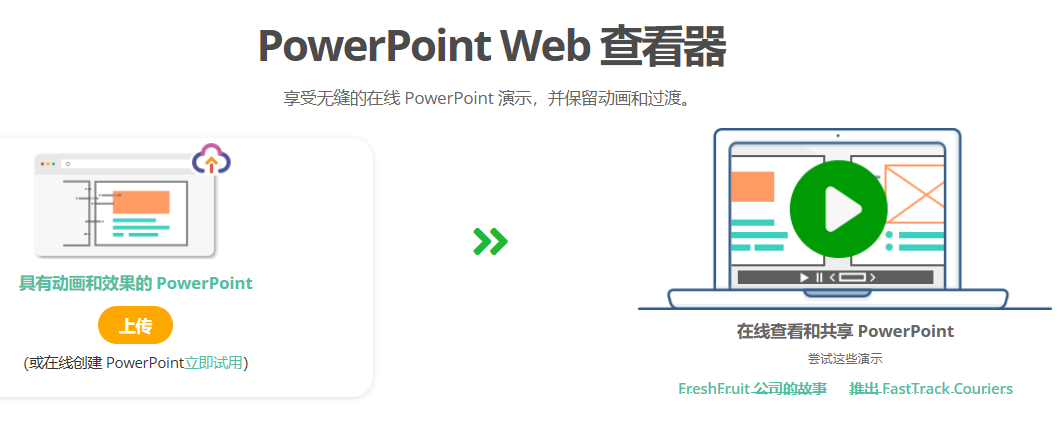
Visual Paradigm Online provides a powerful PowerPoint Web Viewer, allowing you to easily view and share PowerPoint presentations online while fully preserving all animations and transition effects. No software installation is required—you can access and share your presentations in any browser. Below is a detailed guide on how to convert PPT to HTML5 for sharing.
Key Features & Highlights

Preserve Animations & Transitions
Our PowerPoint viewer fully retains every animation and transition effect in your presentation, ensuring it looks exactly as you designed it.
Accurate Fonts & Effects
We accurately preserve the fonts and visual effects used in your presentation, ensuring your message is communicated clearly.
Auto-Play or Manual Control
Choose to create auto-playing slideshows or manually control the flow of your presentation.
Lightning-Fast Conversion
Our conversion tool is significantly faster than others—view your presentation in just a short time.
Sharing Options
Share via Social Media
Share your presentation directly to popular social platforms like Facebook, Twitter, LinkedIn, Reddit, and WeChat.
Embed in Websites
Embed your presentation into any webpage using embed code.
Share via QR Code
Generate a QR code for viewers to easily access your presentation on smart devices.
Password Protection
Set a password to share your presentation only with specific viewers.
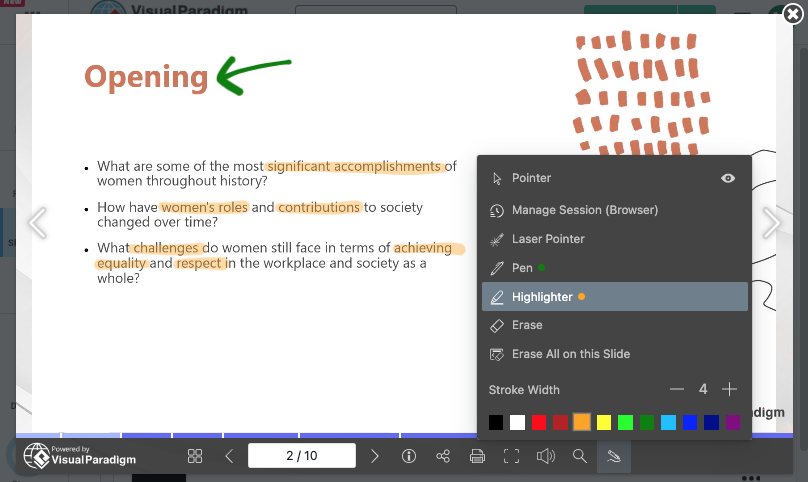
Annotation Features
Guide Your Presentation
Add personal notes or cues to slides so presenters can remember specific details, talking points, or transitions.
Learning Materials
Turn presentations into personalized learning tools by adding notes, comments, or references to slides.
Clarify & Emphasize Information
Annotations help highlight key information, making it stand out and increasing impact on the audience.
Branding Customization
Branded Logo
Include a clickable branded logo in your presentation to drive traffic.
Custom Player Background
Apply color or image backgrounds to the presentation player.
Compatibility
Cross-Browser Compatible
The converted HTML5 output works seamlessly across all major web browsers.
Mobile-Friendly
Our PowerPoint Web Viewer runs smoothly on iPhone, iPad, and Android devices.
More PowerPoint Examples
- Revolutionizing E-Commerce Presentation
- The Roastery Cafe Business Pitch Deck
- Innovating for a Sustainable Future Presentation
- Empower Innovations – Powering the Future
- International Women’s Day Presentation
- Lila Jameson Photography Portfolio
- Ceramic Wonders – Exploring Pottery Place’s Creations Presentation
- Journey Planner Presentation
How to View PowerPoint Online
Follow these quick steps to view PowerPoint online:
Step 1: Upload Your PowerPoint
Click the “Upload PowerPoint” button or drag and drop your file into the designated area.
Step 2: Conversion Process
Wait for the upload and processing to complete.
Step 3: View & Share in the Player
Once uploaded and processed, you’ll enter the PowerPoint Player. View your presentation and share it by copying the link or sending it via email.
With Visual Paradigm Online, effortlessly convert PPT to HTML5 and share and view your presentations seamlessly on any device. Get started today and elevate your presentation experience!

 English
 Arabic
 Chinese (Simplified)
 Dutch
Dutch French
 German
 Italian
 Japanese
 Korean
 Portuguese
 Russian
 Spanish