


Imagine creating a complete enterprise architecture project from scratch, guided step-by-step through the TOGAF Architecture Development Method (ADM), with AI doing the heavy lifting. This isn’t a fantasy; it’s the reality with Visual Paradigm’s AI-Powered TOGAF Guide-Through. This powerful tool transforms the complex, time-consuming process of enterprise architecture into a streamlined, guided journey. The image sequence below demonstrates how this works in practice, starting with a simple problem description and ending with a professional, AI-generated deliverable. This is the future of enterprise architecture, and it’s here to save you time and boost your accuracy.
Quick summary
-
Visual Paradigm’s AI-Powered TOGAF Guide-Through guides users through the entire TOGAF ADM process.
-
AI assists in generating content for key artifacts, like diagrams and reports, based on simple natural language descriptions.
-
The process is structured, with clear steps and deliverables, making it ideal for new architects and teams.
-
AI-generated content can be quickly refined, saving significant time on initial modeling.
-
This approach ensures TOGAF compliance and improves consistency across projects.
What is the AI-Powered TOGAF Guide-Through?
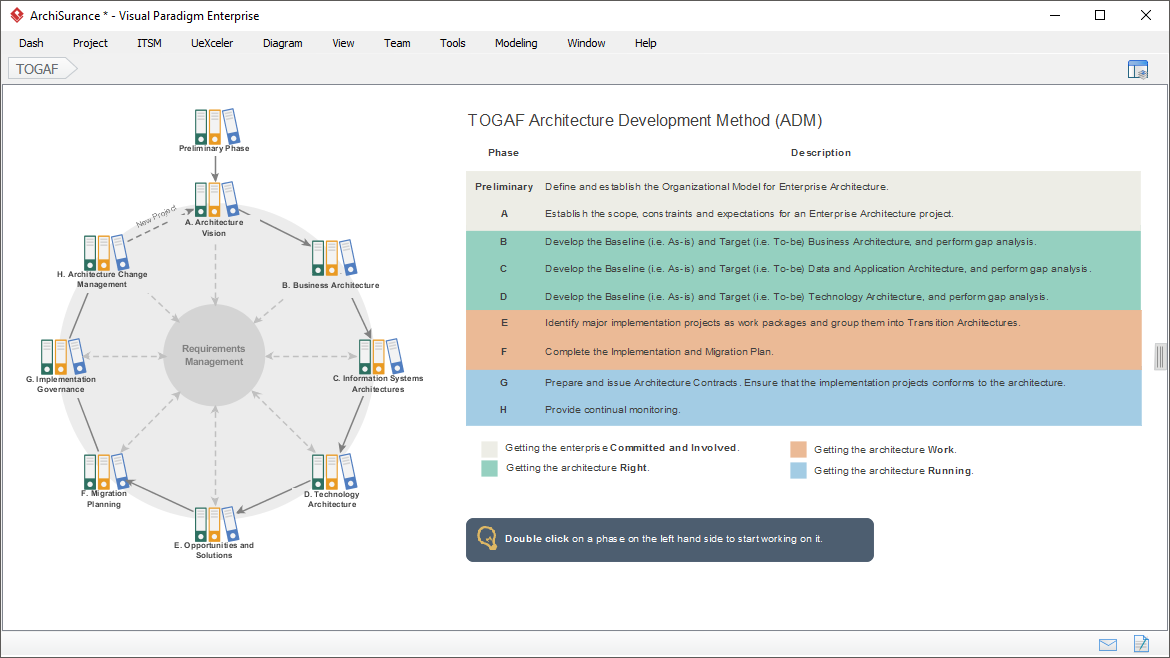
At its core, the AI-Powered TOGAF Guide-Through is a structured, guided workflow within Visual Paradigm that walks you through the TOGAF ADM lifecycle. It’s designed to be a hands-on, interactive experience, not just a static template. The first step, shown in:
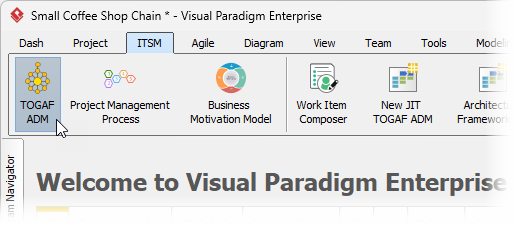
Initiate the process by selecting “TOGAF ADM” from the ITSM menu. This immediately launches a guided session.
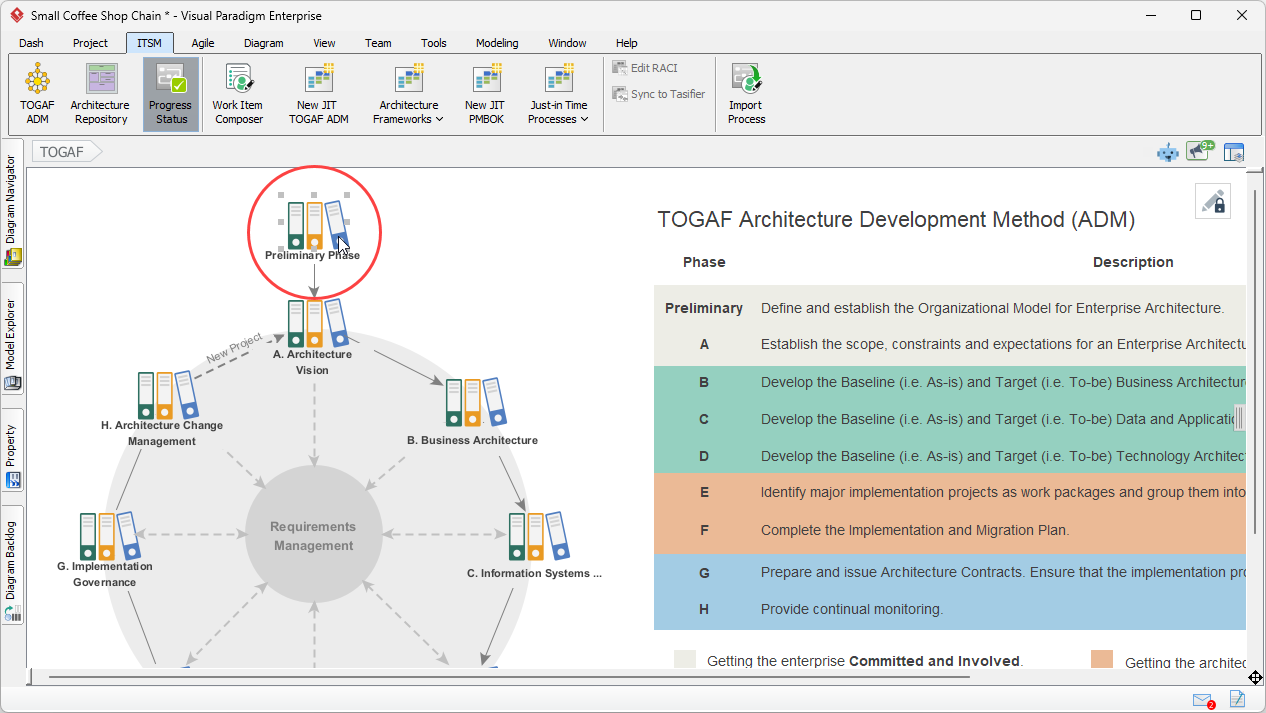
Then presents the full TOGAF ADM cycle, a classic circular diagram with eight phases. The user’s journey begins by clicking on the “Preliminary Phase,” which is the first step in the process. This is where the AI-powered guidance begins, turning a complex methodology into a manageable, step-by-step project.
How the AI-Powered Guide Works: A Step-by-Step Walkthrough
The true power of this tool lies in its execution. Let’s follow the journey shown in the images. After starting the process, the user is presented with a detailed view of the “Preliminary Phase,” as seen in:
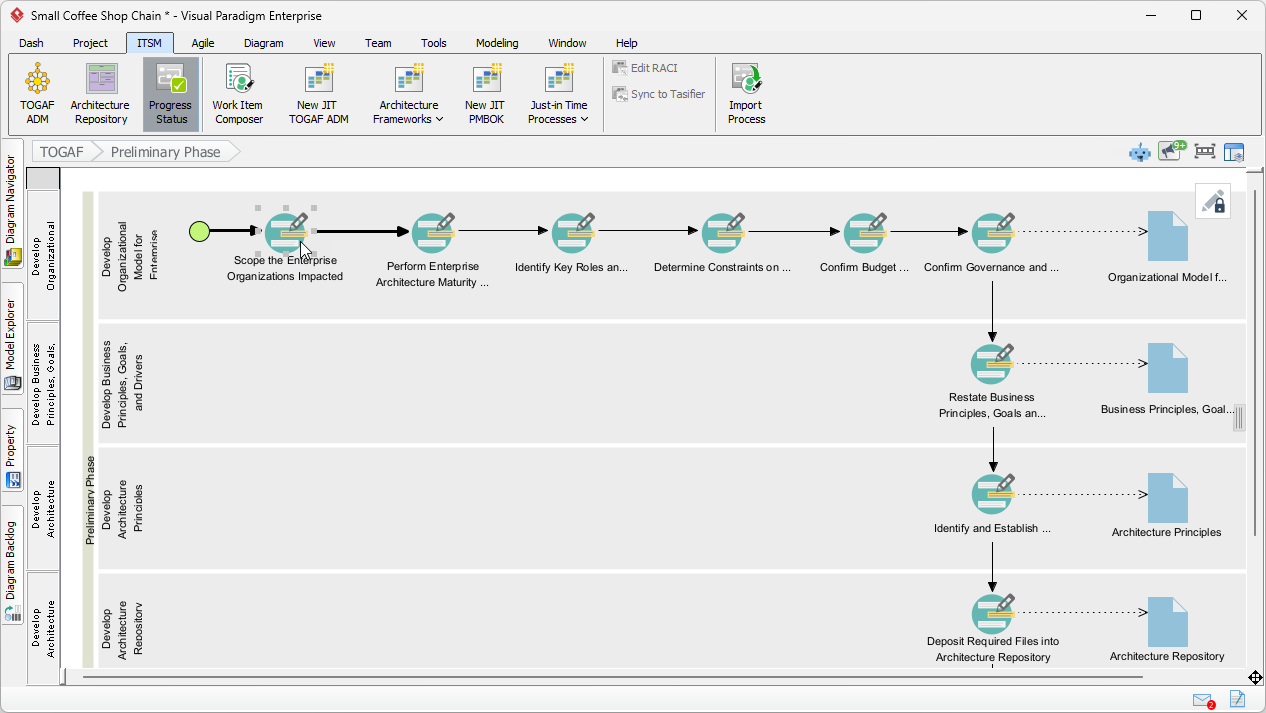
This view is organized into lanes, each representing a deliverable, and activities are laid out in a sequence. The first activity is “Scope the Enterprise Organizations Impacted.” To begin, the user double-clicks on this activity, which opens a dedicated workspace.
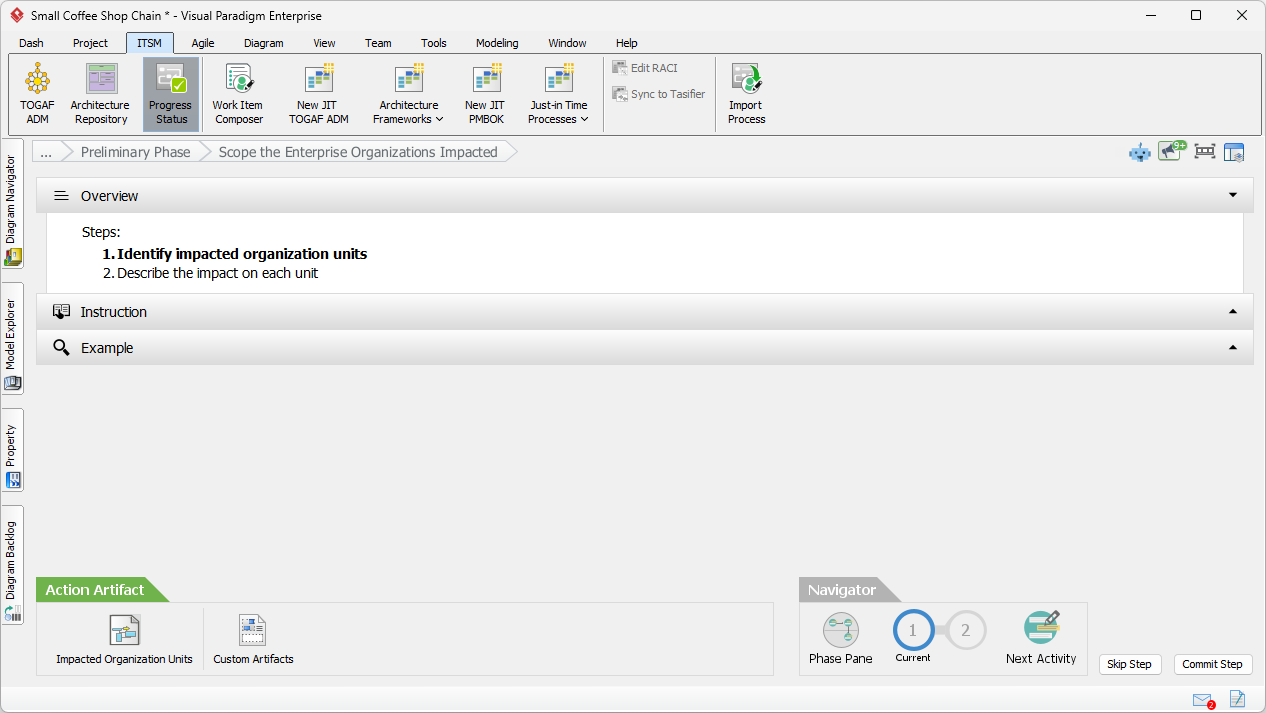
The image above shows this screen, which is divided into three panes: Overview, Instruction, and Example. The Overview pane lists the steps, the Instruction pane provides detailed guidance, and the Example pane shows a sample artifact. This structure ensures the user always knows what to do next.
Next, the user moves to the “Action Artifact” section, as shown in:
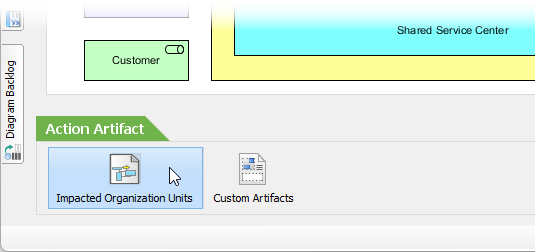
Here, they click on the “Impacted Organization Units” action to open a blank ArchiMate diagram. This is where the AI magic happens.
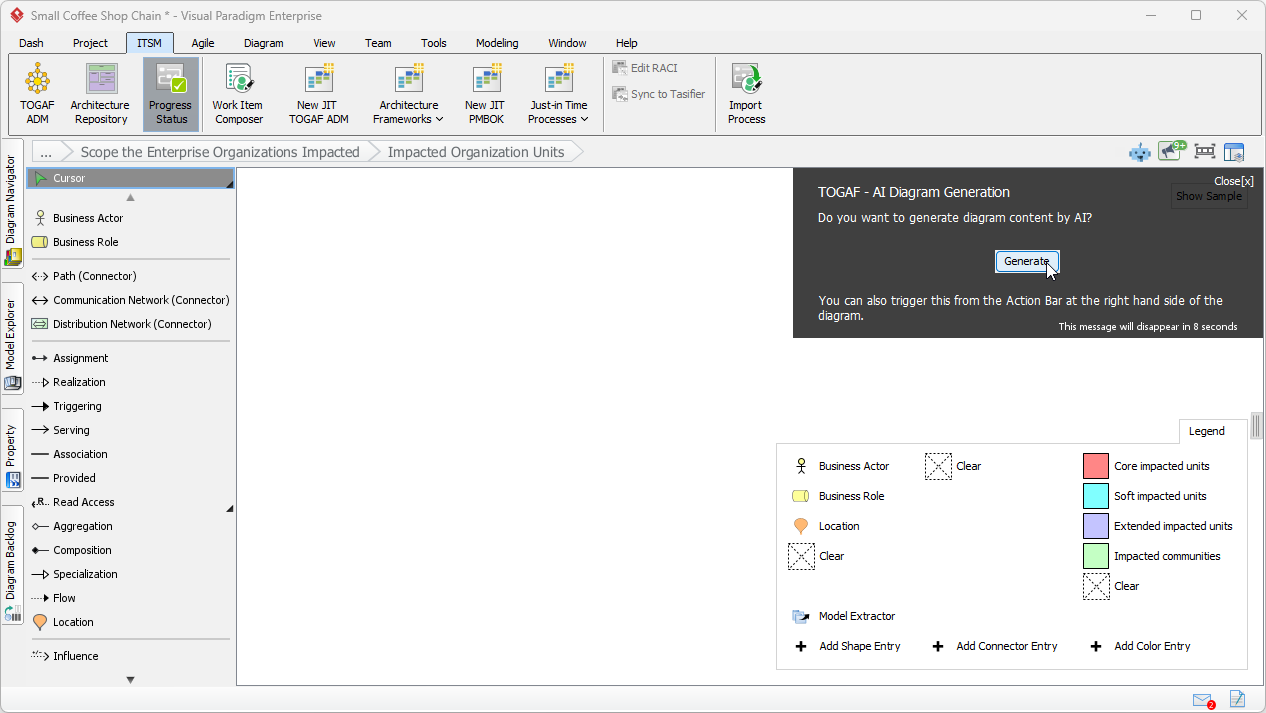
A prompt appears, asking, “Do you want to generate diagram content by AI?” The user clicks “Generate,” and a dialog box appears.
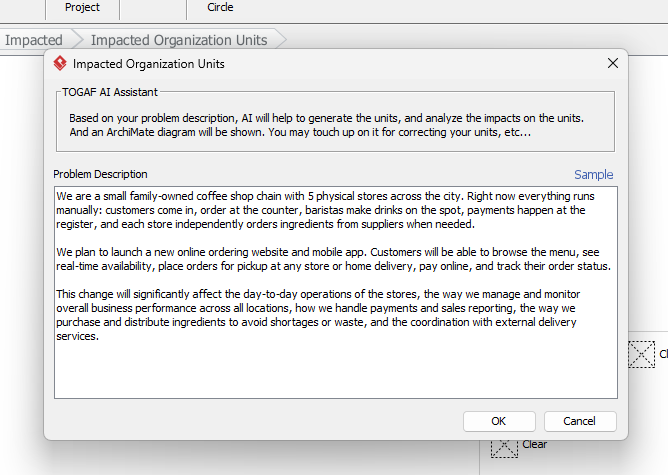
The image above shows the user entering a problem description: “We are a small family-owned coffee shop chain with 5 physical stores across the city. Right now everything runs manually… We plan to launch a new online ordering website and mobile app…” This simple description is the key. The AI analyzes the text and generates a diagram, as seen in:
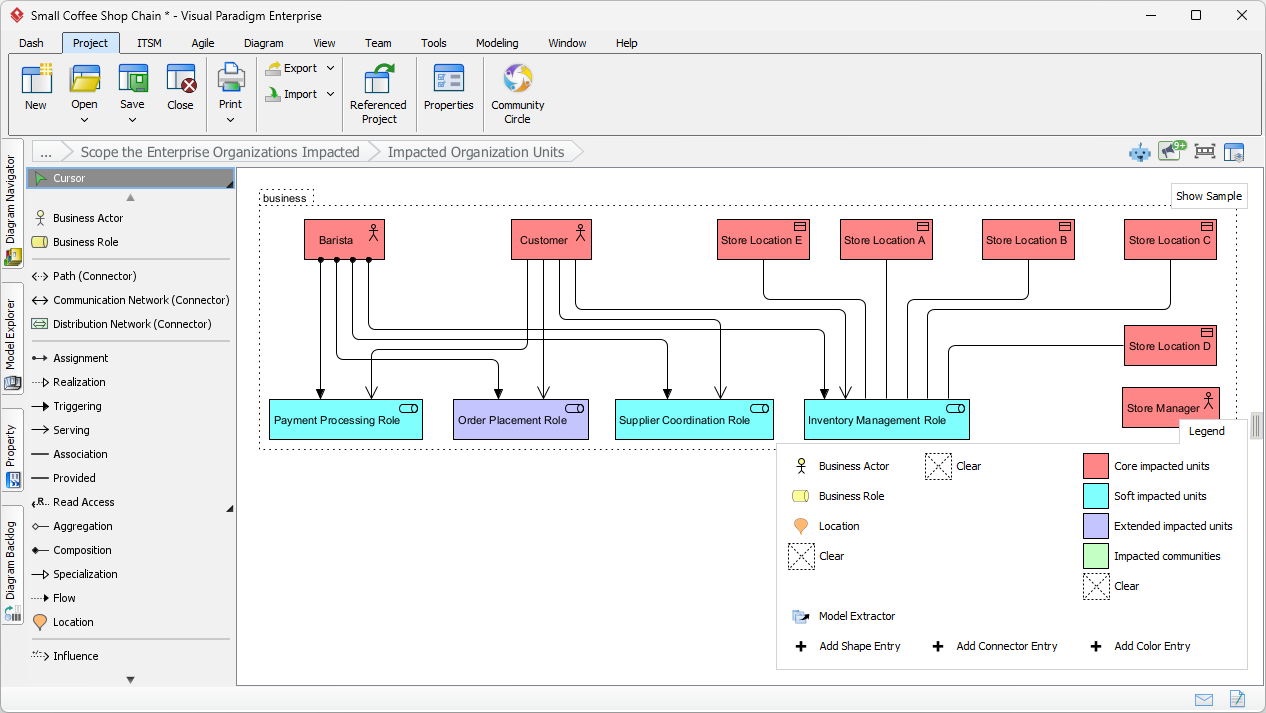
It identifies entities like “Barista,” “Customer,” “Store Location,” and “Payment Processing Role” and places them on the canvas with connections, all colored according to their impact level.
From AI Draft to Final Deliverable
The generated AI diagram is a powerful starting point, but it’s not always perfect.
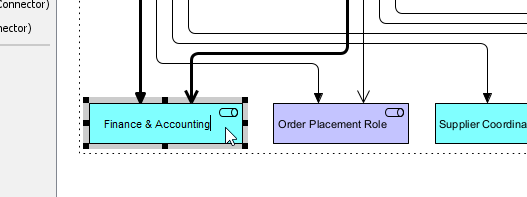
This image shows the user renaming a “Payment Processing Role” to “Finance & Accounting” to better reflect the business.
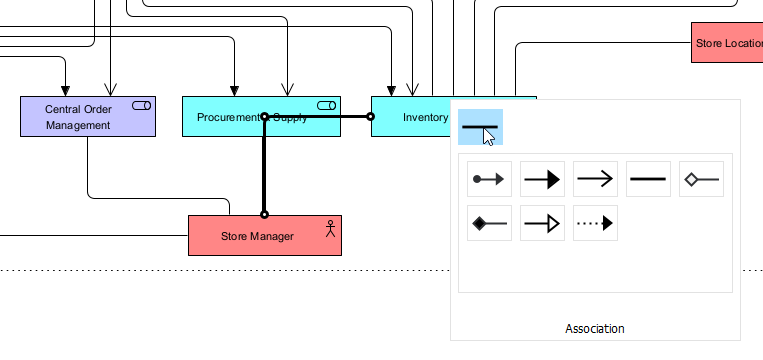
This image shows the user adding a missing connection between “Store Manager” and “Inventory Control” to ensure the model is accurate.
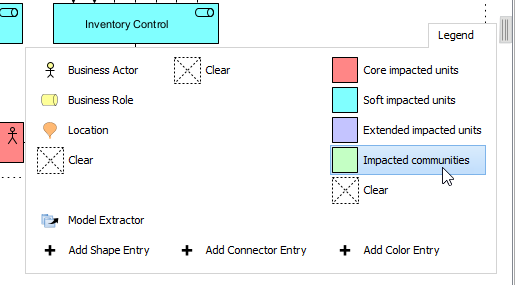
and:
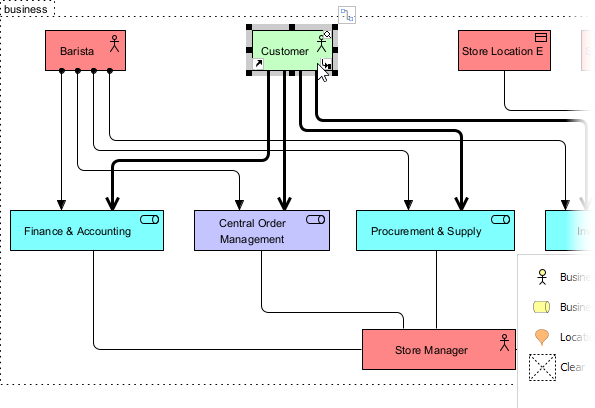
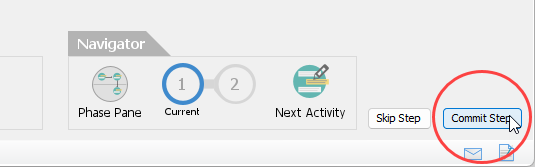
This image show the user correcting the classification of “Customer” to “Impacted communities,” a task the AI missed. This highlights a crucial point: AI is a powerful assistant, not a replacement for human expertise. It provides a smart draft that the architect can then refine. Once the diagram is complete, the user clicks “Commit Step” in the navigator at the bottom right, as shown in:
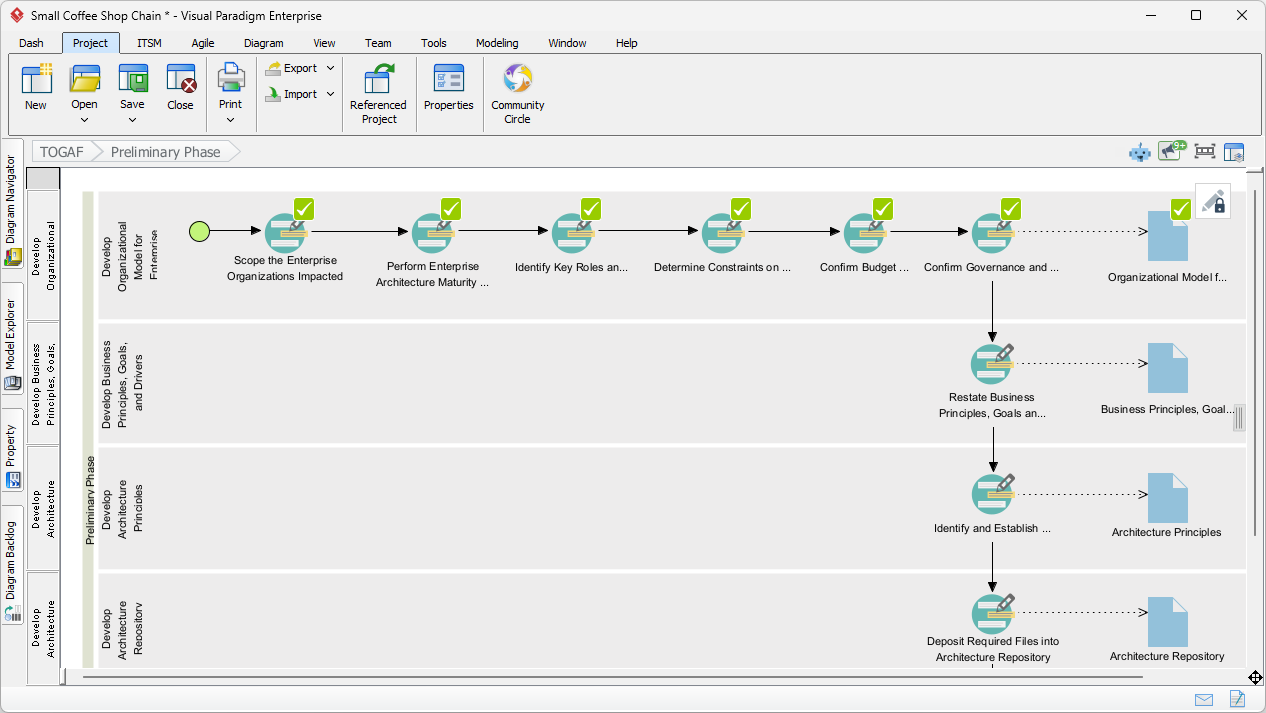
This marks the step as complete, and the green checkmark appears on the activity in the main workflow, as seen in:
Finally, once all activities for a deliverable are completed, the user can generate the final artifact.
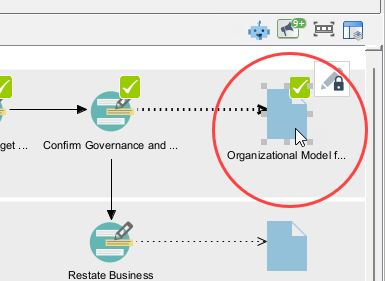
The user double-clicking the “Organizational Model for Enterprise” deliverable icon. The result is a professional, formatted document, as seen in:
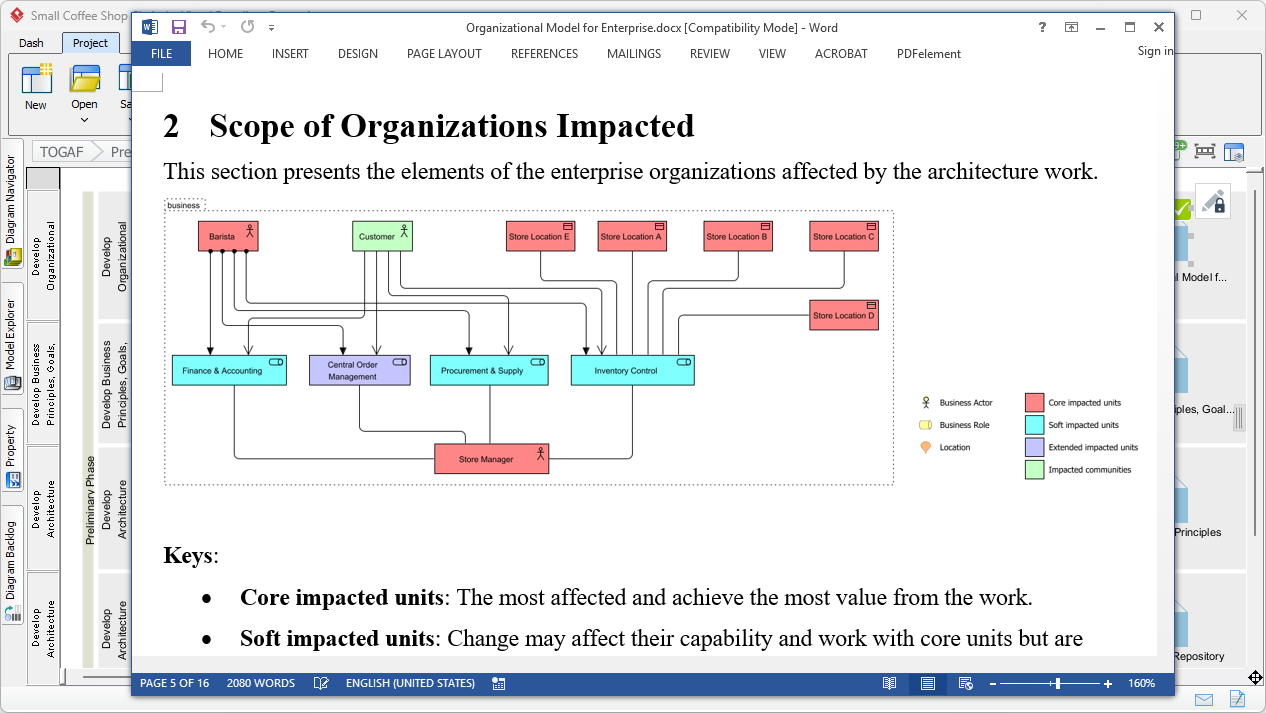
This document includes the refined diagram, a textual description, and a legend, all generated automatically based on the user’s inputs and the work done throughout the process. This seamless transition from a simple problem description to a polished, TOGAF-compliant deliverable is the core benefit of this AI-powered approach.
Ready to experience the power of AI in your architecture projects? Try the AI-Powered TOGAF Guide-Through in Visual Paradigm today and see how it can transform your workflow. Visit Visual Paradigm’s website to learn more.
Related Links
Visual Paradigm’s TOGAF tool provides an automated Guide-Through Process that streamlines the Architecture Development Method (ADM) by offering step-by-step instructions, reusable templates, and certified ArchiMate integration,,. These tools allow enterprise architects to maintain design consistency, automate the generation of deliverables, and manage the full architecture lifecycle with AI-driven support,,.
-
TOGAF ADM Software – Visual Paradigm: Industry-specific software designed to enhance EA productivity by guiding users through the ADM process and automatically generating necessary deliverables.
-
TOGAF Architecture Development Method (ADM) Guide-Through Process: An automated tool that provides visual navigation, samples, and step-by-step project support for launching enterprise initiatives.
-
Mastering Enterprise Architecture with Visual Paradigm’s TOGAF Tool: A practical tutorial on using Visual Paradigm’s certified tools for effective enterprise architecture design, modeling, and management.
-
Visual Paradigm TOGAF ADM and ArchiMate Integration: A detailed guide on how ArchiMate and TOGAF ADM are integrated within the tool to support standardized architecture modeling.
-
TOGAF ® Tool for Enterprise Architecture – ArchiMetric: An overview of the tool’s compatibility with Visual Paradigm Enterprise Edition and its structured methods for building architecture.
-
Powerful TOGAF ADM Toolset – Visual Paradigm: Highlights the tool’s intuitive workflows, modeling capabilities, and reusable assets for efficient lifecycle development.
-
Visual Paradigm TOGAF – Everything about TOGAF and Enterprise Architecture: A hub for AI-powered ADM tools that automate diagram creation and provide guided walkthroughs for architectural maturity assessments,.
-
Comprehensive Review and Adoption Guide for Visual Paradigm’s TOGAF Software: An in-depth review of the software’s certified ArchiMate support and its comprehensive approach to the EA lifecycle.
-
Using TOGAF ADM with Visual Paradigm Tools: A step-by-step implementation guide for using Visual Paradigm’s modeling and planning features within the ADM framework.
-
Mastering Enterprise Architecture with Visual Paradigm’s TOGAF ADM Guide: A resource focused on implementing robust IT frameworks that align organizational strategy with business goals.


 English
 Arabic
 Chinese (Simplified)
 Dutch
Dutch French
 German
 Italian
 Japanese
 Korean
 Portuguese
 Russian
 Spanish