


Scrum Board (also known as a Scrum Task Board) is a tool that helps teams make Sprint Backlog items visible. The board can take many forms—manual (e.g., whiteboard and sticky notes) or virtual (e.g., software tools)—but regardless of appearance, it performs the same function. The Scrum Board is the focal point of any agile project and a great place to hold stand-up meetings. The board is updated and maintained by the team and displays all items during the daily Scrum, helping the team focus on remaining tasks and their priorities.
Why Use a Scrum Board
- Encourages Team Interaction and Discussion – Throughout the day, team members, stakeholders, and even other teams stop by the board to discuss progress. If the board is located near the team and highly visible, this happens far more often.
- Visibility – Anyone walking by can quickly assess the team’s progress within the iteration. No sticky notes? That story is complete. Only green cards, no pink? Only testing remains. Many pink cards? Many defects.
- Helps New Teams Visualize Scrum – It’s easier for new Scrum teams to understand the process when they can see and touch tangible content right in front of them.
- Supports Full Team Commitment – With the entire team seeing all tasks every day, no one stays focused only on “their” tasks. With task-tracking tools, it’s too easy to create a “My Tasks” view and hide the rest.
Where to Place the Scrum Board?
It’s crucial that the Scrum Board is visible to as many team members as possible and accessible to all. Typically, it’s placed on a large wall or window (get creative!). The manager’s office or meeting rooms are not ideal locations because they aren’t always accessible. Most importantly, every team member should feel they share ownership of the board—it represents the teamwork essential for success and shows that everyone is responsible for that success (and failure).
Format of the Scrum Board
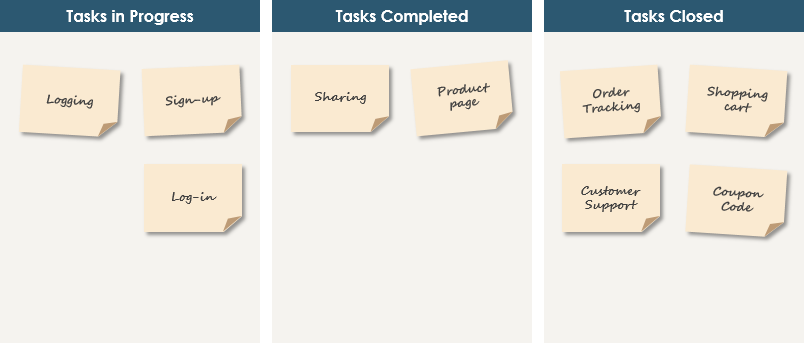
Scrum does not prescribe a specific format for the Scrum Board. The team decides the most useful way to present the needed information. All developers should be able to view and manipulate the board as a team. Typically, the board is divided into progressive columns—such as To Do, In Progress, and Done. Sticky notes represent Sprint Backlog items and can be moved across columns to reflect their progress (see Definition of Done).
Scrum Board
As shown above, when a development team member starts working on a task, they move the sticky note to the “In Progress” column. When they complete a Sprint Backlog Item, they move the note to the “Done” column. Verified tasks are then moved to “Closed,” and the developer who handled the task can now pick a new one. Each Scrum Board lasts for the duration of a Sprint. A new Sprint requires the team to either create a new Scrum Board or reset the existing one.
Scrum Task Board Software Tools
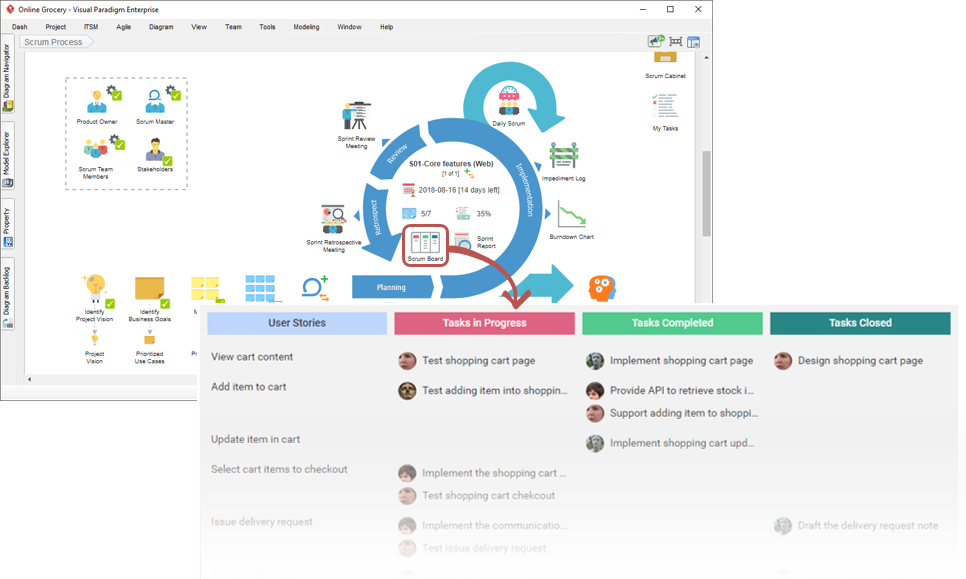
There are many digital alternatives to physical boards—tools like Visual Paradigm’s Scrum Process Canvas allow collaborative management and tracking of changes, attaching comments and documents to artifacts as a complete feature component. In fact, it enables you to manage your entire Scrum process on a single page.
Scrum Task Board Software
A single-page Scrum Process Canvas is especially useful for Scrum Masters and Product Owners to navigate the entire Scrum process seamlessly, especially for remote teams. It enables:
- Seamless navigation through the full Scrum process on a well-designed Scrum Process Canvas, ideal for remote teams
- Quick, easy, and seamless execution of Scrum events and activities
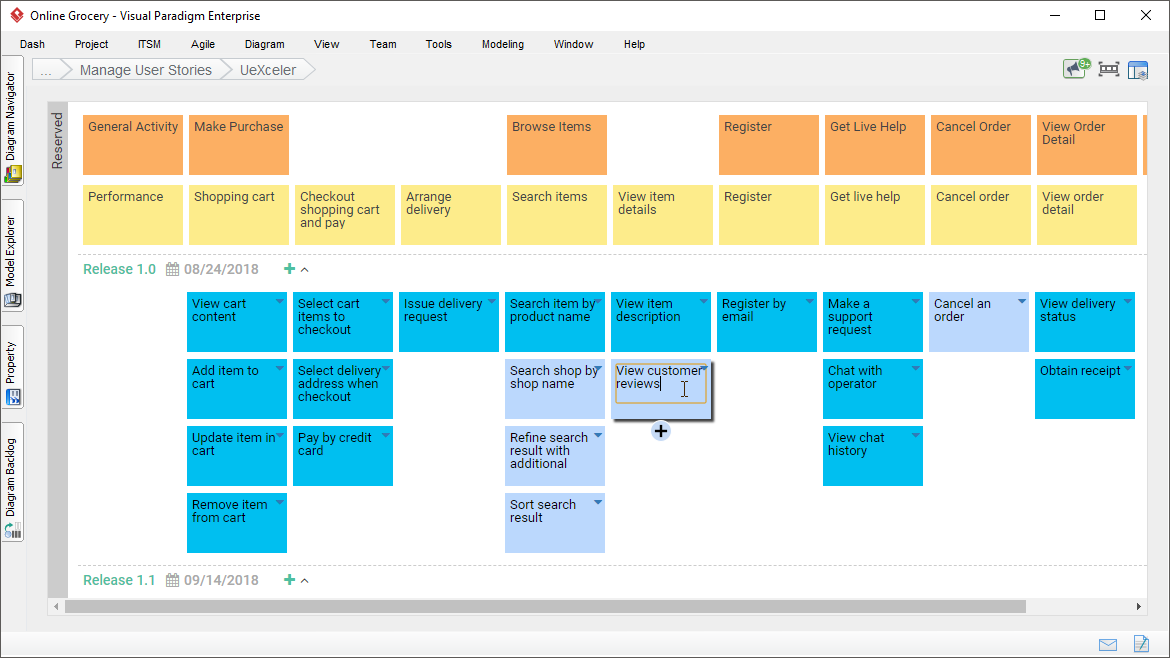
- Backlog management, grooming, and refinement using User Story Mapping
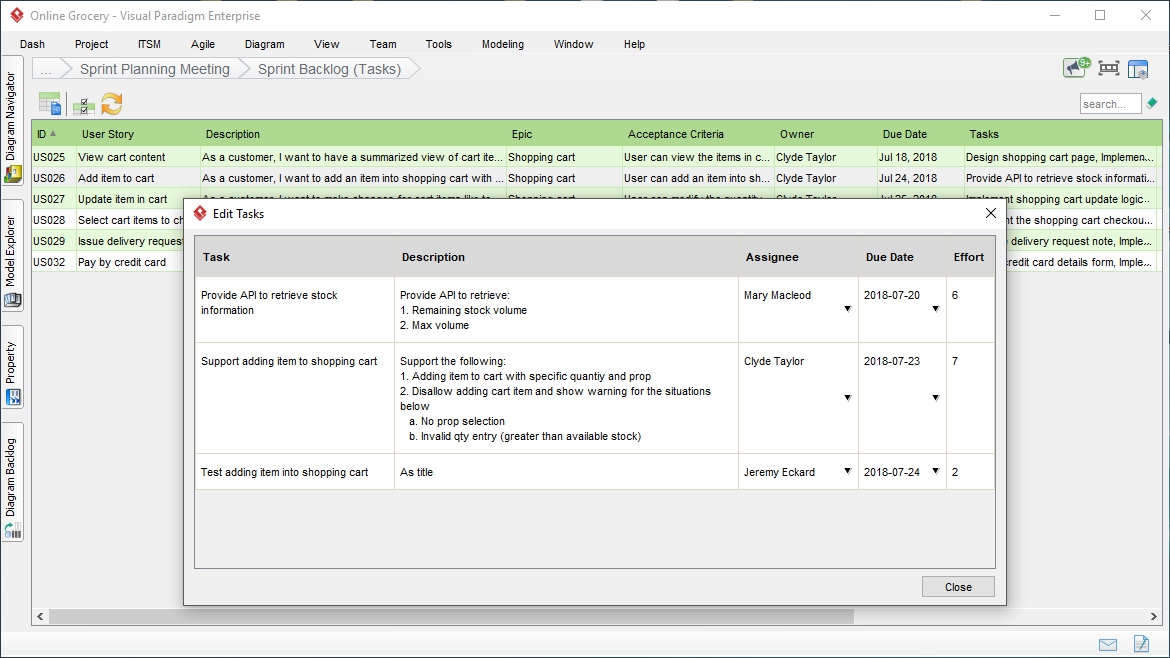
- Prioritizing user stories and tasks, and managing Spikes with linked tables
- Sprint planning using Product Backlog and Sprint Backlog
- Full team engagement, regardless of team members’ locations
- Online access to artifacts, events, and roles anytime, anywhere
- Generate artifacts using embedded instructions and templates
- Store artifacts (charts, forms, tables, images) and related resources in a centralized Document Cabinet
- Automatically export user stories and tasks to task managers
- And much more…
User Story Mapping
User Story Mapping
Managing User Story Tasks
Managing User Story Tasks
Recording Daily Scrum
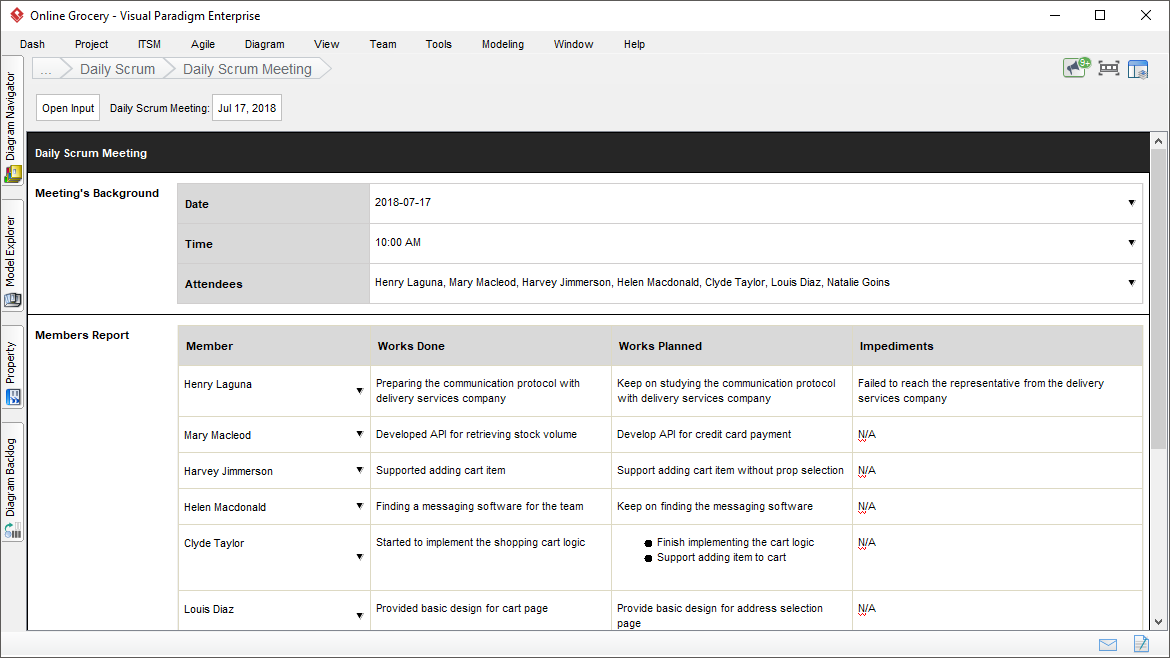
Recording Daily Scrum

 English
 Arabic
 Chinese (Simplified)
 Dutch
Dutch French
 German
 Italian
 Japanese
 Korean
 Portuguese
 Russian
 Spanish