In today’s fast-paced innovation landscape, strategic planning demands agility, collaboration, and intelligent tools. Visual Paradigm’s AI-Powered Business Model Canvas (BMC) is a next-generation digital solution designed to transform how startups, enterprises, and innovation teams conceptualize, refine, and validate their business strategies—all within a single, interactive, one-page canvas.
This comprehensive guide walks you through every feature, workflow, and integration point of Visual Paradigm’s BMC tool—whether you’re using the online platform or the desktop application—with embedded references to official documentation and tutorials.
🌐 Overview: What Is Visual Paradigm’s AI-Powered Business Model Canvas?
Visual Paradigm offers a fully integrated, AI-driven Business Model Canvas tool that replaces traditional sticky notes with a dynamic, digital workspace. It supports real-time collaboration, AI-powered insights, automated analysis, and seamless integration with other strategic frameworks.
✅ Purpose: Accelerate strategic planning, foster innovation, and enable data-driven decision-making.
🛠 Platforms: Available as Visual Paradigm Online (web-based) and Visual Paradigm Desktop (Windows/macOS).
🔗 Access Requirements:
Online: Combo Edition or higher.
Desktop: Professional Edition or higher.
[1] [2] [3] [17]
🧠 1. AI-Powered Generation & Enhancement
One of the standout features of Visual Paradigm’s BMC is its deep integration with artificial intelligence, turning vague ideas into structured business models in seconds.
✅ 1.1 Instant AI Generation
-
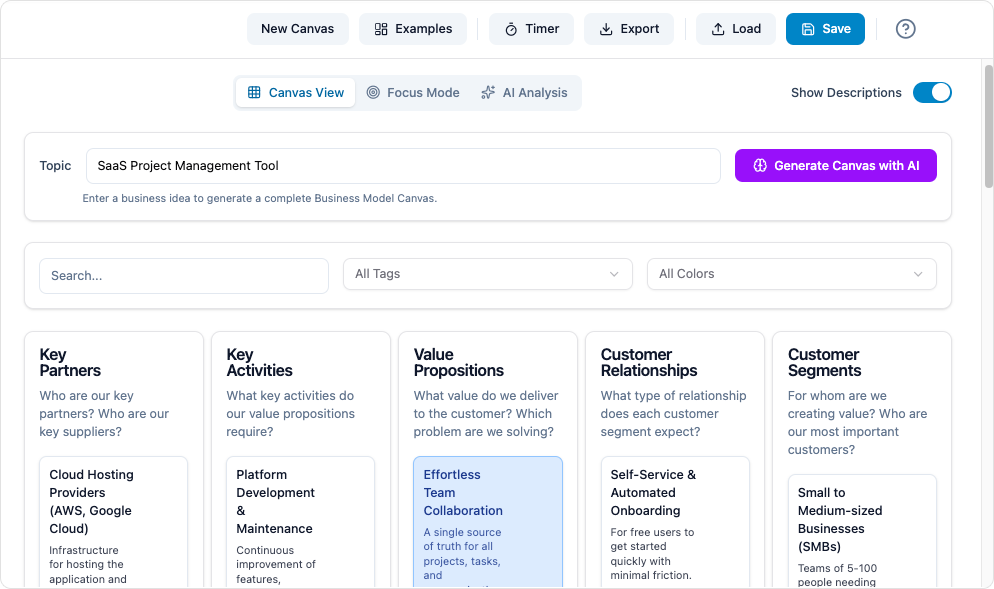
Enter a one-sentence business idea (e.g., “a sustainable coffee shop in urban areas”) into the AI prompt box.
-
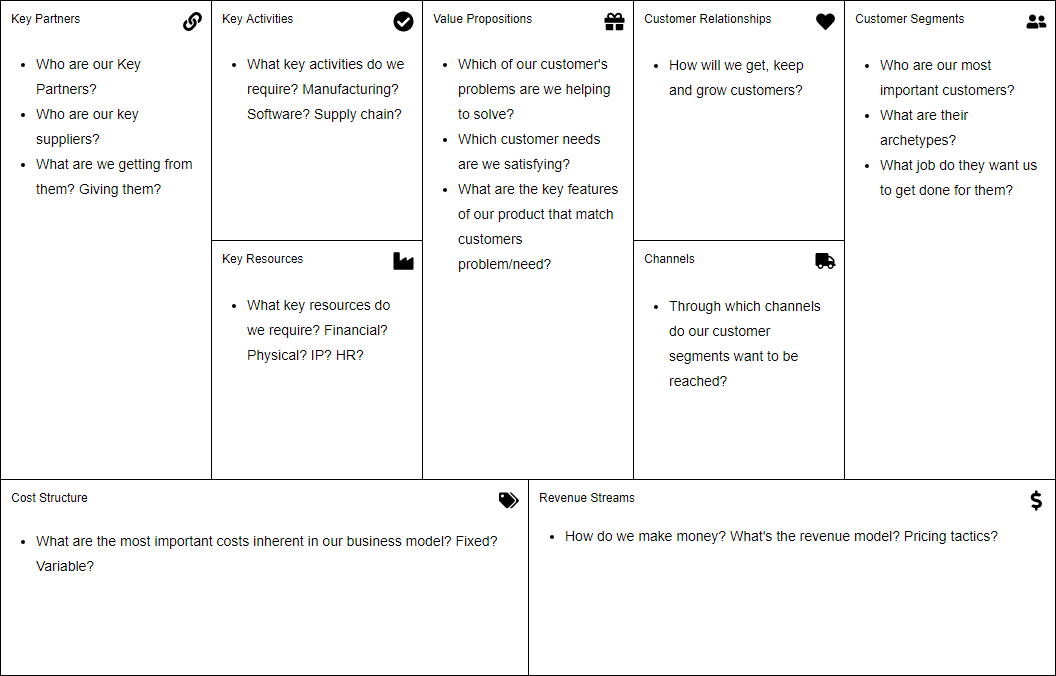
Within moments, the system auto-populates all nine building blocks of the BMC:
-
Customer Segments
-
Value Propositions
-
Channels
-
Customer Relationships
-
Revenue Streams
-
Key Resources
-
Key Activities
-
Key Partnerships
-
Cost Structure
-
This eliminates “blank-page syndrome” and jumpstarts ideation.
[2] [4] [5] [9]
✅ 1.2 AI-Suggested Refinements
-
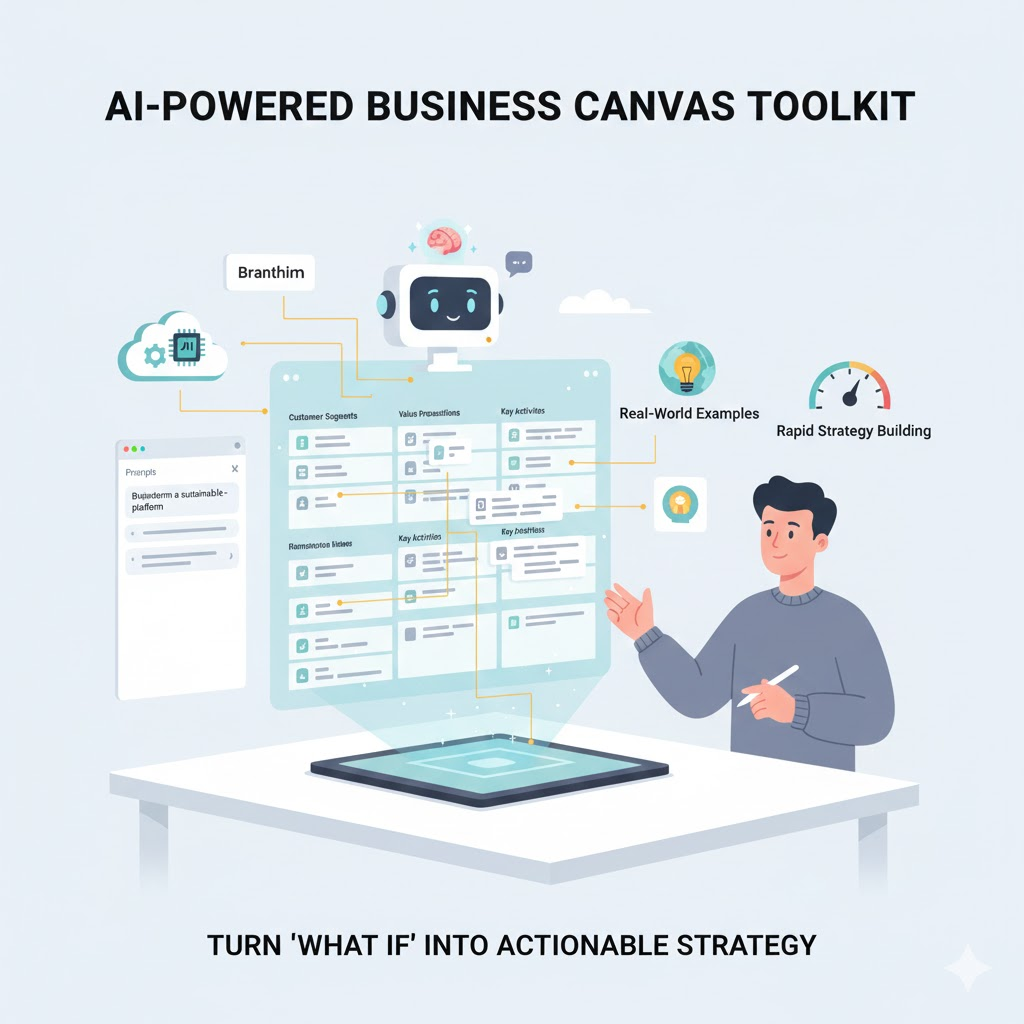
The AI analyzes your current inputs and suggests enhancements for specific blocks.
-
Example: If you’ve listed “local farmers” as a partner, the AI may suggest adding “organic certification bodies” or “eco-packaging suppliers” as additional partners.
-
It can also recommend alternative value propositions or new customer segments based on market trends.
[2] [6] [9]
✅ 1.3 AI Analysis Engine
-
Click the “Analyze with AI” button to run a full diagnostic on your business model.
-
The AI evaluates:
-
Cohesion Score: How well the nine components align.
-
Risk Score: Identifies weak links (e.g., high cost structure with low revenue).
-
Opportunity Detection: Highlights untapped markets, potential partnerships, or scalable revenue models.
-
-
Results are displayed visually with color-coded indicators (green = strong, red = risky).
[2] [6] [9]
✅ 1.4 Automated Pitch Deck Generation
-
After finalizing your BMC, use the “Generate Pitch Deck” feature.
-
The AI compiles your inputs into a 10-slide investor-ready presentation:
-
Problem Statement
-
Solution
-
Market Opportunity
-
Target Customers
-
Unique Value Proposition
-
Business Model
-
Go-to-Market Strategy
-
Competitive Advantage
-
Team & Advisors
-
Funding Ask & Use of Funds
-
Ideal for startups preparing for fundraising rounds.
[2] [6] [7] [8] [10]
🎨 2. Editing and Visualization Tools
Visual Paradigm’s canvas is not just smart—it’s highly visual, intuitive, and customizable.
✅ 2.1 Drag-and-Drop Editor
-
Easily add, reposition, and edit sticky notes across the nine blocks.
-
No coding or technical skills required—ideal for cross-functional teams.
[1] [13] [14]
✅ 2.2 Rich-Formatted Sticky Notes
-
Support for bold, italic, bullet points, hyperlinks, and images inside each note.
-
Use color-coding to distinguish:
-
Ideas (blue)
-
Risks (red)
-
Opportunities (green)
-
Questions (yellow)
-
Enhances clarity during brainstorming and reviews.
[1] [13]
✅ 2.3 Customization with 1,000+ Icons
-
Over 1,000 professionally designed icons are available to visually enrich your canvas.
-
Icons can represent:
-
Customer types
-
Revenue sources
-
Partnerships
-
Key activities
-
Makes complex ideas instantly understandable.
[1] [13] [14]
✅ 2.4 Focus View
-
Zoom into any one block (e.g., Value Propositions) to work on it in isolation.
-
Hides distractions and keeps the team focused on one area at a time.
-
Great for deep-dive sessions or workshops.
[1] [14]
✅ 2.5 Variety of Templates
-
Pre-built templates for:
-
Standard Business Model Canvas
-
Lean Canvas (ideal for startups)
-
Social Business Model Canvas
-
B2B vs B2C Variants
-
-
Templates include real-world examples (e.g., Airbnb, Uber, Tesla).
Accelerates onboarding and benchmarking.
[1] [9] [11] [12] [13]
👥 3. Collaboration and Workflow Features
Built for teams, Visual Paradigm’s BMC thrives in collaborative environments.
✅ 3.1 Real-Time Team Editing
-
Multiple users can edit the same canvas simultaneously.
-
Changes appear instantly with real-time cursors and avatars.
-
Perfect for remote teams or in-person workshops.
[1] [3] [12] [15]
✅ 3.2 Filtering and Search
-
Filter items by:
-
Keywords (e.g., “revenue”)
-
Tags (e.g., #high-risk, #opportunity)
-
Colors
-
-
Use the search bar to locate specific notes across the canvas.
Enables quick audits and focused discussions.
[1] [12] [15]
✅ 3.3 Built-in Timer
-
Use the timer tool during brainstorming or decision-making sessions.
-
Set durations (e.g., 5-minute brainstorm, 10-minute discussion).
-
Helps maintain focus and keeps meetings on track.
[1] [12]
✅ 3.4 Version History
-
Track changes over time with version snapshots.
-
Compare versions side-by-side.
-
Revert to earlier states if needed.
-
Ideal for iterative strategy development.
[1] [3] [12] [15]
🔗 4. Integration and Export Options
Visual Paradigm’s BMC isn’t an isolated tool—it’s part of a larger strategic innovation ecosystem.
✅ 4.1 Multiple Export Formats
Export your canvas in multiple formats for sharing and documentation:
-
PDF: For reports and presentations
-
PNG/SVG: High-quality images for websites or slides
-
JPG: Quick sharing via email or chat
-
Markdown: For embedding in documentation (e.g., GitHub, Notion)
[2] [10] [11] [12] [16]
✅ 4.2 Data Export (JSON)
-
Export your BMC data as JSON, useful for developers or integration with other systems (e.g., internal dashboards, CRM tools).
[2] [10] [12]
✅ 4.3 Direct Integration with Other Tools
Visual Paradigm seamlessly connects with other strategic modeling tools:
-
Customer Journey Map: Understand how customers interact with your value proposition.
-
SWOT Analysis: Evaluate strengths, weaknesses, opportunities, threats.
-
Value Proposition Canvas: Deep-dive into customer segments and pain points.
-
Product Roadmap: Align business model goals with product development timelines.
Enables a holistic innovation workflow[
2] [9] [10] [11] [16]
✅ 4.4 Documentation Generation
-
Generate a professional, structured report summarizing your entire business model.
-
Includes:
-
Executive summary
-
Full BMC breakdown
-
AI-generated analysis (cohesion & risk scores)
-
Key recommendations
-
Exportable as PDF or HTML
-
-
Ideal for internal strategy reviews, investor submissions, or audit trails.
[2] [10] [11] [16]
💻 5. Access Platforms: Online vs. Desktop
Visual Paradigm offers two primary access methods, each tailored to different user needs.
✅ 5.1 Visual Paradigm Online (Web-Based)
-
Access: Open in any modern browser (Chrome, Firefox, Safari).
-
No Installation Required: Perfect for remote teams, temporary users, or quick prototyping.
-
Ideal For:
-
Cross-team collaboration
-
Onboarding new team members
-
Presenting to stakeholders in real time
-
-
Editions Supported: Combo Edition and higher (includes AI features).
[1] [3] [14] [17]
🔗 Try it now: https://online.visual-paradigm.com/diagrams/features/business-model-canvas-software/
✅ 5.2 Visual Paradigm Desktop (Offline Application)
-
Access: Download and install on Windows or macOS.
-
Best For:
-
Users needing offline access
-
Teams with strict data privacy policies
-
Advanced modeling workflows (e.g., integrating with UML, BPMN, or ERD)
-
-
Editions Supported: Professional Edition and higher (includes full AI and collaboration features).
[2] [17]
🔗 Download: https://www.visual-paradigm.com/download/
🛠 Best Practices for Using Visual Paradigm’s BMC Tool
To get the most out of the AI-powered BMC, follow these best practices:
-
Start with a Clear Business Idea
Be specific: “A mobile-first fitness app for remote workers in Europe that combines AI coaching and community challenges.”
The more precise your input, the better the AI output. -
Use AI Suggestions as Starting Points, Not Final Answers
Always validate AI-generated content with market research and team consensus. -
Leverage the AI Analysis Before Presenting
Identify risks early—don’t wait until investor pitch day. -
Collaborate in Real Time
Invite stakeholders (product, marketing, finance) to co-create the model for better alignment. -
Document Every Iteration
Use version history to track how your business model evolved over time. -
Export for Reporting & Sharing
Use PDF for presentations, PNG/SVG for slides, and Markdown for internal wikis.
📌 Conclusion: Why Visual Paradigm’s AI-Powered BMC Stands Out
Visual Paradigm’s Business Model Canvas isn’t just another digital sticky note tool. It’s a strategic innovation engine that combines:
-
✅ AI intelligence to generate, refine, and analyze business models
-
✅ Real-time collaboration for distributed teams
-
✅ Rich visual customization for clarity and engagement
-
✅ Seamless integration with other strategic tools
-
✅ Multiple export formats for documentation and pitching
Whether you’re a startup founder, innovation lead, or enterprise strategist, Visual Paradigm’s AI-powered BMC helps you think faster, collaborate better, and validate smarter.
🔗 Reference List (with Embedded URLs)
- Archimetric – Comprehensive Tutorial: Visual Paradigm Model Canvas Tool
- Cybermedian – Comprehensive Tutorial: AI-Powered Business Canvas Toolkit
- Cybermedian – Comprehensive Guide: AI-Powered Business Model Canvas Tool
- Visual Paradigm – AI-Powered Business Model Canvas Software
- Visual Paradigm – Click Start AI (Help Center)
- Visual Paradigm – Unlocking Strategic Innovation: A Comprehensive Review
- Visual Paradigm – Features: Canvas Tool
- YouTube – Demo Video: AI Business Model Canvas
- Visual Paradigm – AI Business Model Canvas Solution
- Visual Paradigm – Business Model Canvas Builder
- Visual Paradigm – Business Model Canvas Tool Features
- Visual Paradigm – Online Business Model Canvas Software
- Visual Paradigm – Business Model Canvas Tool (Feature Page)
- Visual Paradigm – Online Business Model Canvas Software
- Archimetric – Version History & Collaboration
- Visual Paradigm – Documentation Generation
- Visual Paradigm – AI Canvas Editor Release Notes
📌 Pro Tip:
Start with a simple idea, use AI to generate the first draft, collaborate in real time, analyze with AI, and export for impact. You’ll go from idea to investor-ready in under 30 minutes.
🚀 Ready to Build Your Next Business Model?
👉 Get Started Today: https://www.visual-paradigm.com
Empower your strategy. Accelerate innovation. Visualize the future—today.

 English
 Arabic
 Chinese (Simplified)
 Dutch
Dutch French
 German
 Italian
 Japanese
 Korean
 Portuguese
 Russian
 Spanish