


Introduction
Welcome to the AI-Powered Flipbook Maker—your creative partner for designing, generating, and sharing digital books effortlessly. This tool combines with an intuitive interface, allowing you to create professional, visually rich flipbooks in minutes.
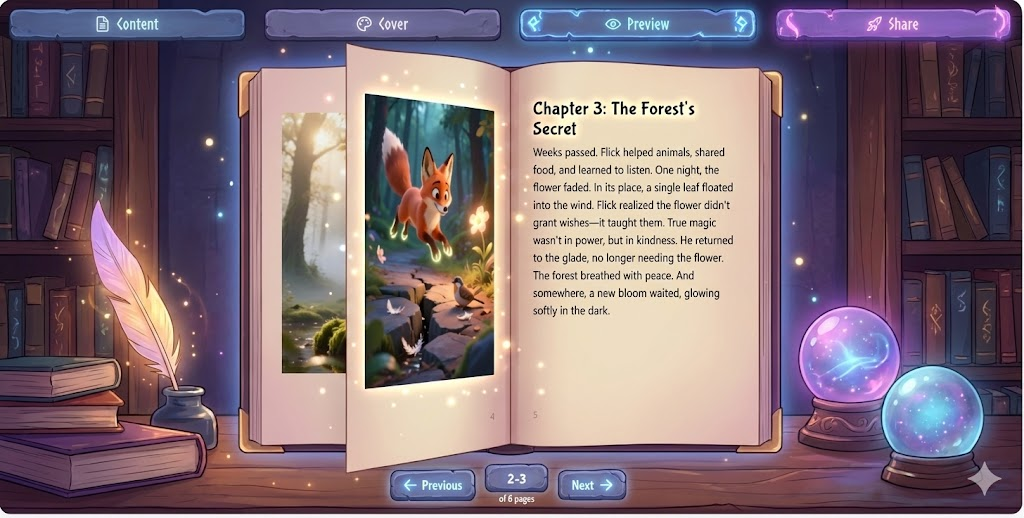
This tutorial will guide you through every step, from setting up your book to publishing and sharing it with the world.
Why Use the AI-Powered Flipbook Maker?
Key Benefits
- AI Content Generation: Generate , using just a topic and parameters.
- Integrated AI Image Generation: Automatically place AI-generated illustrations in .
- Full Book Repository: Organize and manage your flipbooks with .
- Custom Cover Designer: Design covers manually or generate .
- One-Click Sharing: Publish with a unique shareable link to a .
- Advanced Customization: Control AI model selection, art styles, word count, and image placement for .
Who Can Use It?
- Authors and Writers: Quickly produce illustrated e-books without manual layout effort.
- Educators: Build with aligned text and imagery.
- Marketers and Publishers: Create with multimedia flair.
Step-by-Step Guide
Step 1: Input Your Book Parameters
Objective: Define the foundation of your flipbook.
How to Do It:
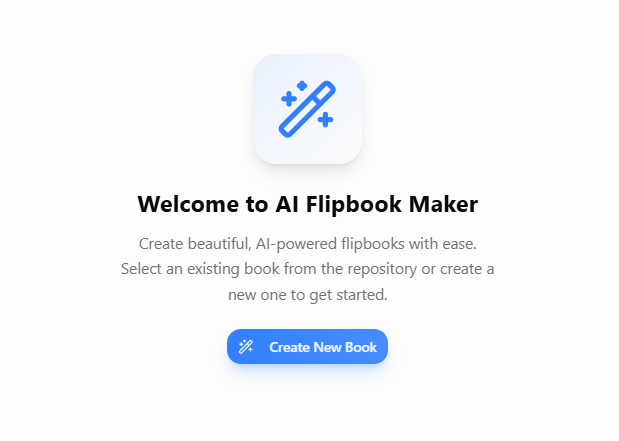
- Launch the Flipbook Maker and click “Create New Flipbook.”
- Enter Key Details:
- Topic: The main subject of your book (e.g., “Space Exploration for Kids”).
- Description: A brief summary of what your book will cover.
- Target Audience: Who will read it? (e.g., children, students, professionals).
- Language: Select the language for your content.
- Number of Pages: Choose the length of your flipbook.
- Click “Generate” to let the AI draft your book structure and content.
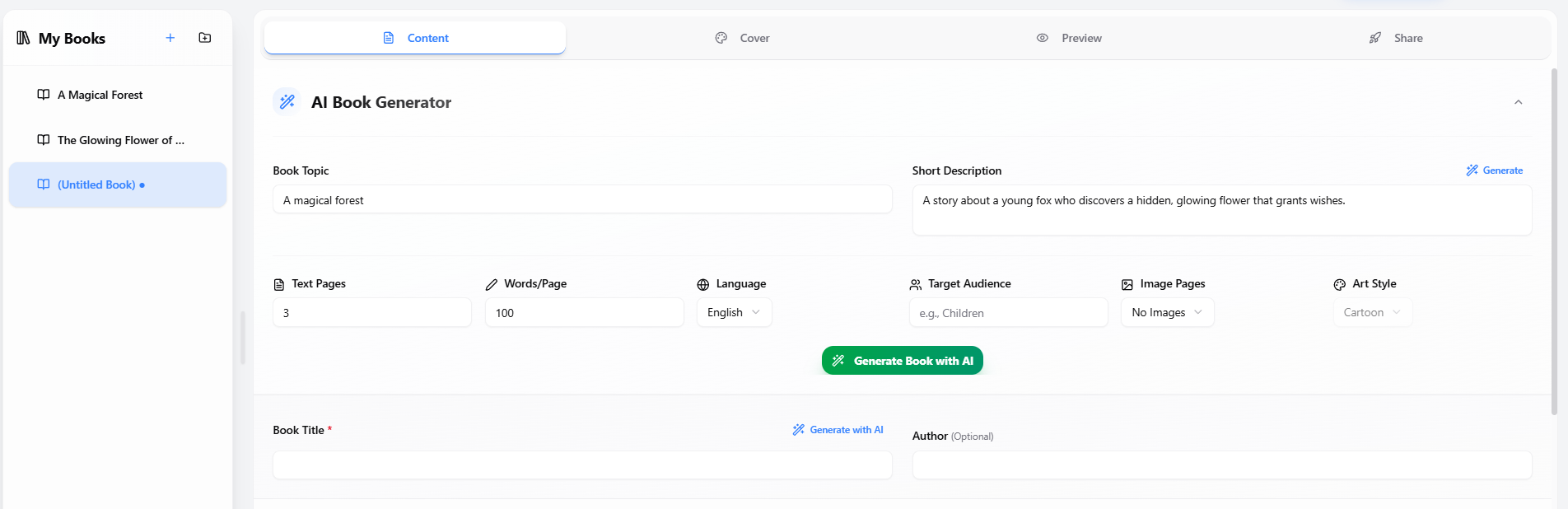
Pro Tip: Be specific with your topic and description to get the most relevant AI-generated content.
Step 2: Customize Text and Images
Objective: Refine your manuscript and enhance it with AI-generated images.
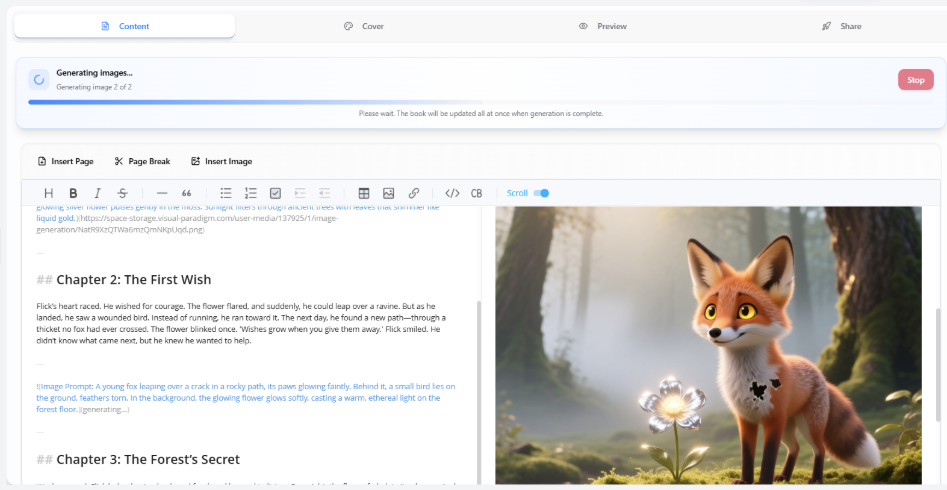
How to Do It:
- Edit Your Manuscript:
- Use the Markdown editor to modify text, add headings, lists, or formatting.
- Adjust the AI-generated content to match your voice and style.
- Add AI-Generated Images:
- Select image placement options (e.g., after each chapter, alongside key points).
- Choose an art style (e.g., Cartoon, Watercolor, Photorealistic).
- Click “Generate Images” to let the AI create illustrations that match your narrative.
- Review and Adjust:
- Ensure images align with your text.
- Re-generate images if needed to find the perfect fit.
Pro Tip: Experiment with different art styles to see which best complements your book’s theme.
Step 3: Design Your Cover
Objective: Create a visually appealing cover for your flipbook.
How to Do It:

- Choose a Cover Design Method:
- Manual Design: Use the built-in tools to customize colors, fonts, and imagery.
- AI-Generated Cover: Enter a prompt (e.g., “A futuristic spaceship with vibrant colors”) and let the AI create a cover for you.
- Customize Your Cover:
- Adjust colors, fonts, and layout.
- Add your book title and author name.
- Preview and Finalize:
- Ensure the cover reflects the tone and content of your book.
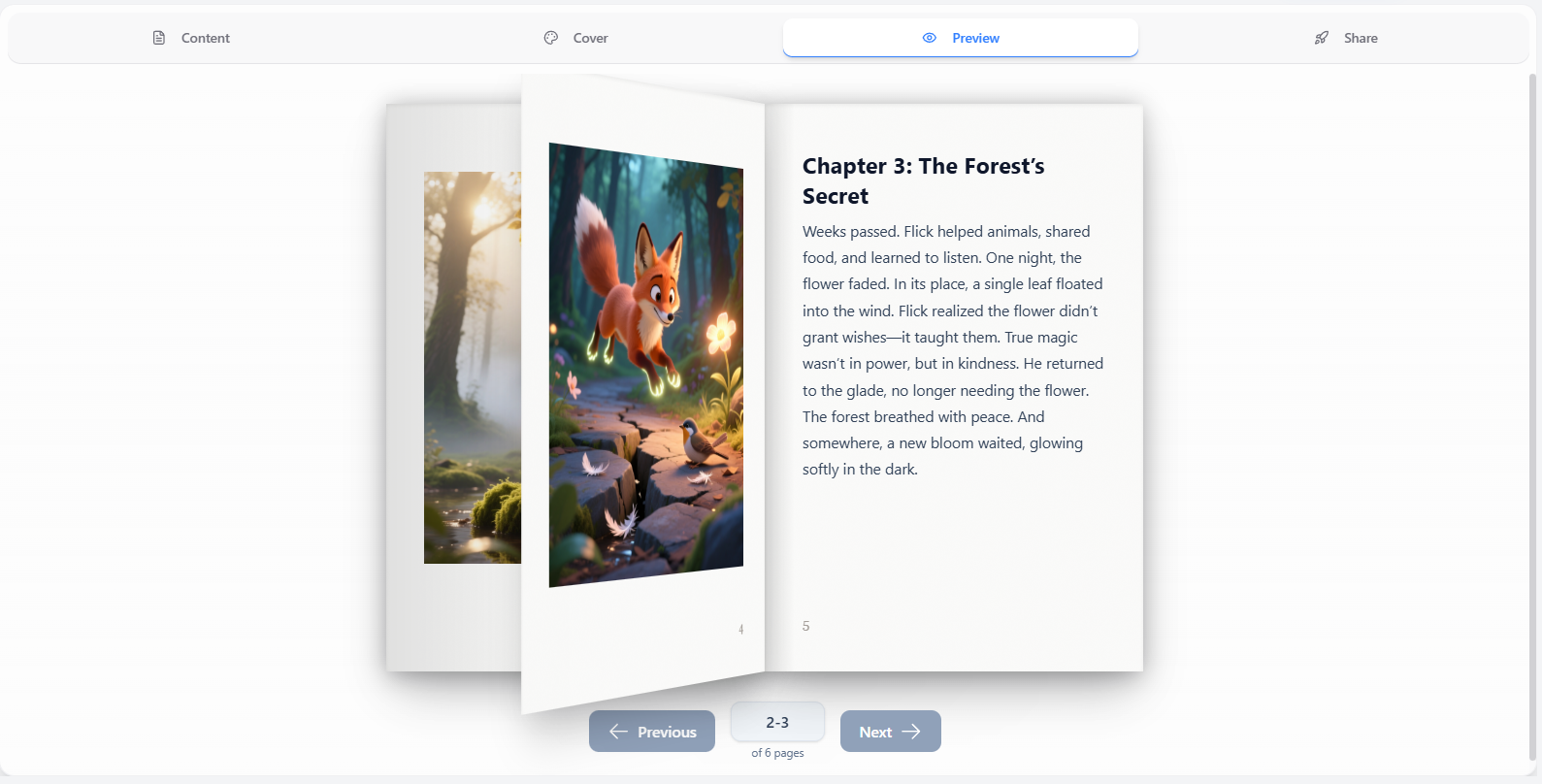
Pro Tip: A striking cover can attract more readers—spend time perfecting it!
Step 4: Publish and Share
Objective: Share your flipbook with the world.
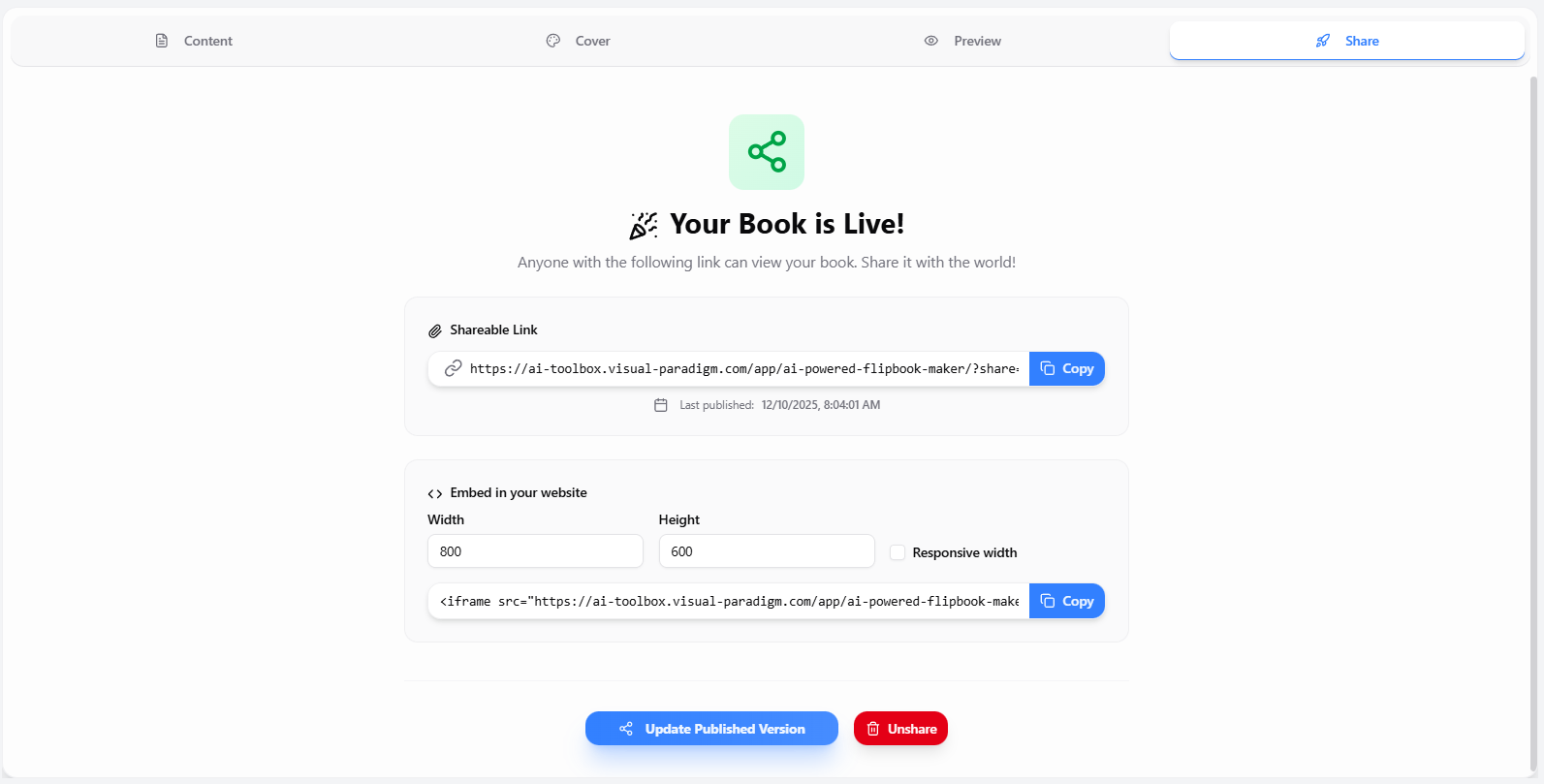
How to Do It:
- Click “Publish” to generate a unique shareable link.
- Share Your Flipbook:
- Copy the link and share it via email, social media, or embed it on a website.
- Use the dedicated online reader to provide a seamless reading experience.
- Manage Your Library:
- Organize your flipbooks into folders.
- Edit or update your flipbooks anytime.
Pro Tip: Use the shareable link to before finalizing your book.
AI Flipbook Generation Example
Tips & Best Practices
- Customize AI-Generated Text: Edit the content to ensure it aligns with your voice and message.
- Experiment with Art Styles: Try different styles to find the one that best fits your book’s theme.
- Use the Cover Designer: A well-designed cover can make your flipbook stand out and attract more readers.
- Gather Feedback: Share your flipbook with a small audience first to gather insights for improvements.
Conclusion
The AI-Powered Flipbook Maker simplifies the process of creating, designing, and sharing digital books. Whether you’re an author, educator, or marketer, this tool empowers you to bring your ideas to life with AI-generated content and stunning visuals.
Ready to create your first flipbook? !

 English
 Arabic
 Chinese (Simplified)
 Dutch
Dutch French
 German
 Italian
 Japanese
 Korean
 Portuguese
 Russian
 Spanish