


🎯 Starting Your Journey: What is an Activity Diagram?
Welcome to your comprehensive guide on Activity Diagrams! Think of this as your roadmap to understanding one of the most powerful behavioral diagrams in UML (Unified Modeling Language).
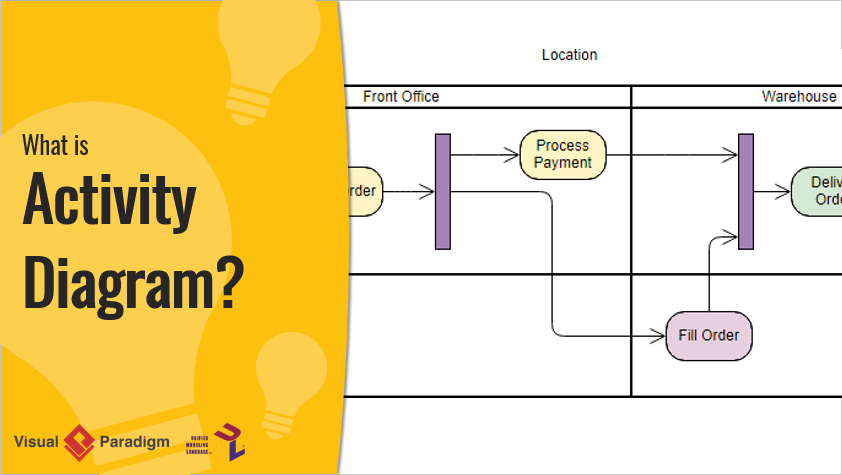
An Activity Diagram is essentially an advanced version of a flowchart that models the flow from one activity to another activity. It’s a crucial behavioral diagram used to describe the dynamic aspects of a system.
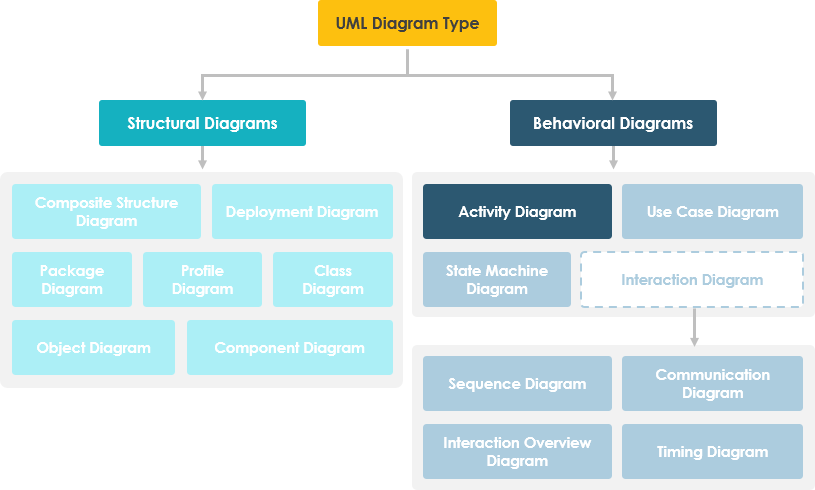
Your First Step: Understanding the Basics
As you begin your journey, imagine you’re looking at a process from above. Activity diagrams help you visualize:
-
Sequential workflows – step-by-step processes
-
Parallel activities – tasks happening simultaneously
-
Decision points – where choices determine the path forward
-
Complex business processes – how different activities coordinate
🗺️ When Should You Use Activity Diagrams?
Now that you understand what activity diagrams are, let’s explore when they become your best friend in system design.
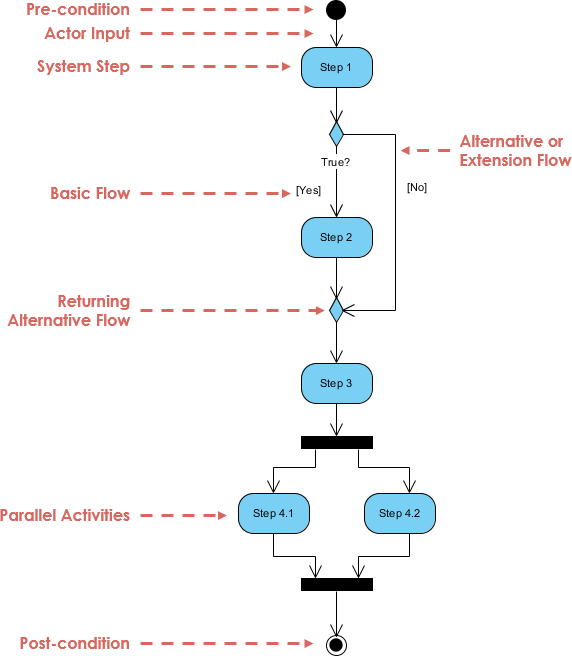
Activity Diagrams describe how activities are coordinated to provide a service at different levels of abstraction. You’ll find them invaluable when:
1. Identifying Candidate Use Cases
Examine business workflows to discover potential use cases in your system.
2. Defining Context
Identify pre-conditions and post-conditions for use cases.
3. Modeling Workflows
Visualize workflows between and within use cases.
4. Handling Complex Operations
Model complex workflows in operations on objects.
5. Detailing High-Level Activities
Break down complex activities in detailed, high-level activity diagrams.
Perfect for: Use cases where activities may overlap and require coordination, or when multiple use cases need to work together to represent business workflows.
🎓 Learning by Examples: Your Hands-On Journey
Theory is important, but nothing beats learning through real-world examples. Let’s walk through three practical scenarios.
Example 1: Modeling a Word Processor
Your Journey: Imagine you’re designing a word processing system. Here’s how a user creates a document:
The Process Flow:
-
Open the word processing package
-
Create a file
-
Save the file under a unique name within its directory
-
Type the document
-
Decision Point: If graphics are necessary → Open graphics package → Create graphics → Paste into document
-
Decision Point: If a spreadsheet is necessary → Open spreadsheet package → Create spreadsheet → Paste into document
-
Save the file
-
Print a hard copy of the document
-
Exit the word processing package
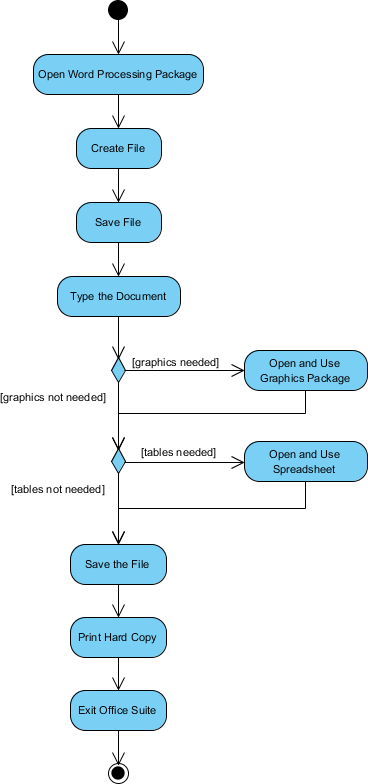
What You Learn: This example shows conditional branching and sequential activities in a familiar context.
Example 2: Processing an Order
Your Challenge: Model a complex order processing system with parallel activities.
The Scenario:
Once an order is received, the workflow splits into two parallel sets of activities:
-
Side A: Fill and send the order
-
Side B: Handle the billing
The Complexity:
On the Fill Order side, there’s a conditional decision:
-
If overnight delivery → Perform Overnight Delivery activity
-
If regular delivery → Perform Regular Delivery activity
The Resolution:
Finally, the parallel activities combine to close the order.
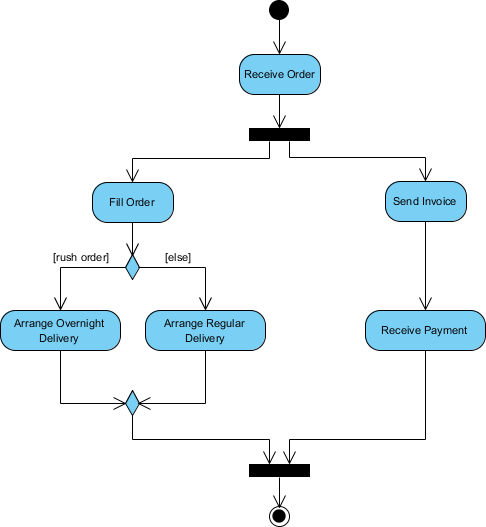
What You Learn: This demonstrates fork nodes (splitting into parallel activities) and join nodes (bringing parallel activities back together), plus conditional decisions.
Example 3: Student Enrollment System
Your Mission: Map out the university enrollment process.
The Journey:
-
An applicant wants to enroll in the university
-
The applicant hands a filled-out copy of Enrollment Form
-
The registrar inspects the forms
-
The registrar determines that the forms have been filled out properly
-
The registrar informs student to attend university overview presentation
-
The registrar helps the student to enroll in seminars
-
The registrar asks the student to pay for the initial tuition
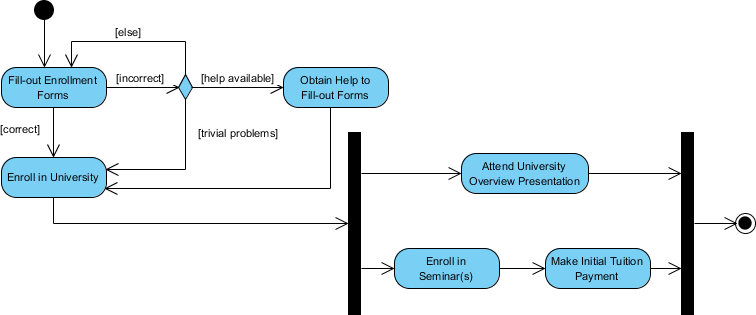
What You Learn: This shows a clear, linear workflow with a single actor (registrar) performing multiple activities in sequence.
🏊 Advanced Concept: Swimlanes
As your journey progresses, you’ll encounter more complex scenarios involving multiple actors. This is where swimlanes become essential.
What Are Swimlanes?
A swimlane is a way to:
-
Group activities performed by the same actor on an activity diagram
-
Group activities in a single thread
Example: Staff Expenses Submission
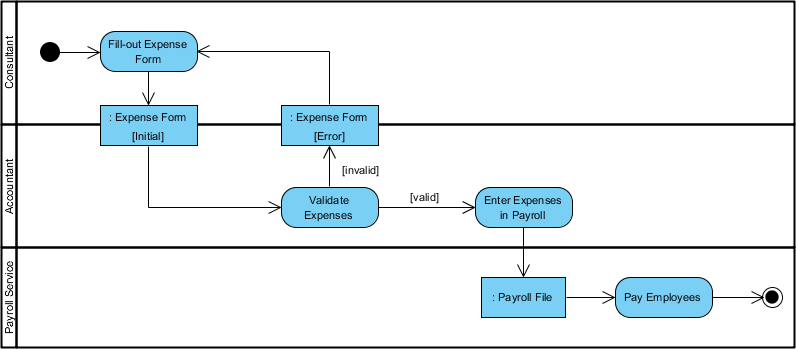
See the Difference:
Without Swimlanes:
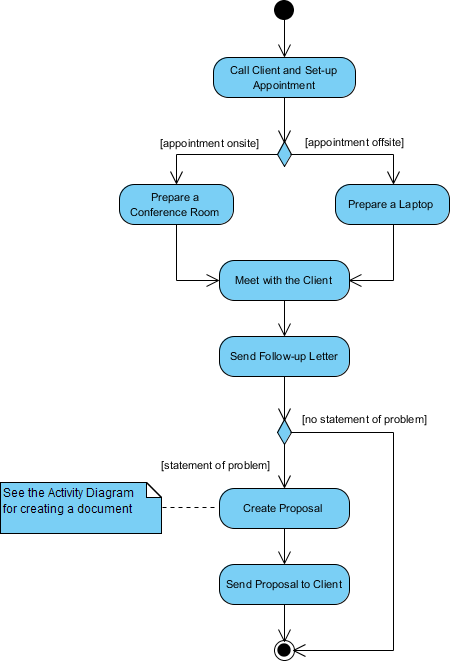
With Swimlanes:
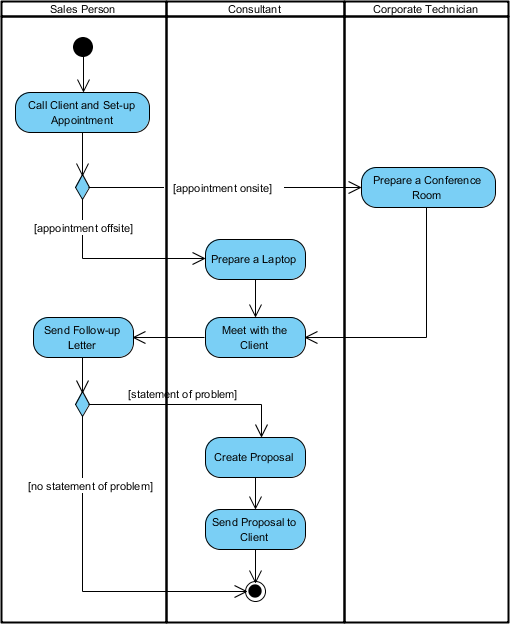
What You Gain: Swimlanes make it crystal clear who does what in the process, improving readability and accountability.
📚 Your Visual Dictionary: Activity Diagram Notations
Master the language of activity diagrams by understanding these essential symbols:
| Notation | Description | Symbol |
|---|---|---|
| Activity | A set of actions |  |
| Action | A task to be performed |  |
| Control Flow | Shows the sequence of execution |  |
| Object Flow | Shows the flow of an object from one activity to another |  |
| Initial Node | Beginning of activities |  |
| Activity Final Node | Stops all control and object flows |  |
| Object Node | Represents an object connected to Object Flows |  |
| Decision Node | Test condition for path selection | 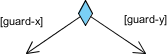 |
| Merge Node | Brings together different decision paths | 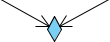 |
| Fork Node | Splits into parallel/concurrent flows | 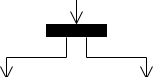 |
| Join Node | Brings together parallel/concurrent flows |  |
| Swimlane/Partition | Groups activities by actor or thread | 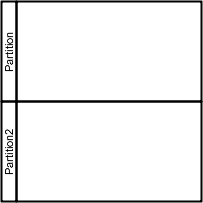 |
🚀 Ready to Create Your Own Activity Diagram?
You’ve completed your learning journey! Now it’s time to apply what you’ve learned.
Your Next Steps:
-
Download Visual Paradigm Community Edition (free UML software)
-
Start creating your own Activity Diagrams
-
Practice with real-world scenarios from your work or studies
Get Started: Free Download
📖 Reference List
-
What Is an Activity Diagram? | UML Guide by Visual Paradigm: This in-depth explanation covers the purpose, components, and use cases of activity diagrams in modeling system workflows and business processes.
-
Activity Diagram Tutorial | Step-by-Step Guide: A comprehensive tutorial designed for beginners to learn how to model complex workflows from scratch.
-
Free Online Activity Diagram Tool: This resource highlights a web-based tool for creating professional diagrams without installation, ideal for designers to visualize workflows.
-
Activity Diagrams in Software Design | Visual Paradigm Handbook: A detailed guide on using activity diagrams to effectively map out system behavior, processes, and decision points.
-
Free Activity Diagram Templates: Access a collection of ready-to-use templates for various industries and use cases to jumpstart modeling projects.
-
How to Draw Activity Diagrams | Visual Paradigm User Guide: A technical guide providing step-by-step instructions for creating and editing diagrams within the software.
-
Mastering UML Activity Diagrams with AI: This blog post explores how AI-powered features enhance the creation and optimization of UML activity diagrams for developers and analysts.
-
Mastering Swimlane Activity Diagrams: A Practical Guide: A practical guide that uses real-world examples to help users visualize workflows across different roles or departments through swimlanes.
-
AI-Powered Use Case to Activity Diagram Tutorial: A tutorial demonstrating how AI features automatically convert use case descriptions into detailed activity diagrams for better system analysis.
-
Comprehensive Guide to UML Activity Diagrams – Cybermedian: This article discusses how Visual Paradigm supports all types of UML activity diagrams to enhance the clarity and engagement of process documentation.
Continue Your Learning Journey:
Happy Diagramming! 🎨

 English
 Arabic
 Chinese (Simplified)
 Dutch
Dutch French
 German
 Italian
 Japanese
 Korean
 Portuguese
 Russian
 Spanish