In a major leap forward for AI-driven visual modeling, Visual Paradigm has announced a groundbreaking update to its OpenDocs platform: full support for UML Profile Diagrams, complete with an innovative AI Profile Diagram Generation feature. This release empowers teams across industries to extend UML for domain-specific needs — faster, smarter, and more collaboratively than ever before.
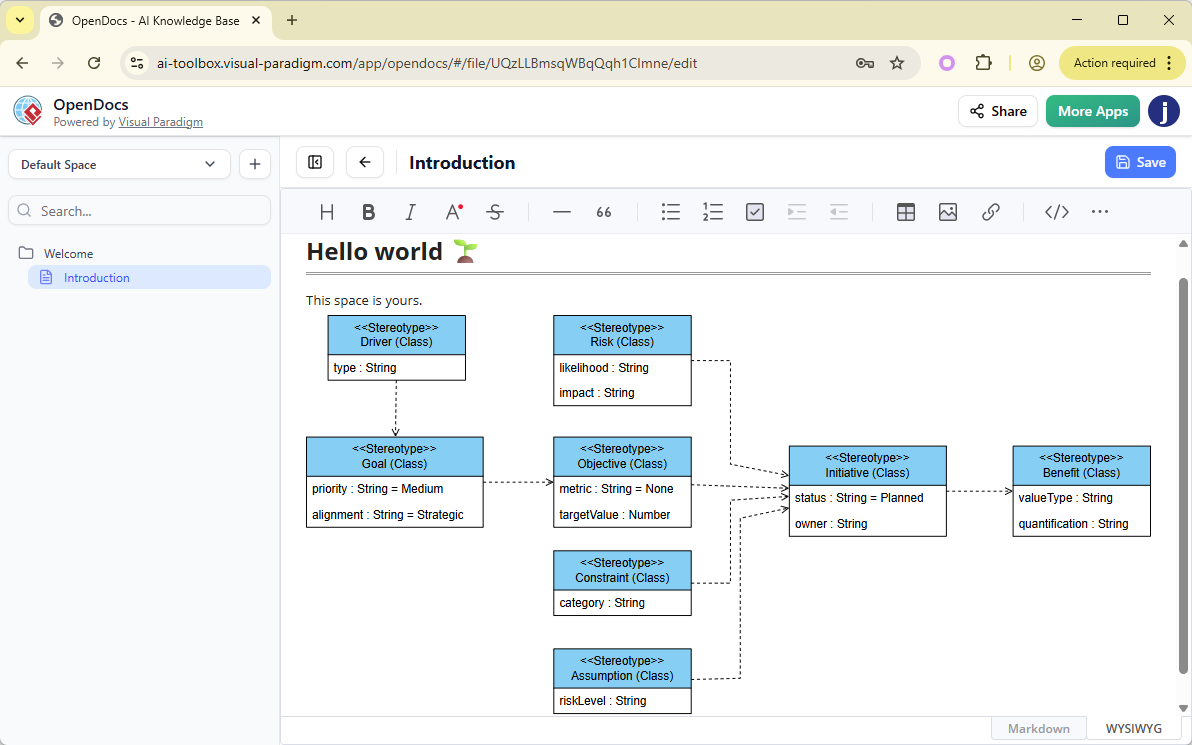
Whether you’re building automotive software, designing healthcare systems, or engineering embedded real-time applications, this new capability transforms how you model, document, and share complex domain concepts — all within living, interactive documents.
🔍 What Are UML Profile Diagrams?
UML Profile Diagrams are a powerful extension mechanism within the Unified Modeling Language (UML) that allows developers and architects to customize UML for specific domains, platforms, or industries.
Instead of forcing real-world entities into generic UML shapes, profiles let you define:
-
Custom Stereotypes (e.g., «ECU», «Sensor», «PaymentGateway»)
-
Tagged Values (e.g.,
processorType,securityLevel,dataRetentionPeriod) -
Constraints (e.g., “Must comply with ISO 21434”)
-
Extensions to Metaclasses (e.g., extending
Classto represent a vehicle ECU)
These extensions ensure that your models are not only accurate but also aligned with project-specific standards, regulatory requirements, or industry best practices.
Common Use Cases:
-
Automotive: Modeling ECUs, sensors, and communication protocols.
-
Healthcare: Representing HIPAA-compliant data flows and medical devices.
-
Finance: Defining secure transaction components and audit trails.
-
Embedded Systems: Capturing real-time constraints and hardware dependencies.
With this update, OpenDocs becomes a central hub for creating, refining, and sharing these domain-specific models — seamlessly integrated into your documentation workflow.
🚀 Key Features in This Release
1. AI Profile Diagram Generation (The Game-Changer)
The standout feature is AI Profile Diagram Generation — a natural language-to-diagram engine that turns plain English prompts into fully formed, UML-compliant Profile Diagrams in seconds.
✅ How It Works:
-
Open an OpenDocs page.
-
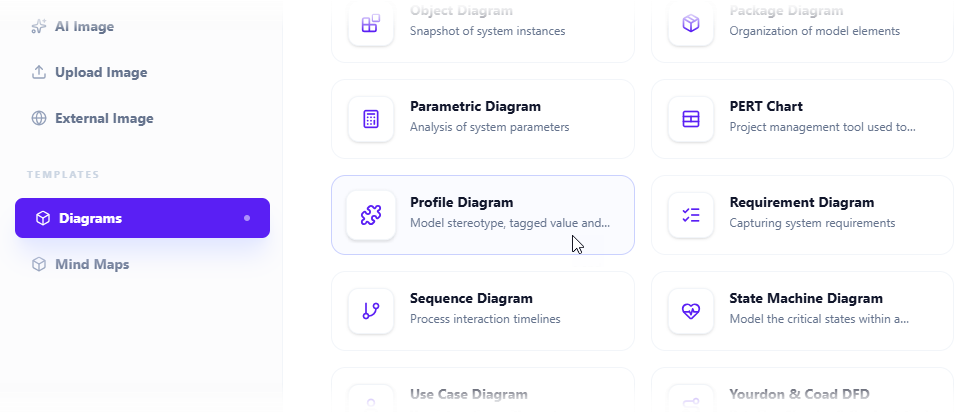
Click Insert → Diagrams → Profile Diagram.
-
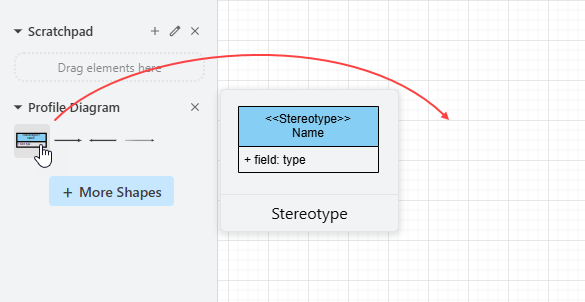
Select Create with AI (top-right option).

-
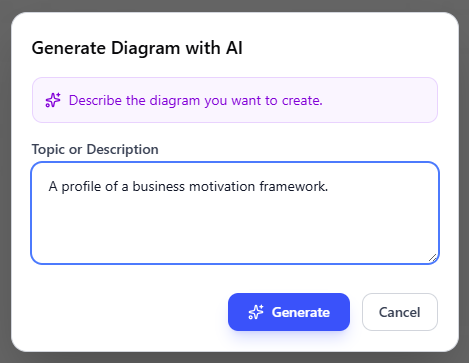
Enter a detailed prompt:
“Create a UML profile for automotive software with stereotypes for ECU and sensor components, including tagged values for hardware interfaces, power consumption, and communication protocols.”
-
Click Generate.
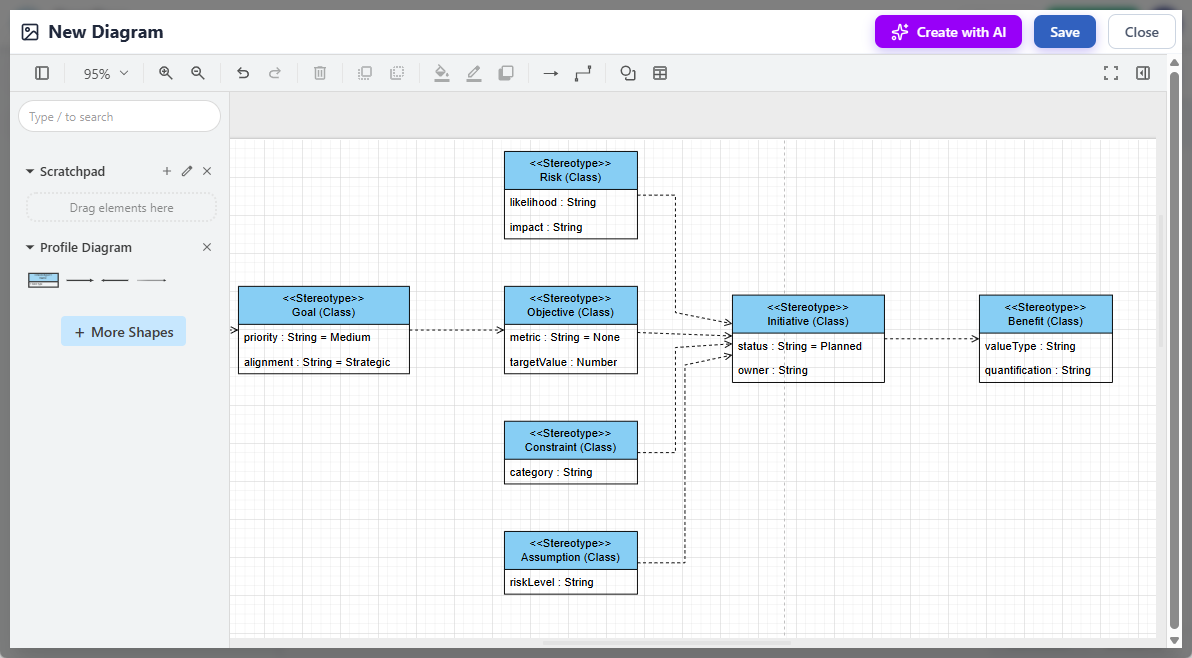
The AI analyzes your input, constructs the full diagram (including stereotypes, tagged values, extensions, and constraints), and renders it instantly in the editor.
💡 Post-Generation Workflow:
-
Refine the layout with drag-and-drop controls.
-
Edit elements manually: Add new stereotypes, modify tagged values, or apply constraints.
-
Save and embed the diagram directly into the OpenDocs page as an interactive component.
-
Share, comment, or collaborate in real time.
🎯 Benefits:
-
Saves hours of manual work — from drafting to formatting.
-
Delivers a high-quality, standards-compliant starting point.
-
Ensures UML compliance while enabling deep domain customization.
-
Accelerates onboarding for new team members unfamiliar with profile extensions.
2. Full Manual UML Profile Diagram Support
For users who prefer full control, OpenDocs now offers comprehensive manual editing tools:
-
Drag-and-drop stereotype definitions from the symbol palette.
-
Define tagged values, constraints, and extension points with precision.
-
Visualize how your profile extends core UML metaclasses (e.g.,
Class,Component,Package). -
Create dedicated Component Pages for focused modeling sessions.
This flexibility ensures that whether you’re automating creation or crafting fine-grained details, OpenDocs adapts to your process — not the other way around.
3. Seamless Integration with OpenDocs
One of the most powerful aspects of this update is how deeply UML Profile Diagrams are woven into the OpenDocs ecosystem:
-
Living Documentation: Embed diagrams directly into rich, narrative-driven pages. Surround them with explanations, use case examples, or requirements traceability links.
-
Collaborative Workflows: Invite team members to comment, suggest edits, or review model accuracy in context.
-
Visual Storytelling: Use diagrams to illustrate how domain-specific rules are applied across architecture, design, and implementation phases.
-
Consistent Ecosystem: Complements existing OpenDocs support for Class, Sequence, Use Case, Activity, and Deployment Diagrams — all now enhanced with AI capabilities.
This creates a unified, AI-assisted modeling environment where documentation and design evolve together.
📈 Benefits & Target Users
This update delivers tangible value across multiple roles and industries:
| Benefit | Impact |
|---|---|
| Massive Productivity Gains | Reduce diagram creation time from hours to minutes. |
| Domain Accuracy | Model real-world systems with precision using industry-specific constructs. |
| Improved Collaboration | Share and discuss models in context — no more siloed diagrams. |
| Regulatory Compliance | Enforce standards (e.g., ISO 21434, HIPAA) through reusable, auditable profiles. |
| Knowledge Retention | Preserve institutional knowledge in living documents. |
👥 Who Should Use This?
-
Software Architects designing complex systems with custom components.
-
System Engineers working in automotive, aerospace, or industrial automation.
-
Business Analysts translating domain language into formal models.
-
Domain Experts in healthcare, finance, or energy sectors needing precise modeling tools.
-
DevOps & QA Teams using models to generate test cases or documentation.
⚙️ Requirements & Access
To unlock this powerful feature, you’ll need:
-
Visual Paradigm Desktop Professional Edition
or -
VP Online Combo Edition
🔗 Access OpenDocs:
Via your Visual Paradigm Online account (Combo Edition).
Integrated directly within the Desktop Professional Edition.
No installation required — OpenDocs runs entirely in your browser, making it accessible from any device.
📌 Note: This feature is part of Visual Paradigm’s ongoing expansion of AI-powered diagram generation. Future updates will include enhanced AI assistance for documentation, model validation, and automated traceability.
🧪 Practical Example: Automotive Embedded Software
Imagine you’re leading the development of an autonomous vehicle’s software architecture.
Step 1: Generate the Profile
Prompt:
“Create a UML profile for automotive software with stereotypes for ECU and sensor components, including tagged values for hardware interfaces, power consumption, and communication protocols.”
Step 2: AI Generates
-
A Profile Diagram with:
-
«ECU»stereotype extendingClass -
«Sensor»extendingComponent -
Tagged values:
interfaceType,powerDraw,updateFrequency -
Constraints: “Must support CAN FD protocol”
-
Step 3: Refine & Embed
-
Add a constraint:
“Must be certified under ISO 21434” -
Drag in a
«VehicleController»stereotype for higher-level components. -
Embed the diagram into an OpenDocs page titled: “Automotive Domain UML Extensions – v1.0”
-
Add explanatory text:
“This profile defines the core building blocks for our vehicle’s software architecture. All ECU and sensor components must conform to these standards.”
✅ Result:
What once took days of manual drafting is now complete in under 10 minutes — with a professional, compliant, and reusable model.
📚 Reference & Resources
For deeper exploration and step-by-step guidance, visit these official resources:
-
Official Announcement: AI Profile Diagram Generation in OpenDocs
— The full release details, use cases, and screenshots. -
AI Profile Diagram Generator by Visual Paradigm
— A comprehensive guide covering creation, editing, and collaboration across platforms. -
Use Case Modeling Studio – Visual Paradigm
— Learn how AI enhances use case modeling, another pillar of the AI-driven documentation suite. -
Visual Paradigm AI Diagram Generation Hub
— Explore AI tools for Activity, Component, Deployment, and other UML diagrams.
🔮 The Future of AI-Powered Modeling
With the introduction of AI Profile Diagram Generation, Visual Paradigm continues to redefine the boundaries of visual modeling. This isn’t just about faster diagrams — it’s about democratizing complex modeling for non-experts, preserving expertise through reusable profiles, and aligning design with documentation in real time.
As of February 2026, OpenDocs stands as one of the most advanced AI-augmented knowledge management platforms for technical teams — where ideas become models, models become documents, and documents become shared understanding.
✅ Ready to transform your modeling workflow?
Sign in to your Visual Paradigm Online account or open Visual Paradigm Desktop Professional Edition today and start generating UML profiles with AI — in seconds.
Visual Paradigm – Empowering Teams to Model, Document, and Innovate Smarter.
🌐 www.visual-paradigm.com

 English
 Arabic
 Chinese (Simplified)
 Dutch
Dutch French
 German
 Italian
 Japanese
 Korean
 Portuguese
 Russian
 Spanish