


Designing Internet of Things (IoT) systems requires a rigorous approach to logic and control flow. Unlike standard web applications, IoT devices often operate in unpredictable environments with intermittent connectivity, limited power, and hardware constraints. The choice of modeling tool significantly impacts the maintainability, scalability, and reliability of the final firmware or software architecture.
Two primary methodologies dominate the design phase: the Flowchart and the State Machine Diagram. Both offer ways to visualize behavior, yet they serve distinct purposes. A flowchart excels at representing linear sequences and decision trees. Conversely, a State Machine Diagram specializes in managing discrete conditions, events, and transitions over time. For complex IoT projects, selecting the correct model prevents architectural debt and reduces debugging time during deployment.
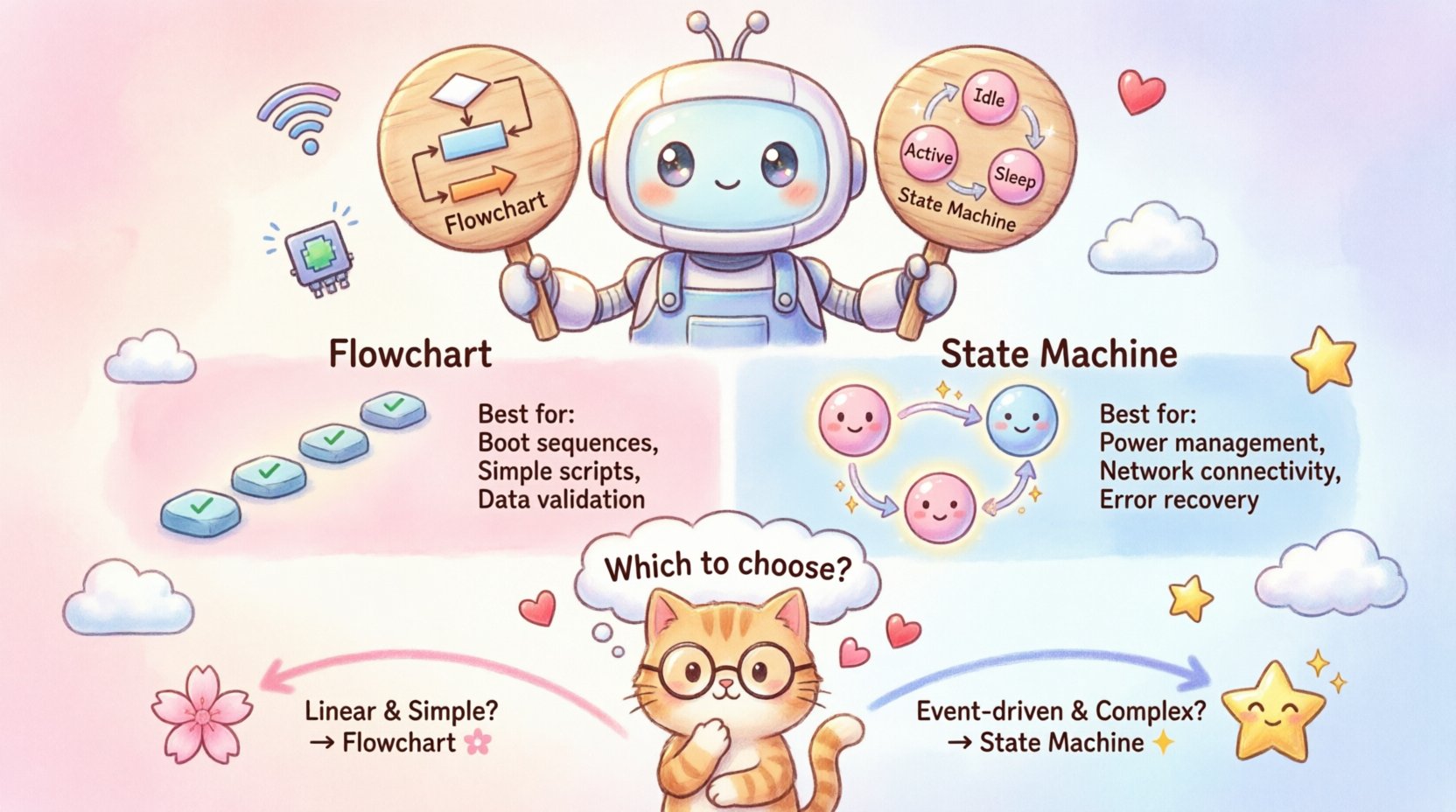
📊 Understanding Flowcharts in System Design
A flowchart is a graphical representation of an algorithm or process. It uses standard symbols to denote actions, decisions, and the flow of control. In the context of embedded systems, developers often default to flowcharts because they mirror the way humans naturally think about step-by-step tasks.
Core Characteristics
- Linear Logic: Flowcharts follow a top-down or left-to-right progression.
- Decision Nodes: Diamond shapes represent conditional checks (e.g., if voltage > 3.3V).
- Sequential Execution: Instructions execute one after another unless a branch redirects the path.
- Global State: Flowcharts often imply a global context where variables persist across steps.
Where Flowcharts Shine
Flowcharts are highly effective for specific types of IoT logic:
- Data Processing Algorithms: When reading sensor data and applying mathematical transformations, a linear sequence is natural.
- Boot Sequences: The initialization process of a microcontroller is often linear (power on -> hardware check -> load config -> start loop).
- Simple Scripts: One-off automation tasks that do not require long-term memory of past actions.
Limitations in IoT Contexts
While useful, flowcharts struggle when the system behavior depends on history or concurrency. In IoT, a device does not always act immediately based on the current input; it acts based on its current condition.
- State Persistence: Flowcharts do not inherently store state. You must manually manage variables to remember previous steps.
- Concurrency: Flowcharts represent single-threaded execution. If a device needs to listen for a network packet while simultaneously monitoring a temperature sensor, a flowchart becomes cluttered and confusing.
- Event Handling: Handling asynchronous interrupts (e.g., a button press while the device is sleeping) requires spaghetti-like branching in a flowchart.
- Scalability: As the logic grows, the diagram becomes a tangled web, making it difficult for new engineers to understand the system.
🔄 Understanding State Machine Diagrams (UML)
A State Machine Diagram, often associated with the Unified Modeling Language (UML), models the behavior of a system by defining its states and the transitions between them. In this model, the system exists in exactly one state at any given time. It transitions from one state to another based on specific events.
Core Components
- States: Represent a condition during which the system performs an action or waits for an event (e.g., Idle, Transmitting, Error).
- Transitions: Arrows connecting states, triggered by events (e.g., Button Pressed, Timeout).
- Guards: Conditions that must be met for a transition to occur (e.g., [Battery > 20%]).
- Entry/Exit Actions: Code executed when entering or leaving a specific state.
- History States: Allow the machine to remember the last active sub-state.
Why State Machines Suit IoT
IoT devices are inherently event-driven. They wait for external stimuli (sensor readings, network packets, user inputs) rather than constantly executing tasks. State machines map directly to this reality.
- Explicit State Management: The current state is a first-class citizen in the architecture. You do not need to guess the state by checking multiple variables.
- Handling Errors: If a network connection fails, the machine can transition to a Recovery state automatically, regardless of what it was doing before.
- Modularity: Complex states can be broken down into sub-machines (Hierarchical State Machines), keeping the design clean.
- Predictability: The set of valid transitions is defined clearly, preventing the system from entering invalid configurations.
⚖️ Key Differences at a Glance
To clarify the distinction, consider the following comparison table. This outlines how each method handles critical aspects of IoT development.
| Feature | Flowchart | State Machine Diagram |
|---|---|---|
| Primary Focus | Control flow and algorithm steps | System behavior and lifecycle |
| State Tracking | Implicit (requires variables) | Explicit (current node) |
| Concurrency | Difficult to represent | Supported via orthogonal regions |
| Event Handling | Linear checks within loops | Trigger-based transitions |
| Scalability | Decreases with complexity | Increases with structure |
| Debugging | Hard to trace path history | Easy to log current state |
| Best For | Simple scripts, initialization | Device lifecycle, protocol stacks |
🛠️ Decision Criteria for Your IoT Project
Selecting the right tool depends on the specific requirements of your hardware and software architecture. There is no single “best” choice, but there are clear indicators for when to choose one over the other.
When to Use a Flowchart
Opt for a flowchart when the logic is strictly procedural. This is common in:
- Configuration Scripts: Setting up Wi-Fi credentials or calibration parameters before the main loop starts.
- Data Validation: Checking if a received packet is corrupted or out of range before processing.
- Simple Automation: A light that turns on when it gets dark and turns off at dawn, without complex power management.
- Prototyping: When speed of design is more important than long-term maintainability.
When to Use a State Machine
Adopt a State Machine Diagram when the device behavior changes based on its history or external conditions. This is critical for:
- Power Management: Managing transitions between Active, Low Power, and Sleep modes based on timers and interrupts.
- Network Connectivity: Handling Connected, Connecting, Disconnected, and Retry states for cloud communication.
- Firmware Updates: Managing the stages of Download, Verify, Install, and Rollback safely.
- Error Recovery: Defining specific actions for hardware faults (e.g., sensor failure) without crashing the entire system.
⚠️ Common Pitfalls in IoT Modeling
Even with the right tool, poor modeling practices can lead to bugs in the field. Understanding common mistakes helps you avoid costly revisions later.
Pitfall 1: Ignoring Asynchronous Events
In IoT, events happen outside the main control loop. For example, a power button press should wake a device from sleep immediately, regardless of what task the processor was doing.
- Flowchart Issue: Requires polling the button in every step of the loop.
- State Machine Fix: Define an interrupt transition that moves the system from Sleep to Active instantly.
Pitfall 2: State Explosion
Creating too many granular states can make the diagram unreadable. If you create a state for every possible combination of sensor readings, the model becomes unmanageable.
- Solution: Group similar behaviors into composite states. Use sub-states only when the behavior differs significantly within a broader category.
Pitfall 3: Missing Default Transitions
Every state machine must handle unexpected inputs. What happens if a Stop command is sent while the device is already Stopped?
- Solution: Define self-loops or default transitions to handle invalid events gracefully, ensuring the system does not hang.
🧩 Hybrid Approaches for Complex Systems
Real-world IoT projects often require a combination of both methods. It is acceptable to use a flowchart for the initialization sequence and a state machine for the main operational loop.
Integration Strategy
- Initialization: Use a flowchart to handle hardware checks, memory allocation, and configuration loading. Once these steps are complete, hand control to the state machine.
- Event Handlers: Use flowcharts inside the Entry or Exit actions of a state if the logic is a simple calculation or data processing task.
- Modular Design: Keep the high-level logic in the state machine and delegate specific sub-tasks to functions that can be designed using flowcharts.
🔍 Implementation Considerations
Once you have selected your modeling approach, the implementation phase requires attention to resource constraints. IoT devices often have limited RAM and processing power.
Memory Usage
- State Machine: Requires storage for the current state variable. In complex machines, this might include a stack for hierarchical states.
- Flowchart: Requires stack space for recursive calls if the logic is deep. Iterative flowcharts use less stack but more conditional checks.
Execution Time
- Flowchart: Linear execution is fast, but checking conditions repeatedly can waste cycles.
- State Machine: Transition logic is often a simple switch or if statement based on the current state, which is highly efficient.
📈 Long-Term Maintenance and Testing
The true value of a model is revealed when the team changes or the product requires updates. A well-modeled system is easier to test and verify.
Testability
- State Coverage: You can write tests to ensure every state is reachable and every transition is valid.
- Flowchart Coverage: Testing requires covering every branch, which can become exponentially difficult as the chart grows.
Documentation
- Clarity: A state machine diagram acts as living documentation. New engineers can look at the diagram and understand the device lifecycle without reading code.
- Communication: It bridges the gap between hardware engineers, firmware developers, and product managers by providing a common visual language.
🎯 Final Considerations
The decision between a State Machine Diagram and a Flowchart ultimately rests on the nature of the device behavior. If your project involves simple, linear logic, a flowchart offers speed and simplicity. However, if your IoT device must manage power, connectivity, and error recovery in a dynamic environment, the State Machine Diagram provides the necessary structure and robustness.
By understanding the strengths and limitations of each tool, you can architect systems that are resilient, maintainable, and efficient. Avoid the temptation to use a flowchart for everything simply because it is familiar. Invest time in modeling the correct way for the specific constraints of your hardware.
As you move forward with your design, keep the user experience and device reliability in mind. The diagram you choose today will dictate the code quality you write tomorrow. Select the path that ensures your device performs consistently, even when the network fails or the power fluctuates.

 English
 Arabic
 Chinese (Simplified)
 Dutch
Dutch French
 German
 Italian
 Japanese
 Korean
 Portuguese
 Russian
 Spanish