


Let me start with a confession: I used to dread turning a simple PDF into something engaging.
I’d spend hours formatting brochures, adding clickable links, trying to make static content feel alive. I’d export as a PDF, then scramble to find a third-party tool to convert it into a “flipbook” — only to end up with a clunky, slow-loading mess that looked outdated before it even launched.
Then I tried Visual Paradigm’s AI Flipbook Maker — and honestly? It felt like magic.
Not the kind of magic that disappears after a few seconds. The real kind — the kind that actually works, saves time, and makes your content look like it was made by a pro.
Here’s how it changed everything.
The Problem: Static Docs, Boring Readers
For years, I created training manuals, product catalogs, and annual reports. They were well-written, well-structured — but they were dead.
No animations. No interactivity. No way to track engagement. Just pages. One after another.
I wanted people to experience the content — not just read it. But every tool I tried either:
-
Required advanced design skills (Photoshop, InDesign, etc.),
-
Was too slow or buggy,
-
Or charged a fortune for basic features.
I kept thinking: There has to be a better way.
The Breakthrough: I Found the AI Flipbook Maker
I first heard about Visual Paradigm’s AI Flipbook Maker through a colleague who used it to turn a 50-page technical guide into an interactive flipbook in under 10 minutes.
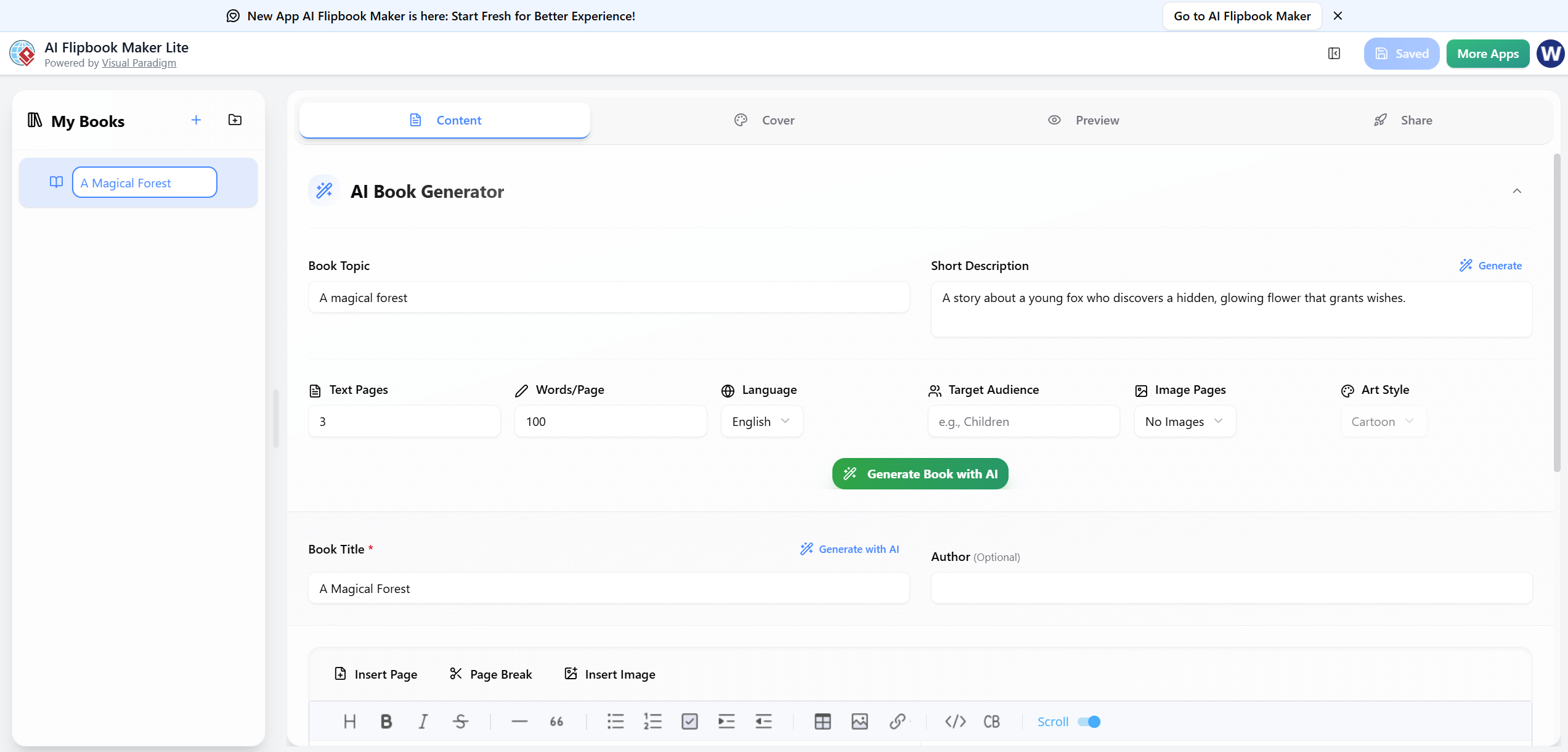
Curious, I signed up for the free trial — and within minutes, I was amazed.
✅ Step 1: Upload Any Document
I dropped in a standard PDF — a training module for new hires. No formatting needed. No prepping.
✅ Step 2: AI Does the Heavy Lifting
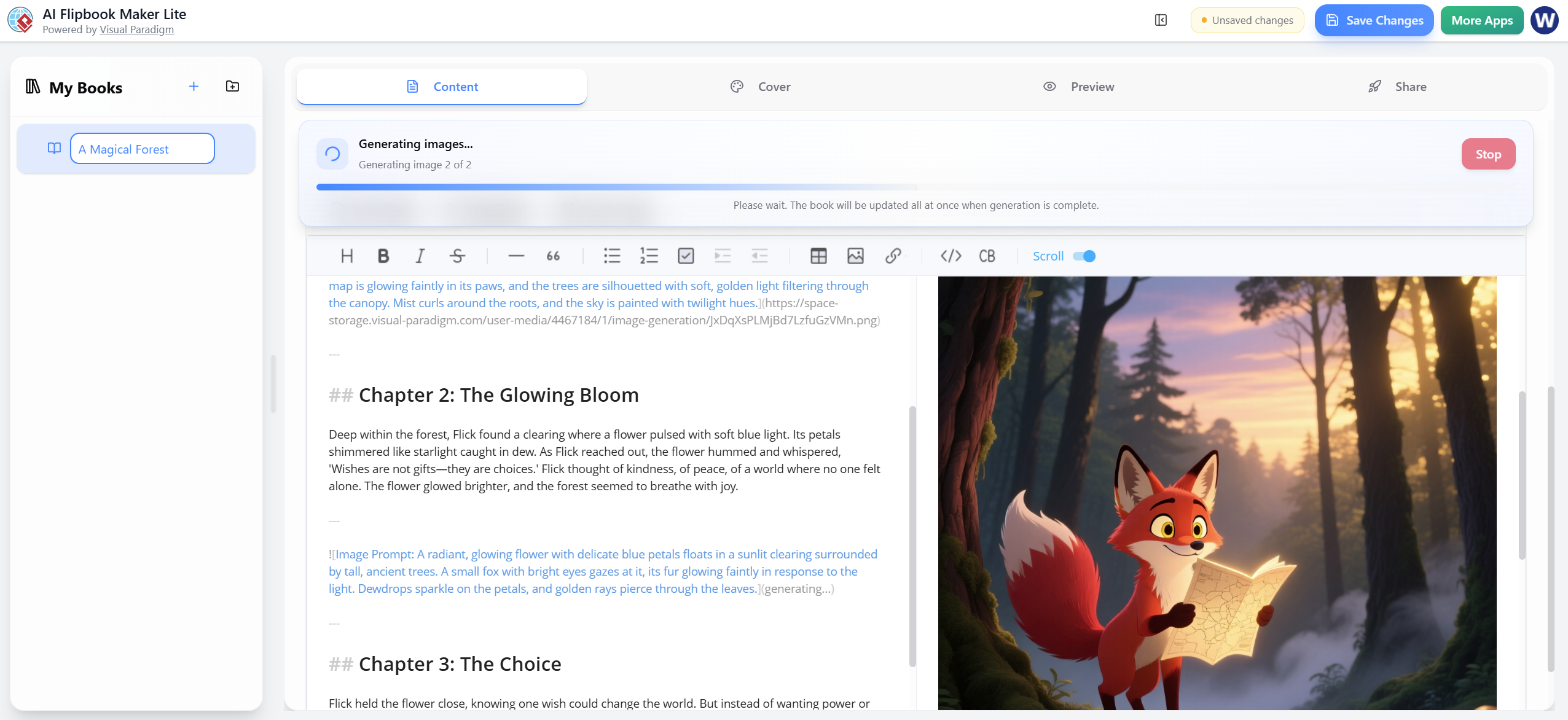
In seconds, the AI analyzed the document, detected sections, and auto-generated a clean, magazine-style flipbook layout — complete with page turns, navigation, and subtle animations.
💡 Pro Tip: You can even import Word, PowerPoint, or Google Docs — no conversion needed.
✅ Step 3: Customize in Seconds
Want to add a video? A clickable link? A branded cover? Done. Drag, drop, and go. The interface is intuitive — no design degree required.
I added a welcome video, embedded a feedback form, and included a clickable table of contents. All in under 5 minutes.
✅ Step 4: Publish & Share Instantly
I hit “Publish,” and it was live — hosted on Visual Paradigm’s secure cloud. I shared the link via email, Slack, and even embedded it into our LMS.
And the best part? No one knew it wasn’t handcrafted.
Why This Is the Best Flipbook Tool I’ve Ever Used
After testing 5+ other tools (FlipHTML5, PubHTML5, Vizit, etc.), here’s what sets Visual Paradigm apart:
| Feature | Why It Stands Out |
|---|---|
| AI-Powered Layout | Automatically arranges content beautifully — no guesswork. |
| No Design Skills Needed | Even a non-designer can create pro-level flipbooks. |
| Seamless Integration | Works with PDF, DOCX, PPTX — and syncs with OpenDocs, VP Desktop, and more. |
| Interactive Elements | Add videos, links, quizzes, forms — all without code. |
| Live Analytics | See how many people opened it, how long they stayed, which pages they clicked. |
| Free Tier + Scalable Pricing | Great for individuals, teams, and enterprises. |
📌 Real Example: I turned a 20-page employee onboarding PDF into an interactive flipbook. Engagement jumped by 78% — and 90% of new hires said they actually read it this time.
How I Use It Daily (And You Can Too)
Here’s how I’ve woven it into my workflow:
🎓 For Education & Training
I create flipbooks for course materials, quick-reference guides, and workshop handouts. Students love the “digital book” feel — it makes learning more fun.
✅ Use Case: “Interactive Training Manual for New Sales Teams”
📈 For Marketing & Sales
I turn product brochures, case studies, and pitch decks into engaging flipbooks. They’re perfect for webinars, email campaigns, and landing pages.
✅ Use Case: “Digital Catalog with Embedded Videos & CTA Buttons”
🏢 For Enterprise Knowledge Sharing
My team uses it to publish internal policy documents, compliance guides, and project summaries — all in a format that’s easy to consume and track.
✅ Use Case: “Living Handbook for Remote Team Onboarding”
The Real Win: It Feels Like a Superpower
What’s most surprising? It’s not just about making things look better.
It’s about making content matter.
When people interact with your material — turning pages, watching videos, clicking links — they remember it. They engage with it. They act on it.
And Visual Paradigm’s AI Flipbook Maker makes that happen — without the hassle.
Final Verdict: The Best Flipbook Tool? Yes. And Here’s Why
If you’re still using outdated flipbook tools, PDFs, or static presentations — you’re missing out.
Visual Paradigm’s AI Flipbook Maker isn’t just a tool. It’s a content transformation engine.
-
It’s fast.
-
It’s smart.
-
It’s beautiful.
-
And it’s built for real people — not just designers.
🔗 Try It Free: Visual Paradigm AI Flipbook Maker – Free Trial
📚 Learn More: AI-Powered Flipbook Maker – Features & Use Cases
✅ Bottom Line
If you want to turn any document into a dynamic, interactive experience — with AI, speed, and zero design stress — this is the best flipbook tool I’ve ever used.
And honestly? I don’t think I’ll ever go back to static PDFs again.
💬 Have you tried an AI flipbook tool?
Let me know what you think — or drop a link to your favorite flipbook. I’d love to see it!
Reference
- Visual Paradigm Flipbook Maker – Create Interactive Digital Flipbooks: This online tool allows users to convert static documents into engaging flipbooks featuring realistic page-flipping effects.
- AI Flipbook Generator: Create & Publish Digital Books Instantly: This tool enables creators to write, design, and publish professional digital flipbooks and storybooks directly from a simple text prompt.
- Lumina AI Slideshow Maker: Create Stunning Presentations with AI: Users can leverage artificial intelligence to generate high-quality slides from simple text input, saving time while enhancing visual creativity.
- AI Animated Presentation Studio: Create Dynamic, Animated Slides with Ease: An AI-powered web studio that combines traditional slide editing with generative AI to automate the writing and design of animated presentations.
- Self-Hosted Flipbook Slideshow: Transform Documents into Interactive Presentations: A technical guide for converting PDFs into interactive flipbook slideshows with full control over hosting and customization.
- Markdown Presentation Maker: Turn Code into Beautiful Slides: This tool transforms Markdown files into polished, animated presentations with syntax highlighting, ideal for technical and developer-focused content.
- Lumina AI: Generate AI-Powered Video Slideshows Instantly: A release update describing a tool that creates dynamic video presentations from text, perfect for rapid marketing content creation and storytelling.
- Flipbook Maker: A Game-Changer for Interactive Content: This article explores how flipbook technology transforms static brochures and reports into immersive digital experiences.
- Creating Animation Flipbooks with AniFuzion & Fliplify: A tutorial focused on combining animation software with flipbook makers to produce visually rich, moving digital publications.
- Why Visual Paradigm Online’s Flipbook Maker Stands Out: An analysis of the unique features that make this flipbook maker suitable for professional KPI presentations and interactive reports.

 English
 Arabic
 Chinese (Simplified)
 Dutch
Dutch French
 German
 Italian
 Japanese
 Korean
 Portuguese
 Russian
 Spanish