


What is TOGAF ADM?
TOGAF® (The Open Group Architecture Framework) is the world’s most widely used enterprise architecture framework. At its heart is the Architecture Development Method (ADM) — a proven, iterative process for developing and managing enterprise architectures.
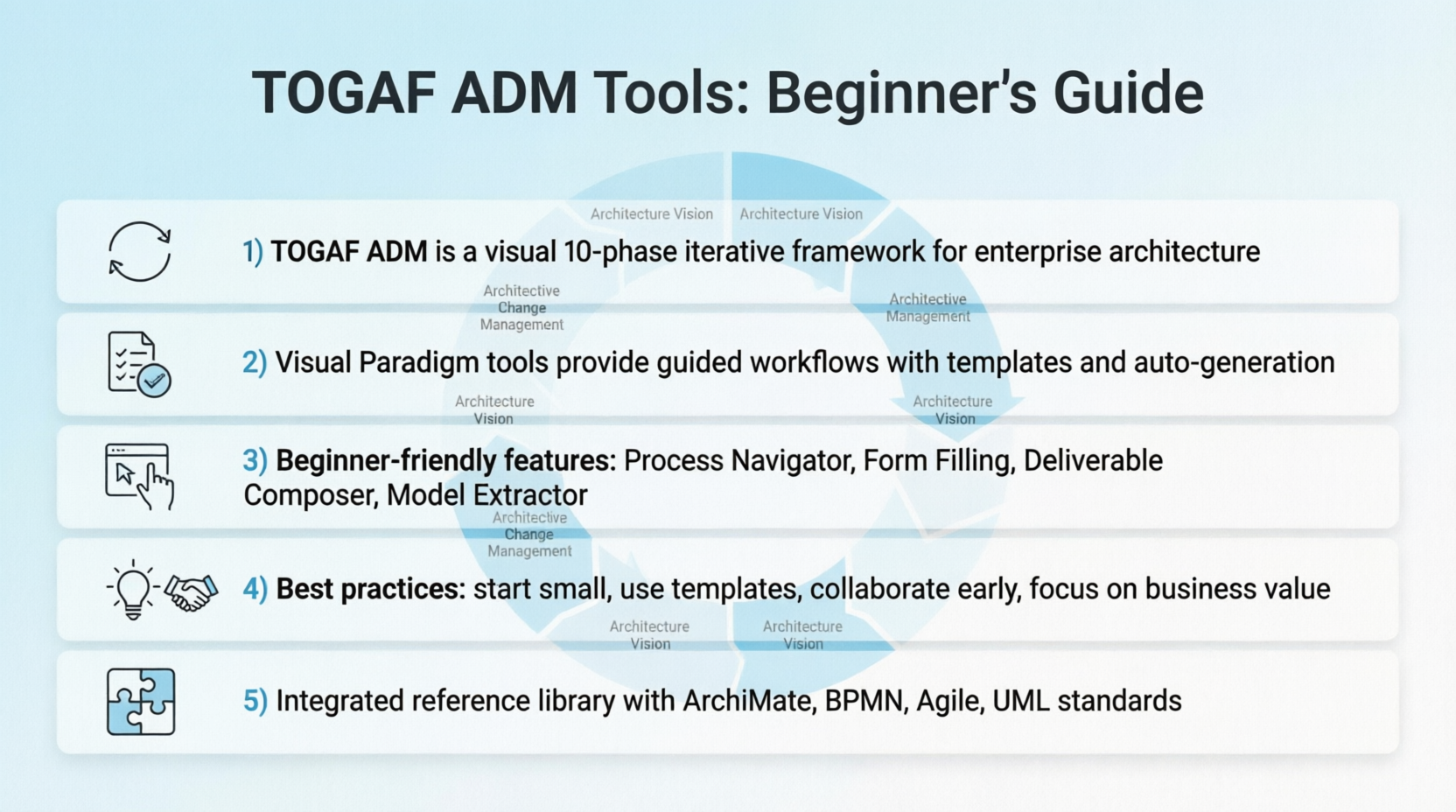
💡 For Beginners: Think of TOGAF ADM as a “recipe book” for building enterprise architecture. Just like a cooking recipe guides you step-by-step, the ADM guides architects through planning, designing, and implementing technology solutions that align with business goals.

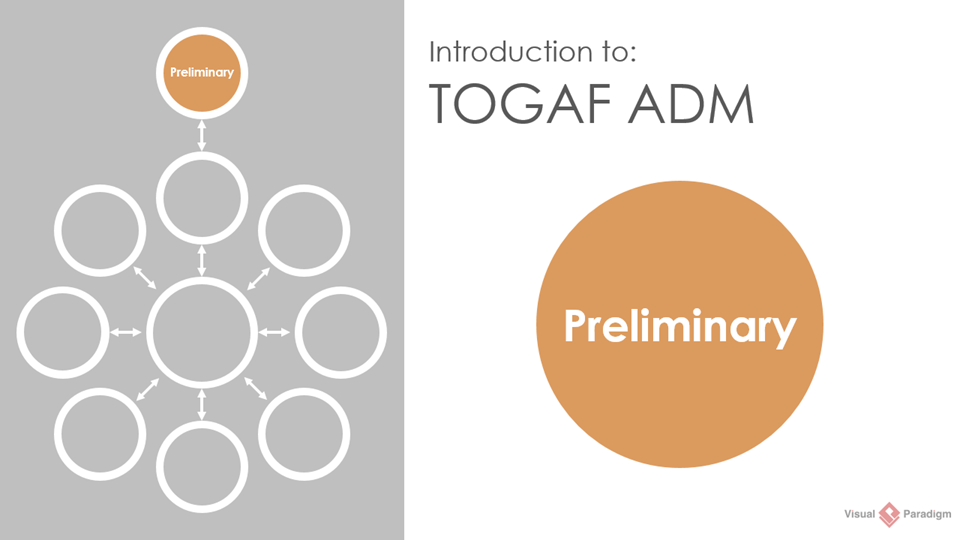
Preliminary Phase: Setting the foundation for your architecture journey
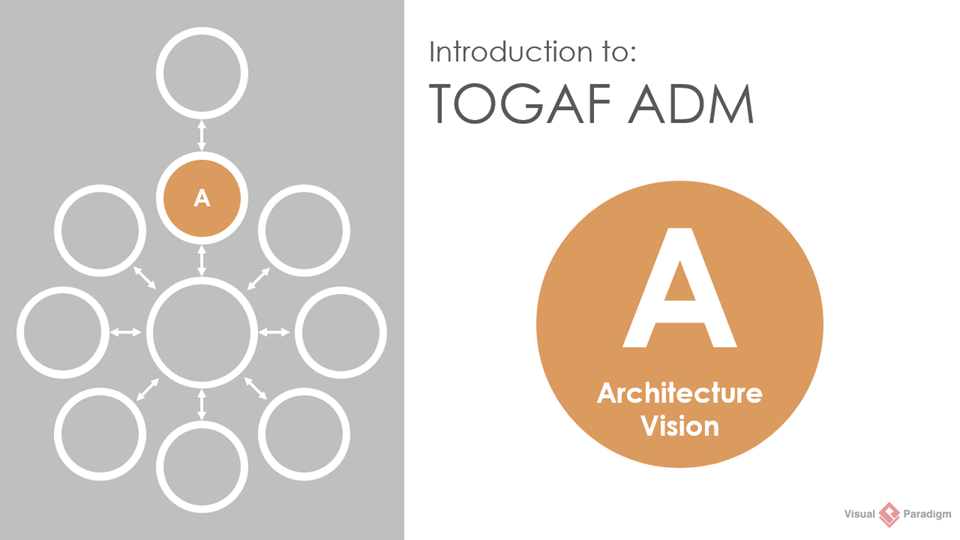
Phase A: Architecture Vision – Defining where you want to go
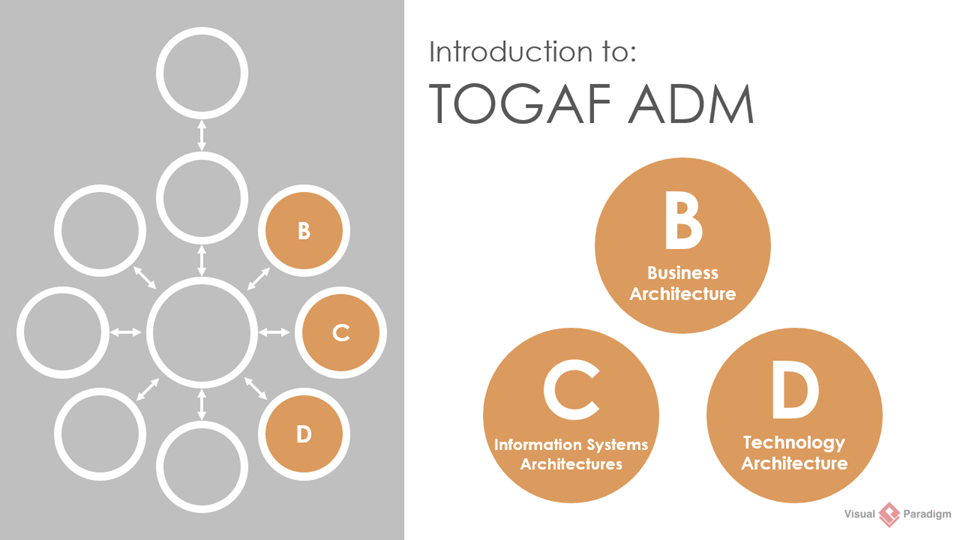
Phases B, C, D: Developing Business, Information Systems, and Technology Architectures
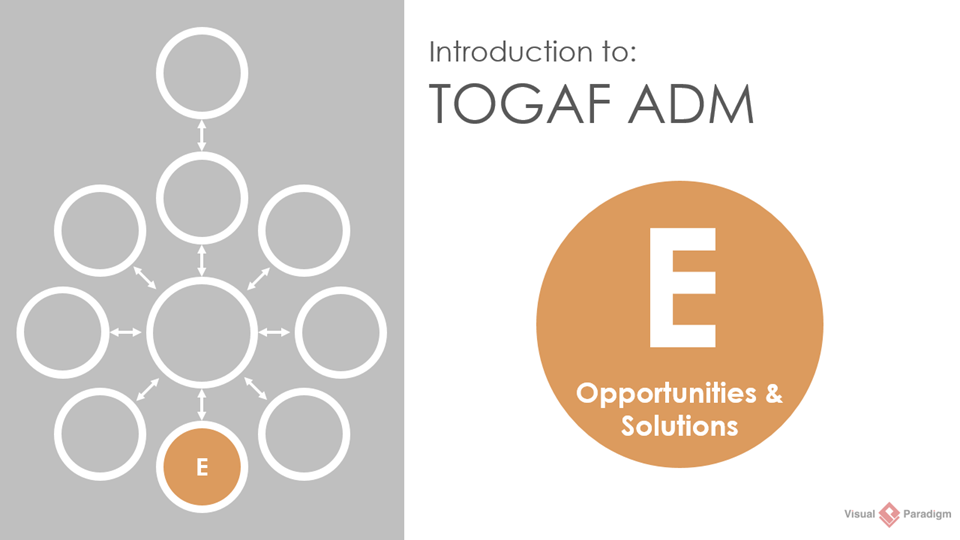
Phase E: Opportunities and Solutions – Planning your implementation roadmap
Why Use Visual TOGAF Tools?
Traditional TOGAF implementation can feel overwhelming due to extensive documentation and complex processes. Visual Paradigm’s TOGAF ADM Tools transform this experience by:
✅ Reducing documentation overhead with guided workflows
✅ Providing visual clarity through intuitive diagrams
✅ Ensuring compliance with TOGAF standards automatically
✅ Accelerating deliverable creation with templates and auto-generation
✅ Supporting collaboration with version control and team features
🎯 Beginner Tip: Don’t try to memorize all TOGAF artifacts upfront. Let the tool guide you through each phase with just-in-time instructions.
Understanding the ADM Cycle
The ADM consists of 10 phases that form a continuous improvement cycle:
| Phase | Name | Key Focus | Beginner-Friendly Description |
|---|---|---|---|
| Preliminary | Preparation | Define framework & principles | “Setting up your architecture kitchen” |
| A | Architecture Vision | Scope, stakeholders, value | “What are we building and why?” |
| B | Business Architecture | Business processes & organization | “How does the business work today?” |
| C | Information Systems | Data & application architecture | “What data and apps do we need?” |
| D | Technology Architecture | Infrastructure & platforms | “What technology supports it all?” |
| E | Opportunities & Solutions | Implementation planning | “How do we get from here to there?” |
| F | Migration Planning | Detailed rollout strategy | “What’s our step-by-step plan?” |
| G | Implementation Governance | Oversight during execution | “Are we building it right?” |
| H | Architecture Change Management | Continuous improvement | “How do we adapt as needs change?” |
| Requirements Management | Central hub | Manage requirements throughout | “Keeping track of what matters” |
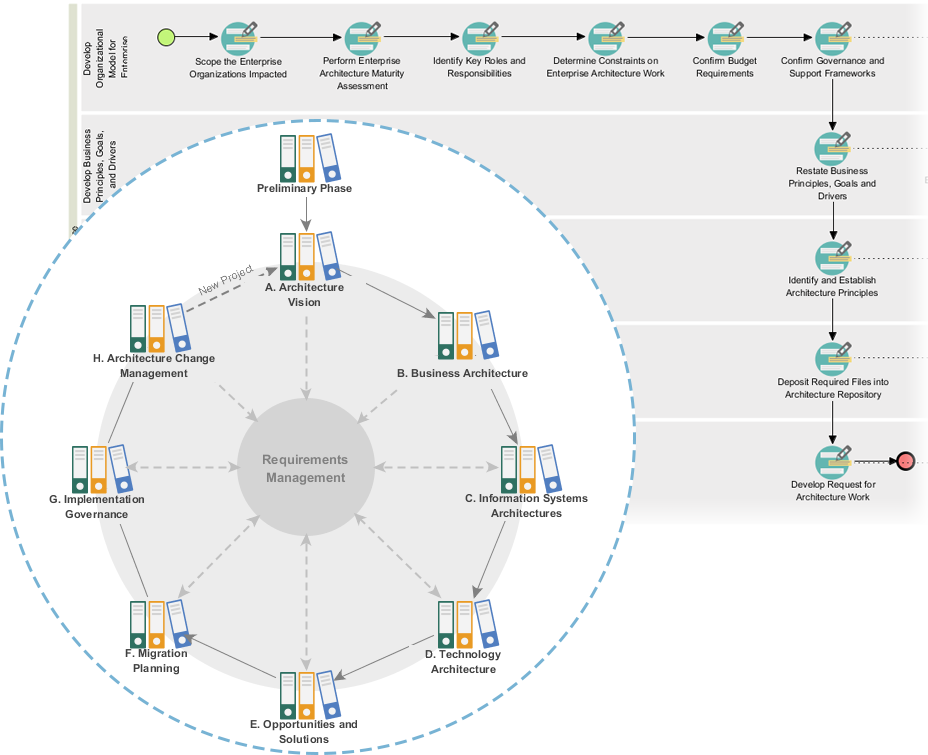
TOGAF ADM Process Navigator: Your visual roadmap through all phases
Key Features for Beginners
🧭 TOGAF ADM Process Navigator
Maximize your Enterprise Architecture success with TOGAF ADM Guide-Through, our cutting-edge TOGAF solution. Our innovative TOGAF tool takes the hassle out of navigating and developing deliverables, enabling you to use standard TOGAF® ADM diagrams with ease to grow your architecture. Say bye to endless documentation and references, and start to enjoy a streamlined process to architecting and sustaining your enterprise.
📋 Actionable Guided Process
Our comprehensive TOGAF toolkit provides you with a step-by-step approach to developing all the deliverables required in the TOGAF Architecture Development Methodology (ADM). With easy-to-follow instructions, cutting-edge modeling tools, real-life examples, expert guides, and techniques, our TOGAF software ensures you can deliver outstanding results every time.
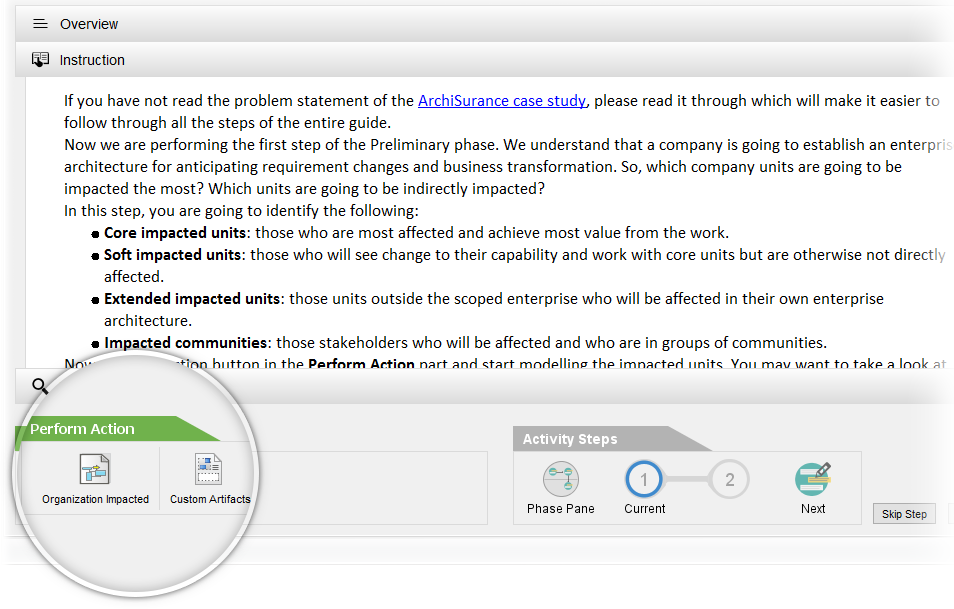
✍️ Form Filling and Inline Instruction
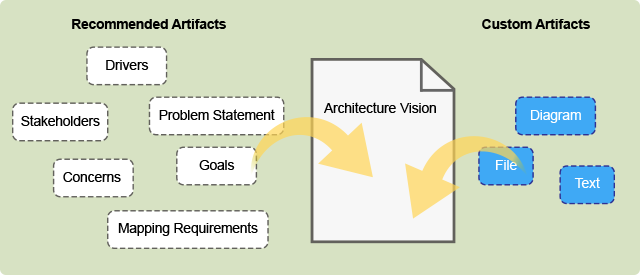
Empower your enterprise architecture development with Visual Paradigm – the ultimate TOGAF tool for executing recommended steps or customizing the content to fit your needs. Our software provides deep insights into the development process, making it easier to create deliverables with its intuitive instructions, modeling tools, and samples. Whether you prefer to follow the recommended steps or insert your own text and diagrams, Visual Paradigm gives you the freedom to bring your vision to life.
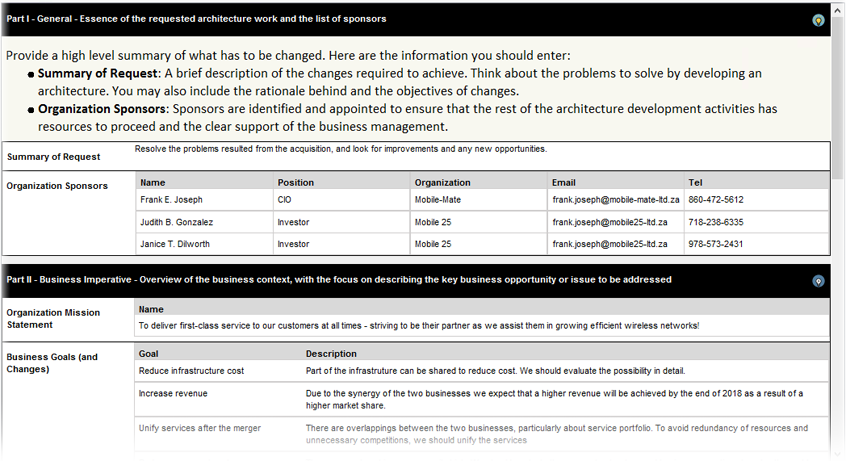
🧩 Deliverable Composer
From process activities deep into the development steps of the deliverable, Visual Paradigm lets you take the recommended steps to execute the development of the deliverables. Or, architects are free to customize any part of the content, inserting text or diagrams at any time.
🔄 Auto Versioning And Deliverable Generation
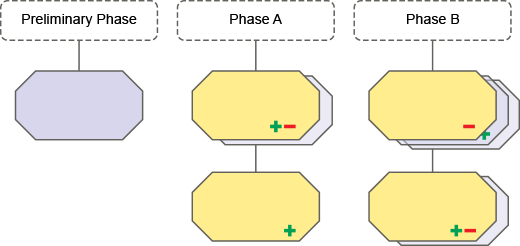
Your hard work and progress are securely stored and tracked, with version control for seamless collaboration with your team. As you complete each activity, simply generate your deliverables with ease, taking one step closer to the successful completion of your project.
🔷 Shape Legend
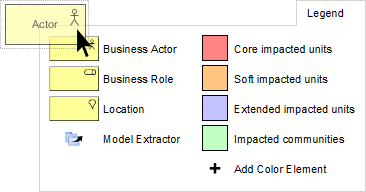
Quickly create the right type of shape by using the shape legend. Creating a shape from a shape legend is just a matter of dragging and dropping. It also ensures that you are working correctly, as it only shows the types of elements available under the selected view of the chart.
🎨 Color Legend
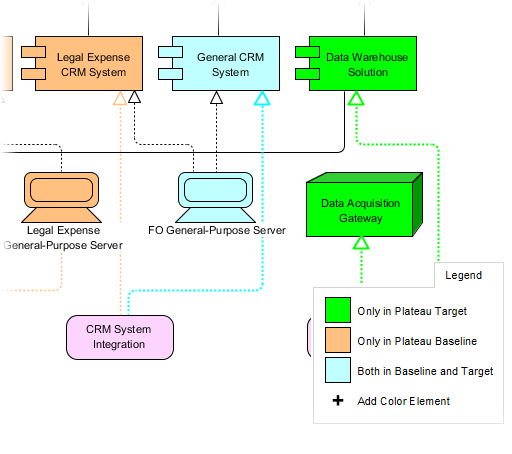
Now that you use shape legends as a form of annotation to illustrate the diagram shapes being used, you can also use a set of predefined shapes to create diagrams for a specific viewpoint. This way, you can focus on the shapes that are important to that particular view without being distracted by the large collection of shapes in the visual modeling language.
♻️ Reuse Elements with Model Extractor
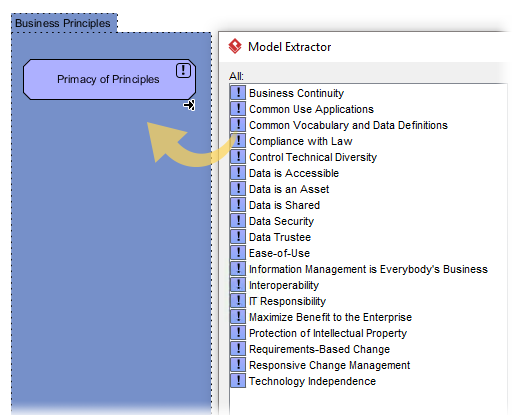
Save unnecessary rework time while increasing the efficiency of your schedule by reusing the same elements in different architectural models. As part of the shape legend, the Model Extractor will analyze your project and list existing elements that can be reused in the current design. Select, confirm, and you’re done! No more duplication of work.
🗄️ Architecture And Documentation Repository
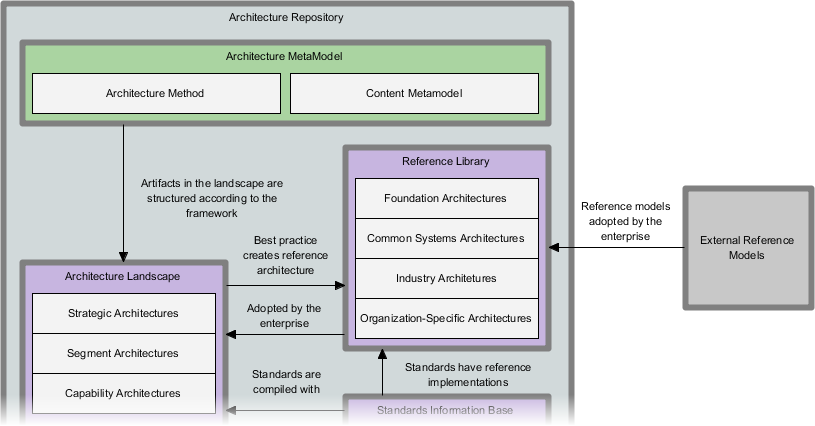
Visual Paradigm allows you to configure the standard TOGAF architecture repository structure or any other kind of file taxonomy to intuitively place files in file cabinets by configuring, sorting, and dragging and dropping files according to your organizational needs.
Step-by-Step Getting Started Guide
🚀 Week 1: Foundation Setup
-
Install Visual Paradigm and select the TOGAF ADM template
-
Complete the Preliminary Phase using the guided wizard:
-
Define your architecture principles
-
Set up governance framework
-
Configure repository structure
-
-
Explore the ADM Navigator to understand phase relationships
🎯 Week 2: First Architecture Vision (Phase A)
-
Identify stakeholders using the built-in stakeholder map template
-
Define business drivers with guided form fields
-
Create your Architecture Vision diagram using drag-and-drop shapes
-
Generate your first deliverable: Statement of Architecture Work
🔍 Week 3: Business Architecture Basics (Phase B)
-
Map current business processes using BPMN diagrams
-
Define target business capabilities with capability maps
-
Perform gap analysis using the automated comparison tool
-
Document business architecture deliverables with inline guidance
💡 Pro Beginner Workflow
1. Start with templates → 2. Follow guided instructions →
3. Customize with your content → 4. Generate deliverables →
5. Review with team → 6. Iterate based on feedback
⚠️ Common Beginner Mistake: Trying to complete all phases perfectly on the first try. Remember: TOGAF ADM is iterative! Start small, learn, and refine.
Best Practices & Pro Tips
✅ Do’s for Beginners
-
Start with Phase A: Master the Architecture Vision before diving into technical details
-
Use templates: Leverage pre-built deliverable templates to ensure TOGAF compliance
-
Document as you go: Use inline instructions to capture decisions in real-time
-
Collaborate early: Share drafts with stakeholders using version control features
-
Focus on value: Always link architecture decisions to business outcomes
❌ Don’ts for Beginners
-
Don’t over-engineer: Start with minimum viable architecture artifacts
-
Don’t skip Requirements Management: Keep requirements central throughout all phases
-
Don’t work in isolation: Use collaboration features to get feedback early
-
Don’t ignore governance: Set up approval workflows from the beginning
🔧 Tool-Specific Tips
| Feature | Beginner Tip |
|---|---|
| Shape Legend | Use it to learn TOGAF element types visually |
| Model Extractor | Reuse business actors across multiple diagrams |
| Color Legend | Apply consistent coloring to show architecture layers |
| Deliverable Composer | Generate PDF reports for stakeholder reviews |
| Repository | Organize files by ADM phase for easy navigation |
Reference Library
🏛️ Enterprise Architecture Resources
ArchiMate® 3 (Certified): Certified modeling language for enterprise architecture visualization and analysis
DoDAF: Department of Defense Architecture Framework tooling for defense and government projects
NAF: NATO Architecture Framework support for multinational defense architecture
MODAF: UK Ministry of Defence Architecture Framework for defense system modeling
TOGAF® ADM Guide-Through: Step-by-step guided implementation of TOGAF Architecture Development Method
TOGAF® ADM Process-Map: Just-in-time templates and process maps for TOGAF ADM phases
TOGAF® Official Documentation: The Open Group’s authoritative TOGAF 9.2 specification and reference materials
📊 Project Management Integration
PMBOK® Process Map: Align architecture work with PMI’s project management standards and processes
Project Mgmt. Guide-Through: Guided workflow for managing architecture projects through their lifecycle
Project Mgmt. Process Map: Visual process maps for project planning, execution, and control
🎨 Visual Modeling Foundations
UML Tool: Unified Modeling Language support for software and system design
SysML Tool: Systems Modeling Language for complex system engineering
ER Diagram Tool: Entity-Relationship modeling for database architecture design
DFD Tool: Data Flow Diagrams for analyzing information movement in systems
🔄 Agile & Modern Delivery
User Story Map: Visual organization of user stories for agile architecture delivery
Scrum Process Canvas: Integrated view of Scrum roles, events, and artifacts for agile teams
LeSS Canvas: Large-Scale Scrum framework support for enterprise agile architecture
Nexus Canvas: Nexus framework tools for scaling Scrum across multiple teams
🏢 Business Modeling Essentials
BPMN Diagrams: Business Process Model and Notation for mapping business workflows
Decision Table: Structured representation of business rules and decision logic
Organization Chart: Visual representation of organizational structure and reporting lines
CMMN Tool: Case Management Model and Notation for adaptive business processes
✨ User Experience & Design
Wireframe & Storyboard: Low-fidelity design tools for user interface prototyping
Wireflow Diagram: Combined wireframes and flowcharts for user journey mapping
Prototyping Tool: Interactive prototype creation for user testing and validation
Customer Journey Map: End-to-end visualization of customer experiences and touchpoints
High-Fidelity Mockup Tool: Pixel-perfect design tools for final UI specifications
📈 Analysis & Visualization
Flowchart Maker: Simple process visualization for quick workflow documentation
Chart Maker: Data visualization tools for architecture metrics and reporting
Textual Analysis: Natural language processing for extracting architecture concepts from documents
Relationship Matrix: Traceability matrices for mapping requirements to architecture components
Analysis Diagram: Visual dependency mapping for impact analysis and change management
RACI & CRUD: Responsibility assignment matrices for governance and data lifecycle management
⚙️ Technical Implementation
Code Engineering: Round-trip engineering between models and source code
Visual REST API Designer: Visual design and documentation of RESTful web services
DB Generation & Reversal: Forward and reverse engineering for database schema management
Hibernate ORM: Object-relational mapping support for Java application architecture
👥 Collaboration & Governance
Collaboration Tools: Real-time co-authoring, commenting, and review workflows
Task Management: Integrated task tracking aligned with architecture deliverables
Review and Commenting: Structured feedback collection for architecture artifacts
🗂️ Advanced Capabilities
Project Glossary: Centralized terminology management for consistent architecture language
On-Demand Model ETL: Extract, transform, and load capabilities for model integration
Other Adv. Modeling Tools: Advanced model management, versioning, and transformation utilities
📅 Project Planning & Control
Enhanced PERT Chart: Program Evaluation and Review Technique for architecture project scheduling
Work Breakdown Structure: Hierarchical decomposition of architecture work packages
Cause & Effect Diagram: Root cause analysis for architecture problem solving
Gantt Chart Tool: Timeline visualization for architecture initiative planning
ℹ️ Trademark Notice: “PMBOK” is a trademark of the Project Management Institute, Inc. which is registered in the United States and other nations. “TOGAF” is a trademark of The Open Group, which is registered in the United States and other countries.
🎓 Final Thoughts for Beginners
Starting your TOGAF ADM journey doesn’t require mastering everything at once. Focus on these three principles:
-
Learn by doing: Use the guided tools to complete one phase at a time
-
Think iteratively: Architecture evolves—your first version doesn’t need to be perfect
-
Collaborate openly: Share early drafts and gather feedback continuously
🌟 Remember: The goal of TOGAF isn’t to create perfect documentation—it’s to enable better business outcomes through thoughtful, aligned technology architecture.
Your Next Step: Open Visual Paradigm, select the TOGAF ADM template, and complete the Preliminary Phase wizard. You’ve got this! 🚀
Happy Architecting! 🏗️✨

 English
 Arabic
 Chinese (Simplified)
 Dutch
Dutch French
 German
 Italian
 Japanese
 Korean
 Portuguese
 Russian
 Spanish