


Your Journey to Professional Photo Collages
Creating beautiful photo collages has never been easier. Whether you’re preserving precious memories, building a professional portfolio, or sharing your story on social media, this comprehensive guide will walk you through every step of creating stunning photo collages using Visual Paradigm’s Online Collage Maker.
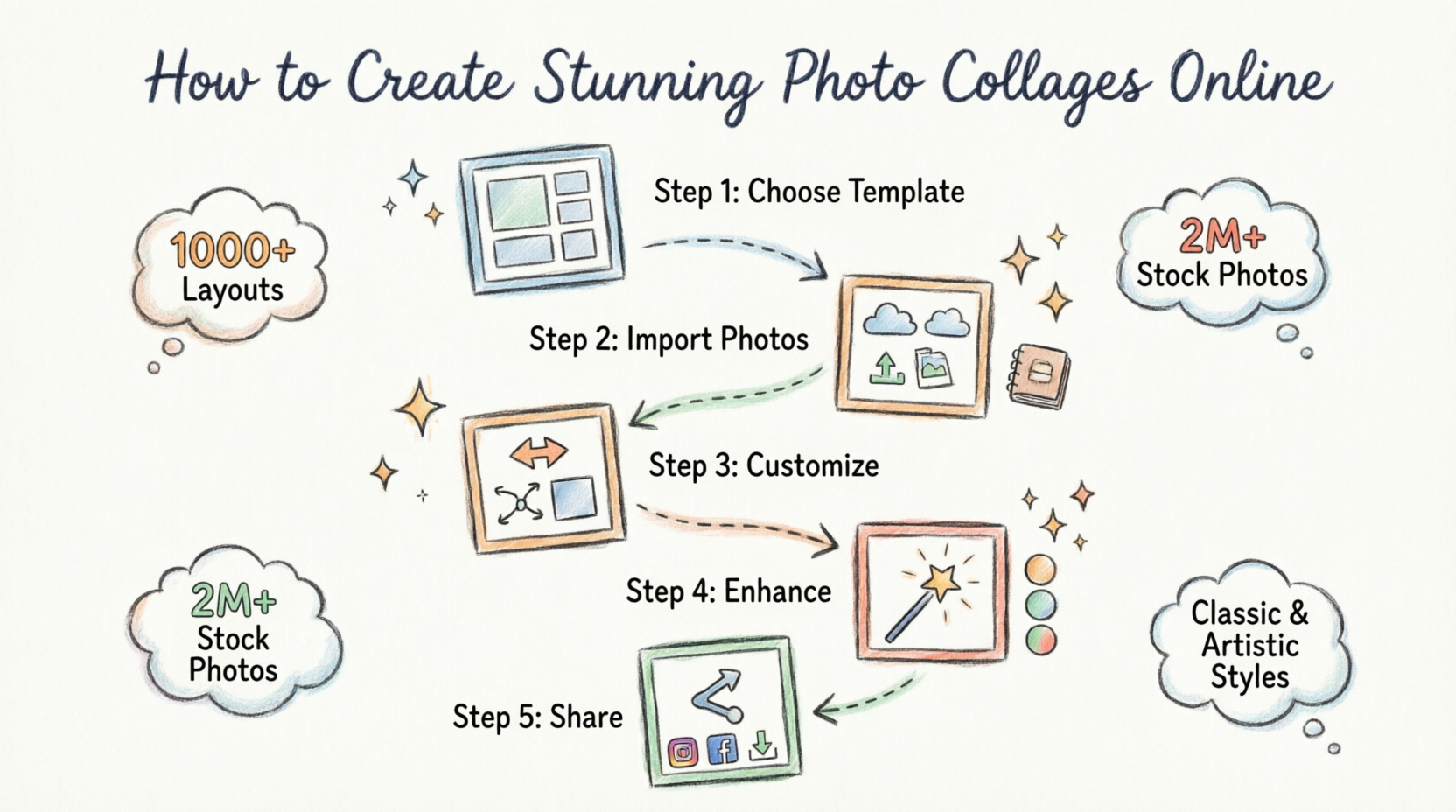
Getting Started: Understanding Photo Collages
A photo collage is a collection of photos arranged together to create a single, cohesive image. It’s a stylish and creative way to display your photos, tell your story, and grab attention.
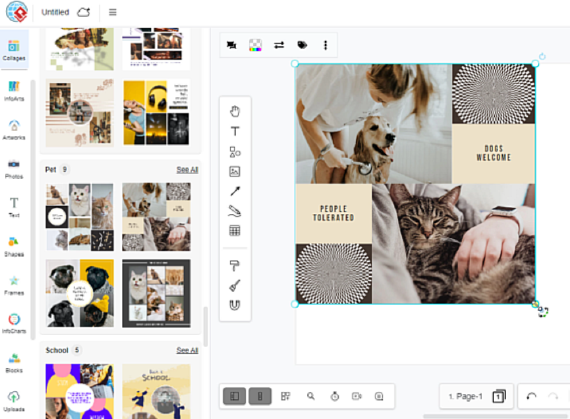
Why Create Photo Collages?
-
Preserve precious memories in a visually appealing format
-
Share multiple moments in a single image
-
Create professional portfolios and lookbooks
-
Enhance social media presence
-
Tell compelling visual stories
Step 1: Choosing Your Template
Accessing the Collage Library
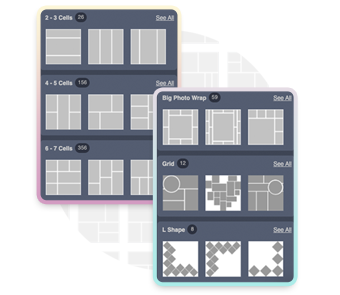
Start your collage-making journey by selecting from hundreds of professionally designed templates. Visual Paradigm offers two main categories:

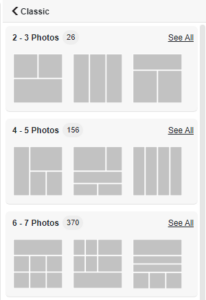
Classic Collages
Perfect for traditional layouts, classic collages provide hundreds of grid-based arrangements suitable for all tastes. Choose based on the number of photo grids you need—from simple two-photo layouts to complex 64-cell grids.
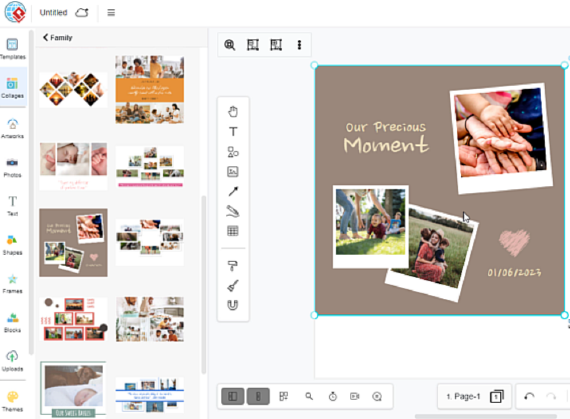
Artistic Collages
Explore creative themes including family, love, fashion, and more. These artistic collages feature beautiful art frames that help you create amazing and stylish compositions.
Massive Layout Options
With over 1,000 layout grids ranging from classic to modern designs, you’ll find the perfect arrangement for any project.
Step 2: Importing Your Photos
Multiple Import Options
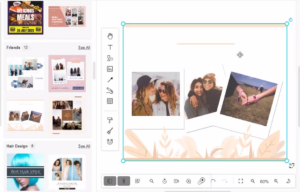
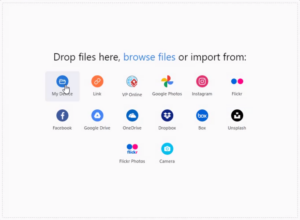
Once you’ve selected your template, it’s time to add your photos. You have several flexible options:
Import from Cloud Storage
Connect directly to your favorite cloud storage services including:
-
Google Drive
-
OneDrive
-
Dropbox
-
Box
-
And more
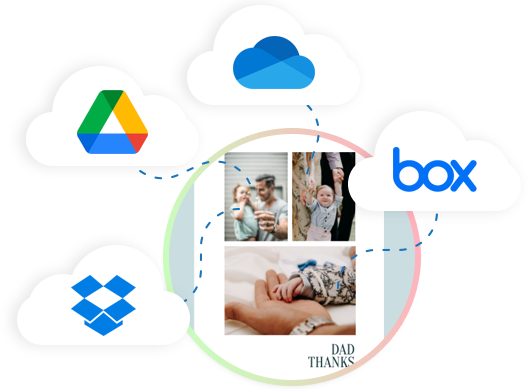
Simply connect your account, select your photos, and insert them directly into your collage.
Upload from Your Device
-
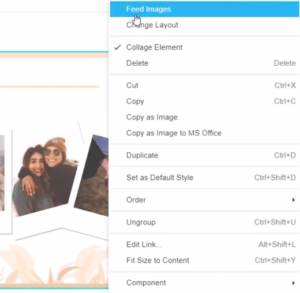
Right-click on the collage frame
-
Select “Feed Images”
-
Choose to import files from your computer
Access Rich Asset Library
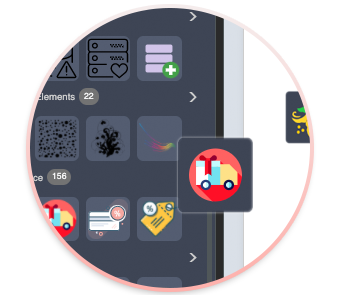
Don’t have your own photos? No problem! Access over 2,000,000+ free, high-quality stock photos, illustrations, and icons to create truly unique collages.
Step 3: Customizing Your Collage
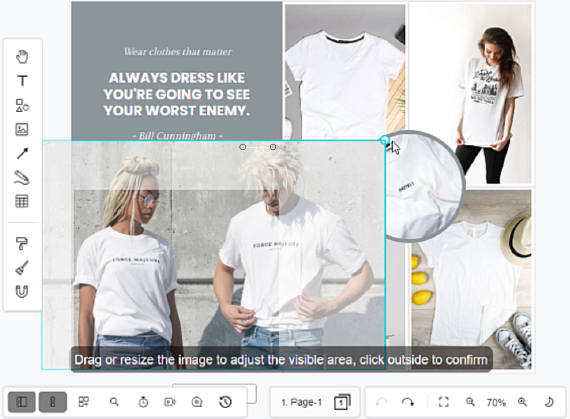
Position and Resize Photos
Adjust the sizes and positions of photos intuitively:
-
Double-click any photo to activate editing mode
-
Drag to reposition
-
Use handles to resize
-
Changes happen in real-time

Drag-and-Drop Photo Swapping
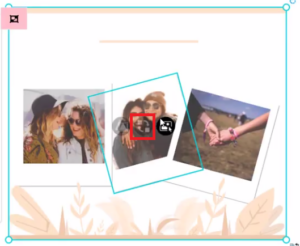
Want to rearrange your photos? It’s effortless:
-
Point to the center of any photo
-
Drag it to your desired position
-
Release to swap
Photos can be freely rearranged based on your preference.


One-Click Layout Changes
Not satisfied with your current layout? Change it instantly:
-
Select a new layout from the template library
-
Click to apply
-
Your photos automatically reorganize
No need to start over—experiment freely!
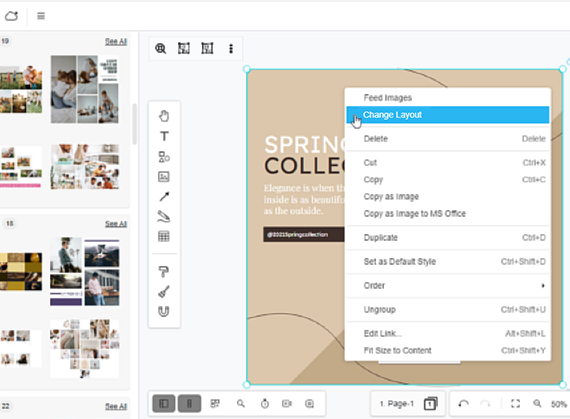
Swap Frames
Change the frame style of individual photos to get the best results and enhance your collage’s overall look.
Step 4: Advanced Editing Features
Background Remover
Need to focus on a specific object or person? Use the built-in background remover to eliminate unwanted backgrounds and enhance your focal point.
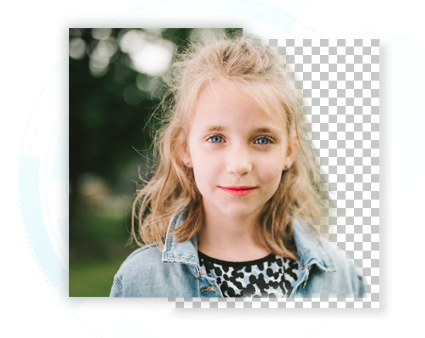
How to Use:
-
Select the photo you want to edit
-
Click the background remover tool
-
Let the AI automatically detect and remove the background
-
Fine-tune if needed
Apply Photo Effects
Enhance your photos with various artistic effects:
-
Artistic filters
-
Distortion effects
-
Edge detection
-
And many more
Double-click any photo to access the effects panel and retouch your images aesthetically.

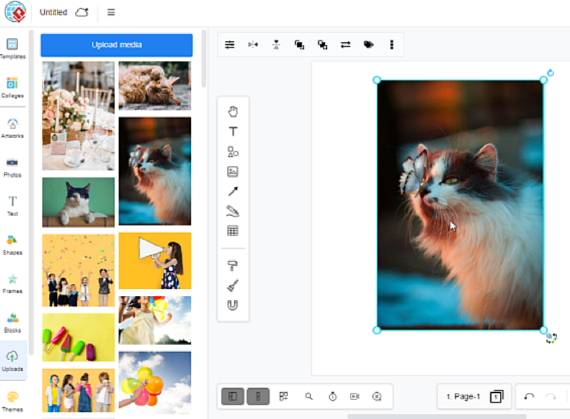
Reuse Uploaded Photos
Easily reuse photos you’ve already uploaded:
-
Access your uploaded photos from the library
-
Drag and drop into any frame
-
No need to re-upload
This flexible editing experience helps you create your perfect collage design efficiently.
Step 5: Sharing and Publishing
Share on Social Media
Once your collage is complete, share your stunning designs with friends, family, or your team. Showcase your work on social media platforms to gain more followers and engagement.
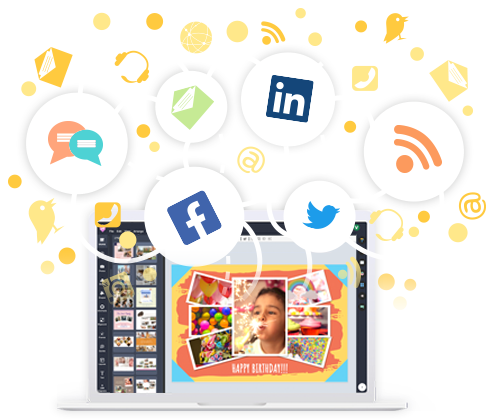
Sharing Options:
-
Direct social media posting
-
Download for offline use
-
Share via email or messaging
-
Generate shareable links
Publish with Pipeline and Display Hall
Take your collages beyond static images. Build your online photo story with Visual Paradigm’s integrated publishing system.

Pipeline Features:
-
Seamlessly publish your creations
-
Build custom sites for any purpose
-
Create personal travel blogs
-
Design family albums
-
Develop professional portfolios
-
Build brand lookbooks
Display Hall:
Your collages deserve a beautiful home online. Display Hall provides a unique platform for sharing your visual narratives with your chosen audience.
Pro Tips for Creating Amazing Collages
1. Plan Your Story
Before you start, think about the narrative you want to convey. Arrange photos in a logical sequence.
2. Choose the Right Layout
-
Use classic grids for formal presentations
-
Try artistic layouts for creative projects
-
Match the layout to your content’s mood
3. Maintain Visual Balance
-
Distribute colors evenly
-
Mix close-ups and wide shots
-
Create focal points strategically
4. Use Effects Sparingly
Apply filters and effects consistently across photos for a cohesive look.
5. Remove Distracting Backgrounds
Use the background remover to eliminate clutter and focus attention on your subjects.
6. Experiment with Swapping
Don’t settle for your first arrangement. Try different photo combinations to find the perfect composition.
7. Leverage Cloud Storage
Import directly from cloud services to save time and access photos from anywhere.
8. Explore the Asset Library
When you need that perfect image, browse the 2+ million stock photos available.
Use Cases and Inspiration
Personal Projects
-
Travel Memories: Document your adventures with location-based collages
-
Family Albums: Preserve precious family moments
-
Celebrations: Create commemorative collages for birthdays, weddings, and anniversaries
Professional Applications
-
Portfolios: Showcase your work in an engaging format
-
Marketing Materials: Create eye-catching promotional content
-
Social Media: Boost engagement with visually appealing posts
-
Presentations: Enhance business presentations with photo collages
Creative Endeavors
-
Mood Boards: Visualize concepts and ideas
-
Lookbooks: Display fashion or design collections
-
Art Projects: Experiment with artistic compositions
Getting Started Today
Ready to create your first stunning photo collage? Here’s your quick-start checklist:
✓ Choose your template (classic or artistic)
✓ Import your photos (from device or cloud)
✓ Arrange and resize your images
✓ Apply effects and remove backgrounds if needed
✓ Swap and experiment until perfect
✓ Share or publish your creation
The best online photo collage maker is here, waiting for you to tell your story!
Reference
- Create Custom Photo Collages Online for Free: This article describes a free online tool that allows users to create custom photo collages using drag-and-drop editing and various layout options.
- Browse Free Photo Collage Templates: This resource offers a collection of pre-designed templates to provide quick and creative layout inspiration for users.
- Advanced Photo Collage Features and Tools: This feature overview details intuitive tools for resizing, arranging, and enhancing images to build specialized photo collages.
- Step-by-Step Guide to Creating a Photo Collage: A practical tutorial that teaches simple and effective techniques for producing professional-looking photo collages using powerful design tools.
- Photo Collage: Design Ideas and Templates: This article invites users to explore a customizable collection of photo collage templates suitable for infographics, flyers, and other visual media.
- Black and White Photo Collage Template: A focused guide on how to customize a specific black-and-white template by editing blocks, colors, and content.
- Unleash Your Creativity with Visual Paradigm Online’s Collage Maker: This resource highlights access to over 2 million free, high-quality stock photos and icons to help users create unique collage designs.
- How to Upload Multiple Photos to a Collage: A video tutorial that demonstrates the process of uploading multiple images and arranging them within a collage in an online environment.
- How to Create a Collage – YouTube Tutorial: This guide shows users how to create a collage to enhance flipbook designs and other digital publications.
- Access Free Photo Collage Template Library: An overview of a ready-made template library designed to help users build stunning photo collages quickly with minimal effort.

 English
 Arabic
 Chinese (Simplified)
 Dutch
Dutch French
 German
 Italian
 Japanese
 Korean
 Portuguese
 Russian
 Spanish