


Introduction
If you’ve ever felt overwhelmed by complex software design or system planning, you’re not alone. Whether you’re a student taking your first steps into technology, a business professional needing to map out processes, or someone who simply wants to visualize ideas clearly, Visual Paradigm offers a solution that grows with you.
This comprehensive guide will walk you through everything you need to know about Visual Paradigm – from the completely free Community Edition perfect for beginners, to the powerful commercial versions enhanced with cutting-edge AI capabilities. You don’t need to be a tech expert to create professional diagrams that communicate your ideas effectively. By the end of this guide, you’ll understand how Visual Paradigm can transform the way you plan, design, and communicate complex information through simple visual models.
What Is Visual Paradigm?
Visual Paradigm is a visual modeling tool that helps you create diagrams to represent ideas, systems, processes, and software designs. Think of it as a digital whiteboard where you can draw professional diagrams that follow international standards (called UML – Unified Modeling Language).
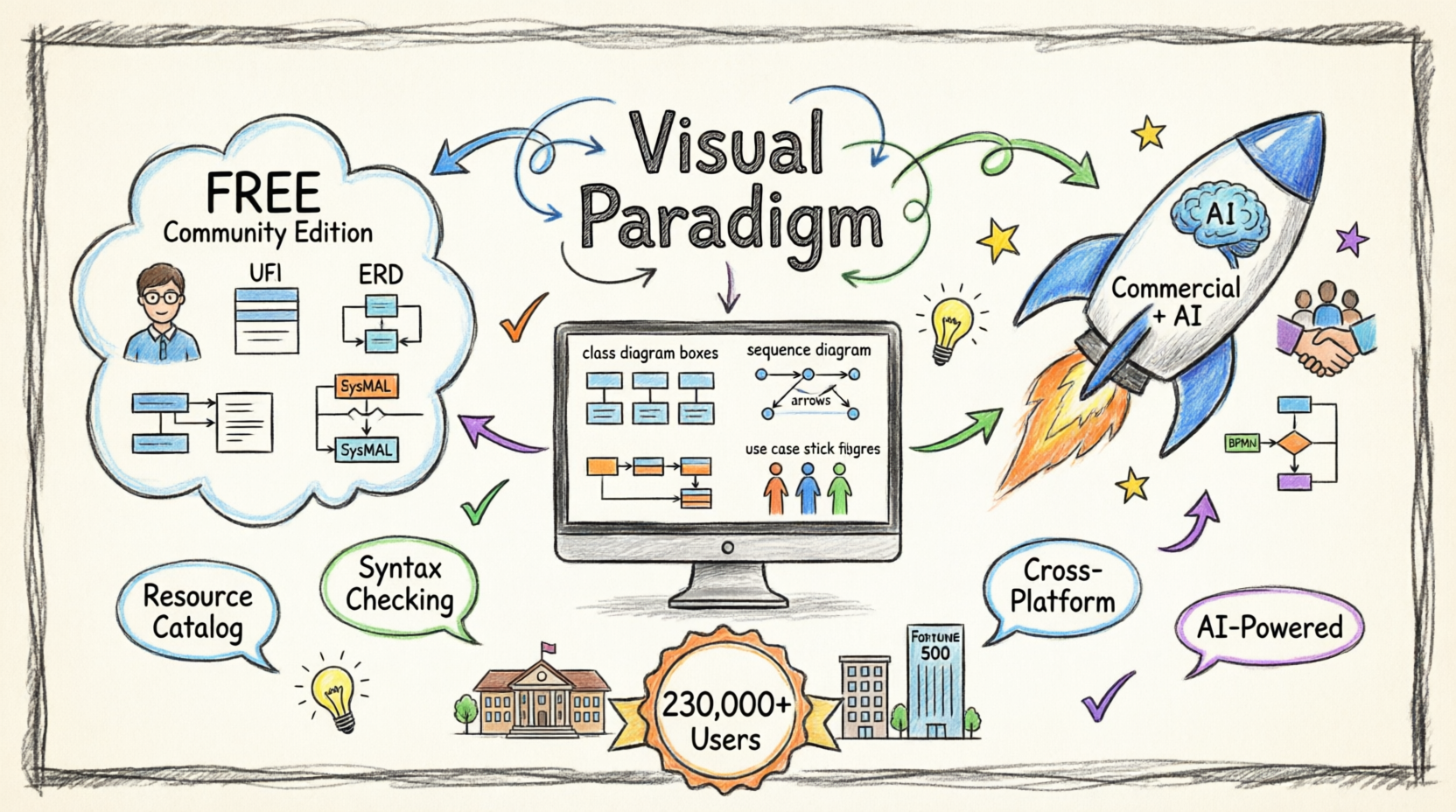
Instead of struggling with complex code or lengthy documents, you can visualize your concepts through diagrams that anyone can understand – from flowcharts showing how a process works, to database structures, to software architecture plans.
Why Choose Visual Paradigm?
Everything You Need, in One Place
Visual Paradigm combines intuitive diagramming with powerful features that professional tools often charge hundreds of dollars for. Here’s what makes it special:

Complete UML Support
Draw ANY of the UML 2.x diagrams with full professional notation

Smart Modeling Capability
Re-usable elements, automatic syntax checking, sub-diagrams for multiple levels of abstraction

Designed for Efficiency
Thoughtful UI details—such as the difference between a click and a drag—make workflows feel natural and fast

Works on Any Computer
Modeling on ANY Java-enabled platform – Windows, Mac OS X, or Linux
Resource Catalog: Your Speed Tool
The Resource Catalog is like having a smart assistant that speeds up your diagram creation. With just a few mouse clicks, you can build professional-quality diagrams without hunting for shapes or connectors.
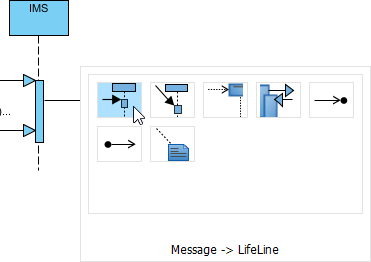
What This Means for Beginners: Instead of spending time searching through menus, the Resource Catalog suggests the right shapes and connections based on what you’re trying to create. It’s like having autocomplete for diagrams!
Real Modeling vs. Simple Drawing
Many tools let you draw shapes, but Visual Paradigm helps you create real models that understand relationships and rules:
-
Reuse Elements: Create something once, use it everywhere
-
Automatic Error Checking: The software tells you if your diagram breaks standard rules
-
Layered Detail: Create sub-diagrams to show different levels of detail
-
Connect to External Resources: Link your diagrams to documents, websites, or files
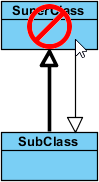
Why This Matters: If your diagram represents a real system (like a database or software), these features ensure your design actually works before you start building it.
Element Referencing: Keep Everything Connected
Visual Paradigm lets you create robust connections between your diagram elements and external resources like webpages, files, or documents. This creates a living model where everything stays linked and contextual.
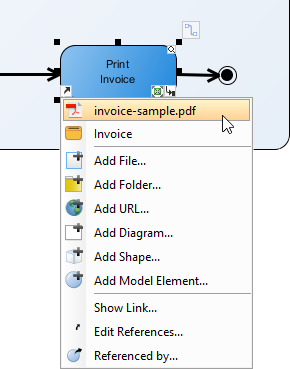
Beginner Benefit: No more losing track of which document explains which part of your diagram. Everything is connected and easy to find.
Diagram Types Made Simple
Visual Paradigm supports numerous diagram types. Here are the most common ones explained in plain language:
Class Diagram – Your Blueprint
Design the structure of systems or APIs in a clean, distraction-free editor.
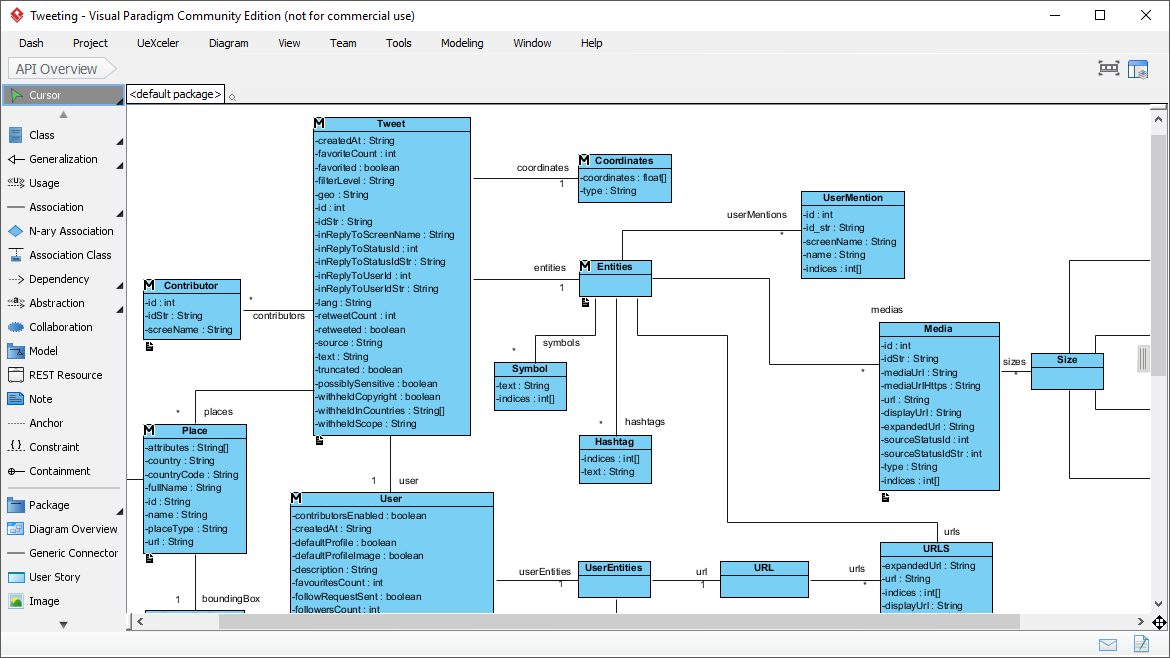
What It’s For: Showing what “things” exist in your system and how they relate (like customers, orders, products).
Entity Relationship Diagram (ERD) – Database Designer
Perfect for planning databases and how information connects.
What It’s For: Designing databases before you build them – essential for any data-driven project.
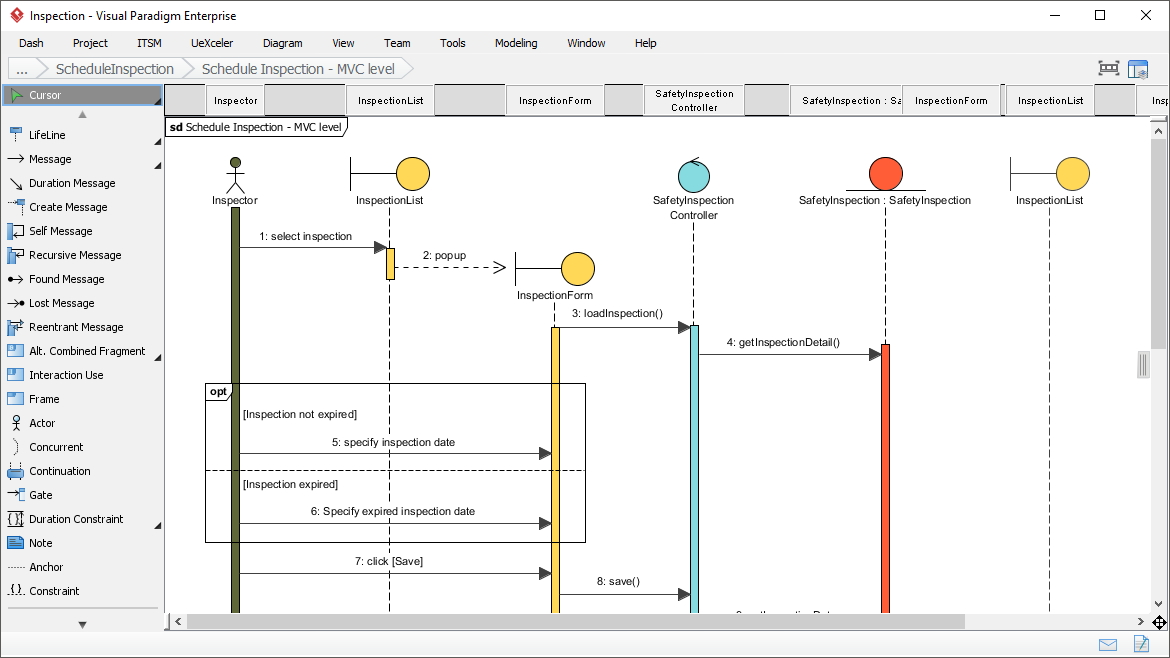
Sequence Diagram – Timeline of Actions
Shows how different parts of a system interact over time.
What It’s For: Mapping out step-by-step processes, like what happens when someone clicks “Buy Now.”
Requirement Diagram – Goal Tracker
Part of SysML support for capturing and organizing requirements.
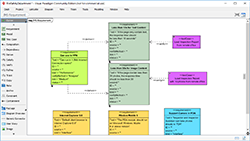
What It’s For: Keeping track of what your project needs to accomplish.
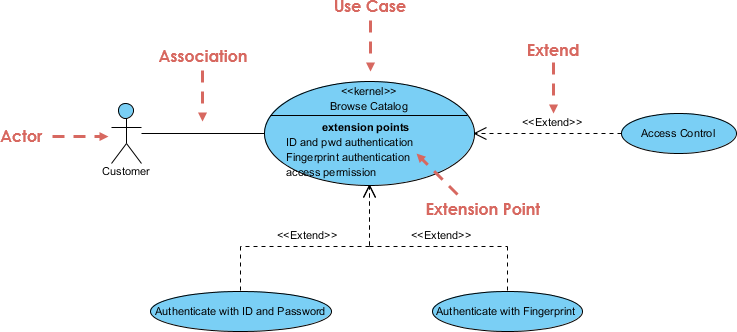
Use Case Diagram – User Perspective
Shows what users can do with your system.
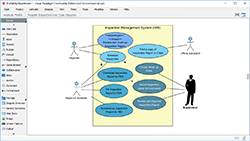
What It’s For: Understanding features from the user’s point of view – perfect for planning new software.
The Free Community Edition – What You Get
Perfect for: Students, educators, hobbyists, and personal projects (non-commercial use)
The Community Edition is completely FREE and includes:
Supported Diagrams:
- Use Case Diagram
- Class Diagram
- Sequence Diagram
- Communication Diagram
- State Machine Diagram
- Activity Diagram
- Component Diagram
- Deployment Diagram
- Package Diagram
- Object Diagram
- Composite Structure Diagram
- Timing Diagram
- Interaction Overview Diagram
- Entity Relationship Diagram (ERD)
- SysML Requirement Diagram
- SysML Block Definition Diagram
- SysML Internal Block Diagram
- SysML Parametric Diagram
- Business Concept Diagram
What’s Included:
- Full diagramming capabilities
- Printing & Image exporting (PNG, JPG)
- Professional modeling features
- Cross-platform support
Limitations:
- Single-line watermark on printed/exported diagrams
- Non-commercial use only
- Limited advanced collaboration features
- No BPMN, DFD, or advanced business diagrams
- No team management features
FREE Download – Community Edition
The Commercial Version & AI Ecosystem – Next-Level Power
For professionals, teams, and businesses, Visual Paradigm offers powerful commercial editions (starting at $6/month) that unlock game-changing capabilities, including an integrated AI ecosystem designed to accelerate your work.
What the Commercial Versions Add:
1. AI-Powered Diagram Generation
-
Text-to-Diagram AI: Describe what you want in plain English, and the AI creates the diagram for you
-
Smart Suggestions: AI recommends diagram improvements and identifies potential design issues
-
Automated Documentation: Generate comprehensive documentation from your diagrams automatically
2. Advanced Collaboration Tools
-
Real-time team collaboration
-
Cloud-based project sharing
-
Version control and history tracking
-
Team workspaces and permissions
3. Extended Diagram Support
-
BPMN (Business Process Model and Notation)
-
DFD (Data Flow Diagrams)
-
Flowcharts
-
EPC (Event-driven Process Chains)
-
Organization Charts
-
Network/Rack Diagrams
-
And many more business-focused diagrams
4. Enterprise Features
-
Requirements management
-
Agile project management
-
Task and sprint planning
-
Glossary and textual analysis
-
Advanced reporting and analytics
-
Integration with development tools (Jira, GitHub, etc.)
5. AI Ecosystem Capabilities
-
VP-Copilot: AI assistant that helps you create, edit, and understand diagrams
-
Smart Model Transformation: AI converts between different diagram types automatically
-
Predictive Modeling: AI suggests improvements based on industry best practices
-
Natural Language Processing: Convert meeting notes or requirements documents directly into diagrams
-
Code Generation: AI generates code skeletons from your UML diagrams
-
Reverse Engineering: AI analyzes existing code and creates diagrams automatically
6. Professional Support & Training
-
Priority technical support
-
Access to training resources and webinars
-
Regular feature updates
-
Enterprise deployment options
Feature Comparison at a Glance
| Feature | Community Edition (FREE) | Commercial Editions (From $6/month) |
|---|---|---|
| Cost | Free | Starting at $6/month |
| Use Type | Non-commercial only | Commercial & personal |
| Core UML Diagrams | ✓ All 14 types | ✓ All types + more |
| ERD & SysML | ✓ Included | ✓ Included |
| Export Quality | Watermarked | Professional, no watermark |
| BPMN & Business Diagrams | ✗ Limited | ✓ Full support |
| Team Collaboration | ✗ Not included | ✓ Advanced features |
| AI Features | ✗ Not included | ✓ Full AI ecosystem |
| Cloud Storage | ✗ Local only | ✓ Cloud-based |
| Agile Tools | ✗ Not included | ✓ Full suite |
| Code Engineering | ✗ Basic | ✓ Advanced + AI |
| Support | Community forums | Priority support |
Who’s Using Visual Paradigm?
Over 230,000 users worldwide trust Visual Paradigm, including:
-
Students & Educators: Learning and teaching software design, system analysis, and database design
-
Small Businesses: Planning processes, documenting systems, and designing databases
-
Fortune 500 Companies: Enterprise-level system architecture and business process modeling
-
Universities: Academic research and curriculum delivery
-
Government Organizations: System documentation and process standardization
-
Software Developers: Professional application design and architecture
-
Business Analysts: Process mapping and requirements gathering
The balance of power, usability, and free access for non-commercial work makes it a go-to choice for learning, teaching, and personal projects – while the commercial versions serve professional teams with advanced needs.
Getting Started: Your First Steps
Step 1: Download
Visit the download page and choose:
-
Community Edition if you’re learning or working on personal projects
-
Free Trial if you want to test commercial features
Step 2: Install
Visual Paradigm runs on Windows, macOS, and Linux. Just ensure you have Java installed.
Step 3: Choose Your Diagram Type
Start simple:
-
New to diagrams? Try a Use Case Diagram or Flowchart
-
Planning a database? Start with an ERD
-
Designing software? Begin with a Class Diagram
Step 4: Use the Resource Catalog
Don’t manually search for shapes – let the Resource Catalog suggest what you need as you work.
Step 5: Explore Tutorials
Visual Paradigm includes built-in tutorials and extensive online documentation.
Step 6: Join the Community
Connect with other users through forums and communities to learn tips and tricks.
Tips for Absolute Beginners
-
Start Small: Don’t try to model everything at once. Begin with one simple process or concept.
-
Use Templates: Visual Paradigm includes templates for common diagram types – use them as starting points.
-
Learn One Diagram Type at a Time: Master Use Case Diagrams before moving to Sequence Diagrams.
-
Don’t Worry About Perfection: Your first diagrams won’t be perfect, and that’s okay. Modeling is iterative.
-
Leverage the Community: The free edition has limitations, but it’s powerful enough to learn professional concepts.
-
Consider Upgrading When:
-
You need to use diagrams for commercial work
-
You’re collaborating with a team
-
You want AI assistance to speed up your work
-
You need advanced business process modeling
-
Conclusion
Visual Paradigm stands out as one of the most accessible yet powerful visual modeling tools available today. Whether you’re an absolute beginner taking your first steps into system design, a student working on academic projects, or a professional seeking AI-enhanced tools to accelerate enterprise-level work, Visual Paradigm offers a solution tailored to your needs.
The free Community Edition removes barriers to entry, providing professional-grade UML modeling capabilities without cost – perfect for learning, teaching, and personal projects. Its clean interface, intelligent Resource Catalog, and real modeling features like syntax checking and element reuse set it far apart from simple drawing tools.
For those ready to take their work to the next level, the commercial editions unlock a comprehensive AI ecosystem that transforms how you create and manage diagrams. With AI-powered generation, natural language processing, automated documentation, and advanced collaboration tools, Visual Paradigm’s commercial versions represent the cutting edge of visual modeling technology.
The proof is in the numbers: over 230,000 users worldwide, from students to Fortune 500 companies, trust Visual Paradigm to bring clarity to complexity.
Your next step? Download the free Community Edition today and experience focused, high-quality visual modeling without the bloat. If you discover you need more power, the free trial of commercial editions lets you explore AI-enhanced features risk-free.
Whether you’re mapping your first process or architecting enterprise systems with AI assistance, Visual Paradigm grows with you – making it not just a tool, but a long-term partner in your visual modeling journey.
References
- Free UML Tool: Official page presenting Visual Paradigm Community Edition as a free UML software for visual modeling with UML 2.x diagrams, including feature highlights, screenshots, and comparison table.
- Download Visual Paradigm Community Edition: Direct download portal for the free Community Edition (non-commercial use), with system requirements and version details.
- Easy-to-Use UML Tool: In-depth feature overview of UML diagramming capabilities, diagram types, and modeling tools.
- Compare Visual Paradigm Product Editions: Edition comparison showing what Community Edition includes versus paid tiers.
- Visual Paradigm Community Edition: The Best Free UML Tool on the Market: Independent review highlighting extensive UML support, usability, and key strengths.



 English
 Arabic
 Chinese (Simplified)
 Dutch
Dutch French
 German
 Italian
 Japanese
 Korean
 Portuguese
 Russian
 Spanish