


Introduction
In today’s fast-paced digital landscape, organizations struggle with a critical challenge: bridging the gap between complex technical modeling and accessible, human-readable documentation. Teams often find themselves juggling multiple tools, switching between diagramming software and documentation platforms, leading to fragmented information and reduced productivity.
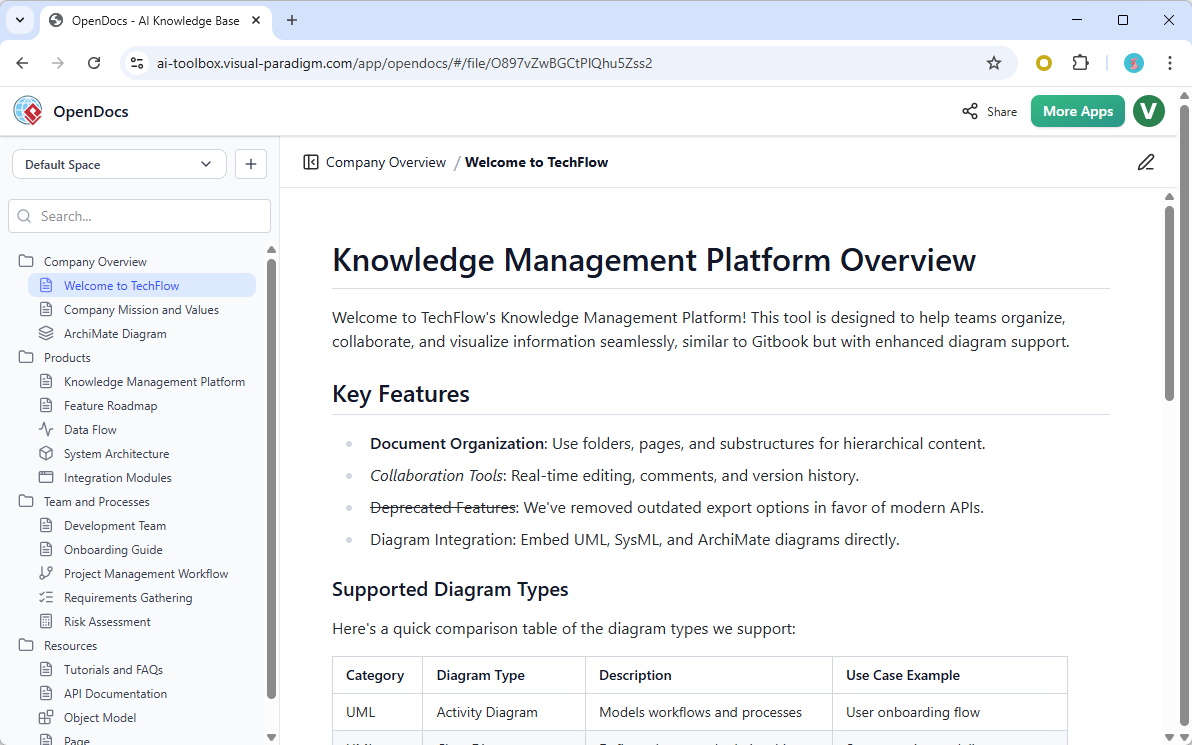
Enter Visual Paradigm’s OpenDocs—a revolutionary, AI-powered knowledge management platform that fundamentally transforms how teams create, organize, and share technical knowledge. By seamlessly integrating professional diagramming capabilities with intelligent documentation tools, OpenDocs eliminates the traditional barriers between visual modeling and written content. This comprehensive guide explores how OpenDocs serves as a unified workspace where text and diagrams coexist harmoniously, powered by cutting-edge artificial intelligence that accelerates content creation and enhances team collaboration.
What is OpenDocs?
OpenDocs is Visual Paradigm’s web-based, AI-powered knowledge management platform designed to unify technical documentation with visual modeling. Serving as the central hub within Visual Paradigm’s all-in-one platform, OpenDocs functions as a “visual knowledge engine” that automates both content creation and technical modeling, providing teams with a single source of truth for all project documentation.
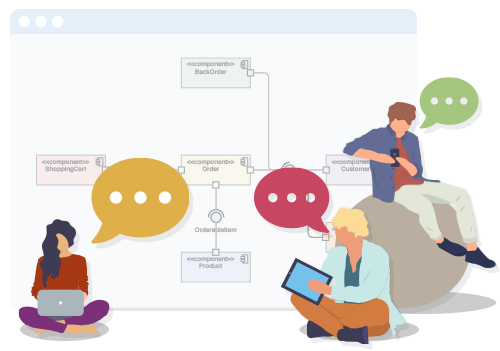
Platform Overview
- Web-Based Accessibility: Fully browser-based platform requiring no desktop installation
- AI-Native Architecture: Built from the ground up with artificial intelligence integration
- Unified Workspace: Combines text documentation and professional diagrams in one environment
- Cloud Platform: Accessible from any device, enabling remote and distributed team collaboration
Core Roles and Functions
1. Centralized Knowledge Hub
OpenDocs acts as a “single source of truth,” consolidating project specifications, notes, and diagrams into a unified, searchable environment. This eliminates information silos and ensures all team members access the most current documentation.
Key Benefits:
- Centralized storage for all project documentation
- Powerful search functionality across all content
- Version control and history tracking
- Scalable architecture for enterprise-level projects
2. Integrated Documentation & Diagramming
One of OpenDocs’ most powerful features is its ability to eliminate tool-switching. Users can create and embed professional diagrams directly within their narrative text, maintaining context and flow throughout their documentation.
Supported Diagram Types:
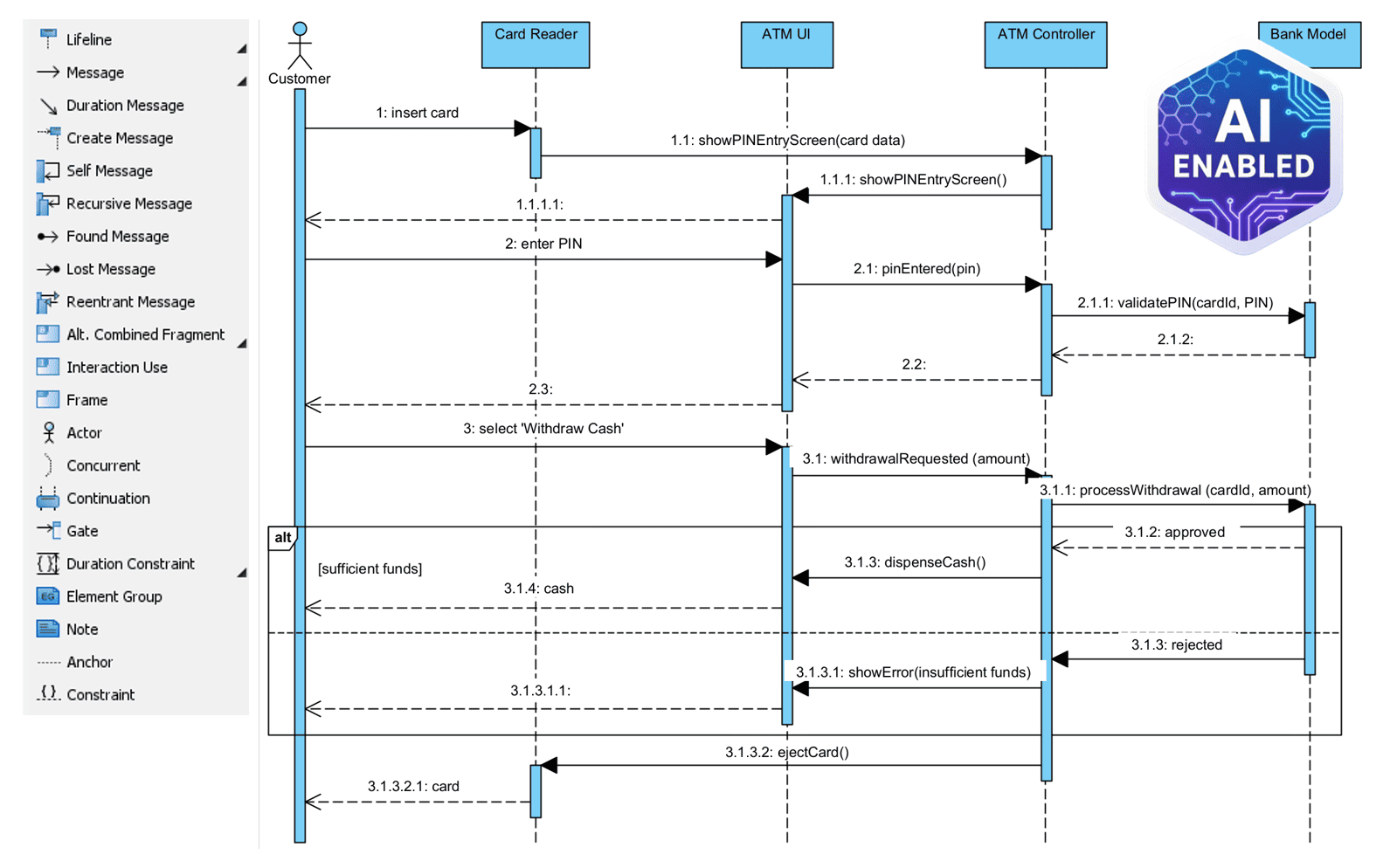
- UML Diagrams: Class, Sequence, State Machine, Deployment, and more
- Flowcharts: Process flows, decision trees, workflow diagrams
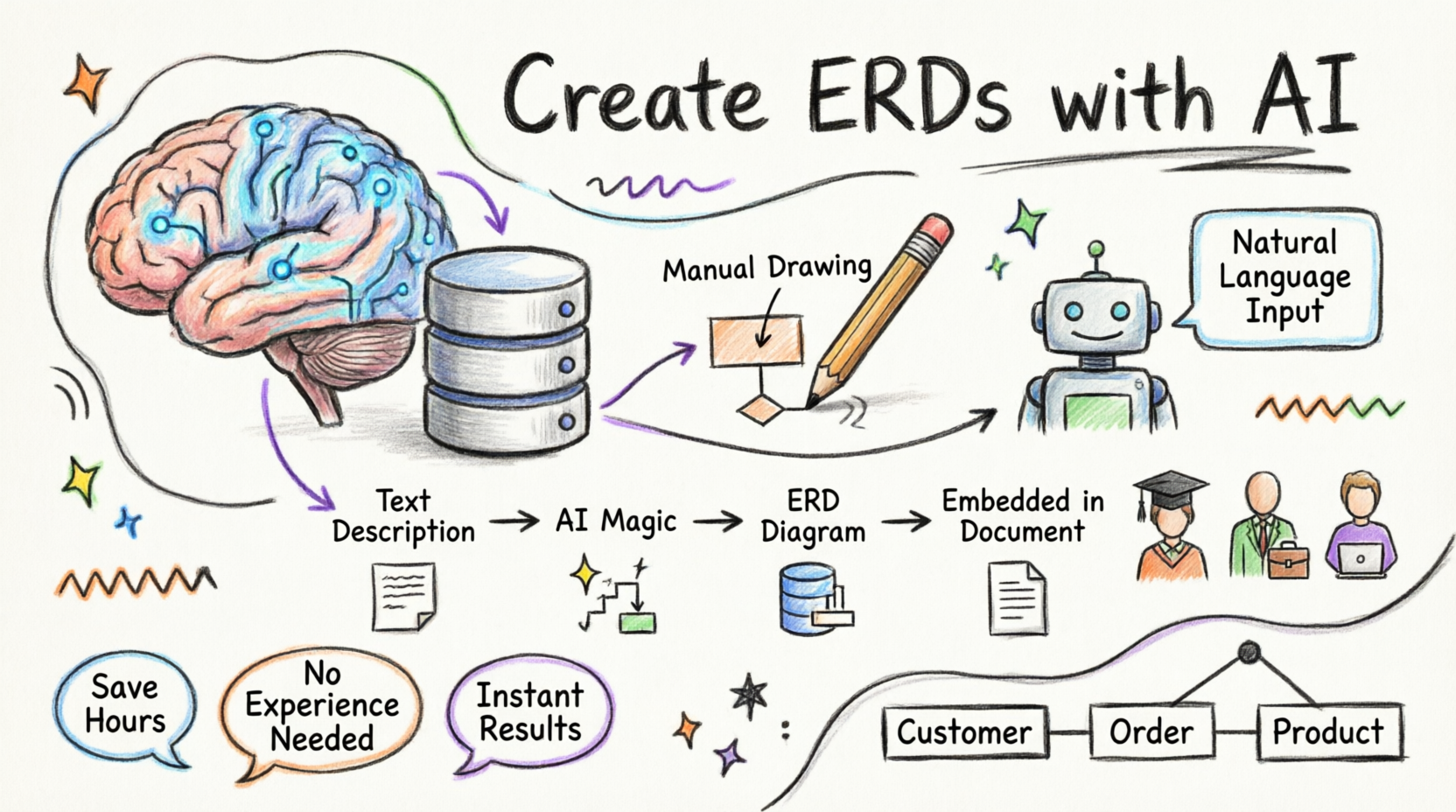
- ERDs (Entity Relationship Diagrams): Database design and modeling
- PERT Charts: Project management and scheduling
- Mind Maps: Brainstorming and idea organization
- DFDs (Data Flow Diagrams): System analysis
- EPC (Event-Driven Process Chains): Business process modeling
- Breakdown Structure Charts: Project decomposition
3. Hierarchical Information Organization
OpenDocs organizes content using a “Knowledge Tree” structure with nested folders, providing scalable information architecture that grows with your organization.
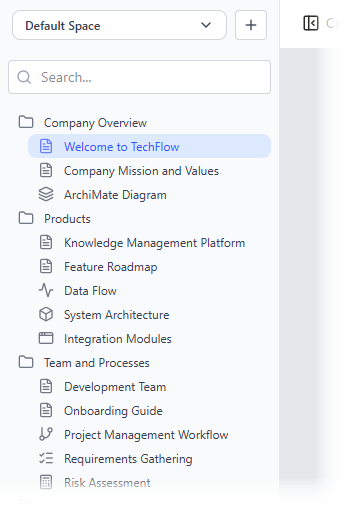
Organization Features:
- Drag-and-drop folder management
- Nested hierarchical structures
- Intuitive navigation
- Scalable for large enterprise projects
AI-Powered Capabilities
AI Content Assistant
The integrated AI Assistant functions as a collaborative “thought partner” within your documents, accelerating content creation and enhancing documentation quality.
Content Generation Features:
1. Draft Generation
- Create full articles or sections from simple outlines or bullet points
- Transform basic ideas into comprehensive documentation
- Generate first-draft content in seconds
2. Summarization & Simplification
- Condense long technical documents into actionable summaries
- Rephrase complex jargon for different audiences
- Extract key insights from lengthy documentation
- Adapt content tone for technical vs. non-technical stakeholders
3. Contextual Q&A
- Answer questions based specifically on information stored in your OpenDocs knowledge base
- Retrieve relevant information instantly
- Provide context-aware responses
- Reduce time spent searching for information
AI-Powered Diagram Generation
OpenDocs’ AI Diagram Generator transforms natural language prompts into complete, professional diagrams instantly.
One-Shot Creation Process:
- Describe: Enter a plain English description of your system or process
- Example: “Create a flowchart for our refund process”
- Example: “Create a PERT chart for a feature launch”
- Example: “Generate a UML class diagram for an e-commerce system”
- Generate: AI creates a complete, professional diagram in seconds
- Refine:
- Manually edit using the integrated diagram editor
- Use AI to add elements and suggest improvements
- Iteratively enhance the diagram
Broad Diagram Support:
The AI generator supports an extensive range of diagram types:
- UML Diagrams: Class, Sequence, State Machine, Deployment, Activity
- Business Process: Flowcharts, EPC, BPMN
- Project Management: PERT Charts, Breakdown Structure
- Data Modeling: ERDs, DFDs
- Strategic Planning: Mind Maps, SWOT Analysis
AI Diagram Pipeline
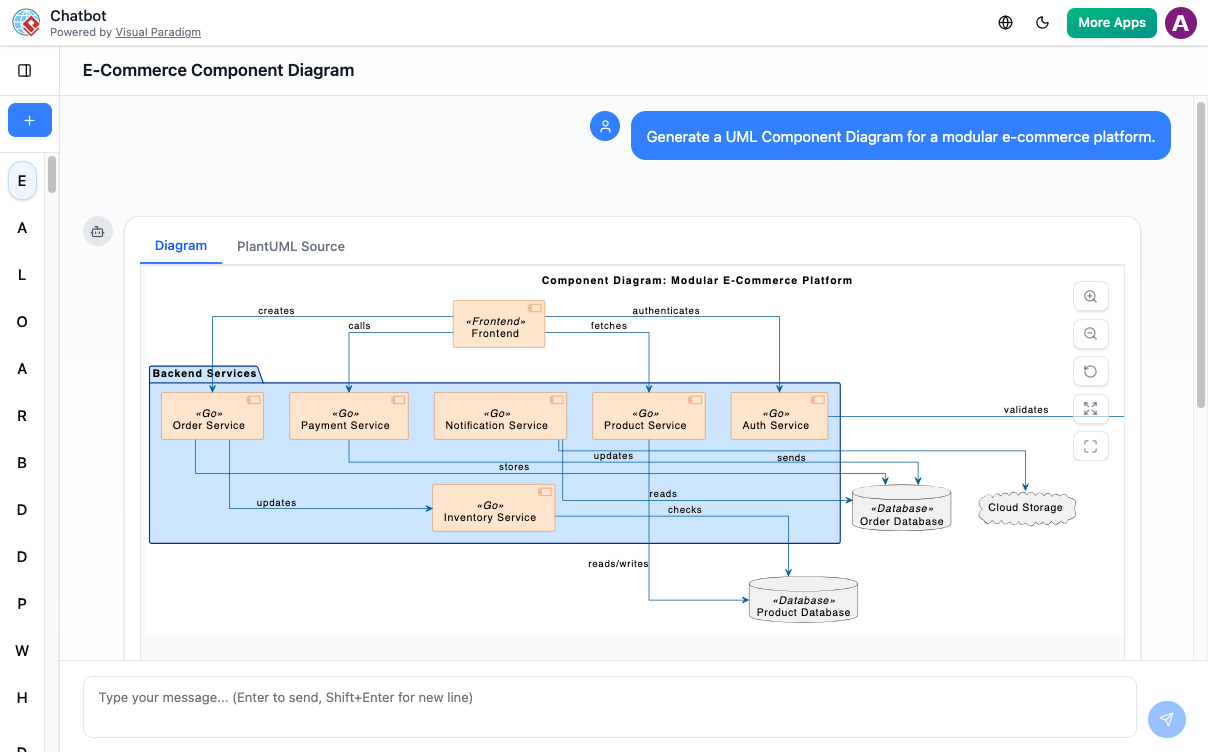
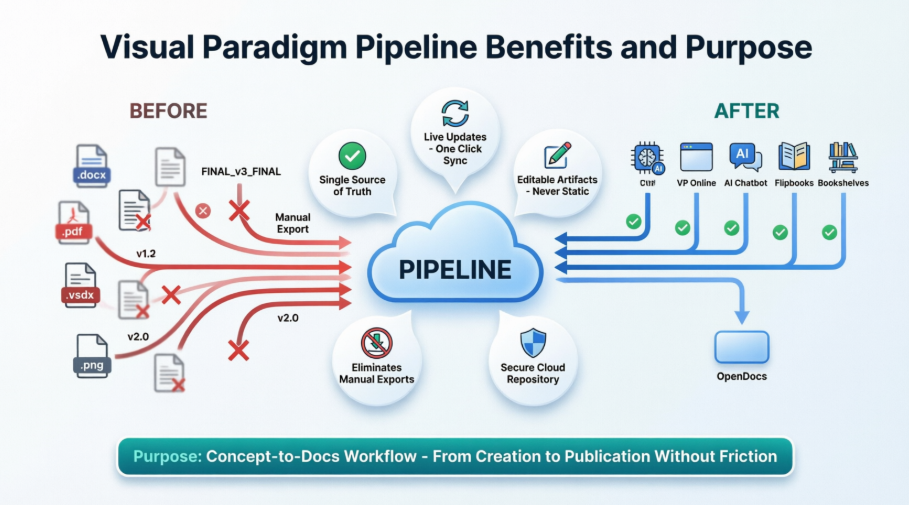
A specialized integration connects OpenDocs directly to the Visual Paradigm AI Chatbot, creating a seamless workflow:
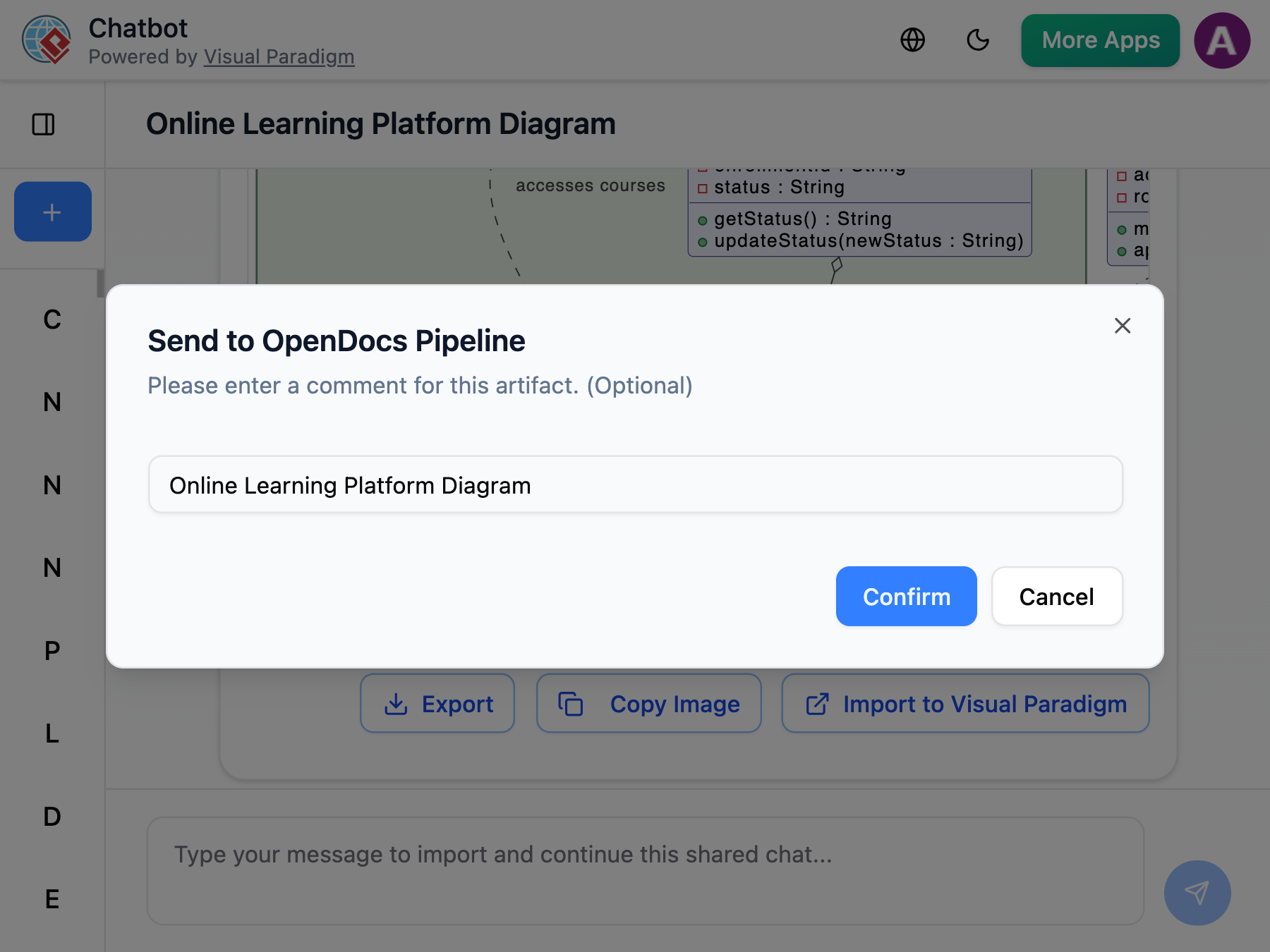
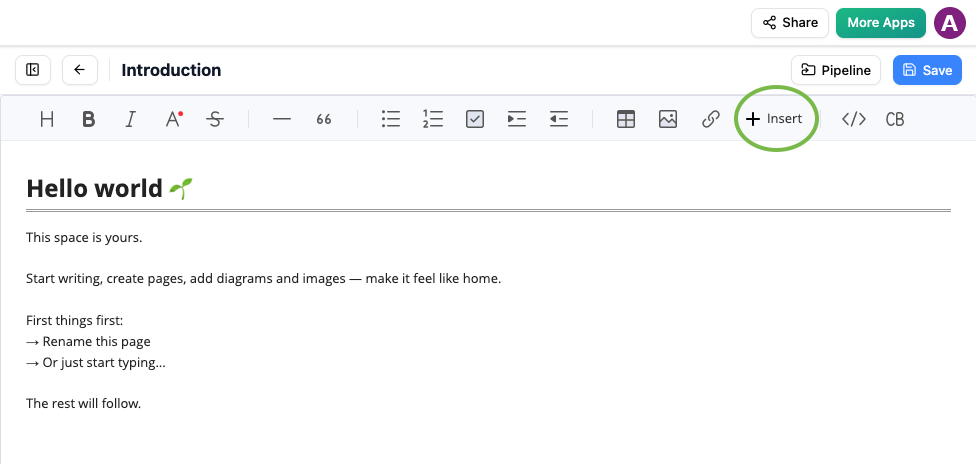
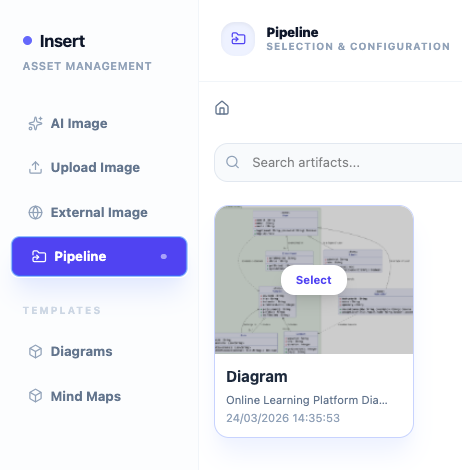
- Generate diagrams through conversational AI in the chatbot
- Instantly push completed diagrams into OpenDocs documents
- Maintain full editability within the document
- Iterate between chatbot and document as needed
Smart Visual Suggestions
The AI analyzes your written content and recommends relevant diagrams or charts to include, enhancing visual storytelling and improving document comprehension.
Enterprise AI Guidance
Advanced features include AI-Driven TOGAF Guide Through, which walks users through enterprise architecture frameworks step-by-step, providing structured guidance for complex enterprise modeling tasks.
Technical Features
Rich Text Editor
OpenDocs provides a distraction-free editor that combines the power of rich text editing with real-time visual previews.
Editor Capabilities:
- Headings, tables, code blocks, lists
- Real-time “What You See Is What You Get” preview
- Fast text formatting
- Live preview updates
- Syntax highlighting for code
Integrated Diagram Editor
A built-in drawing tool allows you to create and edit diagrams directly within document pages without switching tabs or applications.
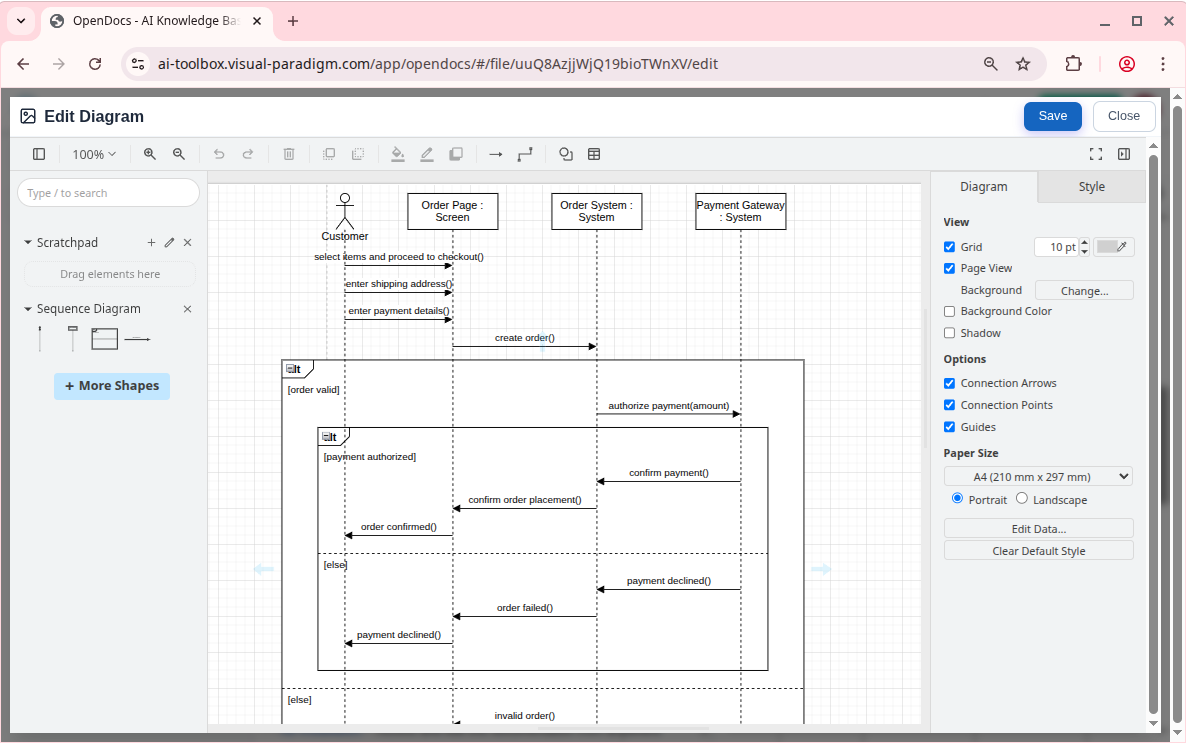
Editor Features:
- Professional diagramming tools
- Drag-and-drop interface
- Real-time collaboration
- Version history
- Export options
- Direct embedding in documents
Web-Based Accessibility
As a cloud platform, OpenDocs requires no desktop installation, ensuring universal accessibility.
Accessibility Benefits:
- Access from any device with a web browser
- No local software installation required
- Automatic updates
- Cross-platform compatibility
- Reduced IT overhead
Knowledge Tree Structure
Organize documents and diagrams using a hierarchical folder structure with intuitive drag-and-drop capabilities.
Organization Tools:
- Nested folders and subfolders
- Drag-and-drop reorganization
- Scalable architecture
- Custom categorization
- Easy navigation
Diagram Generation Tools
Supported Diagram Types
OpenDocs’ AI can generate a comprehensive range of professional diagrams:
UML Diagrams
- Class Diagrams: Object-oriented system design
- Sequence Diagrams: Interaction modeling
- State Machine Diagrams: State-based behavior
- Deployment Diagrams: System architecture
- Activity Diagrams: Workflow modeling
- Use Case Diagrams: Functional requirements
Business Process Diagrams
- Flowcharts: Process visualization
- EPC (Event-Driven Process Chains): Business process modeling
- BPMN: Business Process Model and Notation
Project Management
- PERT Charts: Project scheduling and critical path
- Breakdown Structure Charts: Work decomposition
- Gantt Charts: Timeline visualization
Data Modeling
- ERDs (Entity Relationship Diagrams): Database design
- DFDs (Data Flow Diagrams): System analysis
Strategic Planning
- Mind Maps: Idea organization
- Decision Trees: Decision analysis
Diagram Refinement Tools
After AI generation, diagrams remain fully editable:
- Manual refinement using integrated editor
- AI-assisted improvements
- Add, remove, or modify elements
- Adjust styling and formatting
- Maintain professional quality
Collaboration and Sharing
One-Click Sharing
Share entire knowledge “trees” or specific documents with a single click via secure, read-only links.
Sharing Features:
- Generate shareable links instantly
- Read-only access for stakeholders
- No software installation required for viewers
- Secure link management
- Access control options
Shared Workspaces
Multiple users can edit documents and diagrams simultaneously with built-in version history.
Collaboration Tools:
- Real-time multi-user editing
- Version control and history
- Change tracking
- Conflict resolution
- User permissions
- Audit trails
Stakeholder Access
Stakeholders can access up-to-date information without requiring local software installations.
Benefits:
- Browser-based viewing
- Always current information
- No version conflicts
- Reduced distribution overhead
- Centralized updates
Enterprise Applications
Scalability
OpenDocs’ hierarchical Knowledge Tree structure makes it scalable for large enterprise projects, accommodating growing documentation needs.
Enterprise Features:
- Unlimited document storage
- Hierarchical organization
- Advanced search capabilities
- Role-based access control
- Integration capabilities
Use Cases
1. Software Development Teams
- Technical documentation
- System architecture diagrams
- API documentation
- Development workflows
2. Business Analysts
- Process documentation
- Requirements specifications
- Stakeholder communications
- Business process modeling
3. Project Managers
- Project plans
- PERT charts
- Status reports
- Resource allocation diagrams
4. Enterprise Architects
- TOGAF frameworks
- System architecture
- Integration diagrams
- Strategic planning
5. Database Designers
- ERD creation
- Schema documentation
- Data flow analysis
- System integration
Integration with Visual Paradigm Editions
OpenDocs integrates seamlessly with both Desktop and Online editions of Visual Paradigm, providing flexibility in deployment and usage.
Getting Started
Access Options
OpenDocs is available through various Visual Paradigm license tiers:
- Professional Edition: Full feature access
- Online Combo: Cloud-based collaboration
- Enterprise: Advanced features and scalability
AI Features Availability
Different license tiers include varying levels of AI capabilities:
- AI Content Assistant
- AI Diagram Generation
- AI Chatbot Integration
- Advanced AI Guidance
Platform Access
- No Installation Required: Access directly through web browser
- Cloud-Based: Works on any device with internet connectivity
- Immediate Setup: Start documenting and diagramming instantly
- Seamless Onboarding: Intuitive interface requires minimal training
Conclusion
Visual Paradigm’s OpenDocs represents a paradigm shift in how organizations approach technical documentation and knowledge management. By seamlessly integrating AI-powered content creation with professional diagramming capabilities, OpenDocs eliminates the traditional friction between visual modeling and written documentation.
The platform’s strength lies in its unified approach: rather than forcing teams to juggle multiple tools, OpenDocs provides a single, cohesive workspace where text and diagrams coexist naturally. The AI-native architecture accelerates productivity through intelligent content generation, automated diagram creation, and smart suggestions, while the web-based accessibility ensures that teams can collaborate effectively regardless of location or device.
For organizations seeking to streamline documentation processes, enhance team collaboration, and leverage artificial intelligence to accelerate knowledge creation, OpenDocs offers a comprehensive solution. Whether you’re a software development team documenting system architecture, a business analyst mapping processes, or an enterprise architect working with complex frameworks, OpenDocs provides the tools and intelligence to transform your documentation workflow.
The platform’s scalability, from individual users to large enterprise deployments, combined with its intuitive interface and powerful AI capabilities, positions OpenDocs as an essential tool for modern knowledge management. As organizations continue to navigate increasingly complex technical landscapes, solutions like OpenDocs that bridge the gap between technical precision and human accessibility will become indispensable.
References
- OpenDocs AI-Powered Knowledge Platform Launch: Official announcement of Visual Paradigm’s OpenDocs platform featuring AI-powered knowledge management and integrated diagramming capabilities.
- OpenDocs Features Overview: Comprehensive feature list and capabilities of Visual Paradigm’s OpenDocs knowledge management platform.
- OpenDocs Review: Transforming Team Collaboration: Independent review examining how OpenDocs enhances team collaboration through AI-powered documentation and diagramming.
- AI Breakdown Structure Chart Maker: Feature update introducing AI-powered breakdown structure chart generation within OpenDocs.
- OpenDocs AI Tool Documentation: Technical documentation for OpenDocs AI features and capabilities.
- AI Entity Relationship Diagram Generation: Feature release for AI-powered ERD creation in OpenDocs.
- AI Flowchart Generator Update: Enhancement update for AI-powered flowchart generation capabilities.
- AI Diagram to OpenDocs Pipeline: Integration feature enabling seamless transfer of AI-generated diagrams from chatbot to OpenDocs.
- AI Deployment Diagram Generator: Feature introduction for AI-powered deployment diagram creation.
- Visual Paradigm 18.0 Release: AI-Powered Features: Major release announcement detailing comprehensive AI-powered features across Visual Paradigm platform.
- OpenDocs February-March 2026 Update Guide: Comprehensive guide covering the latest OpenDocs updates and AI-powered visual knowledge engine features.
- Harnessing Visual Paradigm’s AI for Diagram Generation: 2026 Guide: Ultimate guide to leveraging Visual Paradigm’s AI capabilities for professional diagram generation.
- AI State Diagram Generator Update: Feature update for AI-powered UML state machine diagram generation.
- AI Diagram Generator Overview: General overview of Visual Paradigm’s AI diagram generation capabilities.
- Visual Paradigm AI Diagram Generation Features Review: Comprehensive review of AI diagram generation features across Visual Paradigm platform.
- AI EPC Diagram Generator: Feature release for AI-powered Event-Driven Process Chain diagram creation.
- AI PERT Chart Generator: Feature introduction for AI-powered PERT chart generation for project management.
- AI Diagram Generation Features: Overview of AI diagram generation capabilities across Visual Paradigm products.
- Visual Paradigm AI Chatbot: Documentation for Visual Paradigm’s AI chatbot and its integration with diagram generation.
- Visual Paradigm Product Editions: Product comparison and licensing information for Visual Paradigm editions and AI feature availability.
- Visual Paradigm All Features: Complete feature list for Visual Paradigm’s all-in-one platform.
Related posts:
 Getting Started with AI-Powered ERD Creation in OpenDocs: A Complete Beginner’s Guide
 Visual Paradigm OpenDocs: The Complete Developer’s Guide to AI-Powered Technical Documentation
 Solving the Documentation Chaos: How Visual Paradigm’s Pipeline Creates a Frictionless Concept-to-Docs Workflow
 From Static Diagrams to Living Knowledge: A Case Study on Visual Paradigm’s Unified AI-Driven Documentation Ecosystem

 English
 Arabic
 Chinese (Simplified)
 Dutch
Dutch French
 German
 Italian
 Japanese
 Korean
 Portuguese
 Russian
 Spanish