


Introduction
Visual Paradigm provides a comprehensive suite for Entity Relationship Diagrams (ERD), combining professional-grade manual modeling with AI-driven automation. These tools bridge the gap between initial concepts and production-ready database schemas, making database design accessible and efficient for developers and database administrators.

Entity Relationship Diagram (ERD)
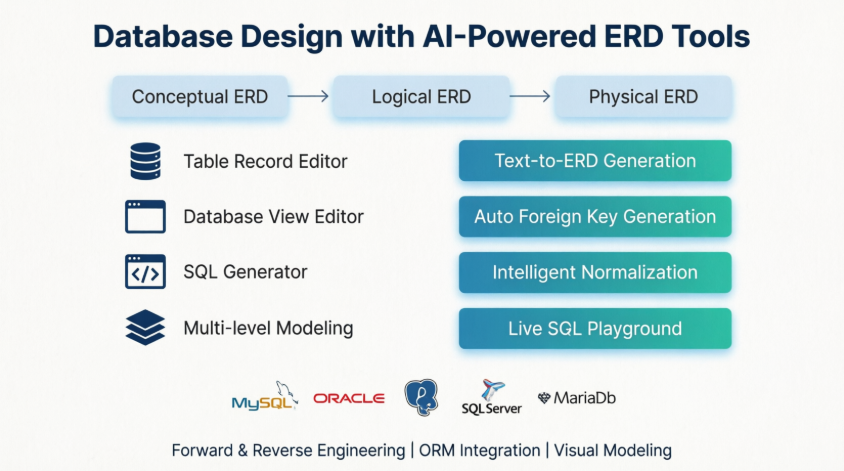
Entity Relationship Diagram (ERD) is a database design tool that provides graphical representation of database tables, their columns and inter-relationships. ERD is the most popular database design tool. A well-developed ERD can provide sufficient information for database administrator to follow when developing and maintaining database.
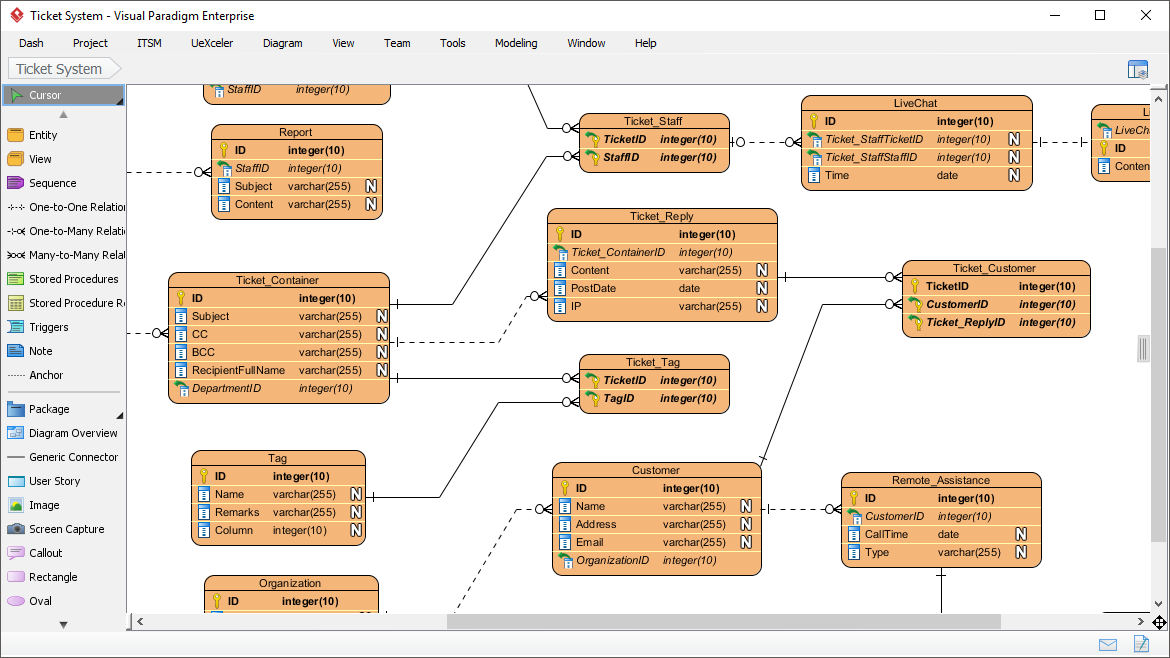
Table Record Editor
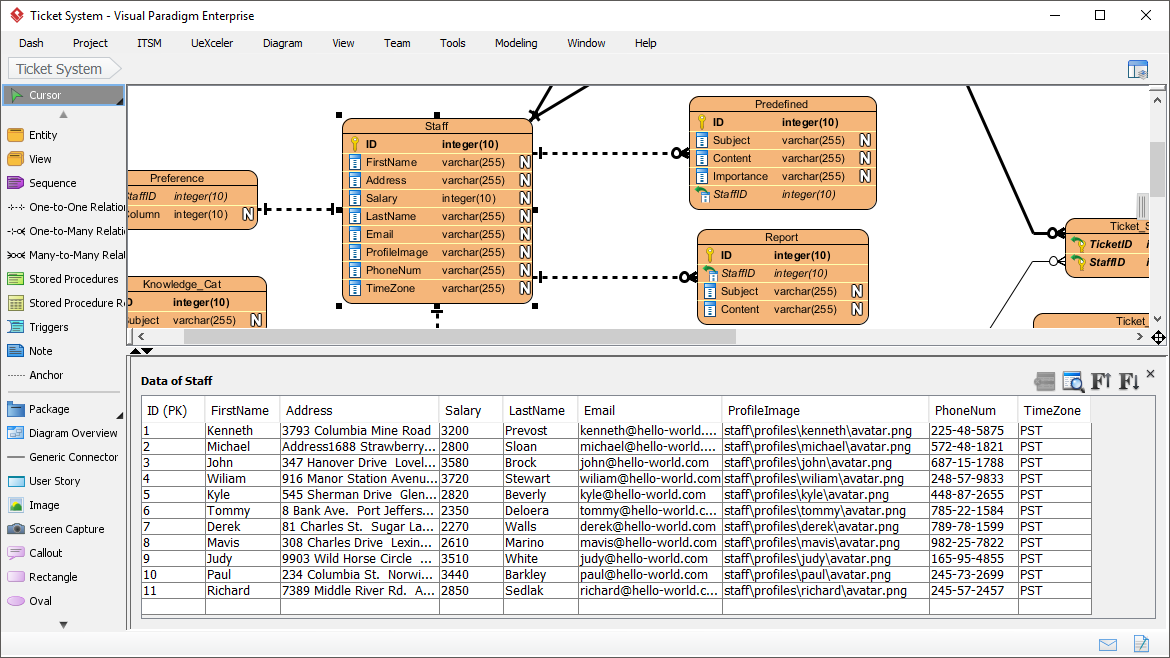
Enter sample records for entities in ERD. The sample records help readers understand the format of data that will be inserted. Besides, the records will be output in data specification. You can also insert them into database upon database generation.
Database View Editor
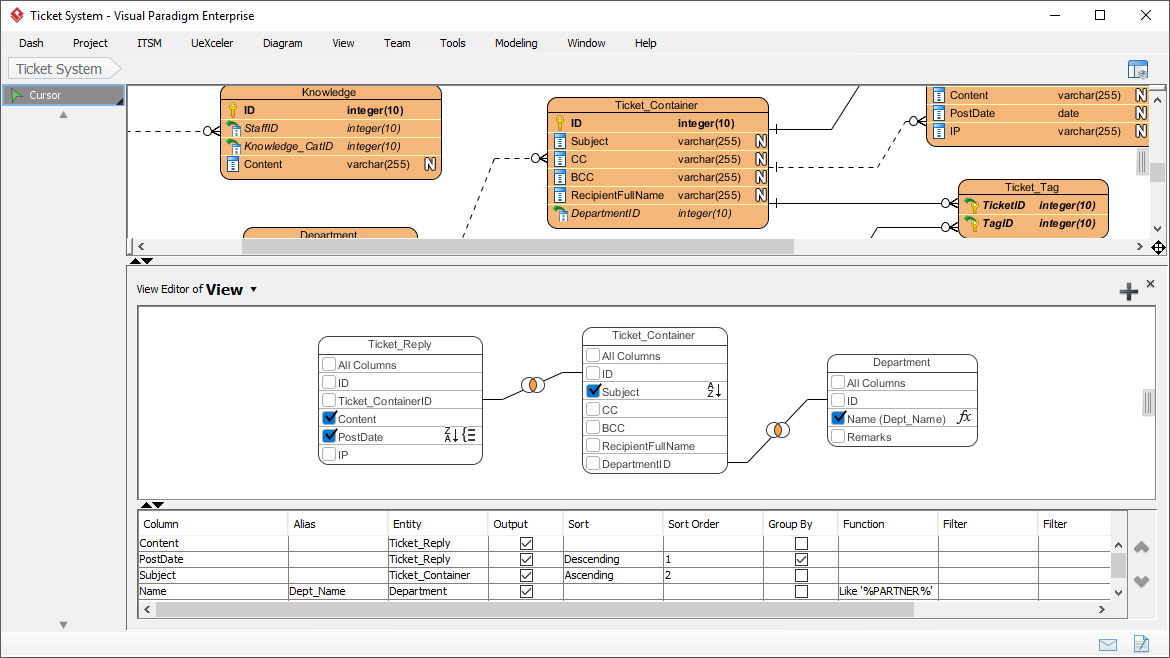
A database view is the result of a query on the data stored in a database. You can select columns, specify where and join statements to a view and present the data as if the data were coming from one single table. With Visual Paradigm’s ERD tool, you can edit database view in a visual editor.
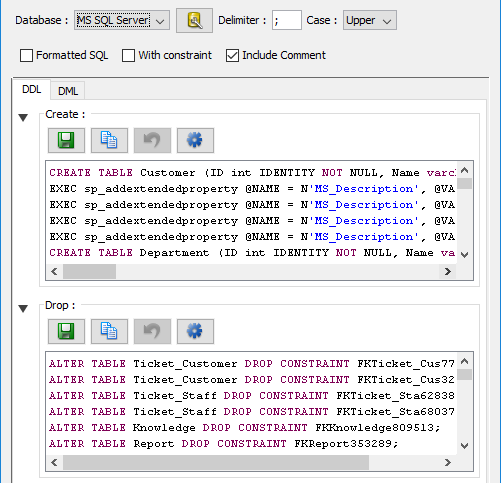
Ad-Hoc SQL Statements Generator
Run checks on Data Definition Language (DDL) or Data Manipulation Language (DML) statements for entities. You can select entities to generate SQL, or to generate SQL for the entire ERD.
Construct Conceptual, Logical and Physical ER Model
Conceptual, logical and physical ERD model the three different phases of a database design. While the conceptual and logical database design model database tables and their properties in a high level view, the physical ERD models the actual database schema, which involves the detailed entities’ structure and their inter-relationship.
-
Conceptual: High-level overview of database structure
-
Logical: Detailed table structures and relationships
-
Physical: Actual database schema implementation
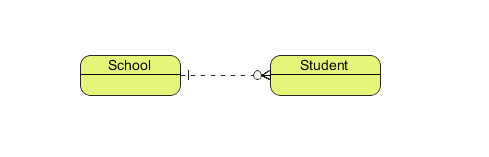
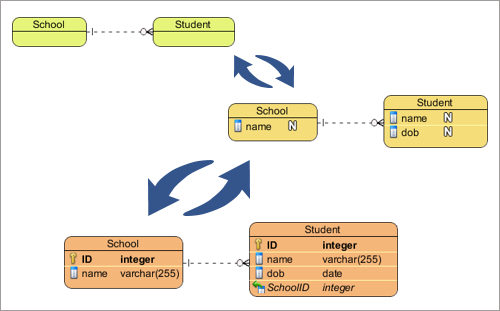
Synchronization between ER Models
Click to derive logical from conceptual ERD, and physical from logical ERD. Visual Paradigm’s Model Transitor helps you not only generate the model but also keeps the traceability among the model, enabling you to navigate through the models seamlessly.
AI-Powered Entity Relationship Diagram Generation
Visual Paradigm’s ERD editor is the industry’s most popular database design tool, providing the precise graphical representation needed to map tables, columns, and complex inter-relationships. We are now accelerating the database schema design process by integrating full Entity Relationship support into our AI Diagram Generator, bridging the gap between data requirements and physical implementation.
This capability allows you to instantly produce professional ERDs from simple textual descriptions of your data requirements, entirely skipping the manual creation of entities and foreign key constraints. Simply describe your business objects and how they interact, and the AI automatically generates a structurally sound ERD. This provides database administrators and developers with a clear, followable blueprint for building and maintaining robust database architectures.
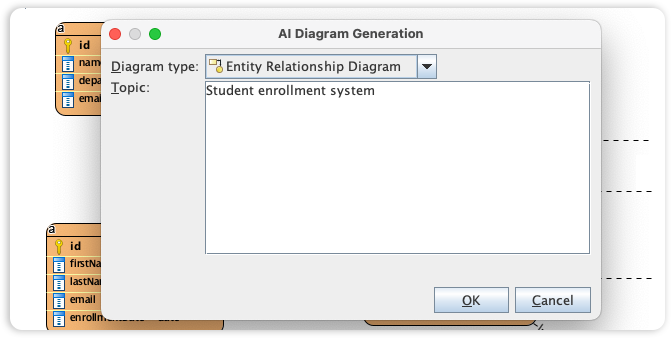
Key AI-Powered Features
Automatic Foreign Key Generation
Automatically generate foreign key column when creating ERD entities.
Stored Procedure Support
Design, reverse and generate stored procedures with stored procedure shapes in ERD.
Trigger Support
Design, reverse and generate database trigger.
AI-Powered ERD Features
The AI support focuses on accelerating the design process and ensuring structural integrity:
-
Text-to-ERD Generation: Instantly produces professional diagrams from natural language descriptions (e.g., “Design a library database with books, members, and loans”), automatically suggesting entities, attributes, and relationships.
-
Intelligent Normalization: The AI guides you through progressive optimization from 1NF to 3NF, providing explanations for every change to reduce data redundancy.
-
Automatic Relationship Inferencing: Detects cardinalities and automatically generates foreign key columns and constraints when relationships are created.
-
Live SQL Playground: You can test generated schemas in an in-browser SQL client pre-seeded with AI-generated sample data.
Professional Modeling Support
For deep engineering, the Visual Paradigm Desktop version offers advanced capabilities:
-
Multi-Level Modeling: Supports Conceptual, Logical, and Physical data models with full traceability between them.
-
Notation Standards: Includes support for both Crow’s Foot and Chen Notation.
-
Database Engineering: Features forward engineering (generating DDL/SQL scripts from diagrams) and reverse engineering (transforming existing databases into visual ERDs).
-
Broad DB Coverage: Supports major systems including MySQL, Oracle, MS SQL Server, PostgreSQL, MariaDB, and more.
-
ORM Integration: Automatically generates Hibernate ORM code to map objects to relational data, simplifying application development.
How to Access
-
In OpenDocs: Select Insert > Diagrams > Entity Relationship Diagram and use the “Create with AI” button.
-
In Desktop/Online: Navigate to Tools > AI Diagram or use the dedicated DB Modeler AI web application.
Additional Resources
Note: Database View editor and ER model synchronization are available in Visual Paradigm Standard, Professional and Enterprise editions only.
- Reference List
- Visual Paradigm ERD Tool Solution: Comprehensive ERD tool solution for professional database design and modeling
- Database Design with ERD Tools: Complete guide to database design features including entity relationship diagrams, table editors, and SQL generation
- Mastering DBModeler AI by Visual Paradigm: In-depth article on mastering AI-powered database modeling capabilities
- Database Design Features Overview: Detailed overview of database design tools and ERD capabilities
- AI Diagram Generator – New Types DFD ERD: Release announcement for AI diagram generator supporting DFD and ERD types
- OpenDocs Entity Relationship Diagram AI Generation: OpenDocs feature release for AI-powered ERD generation
- From Concept to Code: The Ultimate Guide to Visual Paradigm’s AI-Enhanced ERD Tools: Comprehensive guide covering AI-enhanced ERD tools from concept to implementation
- DBModeler AI Features: Detailed documentation of DBModeler AI features and capabilities
- Database Design with ERD Tools – Main Feature Page: Main feature page for database design and ERD tools
- From Concept to Code Guide: Complete guide on using Visual Paradigm’s AI-enhanced ERD tools for database development
- DBModeler AI Tool: Direct access to the DBModeler AI web application for AI-powered database modeling
- ERD Tool Solution Page: Solution page detailing ERD tool capabilities and use cases
- Benefits of Database Engineering: User guide documentation on the benefits of database engineering features
- ERD Diagram Tool (Chinese): Chinese language version of ERD diagram tool solution page
- AI Diagram Generator New Types Release: Release notes for new diagram types including DFD and ERD in AI generator
- Database Design ERD Tool: Database design solution page focusing on ERD tool capabilities
- AI Diagram Generator Now Supports 13 Diagram Types: Release announcement for AI diagram generator supporting 13+ diagram types


 English
 Arabic
 Chinese (Simplified)
 Dutch
Dutch French
 German
 Italian
 Japanese
 Korean
 Portuguese
 Russian
 Spanish