


Describe what you need, and our AI builds it for you — perfectly laid out, beautifully designed, and ready to refine.

🚀 Generate Diagrams Instantly from Text
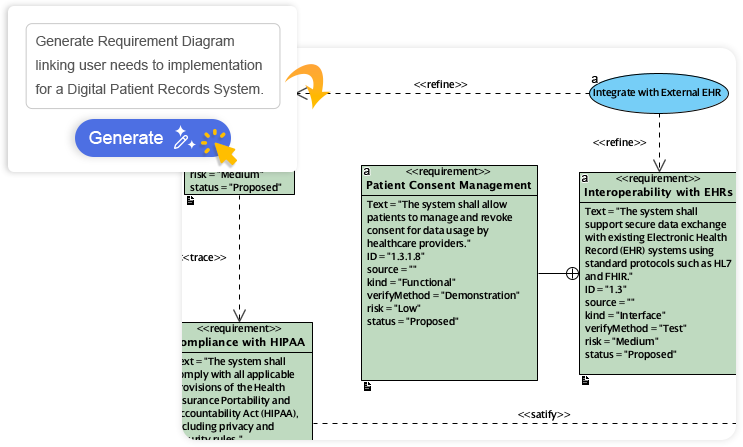
Turn your ideas into diagrams instantly with AI — just type what you need and get accurate, presentation-ready diagrams without templates or manual drawing.

✨ Key Benefits:
-
Zero Learning Curve: No need to master diagramming syntax or drag-and-drop interfaces
-
Time-Saving: Generate complex diagrams in seconds, not hours
-
Presentation-Ready Output: Professional layouts require minimal refinement
-
Multi-Diagram Support: Works with UML, BPMN, flowcharts, ERDs, and more
🎯 Always Beautiful, Always Clear
AI generates clean, balanced, and readable diagrams with perfect spacing and alignment, so you can focus on ideas instead of rearranging shapes.
Smart Layout Engine Features:
-
Automatic node positioning and edge routing
-
Intelligent label placement to avoid overlaps
-
Consistent styling across all diagram elements
-
Responsive adjustments when content changes
-
Theme-aware color schemes for accessibility
🧠 AI That Understands Context
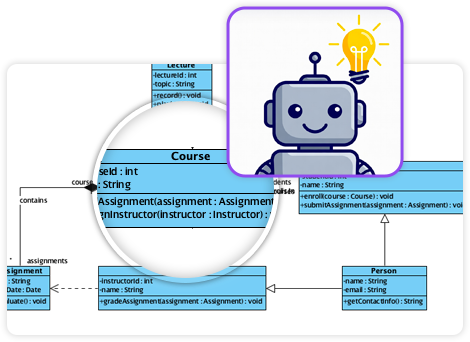
Our AI interprets your intent, fills in missing details, and suggests relationships to expand your ideas into structured, accurate diagrams.
Contextual Intelligence Capabilities:
| Capability | Description |
|---|---|
| Intent Recognition | Understands natural language descriptions like “show user login flow” or “map database relationships” |
| Domain Awareness | Applies appropriate notation rules (UML, BPMN, ArchiMate) based on context |
| Gap Filling | Suggests missing elements, relationships, or attributes to complete your model |
| Smart Expansion | Proposes related concepts, actors, or processes to enrich your diagram |
| Consistency Checking | Validates diagram logic and flags potential modeling errors |
✏️ Fully Editable & Seamlessly Integrated
Refine and customize diagrams with full control — move shapes, rename elements, and change styles while AI gives you a head start.
Post-Generation Editing Features:
-
Drag-and-drop element repositioning
-
One-click style theming and branding
-
Bulk editing of properties and attributes
-
Version history and change tracking
-
Export to PNG, SVG, PDF, or embeddable HTML
-
Real-time collaboration with team members
🖼️ AI Diagram Examples
Explore professionally generated diagrams across multiple modeling domains:
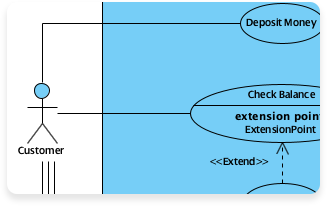
Use Case Diagram – Model system functionality and actor interactions
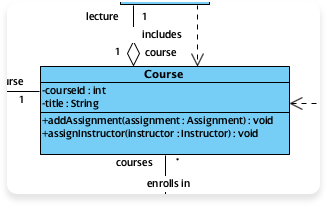
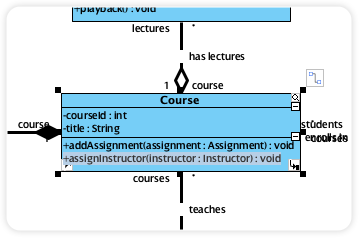
Class Diagram – Define object-oriented structures and relationships
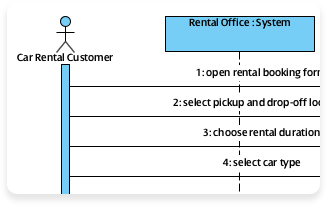
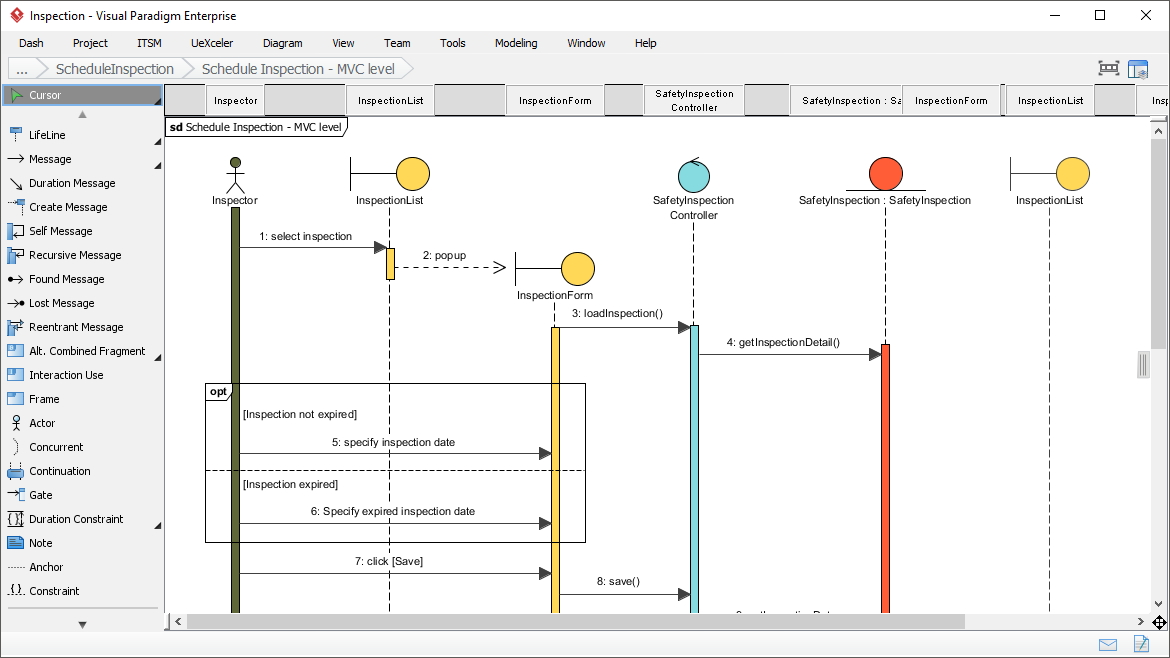
Sequence Diagram – Visualize time-ordered interactions between components
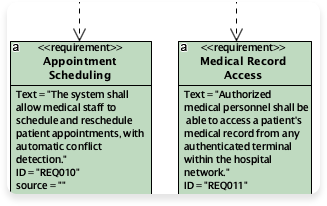
Requirement Diagram – Capture and trace functional and non-functional requirements
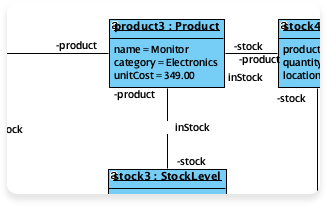
Object Diagram – Illustrate specific instances and their attribute values
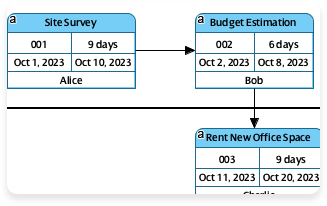
Enhanced PERT Chart – Plan and visualize project timelines and dependencies
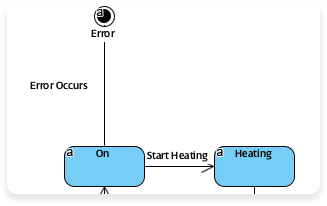
State Diagram – Model object lifecycles and state transitions
🧩 Comprehensive Feature Ecosystem
Visual Paradigm combines AI-powered diagramming with an enterprise-grade platform covering every aspect of visual modeling, project management, and team collaboration.

🏢 Enterprise Architecture

📊 Project Management

🔧 Visual Modeling

🔄 Agile & Scrum

💼 Business Modeling

🎨 User Experience Design

🗺️ Visual Diagramming

💻 Code Engineering

👥 Team Collaboration

📈 Analysis & Charting

⚙️ Advanced Modeling Tools

📋 Project Mgmt. Diagram
🔗 Complete Reference List
Enterprise Architecture
-
ArchiMate® 3 (Certified): Certified ArchiMate 3 modeling tools for enterprise architecture design and documentation
-
DoDAF: Department of Defense Architecture Framework modeling support for defense and government projects
-
NAF: NATO Architecture Framework modeling capabilities for allied defense systems
-
MODAF: Ministry of Defence Architecture Framework tools for UK defense architecture
-
TOGAF® ADM Guide-Through: Guided, step-by-step support for executing the TOGAF Architecture Development Method
-
TOGAF® ADM Process-Map: Just-in-time templates and guidance for TOGAF ADM process phases
Project Management
-
PMBOK® Process Map: Just-in-time templates aligned with PMBOK® Guide processes for standardized project delivery
-
Project Mgmt. Guide-Through: Interactive guidance through the complete project management lifecycle
-
Project Mgmt. Process Map: Ready-to-use templates for initiating, planning, executing, and closing projects
Visual Modeling
-
UML Tool: Comprehensive Unified Modeling Language support for software design and documentation
-
SysML Tool: Systems Modeling Language capabilities for complex systems engineering projects
-
ER Diagram Tool: Entity-Relationship diagramming for conceptual, logical, and physical database design
-
DFD Tool: Create and analyze Data Flow Diagrams for system process modeling
Agile & Scrum
-
User Story Map: Visual backlog organization and release planning through user story mapping
-
Scrum Process Canvas: All-in-one canvas for managing Scrum events, artifacts, and roles
-
LeSS Canvas: Framework support for scaling Scrum across multiple teams with LeSS
-
Nexus Canvas: Tools for implementing the Nexus framework for scaled agile development
Business Modeling
-
BPMN Diagrams: Full BPMN 2.0 support for modeling, analyzing, and optimizing business processes
-
Decision Table: Tabular representation of complex business rules and decision logic
-
Organization Chart: Visualize reporting structures, roles, and responsibilities
-
CMMN Tool: Case Management Model and Notation for adaptive, knowledge-driven processes
User Experience Design
-
Wireframe & Storyboard: Rapid low-fidelity design for app flows, screen layouts, and user scenarios
-
Wireflow Diagram: Combine wireframes with flow logic to map user navigation paths
-
Prototyping Tool: Create clickable, interactive prototypes for usability testing
-
Customer Journey Map: Visualize end-to-end customer experiences across touchpoints and channels
-
High-Fidelity Mockup Tool: Pixel-perfect UI design with assets, styles, and responsive layouts
Visual Diagramming
-
Flowchart Maker: Intuitive tool for creating professional flowcharts, process maps, and decision trees
-
Chart Maker: Generate bar charts, pie charts, line graphs, and other data visualizations
Code Engineering
-
Code Engineering: Forward/reverse engineering for Java, C#, C++, Python, and more with model-code synchronization
-
Visual REST API Designer: Design, document, and test RESTful APIs with OpenAPI/Swagger support
-
DB Generation & Reversal: Generate SQL scripts from models or reverse-engineer databases into ER diagrams
-
Hibernate ORM: Visual mapping between Java objects and database tables with Hibernate annotations
Team Collaboration
-
Collaboration Tools: Real-time co-editing, model sharing, and version control for distributed teams
-
Task Management: Assign, track, and prioritize modeling tasks within your project workspace
-
Review and Commenting: Contextual feedback, annotations, and approval workflows for design reviews
Analysis & Charting
-
Textual Analysis: Automatically extract use cases, actors, and requirements from natural language documents
-
Relationship Matrix: Trace dependencies and assess change impact across requirements, designs, and tests
-
Analysis Diagram: Visualize complex dependencies and propagation paths for risk assessment
-
RACI & CRUD: Define responsibility assignments (RACI) and data operations (CRUD) for process clarity
Advanced Modeling Tools
-
Project Glossary: Centralized terminology management with definitions, synonyms, and cross-references
-
On-Demand Model ETL: Extract, transform, and load model elements across projects, tools, or repositories
-
Other Adv. Modeling Tools: Additional capabilities including model comparison, impact simulation, and governance
Project Mgmt. Diagram
-
Enhanced PERT Chart: Advanced project scheduling with critical path analysis, resource leveling, and risk buffers
-
Work Breakdown Structure: Hierarchical decomposition of project scope into manageable deliverables and work packages
-
Cause & Effect Diagram: Fishbone/Ishikawa diagrams for root cause analysis and quality improvement
-
Gantt Chart Tool: Interactive timeline visualization with drag-and-drop scheduling, dependencies, and progress tracking
💡 Pro Tip: Combine AI diagram generation with Visual Paradigm’s full ecosystem to accelerate discovery, design, documentation, and delivery — all within a single, integrated platform.
Visual Paradigm: Where AI meets enterprise-grade visual modeling. 🚀


 English
 Arabic
 Chinese (Simplified)
 Dutch
Dutch French
 German
 Italian
 Japanese
 Korean
 Portuguese
 Russian
 Spanish