


Introduction
Business Process Model and Notation (BPMN) 2.0 has become the gold standard for visualizing complex business workflows. However, for many product managers and business analysts, the distinction between different modeling styles—specifically orchestration, collaboration, and choreography—can remain ambiguous. Understanding these nuances is critical not just for accurate documentation, but for effective cross-functional communication and system design.
In this guide, we explore the core differences between these modeling approaches through a practical lens. We also take a close look at how modern tools like Visual Paradigm are leveraging AI and advanced diagramming features to simplify these traditionally complex tasks. Whether you are mapping out internal team processes or designing multi-party service interactions, this review aims to clarify when to use which model and how to execute it efficiently.
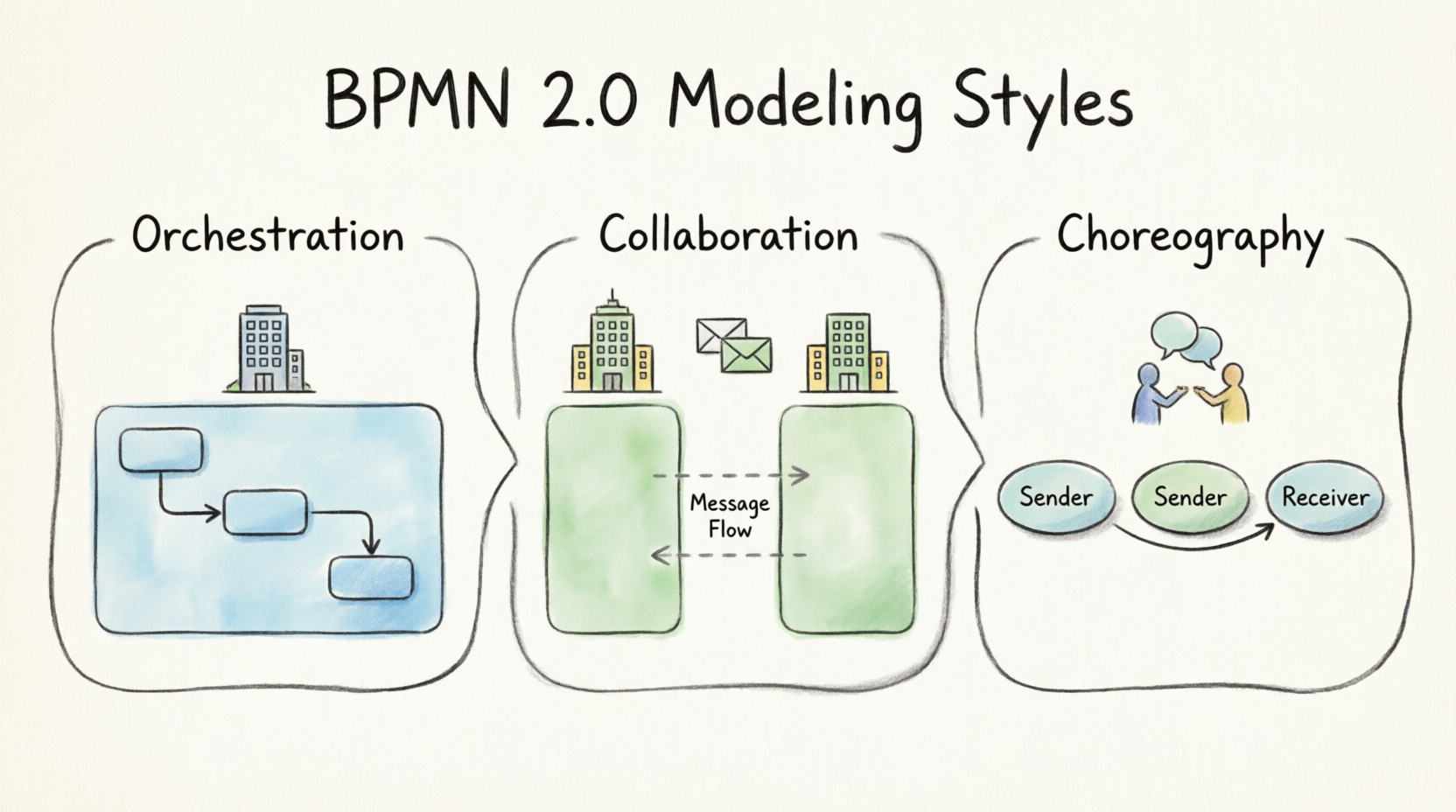
Understanding the Core Modeling Styles
To build effective process maps, it is essential to distinguish between three primary modeling perspectives: orchestration, collaboration, and choreography. Each serves a distinct purpose in representing how work gets done.
Orchestration: Internal Process Flow
Orchestration models a process within a single business entity, typically represented by a single pool in a BPMN diagram. This approach is ideal for documenting internal workflows where all activities are controlled by one organization. It focuses on the sequence of tasks, decisions, and events that occur within that boundary.
Collaboration: Cross-Boundary Communication
Collaboration models the communication between different business entities, crossing pool boundaries. This is used when multiple organizations or departments interact with each other. The example BPMN diagram often seen in practice is a combination of an orchestration (showing the task order within each pool) and a collaboration (showing the message passing between pools).
Choreography: Interaction-Centric Modeling
Choreography represents a significant shift in perspective. It models the interaction between people or systems, focusing specifically on the message flow between two or more roles. Unlike orchestration, where tasks are grouped into swimlanes, choreography tasks usually include the sender and receiver within the task shape itself. This was the biggest change introduced in BPMN 2.0, allowing for a clearer view of public interactions without exposing internal private processes.
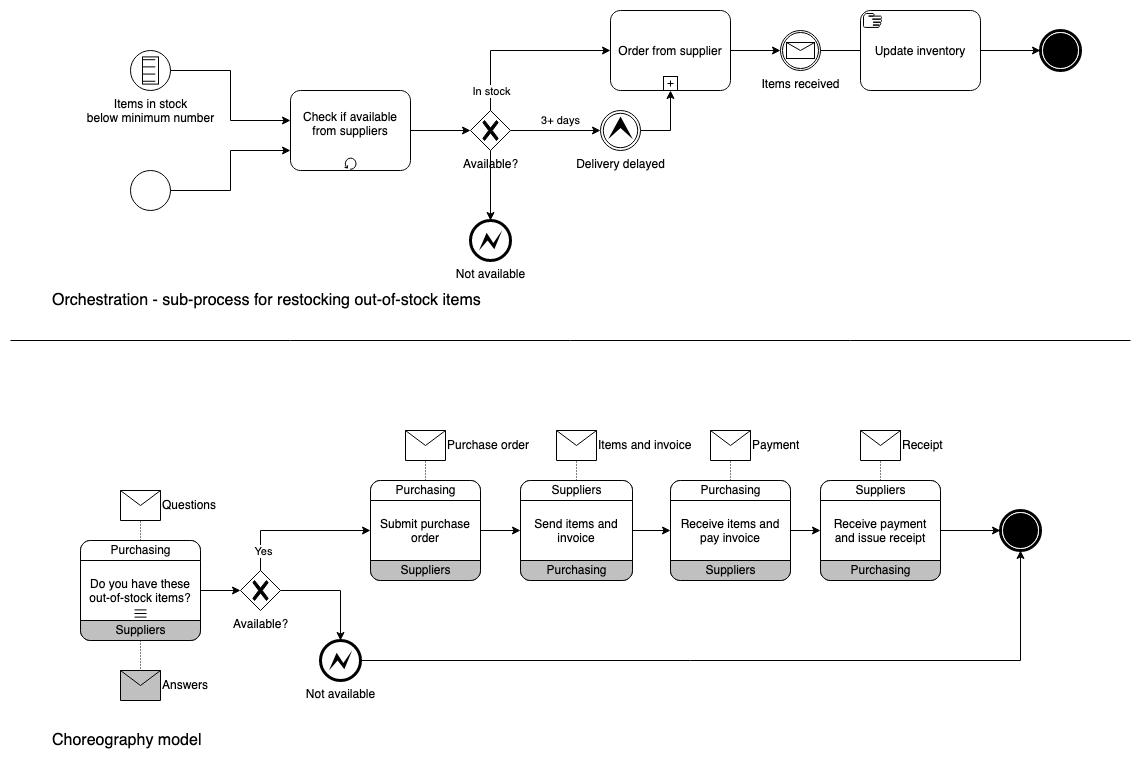
Tip: You can also create a conversation model using the conversation shapes in the BPMN 2.0. This is particularly useful for high-level overviews where detailed task sequences are less important than the overall exchange of information.
Leveraging Modern Tools for BPMN Modeling
While understanding the theory is crucial, the right tools can dramatically accelerate the modeling process. Visual Paradigm has emerged as a comprehensive solution for teams looking to streamline their BPMN workflows. Here’s a look at some of the standout features that enhance the user experience.
AI-Powered Diagram Generation
One of the most innovative features available today is the ability to convert plain-English text into BPMN diagrams. This AI-powered generator allows users to describe a process in narrative form, and the tool automatically structures it into a valid BPMN model. This reduces the initial setup time and helps bridge the gap between non-technical stakeholders and process engineers.
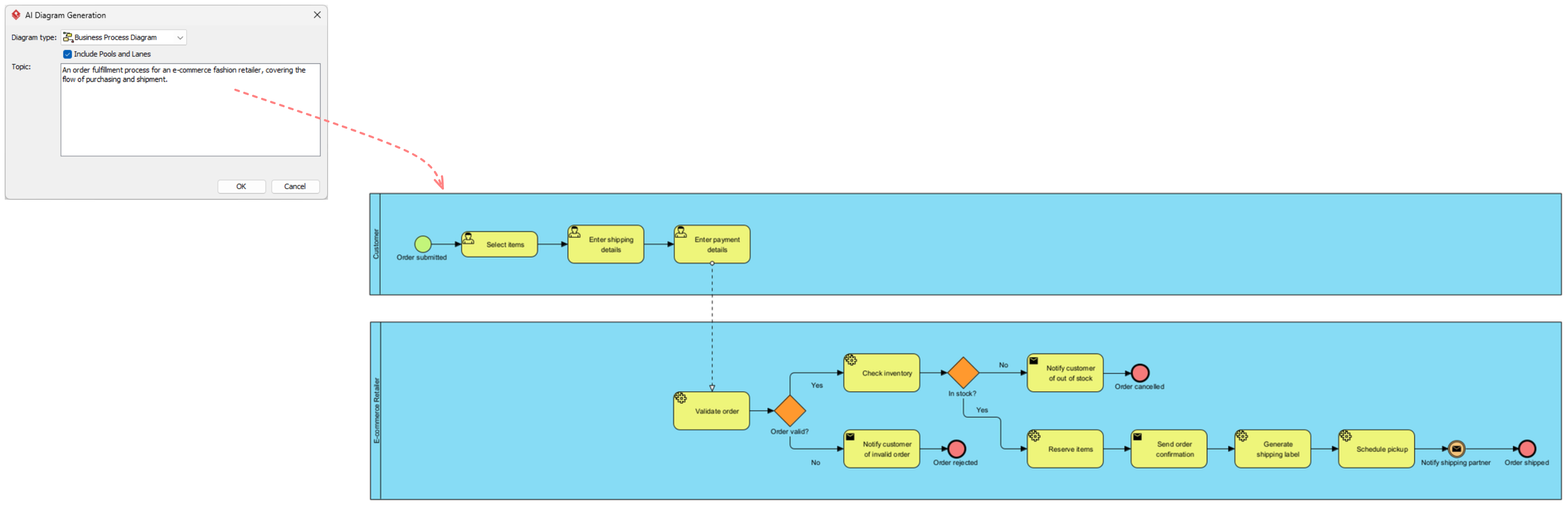
Smart Connection and Editing Features
Modern BPMN tools offer smart connection rules that ensure diagrams remain syntactically correct as they are built. Features like flexible swimlane editing and process drill-down allow users to partition processes logically and nest complex diagrams for better readability. This is particularly useful for maintaining clarity in large-scale enterprise models.
Simulation and Analysis
Beyond static diagrams, advanced tools provide process simulation and animation capabilities. These features allow teams to test their models for bottlenecks and inefficiencies before implementation. Additionally, gap analysis tools help identify missing steps or redundant activities, ensuring that the final process is optimized for performance.
Integration and Collaboration
For product managers and agile teams, integration with existing workflows is key. Tools that support agile backlog synchronization and REST API design documentation provide a unified platform for both process modeling and software development. Team co-editing capabilities further enhance collaboration, allowing multiple stakeholders to contribute to the same model in real-time.
Conclusion
Mastering BPMN 2.0 requires more than just knowing the symbols; it demands an understanding of when to apply orchestration, collaboration, or choreography models. Orchestration remains the go-to for internal processes, while collaboration handles multi-entity interactions. Choreography, with its focus on message exchanges, offers a unique perspective for public-facing interactions.
By leveraging modern tools like Visual Paradigm, teams can overcome the traditional hurdles of BPMN modeling. From AI-driven diagram generation to real-time collaboration and simulation, these features empower product managers and business analysts to create accurate, actionable, and efficient process models. As business processes continue to evolve, adopting these advanced modeling techniques will be essential for maintaining clarity and driving operational excellence.
Reference
- Visual Paradigm Features: BPMN Diagram and Tools: Overview of core BPMN diagramming features, AI generator, and collaboration tools.
- Business Process Modeling Solution: Details on smart connection rules, process drill-down, and team co-editing capabilities.
- From Narrative to Diagram: How Visual Paradigm’s AI BPMN Generator Transforms Process Modeling Workflows: Explanation of the AI-powered feature that converts plain-English text into BPMN diagrams.
- BPMN Made Easy: Guide on simplifying BPMN modeling and matrix transformation features.
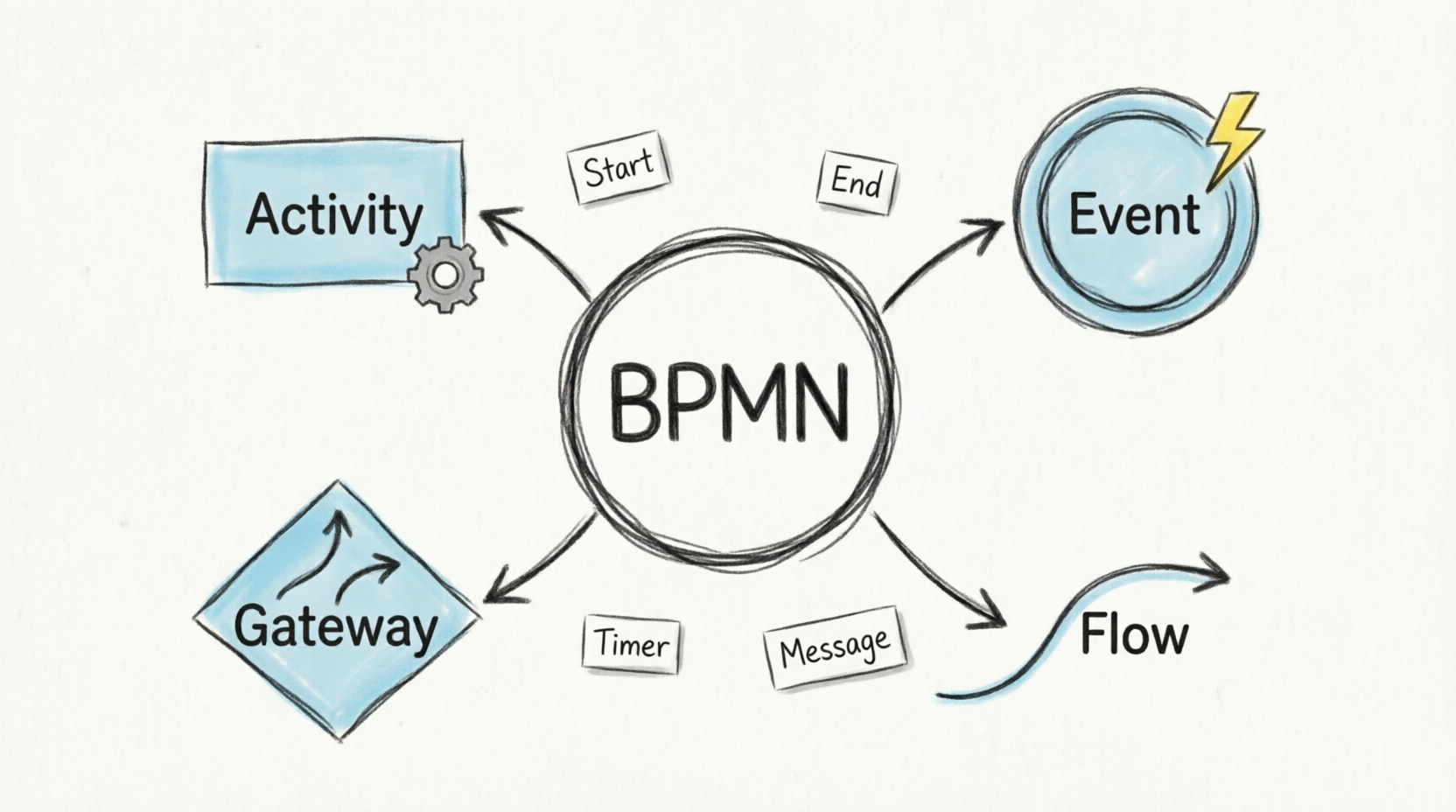
- BPMN Tutorial 1: Comprehensive tutorial covering full BPMN 2.0 notations including events, tasks, and gateways.
- BPMN Tutorial 1 (PDF Format): PDF version of the comprehensive BPMN notation tutorial.
- BPMN Activity Types Explained: Detailed explanation of specialized task types such as Service, User, Manual, and Script tasks.
- Visual Paradigm BPMN Tutorial Video: Video demonstration of resource-centric modeling, swimlane editing, and process drill-down features.
- Unlock the Power of SysML Modeling with Visual Paradigm: Guide discussing resource-centric modeling principles applicable to BPMN.
- BPMN Swimlane Tutorial: Tutorial focused on flexible swimlane editing and partitioning processes.
- Visual Paradigm Features: BPMN Diagram and Tools: Additional details on process drill-down and nesting complex diagrams.
- Visual Paradigm: The Ultimate All-in-One Software for Software Development: Blog post highlighting the all-in-one nature of the tool, including BPMN capabilities.
- Business Process Modeling Guide: Guide covering process simulation, animation, and gap analysis tools.
- Visual Paradigm Features: BPMN Diagram and Tools: Information on matrix transformation features for RACI and CRUD matrices.
- BIMP BPMN Simulator: External reference related to BPMN simulation concepts.
- Compare Database Schemas Visually: Tutorial on visual comparison techniques, relevant to version diff features.
- Unleash the Power of Visual Paradigm: Your Ultimate REST API Design and Documentation Solution: Guide discussing integration capabilities, including agile backlog synchronization.
- Introduction of Visual Paradigm: Visual Paradigm Editions: PDF document detailing the differences between Community, Professional, and Enterprise editions.




 English
 Arabic
 Chinese (Simplified)
 Dutch
Dutch French
 German
 Italian
 Japanese
 Korean
 Portuguese
 Russian
 Spanish