


Introduction
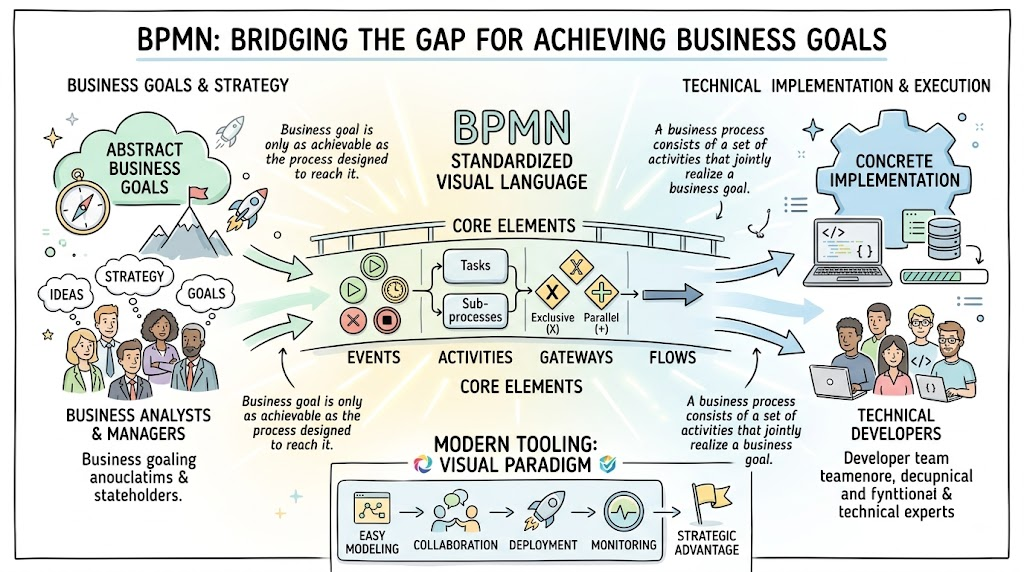
In today’s complex organizational landscape, clarity is currency. A business goal is only as achievable as the process designed to reach it. As defined in standard practice, “A business process consists of a set of activities that are performed in coordination in an organizational and technical environment. These activities jointly realize a business goal.” However, bridging the gap between abstract business goals and concrete technical implementation has historically been a challenge.
Business Process Model and Notation (BPMN) was created to solve this exact problem. It serves as a standardized visual language that is readily understandable by all stakeholders—from business analysts drafting initial concepts to technical developers implementing code, and finally to the managers monitoring performance. This guide provides a comprehensive overview of BPMN, its core elements, and how modern tooling like Visual Paradigm can transform process modeling from a documentation exercise into a strategic advantage.
The Purpose and Evolution of BPMN
The primary objective of BPMN is to provide a notation that bridges the gap between business process design and implementation. It creates a Business Process Diagram (BPD) using graphical elements based on familiar flowcharting techniques, making it accessible while retaining the depth required for execution.
BPMN operates effectively across three distinct levels of maturity:
-
Descriptive Process Models: High-level modeling suitable for analysts familiar with basic flowcharts.
-
Analytic Process Models: Includes concepts commonly covered in formal BPMN training for detailed analysis.
-
Common Executable Process Models: Focuses on elements required to generate executable code (e.g., BPEL4WS), creating a direct link to IT systems.
Historical Context
Understanding BPMN requires appreciating its evolution from a niche initiative to an international standard:
-
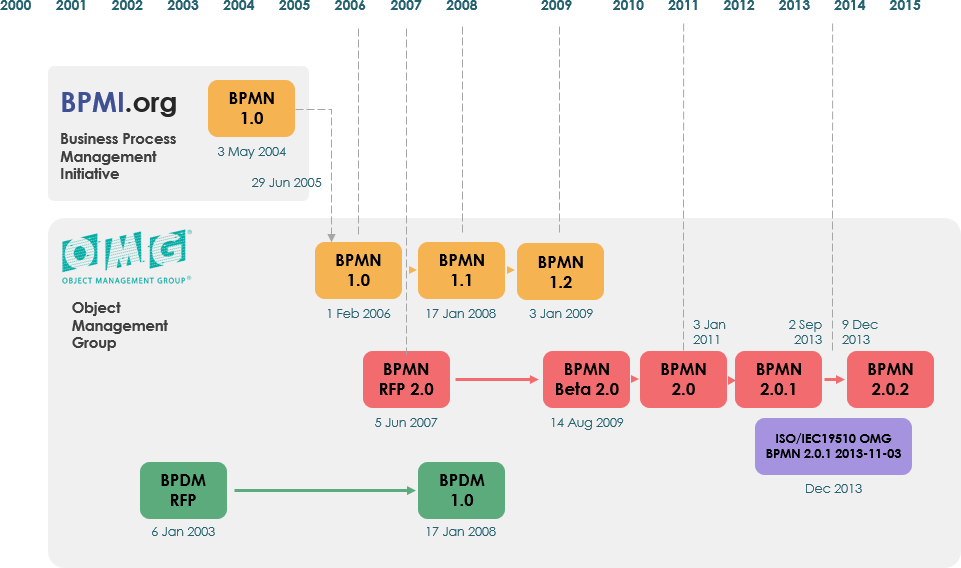
Originally developed by the Business Process Management Initiative (BPMI).
-
May 2004: BPMN 1.0 released after two years of effort.
-
February 2006: Specification released by OMG.
-
2010: Version 2.0 developed.
-
December 2013: Current version (2.0.2) formally published by ISO as standard ISO/IEC 19510.
Core Elements of BPMN
A BPD balances simplicity with complexity by organizing graphical aspects into four specific categories. This structure allows readers to recognize basic element types instantly while allowing modelers to add necessary detail without altering the diagram’s fundamental look and feel.
1. Flow Objects
Flow Objects are the heart of any BPMN diagram. There are only three core shapes to learn:
-
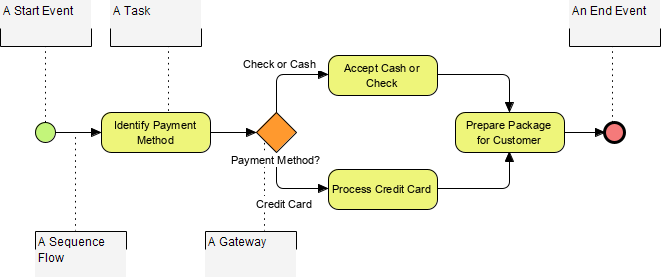
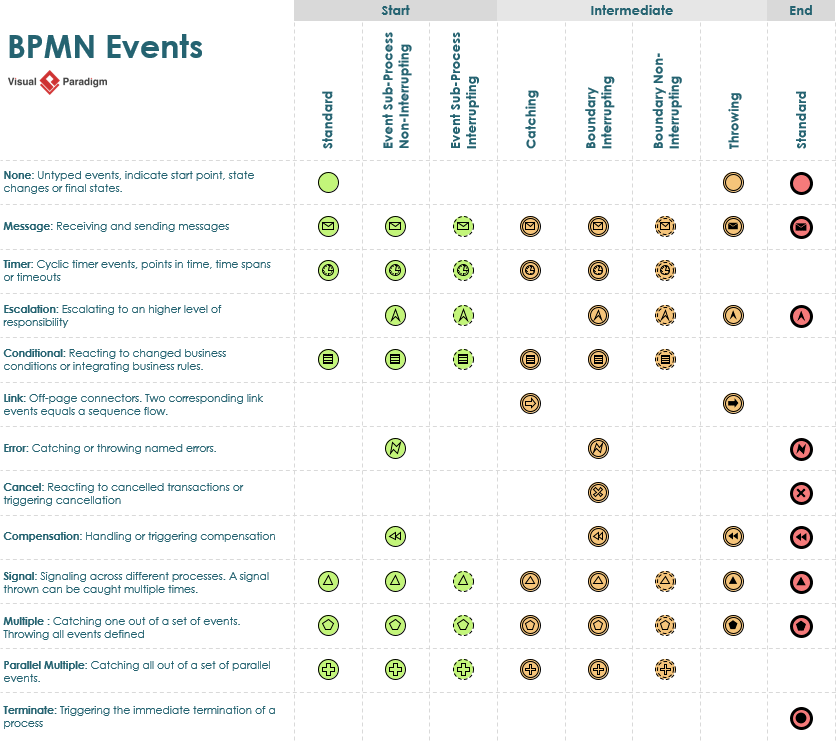
Event (Circle): Represents something that “happens” during a process. Events have triggers (causes) or results (impacts). They are categorized as Start, Intermediate, or End events. The open center allows for internal markers to differentiate specific triggers.
-
Activity (Rounded Rectangle): A generic term for work performed. Activities can be atomic (Task) or compound (Sub-Process, distinguished by a small plus sign).
-
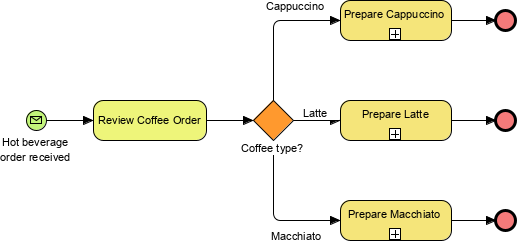
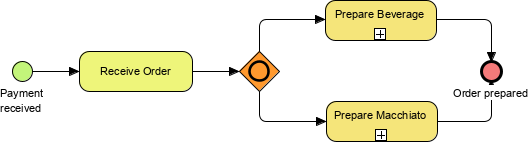
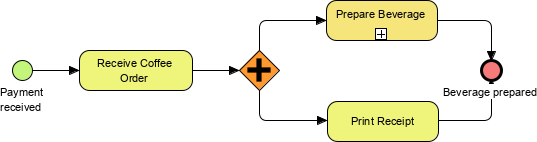
Gateway (Diamond): Controls the divergence and convergence of Sequence Flow. Gateways determine decisions, forking, merging, and joining paths.
| Exclusive Gateway
Follow only one path |
 |
|---|---|
| Inclusive
Follow one or more paths |
 |
| Parallel
Follow all paths |
 |
Flow Object Summary
The following visuals summarize the variations available within these core objects:
Events

Activities

Gateways

2. Connecting Objects
These objects create the skeletal structure of the process:
-
Sequence Flow: Solid line with a solid arrowhead showing the order of activities.
-
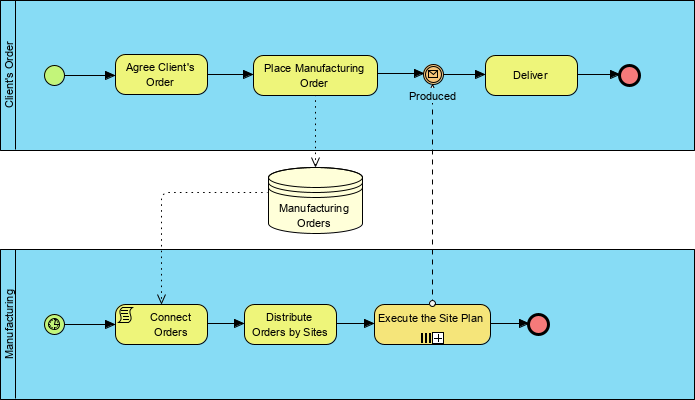
Message Flow: Dashed line representing information flow across organizational boundaries (pools). Can include an envelope marker.
-
Association: Connects annotations or data objects to flow elements for documentation purposes.

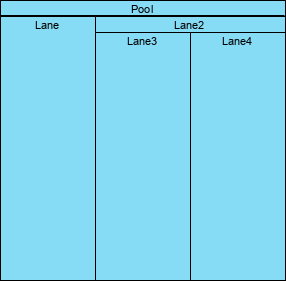
3. Swimlanes
Swimlanes organize activities into visual categories to illustrate functional responsibilities:
-
Pool: Represents a Participant in a Process. It acts as a container separating different participants, often used in B2B contexts.
-
Lane: A sub-partition within a Pool (vertical or horizontal) used to categorize activities by role or department.
4. Artifacts
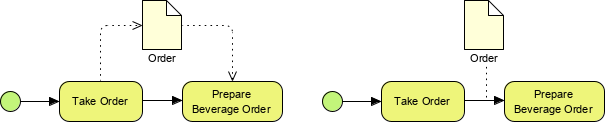
Artifacts provide flexibility for context-specific modeling without affecting sequence flow:
-
Data Object: Shows data required or produced by activities.
-
Data Store: Represents persistent data storage beyond the process scope.
-
Group: Dashed rounded rectangle for documentation or analysis grouping.
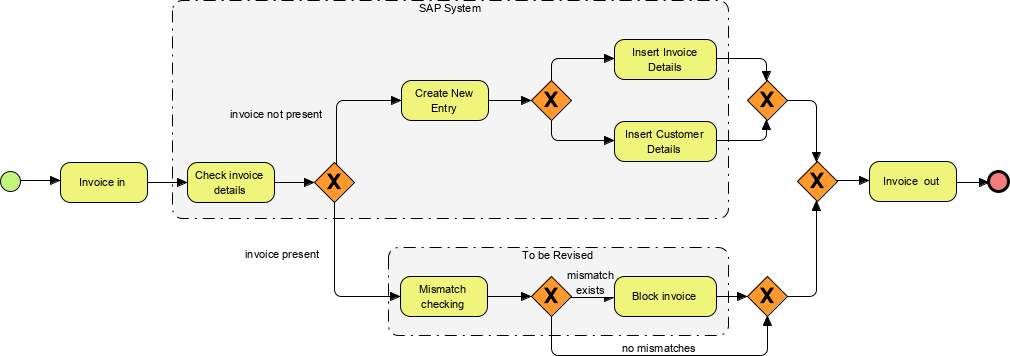
-
Annotation: Provides additional text information for the reader.
Balancing Simplicity and Complexity
One of BPMN’s greatest strengths is its ability to scale. While the basic shapes remain consistent, internal markers allow for immense complexity. For example, the event table below demonstrates how a simple circle can represent dozens of specific scenarios through internal variation, maintaining familiarity while supporting advanced modeling requirements.
Key Concepts and Practical Examples
To effectively apply BPMN, consider these key conceptual pairings:
-
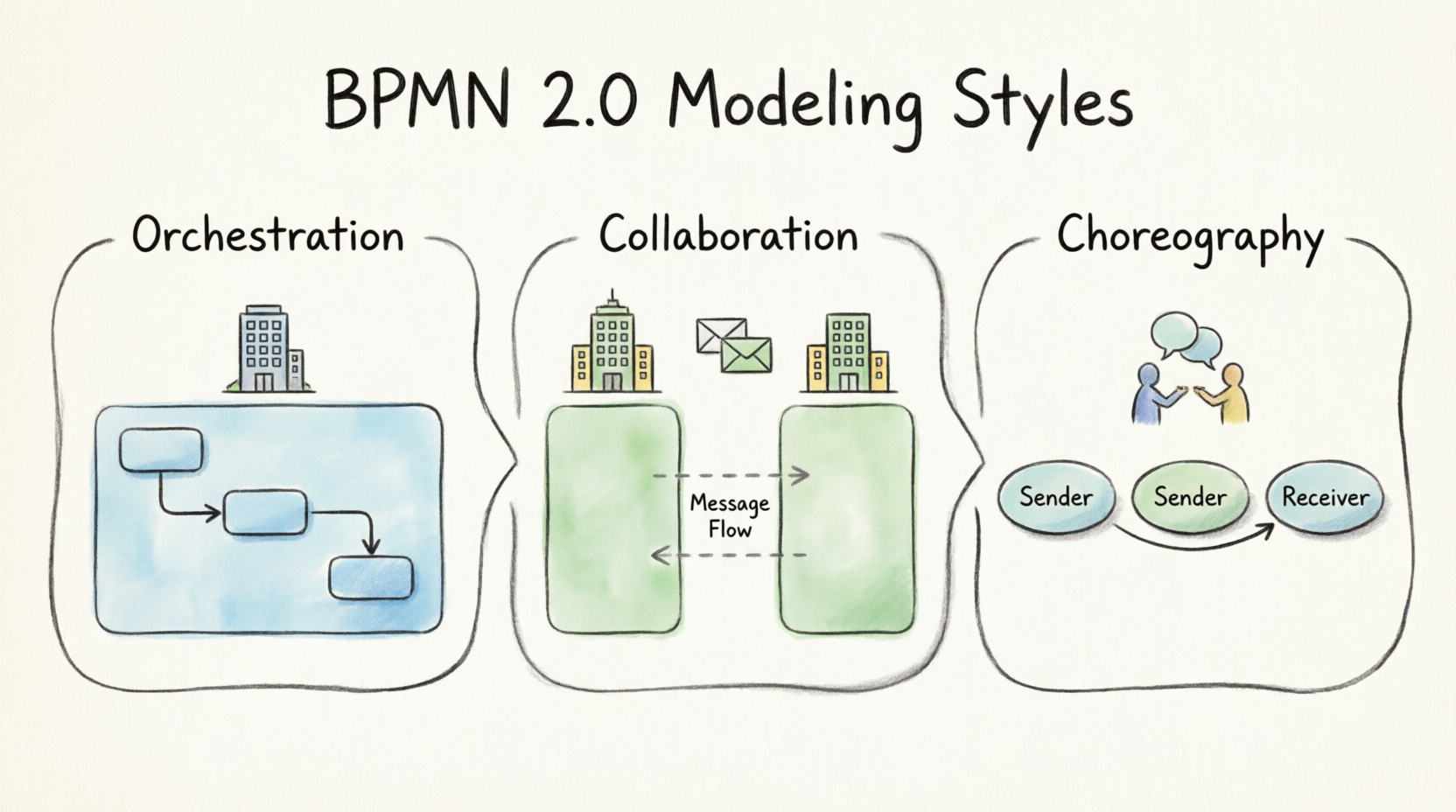
Orchestration vs. Choreography: Use Pools and Sequence Flows for orchestration (internal control flow of a single participant). Use Message Flows between Pools for choreography (interaction between independent participants). Example: An internal “Approve Loan” task is orchestrated; sending the approval letter to a customer is choreographed via message flow.
-
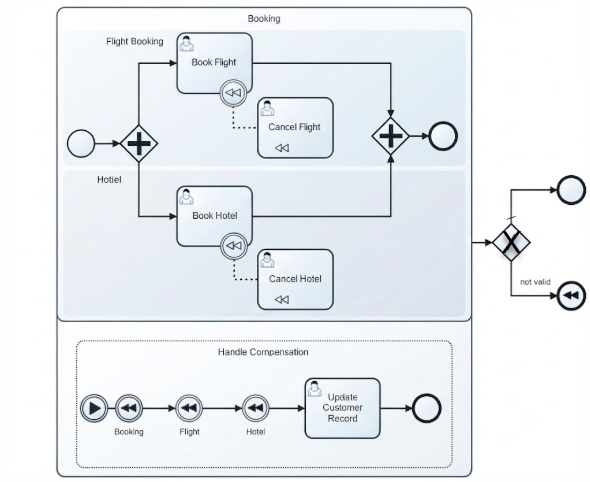
Atomic vs. Compound Work: Use Tasks for indivisible units of work. Use Sub-Processes when a set of activities needs to be collapsed for high-level views or reused. Example: “Verify Identity” might be a Task, whereas “Onboard Customer” is a Sub-Process containing verification, account creation, and welcome email steps.
-
Control vs. Data: Never confuse Sequence Flow with Data Flow. Sequence Flow dictates when things happen; Associations with Data Objects dictate what information is needed. Example: A sequence flow moves from “Review Application” to “Decision Gateway,” while a data association shows the “Application PDF” entering the review task.
Leveraging Tooling: Visual Paradigm
Operating a business without documented processes is akin to flying blind. Modern tools like Visual Paradigm streamline the entire lifecycle from discovery to simulation.
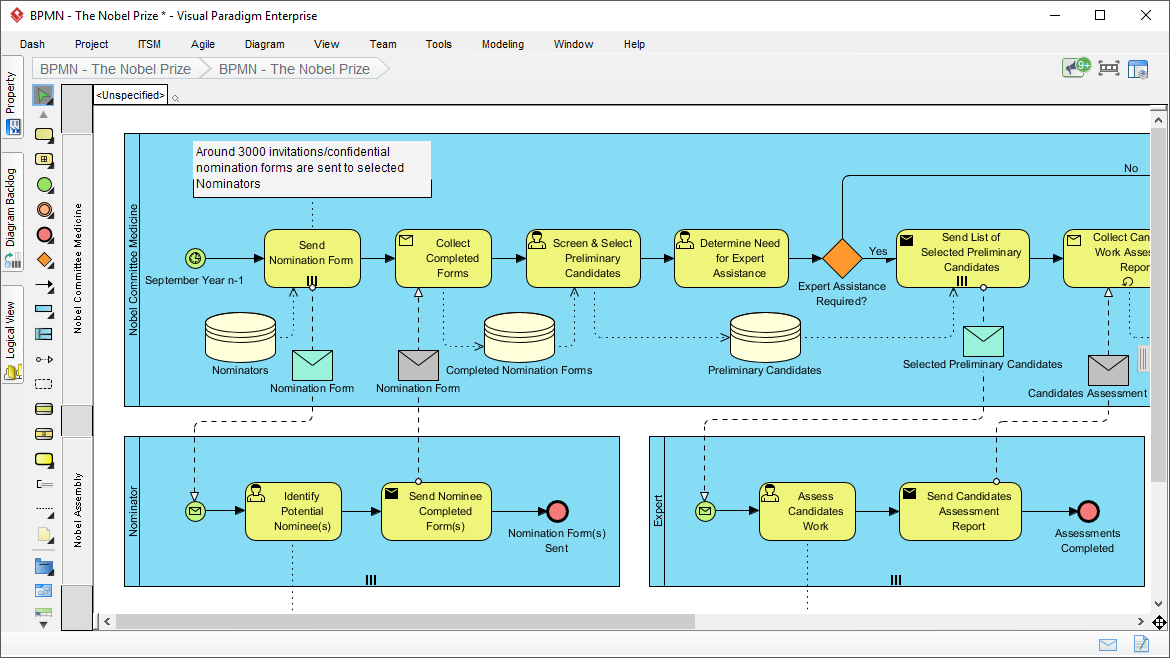
Why Professional Tooling Matters
While BPMN can be drawn manually, professional tools offer critical advantages:
-
Validation: Intuitive connection rules prevent syntactically invalid models.
-
Transformation: Auto-transform diagrams to RACI charts, CRUD matrices, or Agile user stories.
-
Simulation: Evaluate costs and identify bottlenecks before implementation.
-
Collaboration: Cloud-based co-editing and PostMania integration for remote team discussions.
-
Gap Analysis: Automatically compare “As-Is” and “To-Be” models.
Key Features for Enterprise Adoption
Visual Paradigm supports cross-platform deployment (Windows, Unix, Mac) and offers editions ranging from individual analysts to enterprise teams. Its seamless integration with UML and Scrum frameworks makes it a one-stop shop for aligning operations with software development.
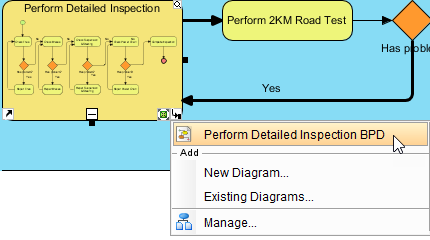
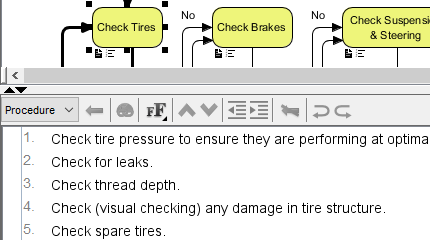
Trusted by Fortune 500 companies, government units, and universities worldwide, such tools ensure that process models remain living artifacts rather than static drawings.

Conclusion
BPMN is more than just a diagramming standard; it is a universal language for business efficiency. By mastering its four core categories—Flow Objects, Connecting Objects, Swimlanes, and Artifacts—organizations can create models that are both accessible to business stakeholders and precise enough for technical execution. When combined with powerful tooling like Visual Paradigm, BPMN transforms from a documentation requirement into a competitive advantage, enabling better communication, operational consistency, and strategic alignment. Whether you are creating descriptive overviews or executable process models, BPMN provides the structured flexibility needed to navigate modern business complexity.
Recommended Resources: Visual Paradigm
- Visual Paradigm BPMN Guide: Comprehensive official guide covering BPMN notation, symbols, and best practices for business process modeling.
- BPMN Tutorial for Beginners: Step-by-step tutorial introducing core BPMN elements with practical examples for new modelers.
- Business Process Modeling Software Features: Detailed overview of Visual Paradigm’s BPMN editor capabilities including simulation, gap analysis, and collaboration tools.
- BPMN Event Types Reference: In-depth reference for all BPMN event markers including start, intermediate, and end event variations.
- Transform BPMN to User Stories: Guide on converting business process models into Agile user stories for seamless development handoff.



 English
 Arabic
 Chinese (Simplified)
 Dutch
Dutch French
 German
 Italian
 Japanese
 Korean
 Portuguese
 Russian
 Spanish