


The Visual Paradigm Unified Platform: A Comprehensive Guide
Purpose, ecosystem integration, and practical adoption
1. What Is the Unified Platform?
Launched in June 2026 alongside Visual Paradigm 18.1, the Visual Paradigm Unified Platform is the central workspace and orchestration hub for the entire Visual Paradigm ecosystem. It is not a new standalone product and it does not replace Visual Paradigm Desktop or VP Online. Instead, it is an integration and access layer: a single, cohesive home where users can discover tools, create and organize artifacts, access desktop models, and move from analysis to design, implementation, documentation, and collaboration.
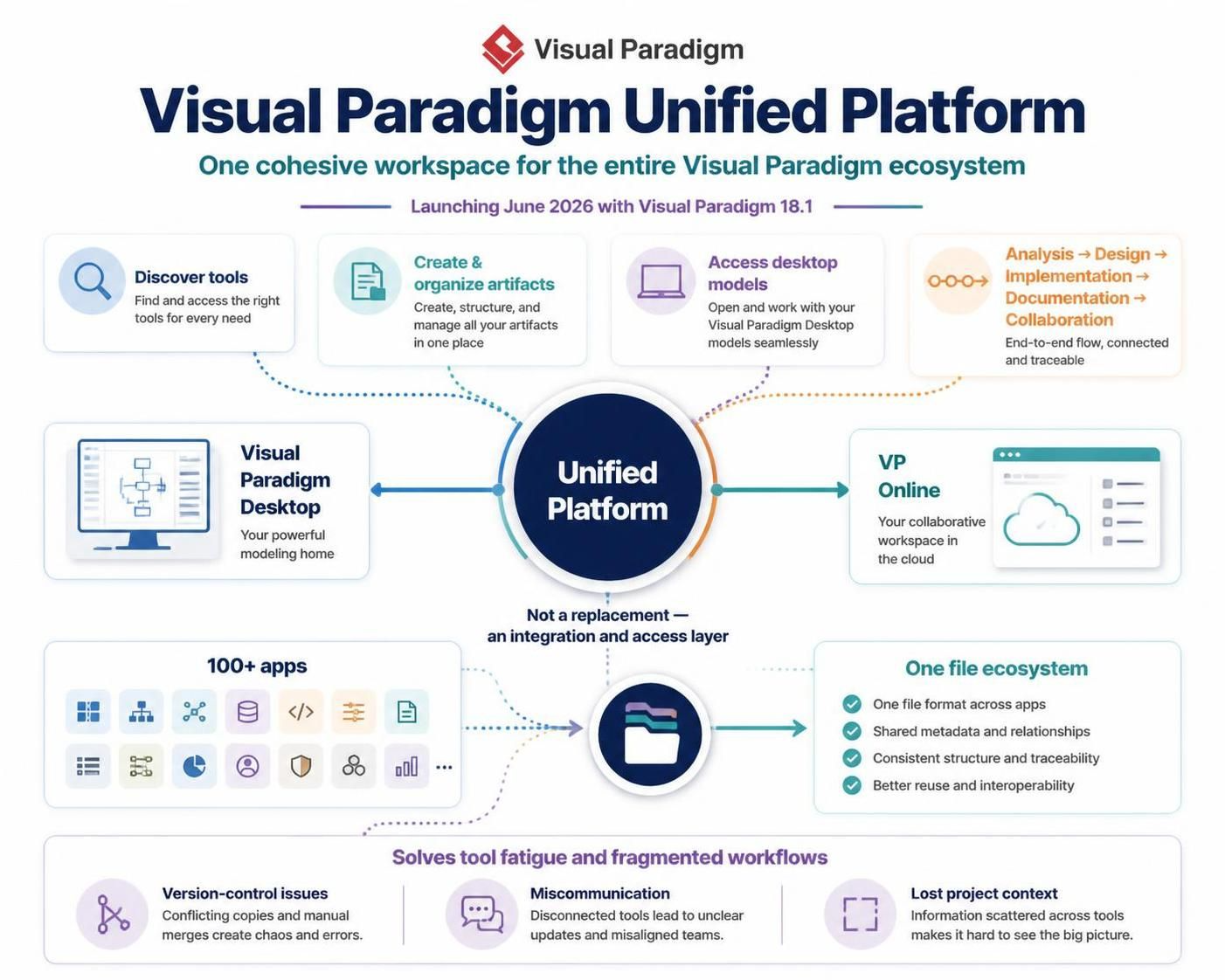
The platform was created to solve a universal pain point: tool fatigue and fragmented workflows. Modern professionals routinely juggle disconnected applications — a modeling tool here, a cloud collaboration app there, a documentation tool somewhere else — leading to version-control issues, miscommunication, and loss of project context. The Unified Platform answers this by unifying local desktop data and cloud app data into a single file ecosystem, establishing a true hub for Visual Paradigm’s ecosystem of over 100 apps.
Design philosophy
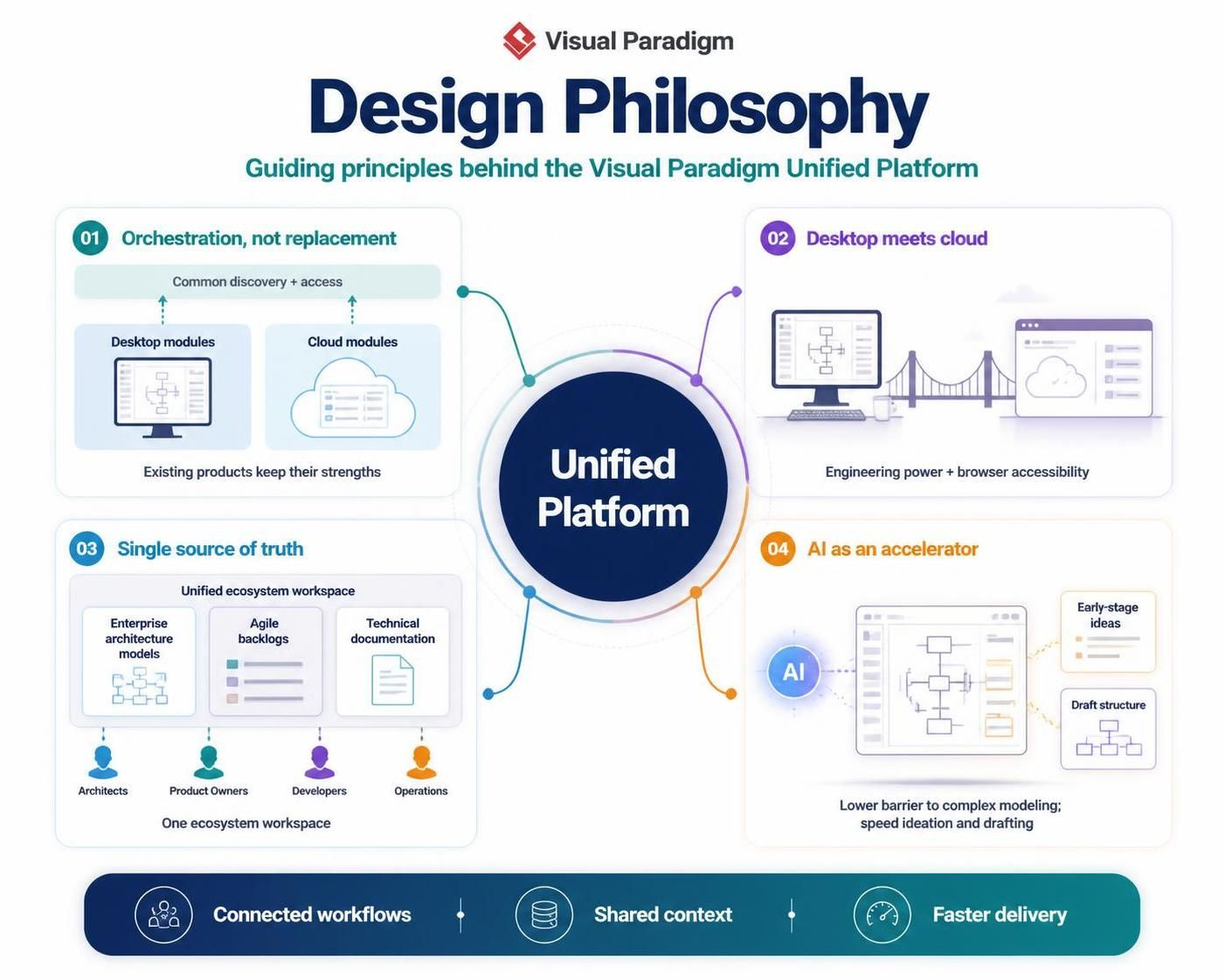
- Orchestration, not replacement. Existing products keep their strengths; the platform adds a common discovery and access mechanism on top.
- Desktop meets cloud. Hybrid workflows leverage the deep engineering power of the desktop suite alongside the accessibility of browser-based tools.
- Single source of truth. Enterprise architecture models, agile backlogs, and technical documentation are centralized in one ecosystem workspace, aligning technical and non-technical stakeholders.
- AI as an accelerator. AI-assisted tools lower the barrier to entry for complex modeling and speed up early-stage ideation and drafting.
2. Why It Exists: The Problems It Solves
| Pain point before the Unified Platform | How the Unified Platform addresses it |
|---|---|
| Tools opened individually, no common entry point | Central dashboard and “front door” for all tools, projects, and repositories |
| Local desktop files siloed from cloud files | Local and cloud artifacts appear together in one central artifact list |
| Version-control confusion across apps | Shared project artifacts managed in one file ecosystem (Unified Drive) |
| Documentation drifts from source models | OpenDocs + Pipeline keeps documentation synchronized with diagrams and models |
| High barrier to complex modeling (UML, BPMN, SysML, ArchiMate) | AI chatbot and AI diagram tools turn text and rough ideas into visual, structured outputs |
| Diagrams locked in proprietary desktop formats | VPasCode provides text-driven, version-controlled “Diagram-as-Code” workflows |
3. The Ecosystem: Components and How They Integrate
The ecosystem is organized around specialized components connected through the centralized orchestration layer. The core lifecycle it supports can be summarized as:
Prompt → Diagram or Model → Engineering Refinement → Synchronization → Living Documentation
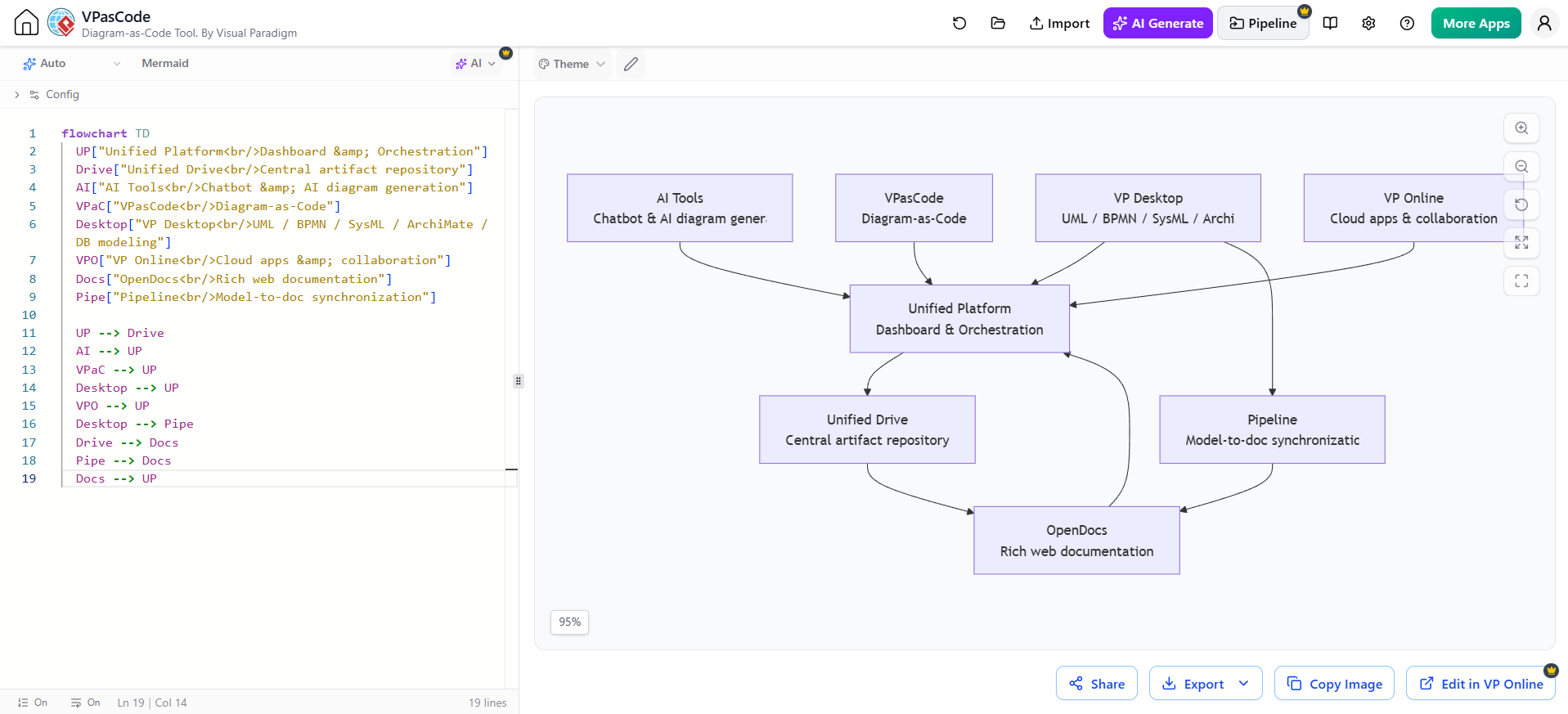
flowchart TD
UP["Unified Platform<br/>Dashboard & Orchestration"]
Drive["Unified Drive<br/>Central artifact repository"]
AI["AI Tools<br/>Chatbot & AI diagram generation"]
VPaC["VPasCode<br/>Diagram-as-Code"]
Desktop["VP Desktop<br/>UML / BPMN / SysML / ArchiMate / DB modeling"]
VPO["VP Online<br/>Cloud apps & collaboration"]
Docs["OpenDocs<br/>Rich web documentation"]
Pipe["Pipeline<br/>Model-to-doc synchronization"]
UP --> Drive
AI --> UP
VPaC --> UP
Desktop --> UP
VPO --> UP
Desktop --> Pipe
Drive --> Docs
Pipe --> Docs
Docs --> UP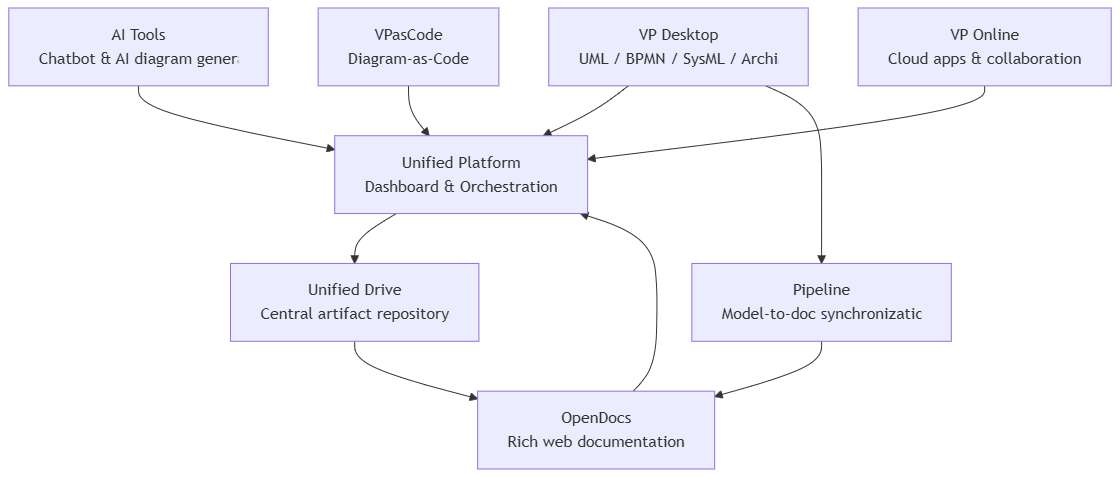
3.1 Unified Platform (the hub)
The ecosystem’s primary dashboard and “front door.” Rather than requiring users to open each application independently, it provides one central place to:
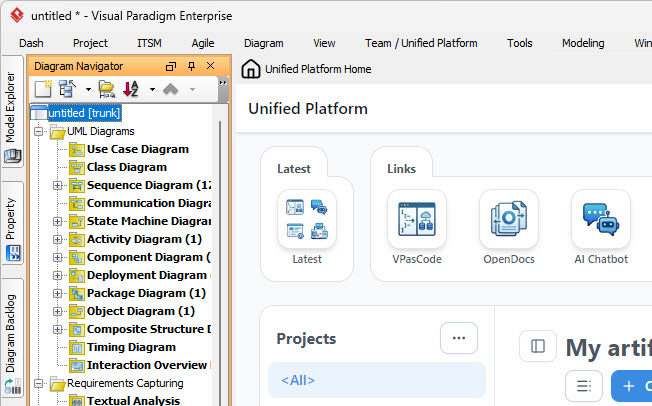
- Navigate projects and launch specialized tools
- Access shared resources and repositories
- View local desktop artifacts alongside cloud-based files in a central artifact list
- Create new artifacts from a unified creation workflow
3.2 Unified Drive
The centralized asset manager that organizes a project’s artifacts — diagrams, models, documents, and files — into a single coherent repository. It is what makes local desktop data and cloud app data behave as one file ecosystem.
3.3 VP Desktop (the engineering engine)
The full-featured desktop suite for detailed, standards-based engineering: UML, BPMN, SysML, ArchiMate, ER/database modeling, requirements engineering, and code generation. Detailed models created in Desktop are saved to local or connected repositories and become visible in the Unified Platform, making the desktop tool “a fully connected citizen of the digital ecosystem.”
3.4 VP Online (the cloud side)
The browser-based half of the ecosystem, designed for web access, online diagramming, real-time collaboration, and lightweight or focused work. The Unified Platform acts as the broader home around VP Online’s collection of cloud apps.
3.5 AI tools
AI is woven throughout the ecosystem:
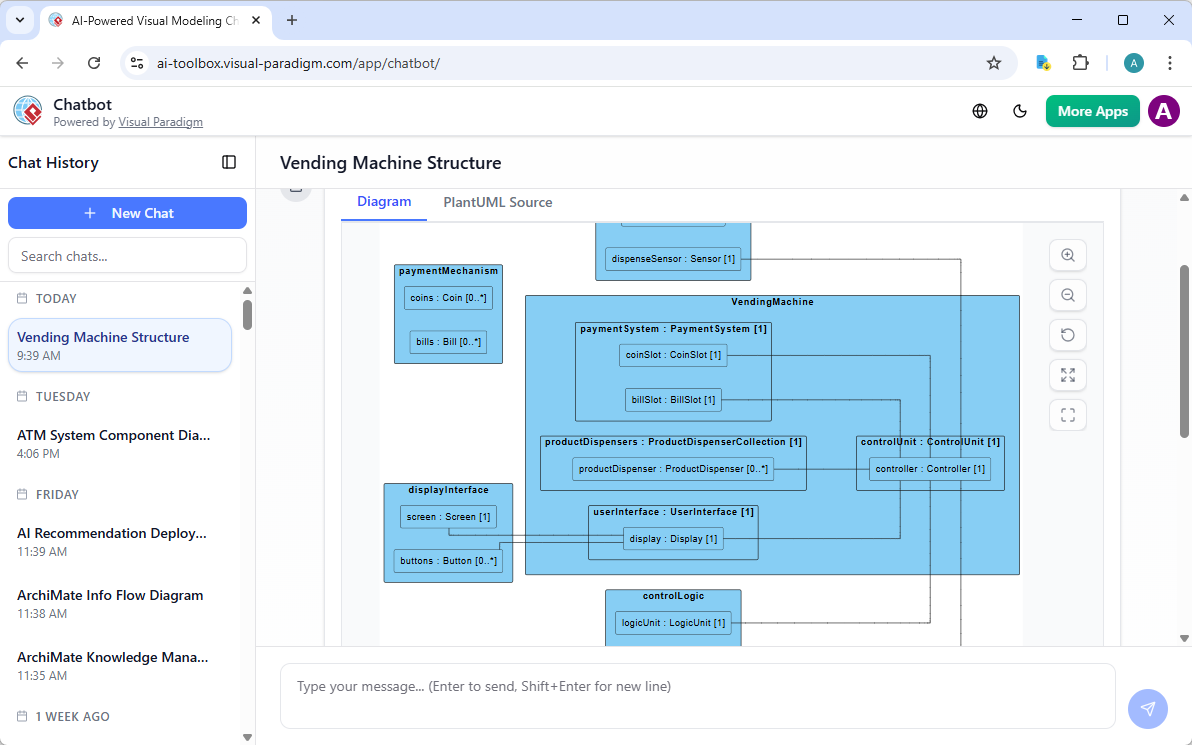
- AI Chatbot / AI diagram generation — transform text, requirements, or rough ideas into diagrams and structured outputs; accelerate brainstorming, baseline diagrams, and documentation drafting.
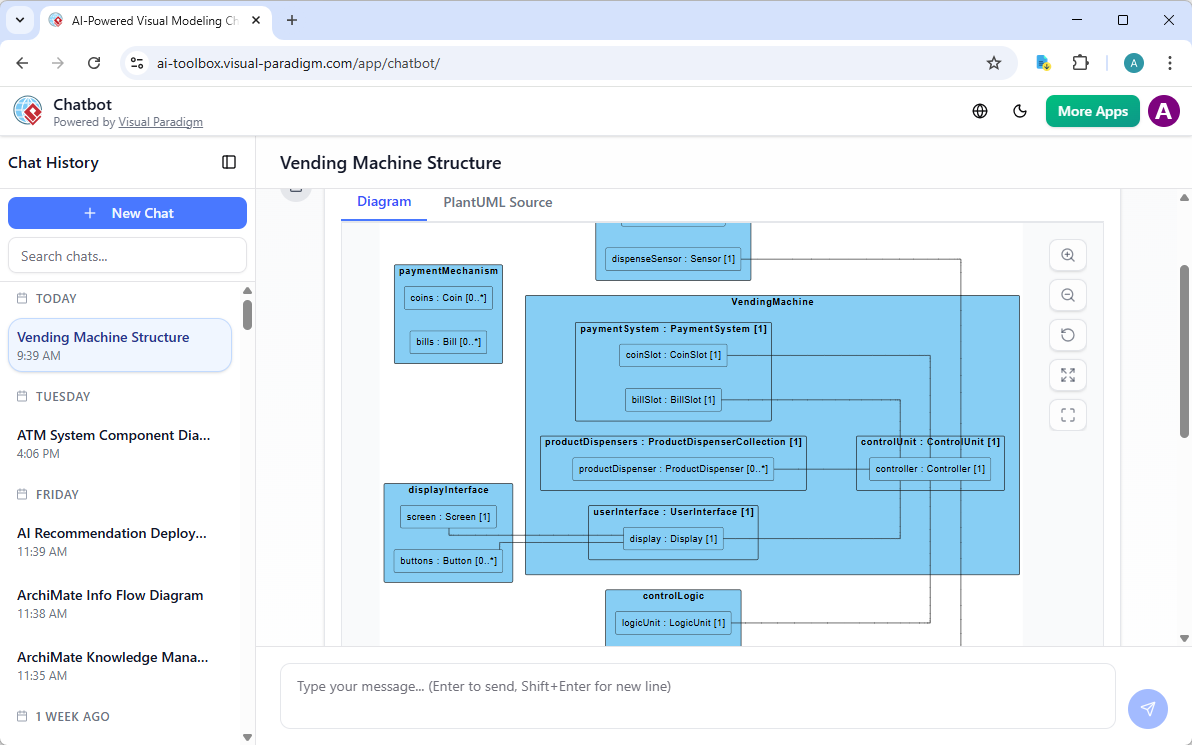
- Natural-language creation workflows speed up early-stage work; results are then refined in Desktop or Online for engineering accuracy.
3.6 VPasCode (Diagram-as-Code)
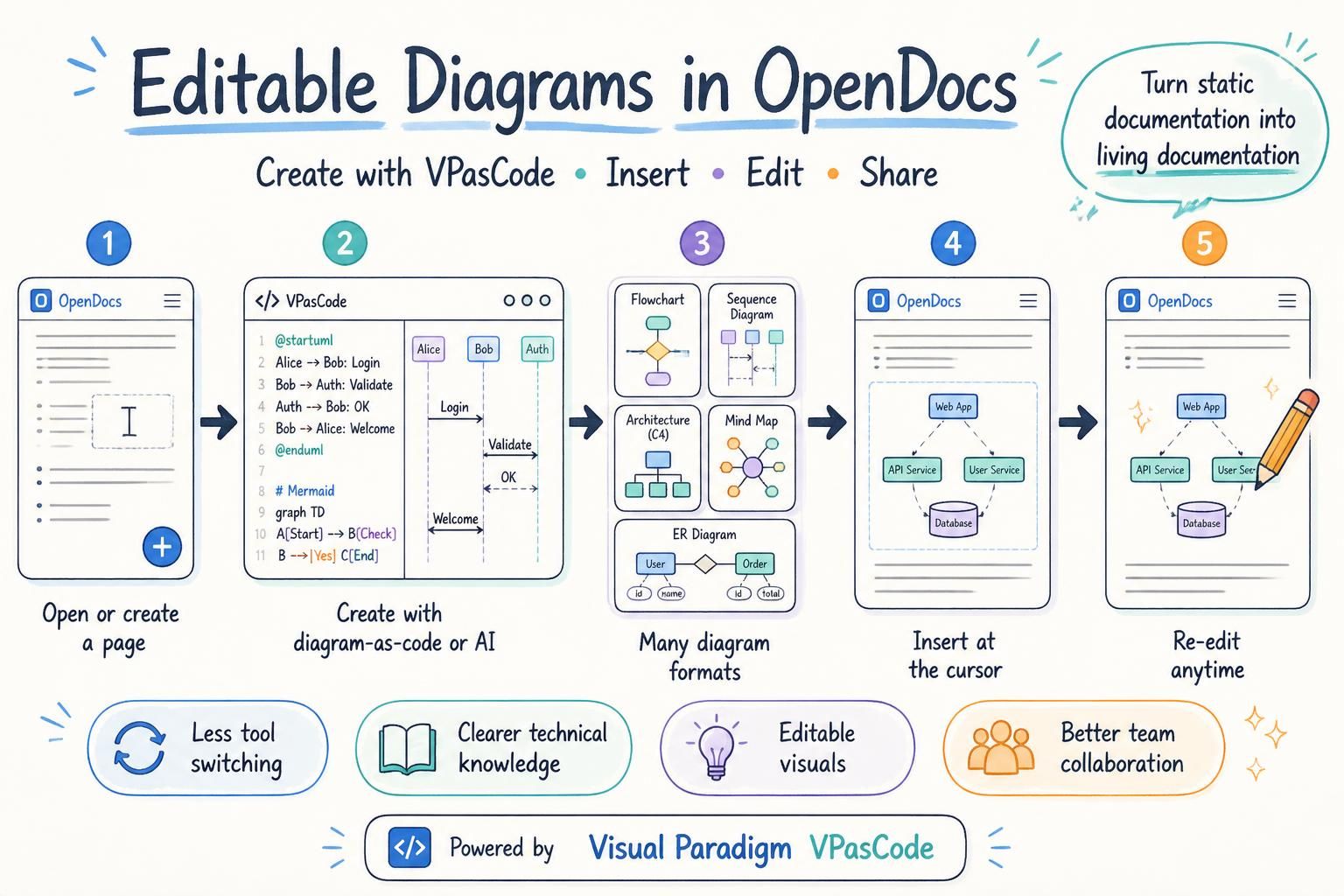
Text-driven diagramming with version-control support (e.g., PlantUML-style workflows that fit into Git pipelines). It bridges developer toolchains with the visual ecosystem, so diagrams become reviewable, diffable code artifacts.
3.7 OpenDocs + Pipeline (living documentation)
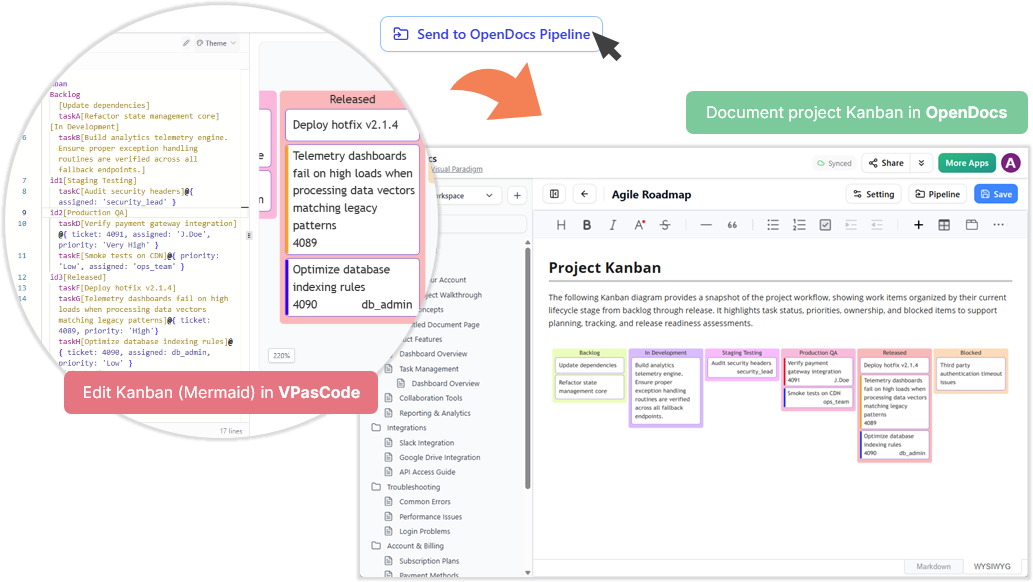
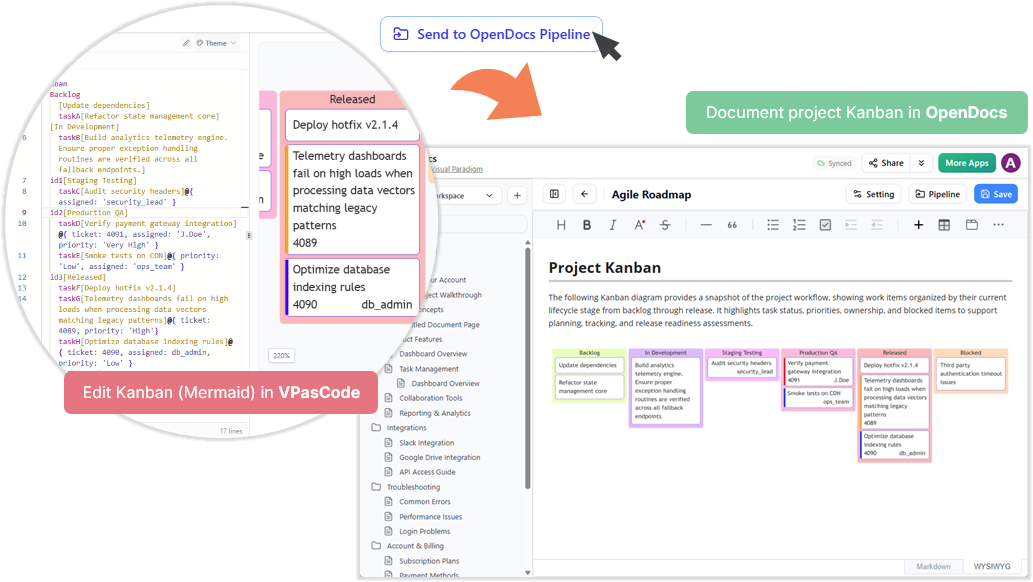
- OpenDocs creates rich, web-based project documentation from a model’s contents.
- Pipeline is a live integration mechanism that connects source models and diagrams to published documents — when the model changes, the documentation stays synchronized. This turns static exports into living, dynamic artifacts.
4. Getting Started & Access
There are two ways in:
- From the browser: Log into your VP Online account at the official login portal. On successful login you are redirected to the Unified Platform dashboard automatically.
- From Visual Paradigm Desktop: Select Team / Unified Platform > Unified Platform from the menu bar. Once connected, your locally saved diagrams instantly appear in the central artifact list alongside cloud-based files.
A typical hybrid workflow
- Use AI or VPasCode to sketch a baseline diagram from a prompt or text.
- Import/refine it in Visual Paradigm Desktop (UML, BPMN, SysML, ArchiMate, or database model) and save to the appropriate local or connected repository.
- Open the Unified Platform from Desktop or browser; the model appears in the central artifact list.
- Share it via VP Online for stakeholder collaboration and lightweight editing.
- Publish to OpenDocs via Pipeline so documentation stays synchronized with the source model.
5. Key Benefits
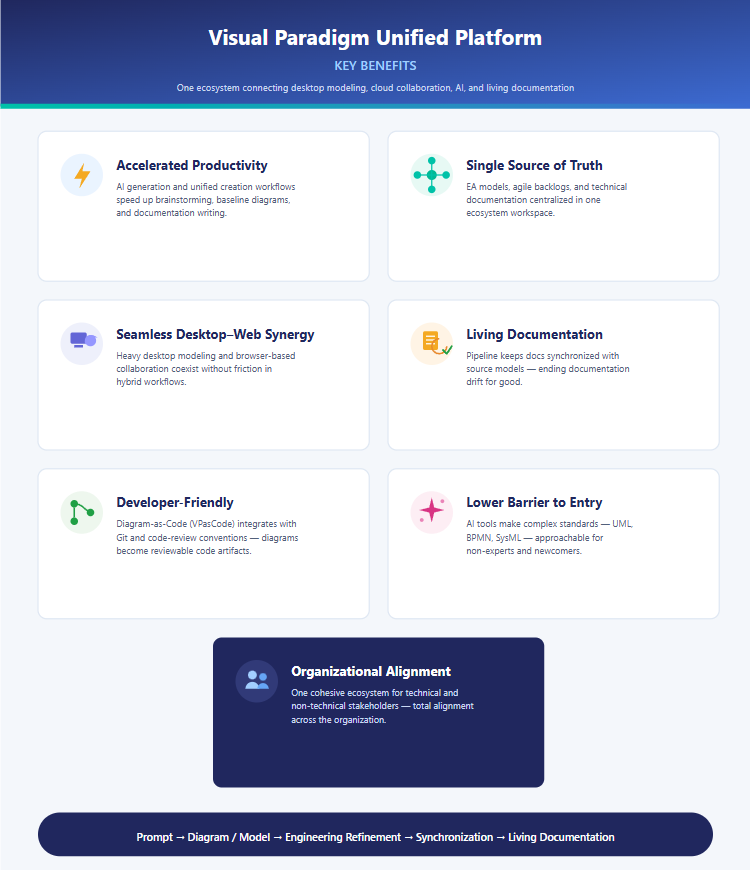
- Accelerated productivity — AI generation and unified creation workflows speed up brainstorming, baseline diagrams, and documentation writing.
- Single source of truth — EA models, agile backlogs, and technical documentation centralized in one workspace.
- Seamless desktop–web synergy — heavy desktop modeling and browser-based collaboration coexist without friction.
- Living documentation — Pipeline keeps docs synchronized with source models, ending doc drift.
- Developer-friendly — Diagram-as-Code integrates with Git and code-review conventions.
- Lower barrier to entry — AI tools make complex standards (UML, BPMN, SysML) approachable for non-experts.
- Organizational alignment — one cohesive ecosystem for technical and non-technical stakeholders.
6. Best Practices & Caveats
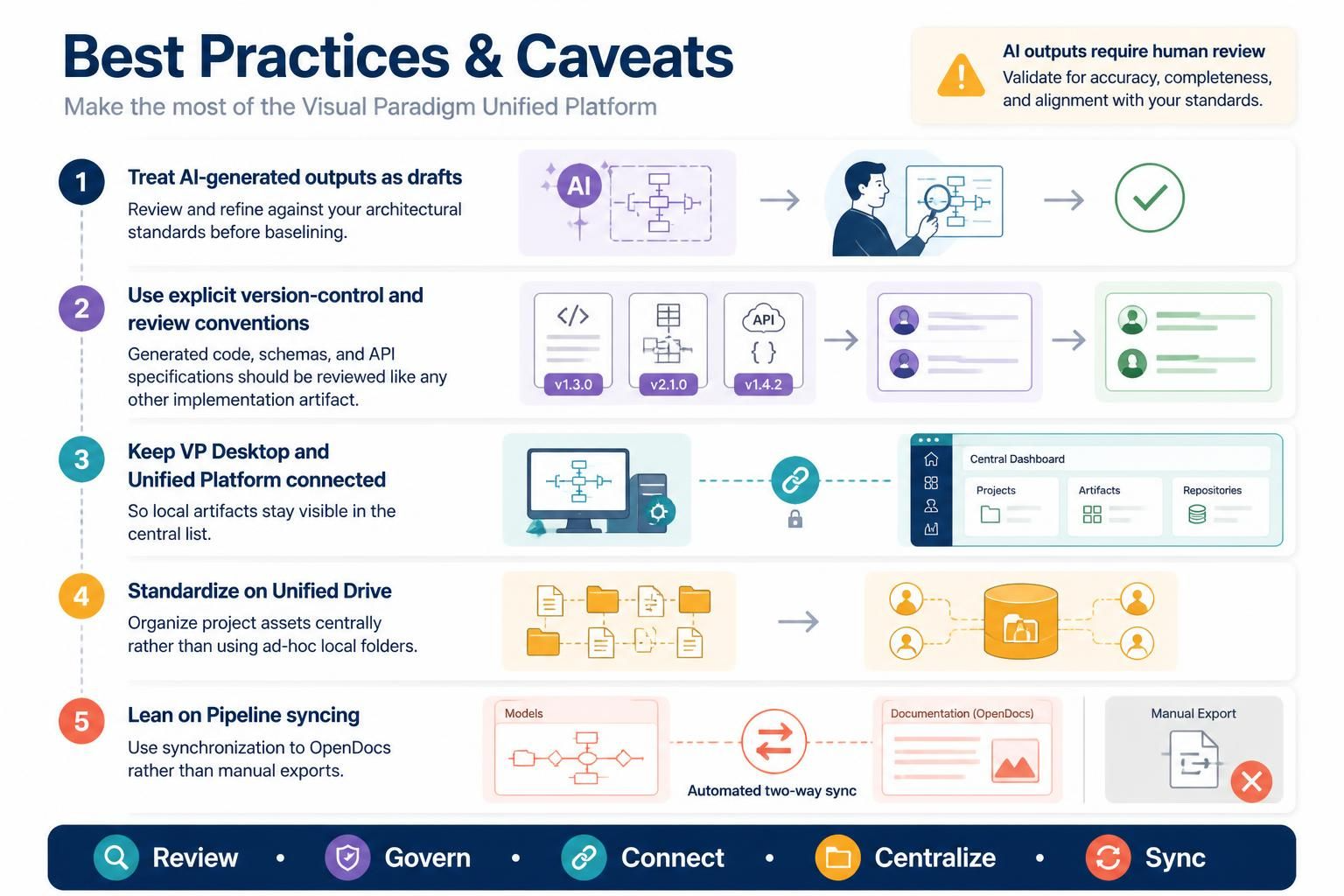
- Treat AI-generated outputs as drafts: review and refine against your architectural standards before baselining.
- Use explicit version-control and review conventions; generated code, schemas, and API specifications should be reviewed like any other implementation artifact.
- Keep your VP Desktop and Unified Platform connection established so local artifacts stay visible in the central list.
- Standardize on the Unified Drive for project asset organization rather than ad-hoc local folders.
- Lean on Pipeline syncing rather than manual exports to OpenDocs.
7. Summary
The Visual Paradigm Unified Platform reimagines how visual, analytical, and engineering work gets done by dissolving the boundaries between desktop and cloud, between specialized applications, and between human creativity and AI. It combines AI-assisted ideation, Diagram-as-Code, enterprise desktop modeling, centralized artifact management, and living documentation into one connected workflow — moving teams from early ideas to validated architectures, executable specifications, implementation planning, and continuously updated documentation. For enterprises demanding agility and alignment, it positions the ecosystem not as a convenience, but as a strategic foundation.
Sources & further reading
- Visual Paradigm Blog — Mastering the Visual Paradigm Unified Platform: The Ultimate Guide
- Visual Paradigm Blog — Guide to the Visual Paradigm Ecosystem
- Visual Paradigm Blog — Visual Paradigm Unified Platform: Comprehensive Guide
- Visual Paradigm Blog — Introducing Visual Paradigm 18.1
- Cybermedian — Unified Platform: The Command Center for Visual Work
- Cybermedian — Unifying Your Workflow: A Comprehensive Guide
- ArchiMetric — One Workspace, Infinite Possibilities
Related posts:
 Comprehensive Guide to Use Case Modeling with Visual Paradigm’s AI Ecosystem
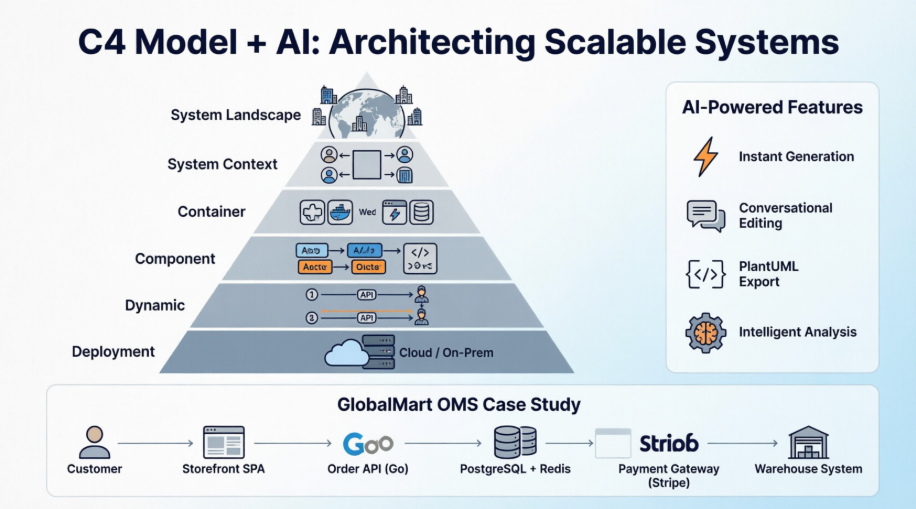 A Practical Guide to C4 Modeling with AI-Powered Visual Paradigm Tools: Architecting Scalable E-Commerce Systems
From Concept to Code: Mastering CRC Card Diagrams with Visual Paradigm’s AI
A Practical Guide to C4 Modeling with AI-Powered Visual Paradigm Tools: Architecting Scalable E-Commerce Systems
From Concept to Code: Mastering CRC Card Diagrams with Visual Paradigm’s AI
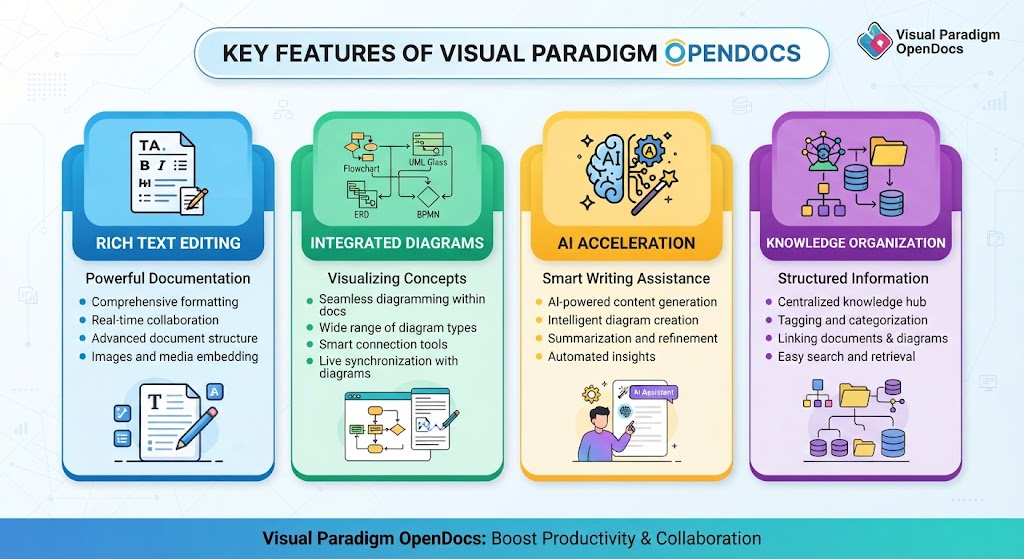 Overview of Visual Paradigm OpenDocs

 English
 Arabic
 Chinese (Simplified)
 Dutch
Dutch French
 German
 Italian
 Japanese
 Korean
 Portuguese
 Russian
 Spanish