


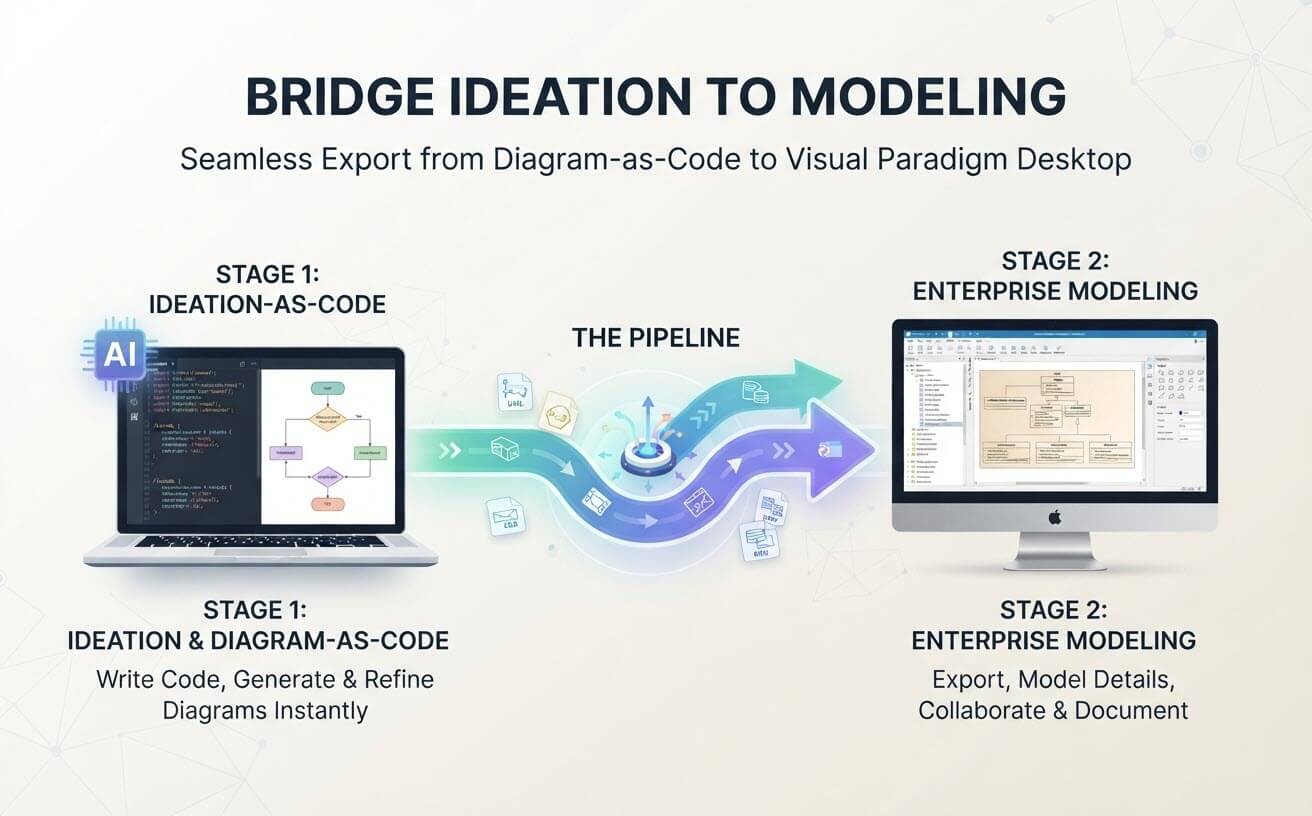
In the rapidly evolving landscape of software architecture, the gap between rapid prototyping and rigorous engineering has traditionally been a significant hurdle. Architects often find themselves starting with a creative spark—a diagram sketched in seconds via an AI chatbot—but struggling to translate that sketch into a maintainable, enterprise-grade model.
This tutorial explores the Text-to-Model Handoff workflow. It demonstrates how to leverage AI for “Ideation-as-Code” and seamlessly export those concepts into Visual Paradigm Desktop. This two-stage process ensures that your models are not only visually accurate but also strictly compliant with UML/BPMN standards and ready for code generation.
Stage 1: Ideation & Diagram-as-Code
The journey begins with speed and flexibility. In this phase, you act as an architect-architect, using natural language or code snippets to generate a diagram instantly. Whether you are using a text-to-diagram tool or a specialized AI agent, the goal is to capture the logic without getting bogged down in manual drawing.
The Concept of Diagram-as-Code
Instead of clicking shapes on a canvas, you define the system structure using text. This approach, often called “Diagram-as-Code,” allows for version control, rapid iteration, and AI-assisted generation.
Here is an example of a simple logic flow you might generate via a chatbot prompt:
@startuml
start
:Prompt User Input;
if (Input Valid?) then (yes)
  :Process Data;
  if (Data Complete?) then (yes)
    :Save to Database;
    stop
  else (no)
    :Request More Info;
    stop
  endif
else (no)
  :Log Error;
  stop
endif
@enduml
Once this code is rendered, you have a visual representation of your logic. However, this diagram is currently a “flat” image or a standalone file. It lacks the semantic richness required for enterprise development.
The Pipeline: The Handoff Mechanism
The magic happens in “The Pipeline”—the export mechanism that bridges the gap between your quick ideation and the robust modeling engine of Visual Paradigm Desktop. This handoff is not merely a file transfer; it is a semantic translation.
When you export from the text-based or chatbot environment to VP Desktop, the system interprets your logic definitions and reconstructs them into the full modeling environment. This process involves:
- Schema Mapping: Converting generic text nodes into specific UML/BPMN shapes (e.g., a diamond becomes a decision gateway).
- Metadata Injection: Attaching hidden metadata that links the visual element back to its source code or prompt.
- Standardization: Automatically applying the enterprise styling rules defined in your VP project settings.
Stage 2: Enterprise Modeling
Upon opening the exported file in Visual Paradigm Desktop, you enter the realm of professional engineering. The diagram is no longer just a picture; it is a living model that powers the rest of your development lifecycle.
Applying Strict Standards
In the desktop environment, you can enforce strict adherence to UML or BPMN standards. If your initial AI generation created a non-standard shape, the desktop environment allows you to snap it to the correct standard symbol, ensuring that your documentation is universally understood by other engineers.
Linking to Requirements and Code
The true power of this workflow lies in traceability. Once in VP Desktop, you can:
- Link Elements: Associate specific diagram nodes with high-level requirements documents.
- Trace Test Cases: Connect logic gates to specific test cases to ensure coverage.
- Generate Artifacts: Use the model to automatically generate code stubs (Java, C#, Python) or database schemas (SQL).
Collaboration and Version Control
Finally, the desktop environment supports multi-user collaboration. You can save the model to a repository, allowing team members to work on the same diagram simultaneously while maintaining a history of changes. This transforms your AI-generated sketch into a shared, authoritative source of truth.
Conclusion
The “Text-to-Model Handoff” workflow represents the future of software architecture. By separating the creative ideation phase (Stage 1) from the rigorous engineering phase (Stage 2), you gain the best of both worlds: the speed of AI and the reliability of enterprise tools. Start with a prompt, export to VP Desktop, and build the future.

 English
 Arabic
 Chinese (Simplified)
 Dutch
Dutch French
 German
 Italian
 Japanese
 Korean
 Portuguese
 Russian
 Spanish