Introduction:
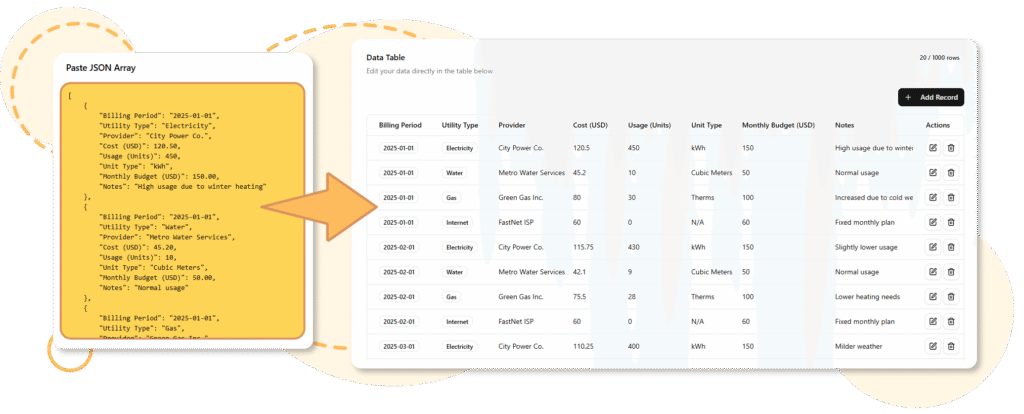
Developers and data engineers often face a common hurdle: the need to quickly prototype, visualize, and manage data structures. Whether for testing, prototyping, or small-scale projects, setting up a database, building a backend API, and creating a user interface (UI) can be time-consuming and repetitive. This overhead diverts attention from the core logic of an application, slowing down innovation and productivity.
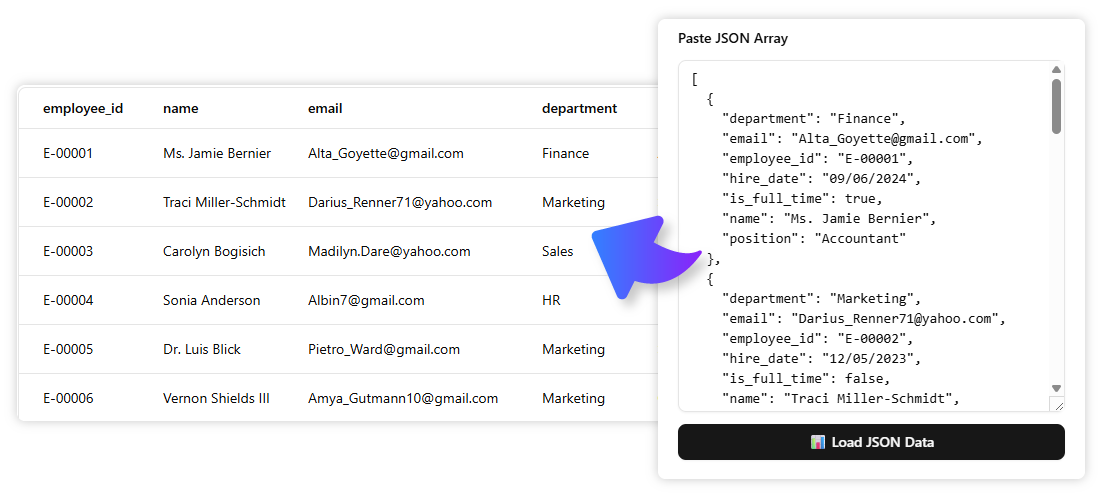
Enter the AI JSON CRUD Table Maker—a groundbreaking tool designed to eliminate boilerplate work and streamline the data management process. With this tool, developers can instantly generate a fully functional web interface for data management from a simple text description, complete with realistic fake data for immediate use.
Key Concepts: What is the AI JSON CRUD Table Maker?
1.
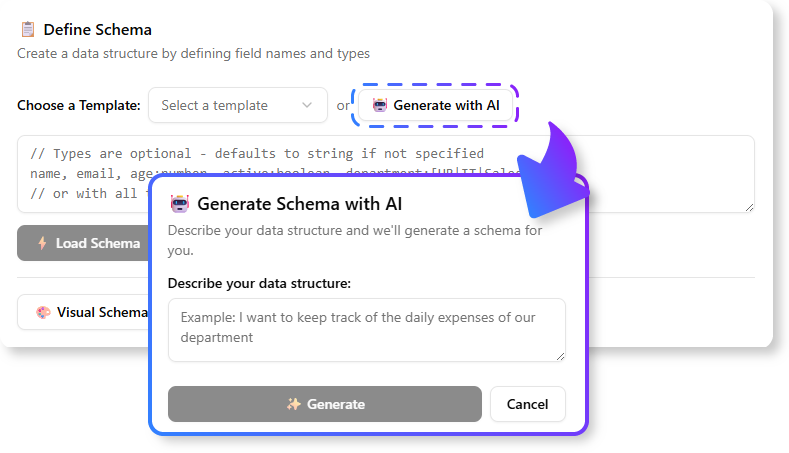
The AI JSON CRUD Table Maker leverages artificial intelligence to interpret natural language descriptions of data structures. For example, a developer can input:
“A list of users with a name, email, and status.”
The AI processes this description and generates a JSON CRUD table with the appropriate columns and data types—no manual setup required.
2.
Once the table is generated, developers can populate it with realistic fake data with a single click. This feature is invaluable for testing and prototyping, as it provides a ready-made dataset without the need for manual data entry.
3.
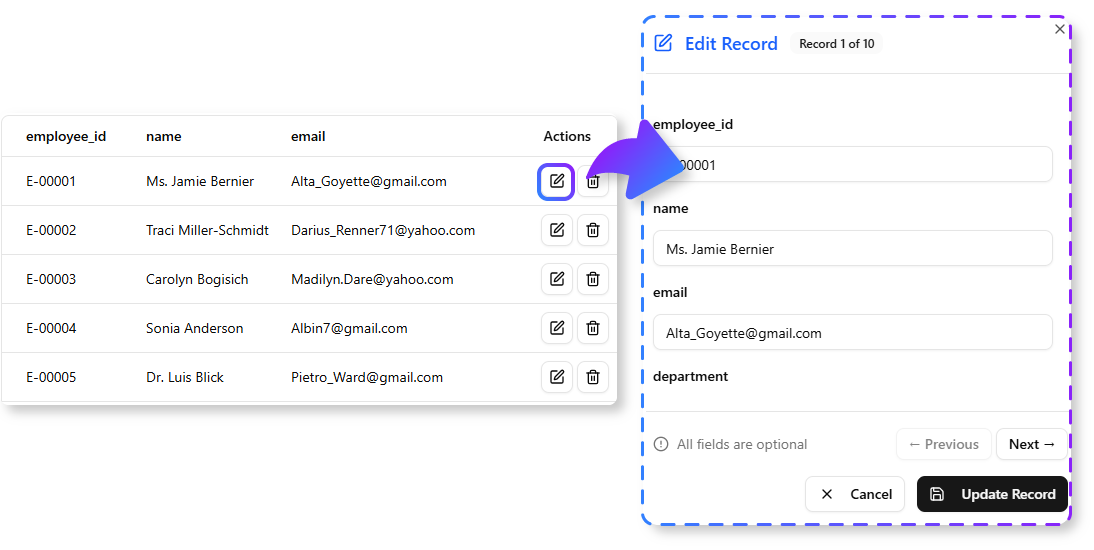
The tool offers a fully functional web UI for Create, Read, Update, and Delete (CRUD) operations. Developers can:
- Add new rows to the table.
- Edit existing entries in real time.
- Delete records as needed. All of this is achievable without writing a single line of code.
4.
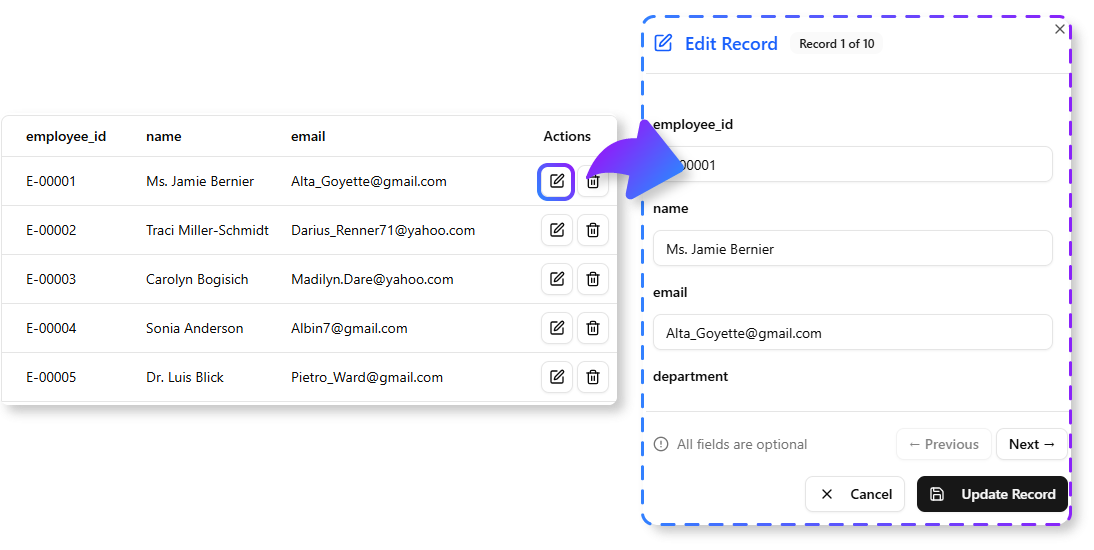
The online editor allows developers to:
- Modify data types.
- Add new fields.
- Adjust the data structure on the fly. This flexibility ensures that the tool adapts to evolving project requirements.
5.
When the data is ready, developers can export it as a clean JSON file for use in applications or for seeding a permanent database.
How to Use the AI JSON CRUD Table Maker
Step 1: Access the Tool
The AI JSON CRUD Table Maker is available to:
- Visual Paradigm Online users with a Combo Edition (or higher) subscription.
- Visual Paradigm Desktop users with a Professional Edition (or higher) and active software maintenance.
Access Methods:
- Online Users: Visit https://ai-toolbox.visual-paradigm.com/app/json-crud/.
- Desktop Users: Open the desktop application, navigate to Tools > App, and select the JSON CRUD tool from the gallery.
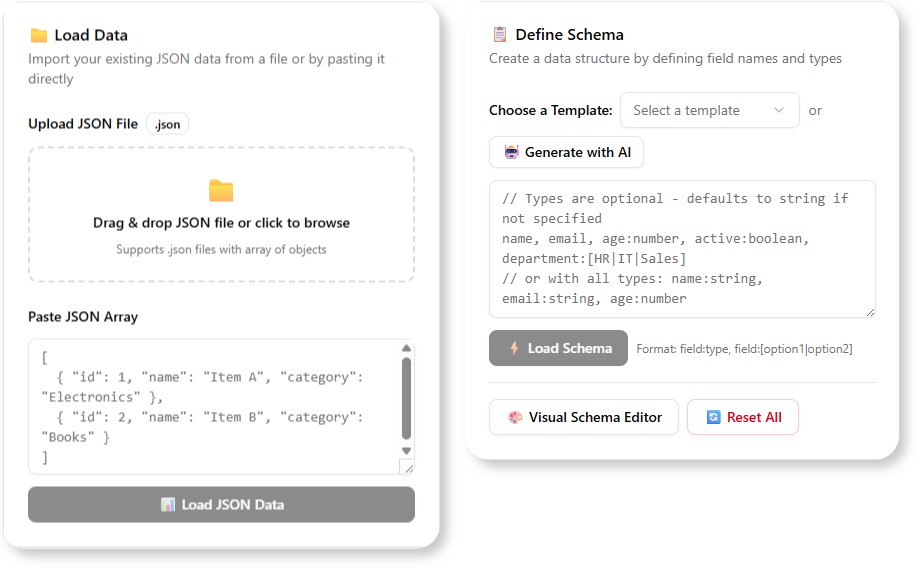
Step 2: Describe Your Data Schema
Developers can:
- Type a natural language description (e.g., “A bug tracker with an ID, title, priority, and status.”).
- Upload a JSON file directly.
Step 3: Generate the Table
The AI interprets the input and creates a live, interactive CRUD table with the appropriate columns.
Step 4: Populate with Fake Data (Optional)
Click the “Generate Fake Data” button to fill the table with realistic sample data.
Step 5: Manage Your Data
Use the intuitive UI to:
- Add, edit, or delete records.
- Modify data types and fields.
Step 6: Export to JSON
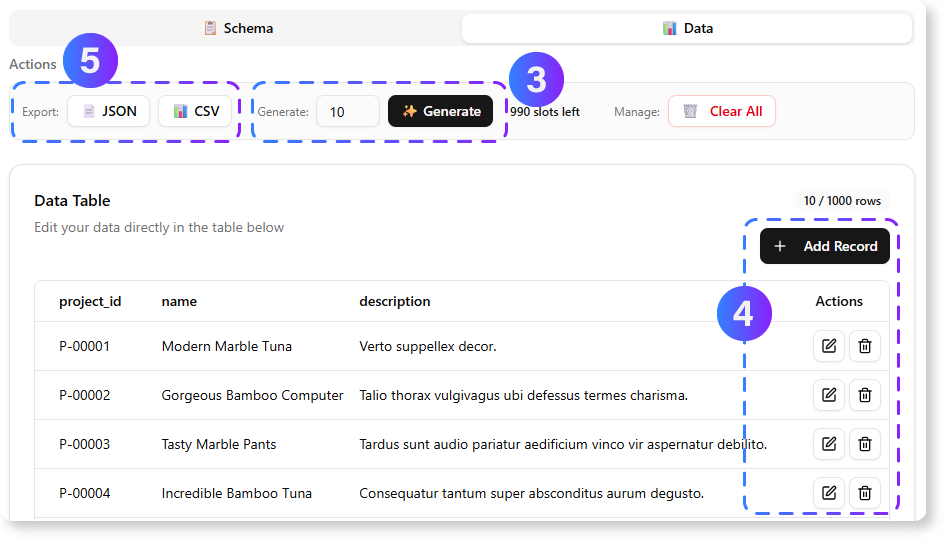
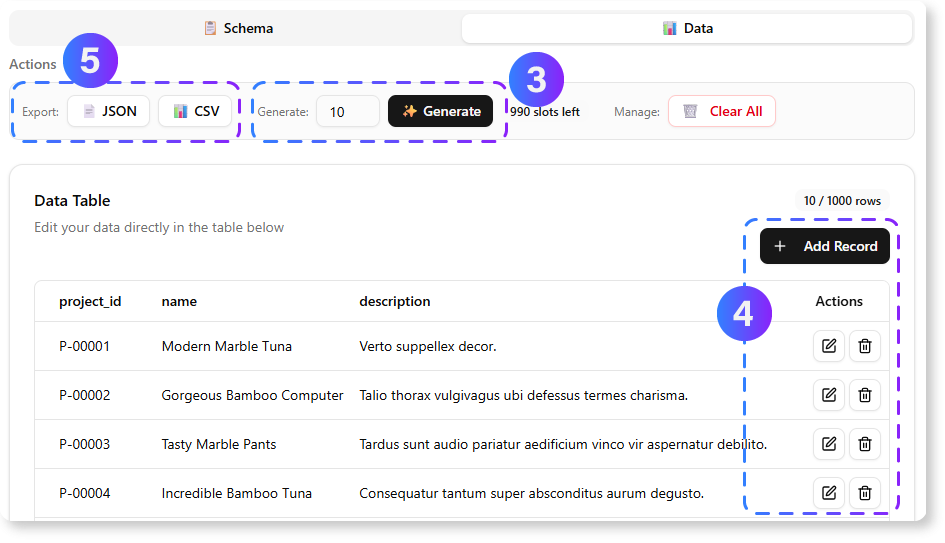
Once the data is finalized, click “Export” to download it as a well-formatted JSON file.
Experience Sharing: Why Developers Love This Tool
1.
Developers no longer need to spend hours setting up databases or writing boilerplate code. The AI JSON CRUD Table Maker provides an instant, functional interface for data management.
2.
With realistic fake data, developers can quickly test and iterate on their applications. This accelerates the prototyping phase and reduces time-to-market.
3.
By eliminating repetitive tasks, developers can focus on core application logic and innovation. The tool’s intuitive UI makes data management effortless.
4.
The ability to export data as JSON ensures compatibility with most modern applications and databases.
Summary:
The AI JSON CRUD Table Maker is a game-changer for developers, offering:
- AI-powered schema generation from natural language descriptions.
- Instant fake data population for testing and prototyping.
- Full CRUD functionality without coding.
- Flexible online editing for dynamic data management.
- Seamless JSON export for integration with applications.
By automating the tedious aspects of data management, this tool empowers developers to build faster, prototype smarter, and innovate without limits.
Ready to Supercharge Your Workflow?
Stop wasting time on repetitive data setup. Try the AI JSON CRUD Table Maker today and experience the future of data management!
🔗 Learn More 🔗 Try the AI JSON CRUD Table Maker
How do you think a tool like this could ?

 English
 Arabic
 Chinese (Simplified)
 Dutch
Dutch French
 German
 Italian
 Japanese
 Korean
 Portuguese
 Russian
 Spanish