


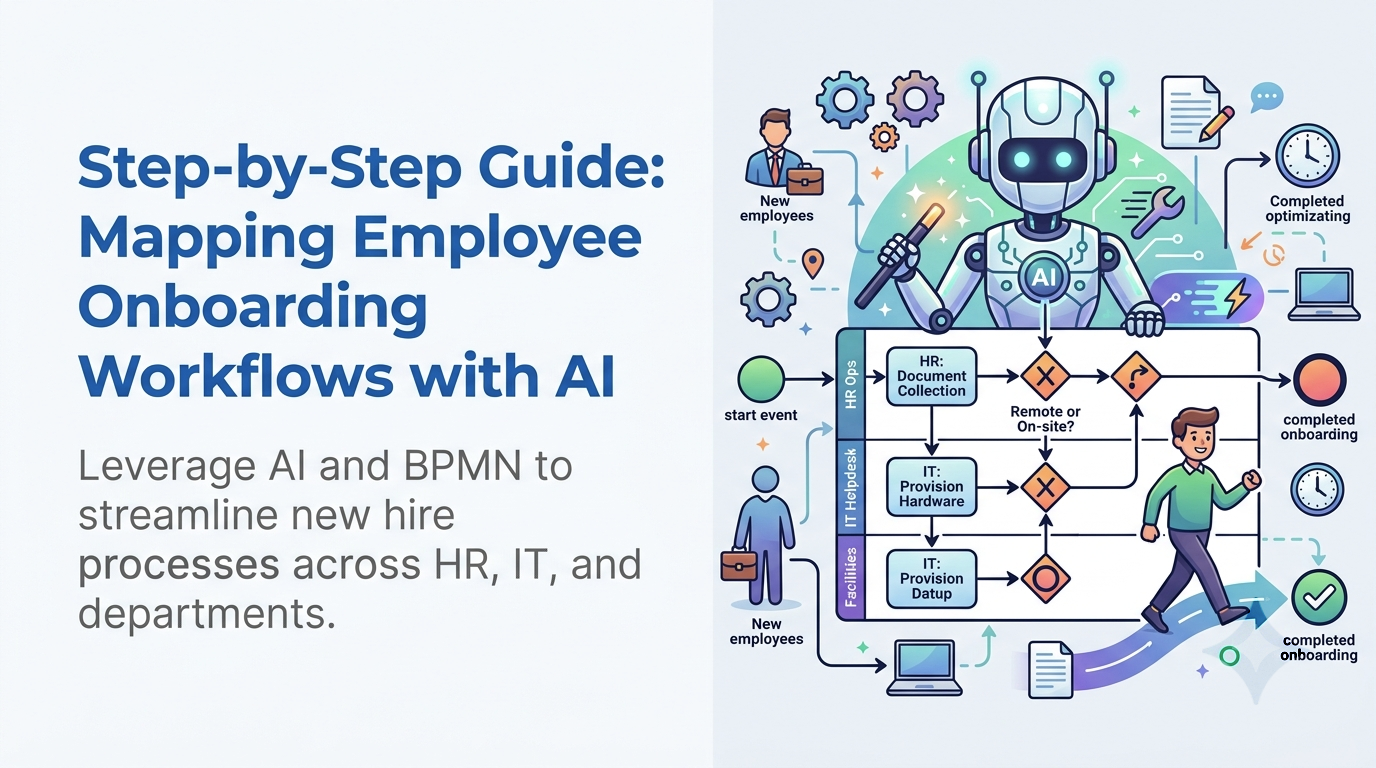
Employee onboarding is one of the most critical cross-departmental processes in modern organizations. A successful onboarding program accelerates new hire productivity, improves retention, and ensures regulatory compliance. However, because onboarding requires synchronized efforts across HR, IT, Facilities, and Finance, execution frequently suffers from handoff delays, missed equipment requests, and fragmented communication.
To eliminate these bottlenecks, organizations need a clear, standardized process map. Using Business Process Model and Notation (BPMN 2.0) allows teams to visually define exact roles, task dependencies, and automated triggers. By leveraging the power of Visual Paradigm’s AI BPMN Tool, process owners can map out end-to-end onboarding workflows in minutes rather than spending weeks in manual discovery workshops.
Why Onboarding Workflows Require BPMN Precision
A simple linear checklist is rarely enough to manage modern employee onboarding. A new hire’s journey involves parallel tracks—IT must provision hardware while HR processes tax documents, and management prepares training schedules. If any of these parallel paths stall, the employee experience suffers.
Mapping onboarding workflows with formal BPMN standards provides several key advantages:
- Clear Ownership via Swimlanes: Distinct pools and swimlanes clearly assign tasks to HR, IT Helpdesk, Payroll, and the Hiring Manager.
- Automated Event Triggers: Boundary events and timers ensure background checks, system access approvals, and equipment shipping are initiated automatically upon signing an offer letter.
- Standardized Compliance: Essential steps—such as security policy sign-offs or tax verification—are embedded directly into the workflow structure, reducing audit risks.
Step-by-Step: Building an Employee Onboarding Workflow
Follow this step-by-step guide to structure an enterprise-grade employee onboarding process using Visual Paradigm.
Step 1: Define the Process Scope and Triggers
Every BPMN workflow begins with a start event. For onboarding, the trigger is typically a signed employment contract or an updated record in an Applicant Tracking System (ATS). Define the end states clearly, such as “30-Day Onboarding Completed” or “Onboarding Aborted (Failed Background Check).” In Visual Paradigm, you can instantly set these start and end events within your project workspace.
Step 2: Identify Key Departments (Swimlanes)
Set up your primary BPMN pool and divide it into functional swimlanes. The standard lanes for an onboarding workflow include:
- HR Operations: Document collection, benefits enrollment, orientation scheduling.
- IT & Systems: Hardware procurement, email account creation, security credential provisioning.
- Facilities: Building access cards, desk allocation, hardware shipping for remote employees.
- Hiring Manager: Team introductions, 30-60-90 day goal setting, peer mentor assignment.
Step 3: Draft the Core Workflow Path
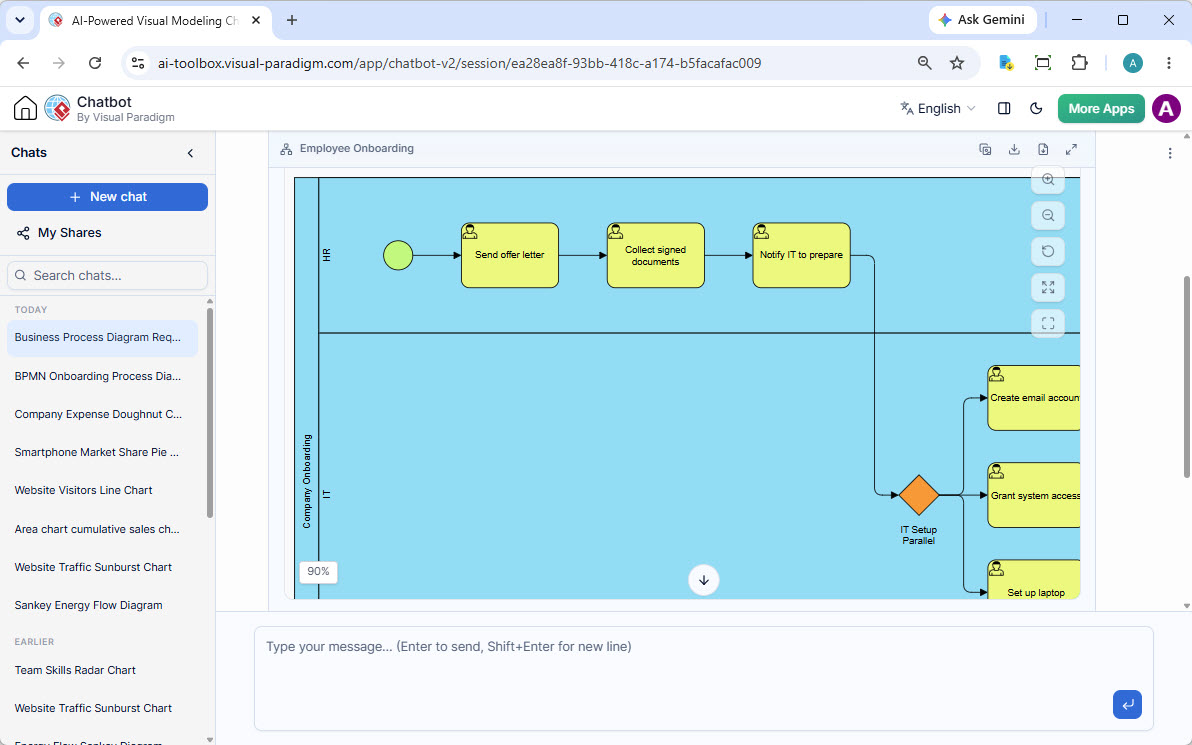
Outline the sequential tasks required across all swimlanes. Map key decision gateways—for example, an exclusive gateway checking whether the employee is remote or on-site, routing hardware shipping tasks accordingly.
Accelerating Onboarding Design with Visual Paradigm’s AI BPMN Tool
Drafting a multi-lane onboarding workflow manually requires significant time spent arranging shapes, connecting sequence lines, and verifying syntax rules. This is where Visual Paradigm transforms the process. Its dedicated AI BPMN Tool streamlines this entire phase, allowing you to move from concept to diagram instantly.
Instead of manually drawing every shape, analysts can simply input a natural language prompt summarizing their onboarding policy directly into the Visual Paradigm interface. The AI BPMN Tool automatically interprets the text, constructs the appropriate swimlanes, positions tasks under the correct departments, and configures the decision logic instantly.
Key benefits of using Visual Paradigm’s AI BPMN Tool for onboarding design include:
- Conversational Workflow Expansion: Need to add a specific compliance verification step? Simply chat with the Visual Paradigm AI assistant to expand the HR swimlane with a sub-process for background verification.
- Instant Task Decomposition: Automatically expand high-level tasks—like “Provision IT Workstation”—into detailed sub-processes covering software licensing, VPN setup, and hardware dispatch within the same model.
- Error-Free Gateways: Ensure parallel paths (e.g., sending welcome kits while setting up payroll) use proper BPMN parallel gateways without manual alignment errors, guaranteed by Visual Paradigm’s intelligent engine.
Best Practices for Managing Onboarding Process Maps
Once your initial onboarding diagram is generated in Visual Paradigm, follow these best practices to maximize operational value:
1. Validate the Map with Department Leads
Treat the draft generated by Visual Paradigm’s AI BPMN Tool as a collaborative starting point. Use the platform’s collaboration features to share the diagram with HR and IT managers during discovery sessions to ensure actual operational practices match the visual diagram.
2. Connect Process Models to System Architecture
Do not let your process diagrams live in isolation. Integrate your BPMN model into a broader visual modeling ecosystem so that IT tasks can be linked directly to software architecture specs, API endpoints, or user role definitions—a core strength of the Visual Paradigm unified modeling platform.
3. Continuously Optimize with Real Performance Data
Monitor real-world onboarding metrics against your process map. Identify where new hires experience delays—such as waiting for software approvals—and update the workflow logic in Visual Paradigm to introduce automated triggers or escalations.
Frequently Asked Questions
How detailed should an onboarding BPMN diagram be?
Start with a high-level overview (Level 1) capturing main departmental responsibilities and decision gateways. Then, use sub-processes to drill down into detailed task executions (Level 2) for specific activities like IT provisioning or payroll setup. Visual Paradigm makes switching between levels seamless.
Can an AI BPMN tool handle complex conditional logic like remote vs. hybrid hiring?
Yes. By describing different employee conditions in your prompt, Visual Paradigm’s AI BPMN Tool can automatically generate exclusive or inclusive gateways to route tasks based on work location, job role, or regional compliance requirements.
What is the difference between a checklist and a BPMN onboarding model?
A checklist merely lists tasks to complete. A BPMN onboarding model defines precise task dependencies, explicit departmental handoffs, parallel activities, and decision logic, ensuring total clarity across complex organizations. With Visual Paradigm, this model becomes a living document that drives efficiency.
Conclusion
A well-structured onboarding process is vital for employee retention and organizational productivity. By moving beyond simple checklists and adopting BPMN 2.0 standards, companies establish clear cross-departmental accountability. Leveraging a modern AI BPMN tool like Visual Paradigm allows teams to design, refine, and deploy comprehensive onboarding workflows in a fraction of the traditional time, bridging the gap between HR strategy and operational execution.

 English
 Arabic
 Chinese (Simplified)
 Dutch
Dutch French
 German
 Italian
 Japanese
 Korean
 Portuguese
 Russian
 Spanish