


Introduction: Why Knowledge Management Needs an AI Upgrade
In today’s fast-paced work environments, organizational knowledge is simultaneously invaluable and incredibly fragile. Critical decisions get buried in Slack threads, project specifications live in isolated Google Docs, and institutional wisdom walks out the door when team members leave. Traditional documentation tools help—but they don’t think.
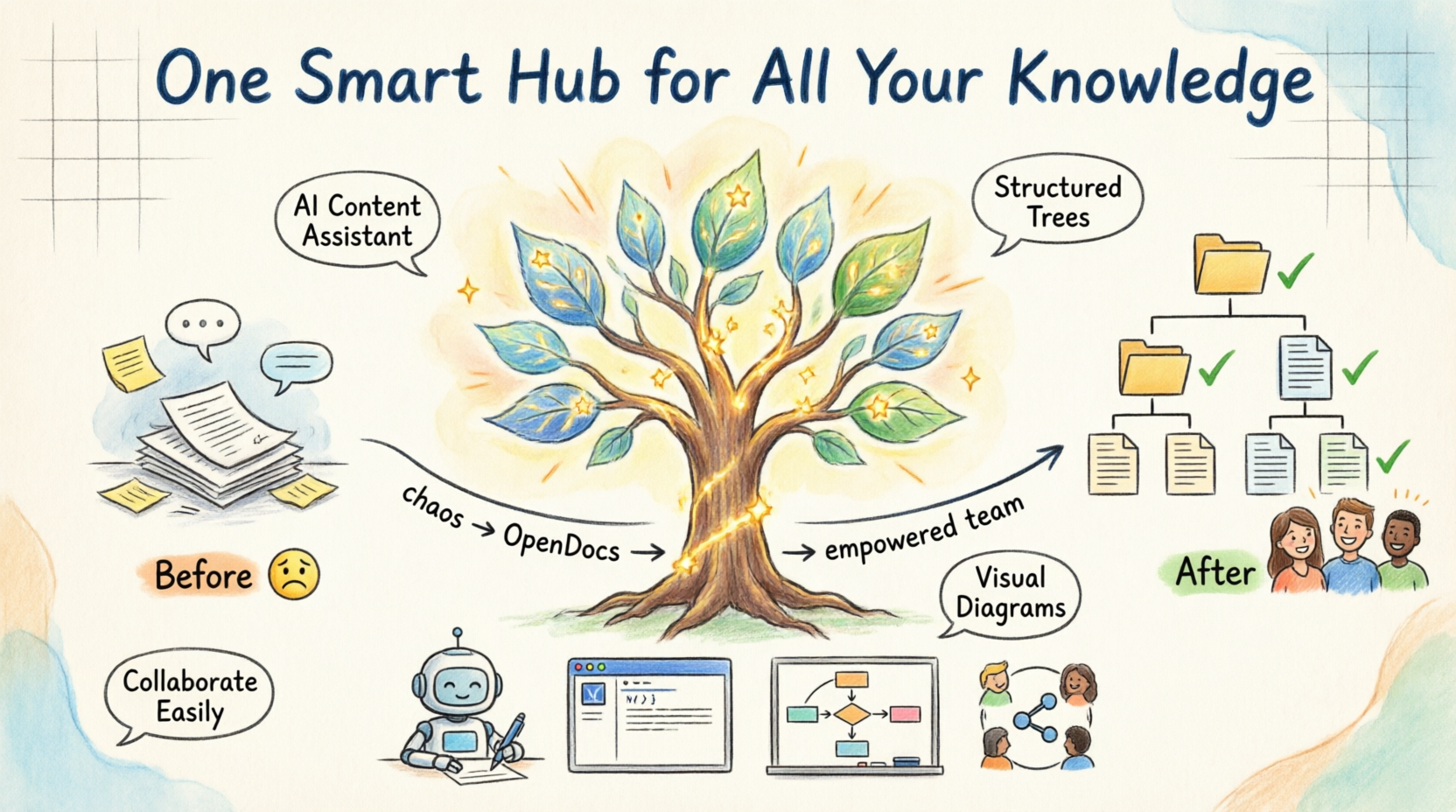
Enter OpenDocs, Visual Paradigm’s new AI-native knowledge management platform. After exploring its capabilities, it’s clear this isn’t just another wiki clone. OpenDocs reimagines how teams create, connect, and leverage collective intelligence by embedding artificial intelligence directly into the documentation workflow. Whether you’re scaling a startup, managing enterprise projects, or building personal knowledge systems, OpenDocs promises to turn scattered information into a dynamic, searchable, and genuinely useful “single source of truth.”
Product Overview: What Is OpenDocs?
OpenDocs is a next-generation AI knowledge management platform that combines hierarchical organization, collaborative editing, and intelligent automation into one cohesive workspace. At its core, OpenDocs treats your team’s knowledge like a living ecosystem: documents are structured in intuitive “knowledge trees,” enriched by an embedded AI assistant, and designed to be discovered—not just stored.
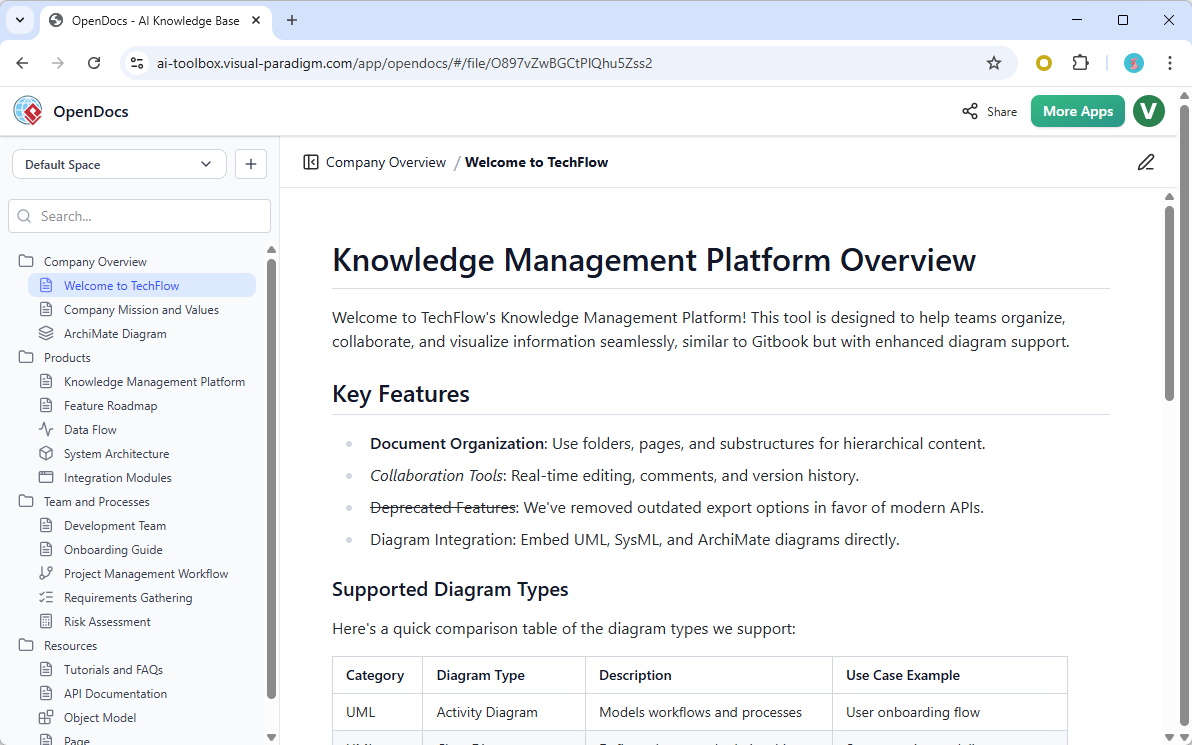
Unlike static documentation tools, OpenDocs actively helps you create and refine content. Its AI assistant can draft articles, summarize complex materials, simplify technical jargon, or answer questions based on your existing knowledge base—making it less of a repository and more of a collaborative thought partner.
Key Features Review: What Makes OpenDocs Stand Out
🌳 Structured Knowledge Trees
OpenDocs organizes content using a hierarchical tree structure that mirrors how teams naturally think about projects. Create parent pages for broad topics, nest sub-pages for details, and build a navigable map of your organization’s knowledge. This isn’t just folders with fancy names—it’s a visual, scalable architecture that grows with your needs.
🤖 AI Content Assistant (The Game-Changer)
This is where OpenDocs truly shines. The integrated AI assistant helps you:
-
Generate first drafts from bullet points or outlines
-
Summarize lengthy documents into actionable insights
-
Simplify complex topics for different audience levels
-
Answer contextual questions by referencing your knowledge base
Think of it as having a research assistant, editor, and subject-matter expert built directly into your documentation workflow.
👥 Seamless Collaboration & Sharing
Build knowledge collectively. Share entire knowledge trees or individual documents with team members or external stakeholders via simple permission controls. Public sharing options make it easy to publish customer-facing documentation without leaving the platform.
✍️ Intuitive Markdown Editor
A clean, distraction-free editor supports full Markdown syntax, enabling rich formatting—headings, tables, code blocks, checklists—without clutter. The learning curve is minimal, and the output is consistently professional.
🔍 Single Source of Truth Architecture
By consolidating documentation, diagrams, and AI-assisted insights in one platform, OpenDocs reduces duplicate work, minimizes version confusion, and ensures everyone accesses the most current information.
Who Should Use OpenDocs?
| Use Case | Why OpenDocs Fits |
|---|---|
| Engineering Teams | Centralize API docs, architecture diagrams, and sprint retrospectives with AI-assisted technical writing |
| Project Managers | Link requirements, timelines, and deliverables in hierarchical trees; auto-summarize status reports |
| HR & Operations | Build searchable employee handbooks, onboarding flows, and policy libraries with controlled access |
| Educators & Researchers | Organize study guides, literature reviews, and collaborative notes with AI-powered synthesis |
| Solo Creators & Consultants | Structure personal knowledge bases, client resources, and thought leadership content efficiently |
Deep Dive: Standout Technical Features
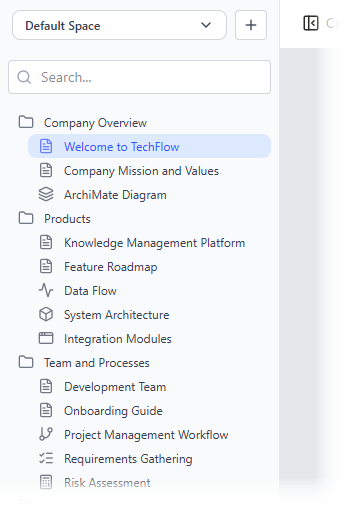
Hierarchical Folder Structure
Navigate your knowledge base like a well-organized library. Nested folders support unlimited depth, letting you mirror complex project structures or departmental hierarchies. Drag-and-drop reorganization keeps your taxonomy flexible as needs evolve.
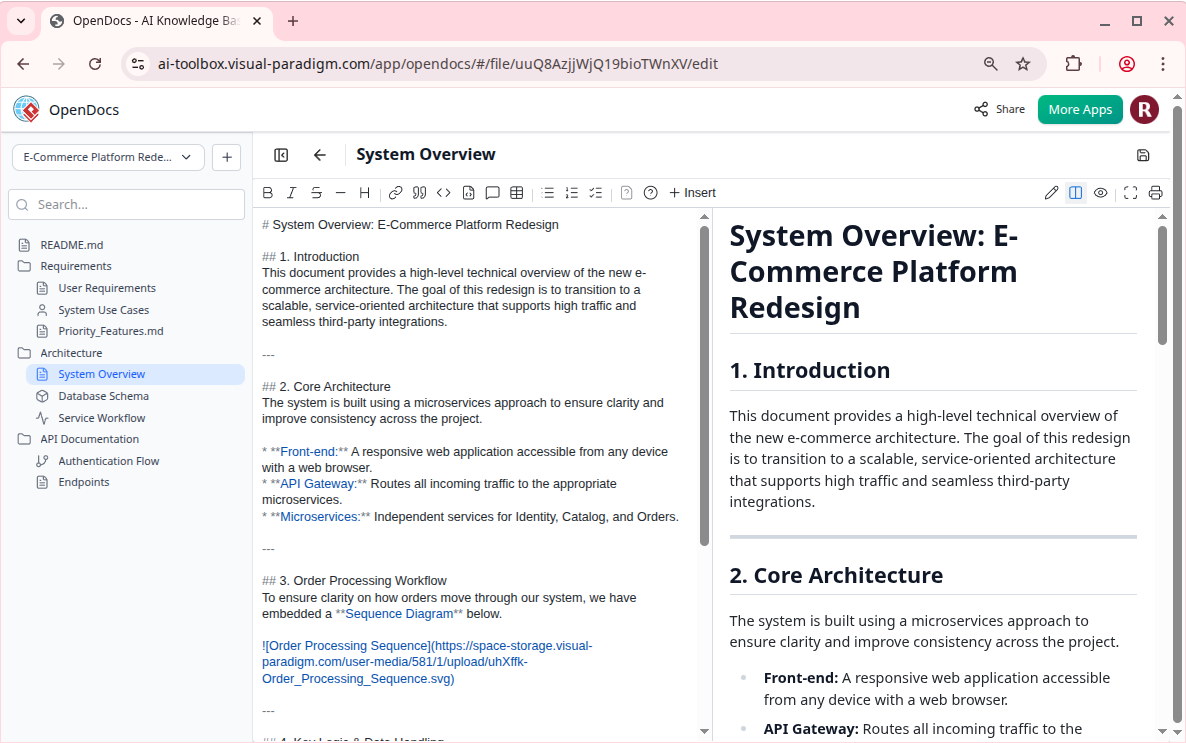
Rich Markdown Editor
Write beautifully formatted content without leaving the flow. The editor supports:
-
Syntax-highlighted code blocks
-
Embedded tables and task lists
-
Quick formatting shortcuts
-
Real-time preview
Integrated Diagram Editor (With AI Generation)
Visual documentation is first-class in OpenDocs. Create flowcharts, UML diagrams, mind maps, and process maps directly within articles. Even better: use the AI diagram generator to draft visuals from text prompts, then refine them in-place.
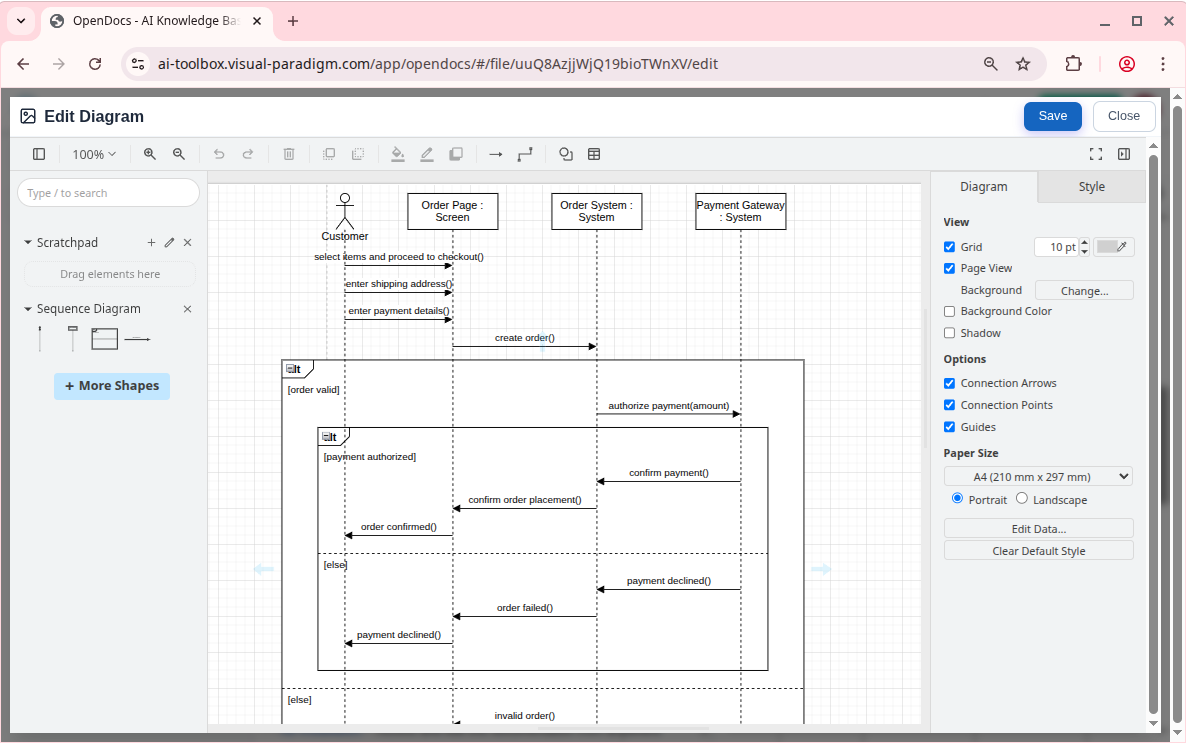
This tight integration between text and visuals eliminates context-switching and ensures diagrams stay synchronized with written content.
Pros & Cons: Balanced Assessment
✅ Strengths
-
AI assistance genuinely accelerates content creation and comprehension
-
Hierarchical organization scales elegantly from small projects to enterprise knowledge bases
-
Diagram integration bridges the gap between textual and visual documentation
-
Clean UX lowers adoption barriers for non-technical users
-
Flexible sharing controls support both internal and external collaboration
⚠️ Considerations
-
AI features depend on quality input—garbage in, garbage out still applies
-
Teams heavily invested in other documentation ecosystems may face migration effort
-
Advanced AI capabilities may require familiarity with prompt engineering for best results
Conclusion: Is OpenDocs Right for Your Team?
OpenDocs represents a meaningful evolution in knowledge management. By embedding AI not as a gimmick but as a core workflow enhancer, it addresses the real pain points of modern teams: information fragmentation, documentation debt, and the challenge of keeping collective knowledge current and accessible.
If your team struggles with scattered information, inconsistent documentation practices, or the time sink of maintaining knowledge bases, OpenDocs offers a compelling solution. Its blend of intuitive structure, intelligent automation, and collaborative flexibility makes it a powerful candidate for organizations ready to treat knowledge as a strategic asset—not an afterthought.
The platform is actively evolving, and Visual Paradigm’s track record in visual modeling suggests strong foundational engineering. For teams seeking a future-ready knowledge platform that grows smarter as you use it, OpenDocs deserves serious consideration.
Ready to transform how your team manages knowledge?
Get Started with OpenDocs!
Reference List
- OpenDocs – AI-Powered Knowledge Platform: Official feature overview of OpenDocs as an intelligent knowledge base for creating, organizing, and sharing text documents and diagrams, developed by Visual Paradigm.
- OpenDocs | All-in-One Knowledge Base & Diagramming Tool: Main product page highlighting the Markdown editor, integrated diagramming, and AI-powered diagram generation from simple text descriptions.
- OpenDocs: AI-Powered Knowledge Management Platform: Announcement introducing OpenDocs as a next-generation AI-powered knowledge management tool with hierarchical structure, searchability, and an built-in AI assistant (published Jan 19, 2026).
- AI State Diagram Generator: New Support in OpenDocs: Update adding AI-powered State Machine (UML) diagram generation from text descriptions within OpenDocs (published Feb 11, 2026).
- AI Deployment Diagram Generator in OpenDocs: Release note on new AI-powered UML Deployment Diagram support and generation capabilities in the OpenDocs knowledge platform (published Feb 10, 2026).
- AI Component Diagram Generator Now in OpenDocs: Announcement of AI-powered UML Component Diagram generation integrated into OpenDocs.
- Visual Paradigm AI: Advanced Software & Intelligent Apps: Overview of Visual Paradigm’s AI tools ecosystem, prominently featuring OpenDocs as the central knowledge base and documentation hub.
- AI PERT Chart Generator in OpenDocs: Update adding AI-powered PERT chart creation from natural language project descriptions.
- Mastering the Visual Paradigm AI Ecosystem: Third-party guide discussing OpenDocs as a bridge between technical models and human-readable documentation.

 English
 Arabic
 Chinese (Simplified)
 Dutch
Dutch French
 German
 Italian
 Japanese
 Korean
 Portuguese
 Russian
 Spanish