


Introduction
In today’s rapidly evolving digital workplace, professionals need versatile, accessible, and powerful productivity tools that can keep pace with modern work demands. Visual Paradigm Online emerges as a comprehensive cloud-based office suite that goes far beyond traditional document editing, offering an integrated ecosystem of productivity tools designed to streamline your workflow. Whether you’re a business professional, educator, student, or creative individual, this all-in-one platform combines document creation, presentation design, spreadsheet analysis, PDF editing, diagramming, and more into a single, cohesive solution. This comprehensive guide explores every feature of Visual Paradigm Online, helping you understand how this versatile suite can transform the way you work, collaborate, and create professional-quality content from anywhere in the world.
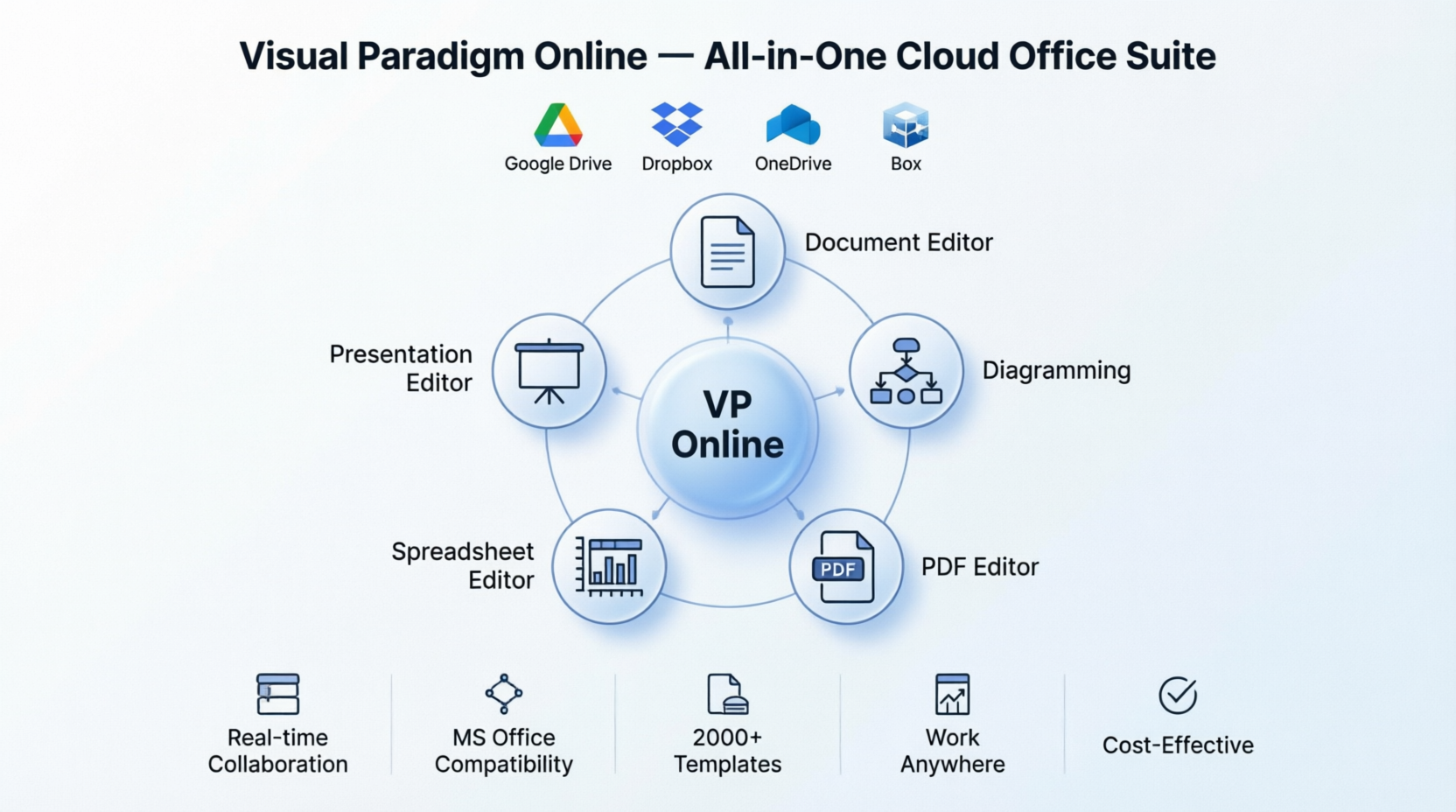
Core Office Applications
Document Editor: Professional Word Processing in the Cloud
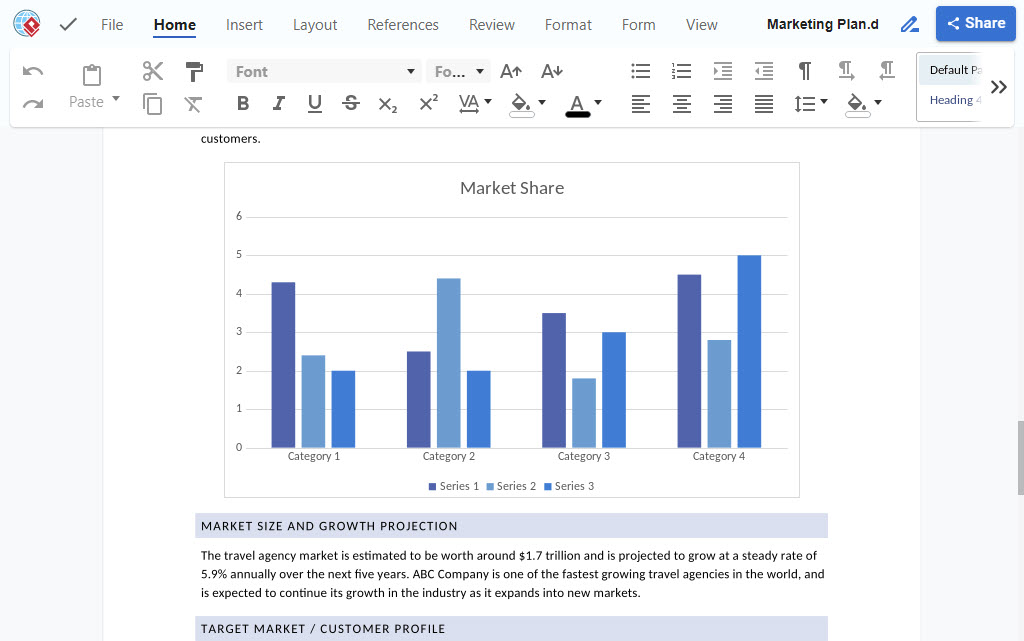
The Visual Paradigm Document Editor delivers a robust word processing experience that rivals traditional desktop applications while offering the flexibility of cloud-based access.
Key Features:
-
Full Microsoft Office Compatibility: Seamlessly create, edit, and save documents in .docx, .odt, and other industry-standard formats
-
Real-Time Collaboration: Work with team members simultaneously on the same document from any location
-
Rich Formatting Tools: Access comprehensive text formatting, styles, tables, images, and layout options
-
Cloud Storage Integration: Connect directly with Google Drive, Dropbox, Box, and OneDrive for seamless file access
-
Professional Templates: Jump-start your projects with pre-designed templates for reports, proposals, resumes, and more
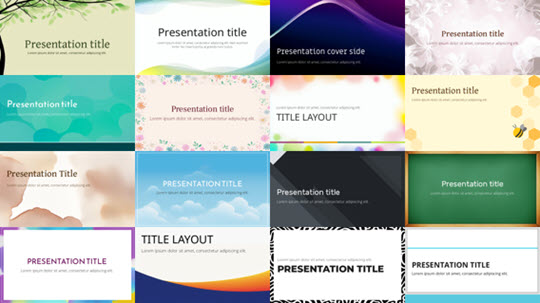
Presentation Editor: Create Stunning Slideshows
Visual Paradigm’s Presentation Editor empowers you to design captivating presentations that engage and inform your audience.
Key Features:
-
PowerPoint Compatibility: Full support for .pptx files ensures seamless transition from Microsoft PowerPoint
-
Drag-and-Drop Interface: Intuitive design tools make adding text, images, videos, and multimedia effortless
-
Professional Templates: Access hundreds of pre-designed themes and layouts for business, education, and creative presentations
-
Online Presentation Mode: Present directly from your browser, eliminating the need for local software
-
Multimedia Integration: Embed videos, audio, animations, and interactive elements
Spreadsheet Editor: Powerful Data Analysis Tools
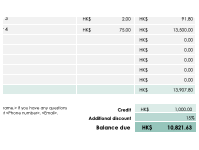
The Visual Paradigm Spreadsheet Editor provides comprehensive spreadsheet capabilities for data management, analysis, and visualization.
Key Features:
-
Excel Compatibility: Work with .xlsx, .ods, and .csv files without compatibility issues
-
Advanced Formulas: Access extensive function library for calculations, data analysis, and financial modeling
-
Data Visualization: Create charts, graphs, and pivot tables to transform data into insights
-
Large Dataset Handling: Efficiently process and analyze substantial amounts of data
-
Collaborative Editing: Multiple users can work on spreadsheets simultaneously
Advanced Productivity Tools
PDF Editor: Complete PDF Solution

Visual Paradigm’s PDF Editor offers comprehensive tools for editing, converting, and managing PDF documents without requiring expensive desktop software.
Key Features:
-
Direct PDF Editing: Modify text, images, and layout directly in PDF files
-
AI-Powered OCR: Convert scanned documents into editable text with 99% accuracy
-
PDF Conversion: Transform PDFs to Word, Excel, PowerPoint, and other formats
-
Merge & Split: Combine multiple PDFs or extract specific pages
-
Annotation Tools: Highlight, underline, strikeout, and add comments
-
Security Features: Password-protect documents and control access
Diagramming Tools: Visual Communication Made Simple

Create professional diagrams, flowcharts, and visual representations with Visual Paradigm’s comprehensive diagramming suite.
Key Features:
-
2000+ Diagram Templates: Access pre-built templates for flowcharts, UML, BPMN, ERD, mind maps, AWS diagrams, and more
-
Drag-and-Drop Interface: Intuitive tools for rapid diagram creation
-
MS Visio Compatibility: Import and export Visio files seamlessly
-
Real-Time Collaboration: Team members can work on diagrams simultaneously
-
Embed in Documents: Insert diagrams directly into Word and PowerPoint files
-
Cloud Workspace: Store and access diagrams from anywhere
Flipbook Maker: Interactive Digital Publications
Transform static PDFs into engaging, interactive flipbooks that captivate your audience.
Key Features:
-
PDF to Flipbook Conversion: Convert any PDF into an interactive digital publication
-
Multimedia Integration: Add videos, audio, images, and links to enhance engagement
-
Customizable Design: Choose themes, colors, and page transition effects
-
Virtual Bookshelves: Organize multiple flipbooks in branded collections
-
Analytics Dashboard: Track views, engagement time, and click-through rates
-
Easy Sharing: Publish to web, embed in websites, or share via social media
Instant Demos: See It In Action
Document Editing Demo

Easily edit documents online
Experience professional document editing with familiar tools and real-time collaboration.
Presentation Editing Demo

Create and edit powerful presentations
Design stunning slideshows with professional templates and multimedia integration.
Spreadsheet Editing Demo
Simple spreadsheet online editor
Analyze data, create formulas, and visualize information with powerful spreadsheet tools.
Key Advantages
Great Compatibility
Our editor supports a wide range of file formats including Microsoft and OpenOffice, so you can easily create, read, and edit documents in .docx, .pptx, .xlsx, odt, .odp, .ods, and .csv formats.
Learn more about:
Document Editor
Presentation Editor
Spreadsheet Editor
Publish and Share with Ease
Make your documents and presentations shine with our digital flipbook maker, which offers a more immersive reading experience for your audience. With VP Online, you can also create bookshelves to keep your publications organized and easily accessible.
Access Your Cloud Files from Our Office Suite
Our online office suite seamlessly integrates with the leading cloud storage services, including Google Drive, Dropbox, Box, and OneDrive. This allows you to easily access your files from these services directly within our suite, without the need for manual file transfers. Simply connect to your preferred cloud storage service and enjoy the freedom to work on your documents and presentations from anywhere, at any time.

Keep Your Documents in One Place
Our cloud-based document editor makes it easy to access your files from anywhere with an internet connection. Whether you’re at the office, at home, or on the go, you and your team can view and edit files in real-time using any web browser.
Productivity-Boosting Templates
To help you get started quickly, we offer a wide variety of free, professional templates that cover many different use cases and industries. Whether you’re creating a resume, project plan, report, presentation, budget, or anything in between, our templates are designed to help you get the job done faster and more efficiently.
[Presentation Templates] [Spreadsheet Templates]
All-in-One Productivity Suite
With VP Online, you get more than just an online office suite. Our product is an all-in-one productivity tool that includes PDF editing and conversion as well as a wide range of technical and business diagramming tools like flowcharts, BPMN, UML, ERD, and more. You can even design stunning visuals like posters and infographics with ease.

Quick Comparison
See the difference between what Visual Paradigm Online offers you compared to other conventional office products.
| Feature | Visual Paradigm Online | Conventional Office Products |
|---|---|---|
| Document Editor | ✅ Cloud-based, real-time collaboration, MS Office compatible | ❌ Often desktop-only, limited collaboration |
| Presentation Editor | ✅ Online presenting, multimedia integration, templates | ❌ Requires installation, basic features |
| Spreadsheet Editor | ✅ Cloud access, collaborative editing, Excel compatible | ❌ Desktop-bound, single-user focus |
| Diagramming Tool | ✅ 2000+ templates, Visio compatible, AI-powered | ❌ Limited templates, expensive licenses |
| Form Designer | ✅ Online forms, data collection, integration | ❌ Separate software required |
| PDF Editor | ✅ Full editing, OCR, conversion tools | ❌ Limited editing, costly subscriptions |
| PDF Tools | ✅ Merge, split, annotate, secure | ❌ Basic functionality only |
| PDF Converters | ✅ Multi-format conversion, high accuracy | ❌ Format limitations |
| Flipbook Maker | ✅ Interactive publications, analytics | ❌ Not available |
| Graphic Design | ✅ Posters, infographics, visuals | ❌ Separate design software needed |
Why Choose Visual Paradigm Online?
Boost Productivity
With Visual Paradigm Online, you can easily create professional documents, presentations, and diagrams through intuitive tools. The drag-and-drop interface makes it easy to add elements, customize appearance, and collaborate in real-time, saving you valuable time and effort.
Enable Collaboration
Visual Paradigm Online keeps your team’s projects in a cloud workspace, enabling seamless collaboration and teamwork. Invite team members to join workspaces, work on the same project simultaneously, and stay synchronized with real-time updates from anywhere in the world.
Reduce Costs
Visual Paradigm Online offers flexible pricing options tailored to your needs. For non-profit use, it’s completely free. For commercial use, affordable plans provide access to all features without the expensive licensing fees of traditional office software.
Work Anywhere, Anytime
The cloud-based platform allows you to access your documents from any browser, edit on-the-go, and maintain productivity whether you’re in the office, at home, or traveling. No more worrying about losing important documents or waiting to return to the office.
Learn More About Office Suite

How to maximize productivity with our office suite?

How to create diagrams online?
How to edit PDF as a document?
Conclusion
Visual Paradigm Online represents the future of workplace productivity—a comprehensive, cloud-based office suite that eliminates the limitations of traditional software while delivering powerful features that modern professionals demand. By integrating document editing, presentation design, spreadsheet analysis, PDF management, diagramming, and creative tools into a single platform, Visual Paradigm Online streamlines your workflow and enhances collaboration across teams and locations.
Whether you’re a small business seeking affordable productivity tools, an educator creating engaging learning materials, or an enterprise requiring robust collaboration features, Visual Paradigm Online delivers exceptional value. With seamless cloud storage integration, real-time collaboration, extensive template libraries, and compatibility with industry-standard file formats, this suite empowers you to work smarter, not harder.
The platform’s commitment to accessibility means you can maintain productivity from anywhere with an internet connection, while flexible pricing ensures professional-grade tools are available to organizations of all sizes. Stop juggling multiple software subscriptions and fragmented workflows—Visual Paradigm Online provides everything you need to create, collaborate, and succeed in today’s dynamic work environment.
Reference List
- How to maximize productivity with our office suite?: Comprehensive guide exploring Visual Paradigm Office Suite’s document editor, spreadsheet editor, presentation editor, diagram editor, PDF editor, and flipbook maker for enhanced collaboration and remote work productivity.
- How to create diagrams online?: Complete overview of Visual Paradigm Online’s diagramming software featuring 2000+ templates, drag-and-drop interface, cloud collaboration, and support for flowcharts, UML, mind maps, and AWS diagrams.
- How to edit PDF as a document?: Step-by-step guide demonstrating two methods for editing PDF files using Visual Paradigm Online’s document editor and PDF-to-Word converter with AI-powered OCR technology.
- Document Editor: Professional online word processing tool with Microsoft Office compatibility, real-time collaboration, rich formatting options, and cloud storage integration for creating reports, proposals, and documents.
- Presentation Editor: Cloud-based presentation software with PowerPoint compatibility, drag-and-drop interface, professional templates, multimedia integration, and online presentation capabilities.
- Spreadsheet Editor: Powerful cloud spreadsheet tool with Excel compatibility, advanced formulas, data visualization, pivot tables, and collaborative editing for data analysis and financial modeling.
- PDF Editor: Comprehensive online PDF editing solution featuring direct text and image editing, AI-powered OCR with 99% accuracy, conversion tools, annotation features, and document security options.
- Diagramming Tools: Professional diagram creation platform offering 2000+ templates for flowcharts, UML, BPMN, ERD, mind maps, network diagrams, with Visio compatibility and real-time collaboration.
- Flipbook Maker: Interactive digital publication tool that converts PDFs into engaging flipbooks with multimedia integration, customizable themes, virtual bookshelves, analytics tracking, and easy web sharing.
- Form Designer: Online form building tool for creating custom forms, collecting data, and integrating with other Visual Paradigm Online productivity features.

 English
 Arabic
 Chinese (Simplified)
 Dutch
Dutch French
 German
 Italian
 Japanese
 Korean
 Portuguese
 Russian
 Spanish