


Introduction
In today’s fast-paced software development and business analysis landscape, having the right diagramming tools can make the difference between project success and failure. Visual Paradigm Online emerges as a comprehensive, browser-based solution that democratizes professional diagramming. This cloud-powered platform eliminates the traditional barriers of expensive desktop software and complex installation processes, delivering enterprise-grade UML and business diagramming capabilities directly through your web browser. Whether you’re a software architect designing complex systems, a business analyst mapping processes, or a project manager visualizing workflows, Visual Paradigm Online provides an intuitive yet powerful environment that scales with your needs—from quick sketches to enterprise-level documentation.
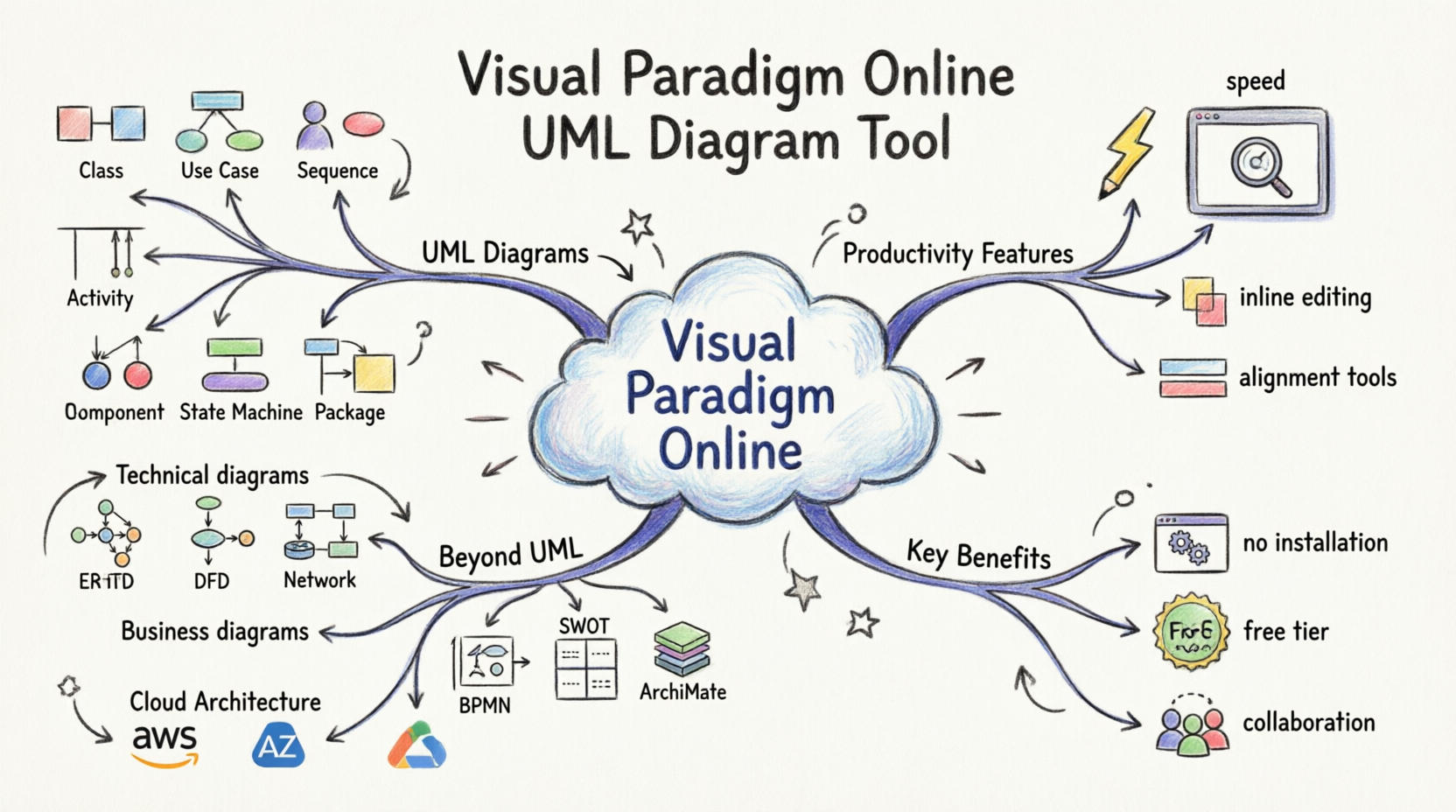
Core UML Diagramming Capabilities
Visual Paradigm Online supports the complete spectrum of UML 2.5 diagrams, making it a one-stop solution for software modeling and system design.
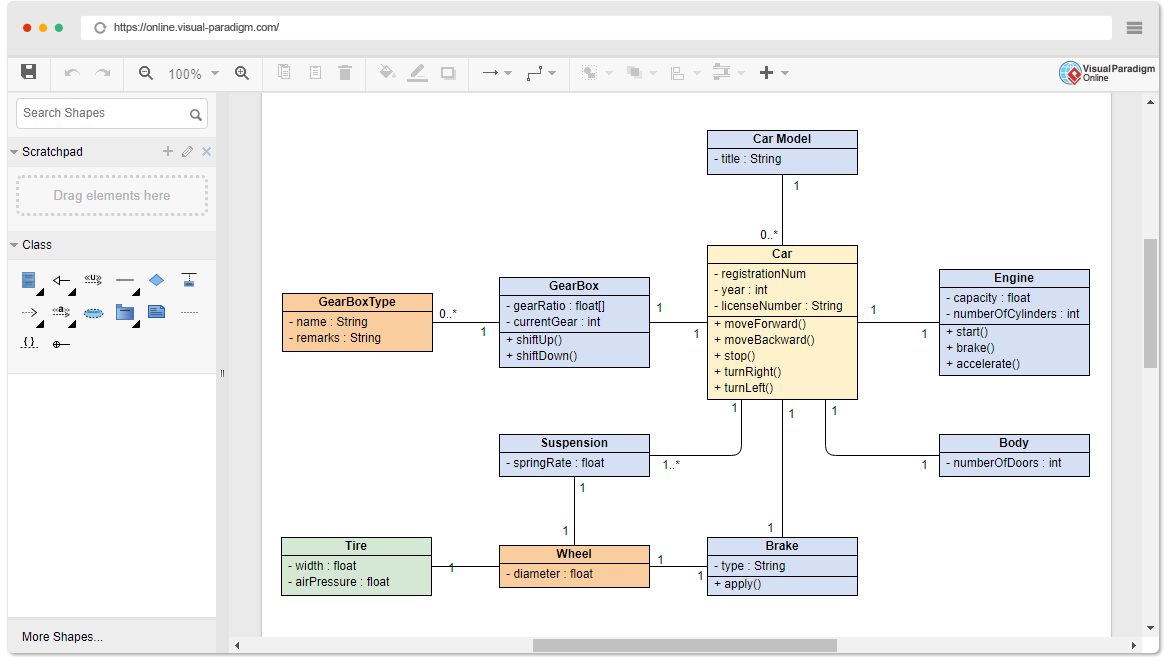
Supported UML Diagram Types
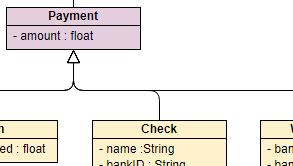
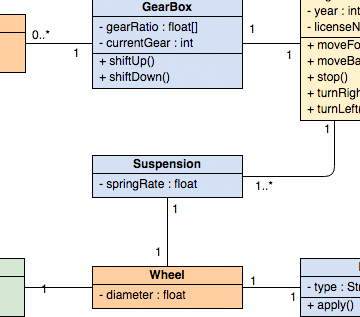
Class Diagrams – Model the static structure of your system with classes, interfaces, associations, and collaborations. Perfect for object-oriented design and database modeling.
Use Case Diagrams – Capture functional requirements and system interactions from the user’s perspective. Ideal for requirements gathering and stakeholder communication.

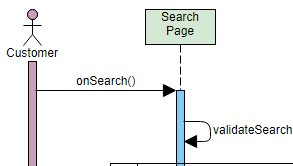
Sequence Diagrams – Visualize object interactions and message flows over time. Essential for understanding dynamic behavior and API design.
Activity Diagrams – Model business processes and workflows with decision points, parallel activities, and swimlanes.
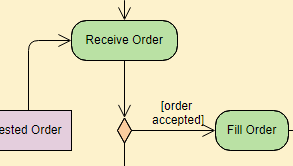
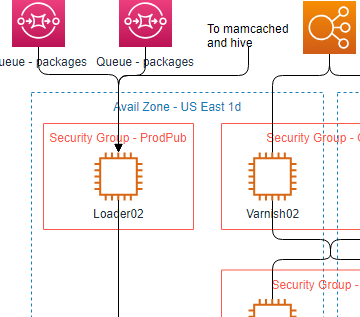
Deployment Diagrams – Map physical architecture and hardware configurations for system deployment planning.
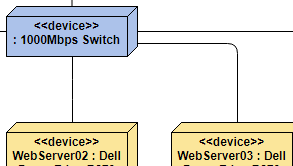
Component Diagrams – Organize and visualize system components and their dependencies for modular architecture design.
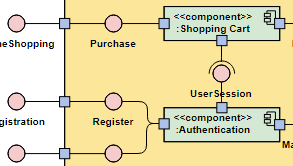
State Machine Diagrams – Model object lifecycles and state transitions for complex behavioral logic.
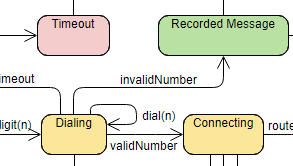
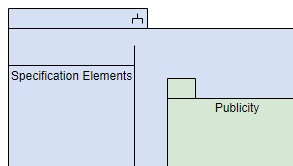
Package Diagrams – Organize large systems into manageable packages and namespaces for better architecture organization.
Productivity-Enhancing Features
Lightning-Fast Diagram Creation
Visual Paradigm Online prioritizes speed without compromising quality. The platform is engineered for rapid diagramming with intelligent tools that reduce repetitive tasks.
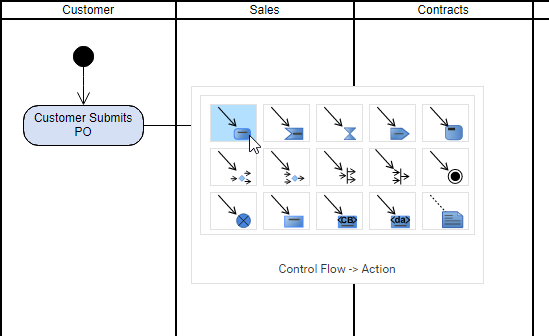
Key Productivity Features:
-
Inline Editing – Modify shape names and members directly without switching modes or opening dialogs
-
Resource Catalog – Access quick shape creation tools for common elements
-
Smart Grouping – Group related shapes and move them as cohesive units
-
One-Click Alignment – Automatically align and distribute shapes for professional layouts
-
Drag-and-Drop Messages – Create sequence diagram messages intuitively through drag operations
Advanced Class Member Management
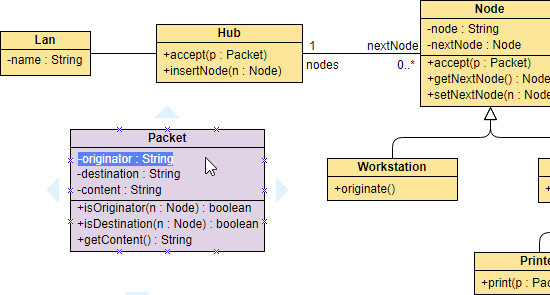
Unlike basic diagramming tools that treat class members as simple text labels, Visual Paradigm Online provides sophisticated compartment management within class shapes.
Benefits:
-
Selectable and editable compartments (attributes, operations, constraints)
-
Proper UML syntax enforcement
-
Professional appearance with automatic formatting
-
Easy reorganization of members
Specialized Sequence Diagram Editor
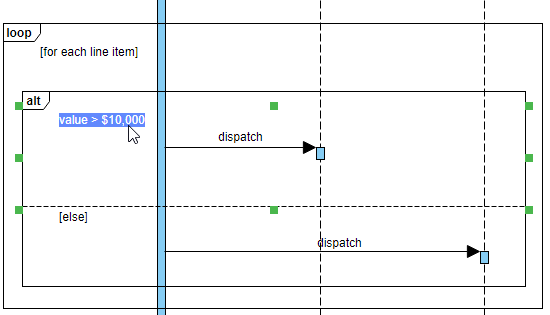
The sequence diagram editor goes beyond primitive shapes, offering purpose-built UML elements that understand the semantics of object interactions.
Advantages:
-
Specialized lifelines and activation bars
-
Automatic message numbering and sequencing
-
Support for combined fragments (alt, opt, loop, par)
-
Intelligent connector routing
Shape Reusability System
Maximize efficiency and maintain consistency across multiple diagrams with the palette and shape reuse functionality.
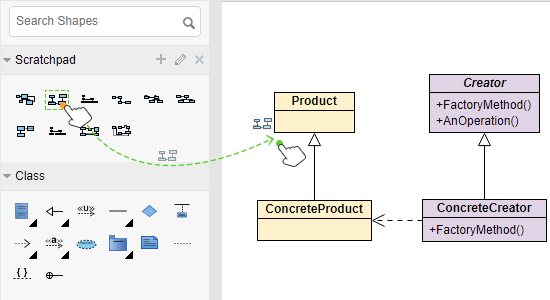
Use Cases:
-
Create standardized component libraries
-
Maintain design consistency across projects
-
Reduce repetitive element creation
-
Share common shapes across team members
Flexible Notation Support
Visual Paradigm Online breaks free from rigid standard constraints, allowing you to mix notations from different modeling languages within a single diagram.
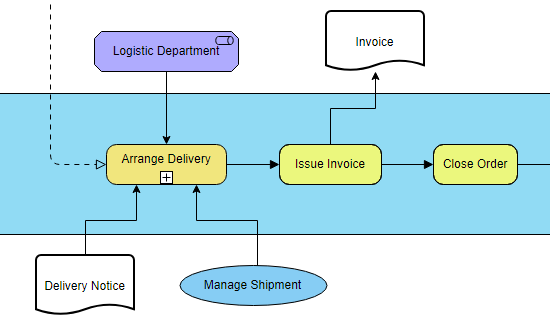
Capabilities:
-
Combine UML with ArchiMate, BPMN, or custom notations
-
Place UML actions alongside use cases
-
Mix ArchiMate work packages with UML nodes
-
Adapt diagrams to your organization’s specific needs
Custom Shape Creation
Extend the platform’s capabilities by importing your own shapes and stencils, creating a truly personalized diagramming environment.
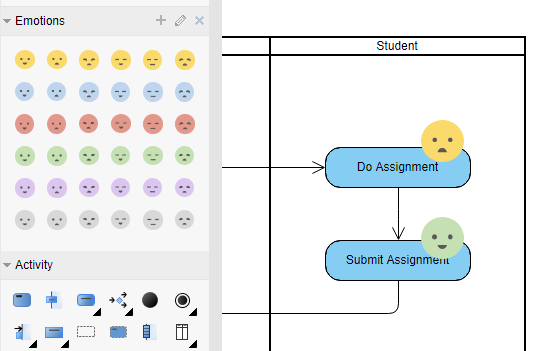
Supported Formats:
-
SVG (Scalable Vector Graphics)
-
JPG/JPEG
-
PNG
-
Custom stencil libraries
Beyond UML: Comprehensive Diagramming Suite

Visual Paradigm Online transcends UML to become a complete visual modeling and business analysis platform.
Technical Diagramming Tools
-
Entity Relationship Diagrams (ERD) – Database design and modeling
-
Data Flow Diagrams (DFD) – System data flow visualization
-
PERT Charts – Project management and scheduling
-
Network Diagrams – IT infrastructure mapping
-
Wiring Diagrams – Electrical and electronic schematics
-
Process Flow Diagrams (PFD) – Industrial process visualization
-
P&ID (Piping and Instrumentation Diagrams) – Engineering documentation
Business Analysis & Strategy Tools
-
ArchiMate – Enterprise architecture modeling
-
BPMN (Business Process Model and Notation) – Business process modeling
-
SWOT Analysis – Strategic planning
-
Value Chain Analysis – Competitive advantage mapping
-
Value Stream Mapping – Lean process improvement
-
Organization Charts – Hierarchical structure visualization
Cloud Architecture Design
Multi-cloud architecture support for modern infrastructure design:
-
AWS Architecture – Amazon Web Services diagrams
-
Azure Architecture – Microsoft Azure solutions
-
Google Cloud Platform – GCP infrastructure
-
IBM Cloud – IBM cloud services
-
Oracle Cloud Infrastructure – OCI architecture
-
Alibaba Cloud – Alibaba cloud solutions
-
Tencent Cloud – Tencent cloud infrastructure
General Purpose Diagramming
-
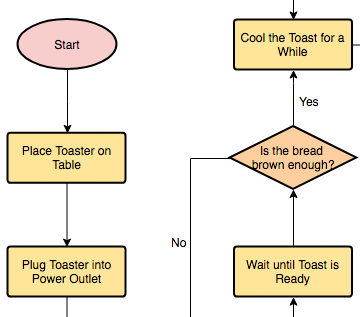
Flowcharts – Process and algorithm visualization
-
Floor Plans – Space planning and design
-
Mind Maps – Idea organization and brainstorming
-
Venn Diagrams – Set relationships
-
Process Maps – Workflow documentation
Specialized Analysis Templates
Pre-built templates for common business analysis scenarios:
-
Customer Journey Mapping – User experience visualization
-
Competitor Analysis – Market positioning
-
Root Cause Analysis – Problem investigation
Getting Started
Visual Paradigm Online removes barriers to entry with its accessible, browser-based approach. No installation, no complex setup—just create an account and start diagramming.
Quick Start Options
Visual Tools Overview:
Conclusion
Visual Paradigm Online represents a paradigm shift in professional diagramming—delivering enterprise-grade modeling capabilities through an accessible, cloud-based platform. Its comprehensive support for UML 2.5 diagrams, combined with productivity-enhancing features like inline editing, shape reusability, and intelligent alignment tools, makes it an invaluable asset for software architects, business analysts, and project managers alike.
What truly sets Visual Paradigm Online apart is its versatility. Beyond traditional UML modeling, it serves as a complete visual communication platform supporting everything from cloud architecture design to business process modeling, strategic analysis, and technical documentation. The ability to mix notations, import custom shapes, and leverage pre-built templates means the platform adapts to your workflow rather than forcing you to adapt to it.
Whether you’re documenting a complex microservices architecture, mapping customer journeys, designing database schemas, or creating organizational charts, Visual Paradigm Online provides the tools, flexibility, and ease of use to transform abstract ideas into clear, professional visualizations. With its free tier and browser-based accessibility, there’s never been a better time to elevate your diagramming capabilities and communicate complex information with clarity and precision.
- References
- Class Diagram Software: Online tool for creating UML class diagrams to model system structure and relationships.
- Use Case Diagram Software: Create use case diagrams to capture functional requirements and user interactions.
- Sequence Diagram Software: Design sequence diagrams to visualize object interactions and message flows over time.
- Activity Diagram Software: Model business processes and workflows with activity diagrams.
- Deployment Diagram Software: Map physical architecture and hardware configurations for system deployment.
- Component Diagram Software: Organize and visualize system components and their dependencies.
- State Machine Diagram Software: Model object lifecycles and state transitions for complex behavioral logic.
- Package Diagram Software: Organize large systems into manageable packages and namespaces.
- UML Tool Features: Comprehensive overview of all UML diagramming features and capabilities.
- UML Diagram Tool: Complete UML modeling solution supporting all UML 2.5 diagram types.
- ERD Tool: Entity relationship diagram tool for database design and modeling.
- DFD Maker: Data flow diagram creator for visualizing system data flows.
- PERT Chart Tool: Program Evaluation Review Technique charts for project management.
- Network Diagram Software: IT infrastructure and network topology mapping tools.
- Wiring Diagram Software: Electrical and electronic schematic diagram creation.
- Process Flow Diagram Software: Industrial process visualization and documentation.
- P&ID Software: Piping and instrumentation diagram tools for engineering.
- ArchiMate Tool: Enterprise architecture modeling using ArchiMate notation.
- BPMN Tool: Business Process Model and Notation for process modeling.
- SWOT Analysis Tool: Strategic planning through Strengths, Weaknesses, Opportunities, and Threats analysis.
- Value Chain Analysis Tool: Competitive advantage mapping and value chain visualization.
- Value Stream Mapping Software: Lean process improvement and waste elimination tools.
- Organization Chart Maker: Create hierarchical organizational structure diagrams.
- AWS Architecture Diagram Tool: Amazon Web Services cloud infrastructure design.
- Azure Architecture Diagram Tool: Microsoft Azure cloud solution architecture.
- Google Cloud Platform Diagram Software: GCP infrastructure and service architecture design.
- IBM Cloud Architecture Diagram Software: IBM cloud services and infrastructure modeling.
- Oracle Cloud Infrastructure Diagram Software: OCI architecture and cloud service design.
- Alibaba Cloud Architecture Diagram Software: Alibaba cloud infrastructure and solutions architecture.
- Tencent Cloud Architecture Diagram Software: Tencent cloud services and infrastructure design.
- Flowchart Tool: General-purpose flowchart creation for processes and algorithms.
- Floor Plan Designer: Space planning and architectural floor plan design.
- Mind Mapping Tool: Idea organization, brainstorming, and concept mapping.
- Venn Diagram Tool: Set relationship visualization and comparison diagrams.
- Process Map Designer: Comprehensive workflow documentation and process mapping.
- Customer Journey Mapping Tool: User experience visualization and customer touchpoint mapping.
- Competitor Analysis Tool: Market positioning and competitive landscape analysis.
- Root Cause Analysis Tool: Problem investigation and causal factor identification.

 English
 Arabic
 Chinese (Simplified)
 Dutch
Dutch French
 German
 Italian
 Japanese
 Korean
 Portuguese
 Russian
 Spanish