


Discover how professionals across different roles leverage Visual Paradigm AI to work smarter, collaborate better, and achieve their goals faster. Explore real-world scenarios where AI-powered diagramming makes a difference.
🎯 What Is Visual Paradigm AI Chatbot?
Visual Paradigm’s AI Chatbot is a conversational modeling assistant designed to automate the creation and refinement of professional diagrams. It acts as a “co-pilot,” allowing users to bypass manual drag-and-drop tasks by using natural language commands to generate and edit complex visual models.
✨ Core Capabilities
The chatbot provides an intelligent layer over traditional modeling tools:
🔹 Generate Diagram
This is the core power of the AI Chatbot. Instead of struggling with palettes, connectors, and complex notation rules, you simply state what you need. The AI understands industry standards—from UML and ArchiMate to strategic matrices—and instantly renders a professional, fully editable diagram, making the initial modeling step a matter of seconds, not hours.
Fitness Tracking Application
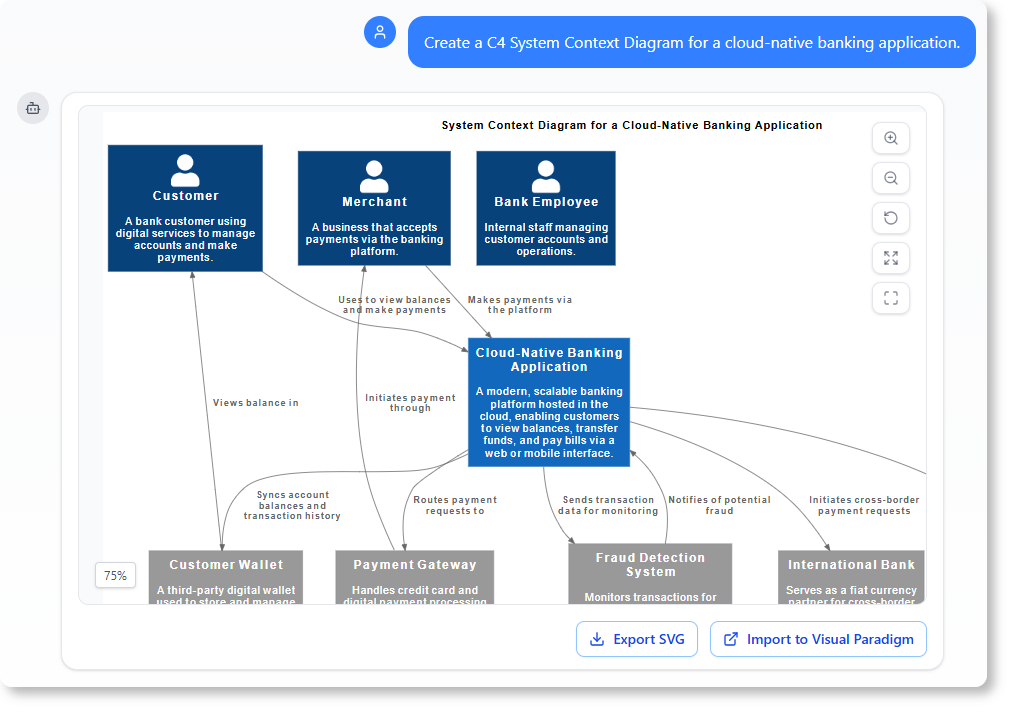
Prompt: Create a C4 System Context Diagram for a cloud-native banking application.
Fitness Tracking Application
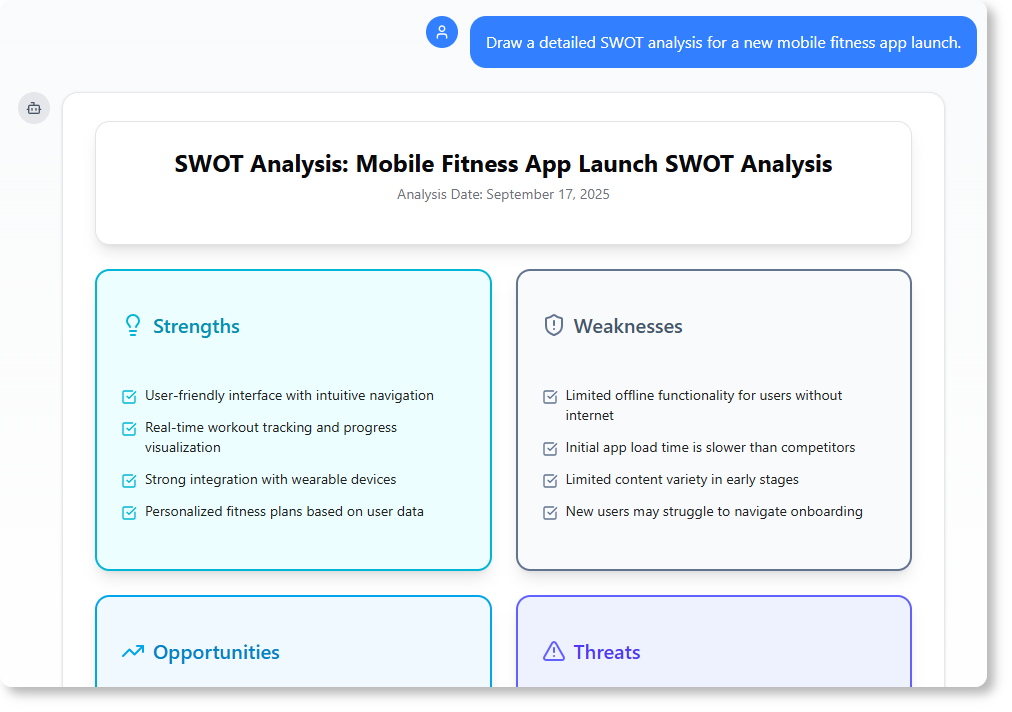
Prompt: Draw a detailed SWOT analysis for a new mobile fitness app launch.
Fitness Tracking Application
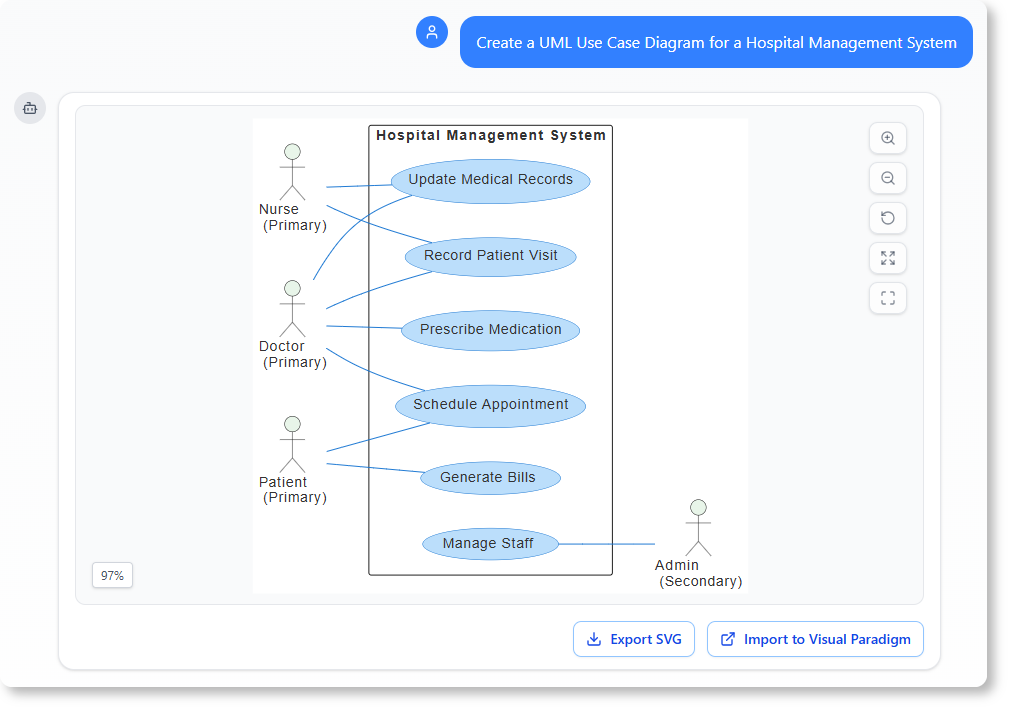
Prompt: Create a UML Use Case Diagram for a Hospital Management System.
✒️ Refine and Enhance
Once your initial diagram is generated, your work is just beginning. The AI Chatbot allows you to evolve your visual models through simple, conversational commands, applying sophisticated changes without ever touching a drag-and-drop editor. This feature is perfect for quick iterations and ensuring your diagram accurately reflects design changes or new requirements.
Prompt: Add an alternative path to this Sequence Diagram to handle “book damage”
Chat History
Prompt: Rename Customer to User.
Chat History
Prompt: Translate the diagram content to Simplified Chinese.
Chat History
📋 Explain and Document
The AI Chatbot goes beyond drawing; it makes your diagram an intelligent knowledge base. You can ask it to generate clear, structured documentation, summaries, and reports directly from your visual model. This saves countless hours on project documentation and ensures your reports are always in sync with your latest design.
Prompt: Explain this Sequence Diagram to me.
Chat History
Prompt: Generate a Use Case Description on the “Withdraw Cash” use case.
Chat History →
Prompt: Describe the user journey in this Activity Diagram.
Chat History →
❓ Analyze and Question
Use the AI Chatbot as a domain expert to validate your design against established standards. By asking targeted questions, you can uncover potential flaws, get suggestions for improvements, and ensure your model adheres to industry best practices in UML, ArchiMate, and more, all through a simple conversation.
Prompt: What are the security risks in this Deployment Diagram?
Chat History
Prompt: What are the possible scenario for the “Place Order” use case?
Chat History
Prompt: How can we improve the scalability of this system architecture?
Chat History
🎨 Welcome to Visual Paradigm AI Assistant
I can help you create professional diagrams, perform business analysis, and explain complex concepts. What would you like to do today?
Start with an Example
UML | SysML | ArchiMate | Strategic Analysis | C4 | Charts | Other

Generate a class diagram for an online learning platform.

Draw a sequence diagram for booking a flight online.

Generate a use case diagram for a food delivery app.

Generate an Activity Diagram for the order processing workflow of an online e-commerce system.


Create a state machine diagram for a vending machine.

Generate a package diagram for a traffic management system.

Draw an object diagram for Employee Payroll System.
Generate a composite structure diagram for a flight booking system.
Or, Explore Other Capabilities
🔧 Refine and Enhance
📄 Explain and Document
🔍 Analyze and Question
-
What are the possible scenario for the “Place Order” use case?
-
How can we improve the scalability of this system architecture?
🌟 The World’s Leading AI-Powered Visual Modeling Chatbot
Go from a simple text prompt to a complete, presentation-ready diagram in seconds. Let our AI handle the complex drawing, so you can focus on building great systems.
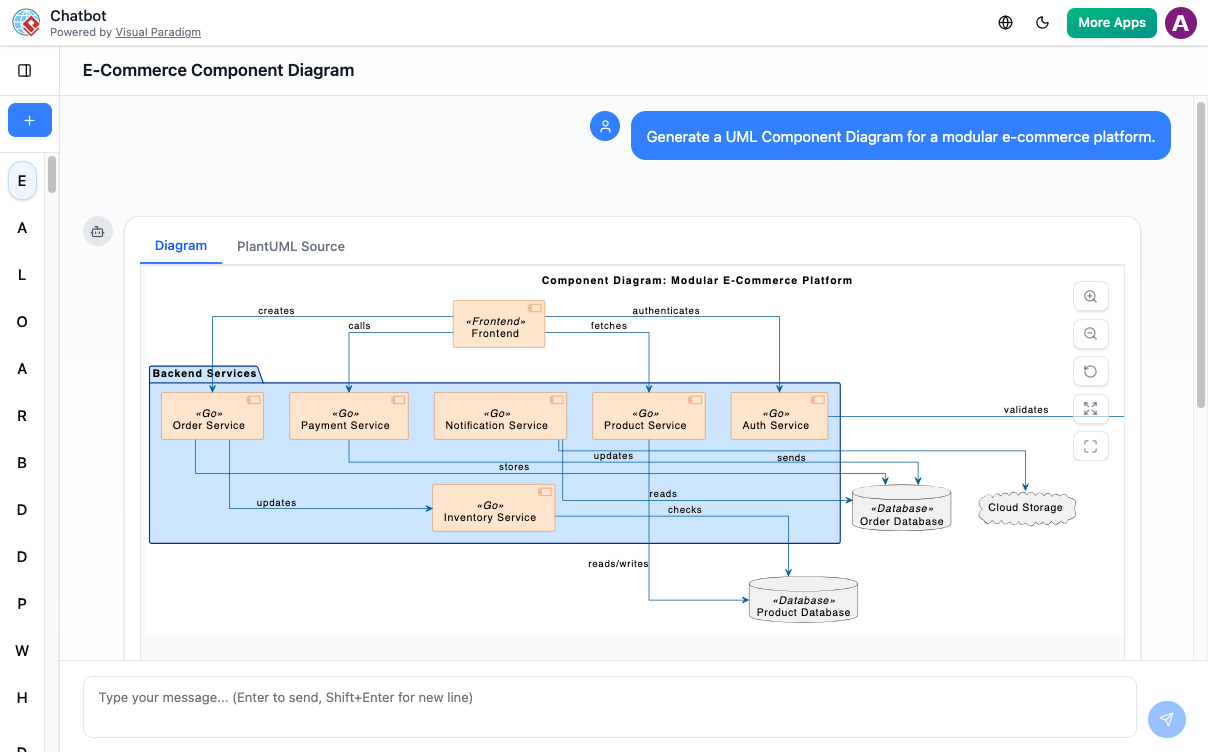
🛠️ Your Creative Co-Pilot for Visuals
From the first spark of an idea to the final presentation, our AI is with you every step of the way. Here’s how you can supercharge your workflow.
⚡ Instant Diagram Generation
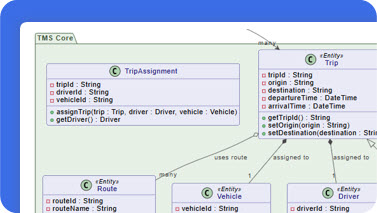
Staring at a blank canvas? Just describe your idea in plain text. Watch as our AI architect maps out a detailed, accurate diagram in seconds.
✏️ Edit with Simple Commands
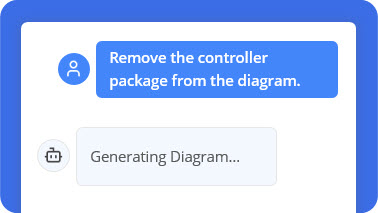
Think of it as a conversation with your canvas. Simply tell the AI, ‘Add a database’, or ‘Rename User’ to ‘Customer’, and consider it done.
💬 Ask Your Diagram Anything
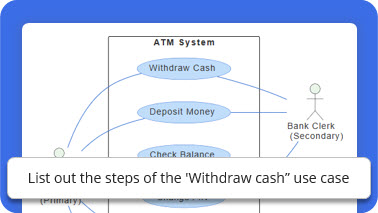
Go beyond the visuals. Your diagram is now a knowledge base. Ask how to implement a deployment, or for the main scenarios in a use case.
🧠 Never Lose Your Train of Thought
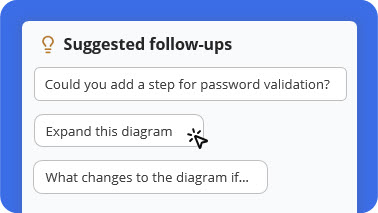
Unsure what to explore next? Our AI provides smart, contextual suggestions to help you delve deeper, refine your design, or uncover new insights.
📑 Documentation on Demand Generation
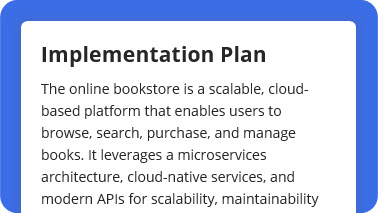
Turn any diagram into professional documentation. Ask for a detailed report, a summary, or a project proposal based on your visual model.
🔄 From AI to Pro Tool Generation
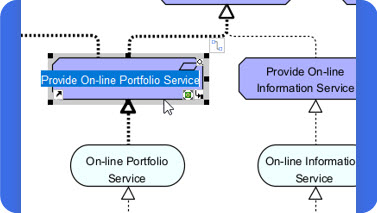
Happy with the AI-generated design? Seamlessly export your diagram to the Visual Paradigm desktop app for advanced modeling and team collaboration.
🔄 How It Works: From Idea to Intelligent Diagram
Go from idea to intelligent diagram in just a few steps.
1️⃣ Describe Your Idea
Start by typing what you want to create — for example, “Create a use case diagram for an online shopping system.” Our AI instantly understands your intent and begins visualizing your concept.
2️⃣ Generate Your Diagram Instantly
In seconds, your text becomes a complete, presentation-ready diagram. No templates or manual drawing required — just clear, accurate visuals.
3️⃣ Refine with Simple Commands
Need changes? Talk to your diagram naturally. Type commands like “Add payment gateway” or “Rename Customer to Buyer.” The AI updates your diagram immediately.
4️⃣ Explore, Document, and Share
Ask questions like “What are the main use cases?” or “Generate a project summary.” Export your work or continue refining in the Visual Paradigm desktop app for advanced collaboration.
📚 Unmatched AI Diagramming Support
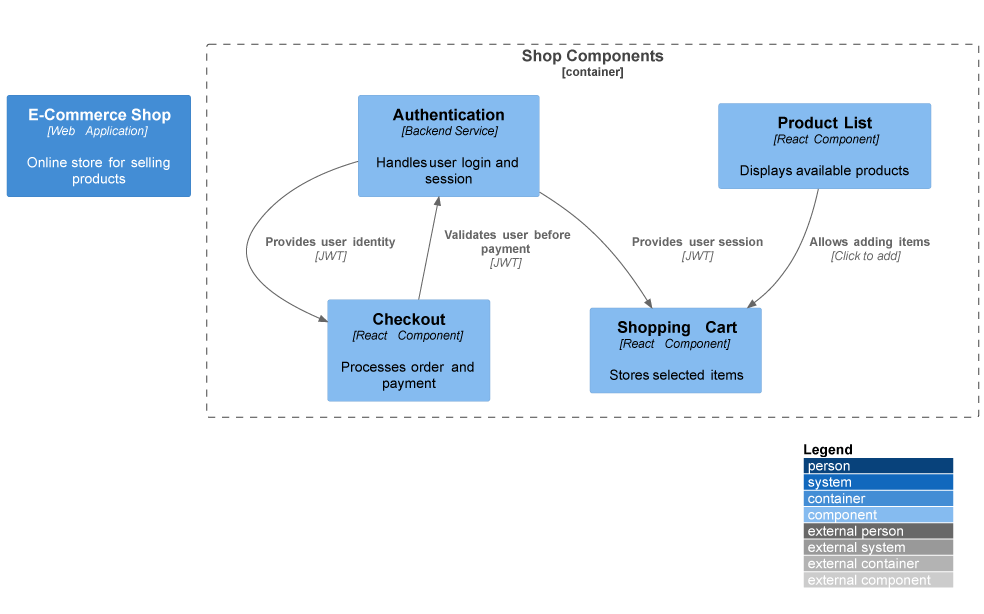
From software engineering to business strategy, our AI covers a comprehensive suite of standards to bring your ideas to life.
All • Business & Enterprise • C4 • General • Software Engineering • SysML
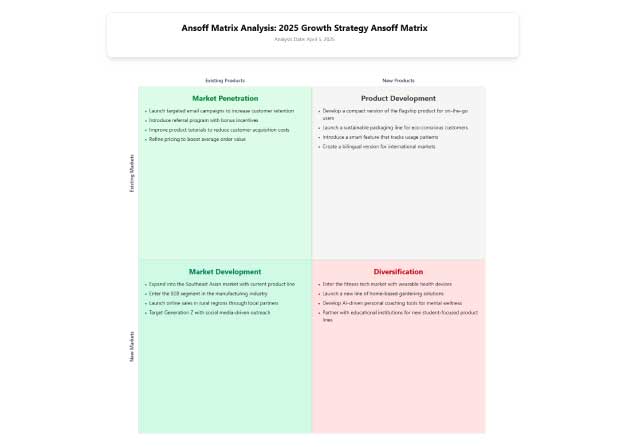
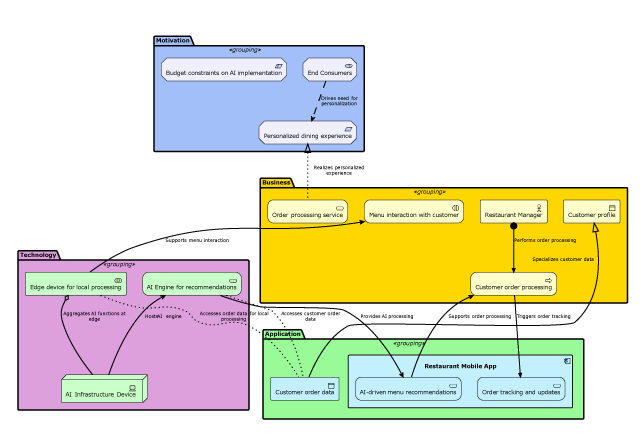
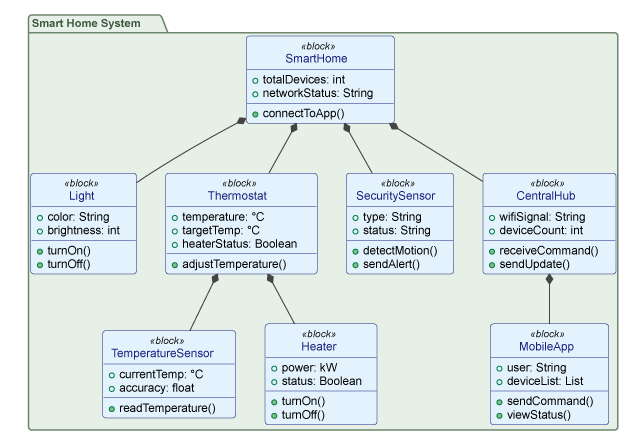
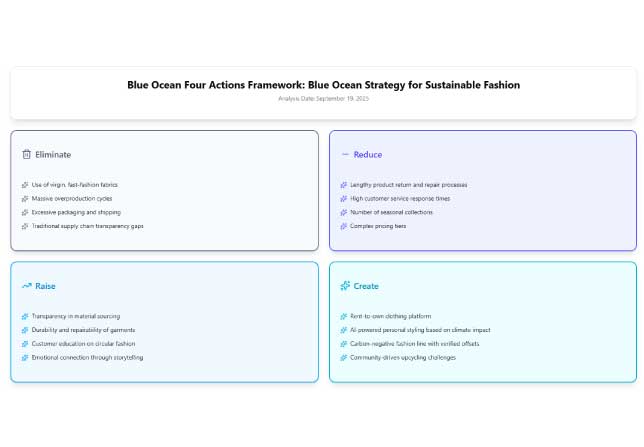
Blue Ocean Four Actions Framework
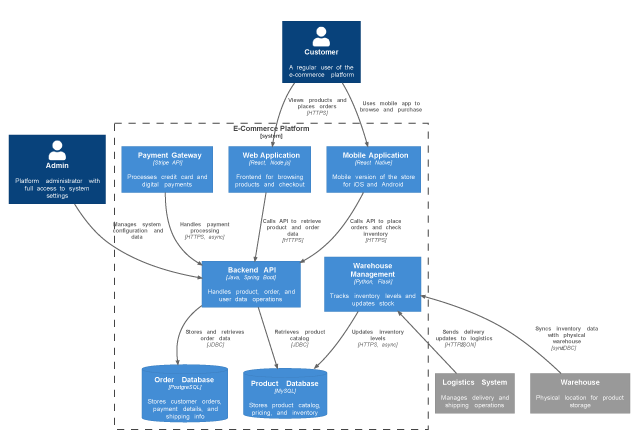
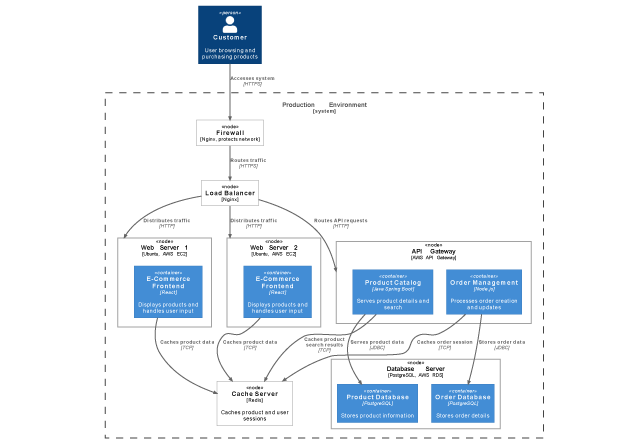
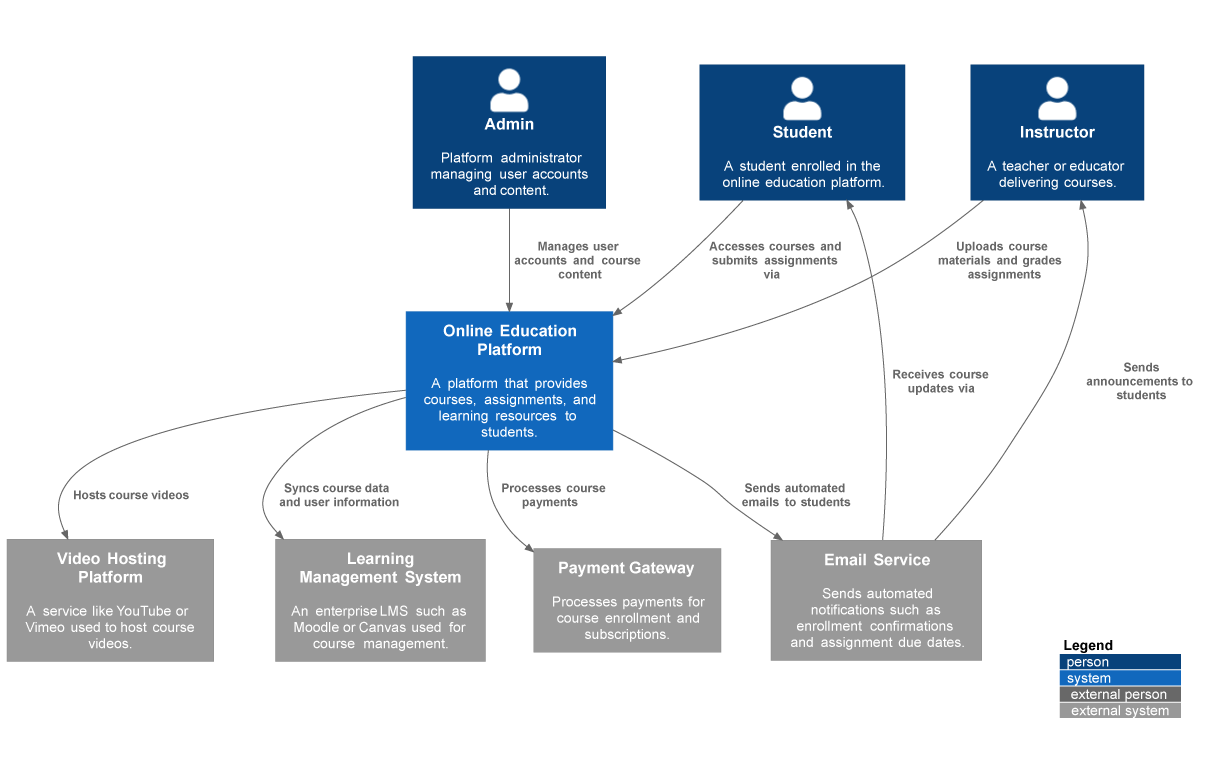
💬 What Our Community Says
See how professionals around the world are transforming their workflow with our AI-powered visual modeling tool.
“I used to spend hours sketching system contexts. Now I can focus on architecture decisions while the AI handles the drawing.”
Maria Thompson • Solution Architect
“Turning diagrams into reports with one command saves me hours during project reviews and makes my workflow much more efficient.”
Daniel Rivera • Project Manager
“I asked for a ‘deployment diagram for a cloud-based CRM,’ and it delivered exactly what I imagined. The accuracy blew me away.”
Liam Park • Cloud Architect
“As a startup founder, I use it to brainstorm product ideas visually. It helps me turn thoughts into structured business models fast.”
Aisha Khan • Founder & CEO
❓ Frequently Asked Questions
Have questions? We’ve got answers. If you can’t find what you’re looking for, feel free to contact us.
Q1. What types of diagrams can I create?
Our AI supports a wide range of diagrams across various domains, including UML, C4 models for software architecture, and strategic frameworks like SWOT and PESTLE analysis. Check out our ‘Diagrams’ section for a more comprehensive list.
Q2. How does the text-to-diagram feature work?
Simply describe what you want in plain language. The AI interprets your intent, applies industry-standard notation rules, and renders a professional diagram instantly.
Q3. Can I edit the diagrams created by the AI?
Absolutely. All AI-generated diagrams are fully editable. You can refine them through conversational commands or export to Visual Paradigm Desktop for advanced editing.
Q4. How can I collaborate with my team on these diagrams?
Export diagrams to Visual Paradigm Online or Desktop for real-time collaboration, version control, and team commenting features.
Q5. Is the data I enter into the AI secure?
Yes. Visual Paradigm prioritizes data security and privacy. Your prompts and diagrams are handled according to enterprise-grade security standards.
Q6. How accurate are the AI-generated diagrams?
The AI is trained on industry standards and best practices. While highly accurate for common patterns, we recommend reviewing generated diagrams for complex or domain-specific requirements.
Q7. Can the AI help me learn about diagramming standards?
Definitely! Use the chatbot to ask questions about UML, ArchiMate, or C4 notation. It can explain concepts, provide examples, and guide your learning journey.
🎯 Why Choose Visual Paradigm AI Chatbot?
✅ Key Benefits
| Benefit | Description |
|---|---|
| 🚀 Eliminates “Blank Page” Syndrome | Quickly generates initial drafts (often 90% complete), saving hours of manual sketching. |
| 🌍 Democratizes Modeling | Enables non-experts, such as stakeholders or project managers, to produce industry-standard UML or BPMN visuals without deep technical knowledge. |
| 🔗 Workflow Continuity | Unlike standalone AI tools, it is embedded within Visual Paradigm Online and Desktop environments, allowing generated work to be imported for advanced refinement. |
| 🌐 Multi-Language Support | Supports prompts and UI in multiple languages, including Spanish, French, Chinese, Japanese, and German. |
🎯 Ideal Use Cases
-
Early Project Planning: Sketching architecture or business processes before formalizing details.
-
Agile Sprints: Rapidly updating use cases or activity diagrams during team discussions or after a retrospective.
-
Documentation on Demand: Instantly turning a visual model into a structured project proposal or technical report.
-
Learning & Teaching: Using AI-generated examples to understand complex modeling standards.
👥 Target Users
| Role | How They Benefit |
|---|---|
| 🏗️ Software Architects & Developers | Quickly model system contexts, microservices, and class relationships. |
| 📊 Business Analysts | Map out operational workflows and strategic business models. |
| 🔄 Scrum Masters & Project Managers | Visualize team processes and generate automated reports. |
| 💡 Founders & Educators | Brainstorm product ideas or teach visual modeling concepts. |
🚀 Ready to Revolutionize Your Workflow with AI?
Stop wrestling with tools. Embrace AI-powered visual modeling. Let our AI handle the visualization so you can focus on solving the bigger problems.
- 📚 Reference List
- Visual Paradigm AI Chatbot Features: Official product page outlining the AI Chatbot’s capabilities for instant diagram generation, conversational editing, and seamless integration with Visual Paradigm tools.
- Visual Paradigm AI Chatbot Platform: Direct access to the AI-powered conversational modeling assistant for creating professional diagrams through natural language prompts.
- Harnessing Visual Paradigm’s AI for Diagram Generation: The Ultimate 2026 Guide: Comprehensive third-party guide exploring how Visual Paradigm’s AI ecosystem combines intelligence, structure, and integration for smarter diagramming workflows.
- Visual Paradigm AI Chatbot: Turn Your Ideas into Diagrams Instantly: Official blog post demonstrating how to transform text prompts into presentation-ready UML, C4, and strategic diagrams in seconds.
- Visual Paradigm AI Chatbot Multi-Language Support Release: Release notes detailing expanded language capabilities including Spanish, French, Chinese, Japanese, and German support for global teams.
- AI Chatbot Features Overview: Dedicated features page highlighting instant generation, conversational editing, documentation on demand, and contextual suggestions.
- Visual Paradigm 18.0 Release: AI-Powered Features: Major release announcement introducing AI-powered diagramming capabilities integrated into the Visual Paradigm desktop environment.
- What Makes Visual Paradigm’s AI Chatbot Different from Other AI Diagram Tools?: Comparative analysis explaining the unique advantages of Visual Paradigm’s embedded AI approach versus standalone diagramming tools.
- Revolutionizing Use Case Elaboration with Visual Paradigm AI: A Comprehensive Guide: In-depth tutorial on leveraging AI to accelerate use case modeling, documentation, and refinement processes.
- Visual Paradigm AI Chatbot: The AI-Powered Tool for Component Diagrams: Specialized review focusing on the chatbot’s effectiveness for generating and editing software architecture component diagrams.
-
💡 Pro Tip: Start small. Try generating a simple Use Case Diagram for your current project. Once you see the speed and accuracy, you’ll wonder how you ever modeled without AI.
- Visual Paradigm AI Chatbot — Where ideas become visuals, instantly. 🎨✨

 English
 Arabic
 Chinese (Simplified)
 Dutch
Dutch French
 German
 Italian
 Japanese
 Korean
 Portuguese
 Russian
 Spanish