


Introduction: Why I Stopped Juggling Tools and Started Building with Purpose
If you’re like me—a product manager who’s bounced between brainstorming, diagrams, Notion for docs, and code—you know the pain of context-switching. Every tool feels like a new language, and nothing stays in sync.
That changed when I discovered Visual Paradigm’s AI Ecosystem.
What started as a quick test of their AI Chatbot to sketch a user flow quickly became a full workflow transformation. Over the past few months, I’ve used all four AI pillars—VP Desktop, OpenDocs, the AI Visual Modeling Chatbot, and AI Apps & Studios—to take ideas from napkin sketches to production-ready, traceable models.
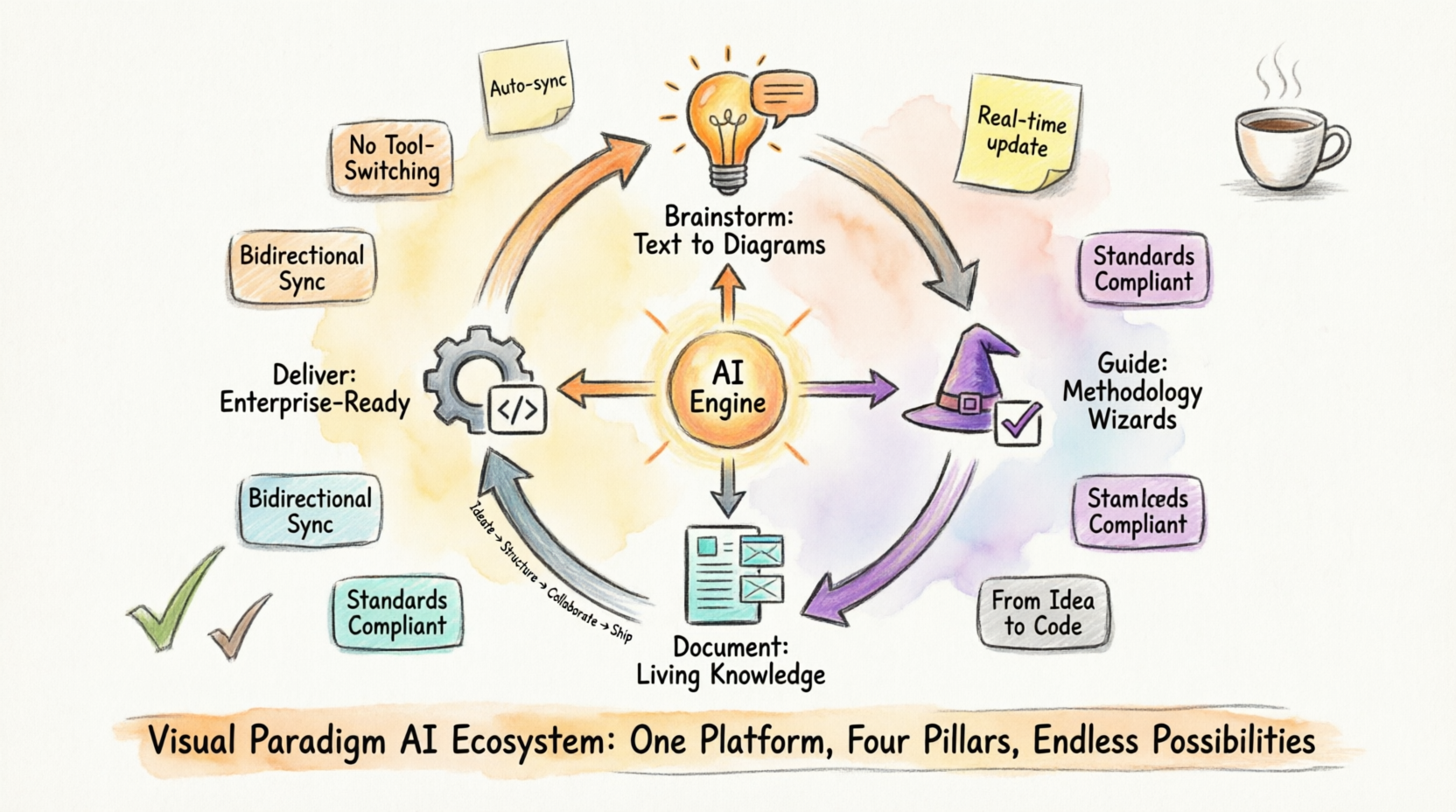
This isn’t just another diagramming tool. It’s a closed-loop system where AI handles the heavy lifting, and professional-grade tools ensure precision. Whether you’re a solo developer, an agile team lead, or an enterprise architect, this guide walks you through how each pillar works, when to use it, and—most importantly—how they connect to save you hours of rework.
Let’s dive in.
1. VP Desktop – The Professional Engine Room
Purpose
VP Desktop is where ideas become enterprise-ready. As someone who’s managed complex system architectures, I appreciate that this isn’t a “lite” web tool—it’s a full-featured desktop engine built for precision, offline work, and deep integration with development pipelines.
Key Features I Rely On
- AI diagram generation inside the desktop: I can prompt “Generate a C4 model for our microservices architecture” and get a compliant, editable starting point—in UML, SysML, ArchiMate, BPMN, and more.
- Full traceability & version control: Critical for audits and team handoffs. Every change is logged, and models link directly to requirements or user stories.
- Code engineering: Reverse-engineer Java or Python code into diagrams, or generate scaffold code from models. I’ve cut onboarding time for new devs by 40% using this.
- Advanced validation & export: Catch modeling errors before they become tech debt. Export to PDF, HTML, or directly into CI/CD pipelines.
- Seamless cloud sync: When I store projects in VP Online, I can jump between Desktop and web tools without losing context.
When I Use It
- Finalizing architecture diagrams for stakeholder reviews
- Preparing models for code generation or compliance documentation
- Working offline on flights or in secure environments
[Example Interface: VP Desktop workspace showing a refined C4 model with traceability links and code generation panel]
2. OpenDocs – The Living Knowledge Hub
Purpose
OpenDocs solved my biggest documentation headache: diagrams that go stale. Instead of exporting PNGs into Confluence or Notion, I embed live, editable Visual Paradigm diagrams directly into docs. When the model updates, the doc updates—automatically.
Key Features That Changed My Workflow
- AI diagram generation from plain English: In a doc about our refund process, I typed “Create a flowchart for refund approval workflow” and got an editable BPMN diagram instantly.
- Rich Markdown editor: Tables, code blocks, hierarchical folders—all while diagrams stay interactive.
- Embedded, versioned diagrams: No more “Diagram_v3_FINAL_revised.png”. The diagram in the doc is the source of truth.
- Real-time collaboration: Share a single link with stakeholders; they comment directly on diagrams or text.
- Full library integration: Access every Visual Paradigm diagram type without leaving the doc.
When I Use It
- Building onboarding guides for new team members
- Writing strategy documents where architecture visuals are essential
- Creating living runbooks that evolve with the system
[Example Interface: OpenDocs editor showing a Markdown doc with an embedded, interactive sequence diagram]
3. AI Visual Modeling Chatbot – The Conversational Ideation Co-Pilot
Purpose
This is my “blank canvas” antidote. Stuck in sprint planning? Describe your idea in plain English, and the Chatbot generates a professional diagram in seconds. It’s available standalone at chat.visual-paradigm.com or embedded inside Desktop and OpenDocs.
Key Features I Love
- Instant diagram generation from text: “Show me a use case diagram for a food delivery app” → done. Supports UML, SysML, C4, ArchiMate, BPMN, mind maps, and strategic frameworks.
- Conversational refinement: I iteratively tweak prompts: “Add a payment timeout”, “Rename Customer to User”, “Translate labels to Spanish”.
- Intelligent analysis & suggestions: The Chatbot doesn’t just draw—it explains modeling choices, flags inconsistencies, and suggests improvements.
- Export anywhere: Send diagrams to Desktop for refinement, embed in OpenDocs, or grab PlantUML source for version control.
- Standards compliance: Outputs adhere to official notation rules—critical for enterprise reviews.
When I Use It
- Kickoff meetings to rapidly prototype ideas with stakeholders
- Exploring alternative architectures before committing to a direction
- Helping non-technical teammates visualize their requirements
[Example Interface: AI Chatbot conversation showing prompt refinement and generated class diagram]
4. AI Apps & Studios (Web Apps) – The Guided Domain Experts
Purpose
When I need to follow a formal methodology—like C4, TOGAF, or Use-Case-Driven Development—I turn to the AI Studios. These browser-based wizards enforce best practices, ensure completeness, and maintain traceability across related models. Think of them as domain-specific experts that never let you skip steps.
Key Features That Boost My Confidence
- Guided wizards for specific methodologies: The C4 Studio walks me through Context → Container → Component → Code diagrams with AI-assisted scoping.
- AI-assisted scope definition & linking: Define system boundaries, then auto-generate related diagrams and reports.
- Purpose-built apps for every phase: SWOT analysis, Balanced Scorecard, Porter’s Five Forces, database design, agile workflows—all with built-in AI guidance.
- Export with traceability: Push outputs to Desktop, OpenDocs, or documentation while preserving model relationships.
When I Use It
- Enterprise architecture projects requiring TOGAF compliance
- Training junior team members on modeling standards
- Creating publication-ready outputs for executive reviews
[Example Interface: AI C4 Studio wizard showing step-by-step guidance with auto-generated container diagram]
How the Four Pillars Integrate: My Closed-Loop Workflow
The magic isn’t in any single tool—it’s in how they connect. Here’s my end-to-end workflow:
- Brainstorm & Ideate → I start in the AI Visual Modeling Chatbot, describing my system in plain English. Within minutes, I have a draft diagram to socialize.
- Guide & Structure → I move to AI Apps & Studios to refine the model using methodology-specific wizards. The Studio ensures I haven’t missed critical relationships or compliance checks.
- Document & Collaborate → I embed the living diagram into OpenDocs, adding context, decisions, and next steps. Stakeholders comment directly on the doc; changes sync automatically.
- Finalize & Deliver → I import the model into VP Desktop for deep editing, code generation, traceability setup, and export to CI/CD pipelines.
Bidirectional sync is the game-changer: Update a class in Desktop, and it refreshes in OpenDocs. Refine a prompt in the Chatbot, and push changes back to Studios. With single-account synchronization, version history, and full traceability, rework virtually disappears.
[Example Interface: Workflow diagram showing data flow between the four pillars]
Why This Ecosystem Stands Out in My Toolkit
After testing dozens of AI modeling tools, here’s why Visual Paradigm sticks:
✅ Speed + Professionalism: AI accelerates ideation; professional tools ensure enterprise-grade accuracy.
✅ Flexibility: Use one pillar for quick tasks or combine all four for complex projects.
✅ No Tool-Switching: Everything stays within the Visual Paradigm family—no more copy-pasting between apps.
✅ Accessibility: Free tiers let you explore; paid upgrades scale with your needs. Works on desktop, web, and cloud.
✅ Future-Proof: Regular updates add new diagram types, AI capabilities, and integrations.
Whether I’m prototyping a feature alone or leading an enterprise architecture initiative, this ecosystem delivers the fastest path from brainstorming to production-ready visual models.
Conclusion: From Overwhelmed to Empowered
Before Visual Paradigm, my modeling workflow felt like assembling IKEA furniture without instructions—pieces everywhere, no clear path forward. Today, I start with a conversation, refine with guidance, document with confidence, and deliver with precision—all within one cohesive ecosystem.
If you’re tired of tool sprawl, stale diagrams, or “blank canvas” paralysis, I encourage you to try this closed-loop approach. Start with the free AI Chatbot to experience instant diagram generation. Then explore OpenDocs for living documentation, or dive into VP Desktop for enterprise-grade modeling.
The future of visual modeling isn’t just AI—it’s AI integrated into every stage of your workflow. And after living with Visual Paradigm’s four pillars, I can’t imagine going back.
Ready to transform your workflow?
→ Explore the platform: visual-paradigm.com
→ Try the AI Chatbot: chat.visual-paradigm.com
→ Launch OpenDocs & AI Studios: ai.visual-paradigm.com
A free trial or Community Edition gets you started instantly. Your next great idea deserves a workflow that keeps up.
References
- AI Diagram Generators – Visual Paradigm Ecosystem: Detailed overview of Visual Paradigm’s four AI-powered platforms (VP Desktop, OpenDocs, AI Visual Modeling Chatbot, and Web Apps / Guided Tools), including use cases, benefits, and how they form a complete ecosystem for diagram generation and modeling.
- Visual Paradigm – AI-Powered Visual Modeling Platform: Official main page introducing the AI engine, core features like instant diagram generation, and references to the integrated tools including the chatbot, OpenDocs, and desktop modeling capabilities.
- AI Chatbot – Visual Paradigm: Official feature page for the AI Visual Modeling Chatbot, explaining instant diagram generation from text prompts, conversational refinement, supported diagram types (UML, SysML, ArchiMate, etc.), and integration with desktop and online tools.
- AI Chatbot | Diagramming & Modeling with Visual Paradigm: Direct access page to the standalone AI Visual Modeling Chatbot, highlighting its role as a co-pilot for creating and refining diagrams via natural language, with examples and export options to professional tools.
- Visual Paradigm AI: The Ultimate Guide to Intelligent Modeling for Engineers, Architects & Teams: In-depth user guide and review covering the four pillars of Visual Paradigm AI, with comparisons, workflows, and recommendations for different roles (e.g., architects, product managers).
- Harnessing Visual Paradigm’s AI for Diagram Generation: The Ultimate 2026 Guide: Comprehensive 2026 guide exploring Visual Paradigm’s AI capabilities across the four approaches (chatbot, guided apps/studios, desktop, and more), including methods, strengths, and real-world applications.
- Unlock the Future of Visual Modeling with Visual Paradigm AI – Where AI Meets Enterprise-Grade Design: Article introducing the four pillars (VP Desktop, AI Visual Modeling Chatbot, OpenDocs, and Web App Studios), emphasizing the closed-loop workflow from ideation to enterprise delivery.
Related posts:
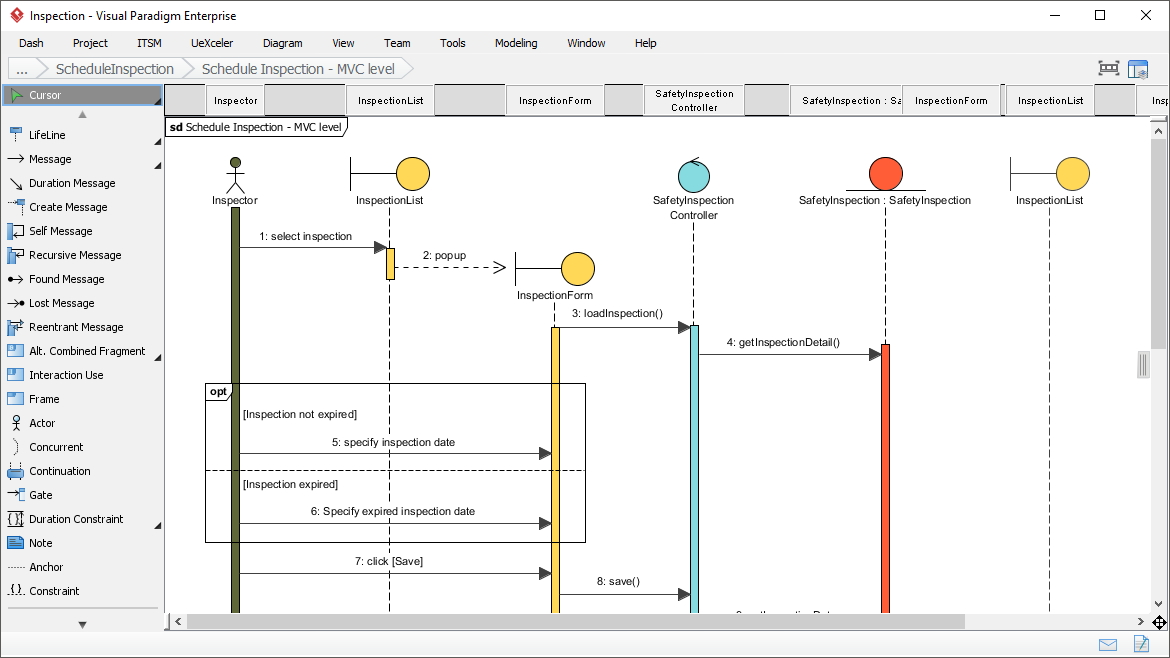 Best Sequence Diagram Tool
 Visual Paradigm OpenDocs: The Complete Developer’s Guide to AI-Powered Technical Documentation
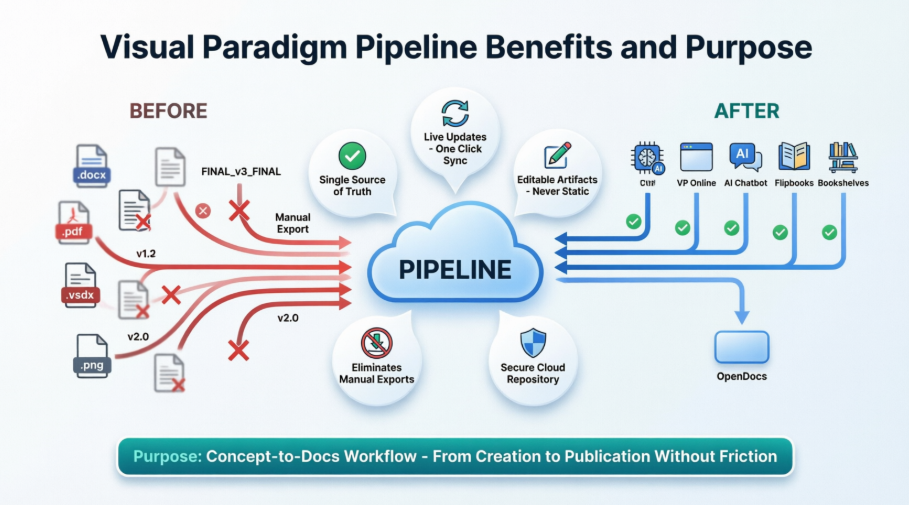 Solving the Documentation Chaos: How Visual Paradigm’s Pipeline Creates a Frictionless Concept-to-Docs Workflow
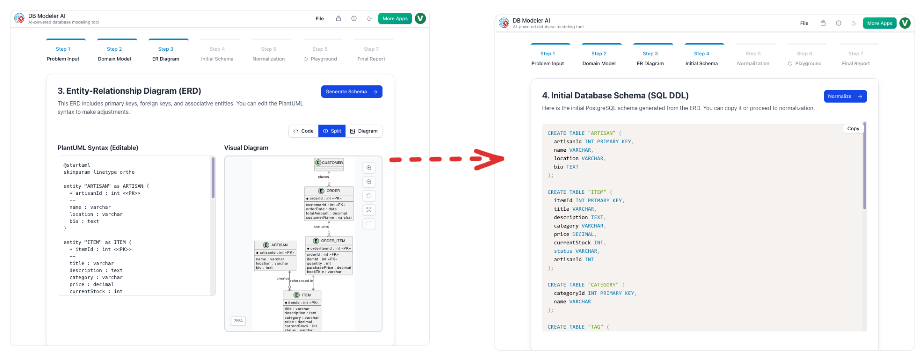 From Static Diagrams to Living Knowledge: A Case Study on Visual Paradigm’s Unified AI-Driven Documentation Ecosystem

 English
 Arabic
 Chinese (Simplified)
 Dutch
Dutch French
 German
 Italian
 Japanese
 Korean
 Portuguese
 Russian
 Spanish