


Introduction
In today’s fast-paced business environment, strategic planning tools must do more than just organize ideas—they must accelerate innovation, enable collaboration, and deliver actionable insights. The Visual Paradigm Model Canvas Tool emerges as a powerful AI-enhanced solution that transforms how teams approach business modeling, SWOT analysis, customer journey mapping, and lean startup frameworks.
This comprehensive review explores how Visual Paradigm’s AI-powered canvas platform combines classic strategic frameworks with intelligent automation to eliminate the “blank page problem,” streamline ideation, and foster better team alignment. Whether you’re a startup founder validating your first business model or an enterprise strategist refining complex initiatives, this tool promises to deliver clarity, speed, and professional-grade outputs—all from a simple prompt.
Key Concepts: What is a Model Canvas?
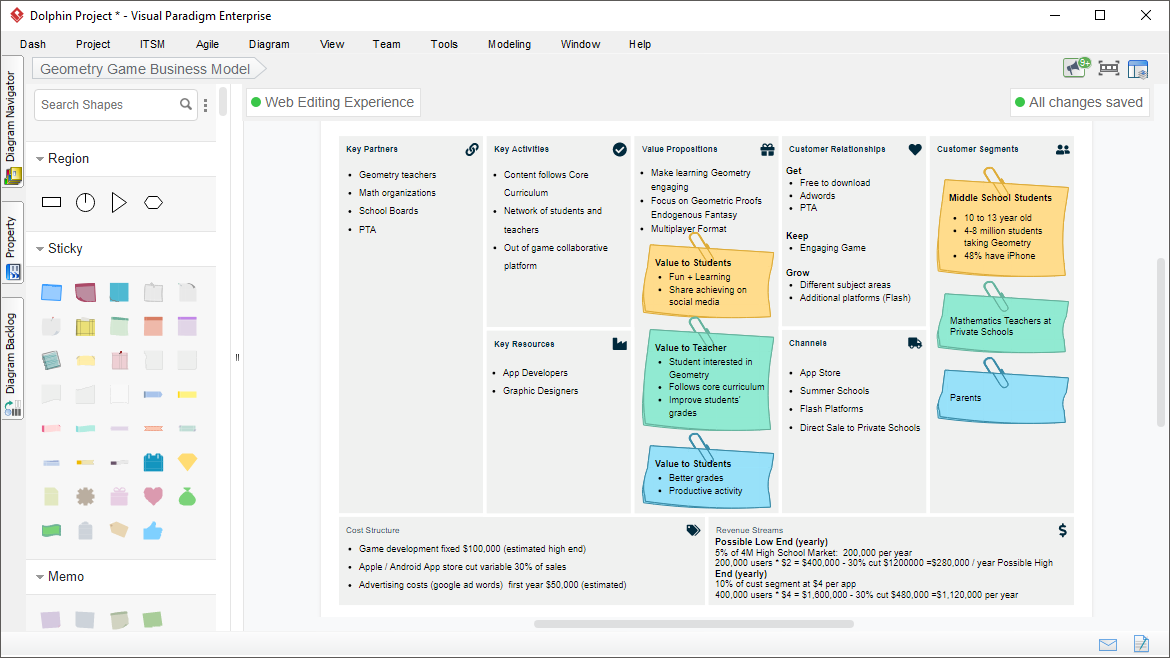
A model canvas is a visual framework that organizes complex ideas, strategies, or analyses on a single page. It uses structured sections (often with sticky notes or cards) to break down elements like business models, strengths/weaknesses, or customer journeys.
Popular canvas types include:
-
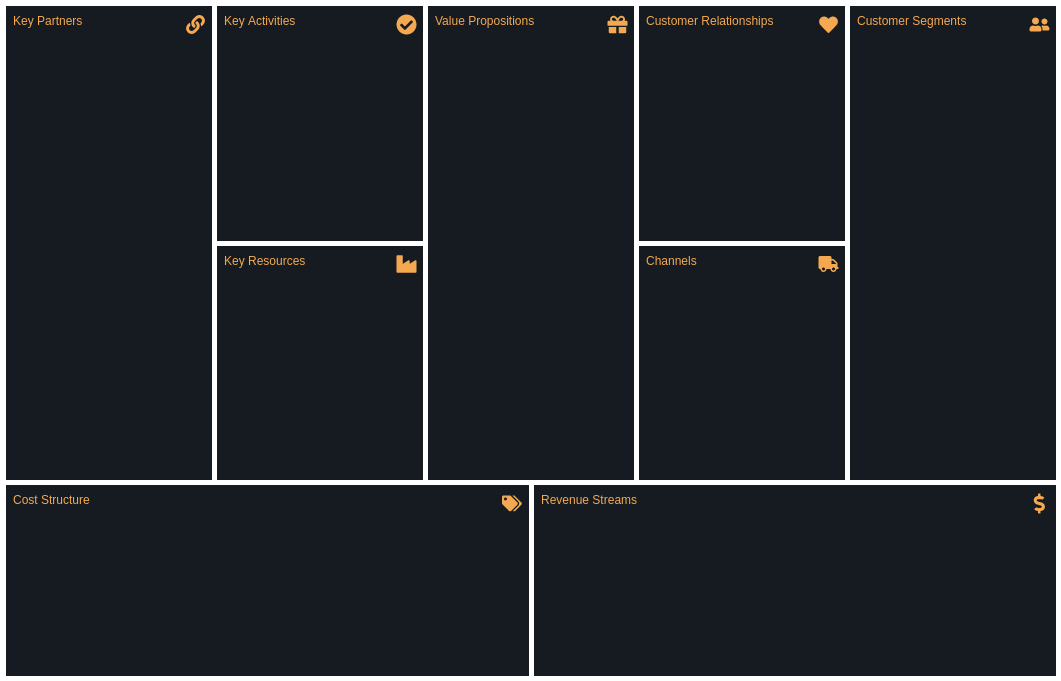
Business Model Canvas (BMC): Maps out key business components like customer segments, value propositions, and revenue streams.
-
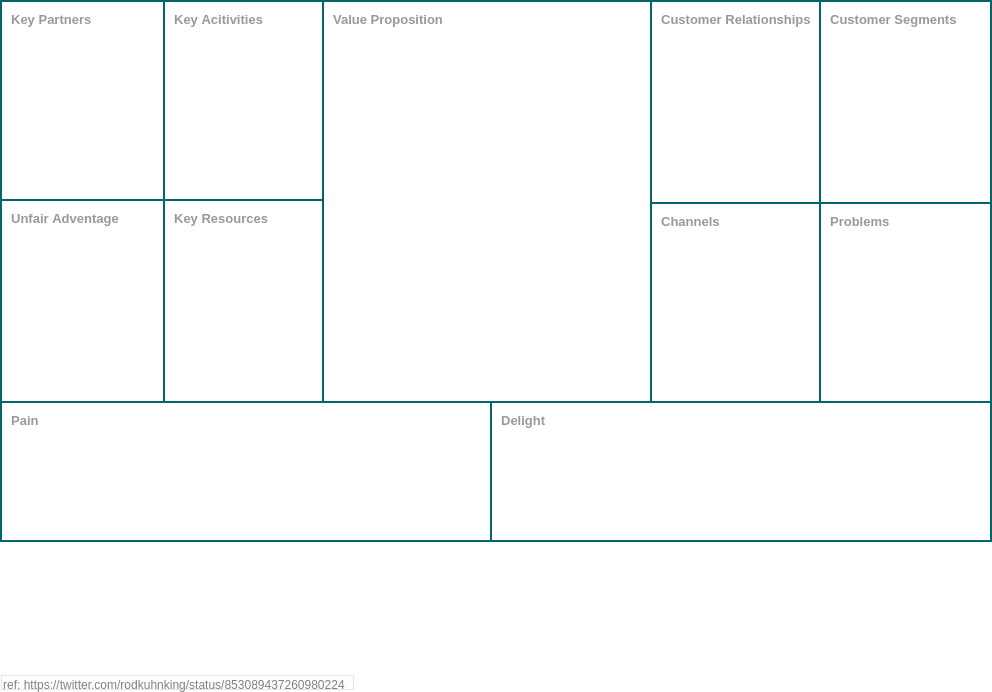
Lean Canvas: A startup-focused adaptation emphasizing problems, solutions, and key metrics.
-
SWOT Analysis Canvas: Evaluates Strengths, Weaknesses, Opportunities, and Threats.
-
Customer Journey Canvas: Visualizes user experiences and touchpoints.
These canvases replace lengthy documents with intuitive visuals, making them ideal for brainstorming and alignment.
Why Choose Visual Paradigm’s Model Canvas Tool?
Traditional strategic planning methods—physical whiteboards, static documents, disconnected spreadsheets—often hinder collaboration, slow iteration, and limit shareability. The Model Canvas Tool addresses these limitations with digital, AI-enhanced capabilities designed for modern teams.
Key Benefits at a Glance:
✅ Clarity and Focus: Distills essential strategy elements onto one intuitive page
✅ Enhanced Communication: Creates a shared visual language for instant team alignment
✅ Speed and Iteration: Enables rapid updates, refinements, and version control
✅ Problem Solving: Reveals hidden relationships, opportunities, gaps, and strategic insights
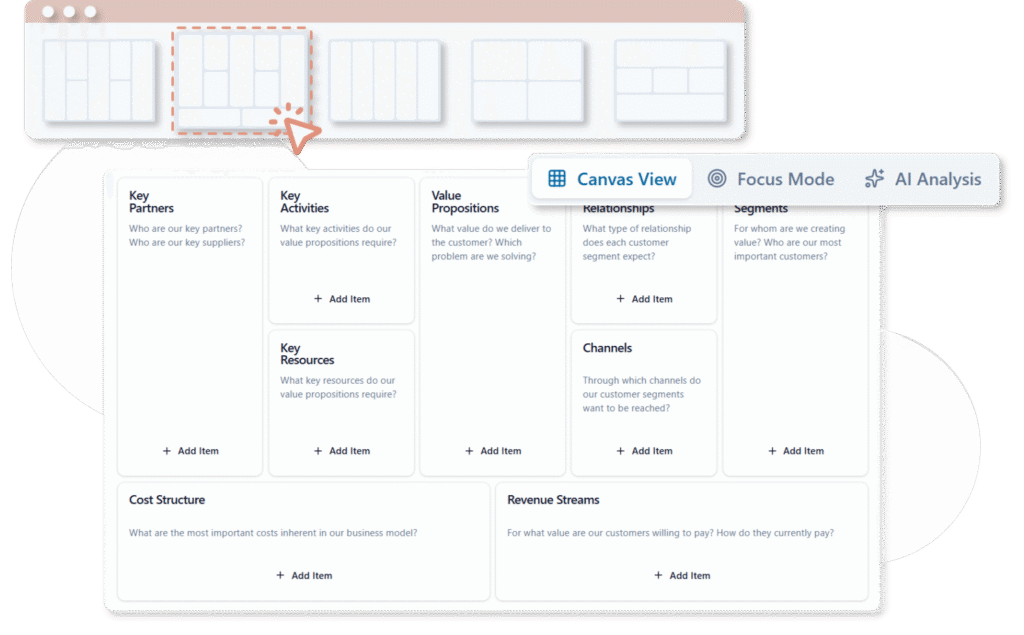
✅ AI Acceleration: Generates intelligent content suggestions from simple prompts, reducing research time
The integrated AI doesn’t just automate tasks—it acts as a strategic thought partner, helping users explore possibilities they might otherwise overlook.
bizbot.com
Product Features Review: What Makes This Tool Stand Out?
🎨 Template Library & Real-World Examples
Access a comprehensive library of ready-made templates for major canvas types, complete with industry-specific examples to jumpstart your planning process.
🤖 AI Generation Engine
-
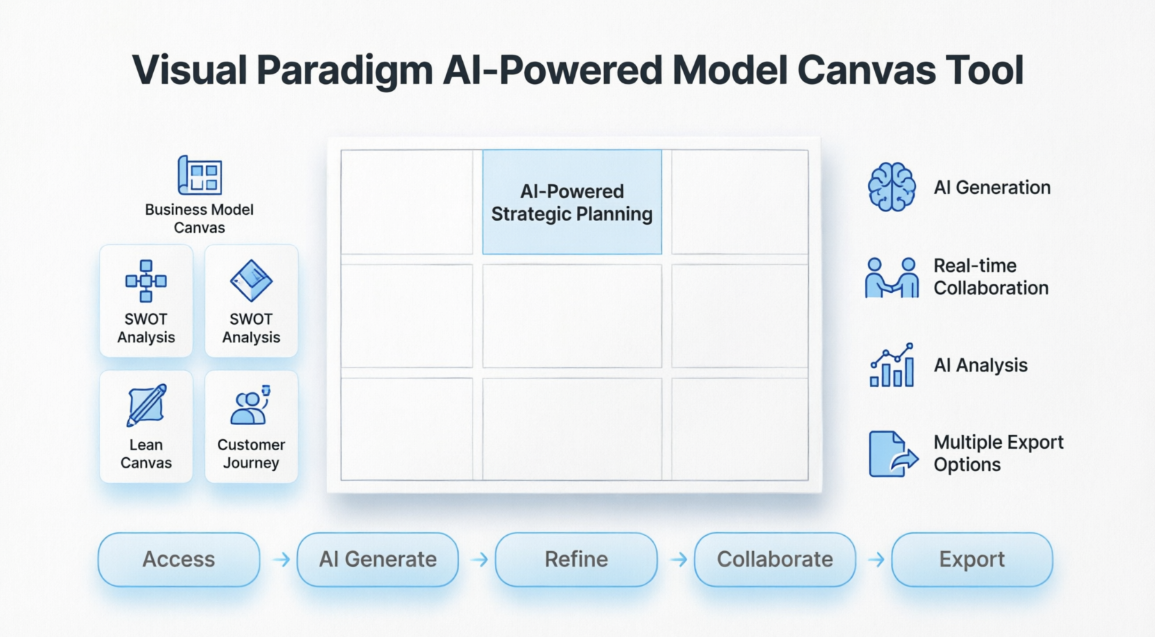
Instant Canvas Population: Enter your topic or business idea (e.g., “A new electric vehicle startup”) and watch the AI generate a complete, populated canvas with relevant items in each section.
-
Context-Aware Suggestions: The AI understands your industry and business context to provide targeted, actionable recommendations.
-
Smart Refinement: Ask the AI for section-specific suggestions or manually add, modify, tag, link, and color-code items as needed.
👥 Collaboration & Team Management
-
Real-Time Editing: Multiple team members can work simultaneously with live updates.
-
Smart Filtering: Filter items by keywords, tags, or colors to highlight priorities during discussions.
-
Built-In Timer: Allocate focused discussion time per canvas section for productive workshops.
-
Focus View: Zoom in on specific areas to reduce distraction during deep-dive sessions.
-
Description Toggle: Hide or show descriptions to emphasize key points during presentations.
📊 AI Analysis & Reporting
-
Multi-Perspective Insights: Generate detailed reports from various analytical angles (SWOT deep-dives, market viability assessments, competitive positioning).
-
Automated Recommendations: Receive AI-suggested improvements based on best practices and industry patterns.
-
Export Flexibility: Save canvases online or export as JSON (for editing), Word/PDF documents, Markdown, or high-resolution images.
🔗 Integration & Accessibility
-
Cloud-based platform accessible from any device
-
Team sharing with permission controls
-
Seamless integration with Visual Paradigm’s broader suite of modeling tools
Step-by-Step Guide: Getting Started in Minutes
1️⃣ Access and Template Selection
-
Log in to Visual Paradigm Online (VP Online) or access the AI toolbox at https://ai-toolbox.visual-paradigm.com/app/canvas/ (requires Combo Edition or higher).
-
Navigate to AI Tools > Model Canvas Tool.
-
Click “Start Creating Now.”
-
Browse and select your canvas type: SWOT Analysis, Business Model Canvas, Lean Canvas, and more.
💡 Pro Tip: Explore built-in examples for inspiration before starting your own canvas.
2️⃣ AI-Powered Canvas Generation
-
Enter your topic or business idea in the prompt field.
-
Click “Generate Canvas with AI.”
-
Watch as the tool instantly creates a complete, populated canvas with relevant, context-aware items in each section.
3️⃣ Refinement and Customization
-
Add manually: Insert new items directly into any section.
-
Ask AI for suggestions: Request targeted ideas for specific canvas areas.
-
Edit freely: Modify titles, descriptions, tags, links, and colors.
-
Organize visually: Use drag-and-drop functionality for optimal layout and flow.
4️⃣ Team Collaboration Features
-
Filter strategically: Narrow focus using keywords, tags, or color codes.
-
Time-box discussions: Use the built-in timer to keep workshops on track.
-
Focus mode: Switch to single-section views for concentrated review.
-
Presentation ready: Hide descriptions to emphasize headline points during stakeholder reviews.
5️⃣ Analysis, Export, and Share
-
Access the AI Analysis tool from your canvas dashboard.
-
Select your analysis type (e.g., deep SWOT review, market viability check, competitive assessment).
-
Click “Generate Analysis” to receive a detailed, AI-authored report.
-
Save your canvas to the cloud for ongoing collaboration.
-
Export in your preferred format: JSON for editing, PDF/Word/Markdown for sharing, or PNG/SVG for presentations.
⚡ This streamlined process transforms a blank canvas into a refined, insightful strategy document in minutes—not hours.
Real-World Use Cases & Examples
☕ SWOT Analysis: Coffee Shop Chain Expansion
-
Prompt: “Regional coffee shop chain planning national expansion”
-
AI Output: Generated strengths (brand loyalty, local sourcing), weaknesses (limited capital, supply chain complexity), opportunities (growing specialty coffee market), and threats (major competitor entry).
-
Team Refinement: Added region-specific market data and adjusted threat assessments based on local competition research.
🎓 Business Model Canvas: Online Education Platform
-
Prompt: “Subscription-based online education platform for professional skills”
-
AI Output: Auto-filled customer segments (career-changers, upskilling professionals), value propositions (flexible learning, industry-recognized certificates), revenue streams (tiered subscriptions, corporate licenses).
-
Customization: Integrated user research findings to refine value proposition messaging.
🚀 Lean Canvas: Tech Startup Validation
-
Prompt: “AI-powered productivity app for remote teams”
-
AI Output: Suggested core problems (meeting fatigue, task fragmentation), proposed solutions (async collaboration hub, AI meeting summaries), key metrics (user engagement, team productivity gains).
-
Iteration: Validated assumptions through customer interviews and updated canvas accordingly.
These AI-generated starting points ensure comprehensive coverage while leaving room for your unique insights and market knowledge.
Who Should Use This Tool?
The Visual Paradigm Model Canvas Tool is ideally suited for:
🎯 Startup Founders & Entrepreneurs: Rapidly validate business models, pitch to investors, and iterate based on market feedback.
🎯 Enterprise Strategy Teams: Align cross-functional stakeholders, document strategic initiatives, and track evolution over time.
🎯 Consultants & Advisors: Deliver professional-grade strategic frameworks to clients with efficient, repeatable processes.
🎯 Product Managers: Map product strategies, prioritize features, and communicate roadmaps visually.
🎯 Educators & Students: Teach strategic frameworks interactively and enable hands-on learning through canvas creation.
🎯 Remote & Hybrid Teams: Collaborate in real-time regardless of location, with built-in tools for focused virtual workshops.
Whether you’re brainstorming solo or facilitating a full-team strategy session, the tool scales to your needs while maintaining professional output quality.
Conclusion: Transforming Strategy from Concept to Execution
The Visual Paradigm Model Canvas Tool represents a significant evolution in strategic planning technology. By merging time-tested canvas frameworks with intelligent AI assistance, it addresses the most persistent challenges in business modeling: starting from scratch, maintaining team alignment, and translating ideas into executable plans.
What sets this platform apart isn’t just automation—it’s augmentation. The AI doesn’t replace human judgment; it amplifies it. By handling the heavy lifting of research, structure, and initial ideation, the tool frees strategists to focus on what matters most: critical thinking, creative problem-solving, and decisive action.
For teams seeking to move faster, think deeper, and collaborate more effectively, Visual Paradigm’s Model Canvas Tool delivers a compelling value proposition: professional strategic planning, accelerated by artificial intelligence, accessible to everyone.
Ready to elevate your strategic planning? Explore Visual Paradigm’s AI-powered canvas tools and transform how your team develops, documents, and delivers business strategy.
References
- AI-Powered Business Model Canvas Builder – Instant Strategy Design**: This AI-driven tool automates the creation of business model canvases by using intelligent suggestions and real-time insights to accelerate the strategy development process.
- Mastering the Business Model Canvas with AI: Step-by-Step Guide Using Visual Paradigm**: This guide demonstrates how to leverage AI within the Visual Paradigm environment to efficiently create, customize, and optimize strategic business model canvases.
- What Is the Business Model Canvas? Why Use Visual Paradigms & AI Tools**: This resource explains the core Business Model Canvas framework and explores how visual modeling and AI tools enhance innovation and strategic planning for entrepreneurs.
- AI Business Model Canvas Tool – Smart Strategy Development**: This solution allows for the automated building and refinement of business models, featuring intelligent feedback and collaborative capabilities for modern planning.
- Comprehensive Tutorial: AI-Powered Business Canvas Toolkit with Visual Paradigm**: A detailed technical walkthrough regarding a comprehensive toolkit that integrates artificial intelligence with visual modeling for automated strategy generation.
- AI-Powered Business Model Canvas Tool Guide**: This guide focuses on an AI-enhanced tool that generates canvases based on intelligent user input and provides real-time recommendations for agile strategy development.
- How the AI Business Model Canvas Builder Works – Visual Paradigm**: An overview of the machine intelligence powering the builder, explaining how it automates canvas creation and derives strategic business insights.
- AI Canvas Tool – Intelligent Design for Business Frameworks**: This AI-powered application within the toolbox automates the generation of value propositions and strategy frameworks through smart design automation.
- Comprehensive Tutorial: Visual Paradigm Model Canvas Tool for AI-Driven Software Development**: This resource provides instructions on how to use the Model Canvas specifically for designing intelligent software applications that integrate AI capabilities.
- AI-Powered Strategic Planning: Generating SWOT from PESTLE Findings**: This article explores how AI connects insights across frameworks, such as automatically generating a Business Model Canvas or SWOT analysis from PESTLE findings for deeper strategic integration.


 English
 Arabic
 Chinese (Simplified)
 Dutch
Dutch French
 German
 Italian
 Japanese
 Korean
 Portuguese
 Russian
 Spanish