


Introduction
As a software engineer with over a decade of experience in systems architecture and model-based engineering, I’ve witnessed the evolution of modeling tools firsthand. When I first heard about SysML v2 Studio—a web-based, AI-powered environment for systems engineering—I was skeptical. Could a browser-based tool really handle the complexity of modern system design? After spending three months integrating it into my daily workflow, I can confidently say: yes, and it transforms how we build, validate, and communicate complex systems.
This case study is written for beginners and intermediate practitioners who want to leverage SysML v2 Studio effectively. I’ll share practical guidelines, pro tips, real-world benefits, and lessons learned—so you can accelerate your adoption curve and avoid common pitfalls. Whether you’re modeling automotive systems, aerospace components, or IoT networks, this guide will help you harness the full power of AI-assisted systems engineering.
Getting Started: Your First Steps in SysML v2 Studio
Launching Your Workspace
SysML v2 Studio requires no installation. Simply navigate to the official web portal, log in with your Visual Paradigm credentials, and you’re ready to model. For beginners, I recommend starting with a pre-built template from the Example Library—such as the “Smartphone Hardware Model” or “Electric Vehicle Charging Station”—to understand the structure before building from scratch.
Understanding the Interface Layout
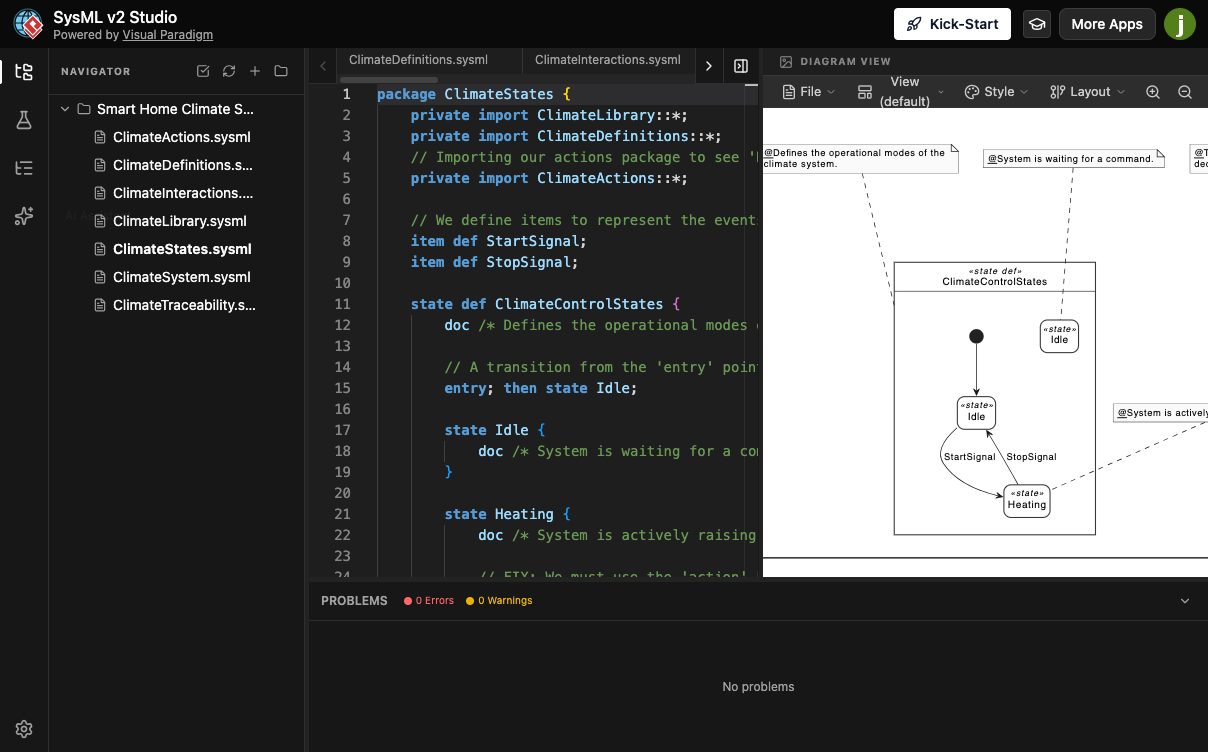
The workspace is thoughtfully divided into four key panels:
-
Navigation Hub (Left): Manage projects, browse templates, access the AI assistant, and view your model hierarchy.
-
Text Code Editor (Center): A smart, LSP-powered editor with syntax highlighting, auto-completion, and real-time validation for SysML v2 textual notation.
-
Diagram Viewer (Right): An interactive canvas that instantly renders your code into synchronized, layout-optimized diagrams.
-
Problems Pane (Bottom): Provides continuous, semantic-aware error feedback—only flagging genuine issues, not false alarms.
💡 Beginner Tip: Start by editing the visual diagram directly. Changes sync instantly to the code editor, helping you learn the textual syntax organically.
Core Workflow: Code-to-Diagram Real-Time Synchronization
One of SysML v2 Studio’s most powerful features is its bidirectional synchronization. You can work visually or textually—your choice—and the environment keeps both representations perfectly aligned.
How It Works in Practice
-
Author in Text: Define a
partusage in the code editor:part camera : Camera { attribute resolution : Integer = 12; attribute zoom : Real = 3.0; } -
Watch Diagrams Update: The Block Definition Diagram instantly renders the
camerapart with its attributes. -
Edit Visually: Drag a new port onto the diagram. The code editor automatically adds the corresponding
portdefinition.
This eliminates the tedious “draw-then-code” cycle of traditional tools. Changes propagate in milliseconds, reducing errors and accelerating iteration.
🛠️ Pro Tip: Use the “Focus Scope” feature in the Diagram Viewer to isolate subsystems. This keeps complex models manageable and improves rendering performance.
AI-Powered System Generation: From Idea to Model in Seconds
Crafting Effective Prompts
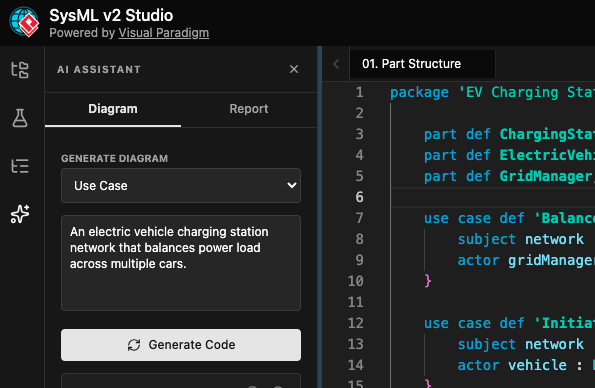
The AI Assistant understands engineering semantics, not just syntax. To get high-quality outputs:
-
Be Specific: Instead of “create a car model,” try “generate a block definition for an electric vehicle battery system with thermal management and state-of-charge monitoring.”
-
Define Relationships: Specify part hierarchies, ports, and constraints explicitly in your prompt.
-
Iterate: Use follow-up prompts like “add a requirement for 99.9% uptime” to refine the generated model.
Validating AI-Generated Code
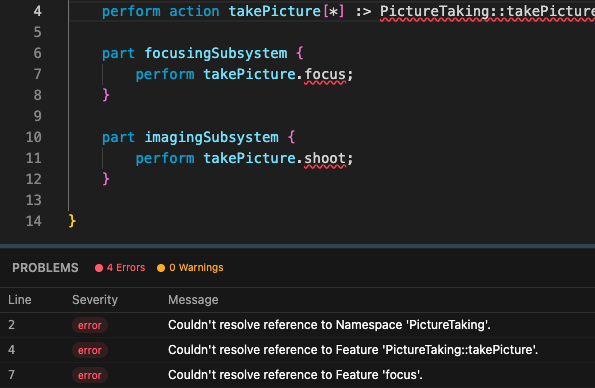
Always review AI outputs. While the assistant produces syntactically valid SysML v2, you’re responsible for engineering correctness. Use the built-in validator to catch semantic issues early.
⚡ Speed Tip: Save frequently used prompt patterns as templates. For example, keep a “Sensor Subsystem” prompt ready for rapid prototyping.
Intelligent Validation: Trust Your Error Reporting
Traditional modeling tools often flood users with false positives. SysML v2 Studio’s high-precision engine changes that.
What Makes Validation “Intelligent”?
-
Semantic Awareness: Understands SysML v2 metamodel rules, not just grammar.
-
Contextual Suggestions: Offers fixes for unresolved references, type mismatches, or constraint violations.
-
Standards Compliance: Ensures models adhere to the latest OMG SysML v2 specifications.
Debugging Workflow
-
Write or generate code.
-
Watch the Problems Pane for real-time feedback.
-
Click any error to jump directly to the offending line.
-
Apply suggested fixes or refactor manually.
🔍 Beginner Strategy: Enable “Strict Mode” during learning to catch subtle issues. Disable it later for rapid prototyping when you’re confident.
Automated Reporting: Bridge Technical Models and Stakeholder Communication
Generating Actionable Insights
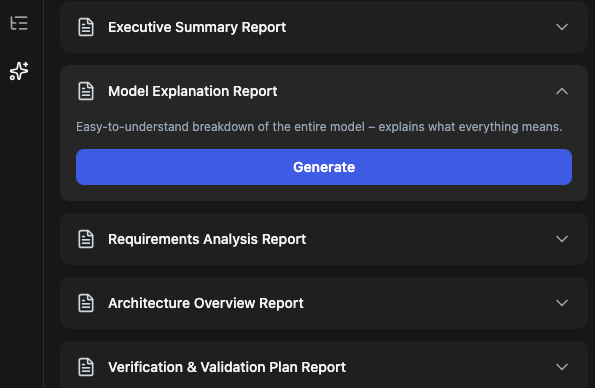
With one click, transform your model into:
-
Executive Summaries: High-level overviews for leadership.
-
Requirements Analysis: Traceability matrices and gap reports.
-
Safety & Verification Plans: Compliance documentation for regulated industries.
-
Architecture Overviews: Visual narratives for cross-functional teams.
Customizing Reports
-
Select specific model elements to include.
-
Adjust tone (technical vs. business-facing).
-
Export to Markdown, PDF, or HTML for seamless integration with documentation workflows.
📊 Pro Insight: Schedule automated report generation for sprint reviews. This keeps stakeholders aligned without manual documentation effort.
Learning Integration: Master SysML v2 Without Leaving Your Workspace
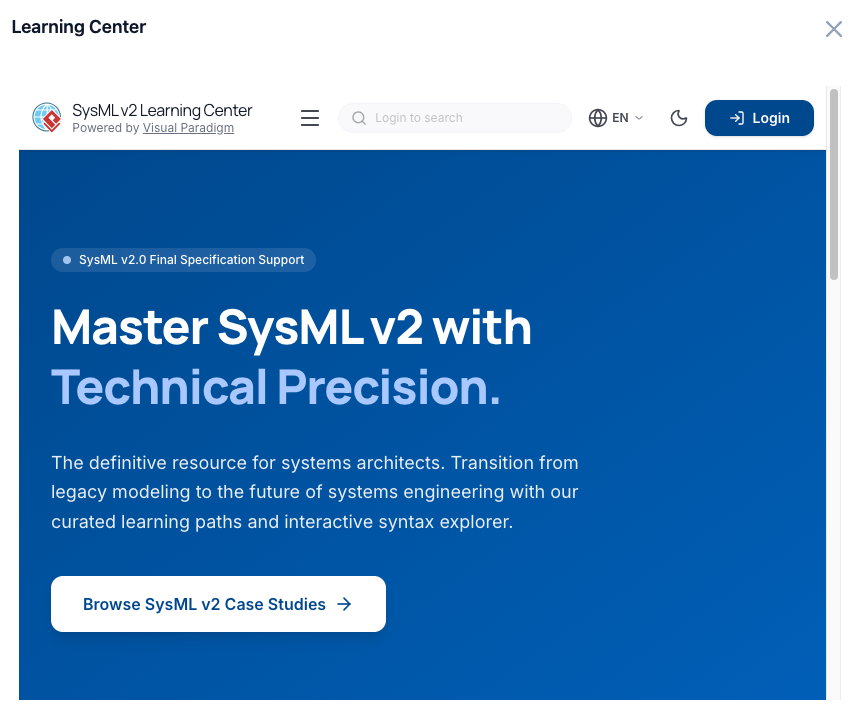
Leveraging the Example Library
Access 500+ professional example files covering:
-
Automotive powertrains
-
Satellite communication systems
-
Medical device architectures
-
Industrial IoT networks
How to Learn Effectively:
-
Open an example relevant to your domain.
-
Modify a parameter and observe diagram updates.
-
Reverse-engineer complex patterns by tracing code-to-diagram relationships.
-
Save your variations as new templates.
Integrated Documentation Hub
-
Search notation standards without switching tabs.
-
Access AI-powered explanations of SysML v2 concepts.
-
Follow guided tutorials for common modeling patterns.
🎓 Learning Hack: Use the “Explain This Model” AI feature to get plain-language breakdowns of complex examples.
Tips and Tricks for Beginners
1. Start Small, Scale Gradually
Begin with a single subsystem (e.g., a sensor module). Master its definition, validation, and visualization before expanding to full-system models.
2. Use Keyboard Shortcuts
-
Ctrl+Space: Trigger auto-completion in the code editor. -
Ctrl+Click: Navigate to element definitions across files. -
F2: Rename symbols with automatic refactoring.
3. Organize with Folders Early
As projects grow, use the Navigation Hub’s folder structure to group related .sysml files (e.g., /requirements, /architecture, /validation).
4. Leverage Cloud Sync
Work seamlessly across devices. Start modeling on your desktop, review diagrams on a tablet, and share updates with your team—all with automatic synchronization.
5. Export Strategically
-
Use PNG for presentations (lightweight, universal).
-
Use SVG for documentation (scalable, editable).
-
Use Markdown reports for collaborative review cycles.
Benefits for Modern Engineering Teams
For Individual Practitioners
-
Reduced Cognitive Load: AI handles boilerplate; you focus on design intent.
-
Faster Learning Curve: Integrated examples and documentation accelerate mastery.
-
Confidence in Validation: Trust error reporting to catch real issues, not noise.
For Teams & Organizations
-
Consistent Standards: Enforce SysML v2 compliance across all models.
-
Improved Collaboration: Cloud-based projects enable real-time co-authoring.
-
Stakeholder Alignment: AI-generated reports translate technical models into business value.
For Complex Projects
-
Scalable Architecture: Handle large models with modular file organization.
-
Traceability: Maintain requirement-to-design links throughout the lifecycle.
-
Future-Proofing: Built on the latest OMG standards, ensuring long-term relevance.
Conclusion: Embrace the Future of Systems Engineering
SysML v2 Studio isn’t just another modeling tool—it’s a paradigm shift. By combining a web-native interface, real-time code-diagram synchronization, and AI-powered assistance, it removes traditional barriers to effective systems engineering. For beginners, it lowers the entry threshold with intuitive workflows and rich learning resources. For experienced practitioners, it amplifies productivity through intelligent automation and precision validation.
My advice? Start today. Create a free account, explore the example library, and let the AI assistant help you draft your first model. Embrace the dual text-visual workflow, trust the intelligent validator, and leverage automated reporting to communicate value. In a field where complexity is the only constant, SysML v2 Studio gives you the clarity, speed, and confidence to build better systems—faster.
The future of systems engineering is collaborative, intelligent, and accessible. With SysML v2 Studio, that future is already here.
References
- Visual Paradigm Archives – Visual Paradigm Product Updates: Official archive of Visual Paradigm product announcements, release notes, and feature updates.
- SysML v2 Studio Launched: The Most Reliable AI SysML v2 Tool: Launch announcement detailing SysML v2 Studio’s competitive advantages, AI capabilities, and reliability features.
- SysML v2 Studio Mastering Guide – 02 Flexible Access: Video tutorial demonstrating flexible access patterns, hybrid workflows, and synchronization between web and desktop environments.
- SysML v2 Studio Official Web App Portal: Direct access to the browser-based SysML v2 Studio environment with project management, AI assistant, and real-time modeling capabilities.
- Visual Paradigm SysML v2 Studio Features Page: Comprehensive overview of SysML v2 Studio’s core features, technical capabilities, and use cases for systems engineering.
- SysML v2 Studio Tutorial Video: Step-by-step walkthrough of the interface, code-to-diagram synchronization, and beginner modeling workflows.
- Visual Paradigm SysML v2 AI Studio Community Article: Community-driven insights, practical tips, and user experiences with SysML v2 Studio’s AI features.
- Creating Your First SysML v2 Project Tutorial: Official beginner tutorial for setting up projects, using templates, and authoring initial SysML v2 models.
- Visual Paradigm User Guide: Central repository for documentation, best practices, and advanced usage patterns across Visual Paradigm tools.
- SysML v2 Studio Mastering Guide: In-depth guide covering advanced modeling techniques, validation strategies, and team collaboration workflows.
- Visual Paradigm Chinese Site: Localized resources, documentation, and support for Chinese-speaking SysML v2 Studio users.
- Enhanced AI Diagram Generator Update: Release notes detailing improvements to AI-powered diagram generation, including SysML v2-specific enhancements

 English
 Arabic
 Chinese (Simplified)
 Dutch
Dutch French
 German
 Italian
 Japanese
 Korean
 Portuguese
 Russian
 Spanish