


What is VPasCode?
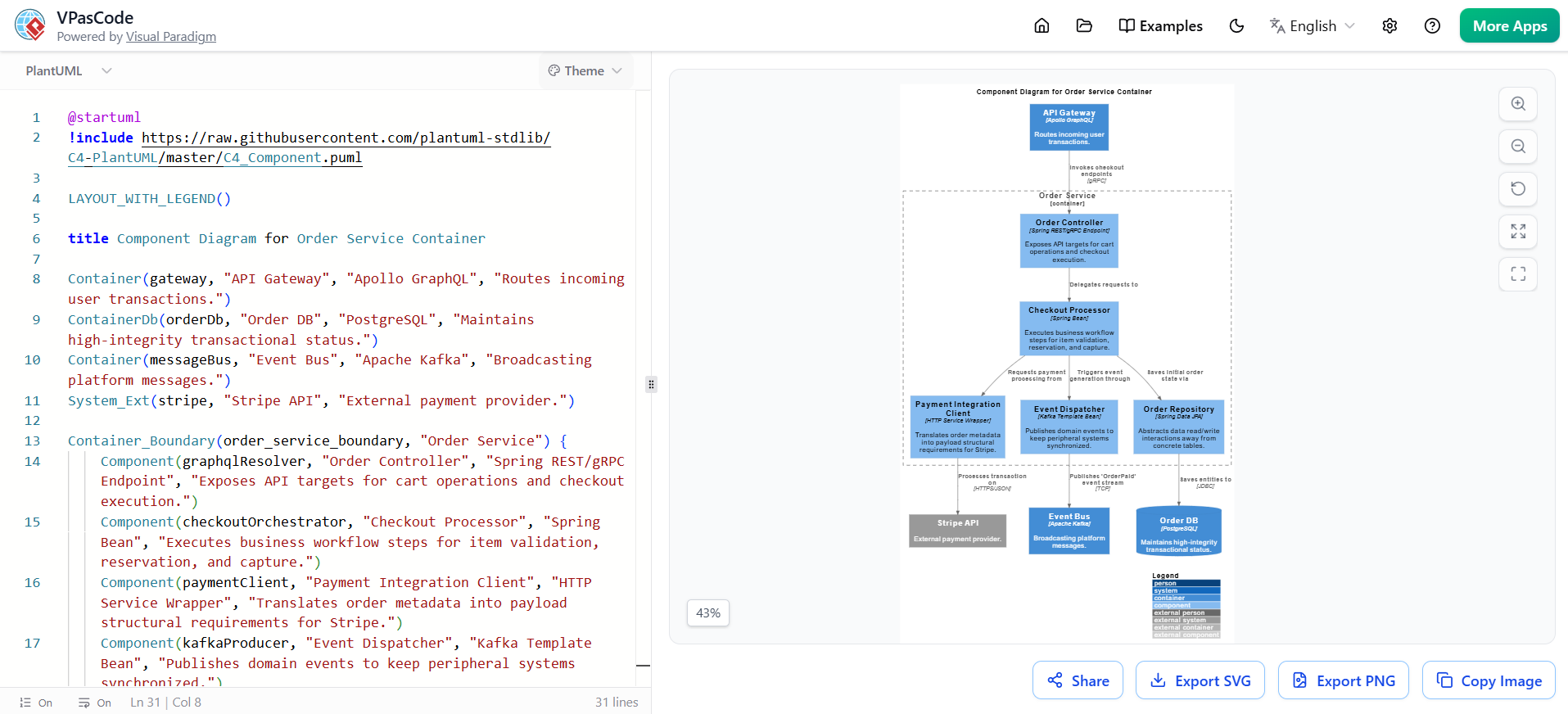
VPasCode is Visual Paradigm’s powerful, browser-based Diagram-as-Code (DaC) editor. It allows teams to create, edit, and maintain high-quality technical diagrams by writing code in familiar languages like PlantUML, Mermaid, and Graphviz, instead of using traditional drag-and-drop tools.
Think of it as “Markdown for architecture diagrams.” You write declarative text, and VPasCode instantly renders beautiful, professional, vector-based diagrams in real time. It serves as both a standalone playground and a collaborative platform that integrates diagrams directly into code repositories and documentation workflows.
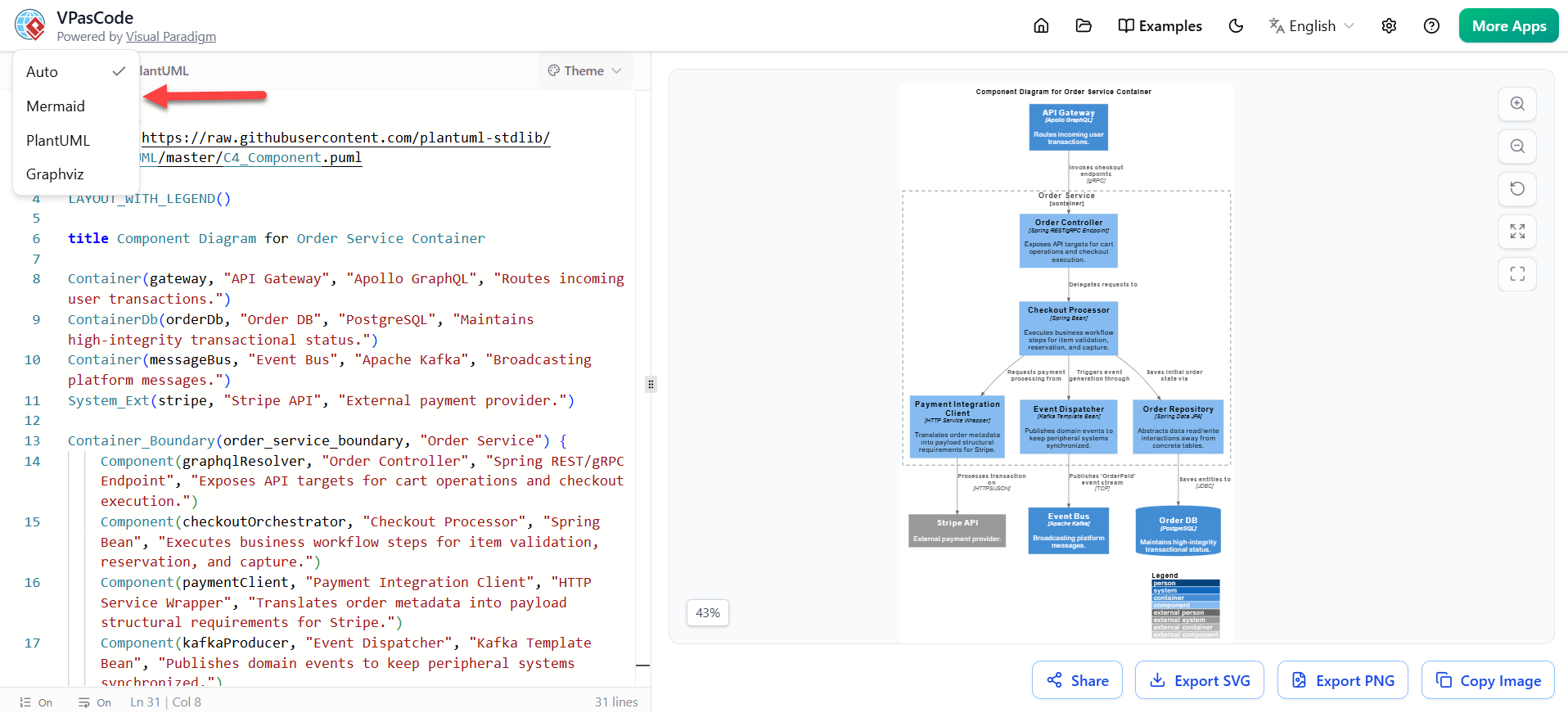
Supported Languages:
-
PlantUML — Best for formal UML diagrams, C4 models, Sequence, Class, Component, Deployment, etc.
-
Mermaid — Excellent for quick flowcharts, user journeys, Gantt charts, Git graphs, and mind maps.
-
Graphviz (DOT) — Ideal for complex network graphs, dependency trees, and directed graphs.
VPasCode runs entirely in the browser with zero installation, making it instantly accessible for distributed teams, engineers, product managers, architects, and stakeholders.
Why VPasCode? The Core Problem It Solves
Traditional diagramming tools (Visio, Lucidchart, Miro, Draw.io, etc.) create several pain points:
-
Diagrams live in silos and get out of sync with code quickly.
-
Version control is poor or nonexistent.
-
Collaboration often leads to conflicting versions.
-
Layout tweaking consumes excessive time.
-
Onboarding new team members is slow because diagrams are not searchable or code-like.
VPasCode flips this model: Diagrams become first-class, version-controlled code artifacts. This brings the same rigor engineers apply to code (diffs, PRs, history, CI validation) to visual documentation.
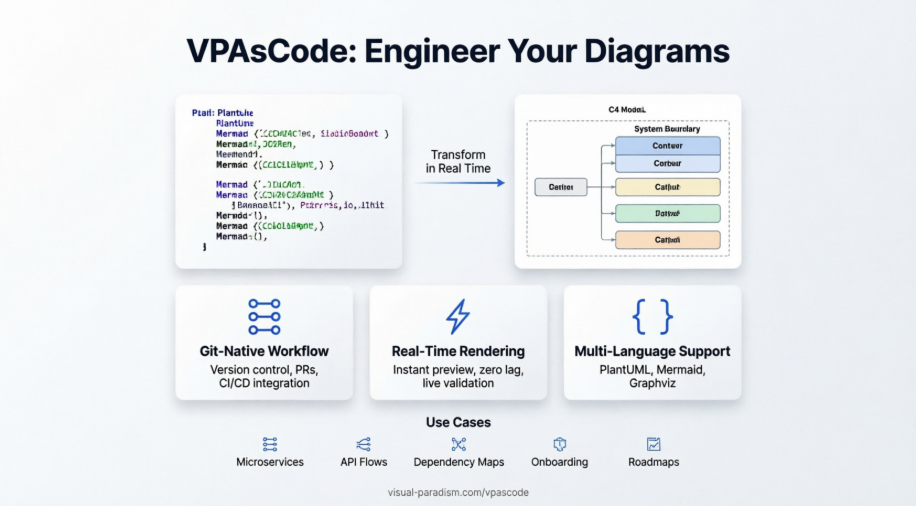
Key Benefits:
-
Single Source of Truth — Diagrams live in your Git repo alongside code.
-
Automatic Consistency — Layout, styling, and rendering rules are enforced by the engine.
-
Lightning-fast Iteration — Real-time preview eliminates export/review cycles.
-
Developer Experience — No context switching; edit in IDE or browser.
-
Accessibility & Searchability — Text-based = screen-reader friendly and grep-able.
-
Reproducibility — Same code always produces the same (or predictably styled) diagram.
When Should You Use VPasCode?
Use VPasCode whenever visual communication needs to stay accurate and evolve with the system:
| Scenario | Recommended Diagram Type | Why VPasCode Excels Here |
|---|---|---|
| Microservices architecture | C4 Model (Context, Container, Component) | Layered views with clean boundaries |
| API & Request flows | Sequence + Flowcharts (Mermaid) | Clear lifecycles and data paths |
| Dependency & Failure analysis | Graphviz DOT | Complex relationship mapping |
| Onboarding & Knowledge transfer | Mixed Mermaid + PlantUML | Living architecture docs |
| Incident post-mortems | Graphviz + Sequence | Visual root cause analysis |
| Planning & Roadmapping | Mermaid Gantt + User Journey | Stakeholder alignment |
| Database & ER modeling | PlantUML Entity Relationship | Precise schema visualization |
Best suited for:
-
Engineering teams practicing Infrastructure as Code or GitOps
-
Product & Engineering organizations with distributed teams
-
Companies moving toward living documentation and “docs as code”
How to Use VPasCode: Comprehensive Feature Breakdown
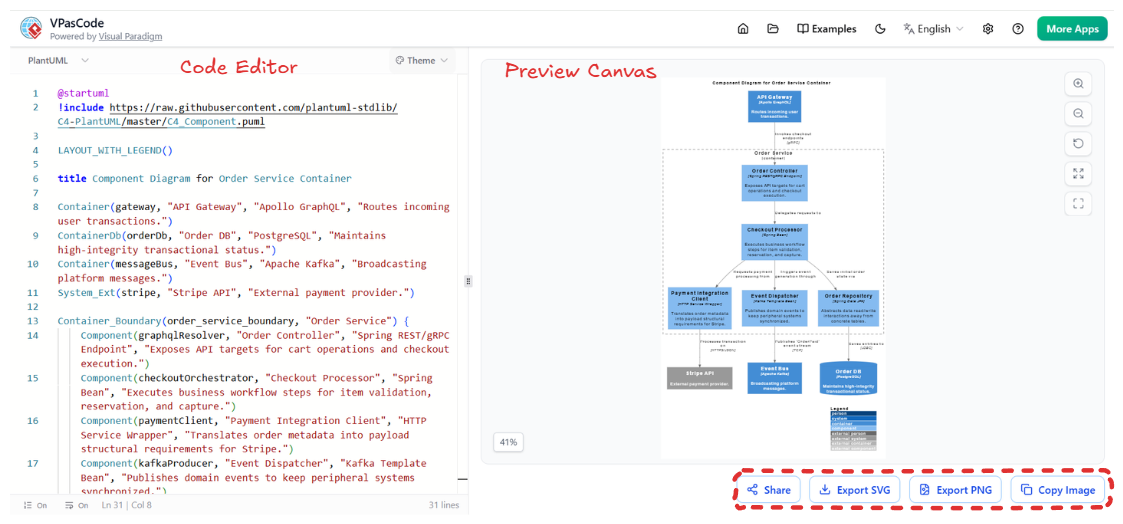
1. Interface & Core Workflow
-
Dual-Panel Layout: Left = Code editor, Right = Live Preview
-
Resizable Divider with smooth drag
-
Real-time Rendering — Changes appear instantly with near-zero lag
-
Syntax Toggle — Seamlessly switch between PlantUML, Mermaid, and Graphviz
-
Smart Detection — Automatically suggests engine switch when mismatched syntax is detected
-
IDE-grade Editor:
-
Line numbers
-
Syntax highlighting
-
Collapsible code blocks
-
Real-time error highlighting + error counter
-
Cursor synchronization between collaborators (future team editing)
-
2. Templates & Onboarding
-
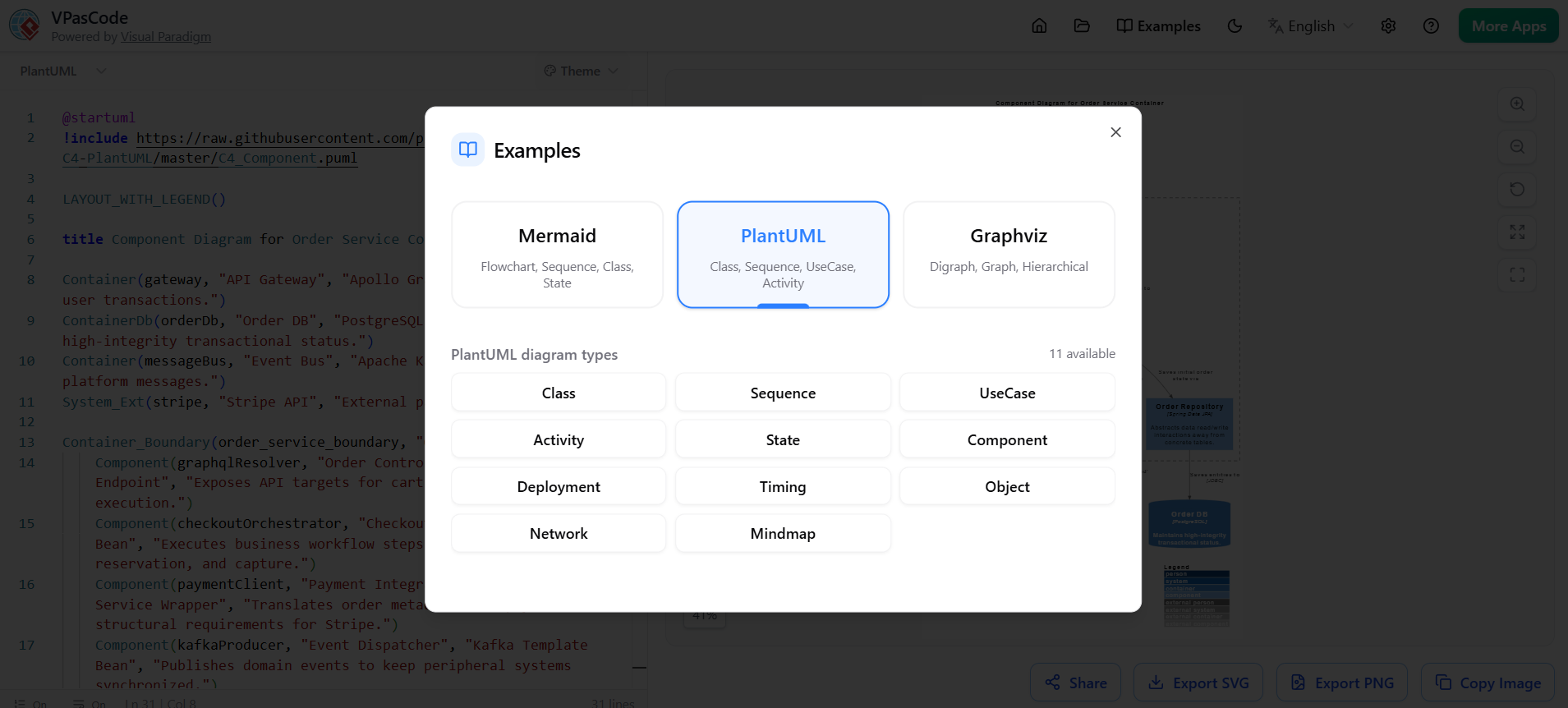
Rich Dynamic Examples Library covering:
-
All major UML diagrams
-
C4 architecture models
-
AWS/Azure/GCP cloud icons
-
Sequence, Activity, State, Timing diagrams
-
Flowcharts, Mindmaps, Timelines
-
-
One-click template loading with editable examples
3. Export & Sharing Capabilities
-
Persistent Shareable Links — Great for Jira, Slack, or stakeholder reviews
-
SVG Export — Resolution-independent, perfect for docs and websites
-
PNG Export — Optimized for presentations and Confluence
-
Copy to Clipboard — Instant paste into Markdown, Notion, Teams, etc.
-
High-quality vector output with customizable themes
4. Advanced Features
-
Zoom & Pan Tools with precise percentage indicator
-
Full-screen Preview Mode
-
Live Syntax Validation
-
Theme & Styling Controls (colors, fonts, skin parameters)
-
Integration Hooks — Easy embedding into static site generators (MkDocs, Docusaurus, etc.)
Step-by-Step: Getting Started with VPasCode
-
Visit visual-paradigm.com/vpascode
-
Start a new diagram or load a template
-
Choose your language (PlantUML recommended for architecture)
-
Write code in the left panel — watch it render live
-
Iterate with real-time feedback
-
Export/Share or copy the source file into your repository
-
Integrate into Git workflow (add
.puml,.mmd, or.dotfiles)
Pro Tip: Add diagram validation to your CI/CD pipeline using the respective CLI tools (PlantUML JAR, Mermaid CLI, etc.) to catch syntax errors early.
Best Practices for Team-Wide Adoption
-
Standardization: Agree on when to use each engine (e.g., PlantUML for formal architecture, Mermaid for quick docs).
-
Style Guide: Document naming conventions, color schemes, and icon usage.
-
Repository Structure: Create
/docs/architecture/with clear naming (e.g.,system-context.puml). -
Pull Request Reviews: Treat diagram changes like code — review visual diffs.
-
Hybrid Approach: Use VPasCode for creation, then embed SVGs in final documentation.
-
Start Small: Pilot with one high-impact diagram (e.g., C4 Context diagram) before scaling.
Pros and Cons (Honest Review)
Pros:
-
Exceptional real-time experience
-
True Git-native workflow
-
Massive time savings on maintenance
-
High output quality
-
Excellent for technical teams
-
Free tier available for exploration
Cons:
-
Learning curve for non-technical stakeholders (mitigated by shareable links + exports)
-
Advanced custom styling sometimes requires deep syntax knowledge
-
Collaboration is currently more async (file-based) than real-time multi-user editing
-
Some niche diagram types still better in specialized tools
Final Verdict & Recommendation
VPasCode earns a strong 9.2/10 as a Diagram-as-Code tool.
It successfully bridges the gap between beautiful visuals and maintainable, code-first documentation. For any organization serious about keeping architecture documentation alive and accurate, VPasCode represents a genuine paradigm shift — moving diagrams from fragile artifacts to reliable, evolving components of your codebase.
Who should adopt it?
-
Engineering teams tired of outdated diagrams
-
Product managers who need trustworthy visuals for planning
-
Architecture guilds looking to standardize documentation
-
Any team practicing “Documentation as Code”
Start Here: Go to visual-paradigm.com/vpascode, open a C4 template, and build your first diagram in under 10 minutes. You’ll immediately feel the difference.
VPasCode doesn’t just let you draw diagrams — it lets you engineer them.
Would you like me to create sample templates (C4 Model, Sequence Diagram, etc.) or a team onboarding checklist to go with this guide?

 English
 Arabic
 Chinese (Simplified)
 Dutch
Dutch French
 German
 Italian
 Japanese
 Korean
 Portuguese
 Russian
 Spanish