


Introduction
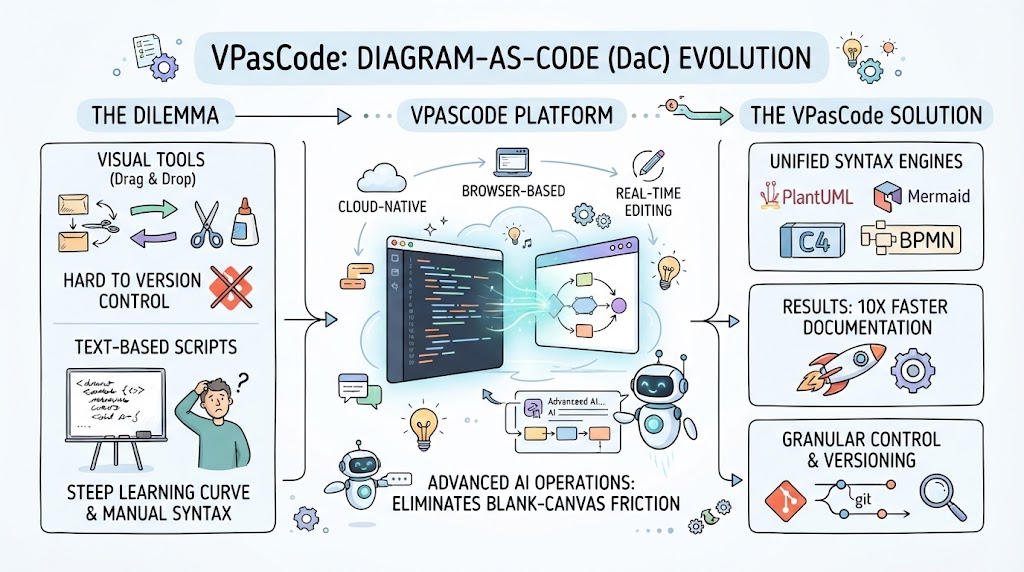
The evolution of software architecture documentation has shifted decisively toward “Diagram-as-Code” (DaC), yet many tools still treat Artificial Intelligence as an external novelty rather than a core utility. Visual Paradigm’s VPasCode represents a paradigm shift in this space by embedding native AI-powered utilities directly into the workspace interface.
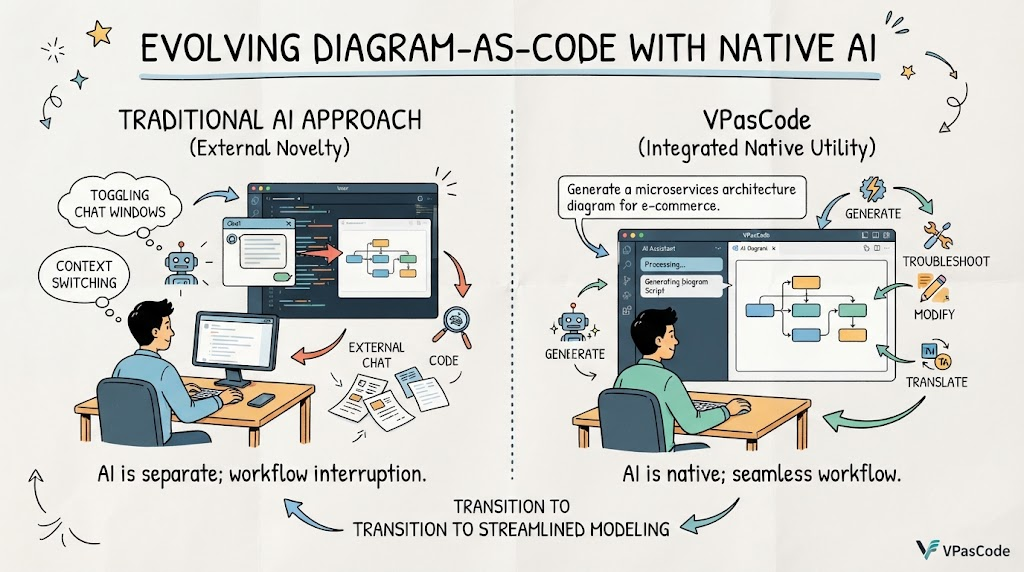
Unlike traditional setups that require toggling between chat windows and code editors, VPasCode allows users to generate, troubleshoot, modify, and translate diagram scripts natively on the canvas.
This guide explores how these integrated AI features streamline the modeling process, turning natural language intent into precise, renderable technical diagrams without breaking workflow momentum.
Key Concepts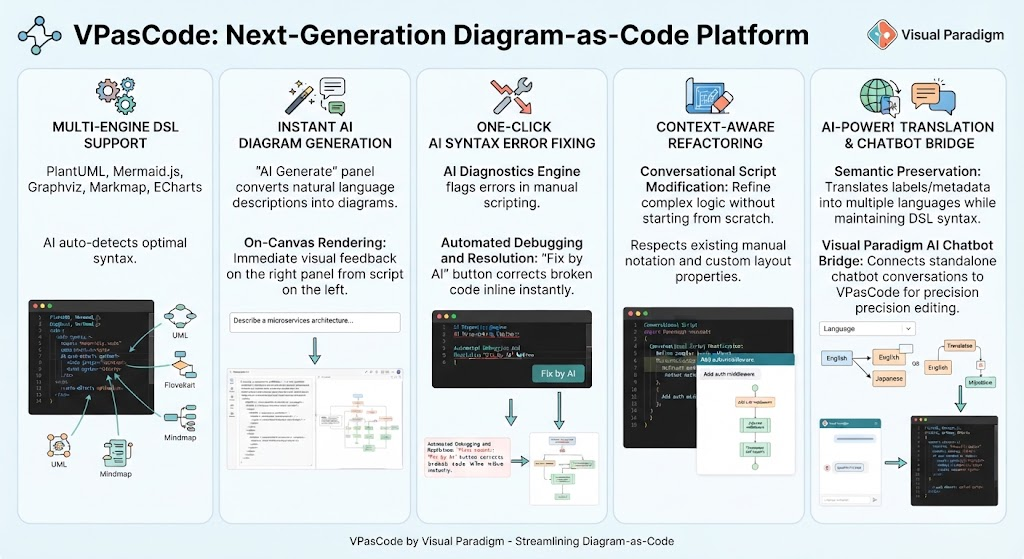
-
Native AI Integration: AI capabilities are embedded directly within the editor environment, eliminating context switching between external LLM chat interfaces and the diagramming canvas.
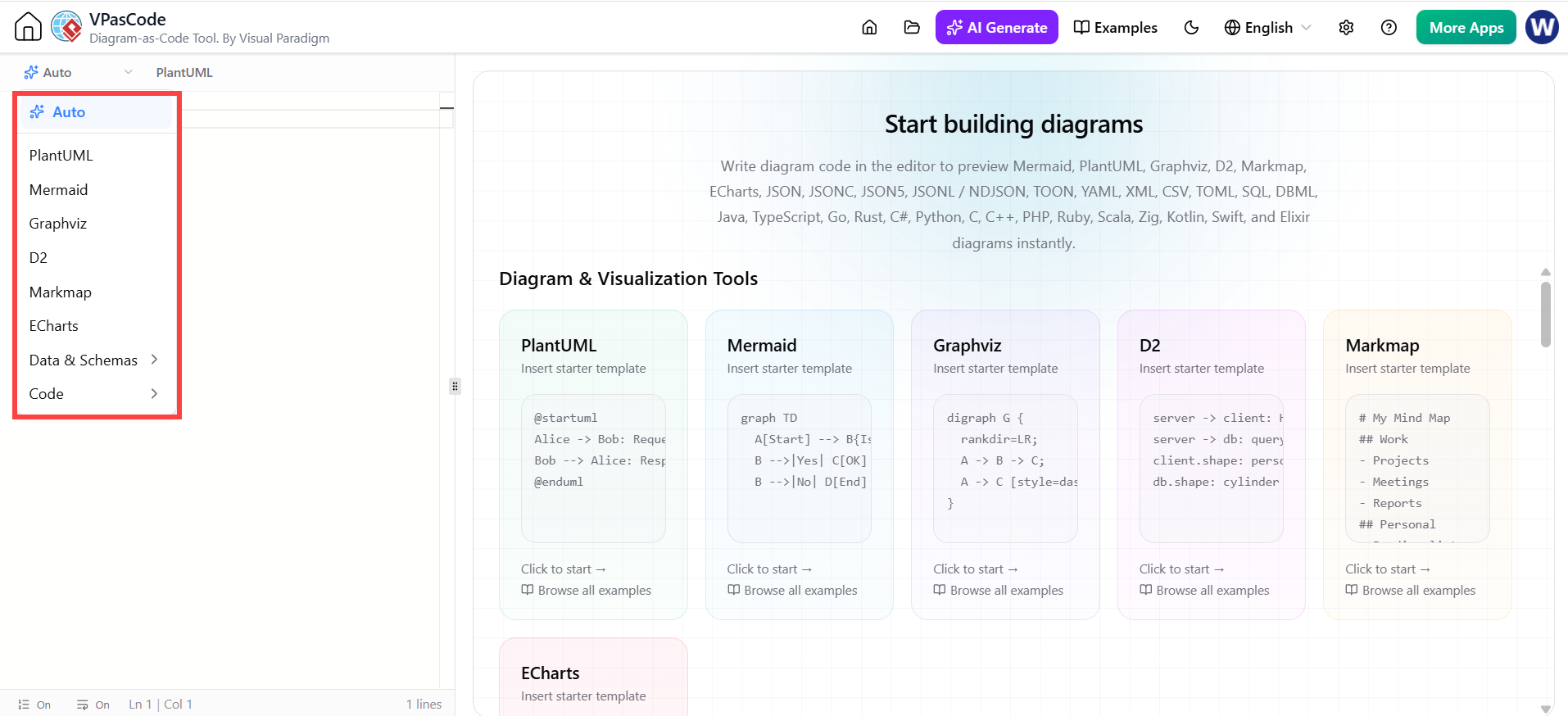
– Diagram Generation when the code pane is Empty:
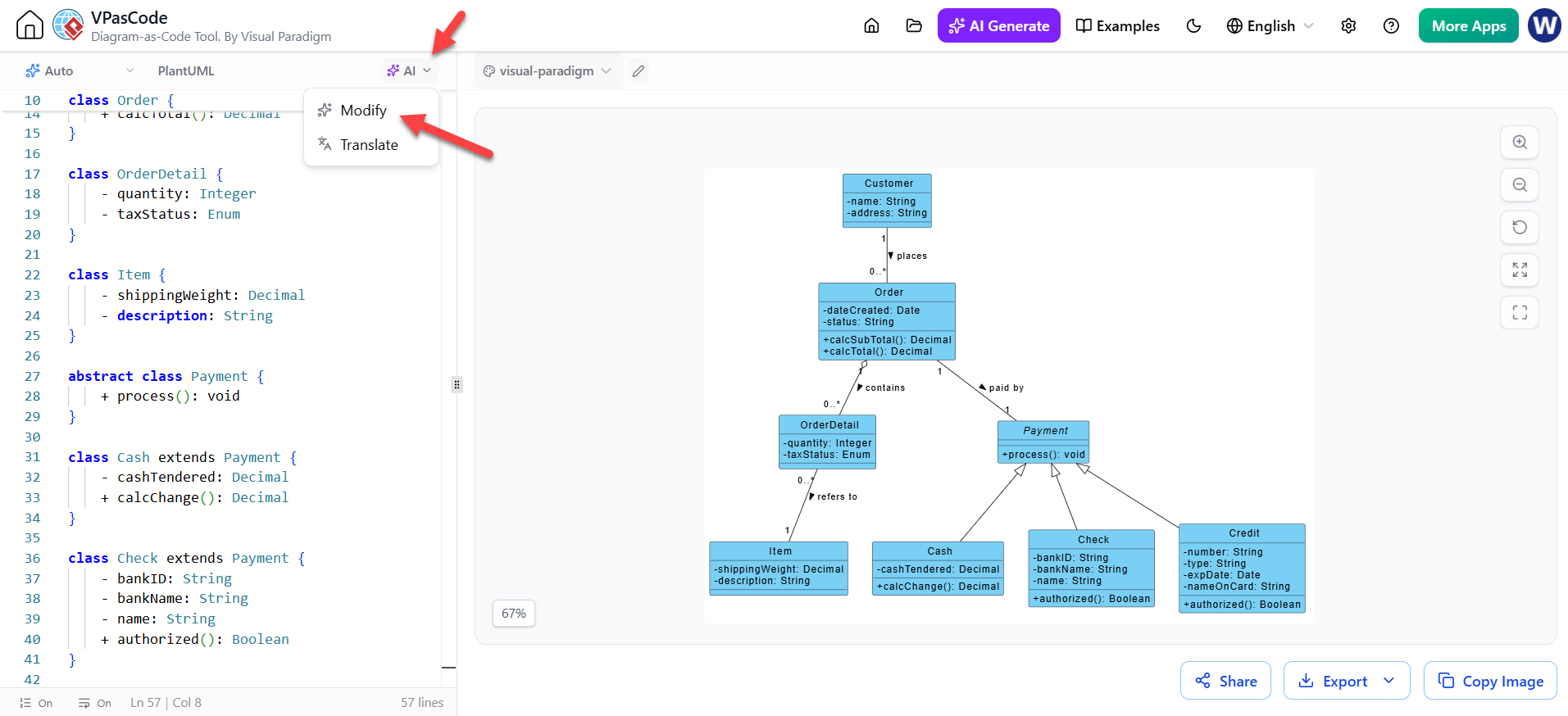
Modify the code with AI LLM, when you want to touch up an existing diagram:
-
Multi-Engine DSL Support: The platform dynamically supports multiple Domain-Specific Languages including PlantUML, Mermaid.js, Graphviz, Markmap, and ECharts, with AI auto-detection selecting the optimal syntax for the task.
-
Context-Aware Refactoring: AI modifications respect existing manual notation and layout properties, allowing for iterative refinement without destroying prior work.
-
Semantic-Preserving Translation: Automated translation filters convert labels and metadata for international teams while strictly maintaining the underlying DSL syntax framework required for rendering.
-
AI Diagnostics Engine: A built-in validator that not only flags syntax errors but provides one-click, inline corrections by parsing broken logic against valid DSL grammar.
1. Instant AI Diagram Generation
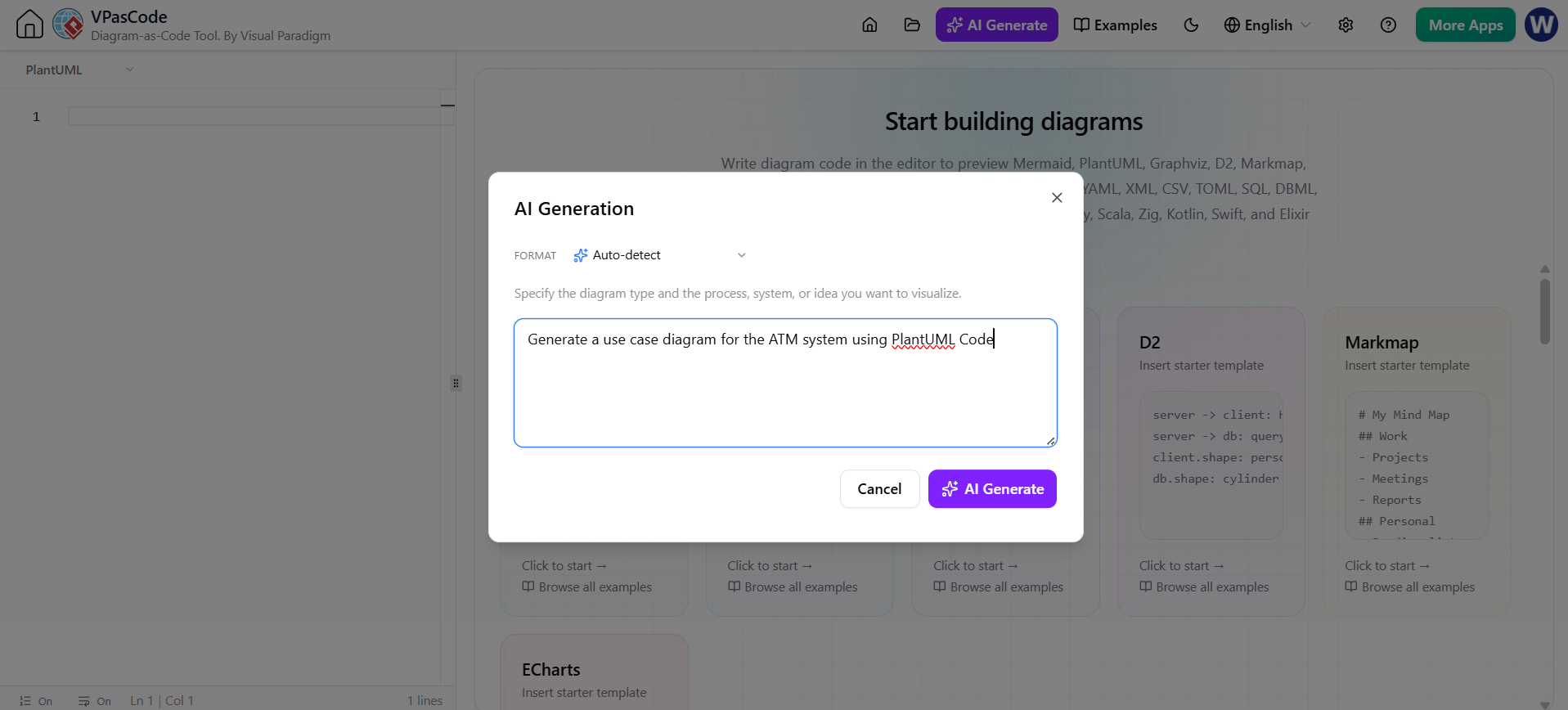
The foundation of VPasCode’s AI suite is the “AI Generate” panel, accessible via the top toolbar. This feature bridges the gap between abstract system descriptions and concrete visual representations.
How It Works
Clicking the AI Generate button opens an integrated dialogue box directly within the interface. Users can input simple natural language descriptions of their desired system or architecture. The AI dynamically analyzes the intent and selects the most appropriate DSL format—whether PlantUML for UML diagrams, Mermaid.js for flowcharts, or ECharts for data visualization.
On-Canvas Rendering
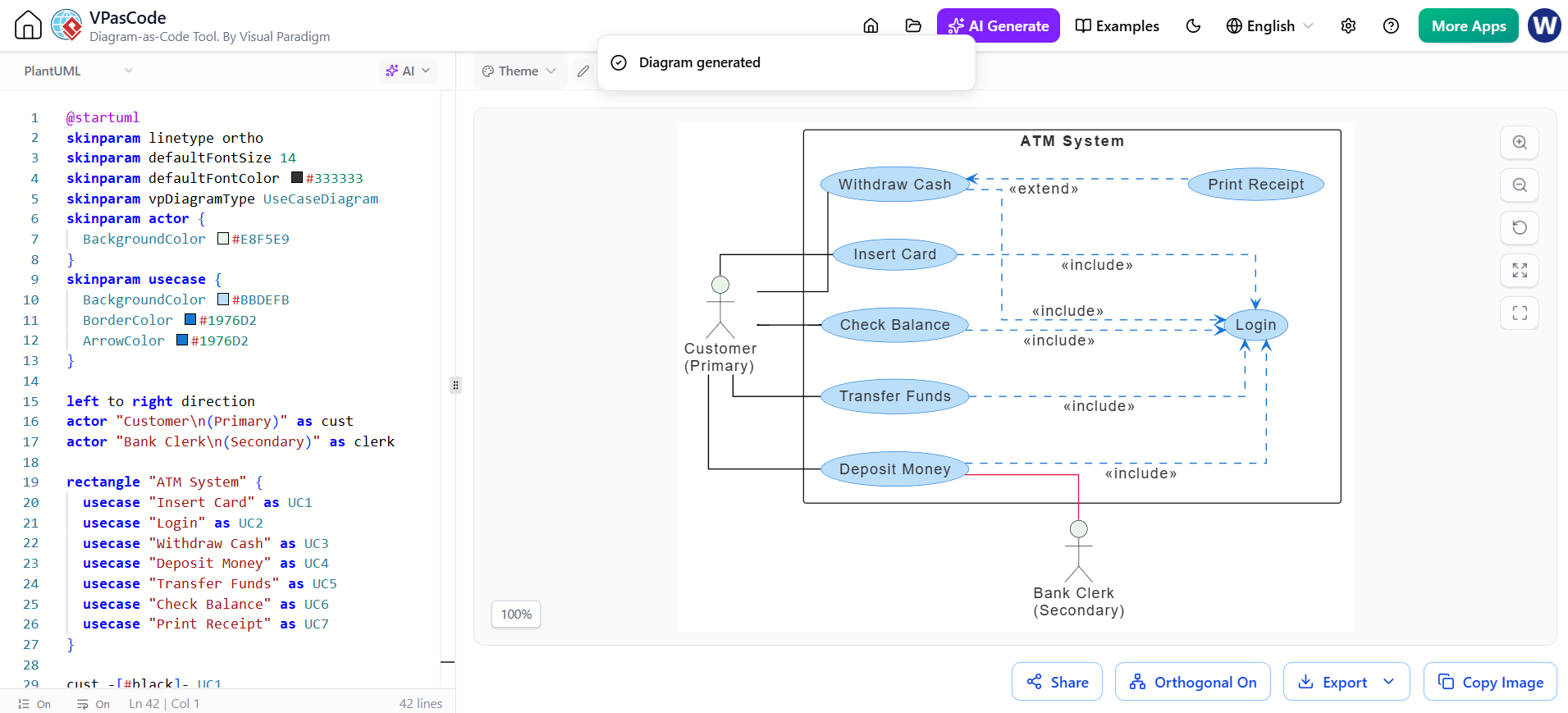
A critical differentiator is the immediate feedback loop. The moment the AI generates the script, it inserts the code into the left-hand editor panel and simultaneously renders the live visual diagram on the right panel. This eliminates the copy-paste cycle common in generic AI coding assistants, allowing architects to instantly validate if the generated structure matches their mental model.
2. One-Click AI Syntax Error Fixing
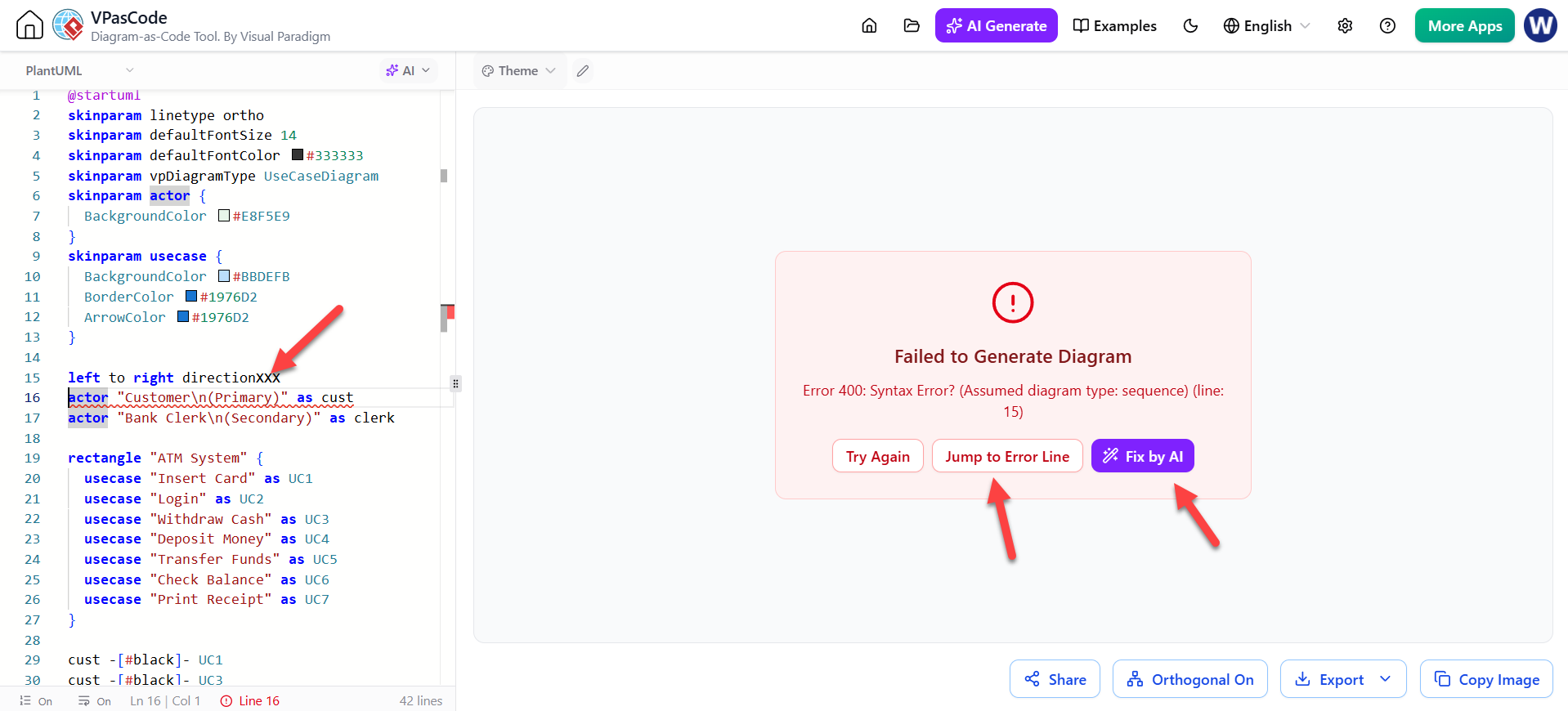
Writing Diagram-as-Code scripts manually often leads to frustrating compilation breaks due to strict syntax requirements. VPasCode addresses this with an AI Diagnostics engine integrated into the syntax validator.
Automated Debugging and Resolution
When a user types a broken line of code or misplaces an arrow connector, the editor immediately flags the error. Rather than forcing the user to consult documentation, the interface presents a “Fix by AI” button. Clicking this allows the native assistant to parse the broken syntax and correct the script error inline instantly. This transforms debugging from a research task into a single-click resolution, significantly reducing friction during manual scripting sessions.
3. Conversational Script Modification
VPasCode extends beyond initial generation to support contextual, conversational editing of existing diagrams. This feature is designed for refining complex system logic without starting from scratch.
Context-Aware Refactoring
Users can highlight specific sections or prompt the editor to insert new system logic, such as “add an authentication middleware node” or “insert a retry loop if the database query fails.” Crucially, the AI edits the existing script logic in real time without wiping out manually written notation or custom layout properties. This ensures that AI acts as a collaborative pair programmer for diagrams, respecting the architect’s intentional design choices while handling verbose syntactical updates.
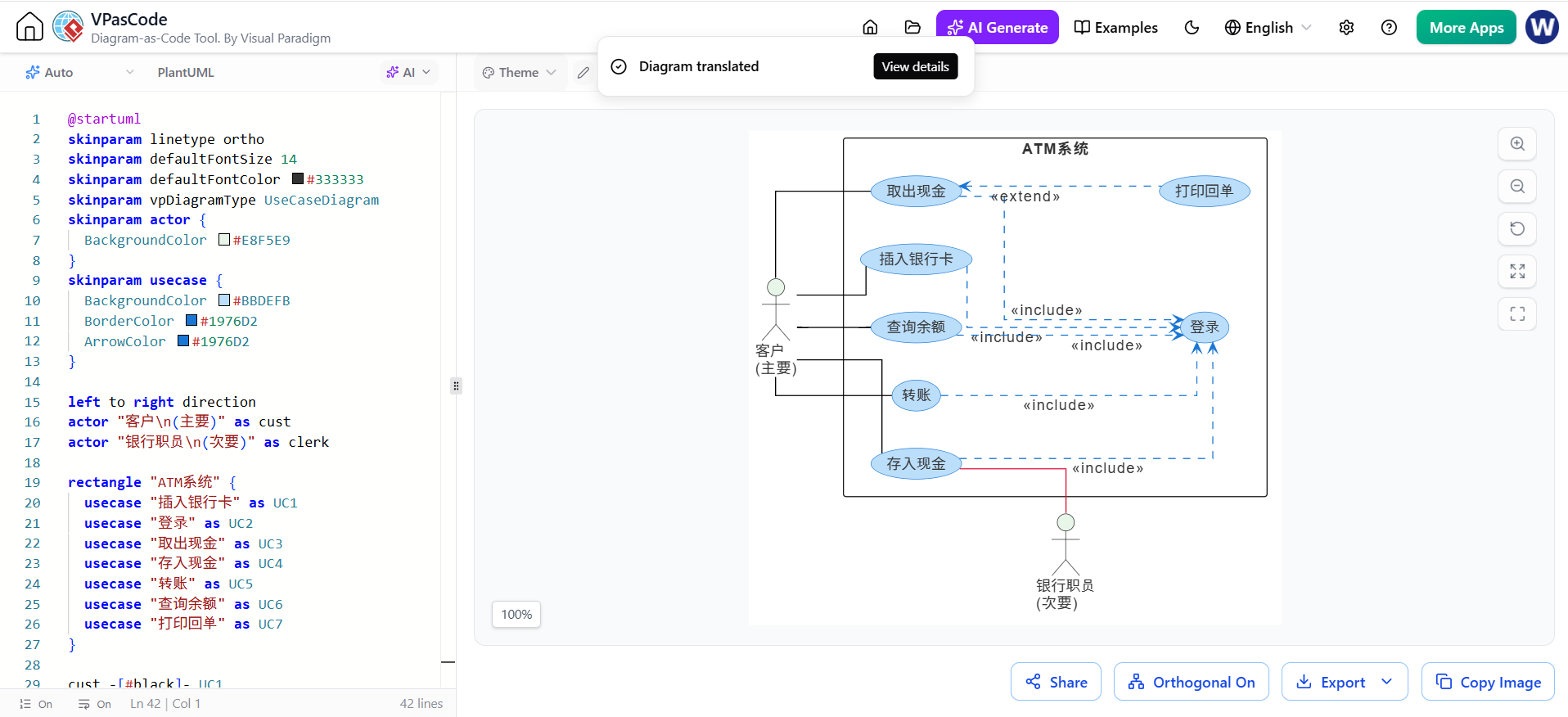
4. AI-Powered Diagram Translation
For international development groups and distributed teams, VPasCode includes an automated, domain-aware translation filter that goes beyond simple text replacement.
Semantic Preservation
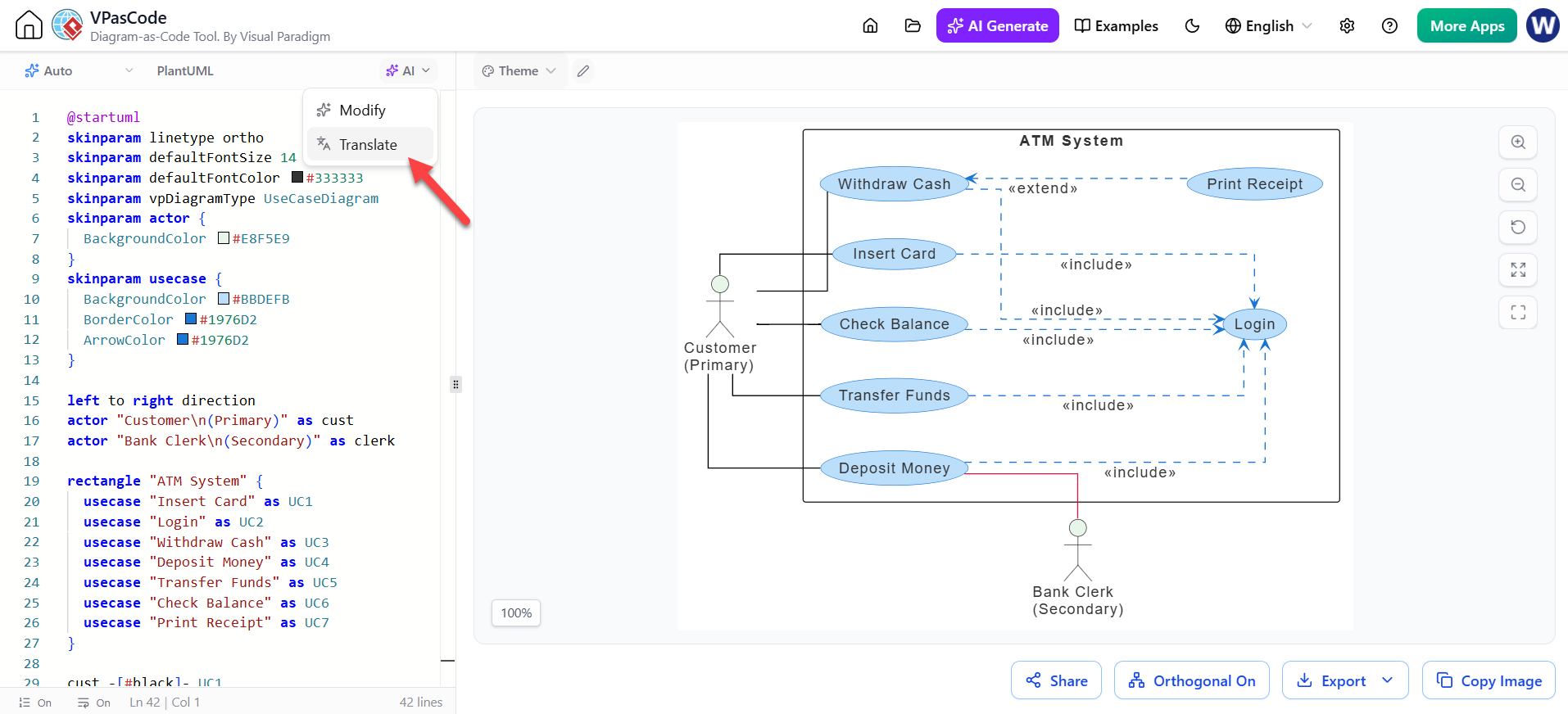
The tool translates class names, flow steps, database columns, and actor nodes into multiple languages automatically. More importantly, it preserves the critical underlying DSL syntax framework. Only the text strings rendered inside visual blocks are translated, ensuring the diagram remains functional and compilable regardless of the display language. This enables seamless collaboration across linguistic boundaries without risking diagram integrity.
5. The Visual Paradigm AI Chatbot Bridge
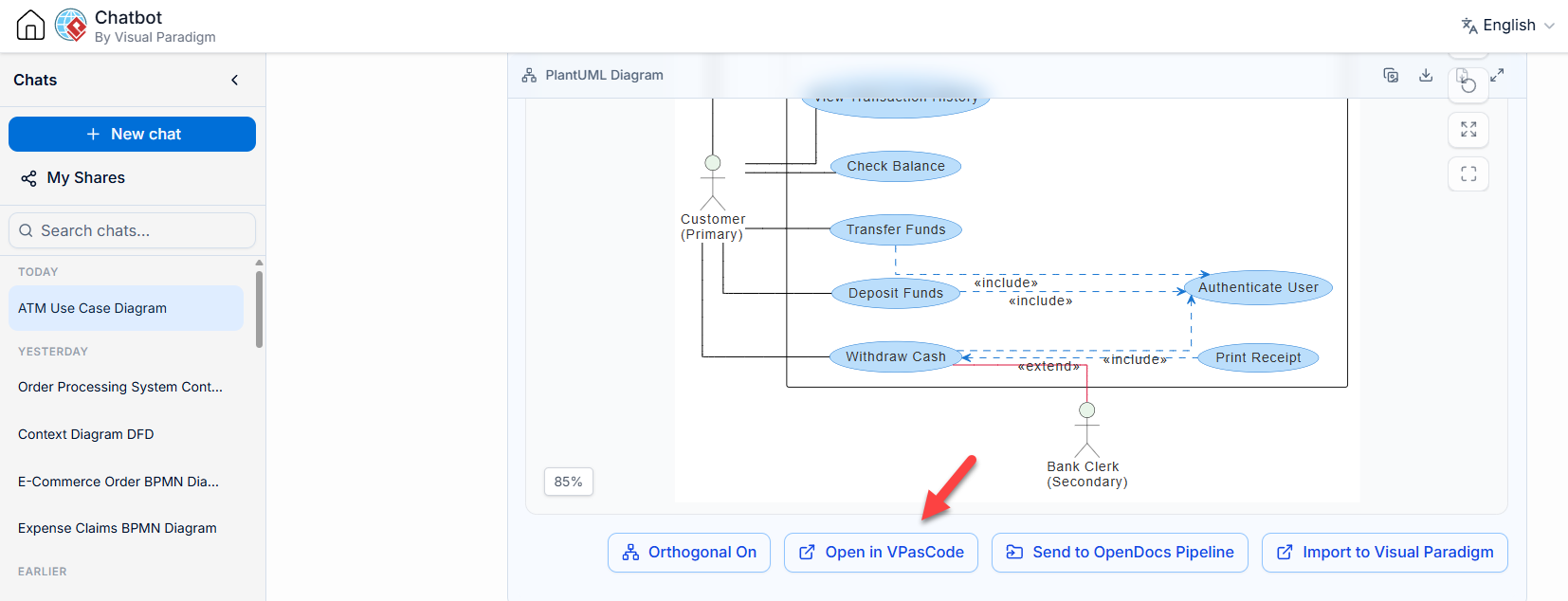
VPasCode does not exist in isolation; it integrates with Visual Paradigm’s broader web ecosystem through a dedicated pipeline connecting the standalone AI Chatbot to the editor.
From Conversation to Precision Editing
Architects can design complex system layouts conversationally within the broader chatbot workspace. Once a satisfactory high-level structure is established, clicking the VPasCode Bridge option pushes that structured architecture script straight into the VPasCode workspace. This workflow combines the exploratory freedom of conversational AI with the precision of line-by-line micro-editing in a specialized DaC environment.
Conclusion
Visual Paradigm’s VPasCode demonstrates that the future of Diagram-as-Code lies not just in text-based rendering, but in deeply integrated intelligence. By embedding generation, debugging, modification, and translation directly into the editor, it removes the cognitive load associated with context switching and syntax management. Whether you are generating a new architecture from a prompt, fixing a stubborn PlantUML error, or localizing documentation for a global team, VPasCode’s native AI utilities ensure that the focus remains on system design rather than tool mechanics. For modern software engineers and architects, this unified approach represents a significant leap in documentation velocity and accuracy.
Relevant Posts & Articles on Visual Paradigm
- Comprehensive Guide to VPasCode by Visual Paradigm: Foundational overview of the Diagram-as-Code philosophy, multi-engine architecture, and dual-panel editor interface.
- Mastering VPasCode: The Ultimate Guide to AI-Powered Diagram-as-Code: In-depth tutorial on leveraging AI chatbot conversion and transferring generated diagrams into the VPasCode editor.
- VPasCode Deep Dive: Unifying Mermaid, PlantUML, and AI in One Platform: Technical analysis of multi-syntax support with detailed feature comparisons and practical use cases.
- 60-Second Quickstart Guide | VPasCode Text to Diagram Guide: Step-by-step tutorial for creating, customizing, and sharing diagrams in under a minute using the cloud-native editor.
- From Code to Clarity: A Beginner’s Guide to Seamless Diagramming with VPasCode and OpenDocs: Practical walkthrough on creating realistic diagrams and integrating them with OpenDocs documentation via Pipeline.
- Seamlessly Connect Diagramming to Documentation: VPasCode Integrates with OpenDocs: Release announcement detailing the direct pipeline integration for turning diagrams into living documentation.
- What’s New in VPasCode – Launch Feature Roundup: Summary of key launch features including multi-syntax support, AI error fixing, translation, and OpenDocs integration.
- Case Study: Accelerating Software Architecture Documentation with VPasCode: Real-world demonstration of how VPasCode accelerates documentation through automated layout and AI generation.
- Visual Paradigm VPasCode: Unified Diagram-as-Code Platform: Official product feature page detailing supported diagram types, technical capabilities, and frequently asked questions.
- VPasCode Official Documentation & Playground: Central hub for accessing the free playground editor, official documentation, and latest platform updates.
Related posts:
 From Static Diagrams to Living Knowledge: A Case Study on Visual Paradigm’s Unified AI-Driven Documentation Ecosystem
 From Zero to Data Visualization Mastery: A Beginner’s Guide to AI-Powered Chart Creation with VPasCode and ECharts
 VPasCode Release: Free Diagram-as-Code & Premium AI Features Explained
 Mastering VPasCode: The Ultimate Guide to AI-Powered Diagram-as-Code

 English
 Arabic
 Chinese (Simplified)
 Dutch
Dutch French
 German
 Italian
 Japanese
 Korean
 Portuguese
 Russian
 Spanish