


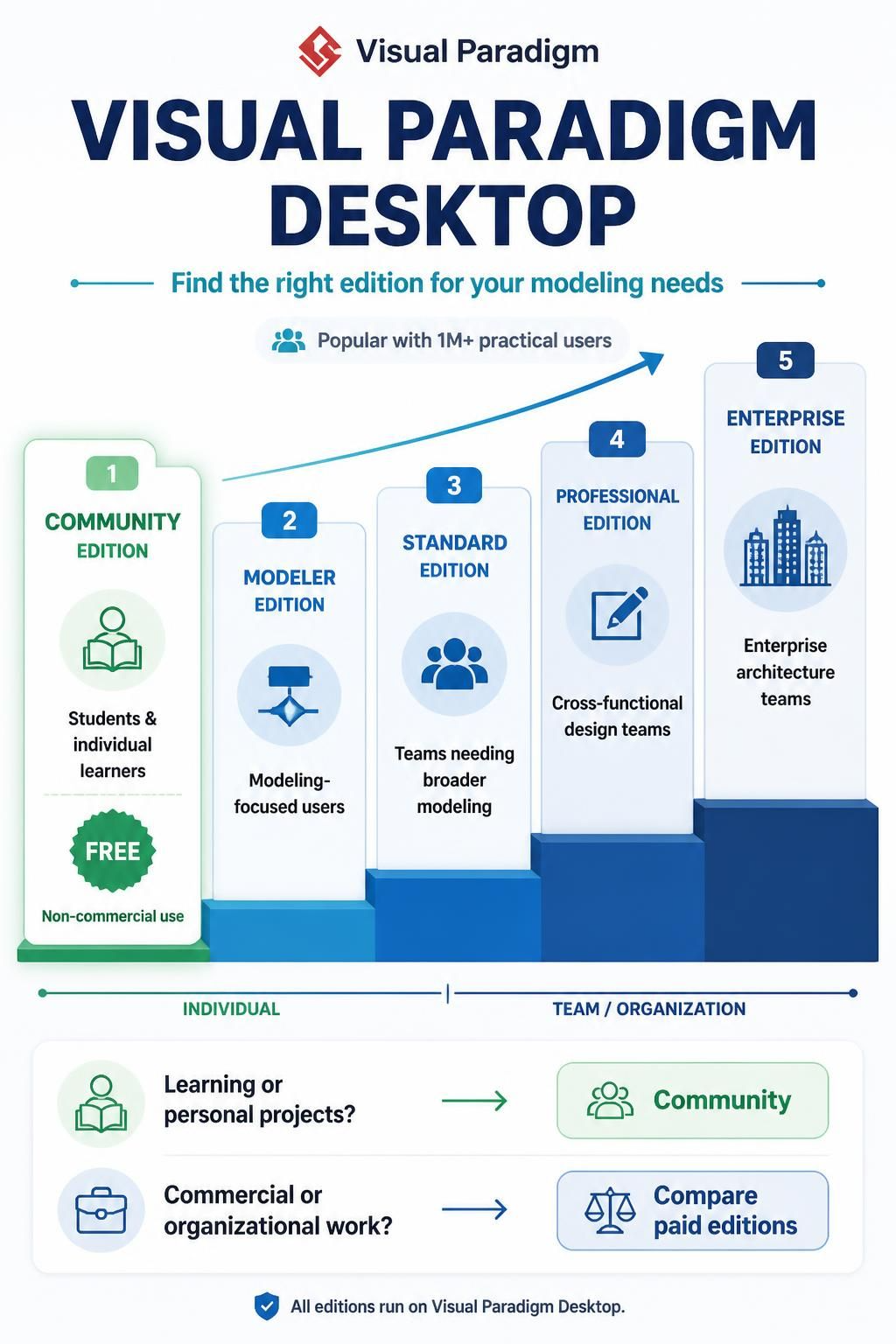
Visual Paradigm Desktop is a robust software solution designed to handle the complexity of modern software development and systems engineering. Whether you are a student learning the basics of UML or an enterprise architect designing a distributed microservices system, the platform offers a suite of modeling tools. However, with five distinct editions available, understanding the architecture of the product suite is the first step toward maximizing your workflow.
This tutorial provides a deep dive into the Visual Paradigm Desktop editions, breaking down their specific use cases, target audiences, and the architectural capabilities they unlock.
Understanding the Spectrum: From Individual Learning to Enterprise Architecture
The Visual Paradigm product line is structured as a progressive scale. At the base, we have tools for individual learners and personal projects. As you move up the ladder, the focus shifts toward team collaboration, agile methodologies, and large-scale enterprise architecture.
1. The Foundation: Community Edition
The entry point for millions of users worldwide is the Community Edition. This version is specifically designed for non-commercial purposes, making it the ideal choice for:
- Students and Educators: Perfect for academic assignments and learning the fundamentals of systems modeling.
- Individual Learners: Anyone wishing to master diagramming without the barrier of cost.
- Open Source Contributors: Users who need to document their projects for public repositories.
Key Constraint: As the name suggests, this edition is strictly for non-commercial use. While it is free, it is designed to be a lightweight, powerful tool for personal knowledge management rather than professional deployment.
2. The Modeler’s Choice: Modeler Edition
Stepping into the paid tiers, the Modeler Edition targets users who need a focused set of tools without the bloat of a full suite. This edition is best for:
- Analysts who need to create specific diagrams (like Sequence or Activity diagrams) to document requirements.
- Designers focused purely on the visual representation of systems.
3. The Standard Engineering Tool: Standard Edition
The Standard Edition bridges the gap between simple modeling and full-scale engineering. It is tailored for developers and modelers who require core engineering tools. This edition typically includes:
- Comprehensive UML support.
- Model-driven development capabilities.
- Tools for reverse engineering existing codebases.
4. The Team Collaborator: Professional Edition
When software development becomes a team effort, the Professional Edition comes into play. Designed for cross-functional design teams, this tier emphasizes collaboration and integration. It is the go-to choice for:
- Agile teams utilizing JIRA or other issue trackers.
- Software engineers working in large-scale environments.
- Business analysts who need to bridge the gap between high-level strategy and technical execution.
5. The Powerhouse: Enterprise Edition
At the pinnacle of the Visual Paradigm Desktop architecture is the Enterprise Edition. This is a premium solution built for large enterprise architects, systems engineers, and project leads. It handles the complexity of:
- Enterprise Architecture (EA) frameworks (such as TOGAF).
- Large-scale system integration projects.
- Multi-user environments requiring centralized repositories.
Decision Logic: How to Select Your Edition
To make the right choice, you must first categorize your primary intent. The decision logic generally follows a binary path based on the nature of your work.
Scenario A: Learning and Personal Projects
If your goal is to learn a new technology, document a personal hobby project, or complete a university assignment, the logical choice is clear. You do not need enterprise-grade licensing.
- Identify your goal: Learning or Personal Use.
- Select the Community Edition.
- Benefit: Zero cost, full access to core modeling features.
Scenario B: Commercial and Organizational Work
If you are working for a company, or if the diagrams you create will be part of a commercial product, you must move to a paid edition. The choice here depends on the size of your team and the depth of engineering required.
- Identify your goal: Commercial or Organizational Work.
- Assess your team size and needs.
- Select the appropriate paid tier (Modeler, Standard, Professional, or Enterprise).
Technical Architecture Overview
Regardless of the edition selected, all Visual Paradigm Desktop tools share a common underlying architecture. This ensures that a diagram created in the Community Edition is fully compatible with the Professional Edition.
SYSTEM ARCHITECTURE COMPONENTS:
|---------------------------------------------|
|  User Interface Layer (GUI)                 |
|  - Diagram Canvas                           |
|  - Property Sheets                          |
|  - Model Explorer                           |
|---------------------------------------------|
|  Core Engine Layer                          |
|  - Syntax Parser (UML, BPMN, ArchiMate)     |
|  - Code Generator (Java, C#, etc.)          |
|  - Reverse Engineering Engine               |
|---------------------------------------------|
|  Data Storage Layer                         |
|  - .vpprj (Project Files)                   |
|  - Repository (SQL Server, DB2, Oracle)     |
|---------------------------------------------|
This modular architecture allows Visual Paradigm to offer different “editions” by essentially toggling specific modules on or off in the Core Engine Layer, while maintaining a consistent User Interface and Data Storage format.
Conclusion
Choosing the right edition of Visual Paradigm Desktop is not just about budget; it is about aligning your toolset with your specific role in the software development lifecycle. Whether you are a student starting your journey or an architect designing the next generation of enterprise systems, there is an edition of Visual Paradigm designed to support your workflow.

 English
 Arabic
 Chinese (Simplified)
 Dutch
Dutch French
 German
 Italian
 Japanese
 Korean
 Portuguese
 Russian
 Spanish