


In the modern DevOps landscape, the “wall” between software architects and developers is crumbling. Visual Paradigm stands as a premier bridge in this transition, offering a robust suite of code engineering tools that transform static UML diagrams into living, breathing source code.
Whether you are managing complex enterprise Java systems or performance-critical C++ applications, understanding these features is key to maintaining a “single source of truth” for your project.
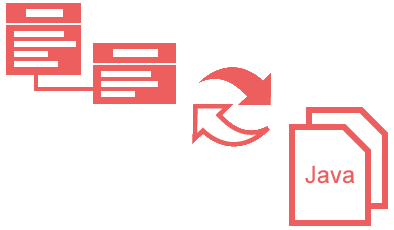
1. The Core: UML-to-Code Transformation
At its heart, Visual Paradigm is a UML/Code Generation Tool. It allows teams to move from high-level architectural sketches to skeletal implementations in seconds.
-
Visual REST API Designer: Beyond standard classes, you can visually model API endpoints and generate the necessary boilerplate.
-
Hibernate/ORM Support: Automatically map your object models to relational databases, generating the Java code and XML mapping files required for seamless data persistence.
2. Bidirectional Harmony: Round-Trip Engineering
The most common pitfall in software design is “model drift,” where the code evolves but the diagrams stay frozen in time. Round-Trip Engineering (RTE) solves this by ensuring that the model and the code are two sides of the same coin.
Key Workflows
| Feature | Java Support | C++ Support |
|---|---|---|
| Generation | Produces clean, structured Java code. | Produces ANSI-compliant C++. |
| Reverse Engineering | Parses .java files to update UML. |
Parses header and source files to update UML. |
| Merging | Intelligent conflict resolution during sync. | Maintains alignment in performance-critical code. |
3. Instant Productivity Tools
For fast-paced environments, the Instant Generator and Instant Reverse tools provide immediate feedback loops.
Multi-Language Versatility
Visual Paradigm isn’t just for “The Big Three” (Java, C++, C#). It supports a massive ecosystem:
-
Scripting: Python, PHP, Ruby, Perl.
-
Mobile & Legacy: Objective-C 2.0, ActionScript, Ada95, Delphi.
-
Data Structures: XML, XML Schema (XSD), IDL, and ODL.
Pro-Tip: Use the Instant Generator during brainstorming sessions to see how a complex inheritance pattern looks in Python code before committing to the design.
4. Power Within the IDE
Switching between a modeling tool and a code editor (context switching) kills productivity. Visual Paradigm eliminates this by embedding itself directly into your development environment.
Supported Ecosystems
-
IntelliJ IDEA & Android Studio
-
Eclipse & NetBeans
-
Visual Studio
The “One-Click” Workflow:
-
Open your IDE.
-
Modify a UML Class Diagram in a docked tab.
-
Click Update Code, and your source files refresh instantly without leaving the window.
5. Visualizing Logic: Sequence Diagrams
While Class Diagrams show structure, Sequence Diagrams show behavior. Visual Paradigm can “read” your code logic and draw the interaction between objects.
-
Debug by Design: If a bug occurs in a complex method, reverse-engineer the logic into a Sequence Diagram to see exactly where the message passing goes wrong.
-
Legacy Recovery: Use this to document old systems where the original developers are no longer available to explain the logic flow.
6. Modeling Behavior: State Machines
For systems that rely on complex states (like a checkout process or a hardware controller), Visual Paradigm offers advanced state-based generation.
-
State Machine Code Gen: Generate the logic for state transitions, ensuring that your “Controller” classes follow the mathematical rules of your diagram.
-
SCXML Export: Export your designs to State Chart XML, a standardized format that allows your logic to be executed by web engines or external state-machine interpreters.
Summary of Best Practices
Sync Early, Sync Often: Use Round-Trip engineering daily to prevent the model from becoming obsolete.
Start with Diagrams: For new features, model the Class and State diagrams first to catch logic errors before writing a single line of code.
Integrate: Don’t use Visual Paradigm as a standalone app; install the plugin for your IDE to keep your workflow fluid.
- Generating Code from UML Models in Visual Paradigm: This article provides step-by-step instructions on producing source code from diagrams for multiple programming languages using automated tools.
- Instant Code Generation in Visual Paradigm: This resource explains how to accelerate development and reduce manual errors by producing code instantly from high-level UML domain class models.
- Generating Source Code from State Machines in Visual Paradigm: A detailed guide for developers who need to implement complex state-driven logic by generating code directly from behavioral diagrams.
- Generating Hibernate Code with Visual Paradigm: A specialized user guide for creating Java entity classes, DAOs, and configuration files using model-driven Hibernate code generation.
- How to Generate Hibernate ORM Code and Database Schema: Technical instructions on using object-relational mapping tools to generate both source code and database schemas directly from UML models.
- Generating REST API Code from Models in Visual Paradigm: A guide detailing how to use code generation engines to produce server-side RESTful API code from UML-based interaction models.
- How to Generate C++ Code from UML in Round-Trip Engineering: This article walks through generating C++ source code while ensuring bidirectional synchronization with UML class diagrams.
- Visual Paradigm Code Engineer Guide: A comprehensive guide for using the Code Engineer feature to generate source code from UML models and maintain synchronization between design and implementation.
- Practical Guide to Code Engineering in Visual Paradigm: A hands-on resource that walks developers through the process of efficient code engineering, including forward and reverse engineering workflows.
- UML/Code Generation Software – Visual Paradigm: This feature overview highlights tools that support generating code from UML diagrams, specifically mentioning reverse engineering sequence diagrams from Java.

 English
 Arabic
 Chinese (Simplified)
 Dutch
Dutch French
 German
 Italian
 Japanese
 Korean
 Portuguese
 Russian
 Spanish