


The workflow described in the article connects early-stage diagramming, structured architecture modeling, quality assurance, and documentation. Its central idea is to treat diagrams and technical documents as connected, evolving project assets—not as isolated files or screenshots. The AI chatbot helps you start quickly, C4 tools add architectural structure, the Pipeline carries artifacts between tools, and OpenDocs brings them together in maintained documentation.
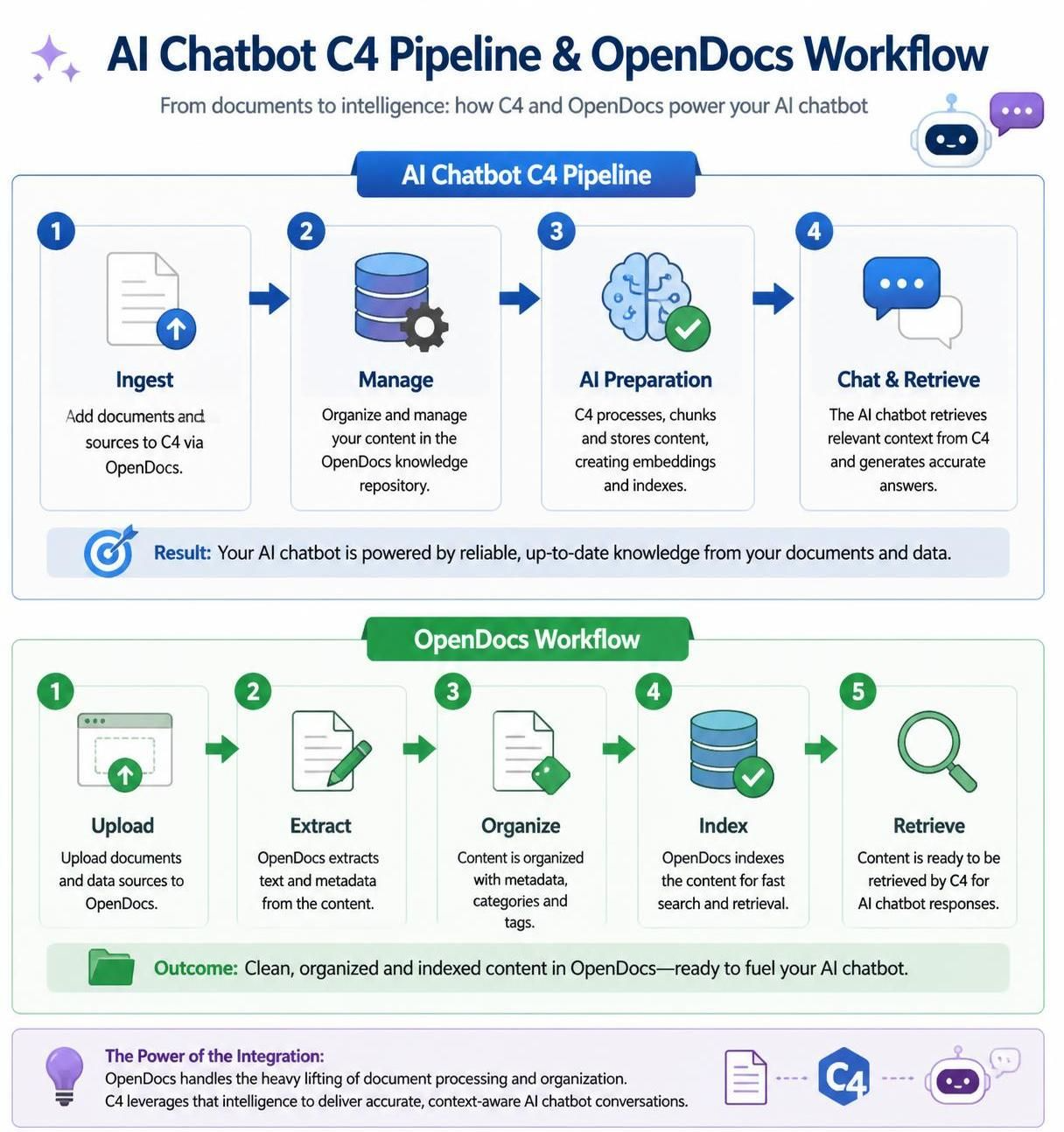
1. Understand the workflow’s building blocks
The article describes four main capabilities:
-
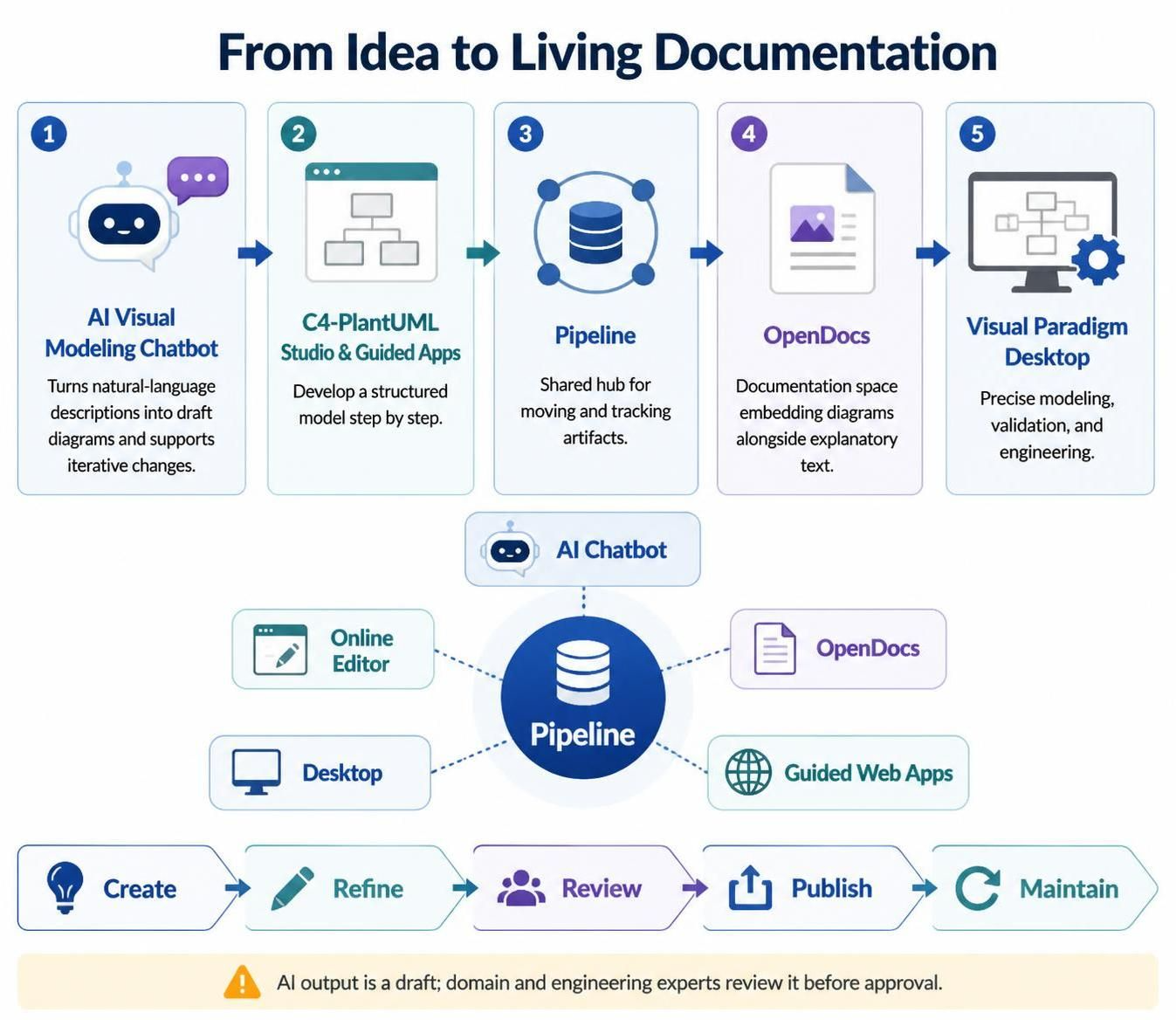
AI Visual Modeling Chatbot: Turns natural-language descriptions into draft diagrams and supports iterative changes.
-
C4-PlantUML Studio and other guided apps: Help develop a structured model through step-by-step workflows.
-
Pipeline: A shared hub for moving and tracking artifacts from different tools.
-
OpenDocs: A documentation space where diagrams can be embedded alongside explanatory text.
Visual Paradigm Desktop is another part of the workflow, intended for more precise modeling, validation, and engineering work. The Pipeline connects artifacts from five environments: AI Chatbot, Online Editor, OpenDocs, Desktop, and guided web apps.
A useful mental model is:
Create → refine → review → publish → maintain
The chatbot is often the quickest starting point, but it is not the final authority on your system design. People with domain and engineering knowledge should review the output before it becomes approved documentation.
2. Start with a clear problem statement
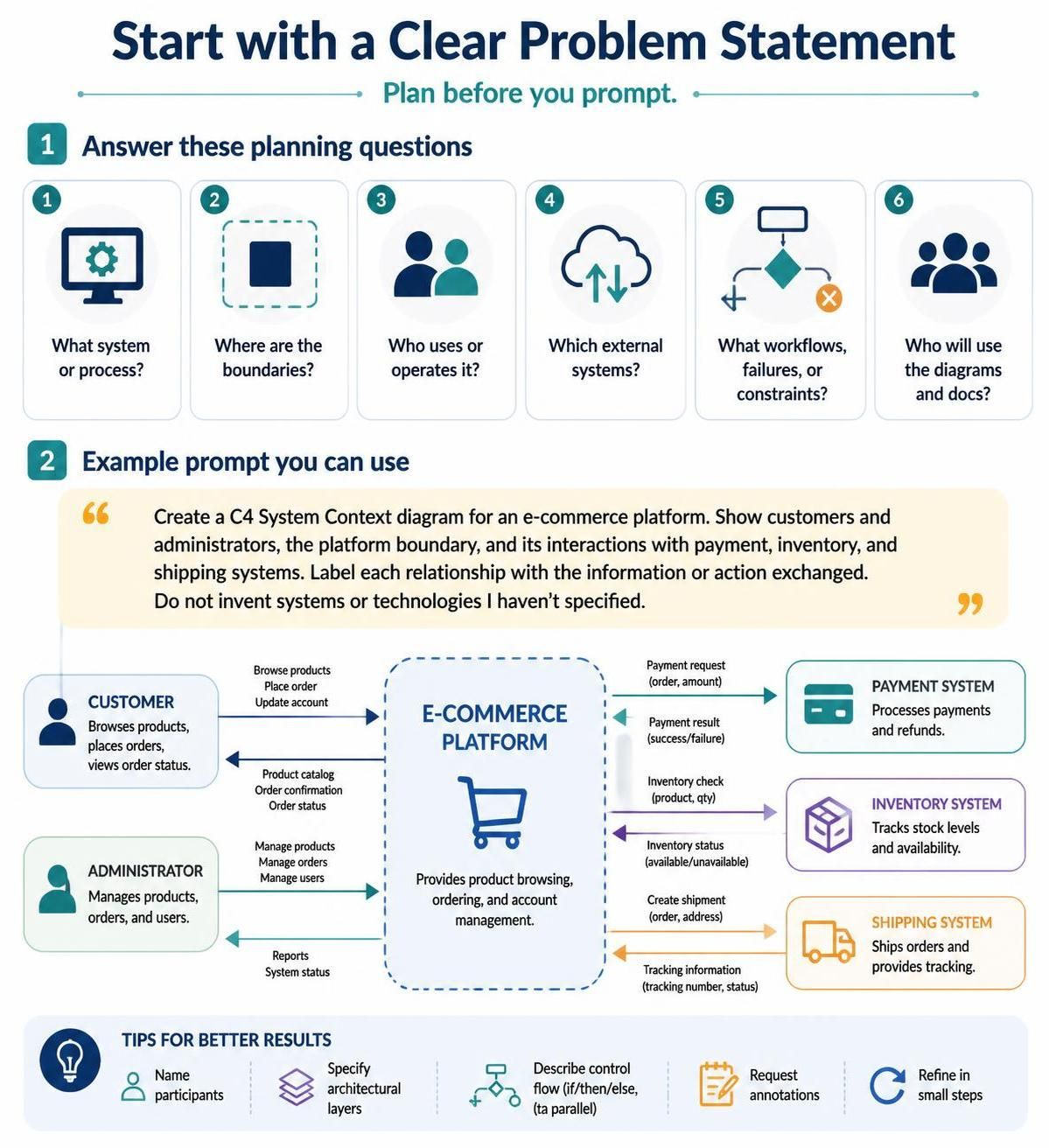
Before generating diagrams, write down the basics:
-
What system or process are you modeling?
-
Where are its boundaries?
-
Who uses or operates it?
-
Which external systems does it depend on?
-
What important workflows, failure paths, or constraints must be represented?
-
Who will use the finished diagrams and documentation?
This gives the AI a better brief and gives reviewers a basis for checking its output.
For example, a prompt for an e-commerce context diagram could be:
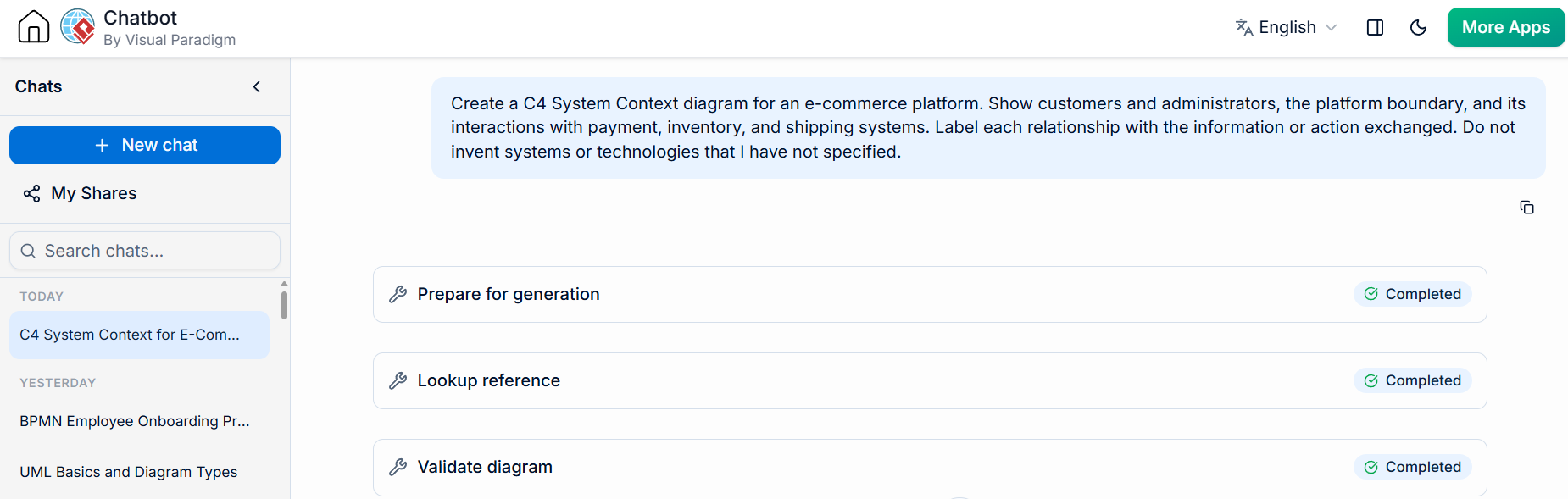
Create a C4 System Context diagram for an e-commerce platform. Show customers and administrators, the platform boundary, and its interactions with payment, inventory, and shipping systems. Label each relationship with the information or action exchanged. Do not invent systems or technologies that I have not specified.
The article recommends naming participants explicitly, specifying architectural layers, describing control flow such as “if…then…else” or “in parallel,” and requesting annotations where useful. It also recommends refining in small steps rather than expecting a perfect first result.
3. Generate and iterate on an initial diagram
Use the AI chatbot to turn the problem statement into a first visual draft. You can ask for a C4 context diagram, a sequence diagram for a workflow, or another diagram type suited to the question.
Then review the draft and request focused changes, for example:
-
“Add an administrator who can reset passwords.”
-
“Show a retry path after an invalid one-time password, with a maximum of three attempts.”
-
“After payment succeeds, show customer notification and inventory update happening in parallel.”
-
“Separate the failure path from the successful path.”
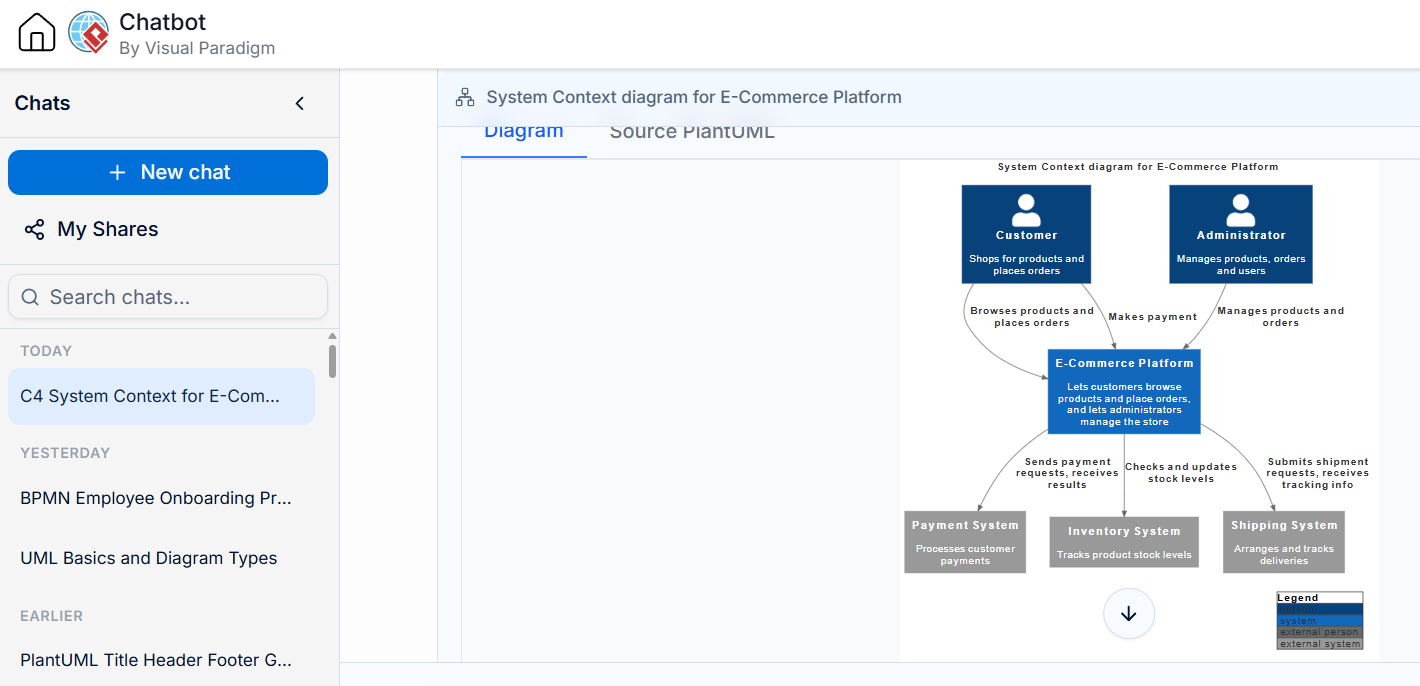
Check the result against the system facts you know: participants, responsibilities, boundaries, data flows, conditions, and exceptions. Treat generated relationships and details as suggestions until a knowledgeable reviewer confirms them. The article advises using the chatbot for rapid exploration and moving a stable draft into a more structured or precise modeling environment when appropriate.
When the draft is ready to share, export it to the OpenDocs Pipeline and add a descriptive comment. A useful comment identifies the artifact’s purpose and version, such as “Authentication flow baseline — design review draft.”
4. Build the architecture in C4 layers
C4 gives different audiences different levels of architectural detail. The levels build inward from the system’s environment, but each should answer a distinct question rather than simply adding more boxes.
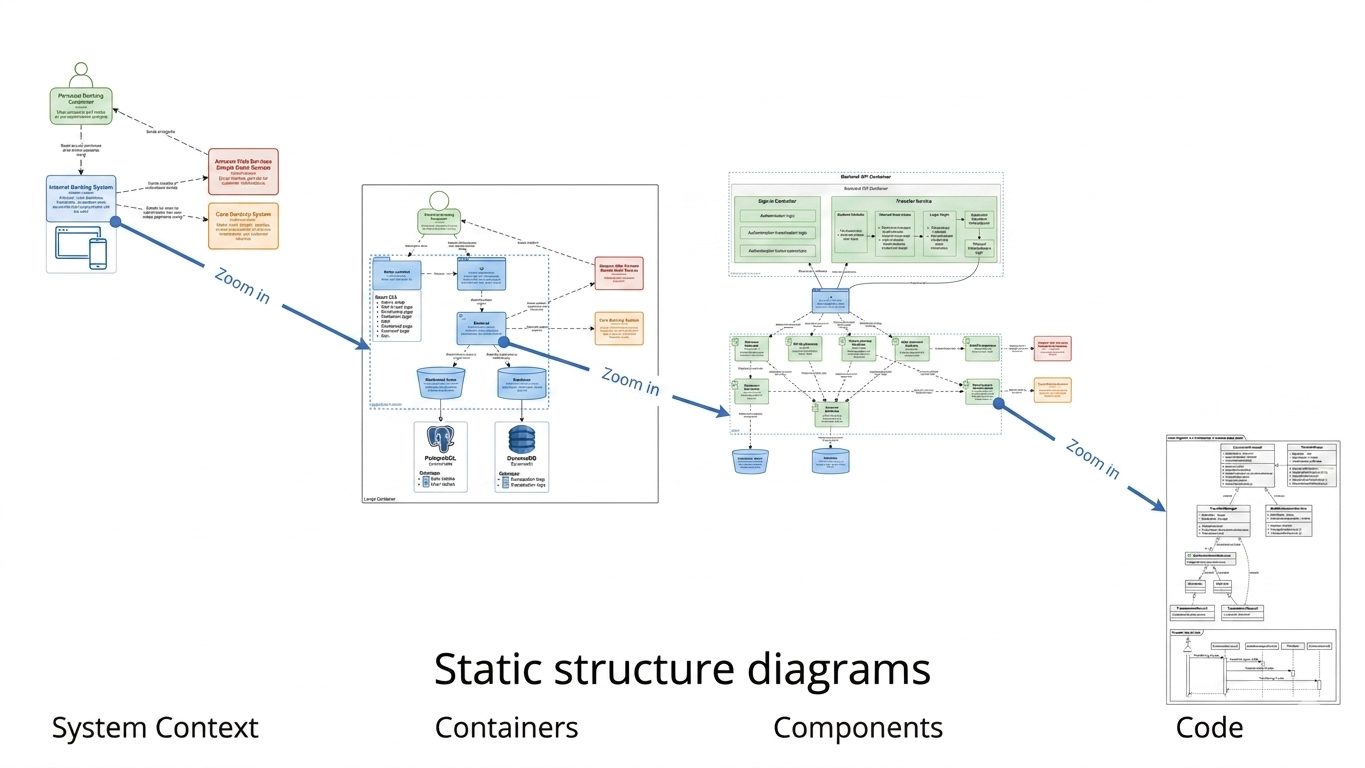
| C4 view | What it explains | Questions to answer |
|---|---|---|
| Context | The system, its users, and external dependencies | Who uses the system? What does it interact with? |
| Container | Deployable applications, services, databases, or other major units | What are the system’s main runtime parts, and how do they communicate? |
| Component | The logical components inside a container | What responsibilities sit inside this application or service? |
| Code (optional) | Class-level or implementation details | Which code structures implement the design? |
The article also describes sequence or dynamic diagrams for runtime interactions and deployment diagrams for mapping software to infrastructure. These complement C4’s structural views rather than replace them.
In the guided C4 workflow, define the problem statement and system scope, then generate the context, container, and component views in sequence. Add a code-level view only if that degree of detail is useful. Add dynamic, deployment, or broader landscape diagrams when they clarify behavior, infrastructure, or enterprise context. Once the hierarchy is coherent, stream the structure to the Pipeline.
Keep the views focused: the article recommends showing immediate external interactions in the context view; deployable units in the container view; components with clear responsibilities; and actual infrastructure, redundancy, and scaling in deployment views. Use consistent names and keep diagrams self-explanatory without crowding them with text.
5. Refine relationships and behavior
A diagram can contain the right boxes and still misrepresent the system if its relationships are vague or incorrect. Review each connection for:
-
Direction: Which participant initiates the interaction?
-
Meaning: Is it a request, response, event, data transfer, or dependency?
-
Conditions: Does it occur only in a particular scenario?
-
Protocol or mechanism: Is a label such as REST, HTTPS, or gRPC known and useful?
-
Failure behavior: What happens on timeout, invalid input, or downstream failure?
The article also discusses use-case relationships: include for required shared behavior, extend for optional or conditional behavior, and generalization for inherited responsibilities. AI may help spot candidate patterns or overly complex use cases, but the team should confirm that each relationship reflects actual business rules.
A practical review question is: Could a developer or stakeholder read this relationship and understand what actually happens? If not, clarify the label, split the flow, or add a supporting sequence diagram.
6. Use the Pipeline to manage artifacts
The Pipeline is the handoff point between modeling and documentation. The article describes it as cloud-hosted, version-aware, and able to preserve links to editable models rather than only storing static images. It also describes comments, revision history, and role-based access as ways to identify, track, and manage artifacts.
For every artifact you send, add useful metadata:
-
Name: Use a consistent, searchable title.
-
Comment: State what changed or why the artifact exists.
-
Source: Record which tool or team produced it when relevant.
-
Version context: Add a sprint, release, or review identifier if your team uses one.
Before replacing an embedded diagram with a newer version, review the revision and its notes. Keep earlier versions available where auditability or rollback matters.
7. Assemble living documentation in OpenDocs
Create a document structure that helps readers find information without requiring them to understand the modeling tool. The article’s example separates executive summary, architecture overview, detailed design, deployment, and quality assurance. A project might use a structure such as:
Project Documentation
├── Executive Summary
├── Architecture Overview
│   ├── System Context
│   ├── Containers
│   └── Technology Decisions
├── Detailed Design
│   ├── Components
│   ├── Key Sequences
│   └── API Specifications
├── Deployment Architecture
└── Quality Assurance
    ├── Test Cases
    └── Coverage
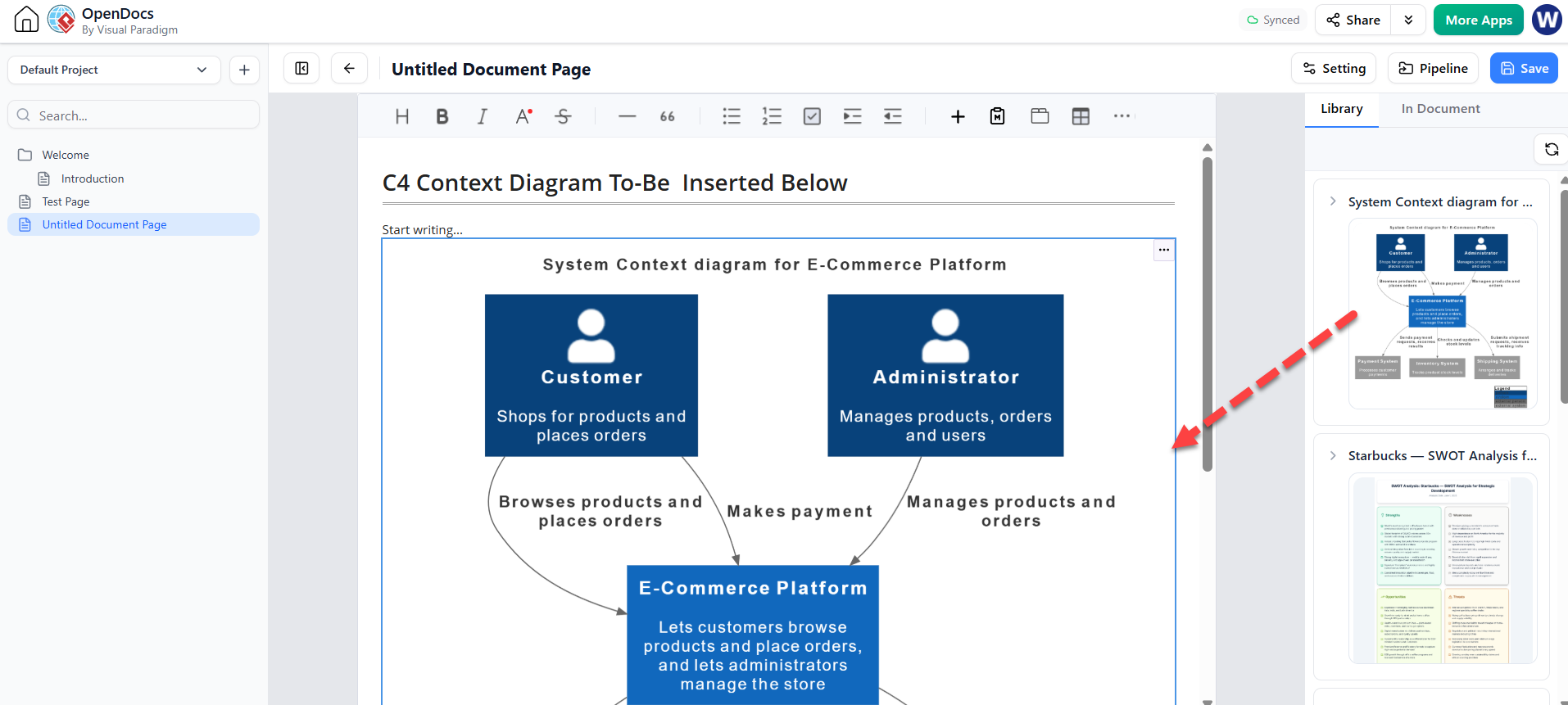
In OpenDocs, place the cursor where the visual belongs, insert the relevant Pipeline artifact, and write the surrounding explanation in Markdown or rich text. Explain the diagram’s purpose, assumptions, and important decisions; do not rely on the picture alone to communicate them. The article recommends embedding live Pipeline assets rather than attaching screenshots, organizing content in a hierarchy, and separating architecture views from implementation detail.
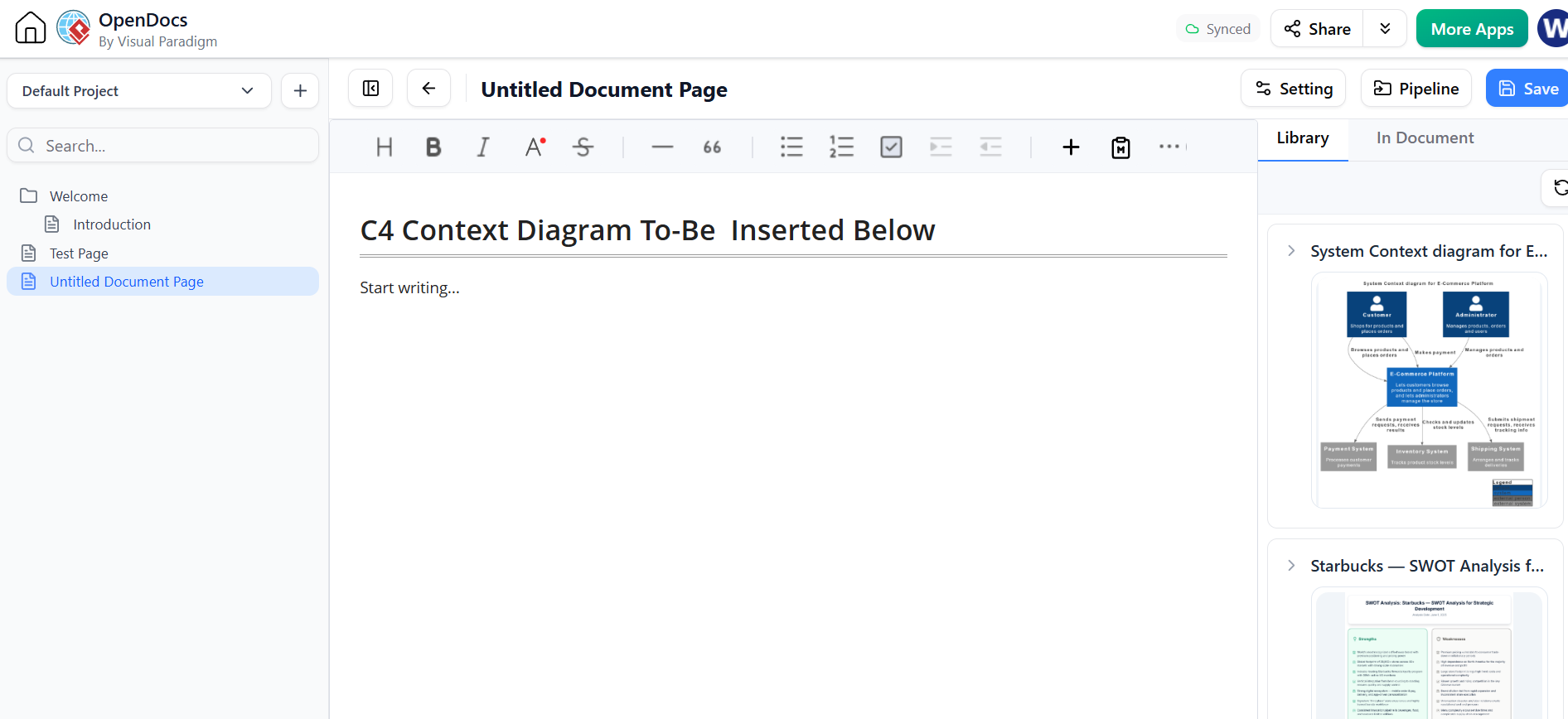
When an embedded diagram has a newer revision, review the revision information and update the document deliberately. This helps keep prose and diagrams in step and preserves a trail of earlier versions.
8. Derive and review quality-assurance artifacts
The article describes generating test cases from use cases, decision tables, activity diagrams, and sequence diagrams. It recommends connecting requirements to design elements and tests, and checking coverage across normal, alternative, exception, and boundary scenarios.
A generated test case should be reviewed for:
-
Preconditions: Is the starting state clear and realistic?
-
Steps: Can someone execute them without guessing?
-
Expected result: Is success or failure observable?
-
Traceability: Does the test point to the relevant requirement, flow, or decision rule?
-
Coverage: Are important exceptions and boundary conditions represented?
For instance, a payment-failure test should verify not just that an error appears, but also whether an order is created, whether inventory changes, and what the user can do next—if those behaviors are part of the system’s requirements.
Treat AI-generated tests as candidate assets, not proof that the system is fully tested. Confirm the expected behavior with product and engineering owners, then run the tests in the appropriate testing environment.
9. Keep the documentation current
The workflow is a loop, not a one-time export. When a model changes, the responsible team should review the updated artifact, add a meaningful revision comment, and decide whether the corresponding OpenDocs embed should be updated. The article describes a closed-loop process in which revisions can flow through the Pipeline and alert documentation authors to newer versions.
A simple maintenance routine is:
-
Update the source model in the appropriate tool.
-
Review the change for correctness and consistency with other views.
-
Send or commit the revised artifact with a clear note.
-
Check which documents contain that artifact.
-
Review the revision and refresh the relevant embed.
-
Update explanatory text, tests, or decisions affected by the change.
-
Retain earlier revisions when the project needs an audit trail.
10. Common pitfalls to avoid
-
Vague prompts: “Draw the system” leaves the AI to guess scope and content.
-
Overloaded prompts: Combining unrelated workflows makes the diagram harder to review.
-
Unverified details: Generated technologies, relationships, and behaviors may not match reality.
-
One diagram for every audience: A context view and a component view serve different purposes.
-
Static screenshots as the source of truth: Screenshots can fall out of date without a clear connection to the model.
-
Unclear revisions: A filename or comment such as “final” gives little useful version context.
-
Treating generated tests as complete coverage: Check exceptions, boundaries, and traceability yourself.
One particular caution in the article’s worked examples: its warehouse-management scenario includes a set of use-case relationship examples referring to restaurant booking and payment. That material does not obviously belong to the warehouse scenario, so teams should verify examples against their own domain rather than copying them uncritically.
A practical completion checklist
Before calling the workflow complete, confirm that:
-
The system boundary, users, and external systems are clear.
-
C4 views use consistent names and provide distinct levels of detail.
-
Relationships and important failure paths have been reviewed by people who know the system.
-
Artifacts have useful names and revision comments in the Pipeline.
-
OpenDocs contains explanatory text alongside live diagrams.
-
Relevant tests trace back to requirements or design elements.
-
The documentation has been updated to the intended artifact revisions.
The result is a repeatable path from an early idea to reviewed architecture and maintained documentation: use AI to accelerate the first draft, use structured modeling to make the design coherent, and use the Pipeline and OpenDocs workflow to keep the published material connected to the evolving models.

 English
 Arabic
 Chinese (Simplified)
 Dutch
Dutch French
 German
 Italian
 Japanese
 Korean
 Portuguese
 Russian
 Spanish