


Introduction
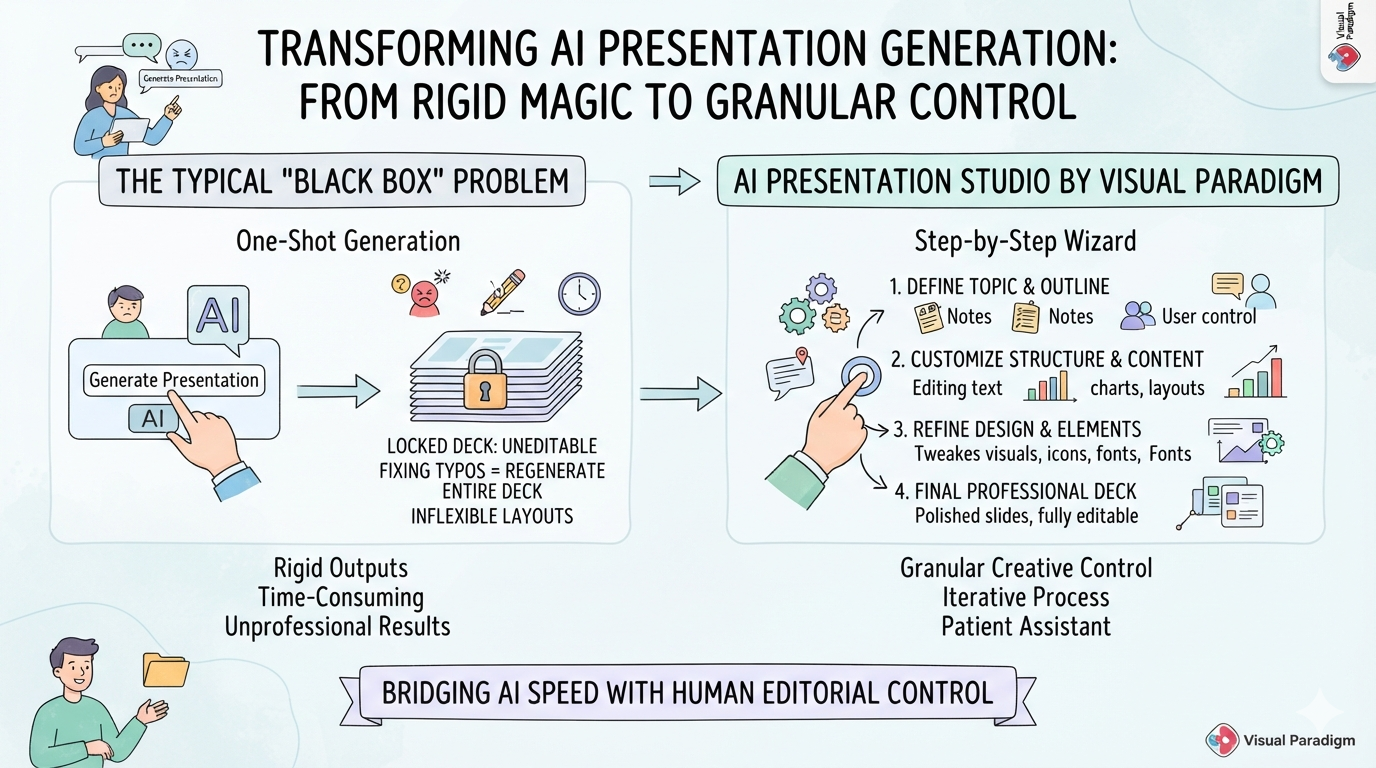
The current landscape of AI presentation generators is fraught with a common, frustrating paradox: these tools promise to save time, but often deliver rigid, uneditable “black box” outputs. Users type a prompt, cross their fingers, and receive a locked deck of slide images or inflexible layouts. Attempting to fix a single typo or swap out one image frequently requires regenerating the entire project from scratch. It is a process that is frustrating, time-consuming, and rarely yields the professional result actually needed.
Enter AI Presentation Studio by Visual Paradigm. Designed to bridge the gap between the rapid speed of artificial intelligence and the granular creative control of a human editor, this tool takes a fundamentally different approach. Rather than relying on a one-shot generation, it employs a structured, step-by-step wizard. After putting the platform through rigorous testing for a recent professional project, it is clear that this tool successfully transforms AI from an unpredictable magic trick into a highly competent, infinitely patient design assistant. Here is an in-depth, step-by-step review of the user experience, highlighting why it stands out in a crowded market.
Why It Stands Out: The Core Difference
Before diving into the specific features, it is essential to address the elephant in the room: control.
Most AI presentation tools on the market today offer a “one-shot” generation model. They provide a final product that is essentially a locked box, leaving users with uneditable slide images or rigid HTML layouts that resist customization.
AI Presentation Studio is different. It introduces a structured, iterative workflow. This means users have complete, granular control over their content, narration, and visuals at every single stage. If a specific detail does not hit the mark, there is no need to scrap the whole project. You simply step back, edit that one piece, and keep moving forward.
A Step-by-Step User Experience
Step 1: Building the Outline & Layouts (No Design Skills Needed)
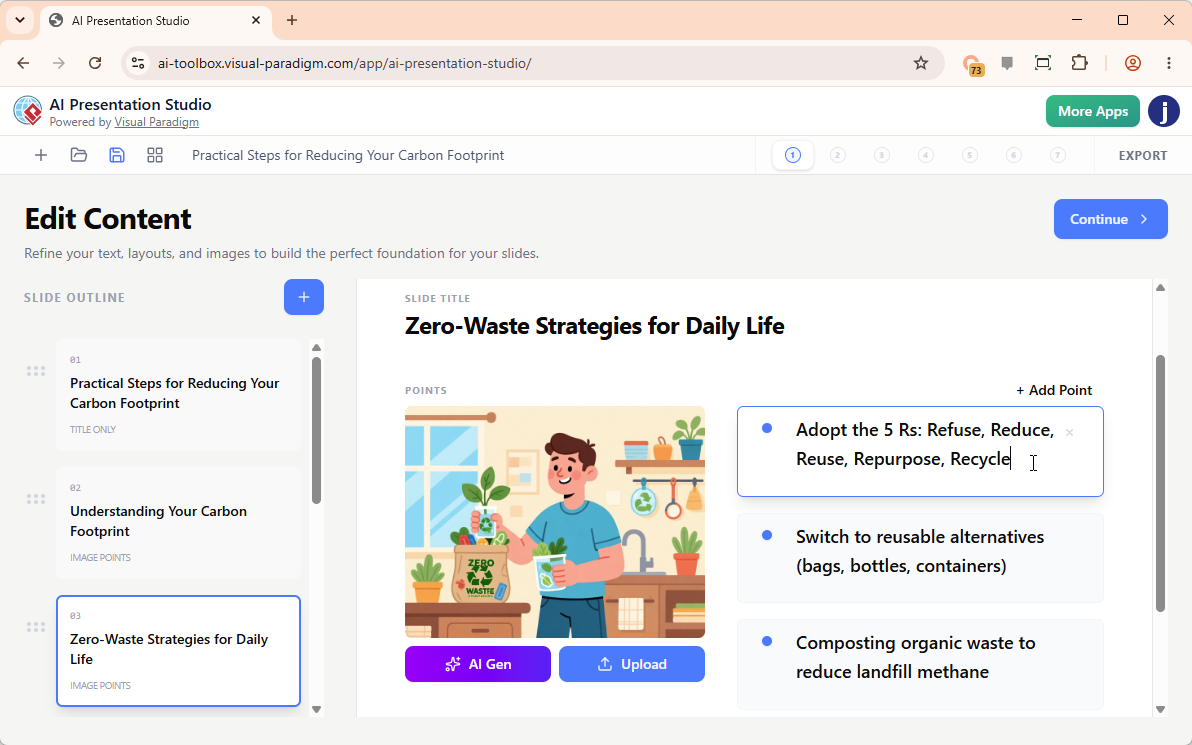
The process begins by simply entering a topic, defining the target audience, selecting a preferred length, and choosing a language. Within seconds, the AI generates a clean, structured outline. The standout feature here is that it automatically assigns dynamic visual layouts to each slide.
Instead of staring at a blank screen or fighting with clunky templates, users can edit text directly in a real-time visual slide editor. Adding a slide, removing one, or dropping in custom graphics by pasting from the clipboard is incredibly intuitive. Users can also upload their own files or have the AI generate new images right on the spot.
Step 2: Making It Look Cinematic (Themes & Transitions)
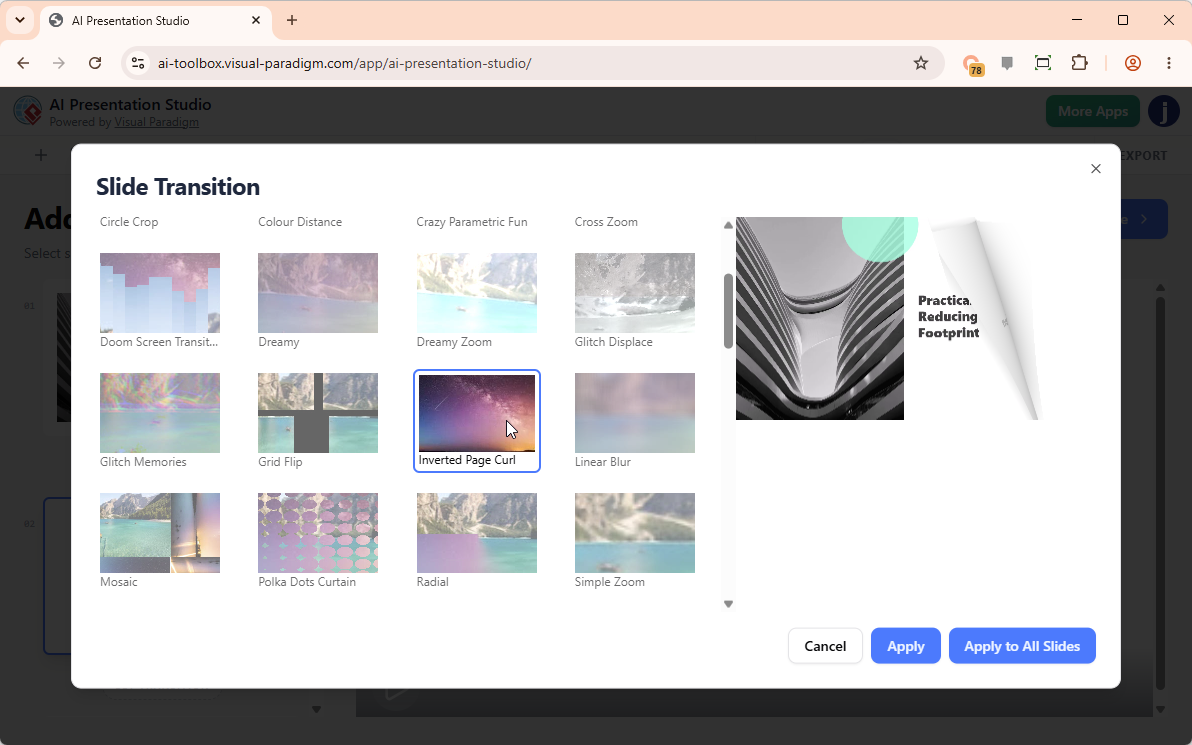
Once the content is locked in, the next phase focuses on visual engagement. The tool offers a library of professional presentation themes, with the added benefit of built-in video previews. This allows users to see exactly how a theme will look in action before committing to it.
To ensure the video flows naturally, the transition effects are highly customizable. There are over 60 high-quality, cinematic transitions to choose from, including page flipping, blur, bounce, wave, zoom, swirl, and wind. Applying a subtle “zoom” effect to all slides with a single click instantly elevates the presentation, making it feel polished and professionally produced.
Step 3: Adding Voice Without Recording Myself
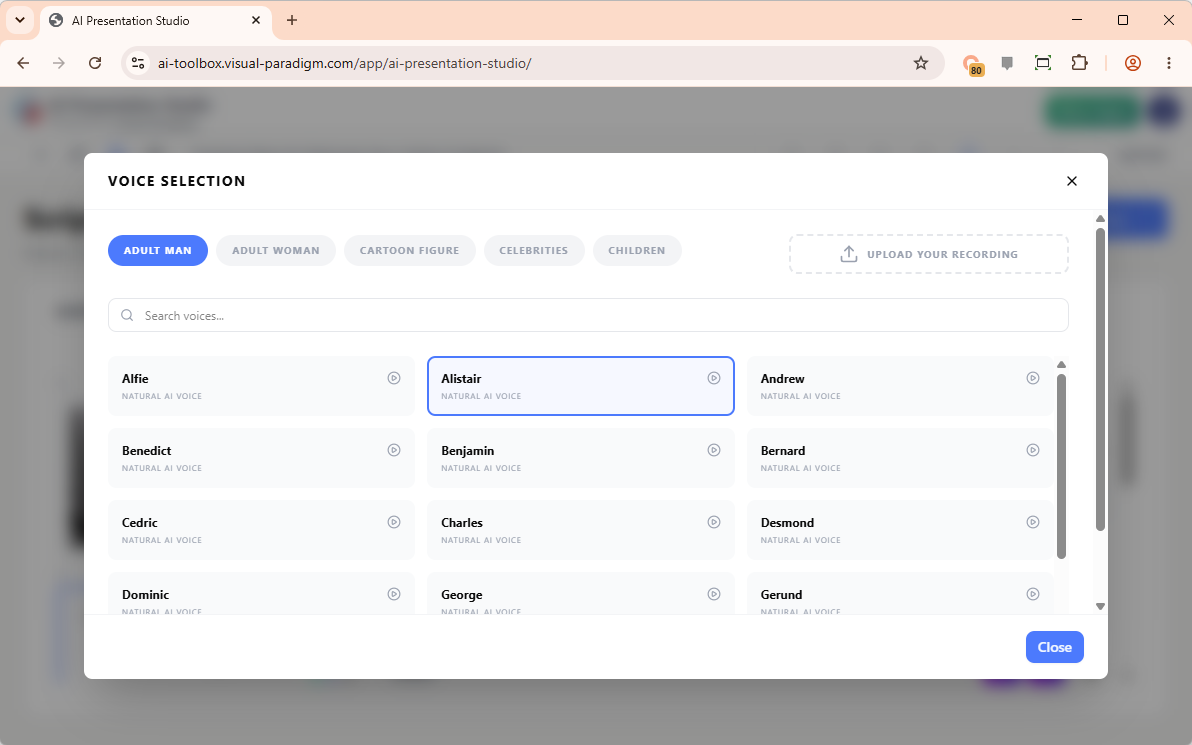
Not everyone is a podcaster, and very few have access to a studio-quality microphone. Normally, this is the point where many professionals abandon the idea of a video presentation. However, this tool’s scripting and voiceover features completely eliminate that barrier.
Users have the option to type scripts manually, upload existing voice recordings, or let the AI generate the scripts automatically. In testing, the AI-generated scripts nailed the intended tone effortlessly. Following that, browsing through hundreds of high-quality Text-to-Speech (TTS) speakers is a breeze. Whether the project requires a professional male or female voice, a child, a cartoon figure, or a celebrity-style voice, the categorized library makes finding the perfect narrator straightforward.
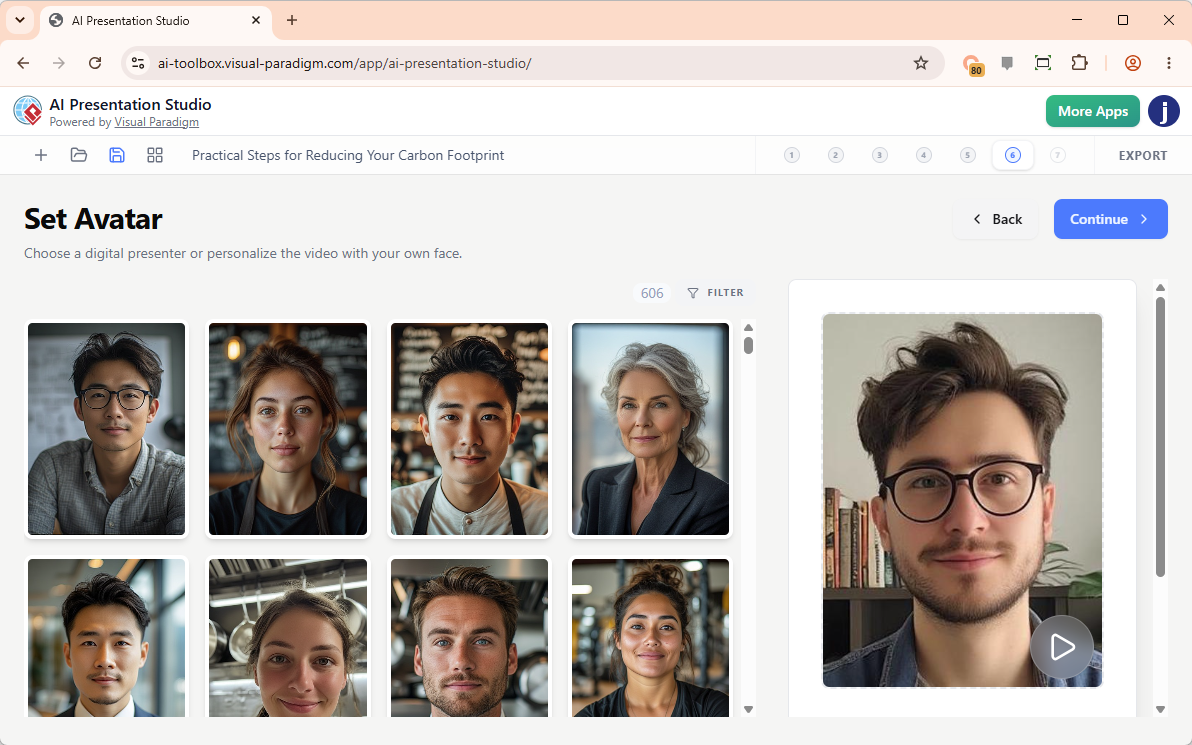
Step 4: The “Wow” Factor: AI Avatars & Face Swap
This is the feature that truly distinguishes the platform. To add a human element to the video, the avatar library can be explored. It contains over 600 hyper-realistic, lip-synced AI avatars tailored to specific roles—business professionals, doctors, professors, chefs, trainers, and more. They deliver the script with shockingly human-like expressions and accurate lip-syncing.
The real game-changer, however, is the AI Face Swap feature. By uploading a simple, well-lit photo, the tool seamlessly maps the user’s face onto a professional avatar uniform. The result looks as though the user is professionally presenting the video, completely bypassing the need to set up a camera, worry about lighting, or memorize a script.
Step 5: Hitting Export (The Final MP4)
Once the content, transitions, voiceover, and avatar are finalized, the compilation process is remarkably smooth. The application stitches all elements together into a high-definition MP4 video file. The file downloads directly to the computer, ready to be shared with colleagues, embedded in websites, or uploaded to platforms like YouTube without requiring any additional, external video editing software.
Conclusion
For professionals who are tired of fighting with rigid, “take-it-or-leave-it” AI slide generators, AI Presentation Studio is a breath of fresh air. It successfully bridges the gap between the raw speed of artificial intelligence and the meticulous creative control of a human editor.
What makes this tool truly special is its profound respect for the user’s workflow. By breaking the creation process down into a logical, editable, step-by-step wizard, it removes the anxiety of making irreversible mistakes. No professional video editing or advanced design knowledge is required; users only need an idea and a willingness to iterate.
Whether you are an educator creating engaging lessons, a marketer building dynamic social media content, or a corporate professional who wants to share updates without spending hours on camera, this tool delivers a polished, cinematic result with a fraction of the traditional effort. It is highly recommended for anyone looking to elevate their presentation workflow.
References
- AI Presentation Studio: Tool overview for designing, scripting, and building professional AI-generated video presentations with avatars.
- Introducing AI Presentation Studio: The Ultimate Step-by-Step AI Video Presentation Builder: Release announcement detailing the step-by-step wizard workflow for controllable AI video presentations.
- Introducing Visual Paradigm 18.1: A New Era of Unified Ecosystems and AI-Driven Innovation: Release notes for Version 18.1, highlighting the Unified Platform, VPasCode, AI Presentation Studio, and AI App Studio.
- Introducing Visual Paradigm 18.1: A New Era of Unified Ecosystems and AI-Driven Innovation: Blog announcement covering the Version 18.1 ecosystem updates and production-ready AI tool integrations.
- Illumy AI Slideshow Maker: Feature page for the AI-powered tool that transforms text topics into cinematic, high-definition video slideshows.
-
AI Presentation Maker Solution: Solution overview for creating professional, customizable AI presentation videos and slideshows efficiently.

 English
 Arabic
 Chinese (Simplified)
 Dutch
Dutch French
 German
 Italian
 Japanese
 Korean
 Portuguese
 Russian
 Spanish