


Introduction
In the fast-paced world of software development, business analysis, and system architecture, the gap between a conceptual idea and its visual representation is often where projects stall. Traditional diagramming tools require manual dragging, dropping, and formatting—tasks that are time-consuming and prone to human error. But what if you could simply talk to your diagrams?
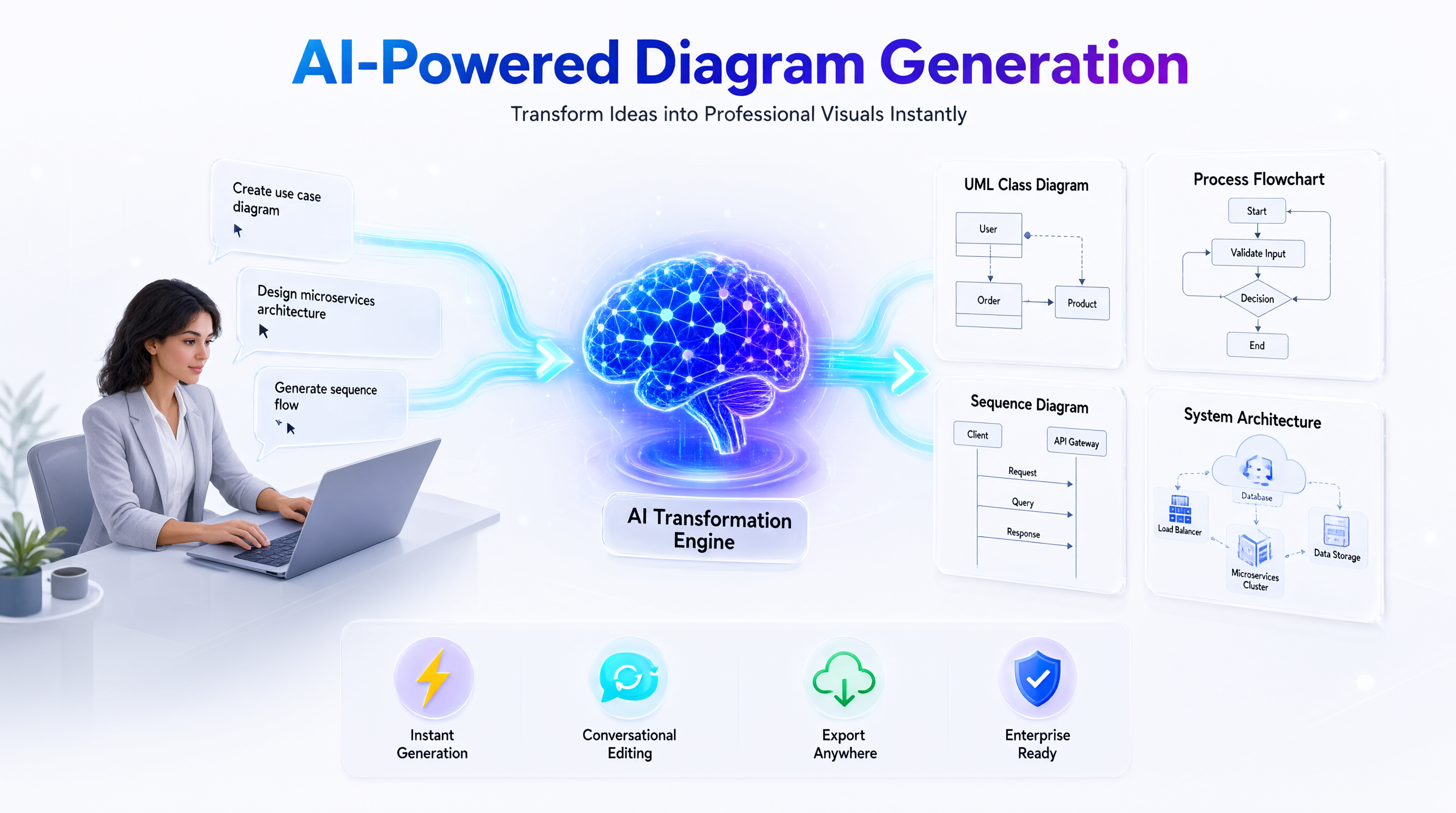
Enter the AI Chatbot for Visual Modeling, a core component of the Visual Paradigm AI Ecosystem. This revolutionary tool transforms natural language into precise, professional-grade diagrams instantly. Whether you’re a product manager sketching out a new feature, a systems architect designing microservices, or a business analyst mapping processes, this guide will show you how to leverage conversational AI to accelerate your workflow, enhance accuracy, and streamline collaboration.
Key Concepts: The Pillars of AI-Driven Diagramming
Before diving into the “how-to,” it’s essential to understand the core capabilities that make this tool distinct from generic image generators.
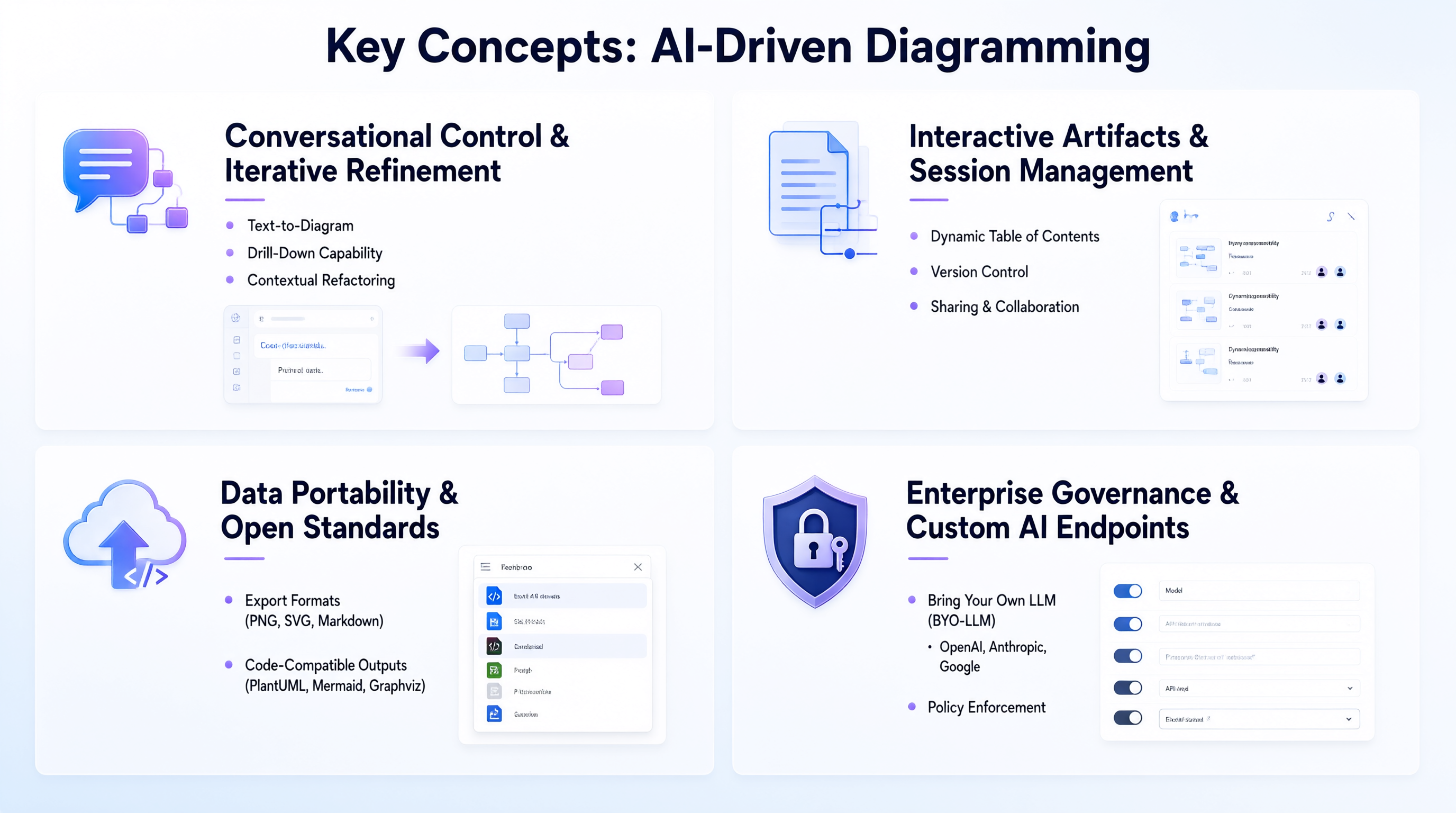
1. Conversational Control & Iterative Refinement
Unlike static templates, the AI Chatbot allows for dynamic interaction. You don’t just generate a diagram; you converse with it.
-
Text-to-Diagram: Convert plain English descriptions into structured visuals.
-
Drill-Down Capability: Focus on specific components to generate detailed sub-diagrams without losing context.
-
Contextual Refactoring: Rename elements, change relationships, or restructure entire models through simple commands.
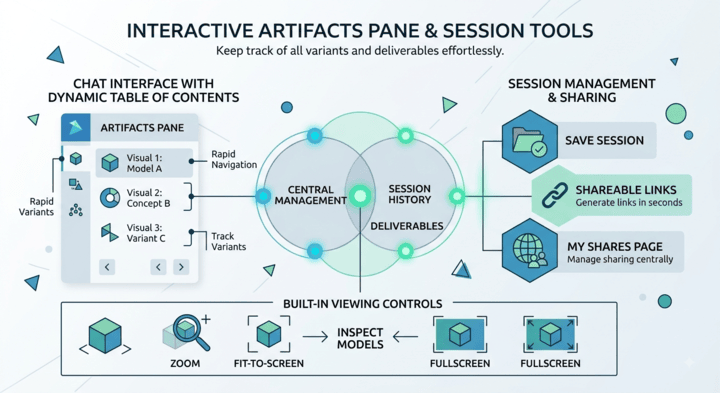
2. Interactive Artifacts & Session Management
The interface is designed for productivity, not just one-off generation.
-
Dynamic Table of Contents: Automatically tracks all visuals generated during a session for easy navigation.
-
Version Control: Keep track of variants and deliverables effortlessly.
-
Sharing & Collaboration: Generate shareable links instantly and manage access via the “My Shares” page.
3. Data Portability & Open Standards
Your work remains yours. The tool avoids vendor lock-in by supporting universal formats.
-
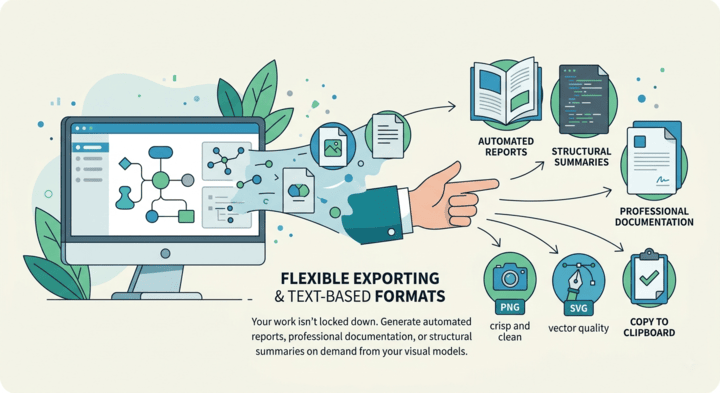
Export Formats: PNG, SVG, Markdown, and clipboard copying.
-
Code-Compatible Outputs: Export raw layouts as PlantUML, Mermaid, or Graphviz scripts, enabling integration into custom CI/CD pipelines or documentation-as-code workflows.
4. Enterprise Governance & Custom AI Endpoints
For organizations with strict security and compliance needs, Visual Paradigm offers full control over the AI backend.
-
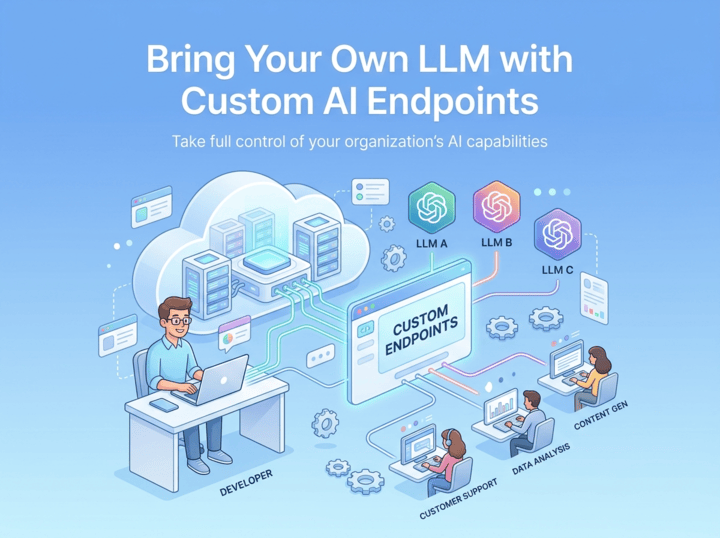
Bring Your Own LLM (BYO-LLM): Route requests through your preferred provider (OpenAI, Anthropic, Google, DeepSeek, Mistral, Qwen, Groq, etc.).
-
Policy Enforcement: Manage API keys internally and enforce budget and security policies.
Supported Diagram Types: A Versatile Toolkit
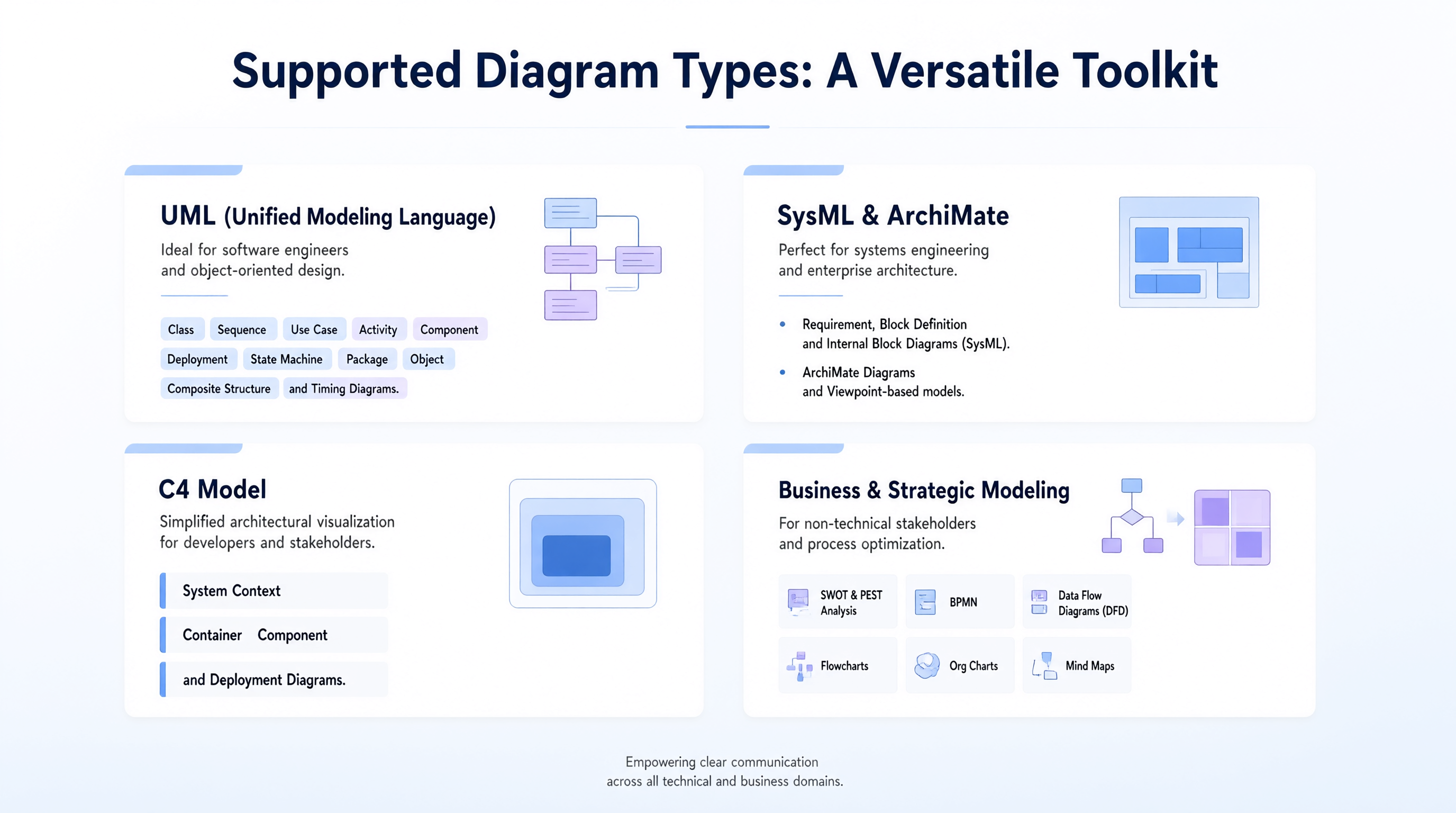
The AI Chatbot isn’t limited to one notation. It supports a wide array of industry-standard modeling languages, ensuring it fits into any technical or business workflow.
UML (Unified Modeling Language)
Ideal for software engineers and object-oriented design.
-
Class, Sequence, Use Case, Activity, Component, Deployment, State Machine, Package, Object, Composite Structure, and Timing Diagrams.
SysML & ArchiMate
Perfect for systems engineering and enterprise architecture.
-
Requirement, Block Definition, and Internal Block Diagrams (SysML).
-
ArchiMate Diagrams and Viewpoint-based models.
C4 Model
Simplified architectural visualization for developers and stakeholders.
-
System Context, Container, Component, and Deployment Diagrams.
Business & Strategic Modeling
For non-technical stakeholders and process optimization.
-
SWOT & PEST Analysis, BPMN, Data Flow Diagrams (DFD), Flowcharts, Org Charts, and Mind Maps.
Step-by-Step Guide: How to Transform Ideas into Visuals
Follow these four steps to master the AI Chatbot workflow.
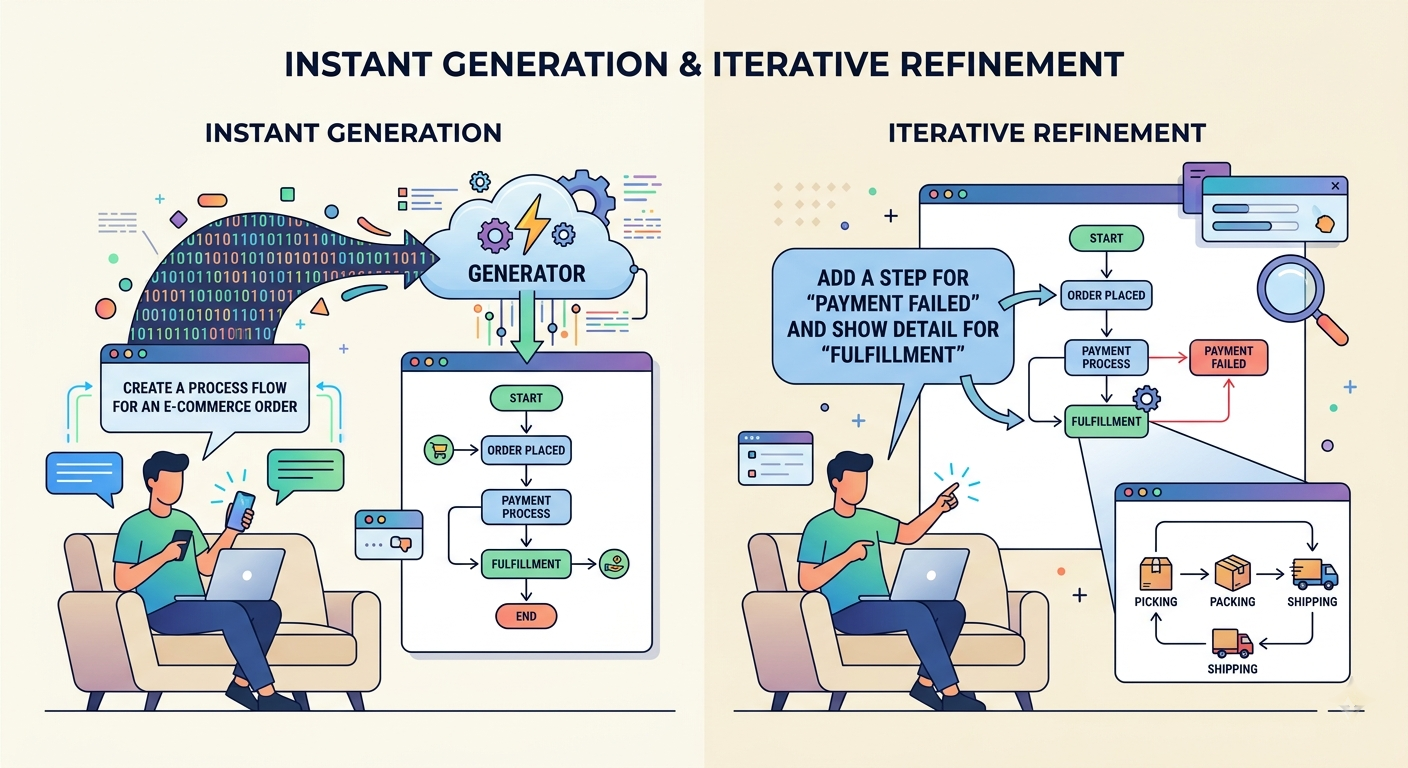
Step 1: Describe Your Idea
Start with a clear, natural language prompt. Be specific about the type of diagram and the subject matter.
Example: “Create a use case diagram for an online shopping system including customers, admins, and payment processing.”
The AI instantly interprets your intent, identifying actors, use cases, and relationships.
Step 2: Generate Your Diagram Instantly
Within seconds, the tool produces a complete, presentation-ready diagram. No manual drawing is required. The output is semantically accurate, leveraging domain-trained AI models to minimize errors common in generic LLMs.
Step 3: Refine with Simple Commands
Rarely is the first draft perfect. Use conversational commands to iterate:
-
“Add a ‘Guest User’ actor.”
-
“Rename ‘Customer’ to ‘Buyer’.”
-
“Show the sequence diagram for the checkout process.”
-
“Drill down into the Payment Gateway component.”
This iterative refinement ensures the final model matches your exact requirements.
Step 4: Explore, Document, and Share
Once satisfied, leverage the tool’s analytical and export features:
-
Ask Questions: “What are the main risks in this architecture?” or “Generate a project summary.”
-
Export: Download as PNG/SVG for presentations, or copy PlantUML/Mermaid code for developer handoffs.
-
Sync to Desktop: If you have a VP Desktop license, import the model directly into your offline enterprise project for advanced collaboration and version control.
Integrations: Seamless Workflow Across the Ecosystem
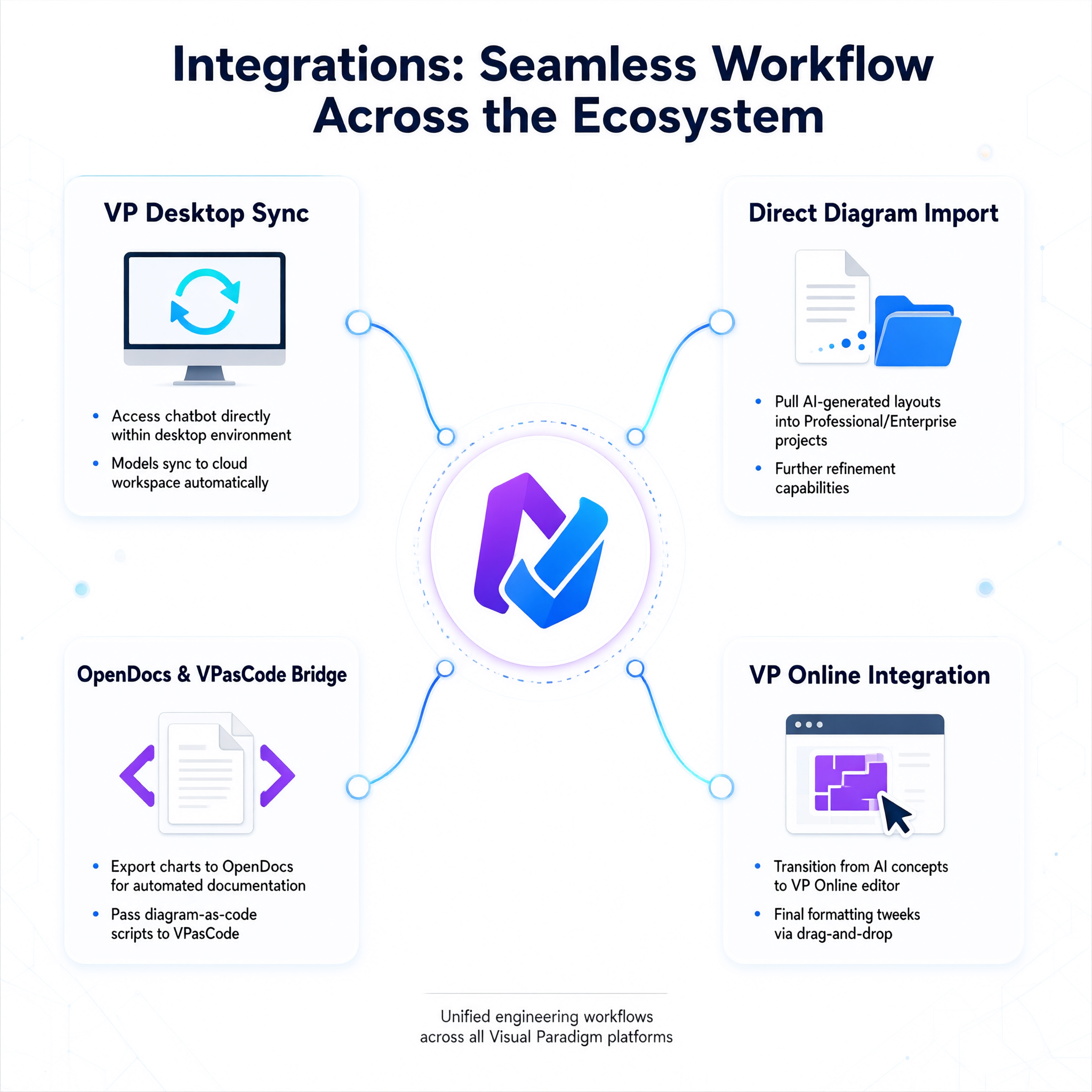
The AI Chatbot is not a standalone silo; it’s deeply integrated into the Visual Paradigm suite:
-
VP Desktop Sync: Access the chatbot directly within your desktop environment. Models sync to your cloud workspace, eliminating manual file transfers.
-
Direct Diagram Import: Pull AI-generated layouts into Professional or Enterprise Edition projects for further refinement.
-
OpenDocs & VPasCode Bridge: Export charts to Visual Paradigm OpenDocs for automated documentation or pass diagram-as-code scripts to VPasCode for programmatic adjustments.
-
VP Online Integration: Transition smoothly from AI-generated concepts to VP Online’s drag-and-drop editor for final formatting tweaks.
Conclusion
The AI Chatbot for Visual Modeling represents a paradigm shift in how we create and communicate complex ideas. By removing the friction of manual diagramming, it allows professionals to focus on what matters most: logic, architecture, and strategy. Whether you’re generating a quick flowchart for a team meeting or designing a comprehensive enterprise architecture model, this tool empowers you to move from conversation to clarity in seconds.
With support for open standards, enterprise-grade security via custom AI endpoints, and seamless integration across the Visual Paradigm ecosystem, it’s not just a diagramming tool—it’s a collaborative intelligence partner for your next big idea.
Ready to transform your workflow? Try the AI Chatbot today and experience the future of visual modeling.

 English
 Arabic
 Chinese (Simplified)
 Dutch
Dutch French
 German
 Italian
 Japanese
 Korean
 Portuguese
 Russian
 Spanish