


Project management often requires balancing rigid deadlines with the inherent unpredictability of complex work. While Gantt charts are excellent for tracking linear progress, they can sometimes obscure the web of dependencies that define high-stakes projects. This is where the PERT (Program Evaluation and Review Technique) chart remains indispensable. By mapping tasks as a network of dependencies and using probabilistic time estimates, PERT charts help teams identify critical paths and manage risk more effectively than traditional timelines.
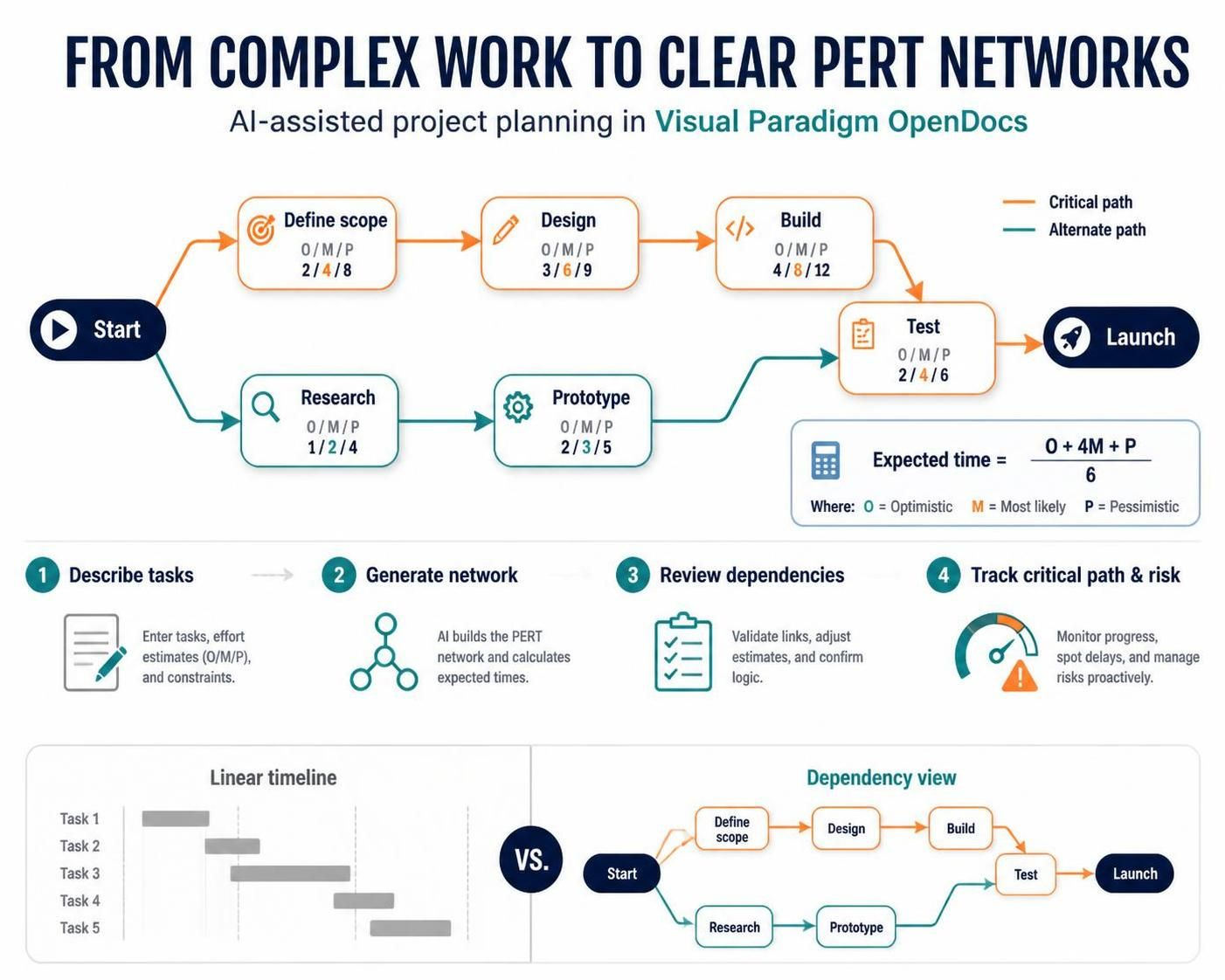
Historically, creating these diagrams has been a manual, labor-intensive process. However, modern knowledge management tools like Visual Paradigm’s OpenDocs have integrated AI capabilities that streamline this workflow, allowing professionals to generate structured network diagrams from natural language descriptions. This guide explores how to leverage these tools to create clear, actionable project visualizations without starting from scratch.
Understanding the Core Components of PERT
To effectively use AI generation tools, it helps to understand what the AI is trying to structure. A PERT chart is distinct from other project visuals because of its focus on dependencies and uncertainty.
1. Network Structure
-
Nodes (Events/Milestones): These represent specific points in time, such as the completion of a phase or a key decision point.
-
Arrows (Activities/Tasks): These connect nodes and represent the work required to move between milestones. Each arrow carries the weight of duration and resource requirements.
2. Probabilistic Time Estimation
PERT charts excel at handling uncertainty by using three time estimates for each task:
-
Optimistic (O): The best-case scenario.
-
Most Likely (M): The realistic expectation.
-
Pessimistic (P): The worst-case scenario.
Expected time (TE) equals optimistic time (O), plus four times the most likely time (M), plus pessimistic time (P), all divided by six.
This approach provides a weighted average that accounts for potential delays, offering a more robust schedule than single-point estimates.
3. The Critical Path
The Critical Path is the longest sequence of dependent tasks. Identifying this path is crucial because any delay here directly impacts the project’s final deadline.
Leveraging AI in Visual Paradigm OpenDocs
OpenDocs, part of the Visual Paradigm suite, functions as an AI-powered knowledge management tool. Its recent integration of PERT chart support allows users to bypass the manual drafting phase. Instead of dragging and dropping individual shapes, users can describe their project scope, and the AI constructs the initial network diagram.
Key Benefits
-
Speed: Generate a foundational diagram in seconds rather than hours.
-
Clarity: Ensure logical dependency mapping from the start.
-
Integration: Embed live, editable charts directly into project documentation.
Step-by-Step: Generating a PERT Chart
Here is how to use the AI features in OpenDocs to create a professional PERT chart.
1. Initiate the Diagram
In your OpenDocs editor, click the Insert button located in the top toolbar.

2. Select the Chart Type
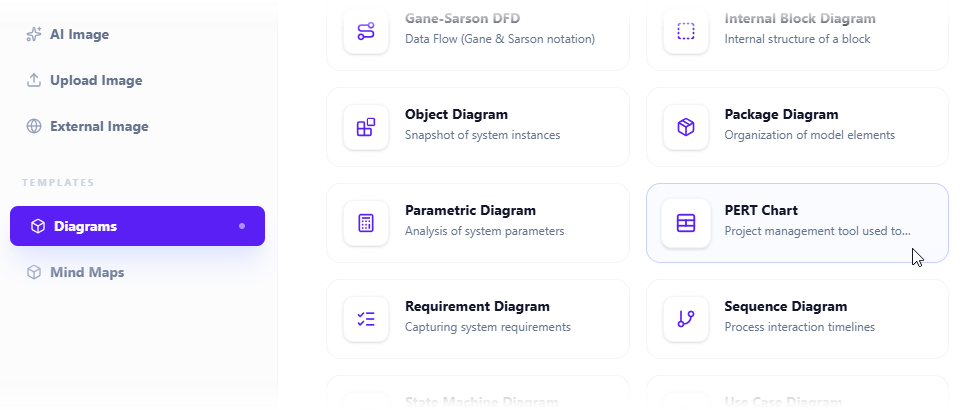
In the dialog box, navigate to the Diagrams tab and choose PERT Chart from the available options.
3. Access the AI Generator
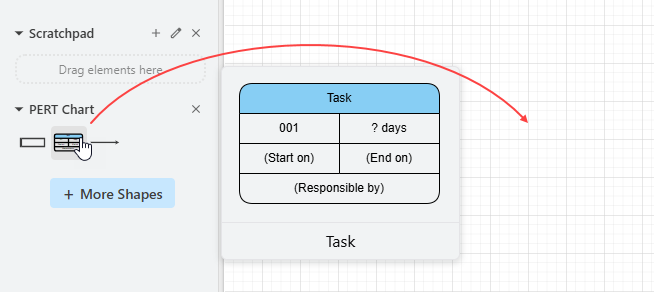
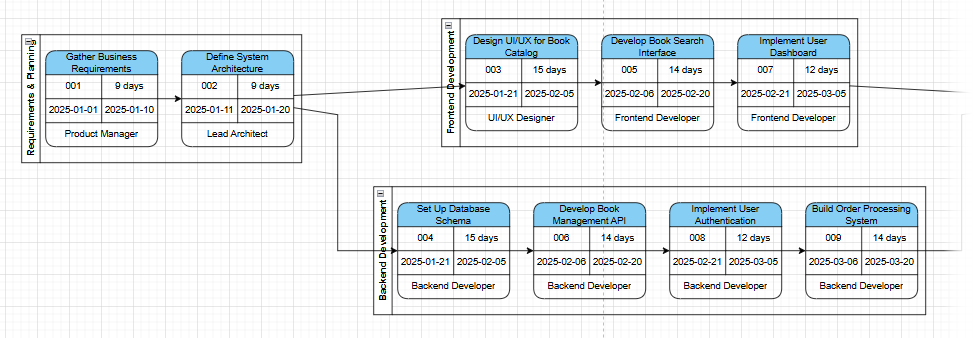
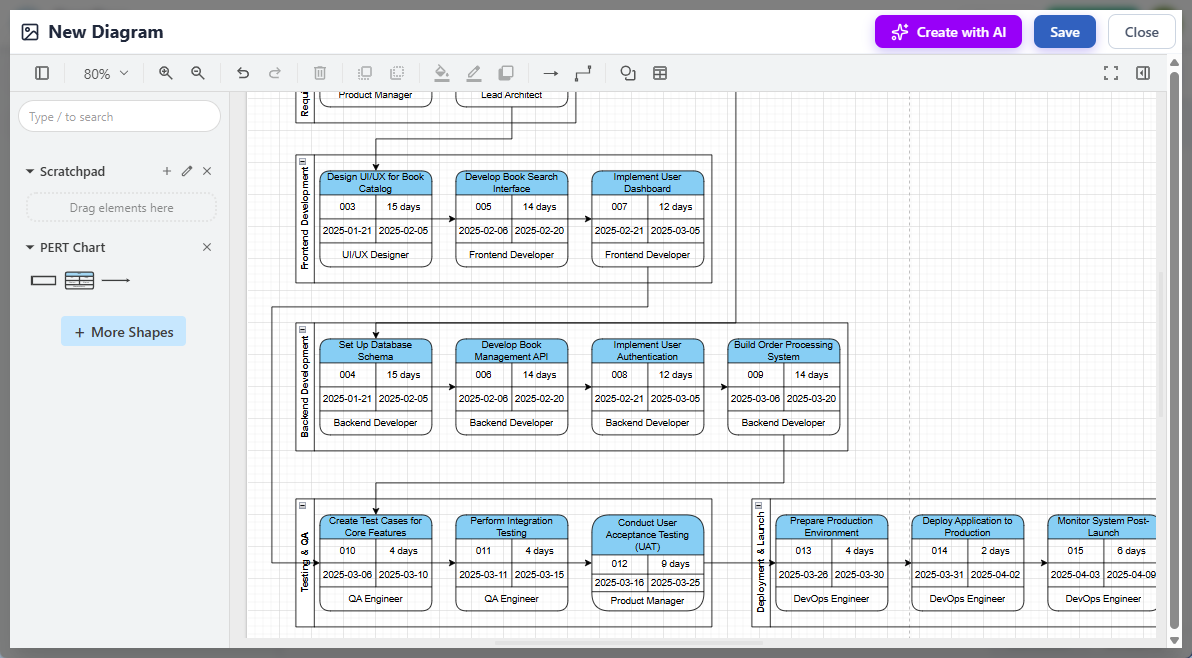
The diagram editor will open with a palette of standard PERT symbols. To use the AI, click the Create with AI button at the top right.

4. Define Your Project Scope
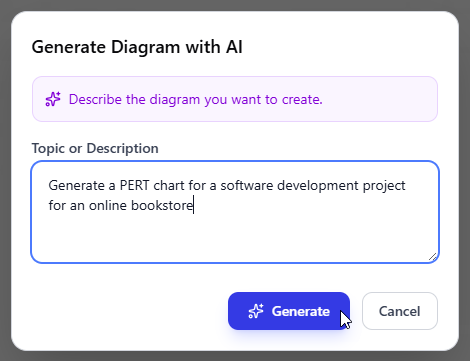
Enter a natural language description of your project. Be specific about phases, deliverables, and known dependencies.
Example Prompt: “Develop a mobile banking app with user registration, transaction processing, and security verification phases. Include milestones for design approval, backend API completion, and UI testing.”
Click Generate to let the AI build the structure.
5. Review and Refine
The AI will produce a complete network diagram. Use this as a baseline. You can now manually adjust the layout, edit task names, update time estimates, or add missing dependencies.
6. Embed and Share
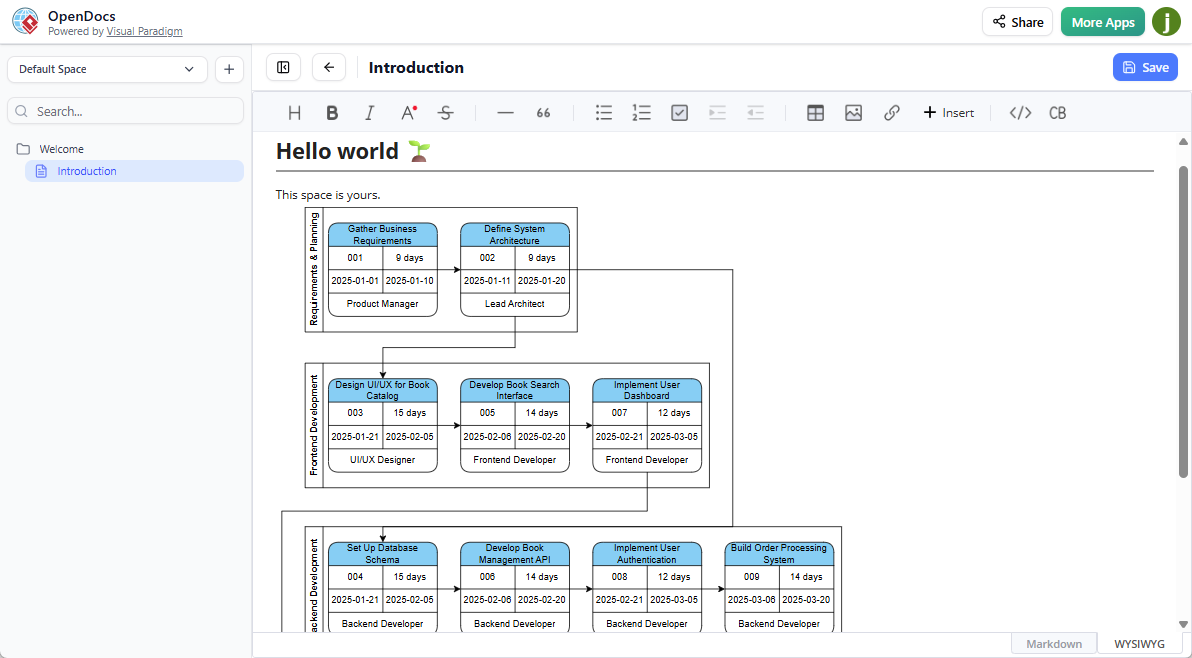
Once refined, click Save and then Close. The chart is now embedded as a live component in your document, ready for stakeholder review.
Practical Application Examples
Software Development Sprint
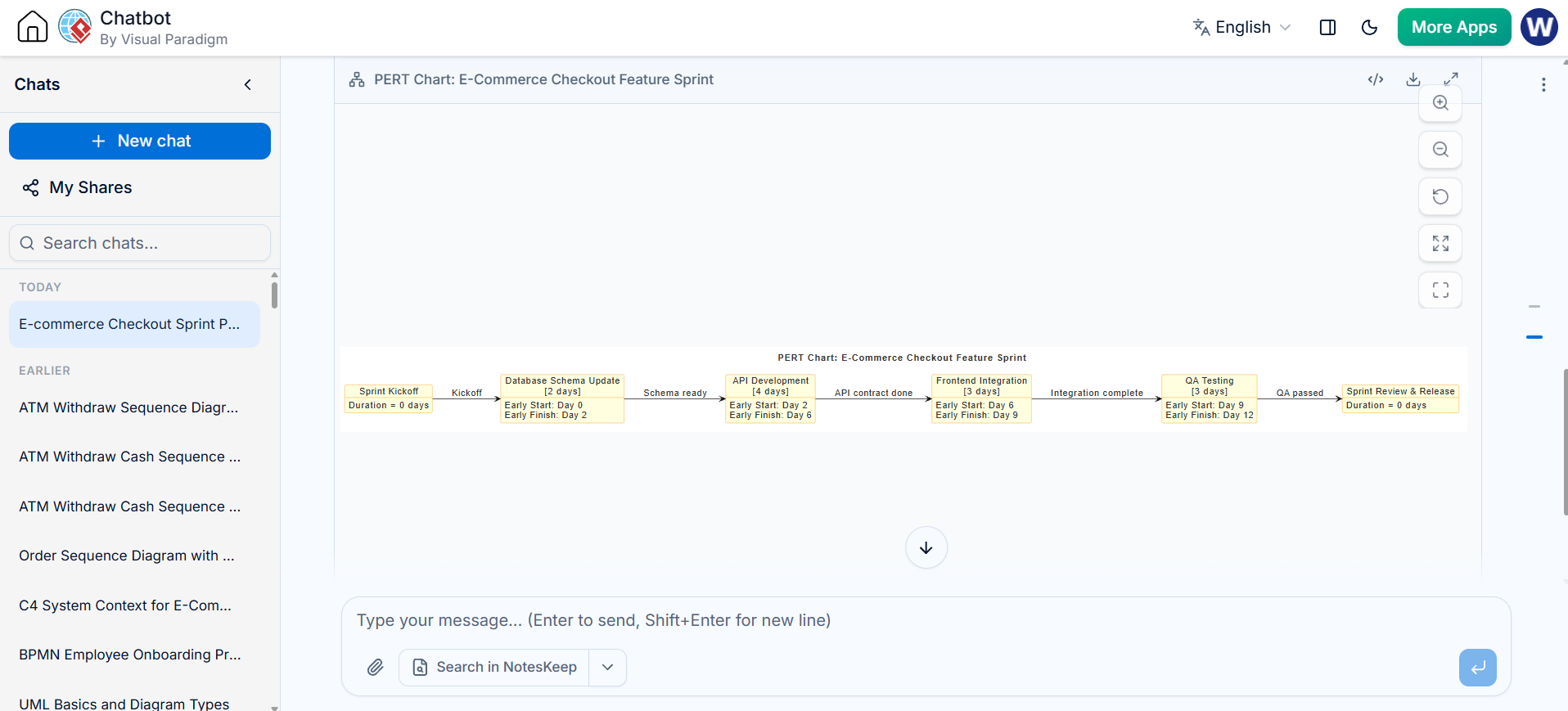
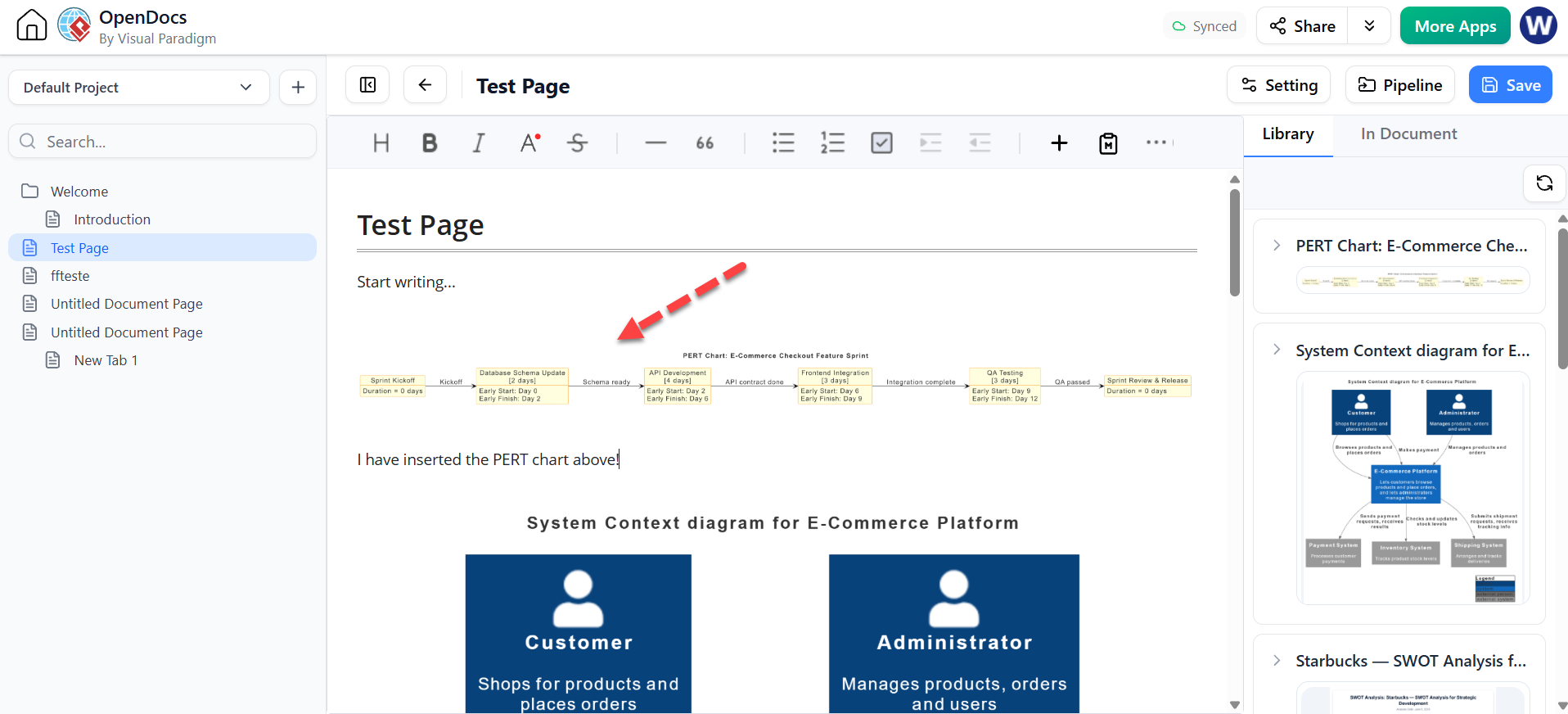
Prompt: “Plan a sprint for a new e-commerce checkout feature. Tasks include database schema update, API development, frontend integration, and QA testing. Dependencies: API must be done before frontend integration; QA starts after integration.”
VP Custom Diagram Type – PERT Chart (Only Supported by VPasCode tool)
@startuml
skinparam defaultFontSize 14
skinparam defaultFontColor #333333
skinparam vpDiagramType PERTChart
left to right direction
title PERT Chart: E-Commerce Checkout Feature Sprint

skinparam object {
    BackgroundColor LightYellow
    BorderColor DarkOrange
}

object "Sprint Kickoff" as start_node {
  Duration = 0 days
}

object "Database Schema Update\n[2 days]" as dbSchema {
  Early Start: Day 0
  Early Finish: Day 2
}

object "API Development\n[4 days]" as apiDev {
  Early Start: Day 2
  Early Finish: Day 6
}

object "Frontend Integration\n[3 days]" as frontend {
  Early Start: Day 6
  Early Finish: Day 9
}

object "QA Testing\n[3 days]" as qaTesting {
  Early Start: Day 9
  Early Finish: Day 12
}

object "Sprint Review & Release" as end_node {
  Duration = 0 days
}

start_node --> dbSchema : "Kickoff"
dbSchema --> apiDev : "Schema ready"
apiDev --> frontend : "API contract done"
frontend --> qaTesting : "Integration complete"
qaTesting --> end_node : "QA passed"

@endumlVerify in VPasCode (From Chartbot -> VPasCode)
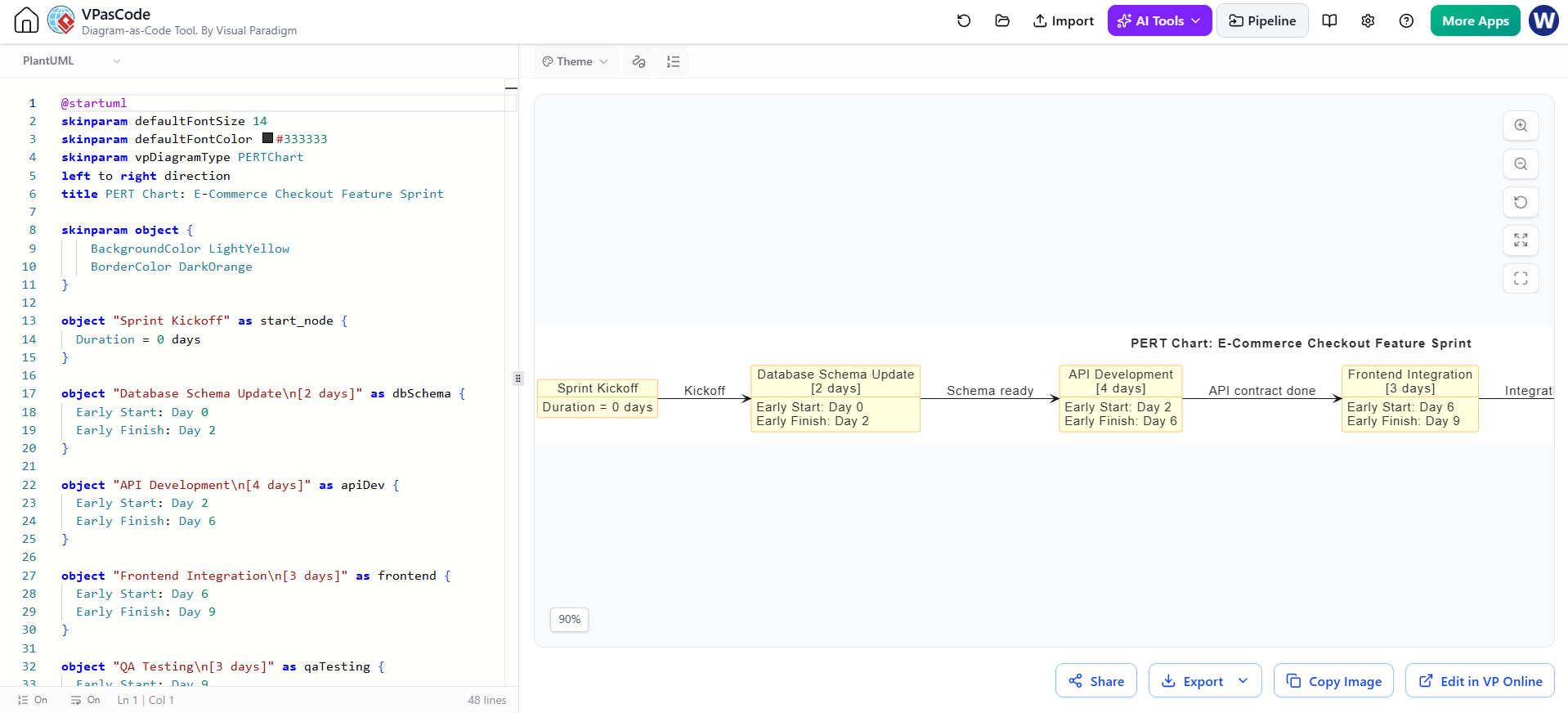
Outcome: The AI generates a dependency chain that highlights the critical path through API development and integration, helping the team prioritize backend resources.

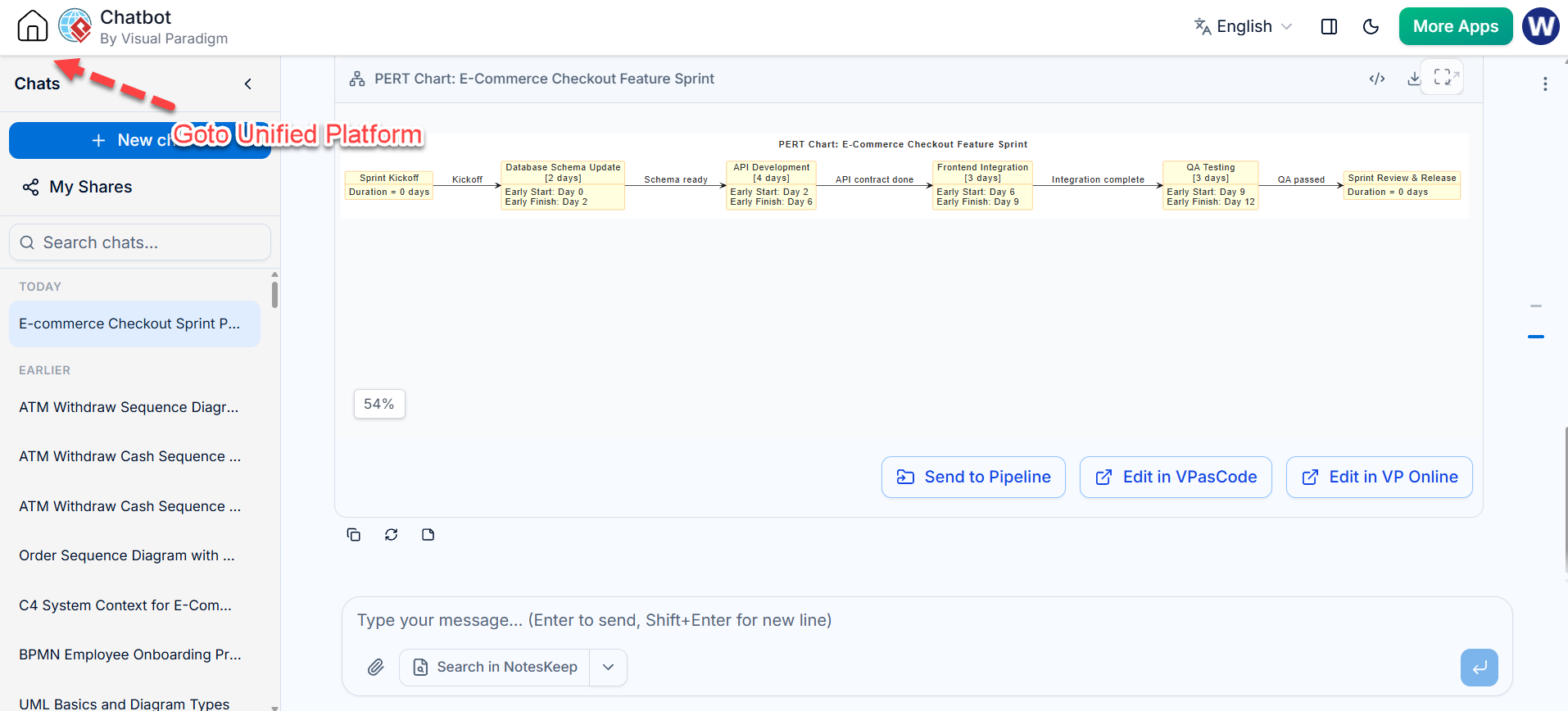
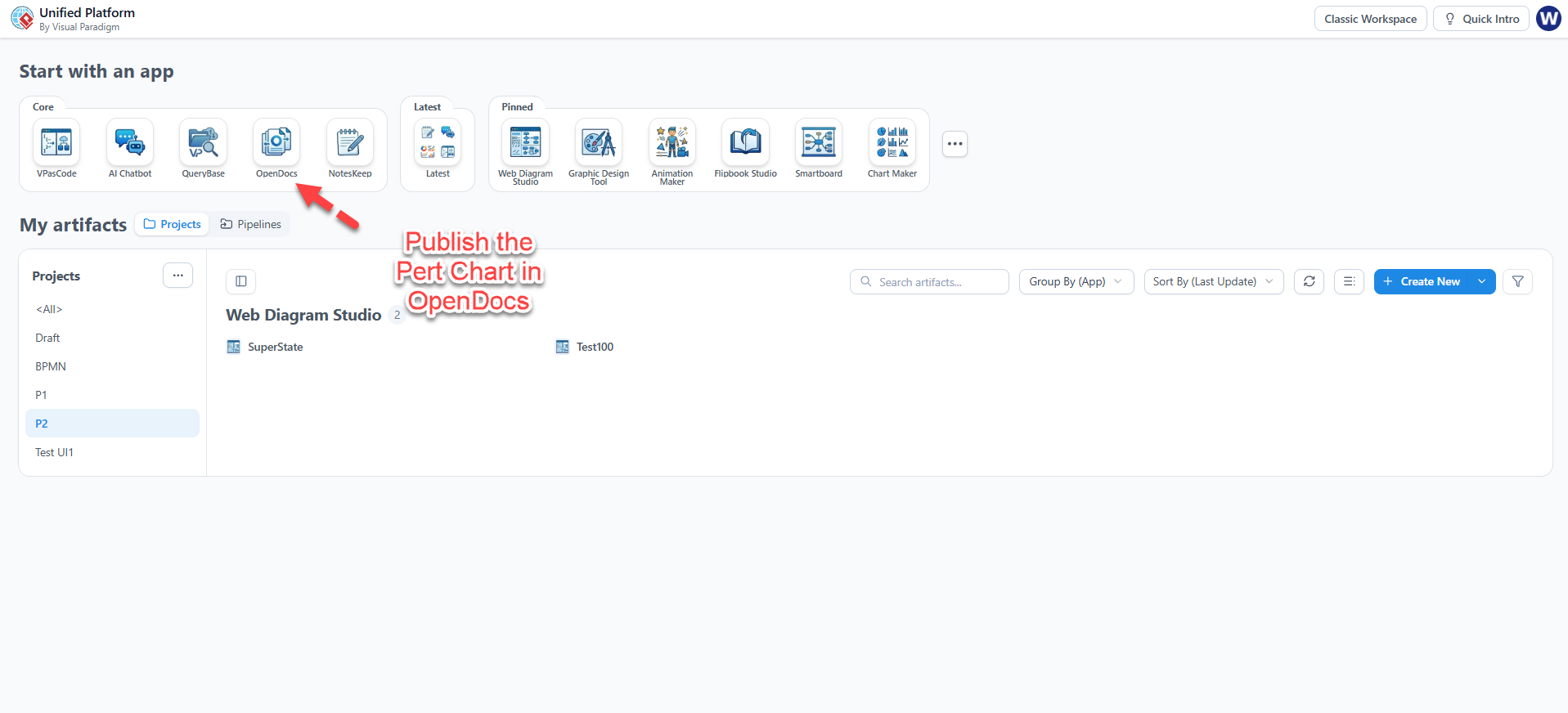
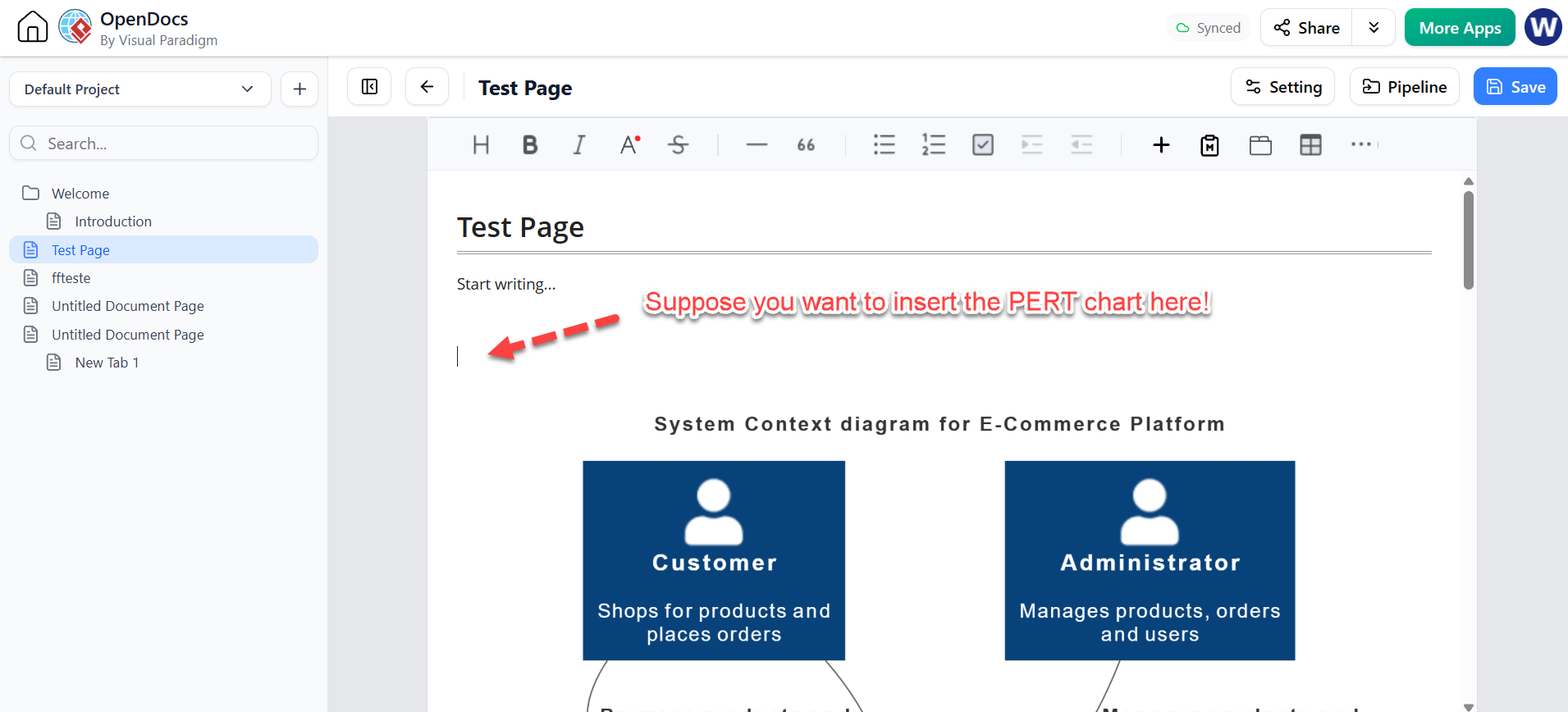
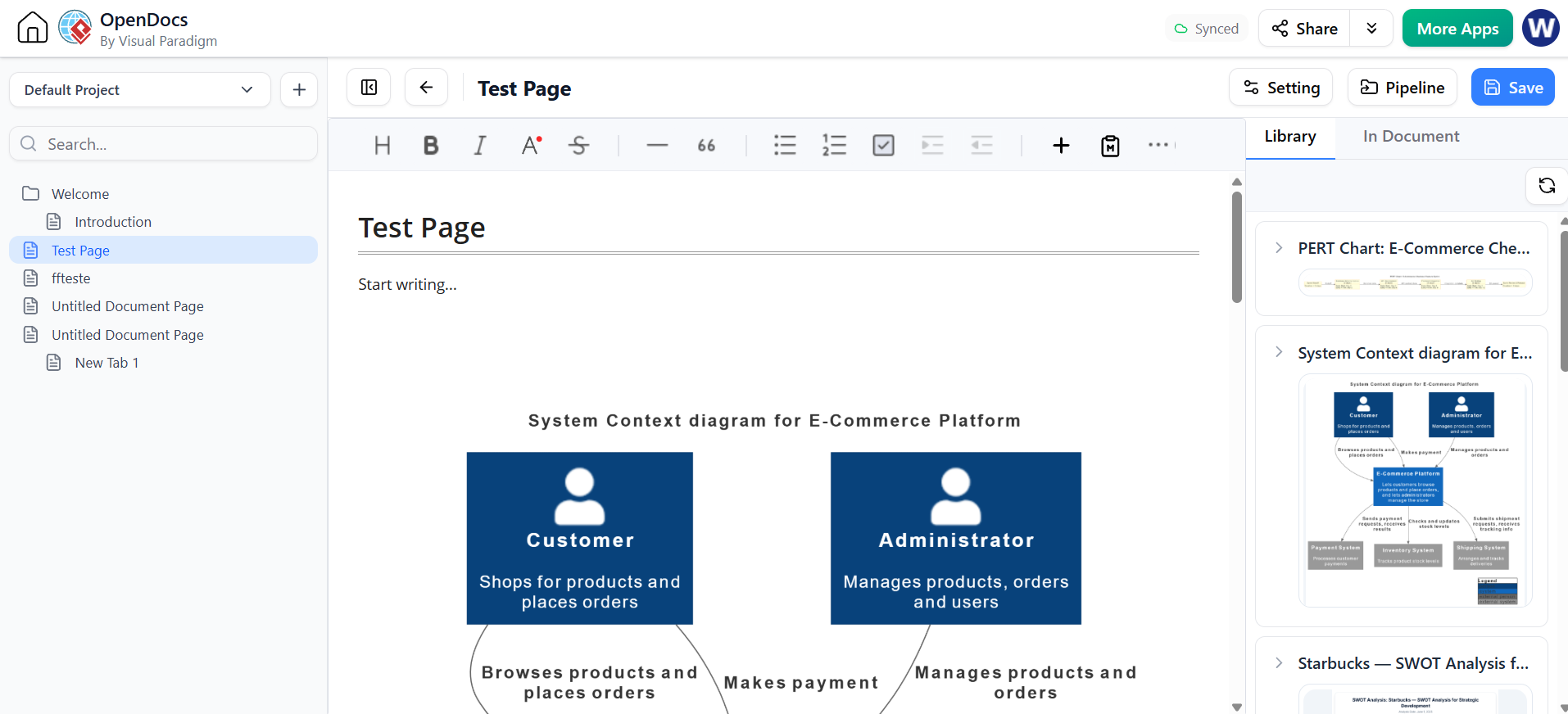
AI Workflow for VP Ecosystem: VPasCode -> Pipeline -> OpenDocs
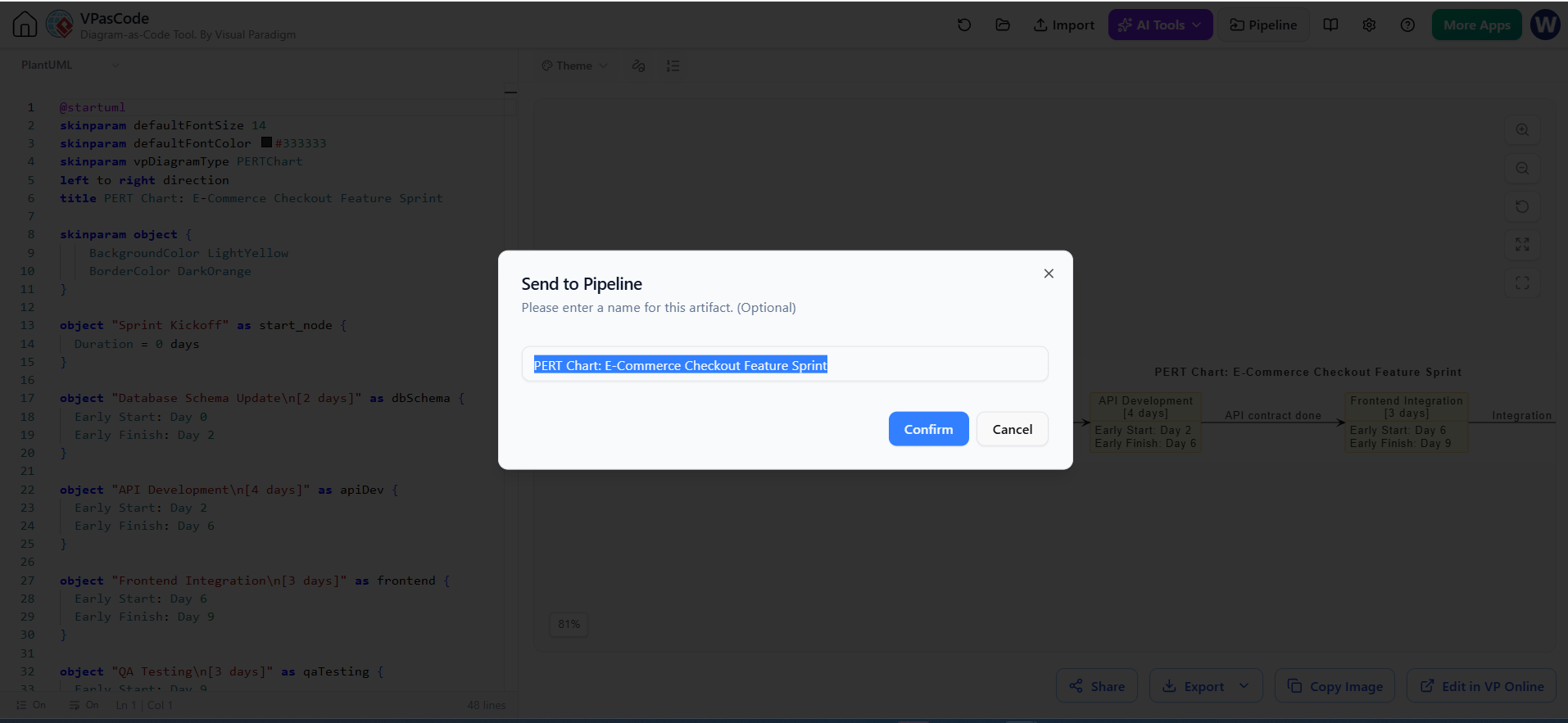
Goto VP Unified Platform (Back Home) -> OpenDoc (for Publishing and Sharing)
Marketing Campaign Launch
Prompt: “Launch a Q3 product marketing campaign. Phases: Market research, content creation, ad setup, and launch day monitoring. Content creation depends on research results. Ad setup requires final content assets.”
Outcome: The visualization clarifies how delays in early research ripple through to content and ad setup, enabling better risk mitigation strategies.
Conclusion
Integrating AI into project visualization tools like Visual Paradigm OpenDocs transforms how teams approach scheduling and risk management. By automating the structural creation of PERT charts, professionals can focus less on diagramming mechanics and more on strategic analysis. Whether managing software releases or marketing launches, these tools provide a faster, clearer way to visualize complexity, ensuring that project timelines are not just documented, but understood and optimized.

 English
 Arabic
 Chinese (Simplified)
 Dutch
Dutch French
 German
 Italian
 Japanese
 Korean
 Portuguese
 Russian
 Spanish