


Introduction
Visual Paradigm has emerged as a leading AI-powered visual modeling platform that transforms how professionals create diagrams. The platform’s new AI engine understands your requirements and can generate class diagrams, flowcharts, and user stories instantly from natural language descriptions. This guide walks you through the complete process of using Visual Paradigm’s AI ecosystem to create professional flowcharts and refine them to perfection.
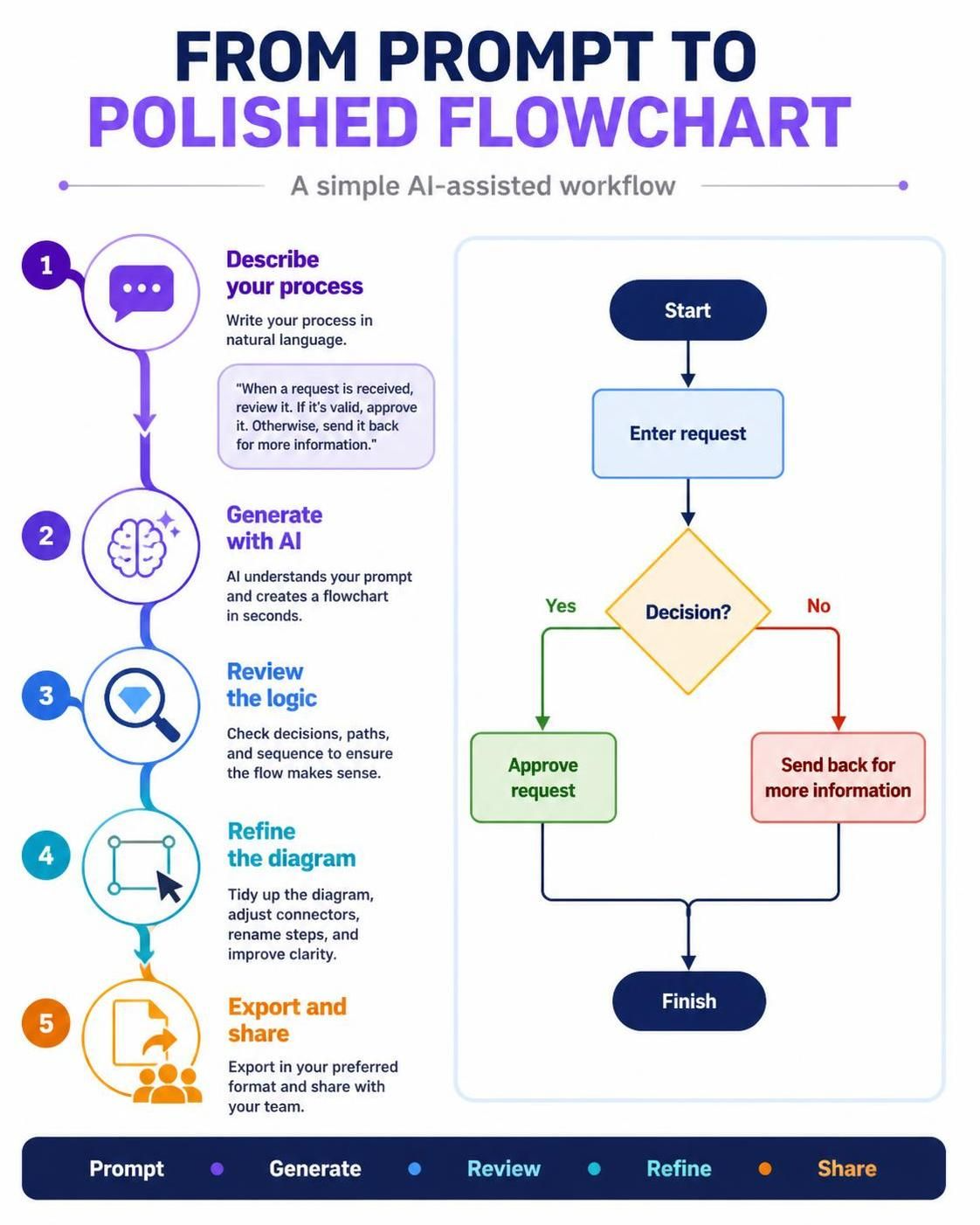
Understanding the Visual Paradigm AI Ecosystem
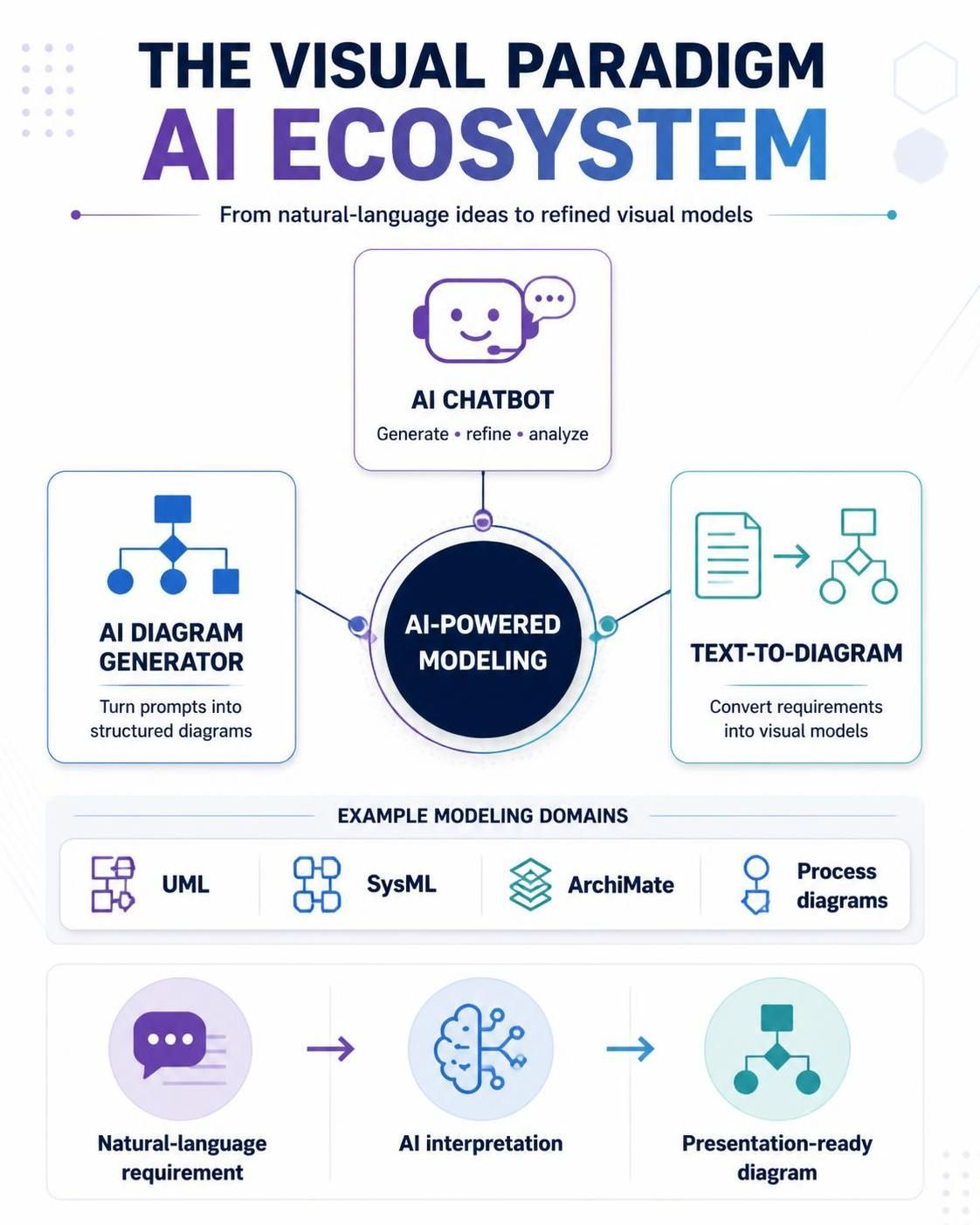
The Visual Paradigm AI Ecosystem represents one of the most comprehensive AI-powered visual modeling platforms available today. It consists of multiple interconnected tools designed to support different stages of diagram creation and refinement. The ecosystem includes an AI Chatbot, AI Diagram Generator, and various specialized tools for different diagram types.
Key Components
-
AI Chatbot: Your intelligent partner for generating, refining, and analyzing diagrams across UML, SysML, ArchiMate, and other standards
-
AI Diagram Generator: Converts plain text prompts into structured, presentation-ready diagrams without requiring templates or manual drawing
-
Text-to-Diagram Generation: Transforms requirements and prompts into accurate architectural and process diagrams instantly
Step-by-Step Guide to Creating a Flowchart
Step 1: Access the AI Tools
Start by accessing Visual Paradigm’s online platform or desktop application. The AI-powered features are integrated throughout the ecosystem, accessible via the chatbot interface or dedicated diagram generation tools. Note that as of January 2026, all AI-powered features require an active subscription or perpetual license with current software maintenance.
Step 2: Craft Your Prompt
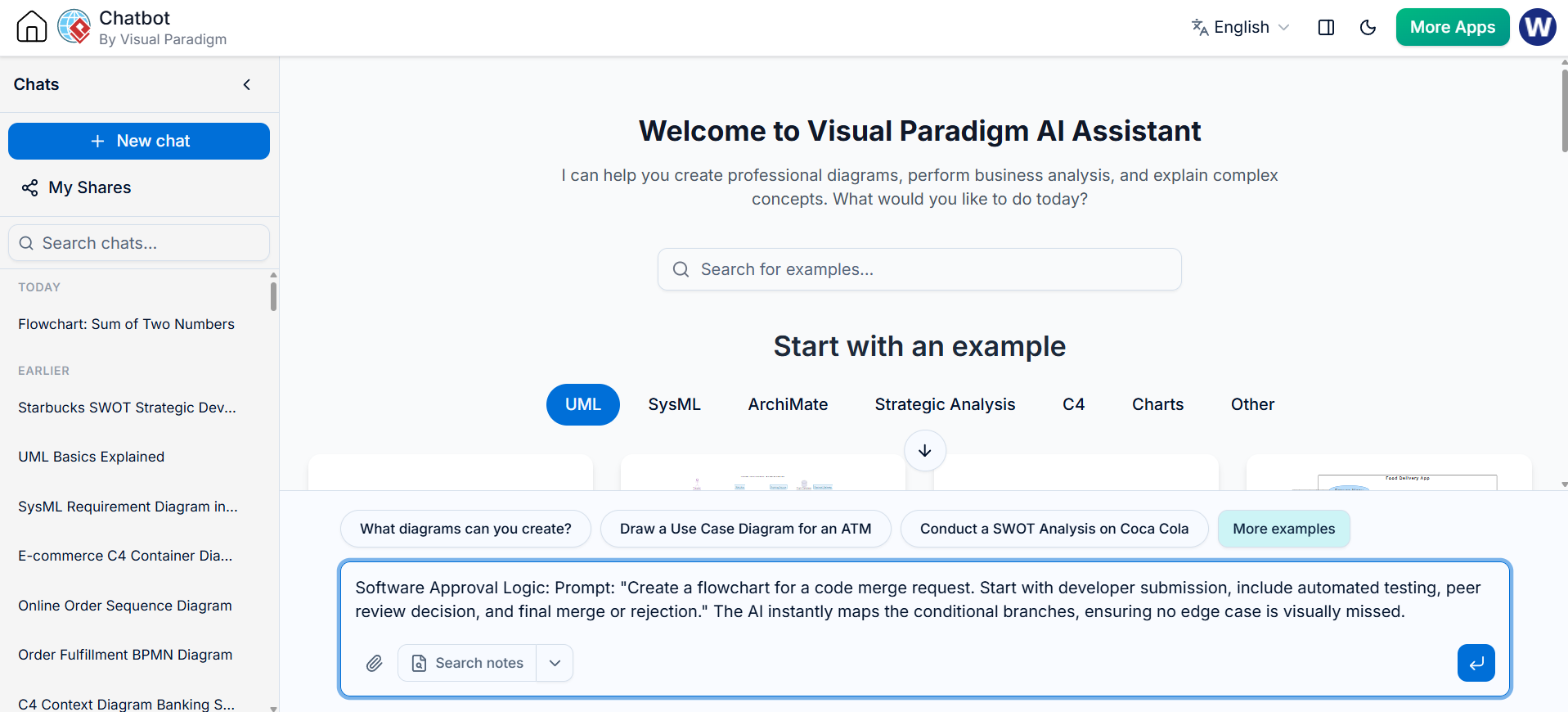
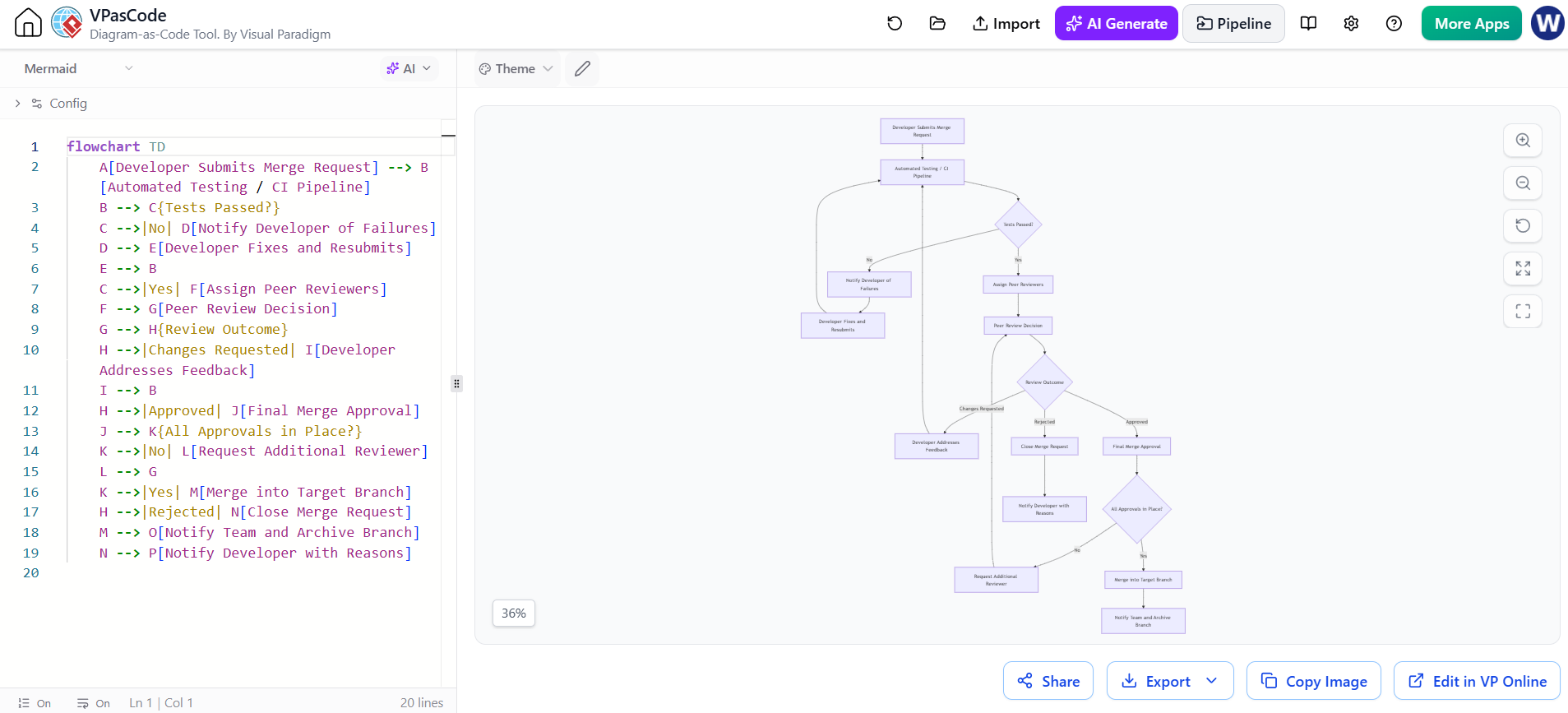
The key to successful AI-generated flowcharts lies in crafting clear, descriptive prompts. For example, when creating a code merge request workflow, you might use:
“Create a flowchart for a code merge request. Start with developer submission, include automated testing, peer review decision, and final merge or rejection.”
This prompt clearly defines:
-
The starting point (developer submission)
-
Key processes (automated testing, peer review)
-
Decision points (peer review decision)
-
End states (merge or rejection)
The AI Diagram Generator transforms such plain text into clear, professional diagrams instantly.
Step 3: Generate the Initial Flowchart
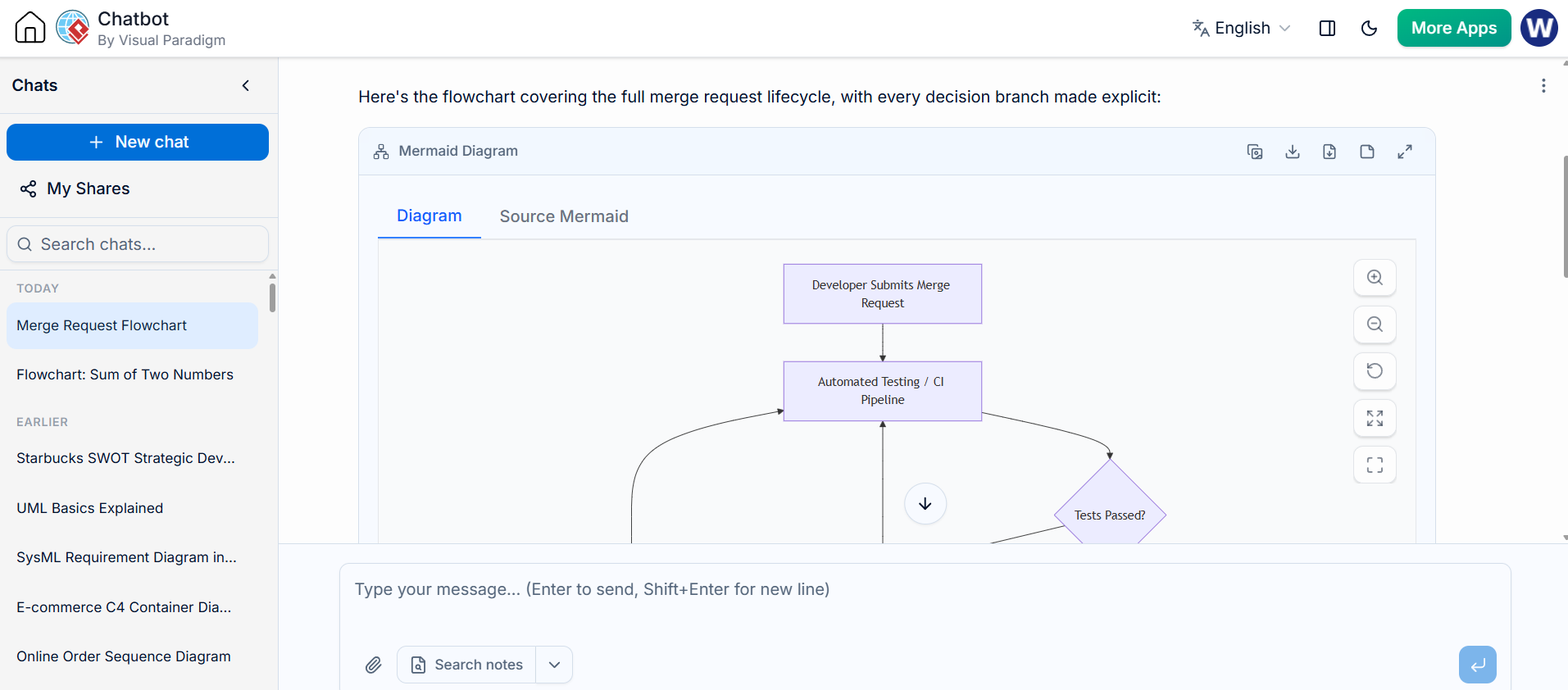
Once you submit your prompt, the AI engine processes your requirements and generates a complete flowchart within seconds. The system automatically maps conditional branches and ensures no edge cases are visually missed. The generated diagram follows industry standards and best practices for flowchart notation.
The initial output provides a solid foundation with properly connected elements, appropriate symbols, and logical flow structure.
Step 4: Review and Verify the Generated Diagram
After generation, carefully review the flowchart for:
-
Completeness: Are all steps in your process represented?
-
Logic: Do the decision branches make sense?
-
Clarity: Is the flow easy to follow?
-
Standards Compliance: Does it follow proper flowchart conventions?
The AI-powered diagram generation tools ensure standards compliance while offering automation and accessibility.
Step 5: Refine Using AI Assistance
Visual Paradigm’s AI doesn’t just create diagrams—it helps you refine them. You can interact with the AI Chatbot to:
-
Add missing steps or processes
-
Modify decision logic
-
Adjust the layout for better readability
-
Add annotations or documentation
Simply describe what changes you want, and the AI will update the diagram accordingly. This iterative refinement process allows you to transform ideas into visuals instantly with natural, diagram-driven conversations.
Step 6: Manual Fine-Tuning (Optional)
While AI handles the heavy lifting, you retain full control over the final product. Visual Paradigm provides advanced editing capabilities including:
-
Auto-layout and auto-routing features
-
Element customization (colors, shapes, labels)
-
Connector adjustments
-
Alignment and spacing controls
These features ensure your diagram meets exact presentation requirements.
Best Practices for AI-Powered Flowchart Creation
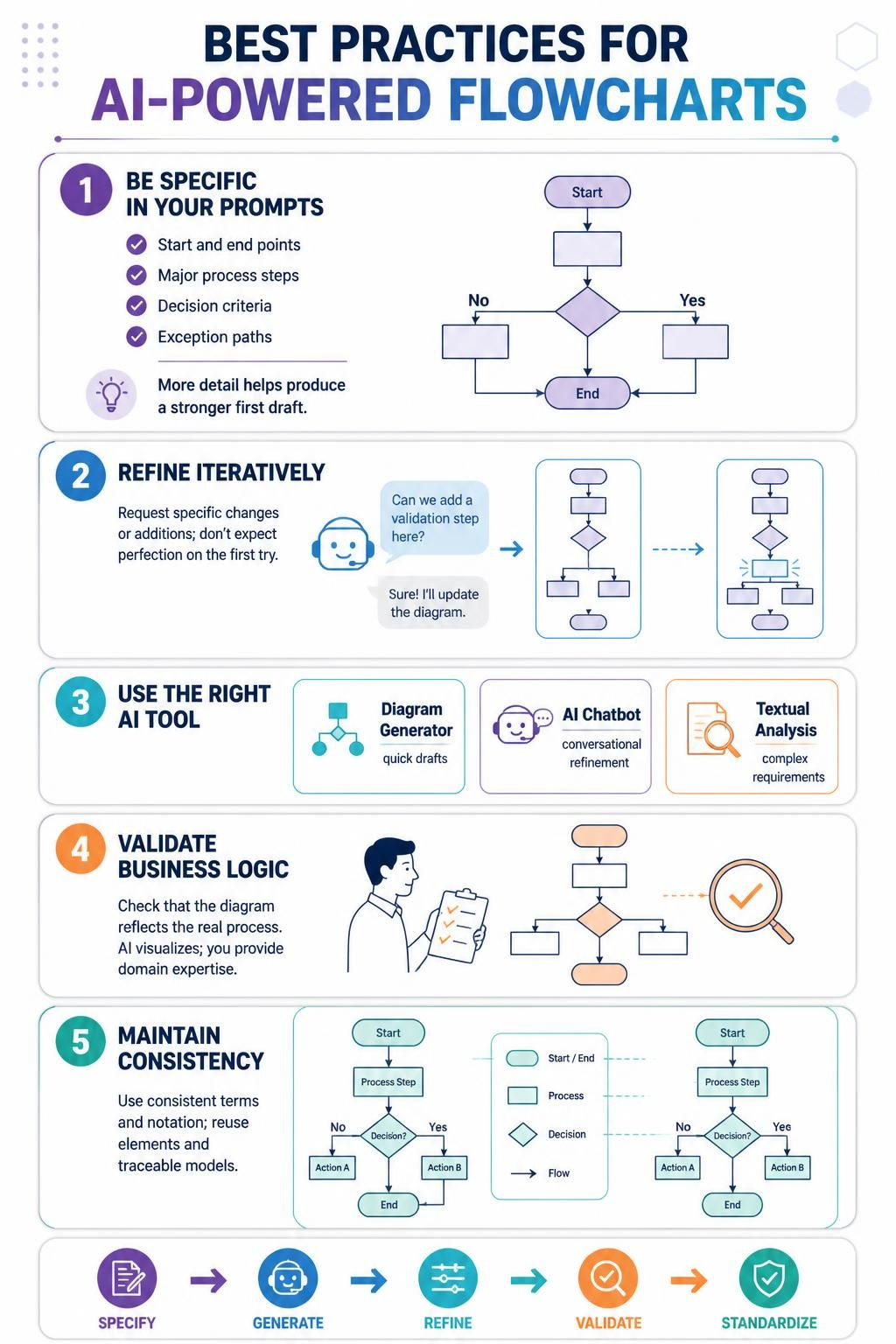
1. Be Specific in Your Prompts
Include details about:
-
Starting and ending points
-
All major process steps
-
Decision criteria
-
Exception handling paths
The more specific your description, the more accurate the initial generation will be.
2. Use Iterative Refinement
Don’t expect perfection on the first try. Use the AI Chatbot to iteratively improve your diagram by requesting specific changes or additions.
3. Leverage Multiple AI Tools
Different tools in the ecosystem serve different purposes:
-
Use the AI Diagram Generator for quick initial drafts
-
Use the AI Chatbot for conversational refinement
-
Use Textual Analysis features for complex system requirements
4. Validate Business Logic
While AI excels at structure, always validate that the business logic accurately reflects your actual processes. The AI creates the visualization, but you provide the domain expertise.
5. Maintain Consistency
When creating multiple related flowcharts, use consistent terminology and notation. Visual Paradigm’s ecosystem helps maintain consistency across diagrams through reusable elements and traceable models.
Real-World Applications
Software Development Workflows
As demonstrated in our example, AI-generated flowcharts excel at mapping software approval processes, CI/CD pipelines, and code review workflows. The conditional branching is automatically handled, ensuring comprehensive coverage of all scenarios.
Business Process Documentation
Transform written procedures into visual flowcharts instantly. Describe customer onboarding, order processing, or incident response workflows, and let AI create the visual representation.
System Architecture Planning
Generate high-level process flows for system interactions, data flows, and integration points. The AI understands technical contexts and creates appropriately detailed diagrams.
Advantages Over Traditional Methods
Time Savings
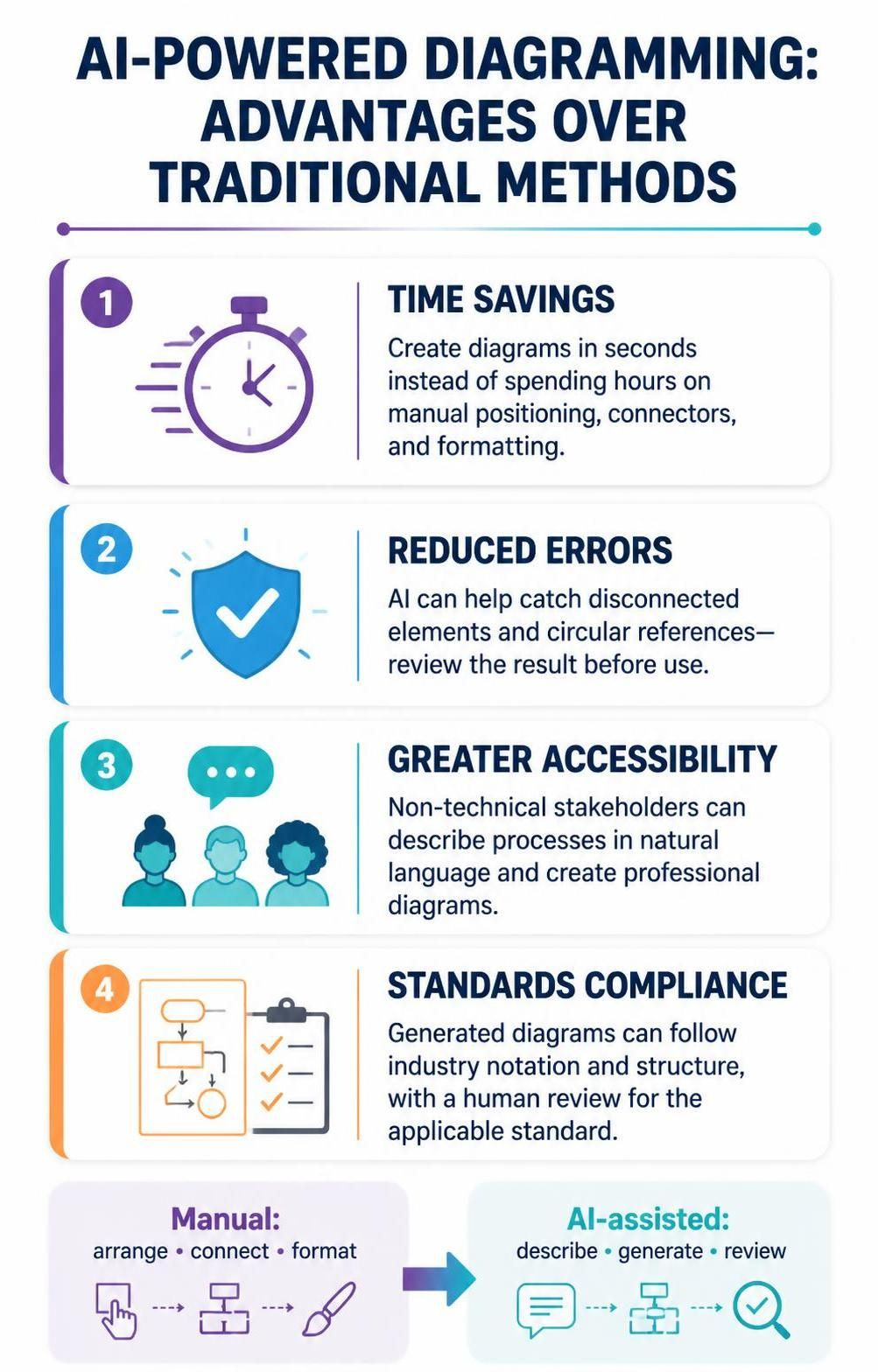
What traditionally took hours of manual diagramming now takes seconds. The AI eliminates the need to manually position elements, draw connectors, and format shapes.
Reduced Errors
The AI engine ensures logical consistency and prevents common mistakes like disconnected elements or circular references that often occur in manual diagramming.
Accessibility
Non-technical stakeholders can describe processes in natural language and receive professional diagrams, democratizing the diagram creation process.
Standards Compliance
Generated diagrams automatically follow industry standards for notation and structure, ensuring professional quality without requiring deep knowledge of diagramming conventions.
Integration with Broader Workflow
Visual Paradigm’s AI ecosystem doesn’t exist in isolation. Generated flowcharts can be:
-
Embedded in smart documents and presentations
-
Exported in various formats (PNG, SVG, PDF)
-
Integrated with project management tools
-
Linked to requirements and user stories for traceability
The platform brings together documents, presentations, and digital publications under one powerful productivity suite.
Getting Started Tips
-
Start Simple: Begin with straightforward processes before tackling complex multi-path workflows
-
Learn the Syntax: While natural language works well, learning effective prompting techniques improves results
-
Explore Templates: Even though AI generates from scratch, reviewing existing templates can inspire better prompts
-
Join the Community: Visual Paradigm offers guides and resources for mastering AI-powered visual modeling
Conclusion
Visual Paradigm’s AI Ecosystem represents a significant advancement in visual modeling, transforming how professionals create and refine flowcharts. By combining the speed of AI generation with the precision of manual refinement, you can produce professional-quality diagrams in a fraction of the traditional time.
The key is understanding that AI is your collaborator, not just a tool. Through iterative conversation and refinement, you can transform simple text descriptions into comprehensive, accurate, and visually appealing flowcharts that effectively communicate complex processes.
Whether you’re documenting software workflows, business processes, or system architectures, Visual Paradigm’s AI-powered approach ensures your diagrams are both professionally presented and logically sound. Start with a clear prompt, leverage the AI’s generative capabilities, and refine through conversation to achieve diagrams that truly meet your needs.

 English
 Arabic
 Chinese (Simplified)
 Dutch
Dutch French
 German
 Italian
 Japanese
 Korean
 Portuguese
 Russian
 Spanish