


Introduction
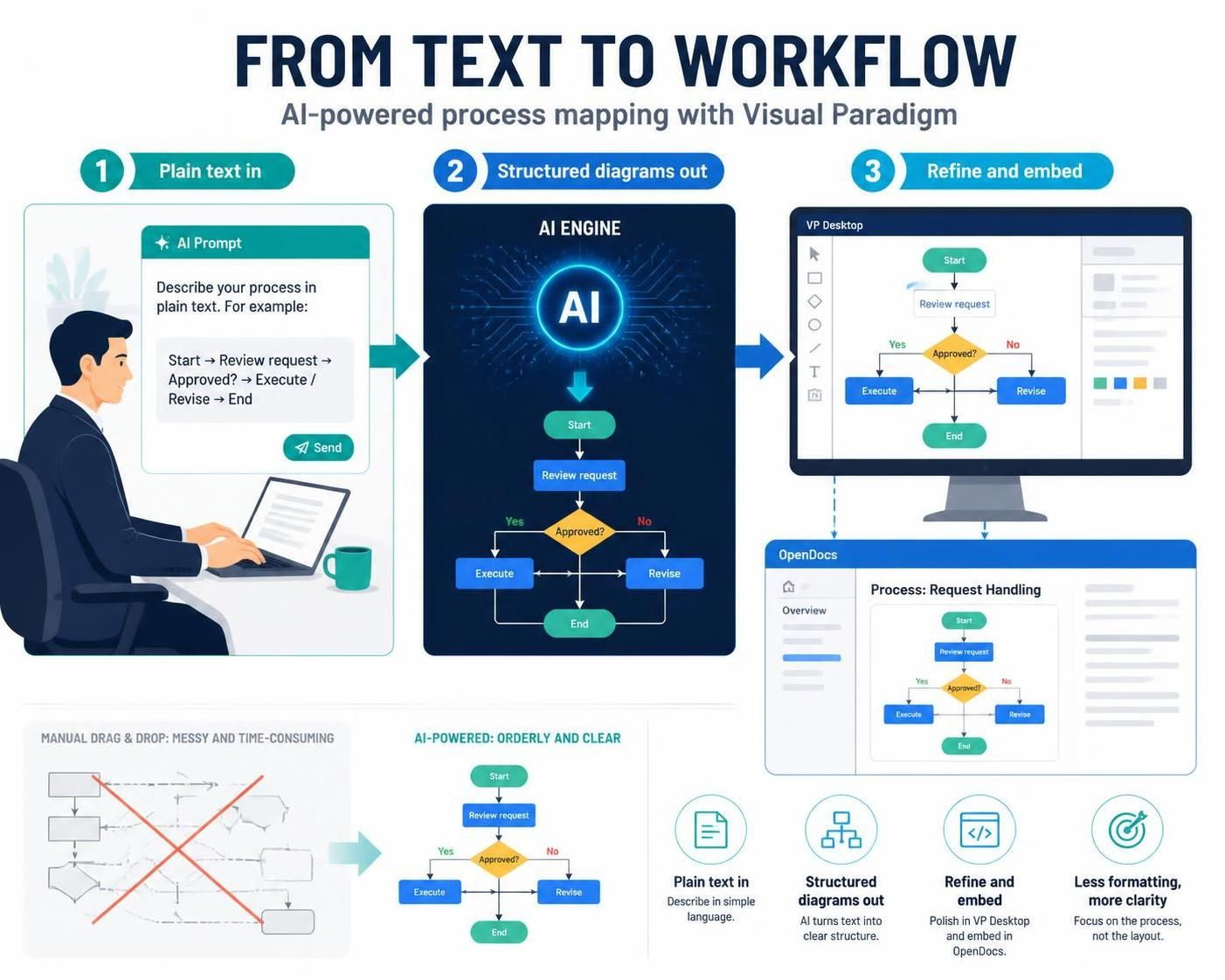
In the fast-paced world of modern business, clarity is currency. Whether you are a product manager mapping out a new user journey, a developer documenting complex logic, or an operations lead optimizing supply chains, visualizing processes is essential. However, traditional flowchart creation has long been a bottleneck. The manual drag-and-drop of shapes, the frustration of misaligned arrows, and the time spent formatting often distract from the actual process design.
Enter the era of AI-powered workflow diagrams. By leveraging generative artificial intelligence, professionals can now transform plain-text descriptions into clean, structured, and standards-compliant diagrams instantly. This guide explores how to automate your business process mapping using Visual Paradigm, a leader in professional modeling tools. We will dive into how its integrated AI ecosystem—spanning VP Desktop and OpenDocs—allows you to create, embed, and refine flowcharts with unprecedented speed and precision.
Key Concepts: The Evolution of Process Mapping
Before diving into the tools, it is important to understand the shift in methodology:
-
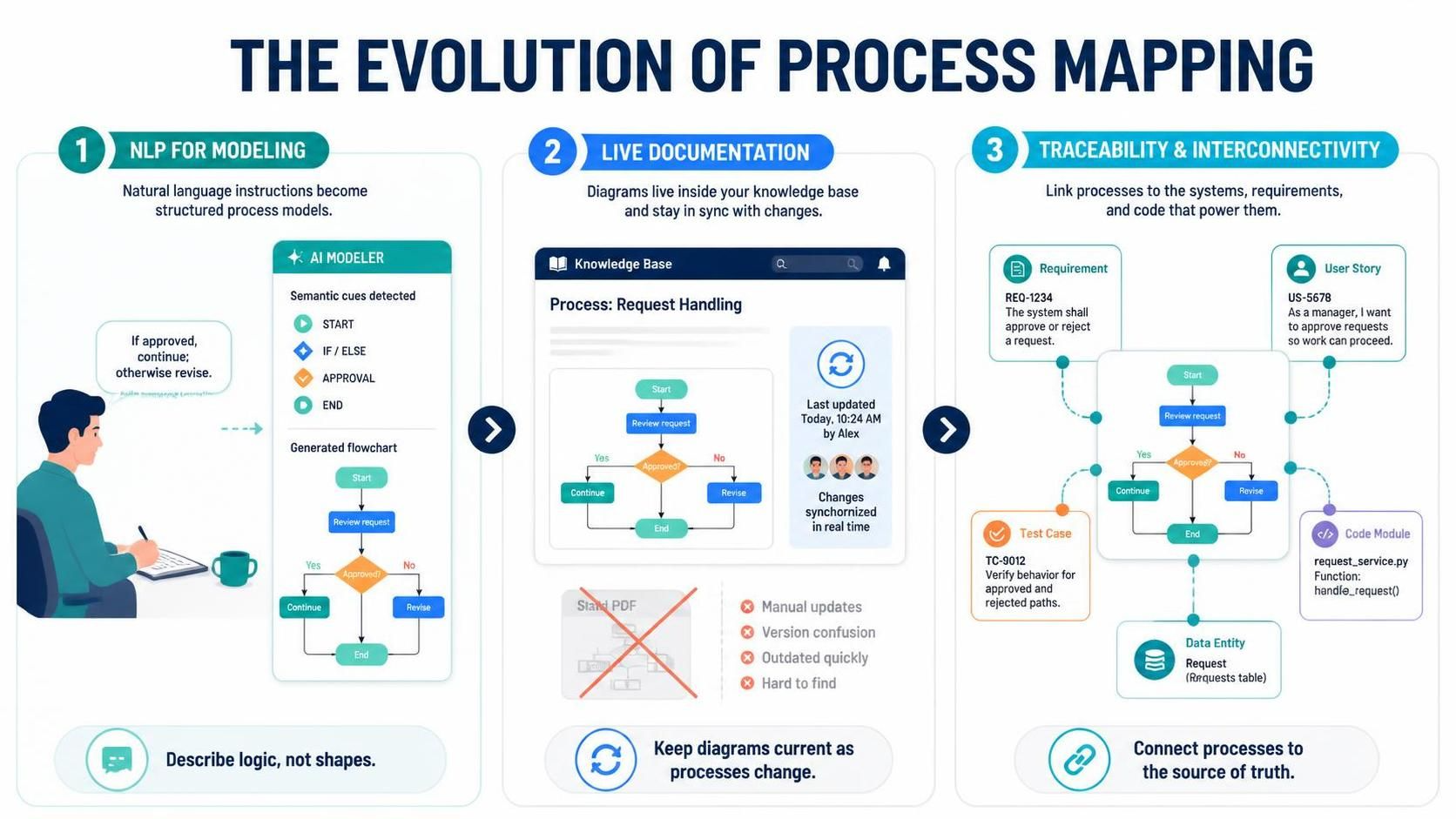
Natural Language Processing (NLP) for Modeling: Instead of thinking in terms of “rectangles” and “diamonds,” you think in terms of logic and steps. The AI interprets semantic cues like “if/else,” “start,” “end,” and “approval” to structure the diagram automatically.
-
Live Documentation: Static images in PDFs become obsolete the moment a process changes. Modern tooling allows flowcharts to live within documents, ensuring that knowledge bases remain dynamic and up-to-date.
-
Traceability and Interconnectivity: A professional flowchart is not just a picture; it is a node in a larger system. It should link to requirements, user stories, and code, creating a single source of truth for enterprise projects.
Tooling: Visual Paradigm
Visual Paradigm has been a cornerstone of enterprise modeling since 2002. Unlike lightweight drawing apps, it offers a robust environment for automated process mapping that supports UML, BPMN, and custom flowcharts. Its unique value proposition lies in its multi-platform AI integration, allowing users to choose the right interface for their specific needs: speed, precision, or collaboration.
1. VP Desktop: Your Professional Hub for AI Flowchart Creation
VP Desktop is the flagship application for users who require deep control, offline capabilities, and integration with complex engineering workflows. It brings generative AI into a full-featured environment built for precision.
How to Generate a Flowchart with AI in VP Desktop
The process is designed to be intuitive yet powerful, allowing you to go from idea to diagram in seconds.
-
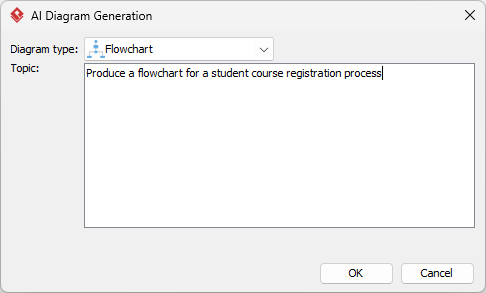
Access the Generator: Select Tools > AI Diagram Generation from the main menu.
-
Select Your Type: Choose Flowchart from the dropdown list.
-
Describe Your Process: Input a prompt that clearly outlines the logic. For example: “Model a customer support ticket workflow from submission to closure, including validation steps and manager escalation.”
-
Automated Generation: The AI renders a native, fully editable flowchart. It intelligently places process rectangles, decision diamonds, and start/end ovals, ensuring the layout is balanced and readable.
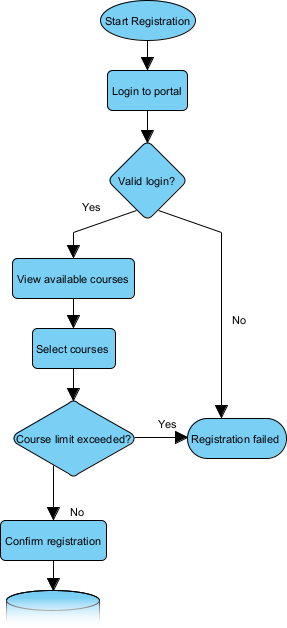
Unlike simple “one-shot” image generators, VP Desktop allows you to visualize workflows with AI while maintaining full control. You can easily add swimlanes to define roles, link shapes to specific requirements, or even generate code stubs, keeping your diagrams interconnected and production-ready.
2. OpenDocs: Embed Living Flowcharts in Your Knowledge Base
Flowcharts should not exist in isolation. OpenDocs allows you to integrate an AI flowchart generator directly into your reports, wikis, and strategic guides. This turns static visuals into dynamic assets that evolve with your team’s understanding.
How to Insert an AI Generated Flowchart in OpenDocs
-
Open Your Page: Create or open a document in your Visual Paradigm Online workspace.
-
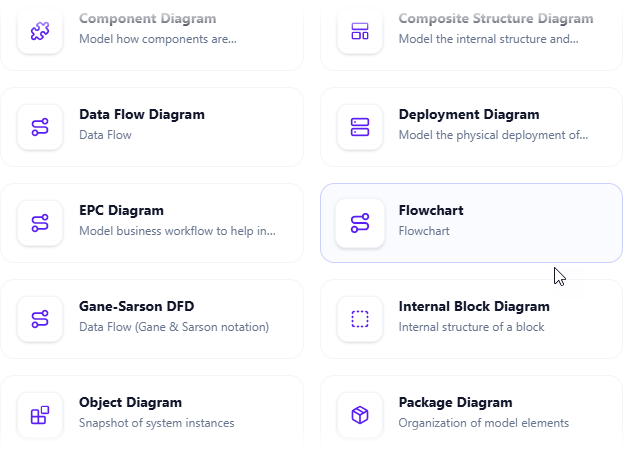
Insert Diagram: Click Insert > Diagram > Flowchart.
-
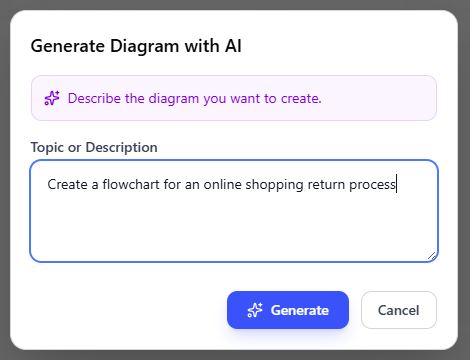
Create with AI: Describe your scenario in natural language (e.g., “Employee onboarding procedure”) and click Generate.
-
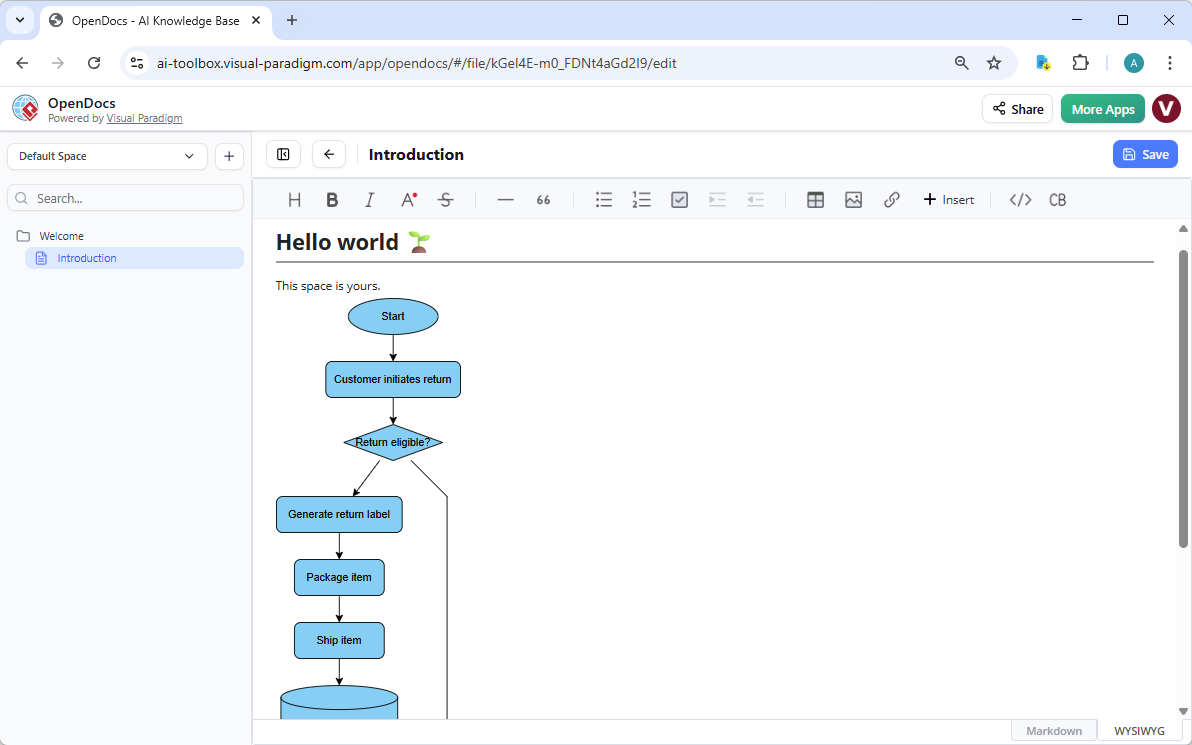
Live Embedding: Once saved, the flowchart appears as an editable visual block within the document. Team members can refine it collaboratively, ensuring the documentation stays as current as your processes.
Practical Examples: Automating Common Business Processes
To illustrate the power of this approach, consider these common scenarios where AI-driven generation saves hours of manual work:
-
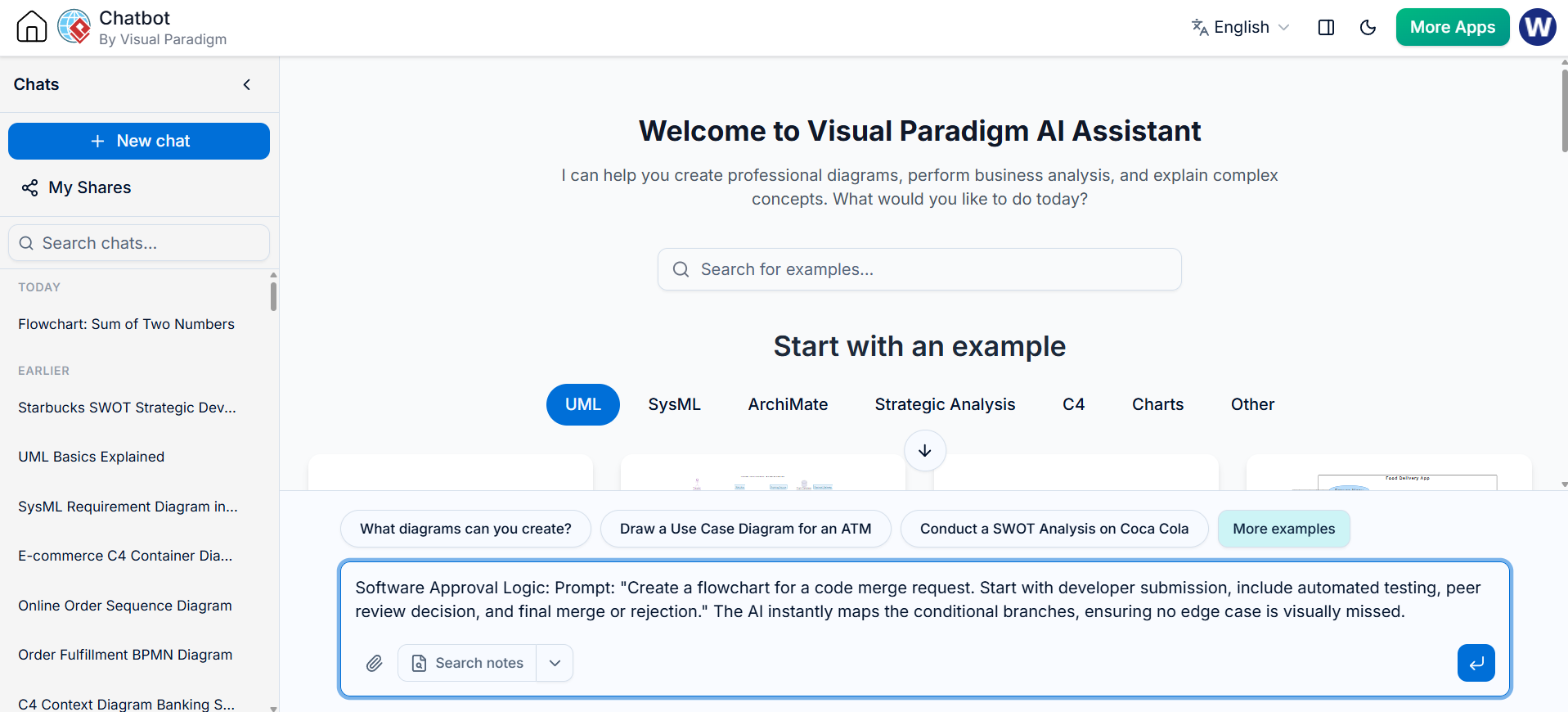
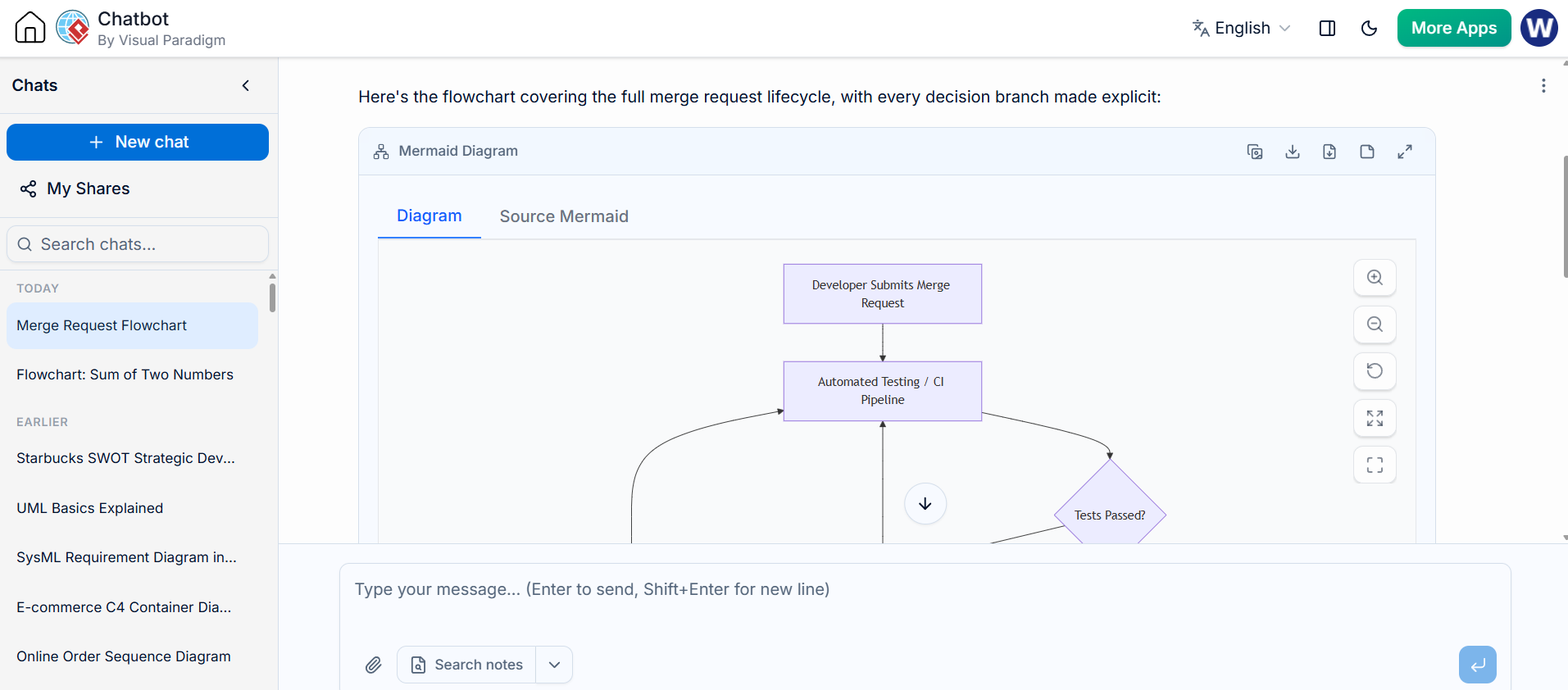
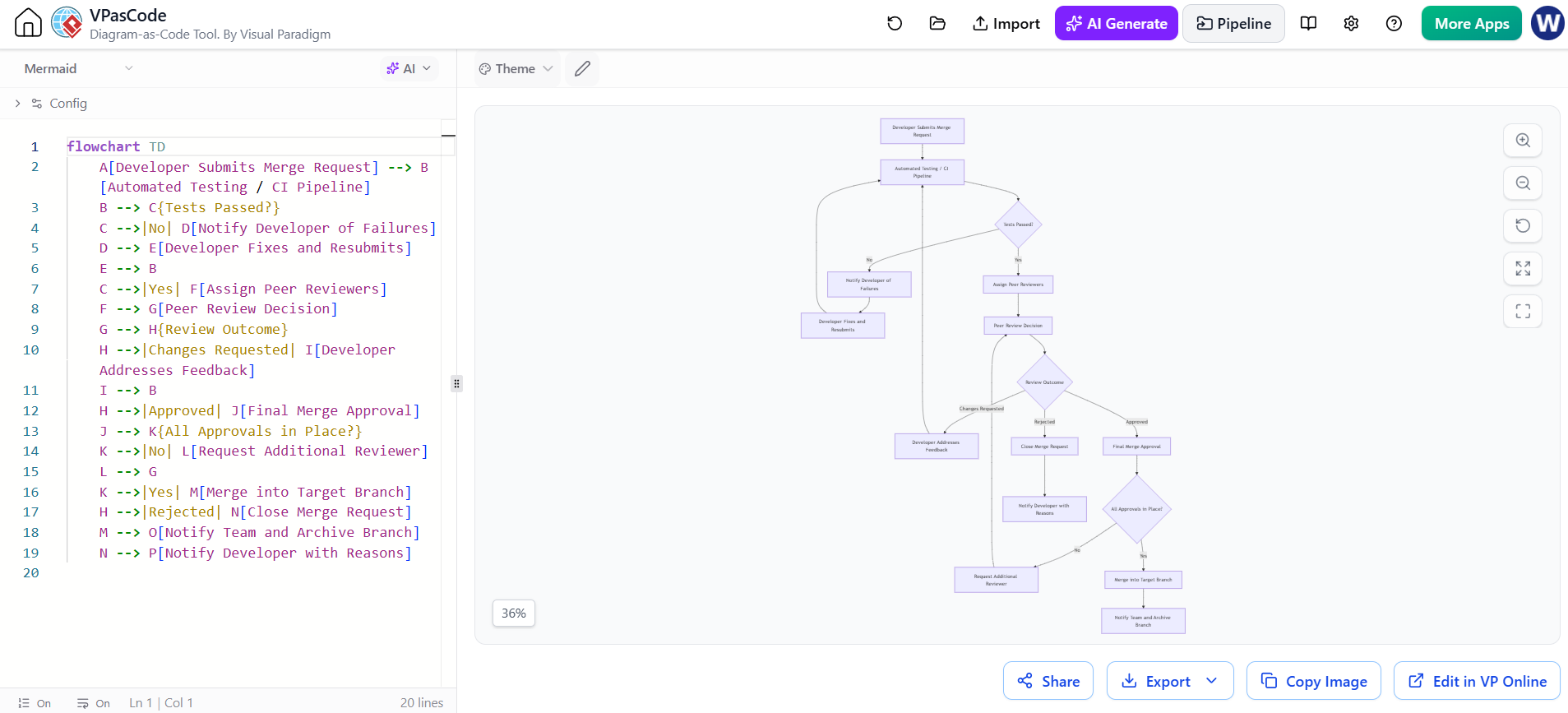
Software Approval Logic: Prompt: “Create a flowchart for a code merge request. Start with developer submission, include automated testing, peer review decision, and final merge or rejection.” The AI instantly maps the conditional branches, ensuring no edge case is visually missed.
-
Customer Onboarding: Prompt: “Map the user journey from sign-up to first successful action, including email verification and tutorial completion.” This helps product teams identify friction points in the user experience quickly.
-
Incident Response: Prompt: “Diagram the IT incident response process, including detection, classification, escalation to L2 support, and post-mortem analysis.” This ensures compliance with service level agreements (SLAs) and clear role definitions.
Why Visual Paradigm is the Ultimate AI Diagram Tool
While basic tools can draw a box and an arrow, Visual Paradigm provides a comprehensive professional flowchart software ecosystem designed for scalability:
-
Multi-Platform Entry: Use Chat for speed, Desktop for precision, and OpenDocs for collaboration.
-
Real Traceability: Link your flowcharts to User Stories, BPMN, or UML diagrams, ensuring that your visual models are backed by data.
-
Standardized Layouts: Automatically balanced diagrams that follow industry best practices for readability, eliminating the “spaghetti diagram” effect.
-
No Silos: Move your AI-generated prototypes fluidly between platforms without losing data or editability.
Conclusion
Stop wrestling with manual drawing tools and static images. The future of business process mapping is intelligent, automated, and collaborative. Visual Paradigm’s AI flowchart generator combines the ease of natural language with the power of enterprise modeling. Whether you are working solo on a complex algorithm or collaborating with a global team on operational workflows, these tools ensure your processes are faster, smarter, and more professional.
By adopting AI-powered visual modeling, you free up valuable time to focus on optimizing the process itself rather than just drawing it. Experience the difference today and transform how your team communicates complexity.

 English
 Arabic
 Chinese (Simplified)
 Dutch
Dutch French
 German
 Italian
 Japanese
 Korean
 Portuguese
 Russian
 Spanish