


Visual Paradigm Desktop offers five distinct editions designed to meet the needs of different users, from students and individual learners to large enterprise architecture teams. This guide breaks down each edition, its target audience, key features, and helps you choose the right one for your needs.
Overview of Editions
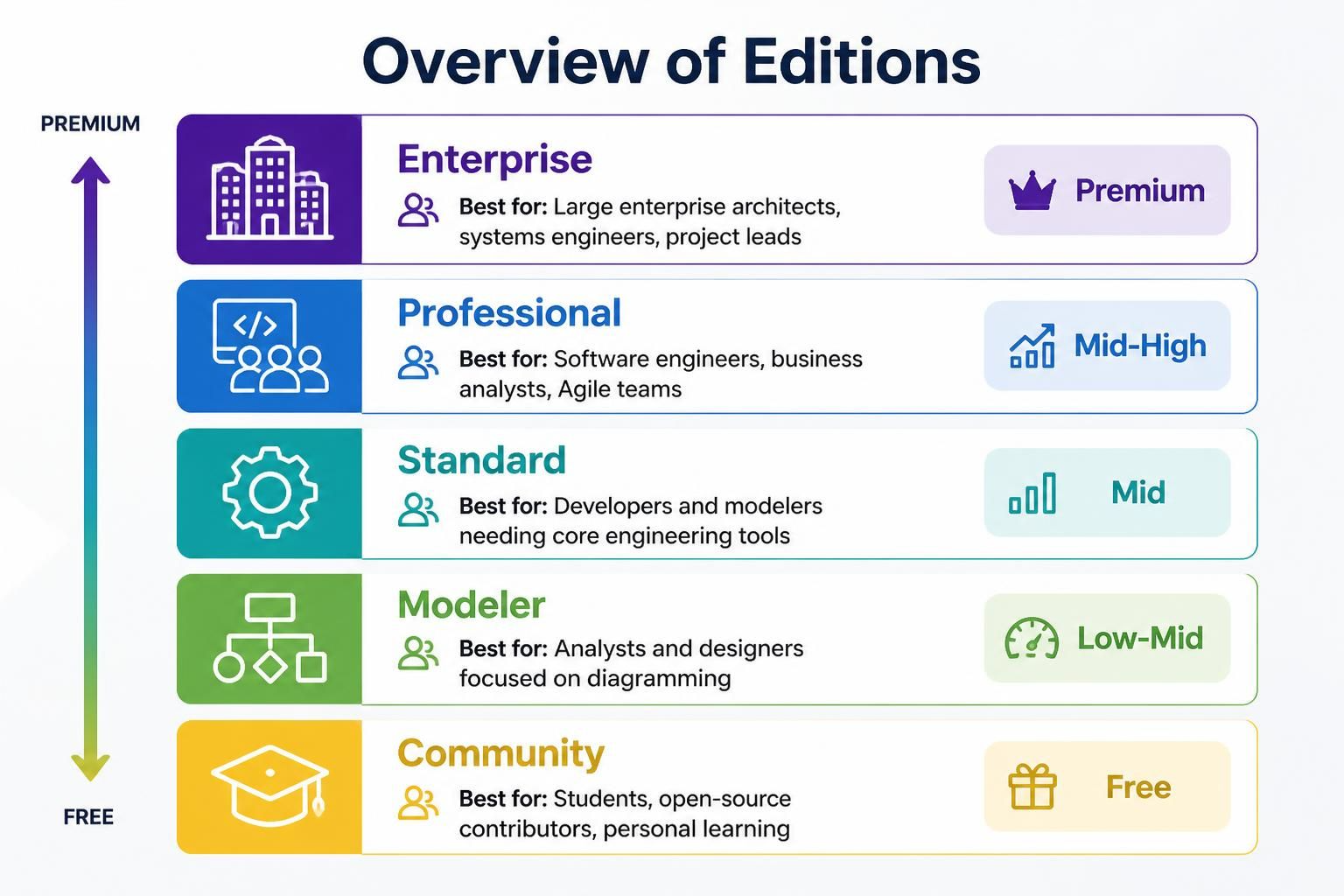
| Edition | Best For | Price Tier |
|---|---|---|
| Enterprise | Large enterprise architects, systems engineers, project leads | Premium |
| Professional | Software engineers, business analysts, Agile teams | Mid-High |
| Standard | Developers and modelers needing core engineering tools | Mid |
| Modeler | Analysts and designers focused on diagramming | Low-Mid |
| Community | Students, open-source contributors, personal learning | Free |
1. Enterprise Edition
Best For:
-
Large enterprise architects
-
Systems engineers
-
Project leads managing complex organizational frameworks
Key Features:
-
Full Enterprise Architecture Support: Complete support for TOGAF, DoDAF, NAF, MODAF, and ArchiMate frameworks
-
Advanced Collaboration Tools: Team collaboration features, UI wireframing capabilities
-
Agile & Project Management: Scrum process canvases, project management guides
-
AI-Powered Business Tools: Leverage AI for business analysis and decision-making
-
Complete Engineering Suite: Full code and database engineering capabilities
-
Comprehensive Modeling: UML, SysML, ERDs, BPMN, DFD, and more
Ideal Use Cases:
-
Organizations implementing enterprise architecture frameworks
-
Large-scale system design and documentation
-
Teams requiring full Agile project management integration
-
Complex business process modeling and optimization
2. Professional Edition
Best For:
-
Software engineers
-
Business analysts
-
Agile development teams
Key Features:
-
Core Modeling: Full UML, SysML, and ERD support
-
Code & Database Engineering: Generate and reverse-engineer code and databases
-
BPMN & DFD: Business Process Model and Notation, Data Flow Diagrams
-
Team Collaboration: Share and collaborate on models with team members
-
Scrum Canvases: Agile project management tools and guides
-
UI Wireframing: Design user interface mockups
What’s Excluded:
-
Full enterprise architecture frameworks (TOGAF, DoDAF, ArchiMate)
Ideal Use Cases:
-
Software development projects requiring detailed modeling
-
Business process analysis and improvement
-
Agile teams practicing Scrum methodologies
-
Database design and documentation
3. Standard Edition
Best For:
-
Developers needing core engineering capabilities
-
Modelers who don’t require full Agile project management tools
Key Features:
-
Core UML Modeling: Complete Unified Modeling Language support
-
Code & Database Engineering: Generate and reverse-engineer code
-
BPMN & DFD: Business process and data flow modeling
-
Collaboration Tools: Basic team sharing and collaboration features
- Scrum canvases and Agile project management guides
What’s Excluded:
-
Enterprise architecture frameworks (TOGAF, DoDAF, ArchiMate)
-
Some advanced collaboration features
Ideal Use Cases:
-
Individual developers or small teams
-
Projects requiring solid modeling without extensive Agile tooling
-
Database and code engineering tasks
-
Business process documentation
4. Modeler Edition
Best For:
-
Business analysts
-
System designers
-
Users focused purely on visual diagramming
Key Features:
-
Core UML & SysML: Essential modeling languages
-
ERD Support: Entity-Relationship Diagrams for database design
-
Online Editing: Web-based editing capabilities
-
IDE Integration: Connect with popular development environments
What’s Excluded:
-
Advanced code and database engineering
-
BPMN and DFD support
-
Team collaboration features
-
Scrum and Agile project management tools
Ideal Use Cases:
-
Creating clear visual documentation
-
System design and architecture diagrams
-
Database schema visualization
-
Educational purposes and learning modeling concepts
5. Community Edition
Best For:
-
Students
-
Open-source contributors
-
Personal learning and experimentation
-
Individuals on a budget
Key Features:
-
Core Modeling Capabilities: Access to basic UML, SysML, and ERD tools
-
Free to Use: No cost for personal and educational use
-
Learning-Friendly: Great for mastering modeling concepts
Limitations:
-
Watermarked Outputs: All exported diagrams include a single-lined watermark
-
No Advanced Engineering: Code/database engineering not included
-
No Enterprise Features: Limited collaboration and no enterprise frameworks
Ideal Use Cases:
-
Learning UML and modeling fundamentals
-
Student projects and academic work
-
Personal diagramming needs
-
Testing Visual Paradigm before purchasing
Quick Comparison Table
| Feature / Capability | Enterprise | Professional | Standard | Modeler | Community |
|---|---|---|---|---|---|
| Core UML, SysML, ERD | ✅ Yes | ✅ Yes | ✅ Yes | ✅ Yes | ✅ Yes (Watermarked) |
| BPMN & DFD | ✅ Yes | ✅ Yes | ✅ Yes | ✅ Yes | ❌ No |
| Code & Database Engineering | ✅ Yes | ✅ Yes | ✅ Yes | ❌ No | ❌ No |
| Team Collaboration & Wireframing | ✅ Yes | ✅ Yes | ✅ Yes | ❌ No | ❌ No |
| Scrum Canvas & PM Guides | ✅ Yes | ✅ Yes | ✅ Yes | ❌ No | ❌ No |
| AI-Powered Business Tools | ✅ Yes | ✅ Yes | ❌ No | ❌ No | ❌ No |
| TOGAF, DoDAF & ArchiMate | ✅ Yes | ❌ No | ❌ No | ❌ No | ❌ No |
| Price | Premium | Mid-High | Mid | Low-Mid | Free |
How to Choose the Right Edition
Choose Enterprise if:
-
You work in a large organization implementing enterprise architecture
-
You need full TOGAF, ArchiMate, or other EA framework support
-
Your team requires comprehensive Agile and project management tools
-
Budget is less of a concern than feature completeness
Choose Professional if:
-
You’re a software engineer or business analyst
-
You need code engineering and BPMN but not enterprise frameworks
-
Your team practices Agile/Scrum methodologies
-
You want robust collaboration features
Choose Standard if:
-
You need core modeling and engineering capabilities
-
You don’t require Scrum canvases or enterprise frameworks
-
You’re working independently or in a small team
-
You want a balance of features and cost
Choose Modeler if:
-
You primarily create diagrams and visual models
-
You don’t need code generation or BPMN
-
You’re focused on system design documentation
-
You want an affordable option for pure modeling
Choose Community if:
-
You’re a student or educator
-
You’re learning modeling concepts
-
You have personal, non-commercial projects
-
You want to try Visual Paradigm before purchasing
Tips for Getting Started
-
Start with Community Edition: If you’re new to Visual Paradigm, begin with the free Community Edition to explore the interface and basic features.
-
Evaluate Your Needs: Consider which frameworks and methodologies your organization uses (TOGAF, Scrum, BPMN, etc.) to determine the minimum edition required.
-
Consider Team Size: Larger teams benefit more from collaboration features available in Standard and above.
-
Check for Upgrades: Visual Paradigm often offers upgrade paths, so you can start lower and move up as needs grow.
-
Review the Full Comparison: Visit the Visual Paradigm Edition Comparison Page for the most current and detailed feature breakdown.
Conclusion
Visual Paradigm Desktop provides a scalable solution that grows with your needs. Whether you’re a student learning UML basics, a developer engineering complex systems, or an enterprise architect implementing TOGAF frameworks, there’s an edition designed for your specific requirements. By understanding the differences between editions, you can make an informed decision that balances functionality, collaboration needs, and budget constraints.
For the most up-to-date pricing and feature details, always refer to the official Visual Paradigm website.

 English
 Arabic
 Chinese (Simplified)
 Dutch
Dutch French
 German
 Italian
 Japanese
 Korean
 Portuguese
 Russian
 Spanish