


Introduction
In modern software architecture and business process modeling, the gap between an idea and its visual representation is often where productivity stalls. Traditionally, creating a diagram meant manually dragging shapes, connecting lines, and formatting labels—a time-consuming process that required deep familiarity with modeling tools.
Visual Paradigm has bridged this gap by integrating Artificial Intelligence across its ecosystem. However, there isn’t just one “text-to-diagram” button. Instead, VP offers six distinct routes to transform natural language or code into visual models. Each route serves different workflows, from quick brainstorming sessions to rigorous enterprise documentation.
This guide explores these six pathways, helping you choose the right tool for your specific context—whether you’re a product manager sketching a user journey, a developer defining microservices, or an architect documenting complex systems.
The Six Routes at a Glance
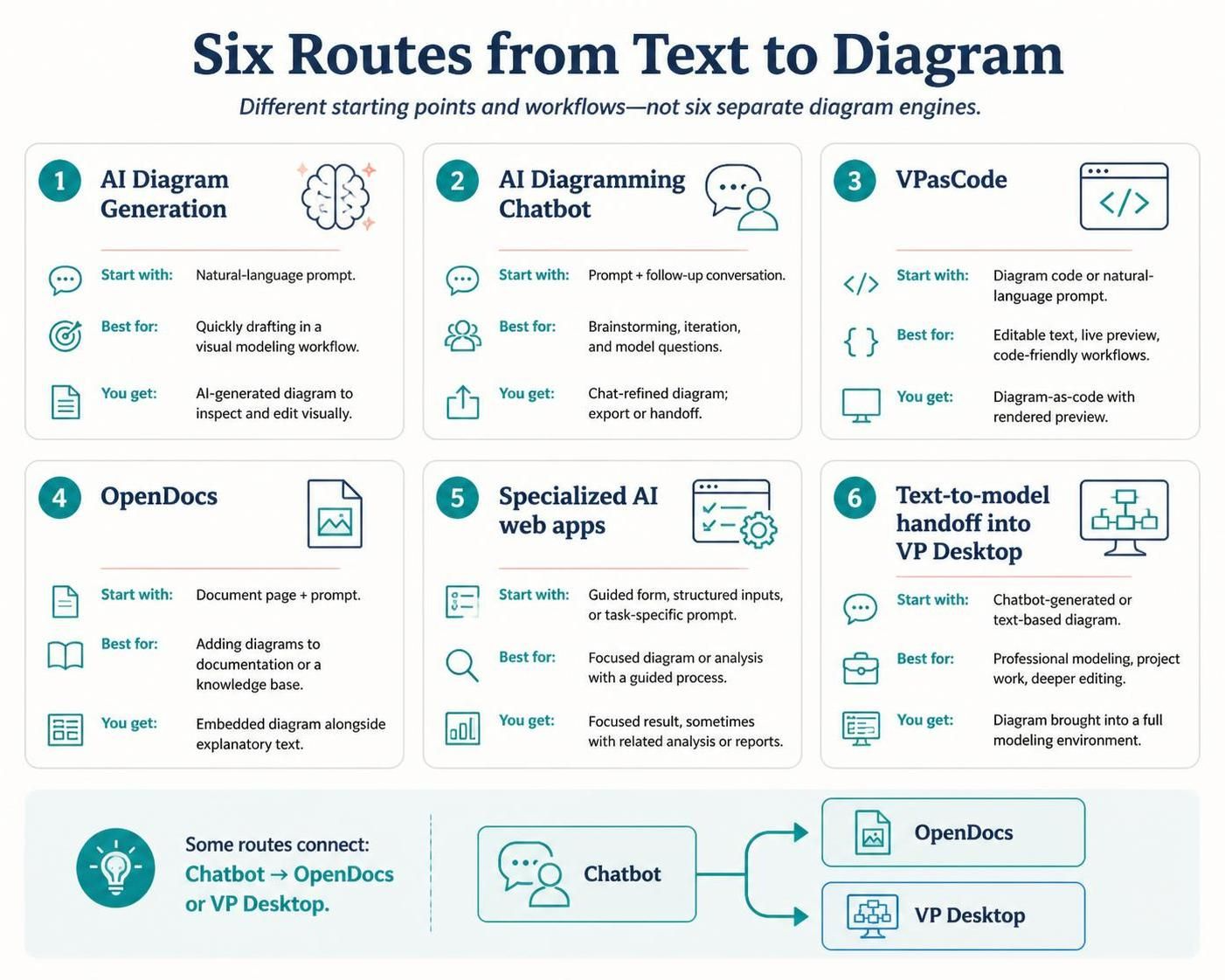
Before diving into the details, here’s how the ecosystem maps out:
| Route | Start with | Best for | What you get |
|---|---|---|---|
| 1. AI Diagram Generation | A natural-language prompt | Quickly drafting a diagram in a visual modeling workflow | An AI-generated diagram that you can inspect and edit visually |
| 2. AI Diagramming Chatbot | A prompt and follow-up conversation | Brainstorming, rapid iteration, and asking questions about a model | A diagram you refine by chatting; it can also be exported or handed off |
| 3. VPasCode | Diagram code, or a natural-language prompt for code generation | People who want editable text, live preview, or code-friendly workflows | Diagram-as-code with a rendered preview |
| 4. OpenDocs | A document page and a prompt | Putting diagrams directly into documentation or a knowledge base | An embedded diagram alongside explanatory text |
| 5. Specialized AI web apps | A guided form, structured inputs, or a task-specific prompt | A particular diagram or analysis with a more guided process | A focused result, sometimes with related analysis or reports |
| 6. Text-to-model handoff into VP Desktop | A chatbot-generated or text-based diagram | Professional modeling, project work, or deeper editing | A diagram brought into a fuller modeling environment |
Key Concepts
1. Natural Language Processing (NLP) in Modeling
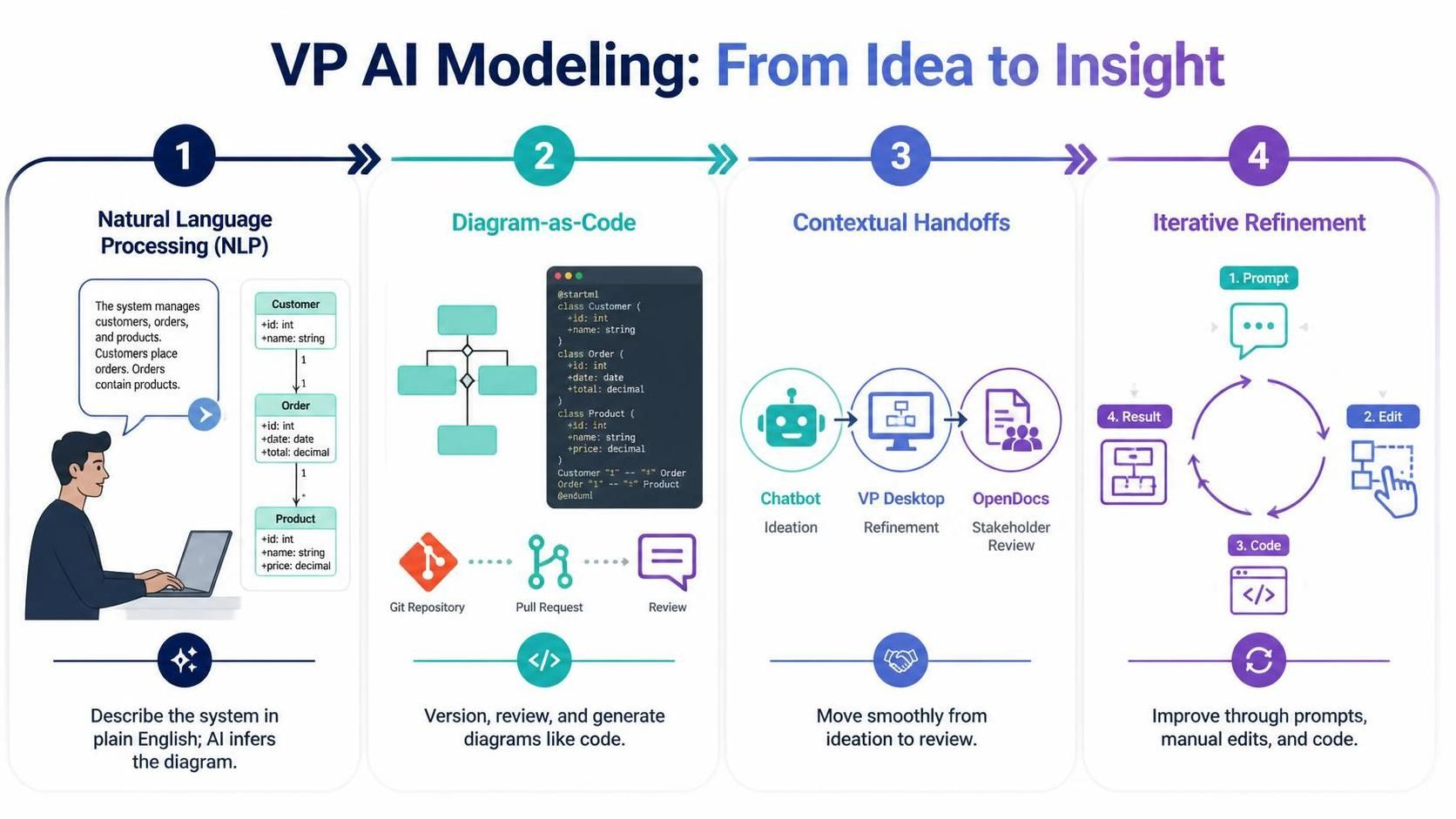
VP’s AI engines interpret plain English descriptions of systems, processes, or structures. Instead of knowing UML syntax, you describe what the system does, and the AI infers how it should look.
2. Diagram-as-Code
Some routes treat diagrams as version-controllable code. This allows developers to store diagram definitions in Git, review changes via pull requests, and generate visuals on the fly.
3. Contextual Handoffs
The routes are not siloed. You might start with a chatbot for ideation, export the result to VP Desktop for refinement, and finally embed it in OpenDocs for stakeholder review. This fluidity is central to VP’s AI strategy.
4. Iterative Refinement
AI-generated diagrams are rarely perfect on the first try. The ecosystem supports iterative refinement through follow-up prompts, manual edits, or code adjustments.
Detailed Breakdown of the Six Routes
Route 1: AI Diagram Generation
Start with: A natural-language prompt within a visual modeling tool.
Best for: Rapid prototyping when you already know which diagram type you need (e.g., Class Diagram, Flowchart).
How it works:
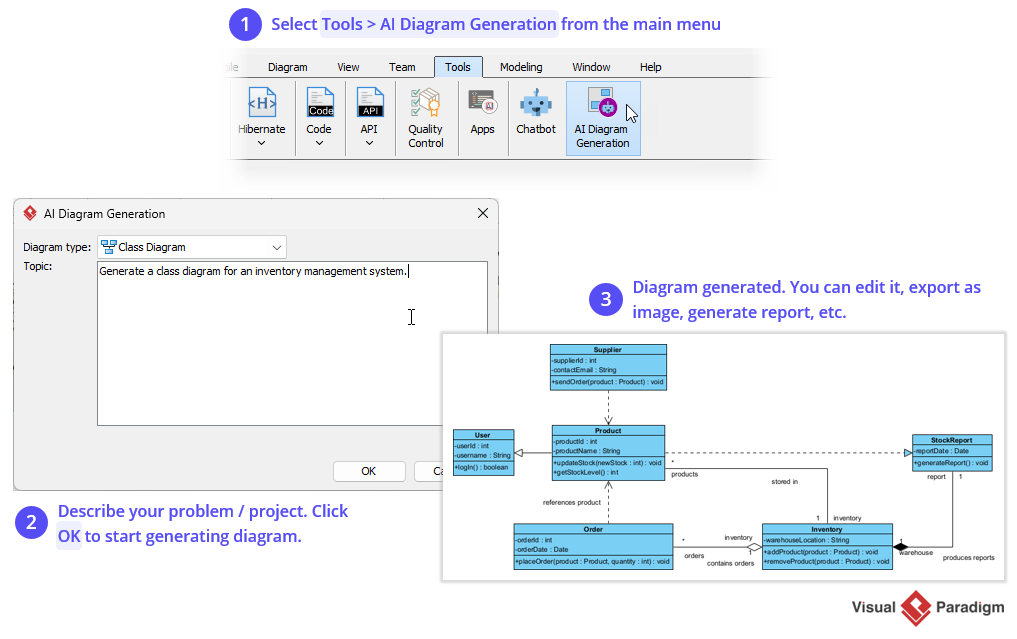
You select a diagram type and enter a prompt like:
“Create a class diagram for an e-commerce system with Customers, Orders, Products, and Payments.”
VP’s AI generates the initial structure, including classes, attributes, and relationships. You can then tweak positions, add details, or adjust styling using the standard visual editor.
Example Use Case:
A product manager needs a quick sequence diagram to illustrate a new checkout flow during a sprint planning meeting.
Route 2: AI Diagramming Chatbot
Start with: A conversational interface.
Best for: Exploratory modeling, brainstorming, and users who prefer talking through ideas rather than writing formal prompts.
How it works:
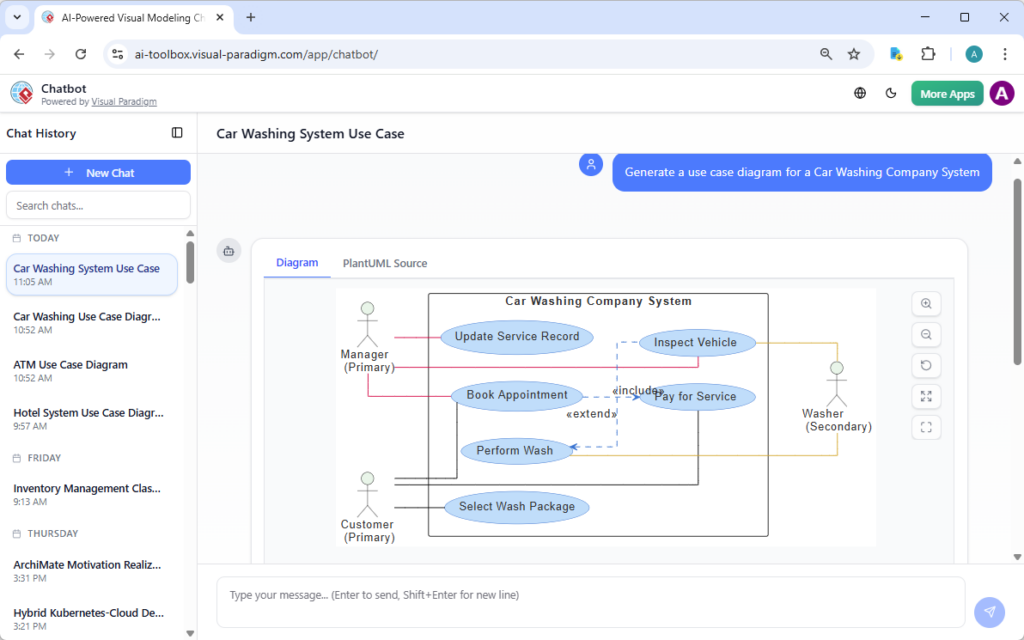
You interact with the VP AI Chatbot as you would with any LLM. For example:
“Help me design a microservices architecture for a ride-sharing app.”
The chatbot asks clarifying questions, suggests components, and generates diagrams iteratively. You can say, “Add a payment service,” or “Show the data flow between the driver and rider apps,” and the diagram updates in real-time.
Key Advantage:
The conversational context allows for nuanced adjustments without needing to rephrase entire prompts.
Route 3: VPasCode
Start with: Code or a prompt to generate code.
Best for: Developers, DevOps teams, and anyone who wants diagrams stored in version control.
How it works:
VPasCode uses a domain-specific language (DSL) or standard formats like PlantUML. You can write code like:
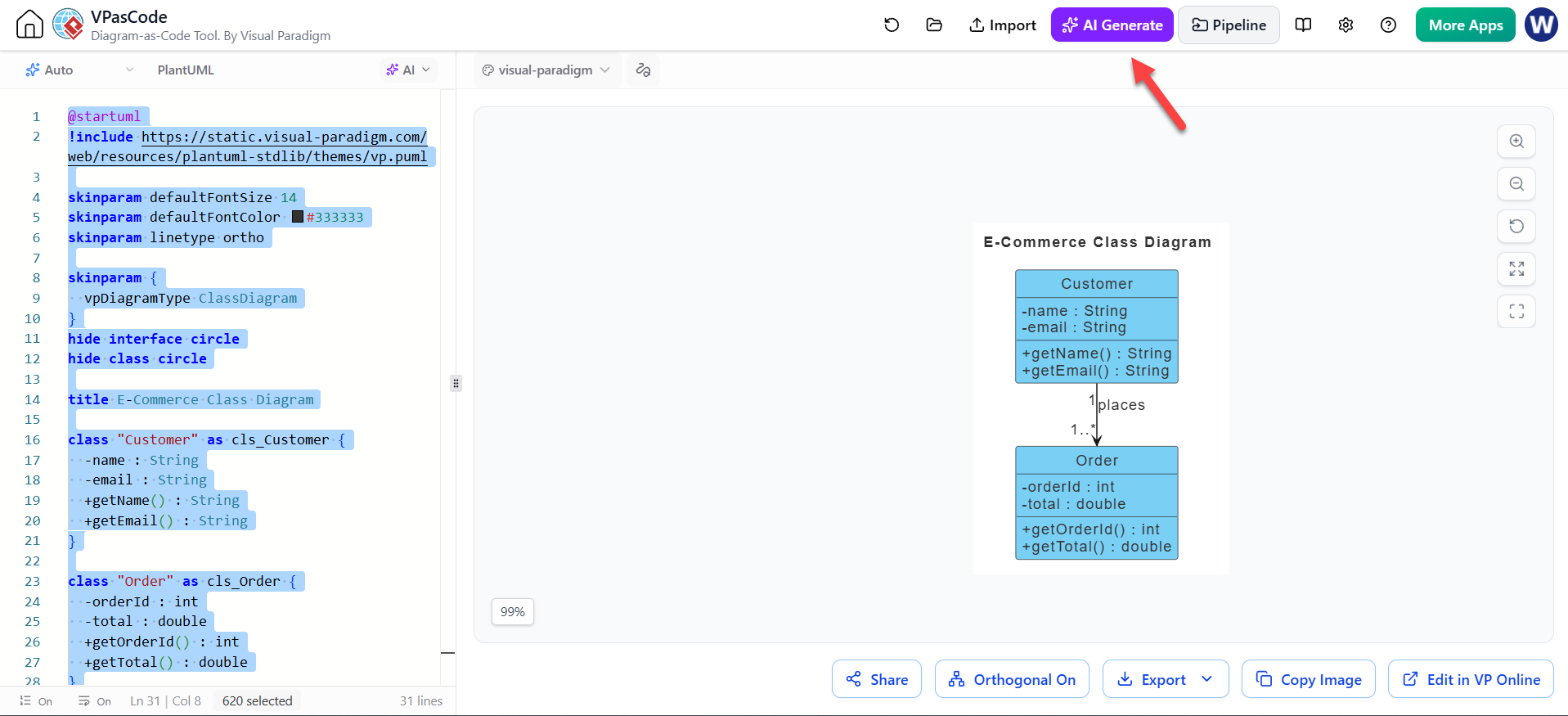
@startuml
class Customer {
  +name: String
  +email: String
}
class Order {
  +orderId: int
  +total: double
}
Customer --> Order : places
@enduml
Or, you can ask the AI to generate this code from a natural language prompt. The tool provides a live preview, so you see the diagram update as you edit the code.
Example Use Case:
A development team stores their architecture diagrams in GitHub. When they update the codebase, they update the VPasCode file, ensuring documentation stays in sync.
Route 4: OpenDocs
Start with: A documentation page.
Best for: Creating living documentation where diagrams and text coexist seamlessly.
How it works:
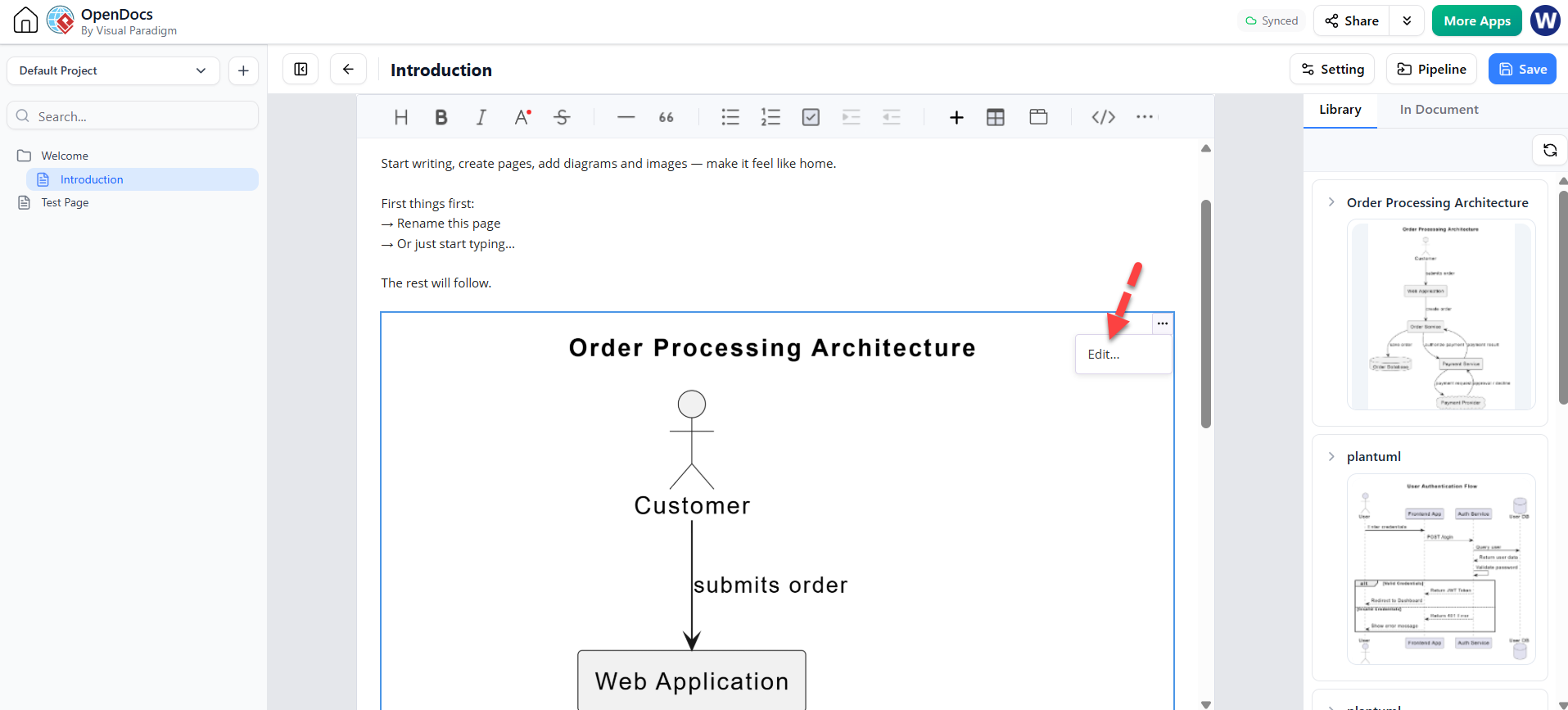
Within an OpenDocs page, you insert an AI block and describe the diagram you need. For example:
“Insert a flowchart showing the user registration process.”
The diagram appears inline with your text. If requirements change, you update the prompt, and the diagram regenerates automatically. This eliminates the hassle of exporting images from other tools and re-uploading them.
Key Advantage:
Diagrams remain editable and dynamic within the documentation itself.
Route 5: Specialized AI Web Apps
Start with: Guided forms or task-specific interfaces.
Best for: Non-experts or specific analytical tasks where structure is more important than free-form creativity.
How it works:
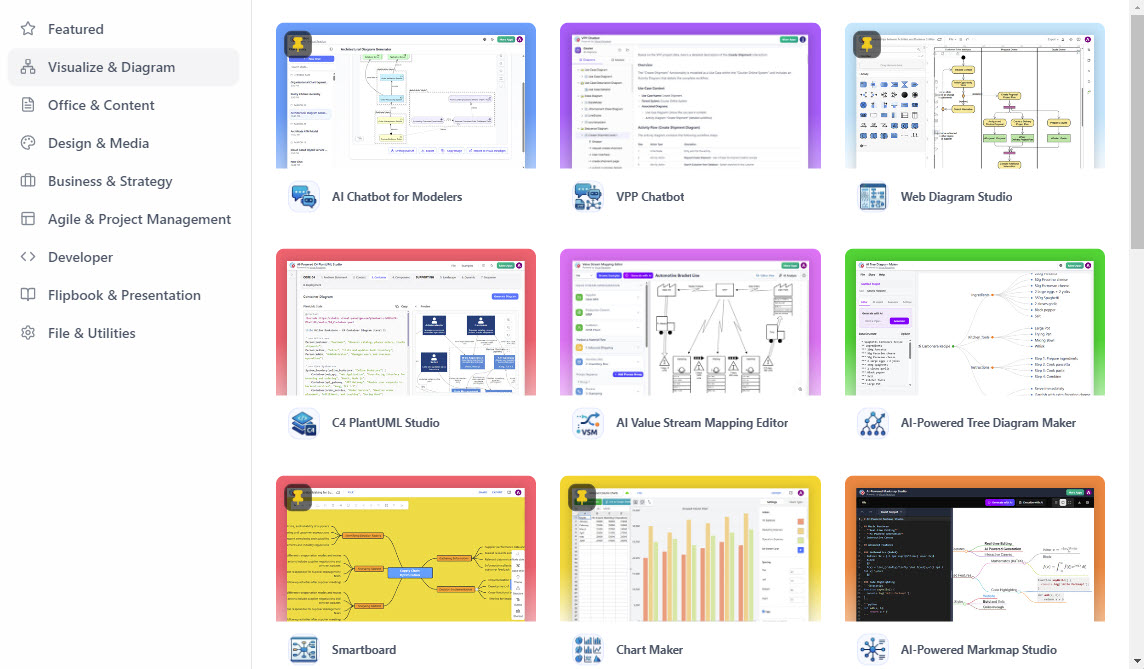
VP offers web-based apps for specific purposes, such as SWOT analysis, business model canvases, or ER diagrams. You fill in fields or answer guided questions, and the AI generates a standardized diagram.
Example Use Case:
A business analyst uses the SWOT Analysis AI app to input strengths, weaknesses, opportunities, and threats. The app produces a formatted SWOT matrix ready for presentation.
Route 6: Text-to-Model Handoff into VP Desktop
Start with: A diagram generated via chatbot or text.
Best for: Professional architects who need full modeling capabilities, validation, and integration with larger projects.
How it works:
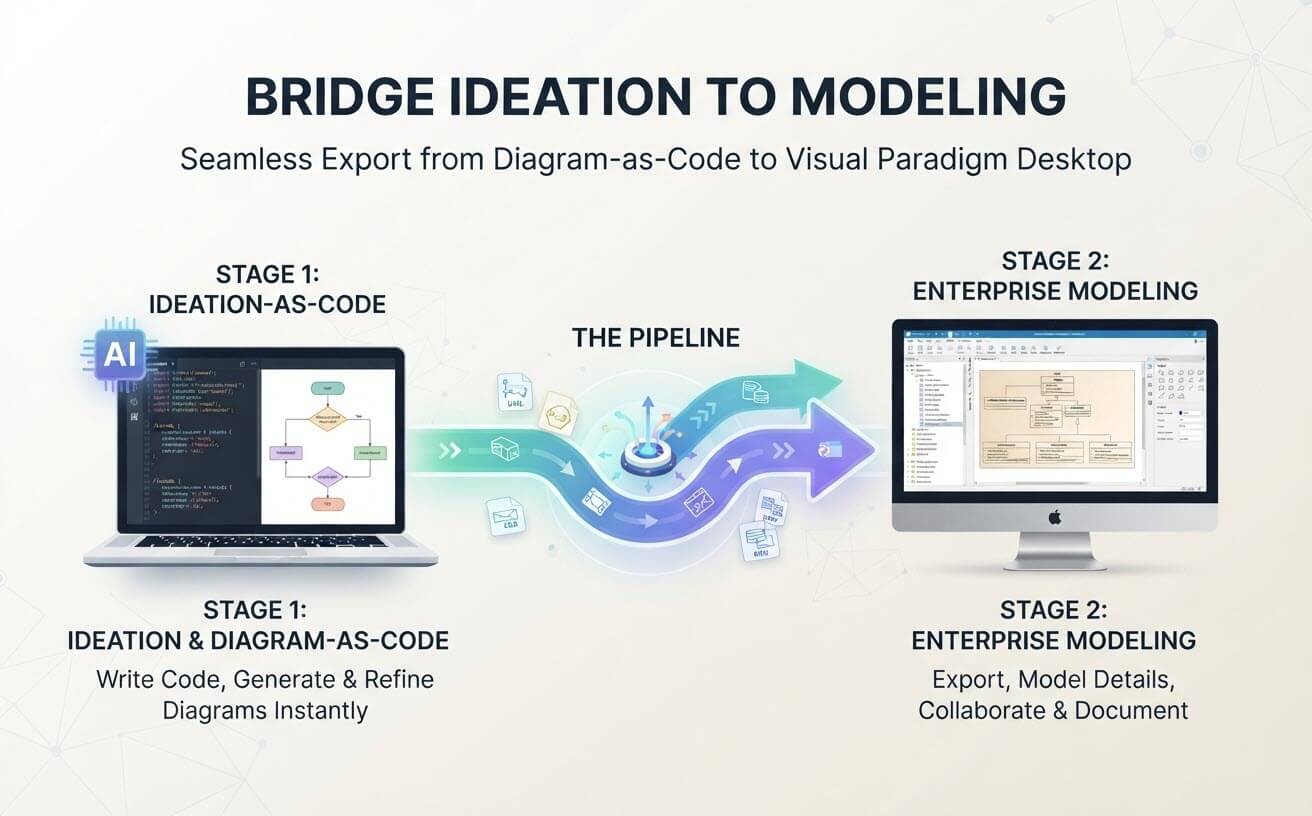
After generating a diagram in the Chatbot or via text, you export it to VP Desktop. Here, you can:
-
Apply strict UML/BPMN standards.
-
Link elements to requirements or test cases.
-
Generate code stubs or database schemas.
-
Collaborate with team members using version control.
Key Advantage:
This route bridges the gap between quick AI ideation and enterprise-grade modeling rigor.
Choosing the Right Route
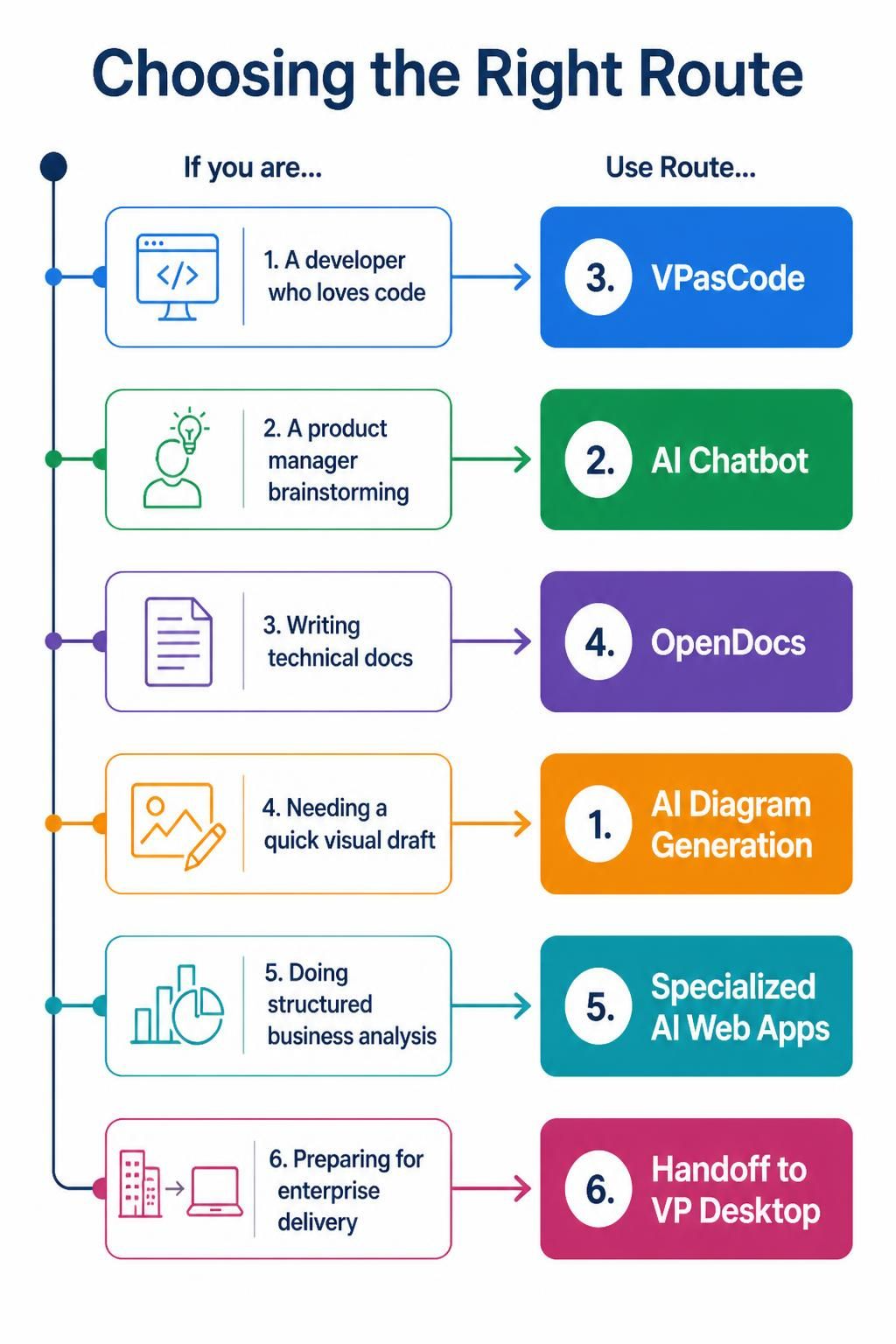
| If you are… | Use Route… |
|---|---|
| A developer who loves code | 3. VPasCode |
| A product manager brainstorming | 2. AI Chatbot |
| Writing technical docs | 4. OpenDocs |
| Needing a quick visual draft | 1. AI Diagram Generation |
| Doing structured business analysis | 5. Specialized AI Web Apps |
| Preparing for enterprise delivery | 6. Handoff to VP Desktop |
Conclusion
Visual Paradigm’s AI ecosystem doesn’t rely on a single magic button. Instead, it offers six complementary routes that cater to different roles, workflows, and levels of precision. Whether you’re starting with a casual conversation, writing code, or embedding diagrams in documentation, there’s a path that fits your needs.
The true power lies in combining these routes. Start with the Chatbot to explore ideas, refine them in VP Desktop, and publish them via OpenDocs. By understanding these six pathways, you can transform text into impactful visuals faster and more effectively than ever before.

 English
 Arabic
 Chinese (Simplified)
 Dutch
Dutch French
 German
 Italian
 Japanese
 Korean
 Portuguese
 Russian
 Spanish